
What you can do after this guide
Create job posts + JDs with AI → find candidates on LinkedIn → add candidates by dragging and dropping CVs (AI reads + scores) → manage kanban workflow → create and send offers → schedule & send interview invites → onboard candidates.
Preparation
| # | Prerequisite | Why it's needed |
|---|---|---|
| 1 | Log in to GTG CRM, have HRM_MANAGE_RECRUITMENT (or HRM_MANAGE_EMPLOYEE) permission. | To create postings, source, score, offer, interview, and hire. |
| 2 | (Optional) A connected mailbox in HR Settings. | Only needed when sending interview invitations / offers. |
| 3 | Workspace has credits. | Reading CVs + AI scoring + creating JDs + LinkedIn sourcing incur costs. |
Step 1 — Create job posts + JDs with AI
- Left navigation bar → Human Resources → Recruitment → + New job post.
- Fill in: Job Title, Department, Location, Level, Employment Type, Country, Quantity.
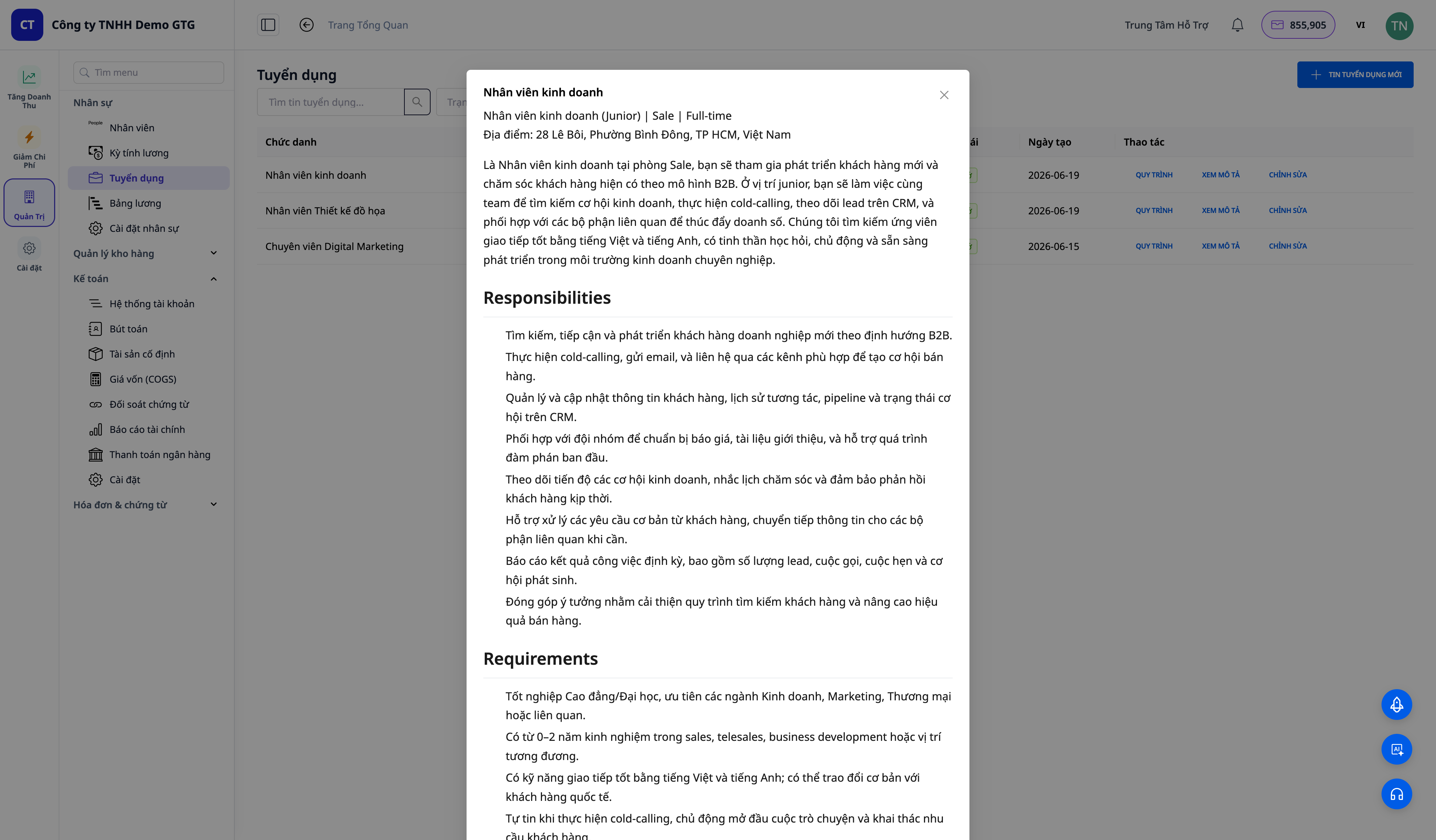
- Enter Key Requirements → click ✨ Create with AI next to the Job Description field → click Save.
✅ Expected result: Salary field displays thousands separators + currency selection. If an active salary range exists, the Apply salary range dropdown auto-fills the salary range. After a few seconds, the Job Description field is populated with a structured JD (responsibilities / requirements / nice-to-haves / benefits). Once saved, the posting appears in the list with OPEN/Draft status.
Step 2 — Find candidates on LinkedIn
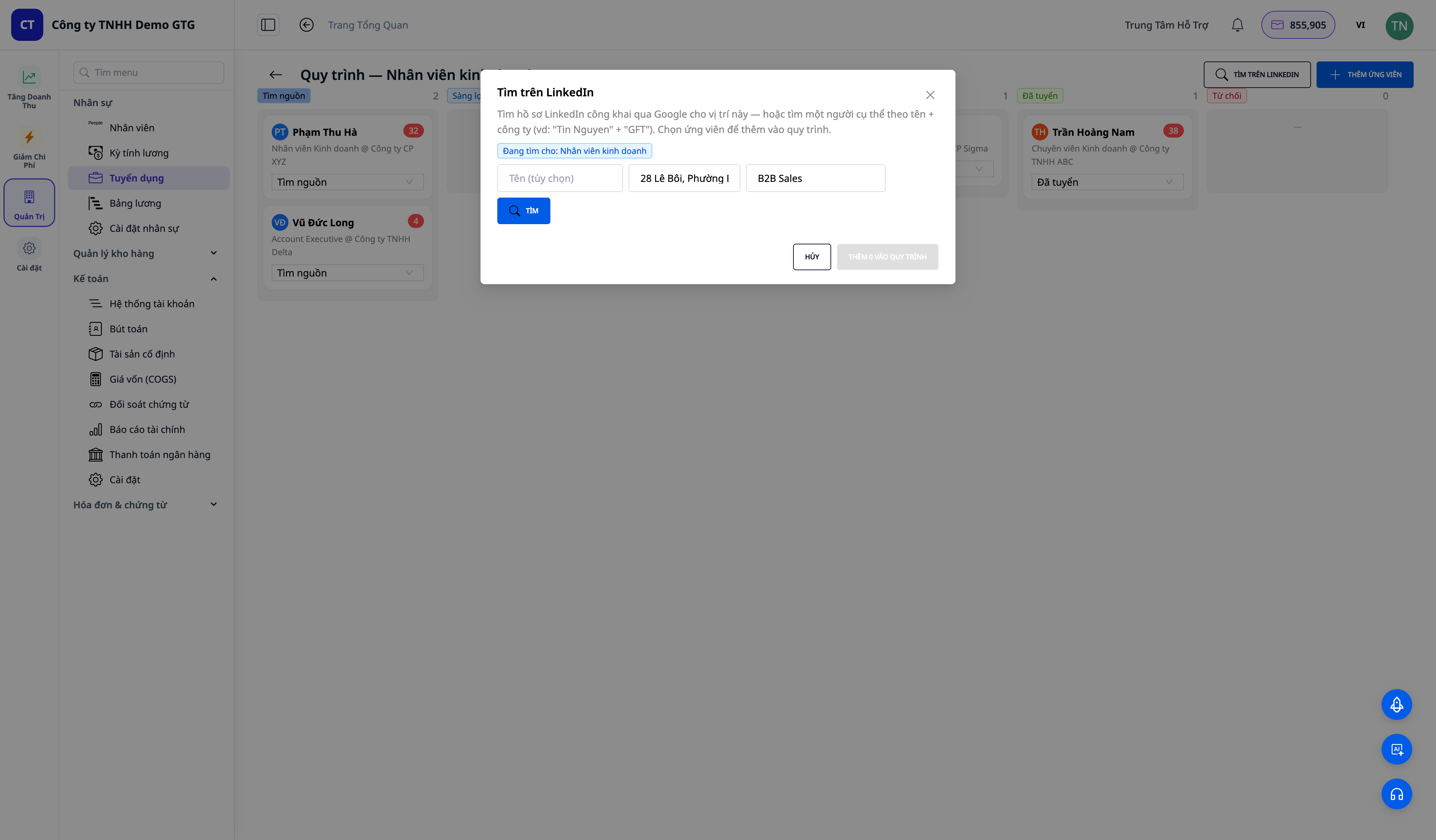
- On the job post row, click PIPELINE → the kanban board opens → click FIND ON LINKEDIN.
- Location auto-fills from the posting. Enter Company/skill (e.g.,
Solution Architect) → click SEARCH. - Tick 1–2 candidates → ADD TO PIPELINE.
✅ Expected result: A list of public LinkedIn profiles appears (initial avatar, name, title @ company, location, "open to work" label when available). Selected candidates appear in the Sourced column with basic profiles; the Load more button fetches more candidate pages.
Step 3 — Add candidates by dragging and dropping CVs (AI reads + scores)
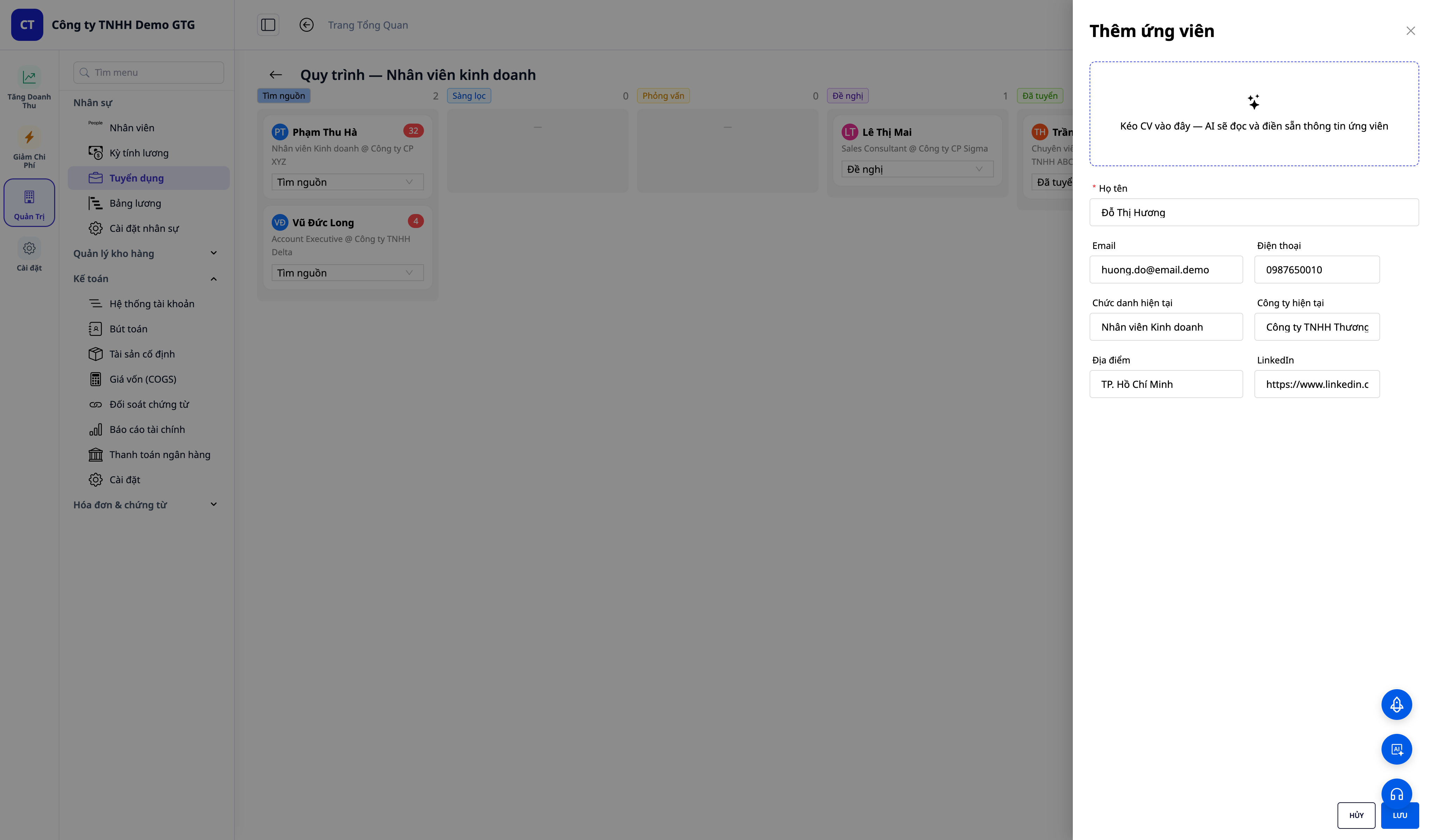
- On the pipeline board, click ADD CANDIDATE → drag a CV (PDF/DOCX) into the drop zone.
- Wait for "Reading CV..." → fields (full name, email, phone, job title) auto-fill from the CV.
- Click Save.
✅ Expected result: "AI scoring..." appears, then a toast message "Added — AI fit score: NN/100". The candidate appears in the Sourced column with a colored score tag (green ≥75, yellow 50–74, red <50).
Step 4 — Manage kanban workflow + notes
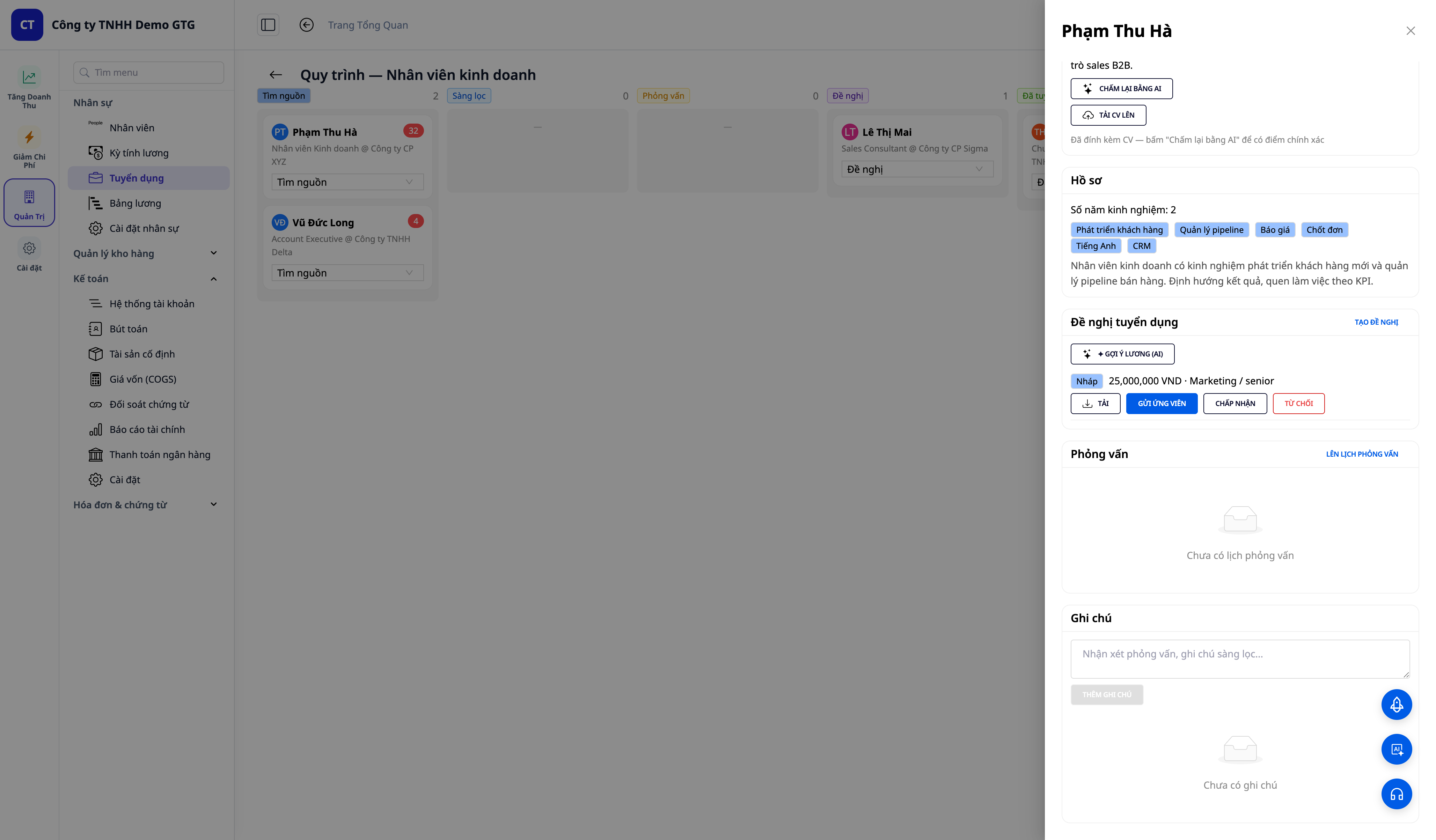
- Click on a candidate card → opens candidate details.
- View the Contact tab (email/phone/LinkedIn link/download CV), AI score + explanation, profile.
- Change status via dropdown → e.g.,
Screening. Add a Note then click Add Note.
✅ Expected result: The card moves to the new column, the count updates. Notes appear with timestamps and are saved after refreshing the page.
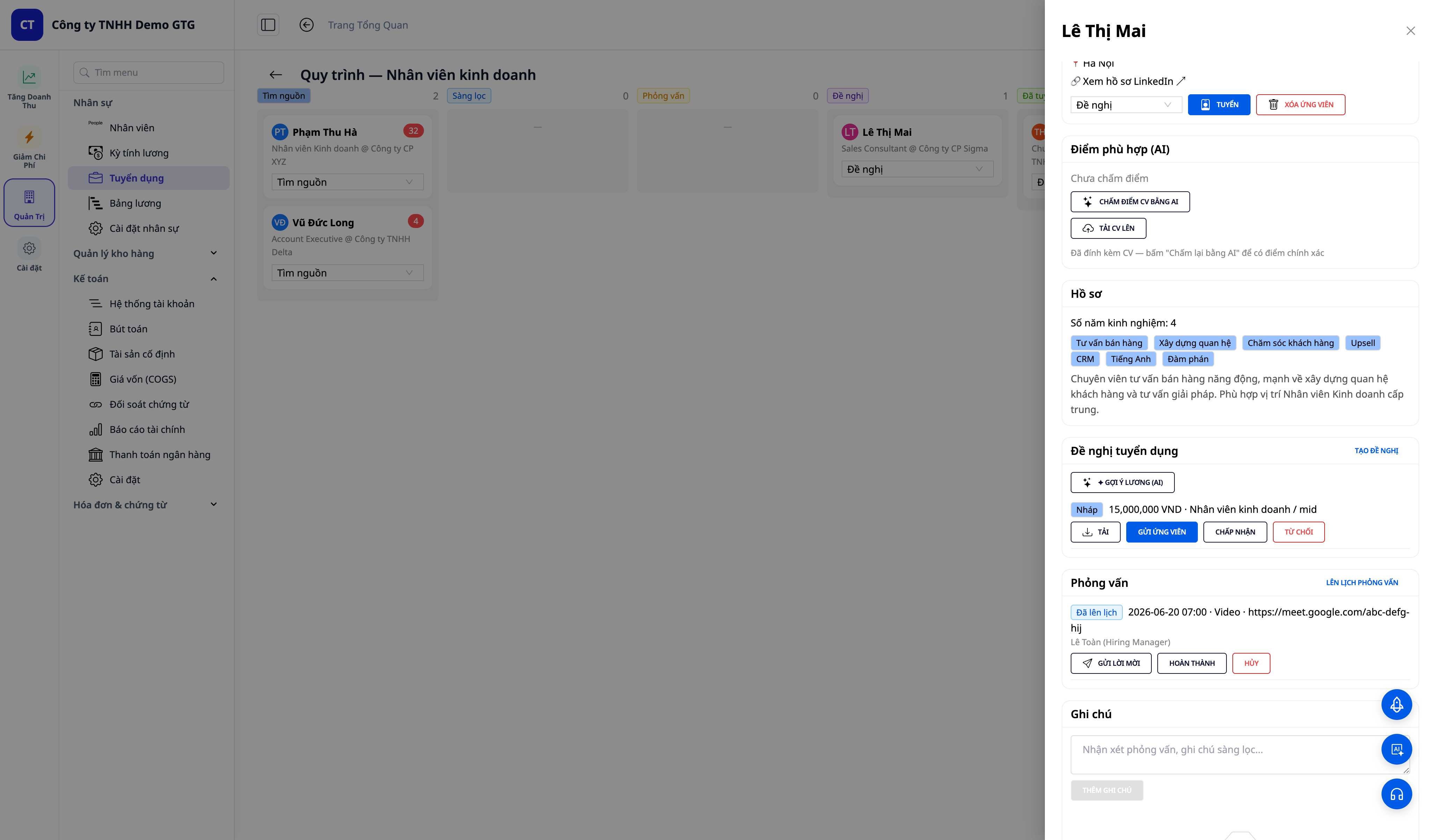
Step 5 — Create and send offers to candidates
- In candidate details → Offers tab → CREATE OFFER (job title, salary, currency; can click ✦ Suggest Salary (AI)) → Save. The offer appears with Draft status.
- On the Draft offer row, click DOWNLOAD to get the official offer letter in .docx format (by country). (There is no separate "Create Offer Letter (AI)" button — the offer letter text is generated and downloaded directly from the offer's DOWNLOAD button.)
- (Requires candidate email + connected mailbox) Click SEND TO CANDIDATE.
✅ Expected result: The Draft offer displays salary + job title; clicking DOWNLOAD will download the offer letter file (e.g., Job_Offer_Letter_(Formal).docx). When sent: "email sent" toast, status changes to Sent. If the candidate has no email, the Send to candidate button is locked with a tooltip reminding to add an email (no backend error).
Step 6 — Schedule and send interview invites
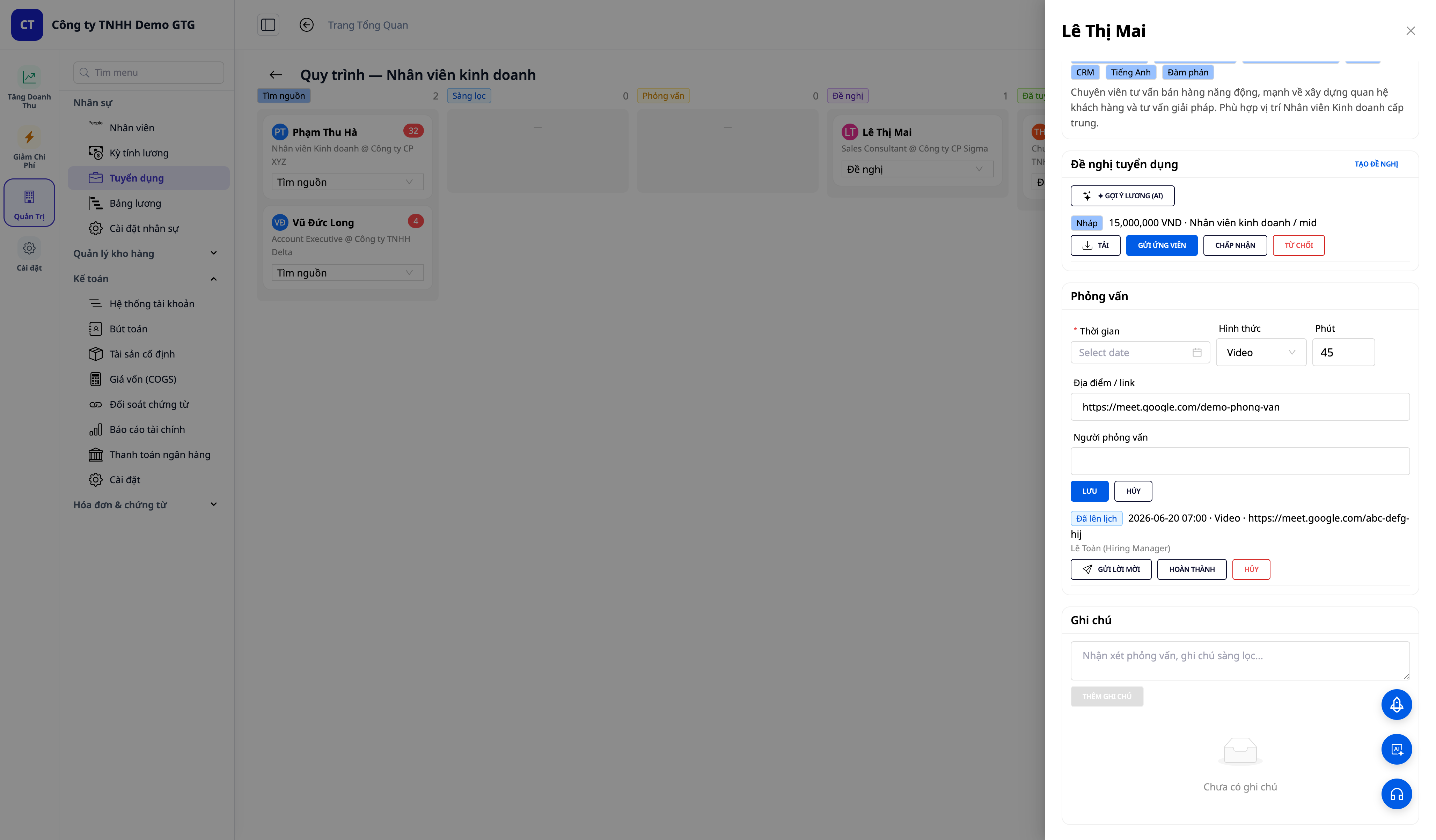
- In candidate details → Interviews tab → SCHEDULE INTERVIEW → fill in When (time), Type (format, default Video), Min (duration in minutes), Location / link (address or meeting link), Interviewers (interviewer names) → SAVE.
- (Requires email + mailbox) On the newly created interview row, click SEND INVITE.
✅ Expected result: An interview row shows Scheduled with date · format · link · interviewer, along with SEND INVITE / COMPLETE / CANCEL buttons. When sending the invite: "sent" toast, candidate receives an email with date/format/link — the time is displayed in your timezone, the email subject includes the company name.
Step 7 — Hire candidate → automatically become an employee
- On a candidate with an accepted offer (with salary), click Hire (or select the status Hired then confirm).
✅ Expected result: "Hired — employee EMP-xxxx created" toast; the candidate moves to the Hired column. Go to Human Resources → Employees to find this person as a real employee (CV + profile carried over) and a draft employment contract has been pre-created from the offer — just review and Activate.
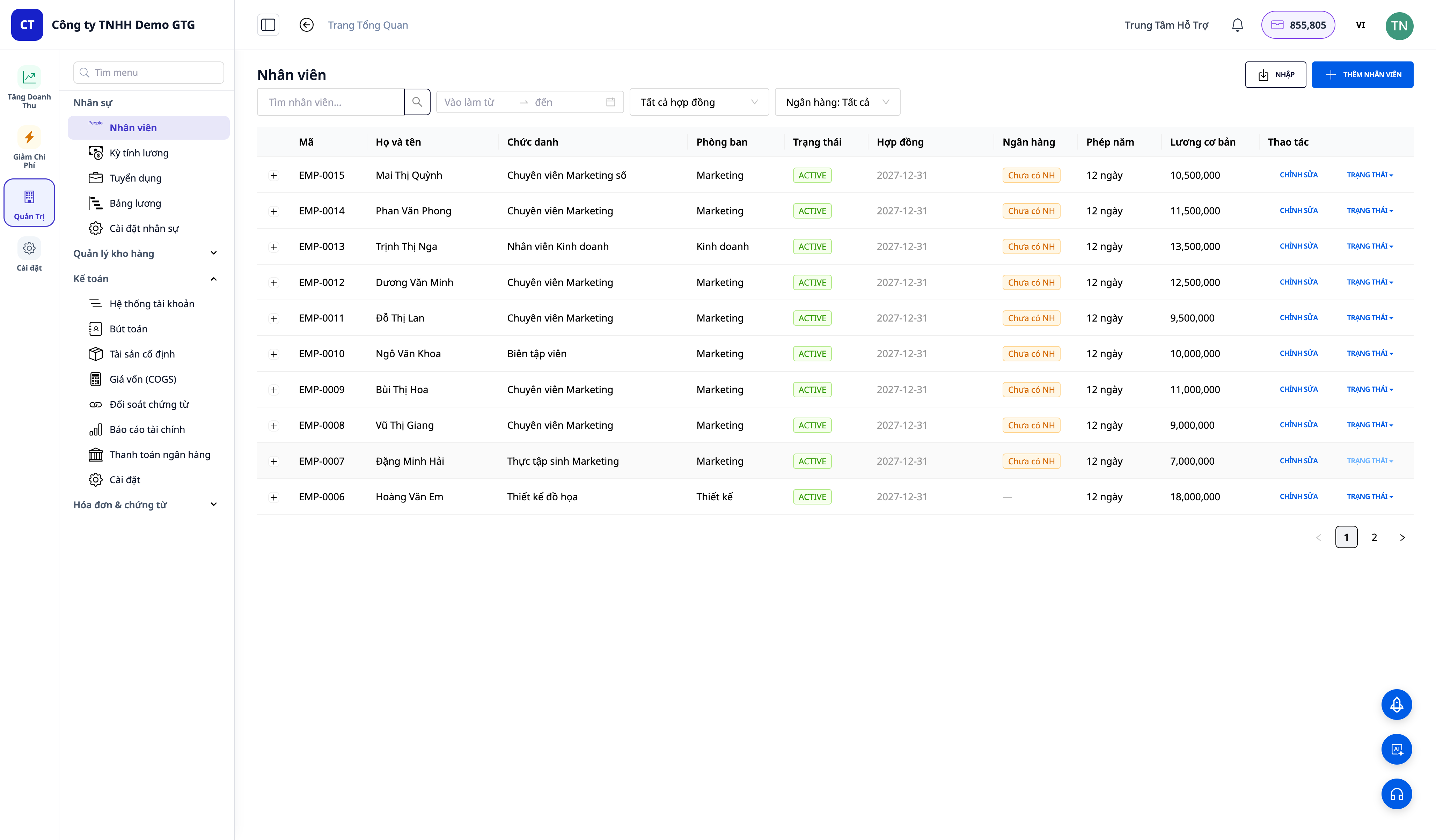
ℹ️ Note: The Hire button is located within the candidate details drawer. After hiring, the candidate appears in the Human Resources → Employees screen as a real employee (EMP-xxxx code, with CV + profile) along with a draft employment contract — HR only needs to review and Activate it.
Quick reference table of expected results
| Action | Result you will see |
|---|---|
| Create posting + ✨ Create with AI (Step 1) | Structured JD in seconds; OPEN/Draft posting |
| LinkedIn Search (Step 2) | Public profiles + initial avatars; added to Sourced column; Load more |
| Drag-and-drop CV (Step 3) | Auto-filled form + "Added — AI score: NN/100" + colored score tag |
| Change column + notes (Step 4) | Card moves column, count updates; notes with timestamps, saved |
| Create + send offer (Step 5) | Offer text + Download; send → "Sent"; missing email → locked button + tooltip |
| Interview (Step 6) | "Scheduled" row; send → email by timezone + company name |
| Hire (Step 7) | "Hired — EMP-xxxx"; employee + draft employment contract auto-created |
Notes
- Sending offers / invites requires a connected mailbox (HR Settings) and the candidate must have an email; if not, the system will display a friendly notification, and the document will still be downloadable.
- LinkedIn sourcing uses public search results (SERP) — no profile pictures (uses initial avatars) and no immediate email/phone available; enrich profiles by uploading CVs and re-scoring.
- Recruitment permissions can be granted independently of employee management permissions (HRM_*_RECRUITMENT). After being granted permission, log out and log back in for the token to be updated.

