
Feature Introduction
Hiring a good employee is often a series of disjointed tasks: writing a job description, posting it on LinkedIn, collecting CVs via email, opening each file to read manually, scheduling interviews, drafting offer letters, and then re-entering the information of successful candidates into the HR system. Each step requires a different tool, and each tool requires data entry.
GTG CRM consolidates the entire recruitment process (ATS) into one place — and lets AI handle the heavy lifting: writing job descriptions, finding candidates on LinkedIn, reading CVs, and scoring their suitability. When you click Hire, the candidate automatically becomes an employee with a draft employment contract — seamlessly linking to the HR & Payroll module.
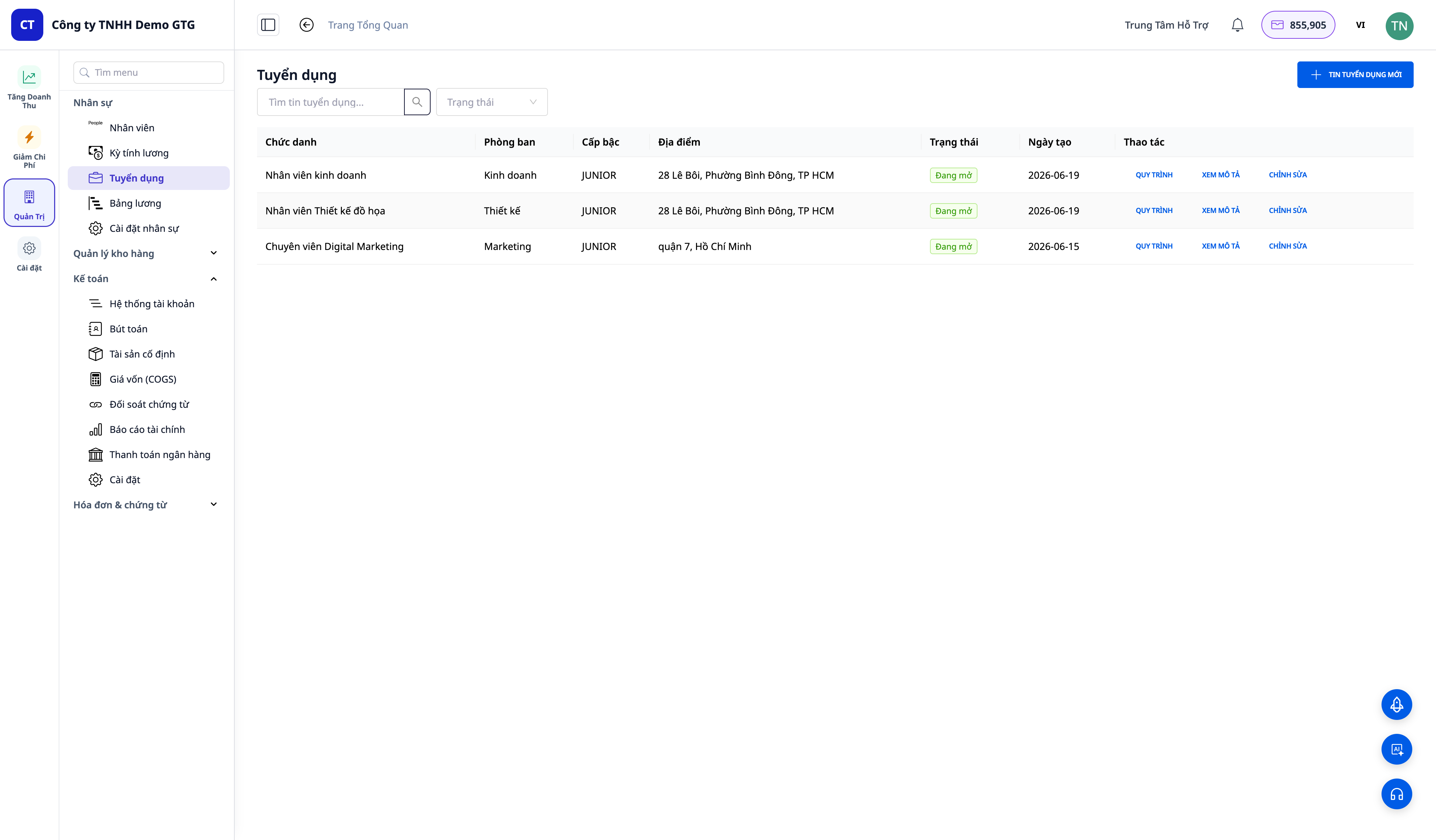
Problems Businesses Are Facing
| Old Method | Consequences |
|---|---|
| Writing JDs manually each time | Time-consuming, inconsistent |
| Manually searching for candidates on LinkedIn | Takes hours, easy to miss suitable candidates |
| Reading each CV and "gut feeling scoring" | Subjective, difficult to compare, easy to overlook talented candidates |
| Managing candidates using Excel/email | Cannot see the entire pipeline, lose track of who is where |
| Re-entering hired candidates into HR | Double data entry, prone to errors |
GTG CRM transforms recruitment into a seamless flow: job posting → sourcing → screening → interview → offer → hire → employee — all within the same platform you use to manage your business.
Highlights
1. Create Job Postings + AI-Generated Job Descriptions
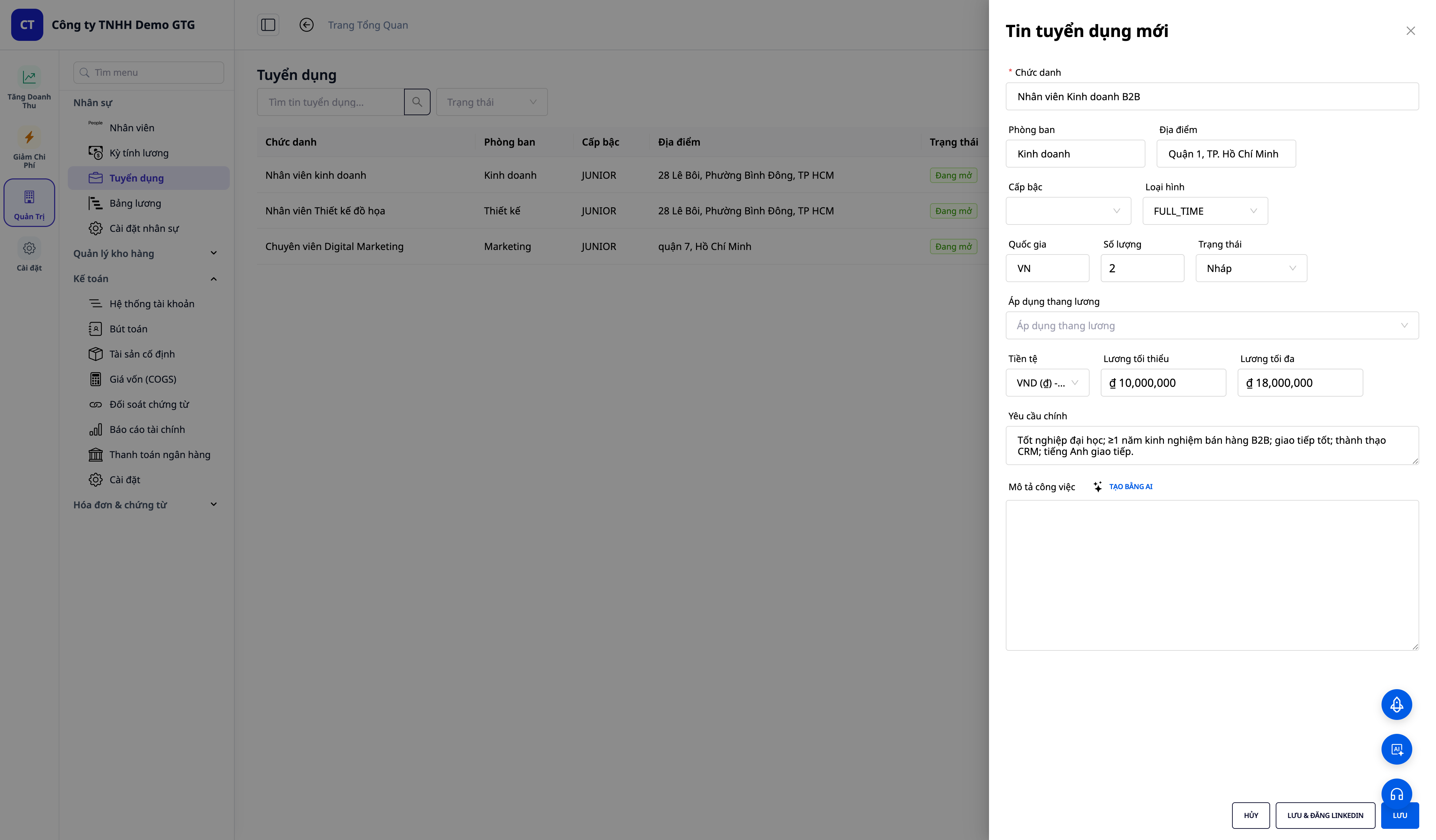
- Create job postings (title, department, location, level, type, quantity).
- Enter a few key requirements, click ✨ Generate with AI — and in seconds, get a comprehensive, structured Job Description (JD) (role summary, responsibilities, requirements, plus points, benefits).
- Apply Salary Band: if your workspace has an active salary scale, select a salary band to auto-fill the salary range for the job posting.
- Save & Post to LinkedIn: save the posting and then open the AI-generated draft for the job posting, ready to publish directly to your connected LinkedIn account.
2. Find Candidates on LinkedIn
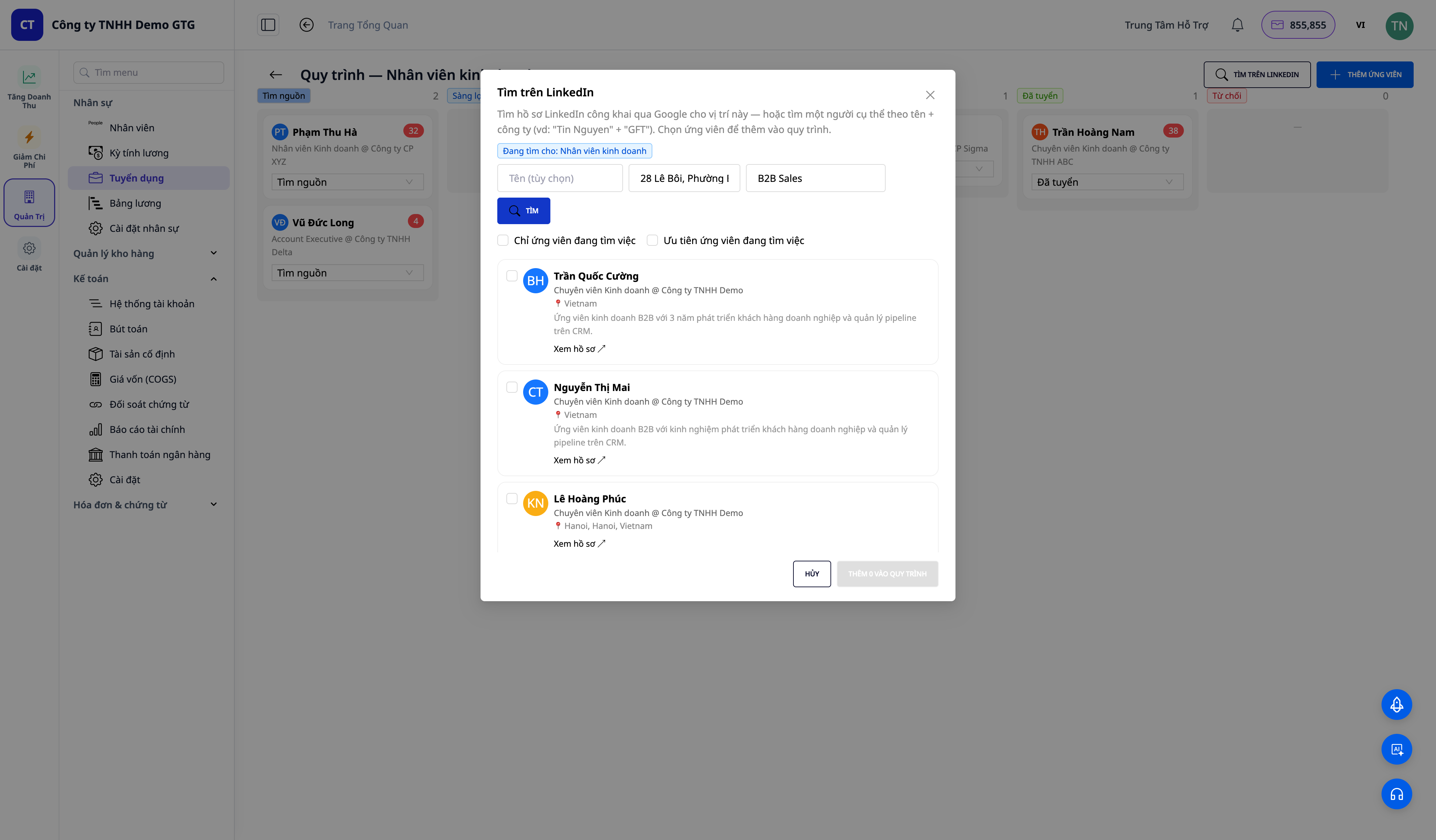
- Search public LinkedIn profiles by role (location auto-filled from the job posting) or by name + company for a specific person.
- Each result displays the name, title @ company, location, a brief description, and an "Open to work" label (Open to work / Likely open / Employed) when inferred.
- Load more to view new pages of candidates, filter by "only candidates seeking jobs", and then Add to Pipeline suitable candidates.
3. AI CV Parsing + Suitability Scoring
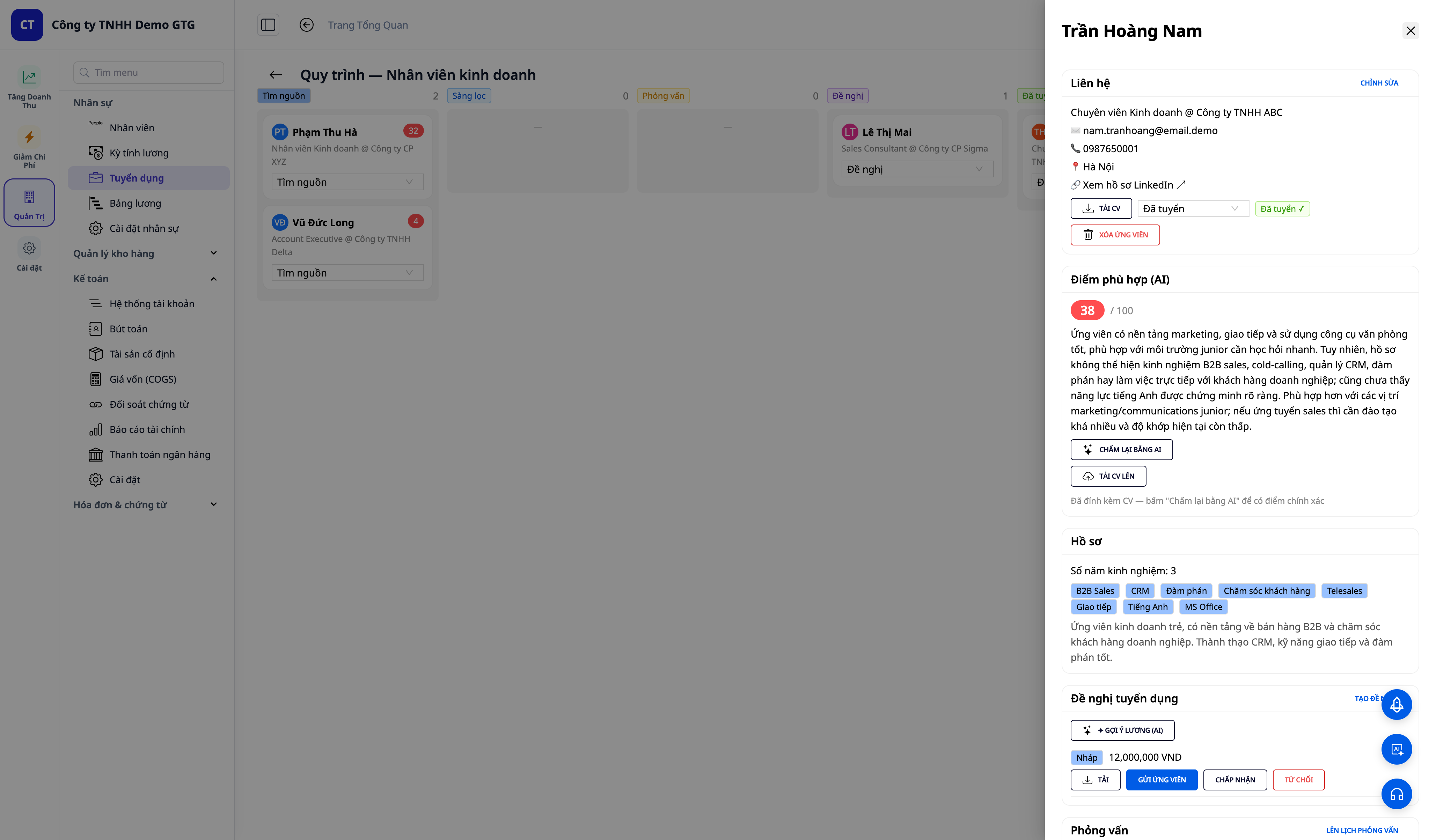
- Drag and drop CVs (PDF/DOCX) — AI automatically extracts name, email, phone, job title, skills, experience, and work history into a form.
- AI assigns a suitability score of 0–100 with a 2-3 sentence explanation; color-coded scores (green ≥75, yellow 50–74, red <50) for quick comparison.
- Attach CVs to existing candidates and then Rescore with AI for more accurate scores based on real CV data.
4. Kanban Workflow — Track Every Candidate
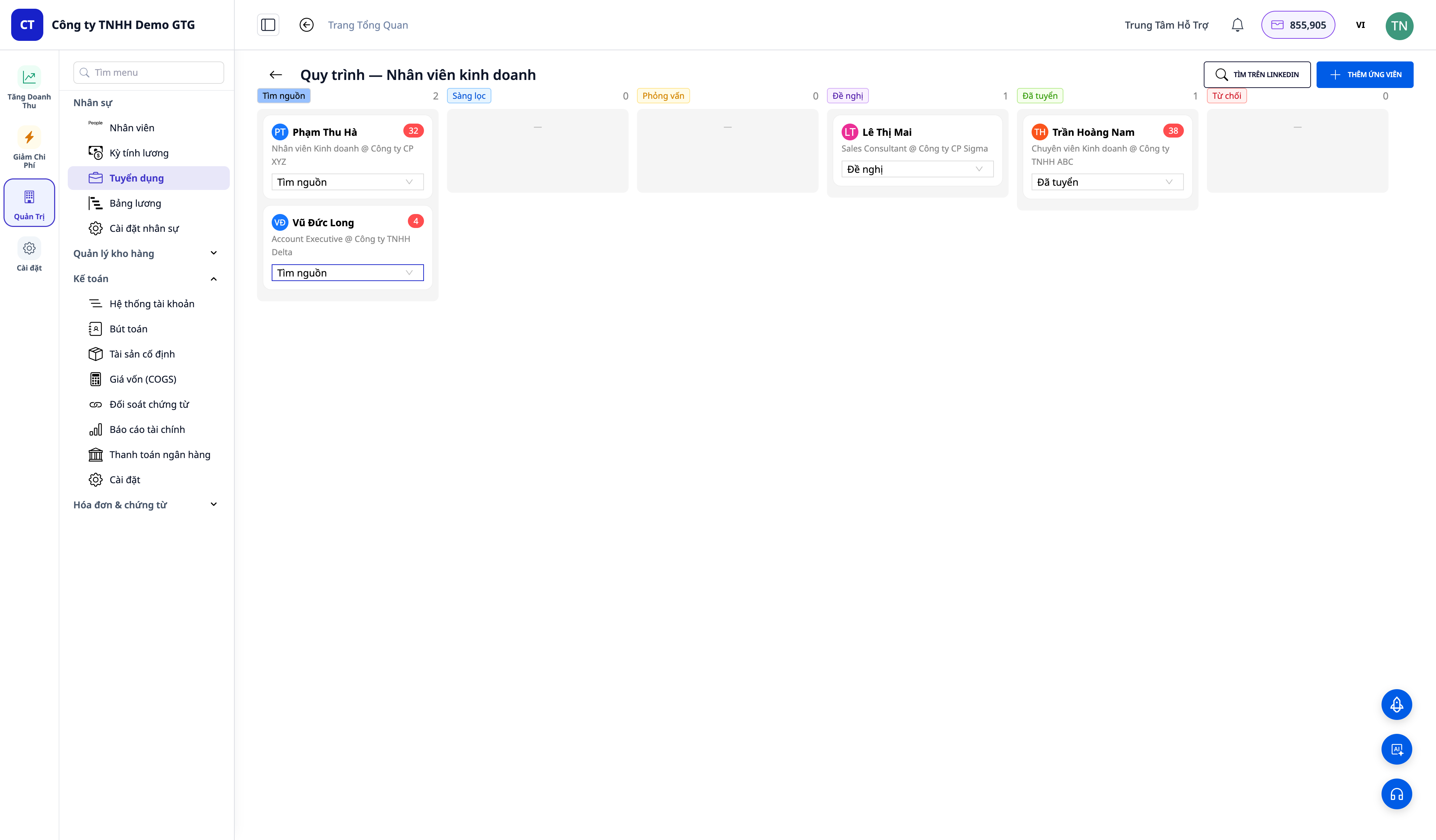
- 6-column kanban board: Sourcing · Screening · Interview · Offer · Hired · Rejected.
- Drag candidates between columns; candidate cards include contact card (email, phone, LinkedIn link, CV upload), AI score, profile, offer, interview, and permanently saved notes.
5. Offer & Interview — Draft and Send Within the System
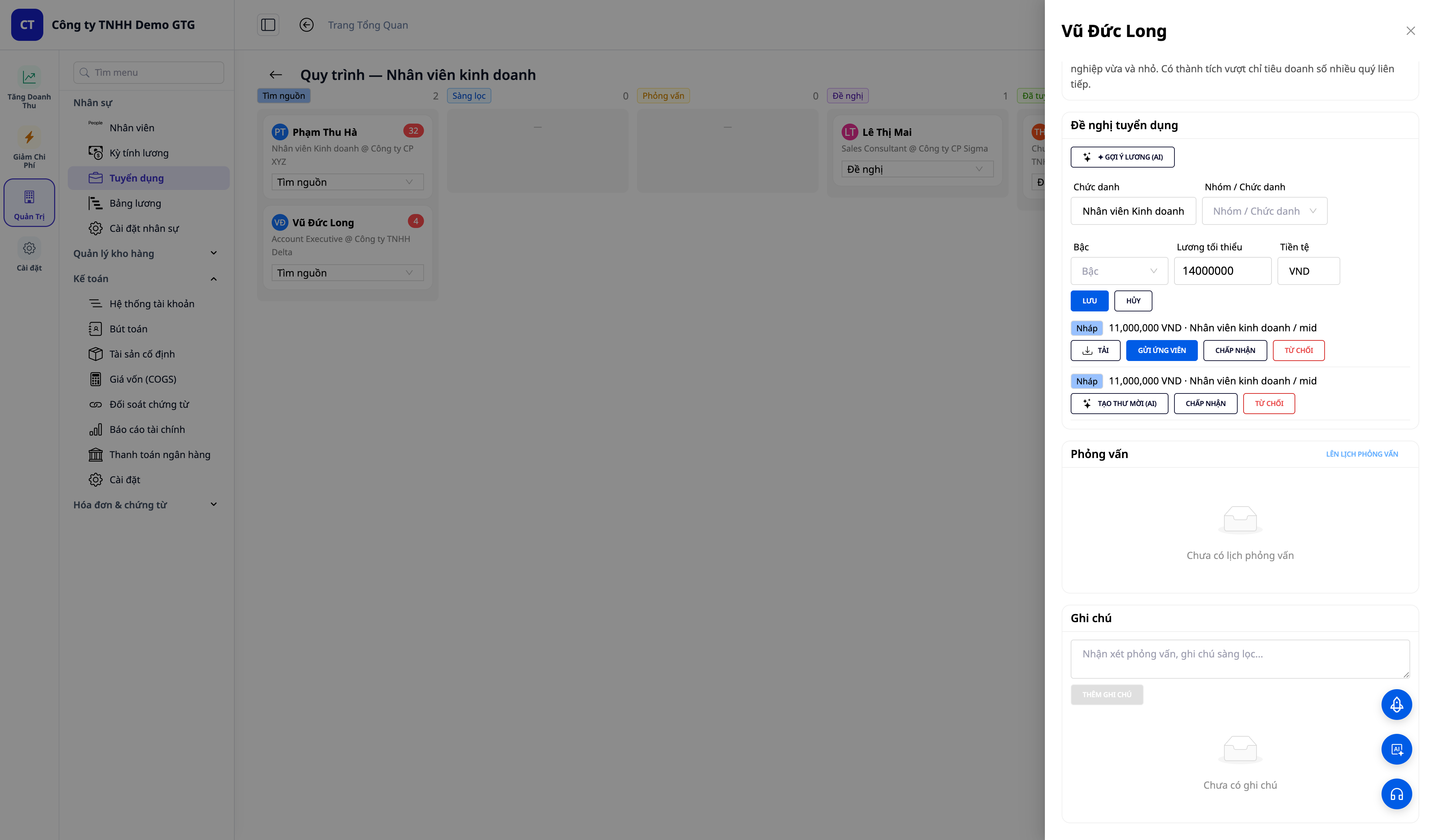
- Create offer (title, salary, currency) → click Download directly on the offer to get a .docx offer letter (country-specific template) → Send to candidate via email (sent from your company's inbox).
- Schedule interview (time, format, link, interviewer) → Send invitation — email displays time in the user's timezone, email subject includes company name.
6. Hire → Automatically Become an Employee
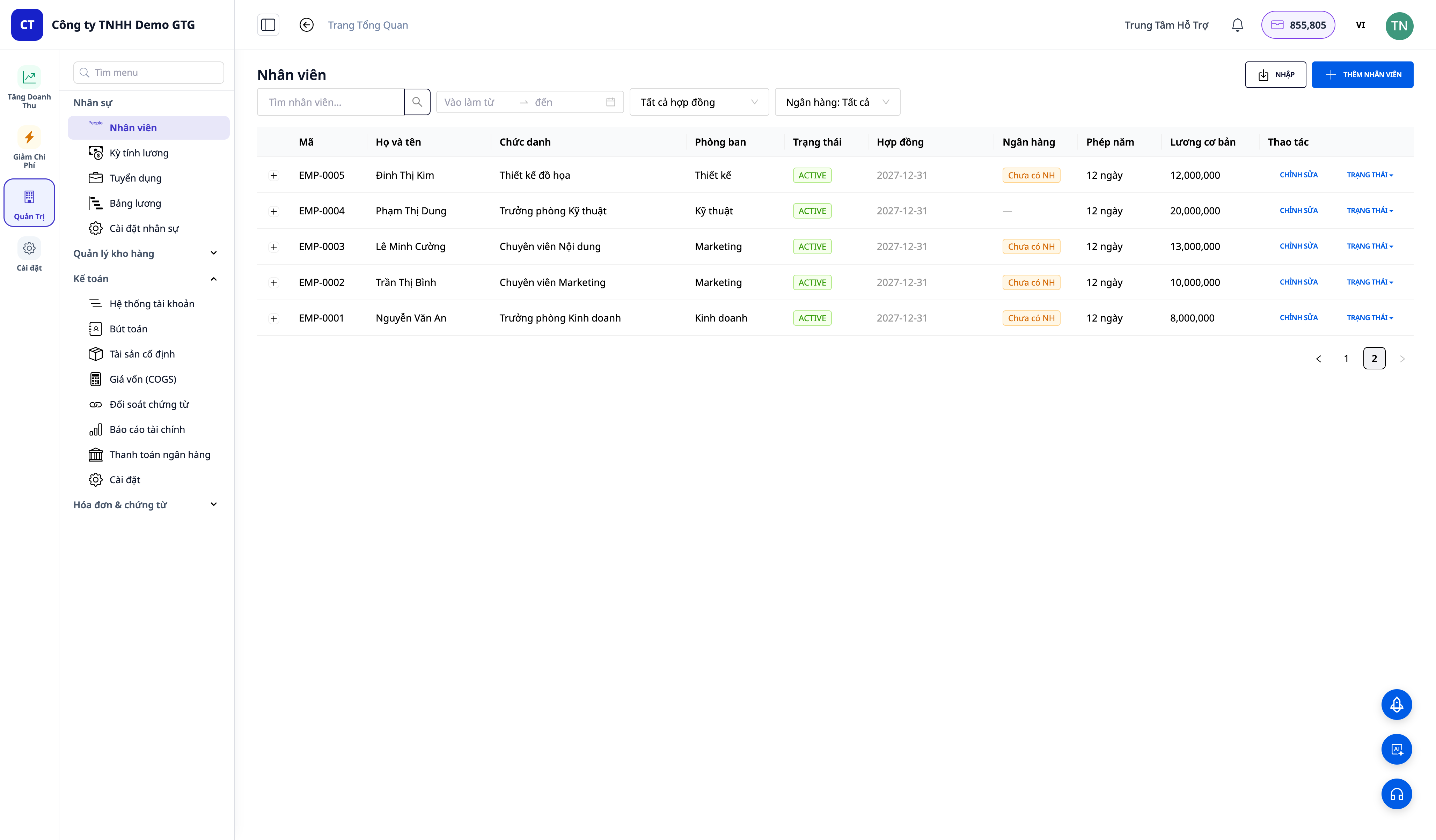
- Click Hire on a candidate with an accepted offer → the system immediately creates an employee profile (EMP-xxxx) with their CV and profile carried over.
- A draft employment contract is pre-generated from the offer (salary + level) — HR only needs to review and Activate.
- There's no way to "fall" into the Hired column without creating an employee — the process ensures clean data.
Benefits for Your Business
| Feature | Real-world benefits for you |
|---|---|
| AI-powered JD | Publish job postings many times faster, professional, consistent |
| LinkedIn candidate sourcing | Proactively reach the right people, don't wait for candidates to come to you |
| CV parsing + AI scoring | Objectively compare candidates, don't miss out on talented individuals |
| Kanban pipeline | Always know who is where, never lose track of candidates |
| Automated hire → employee | Eliminate double data entry; direct link to payroll/employment contracts |
| In-system offers & interviews | Send from company inbox, correct timezone |
Hire and Get Them Working Immediately (NEW)
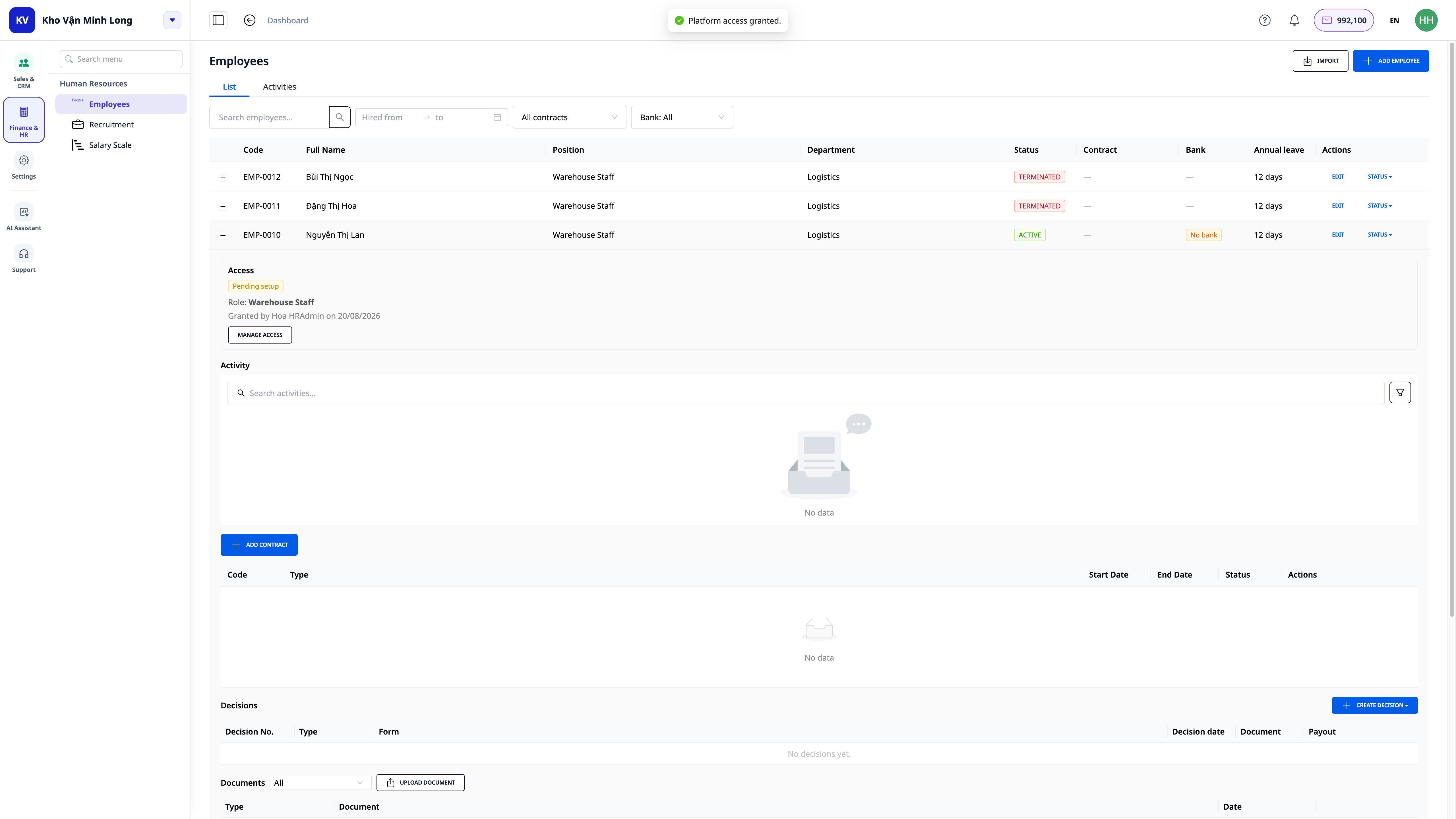
The "Automated hire → employee" above only creates the HR profile. What about logging into GTG CRM to start working? Right from the newly created employee profile, there's a Grant Access button: select a role (pre-suggested based on the hiring position), confirm the seat will be added, and done — the new employee receives an email and can start working on their first day, without waiting for someone else to remember to invite them from another screen. See details at HRM & Payroll.
Who is This For?
- Expanding SMBs who want to recruit systematically without buying a separate ATS software.
- Recruiters / HR professionals who need a central place to manage all candidates and processes.
- Companies / agencies who recruit frequently and want to proactively source on LinkedIn.
How to Get Started?
Go to HR → Recruitment, create your first job posting, and let AI write the JD. See step-by-step instructions in the article "Recruitment / ATS User Guide".
ℹ️ Note: Creating posts with AI, reviewing CVs + scoring, and finding LinkedIn sources require credits — your workspace must have sufficient credits. Sending offers / interview invitations requires a connected email inbox. Candidate avatars found from LinkedIn use letter avatars (public sources do not provide photos).
Try for free — no credit card required.


