
Feature Introduction
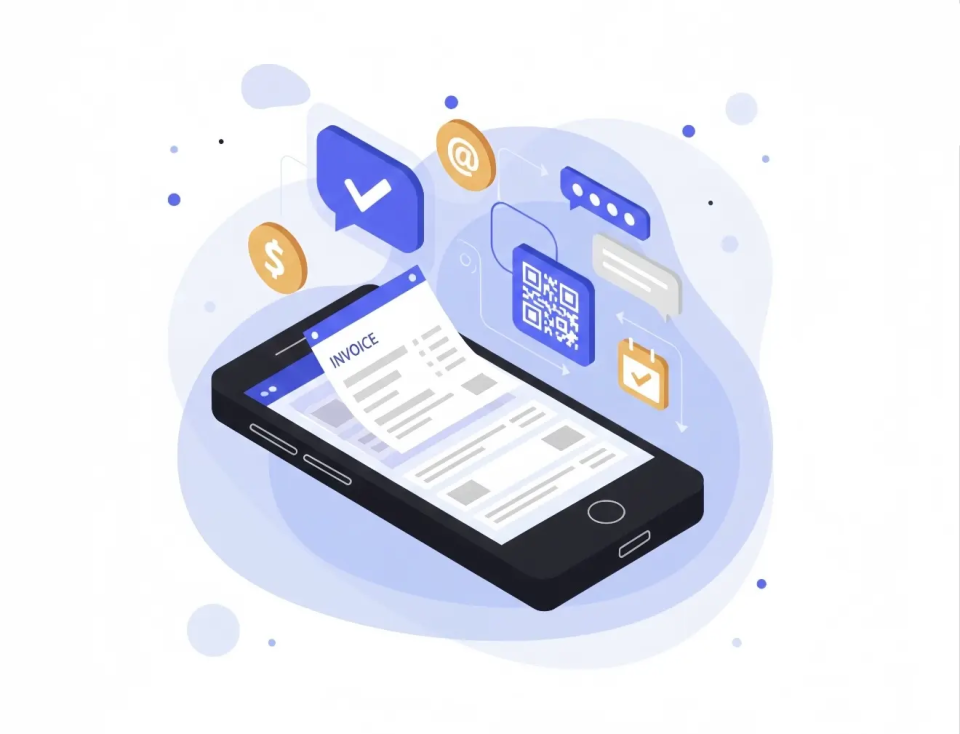
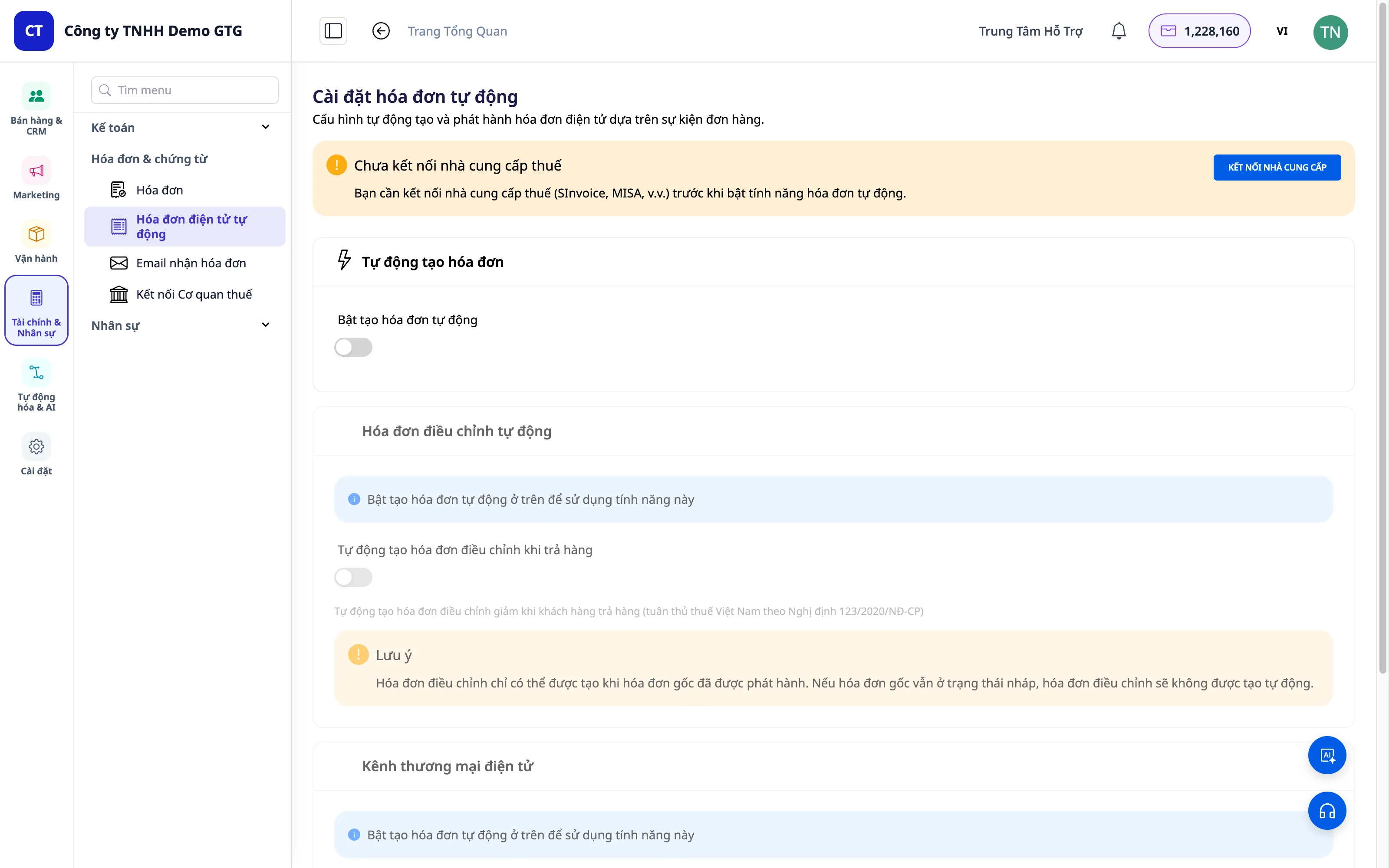
E-Invoice is an important feature of GTG CRM that helps businesses manage all incoming and outgoing invoices in a centralized, automated, and efficient way.
Why Manage E-Invoices?
In business, there are two most important concepts:
| Concept | Description | Invoice Type |
|---|---|---|
| Revenue | Money received from sales | Outgoing invoice (issued to customers) |
| Cost | Money spent on purchasing goods for resale | Incoming invoice (issued by suppliers to you) |
GTG CRM makes it extremely easy for you to issue invoices and manage invoices!
Key Features
1. Incoming Invoice Management
Manual invoice upload
- Drag and drop or select the invoice PDF file
- The system automatically recognizes and extracts the information
- Supports complex invoices with multiple products
Automatic collection from Email
This is a special feature of GTG CRM!
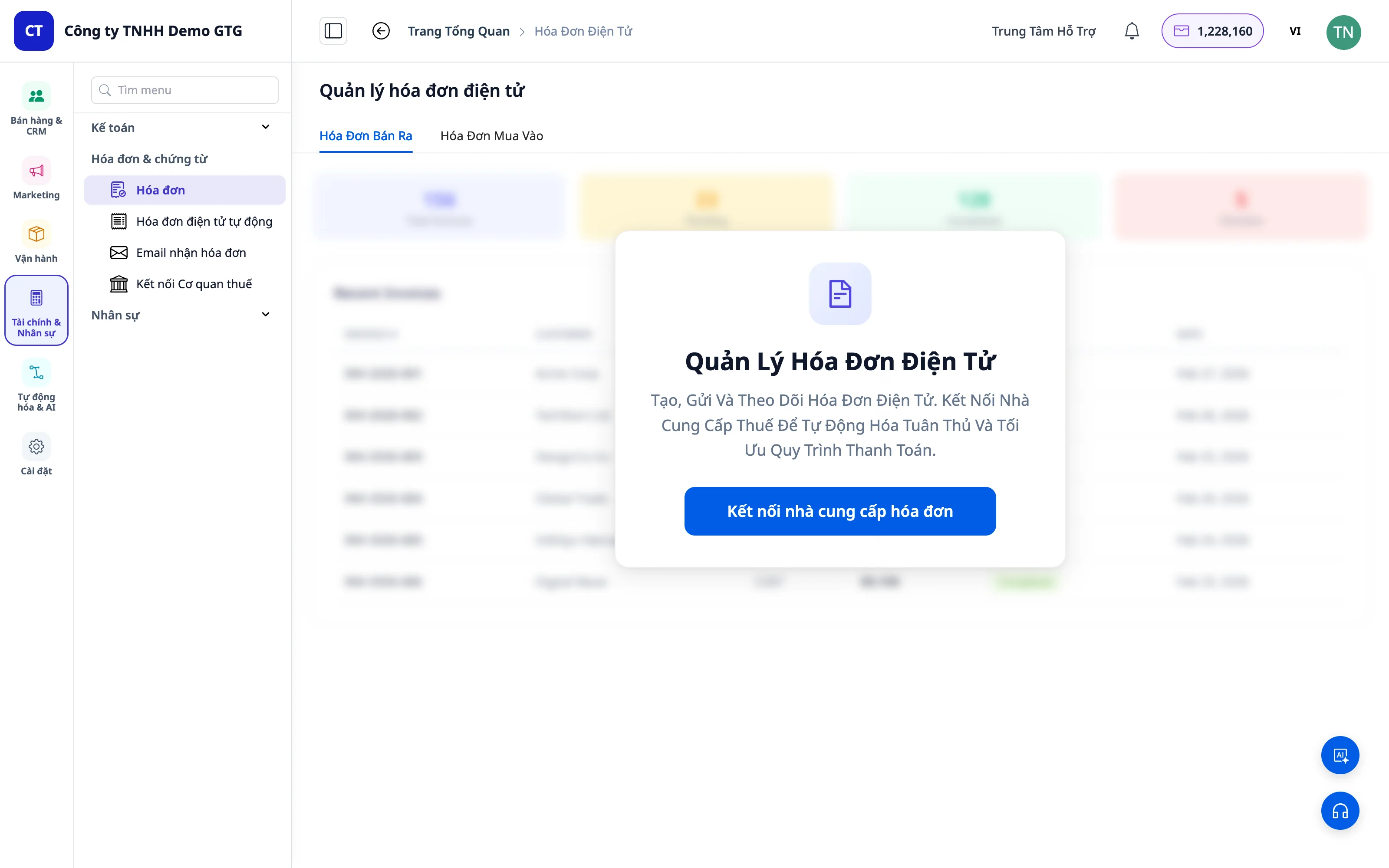
- Connect your business email with GTG CRM
- Enable the "Automatic invoice collection" feature
- The system automatically retrieves invoices from email and imports them into the system
💡 Benefit: No need to manually download invoices every month anymore! All incoming invoices are neatly collected, and accounting only needs to download them and prepare tax reports.
Dedicated invoice mailboxes (Invoice Mailboxes)
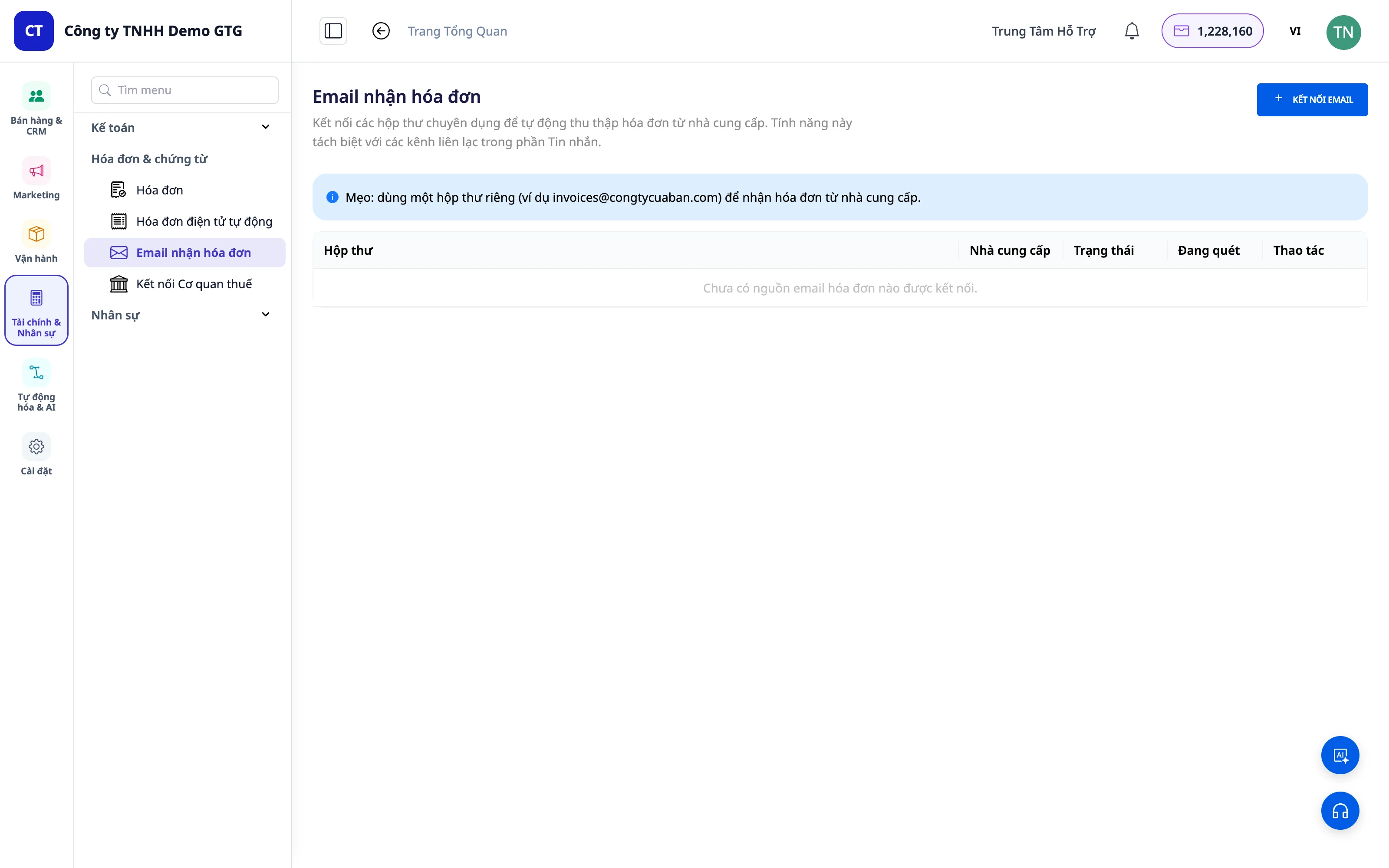
Now you can create dedicated invoice mailboxes — completely separate from customer care email channels (messaging).
- Create one or more mailboxes exclusively for incoming invoices (for example:
invoice@company.com,ketoan@company.com) - Separate access permissions: only authorized users (accountants, financial managers) can view the invoice mailbox — regular business emails are not mixed in
- All invoices sent to these mailboxes are automatically gathered into the "Incoming Invoices" list
- The "Incoming Invoices" list can be filtered by source mailbox — instantly know which invoice came from which mailbox, with no more confusion across departments or branches
💡 Benefit: Incoming invoices no longer get lost in the customer care inbox. Accounting has a dedicated, clean "invoice vault" that can be filtered by source — making month-end reconciliation much faster.
Keep supporting documents right on each purchase invoice
Supplier invoices in one place, payment orders in another, contracts somewhere else. Each purchase invoice can store multiple files at once:
- Supplier invoices, payment documents (for example, payment orders), contracts or purchase orders, delivery notes, and other files; each file has a name, who added it, and when it was added
- Supplier invoices may be uploaded by you, received from the connected invoice inbox, or fetched from the tax authority. Any invoice that does not yet have a file can be added using the "+" sign in the "Documents" field. You should also add the remaining files, including files you downloaded from e-mail or Zalo to your computer, to each invoice individually
- Old files are not overwritten when you add new files, and removing a file only hides it from the invoice; it does not delete it permanently
- When a supplier resends a corrected invoice, GTG CRM reads the file (PDF and images are read by AI, costing 2 AI credits per read; XML is read directly and does not use AI credits). The data in the file is shown next to the data currently saved so you can compare each number, including each line item. Data from the new file is only written to the invoice when someone with the "Confirm purchase invoice data" permission clicks "Use data in this file"
- A filter finds invoices without payment documents, and a button downloads the attachments of invoices matching the filter as a .zip file with an index table
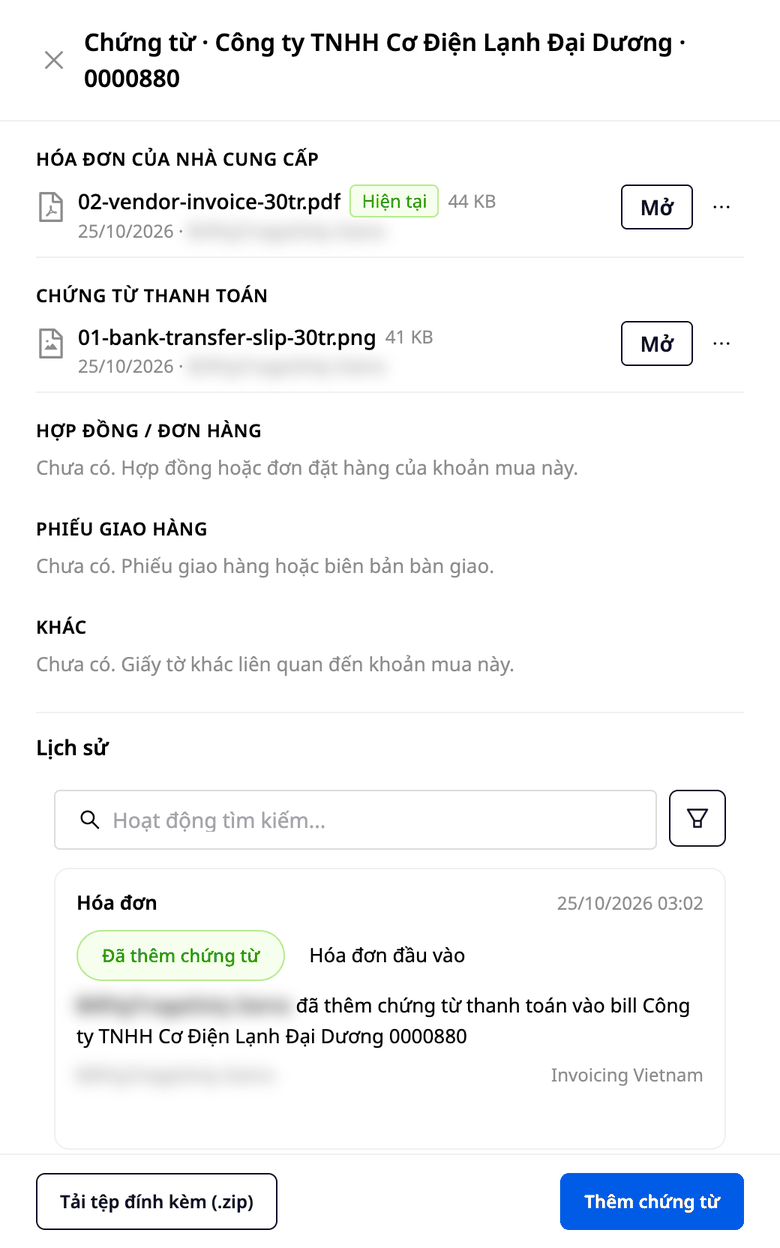
You attach invoices, payment documents, contracts, and delivery notes to the purchase invoice for that purchase. Open one invoice and you see the whole set of files, and you can download the entire set at once. When the supplier sends a corrected invoice, you do not have to re-enter it. You view the data in the file next to the data currently saved to compare each number, then choose whether to use the new data or keep the current data. Adding a file does not automatically change any numbers on the invoice.
To try it, click the "Free Trial" button at the bottom of the page.
2. Issue Outbound Invoices (VAT)
GTG CRM has integrated with reputable e-invoice providers:
| Provider | Description |
|---|---|
| S-Invoice (Viettel) | Viettel e-invoicing |
| MISA | Accounting and e-invoicing software |
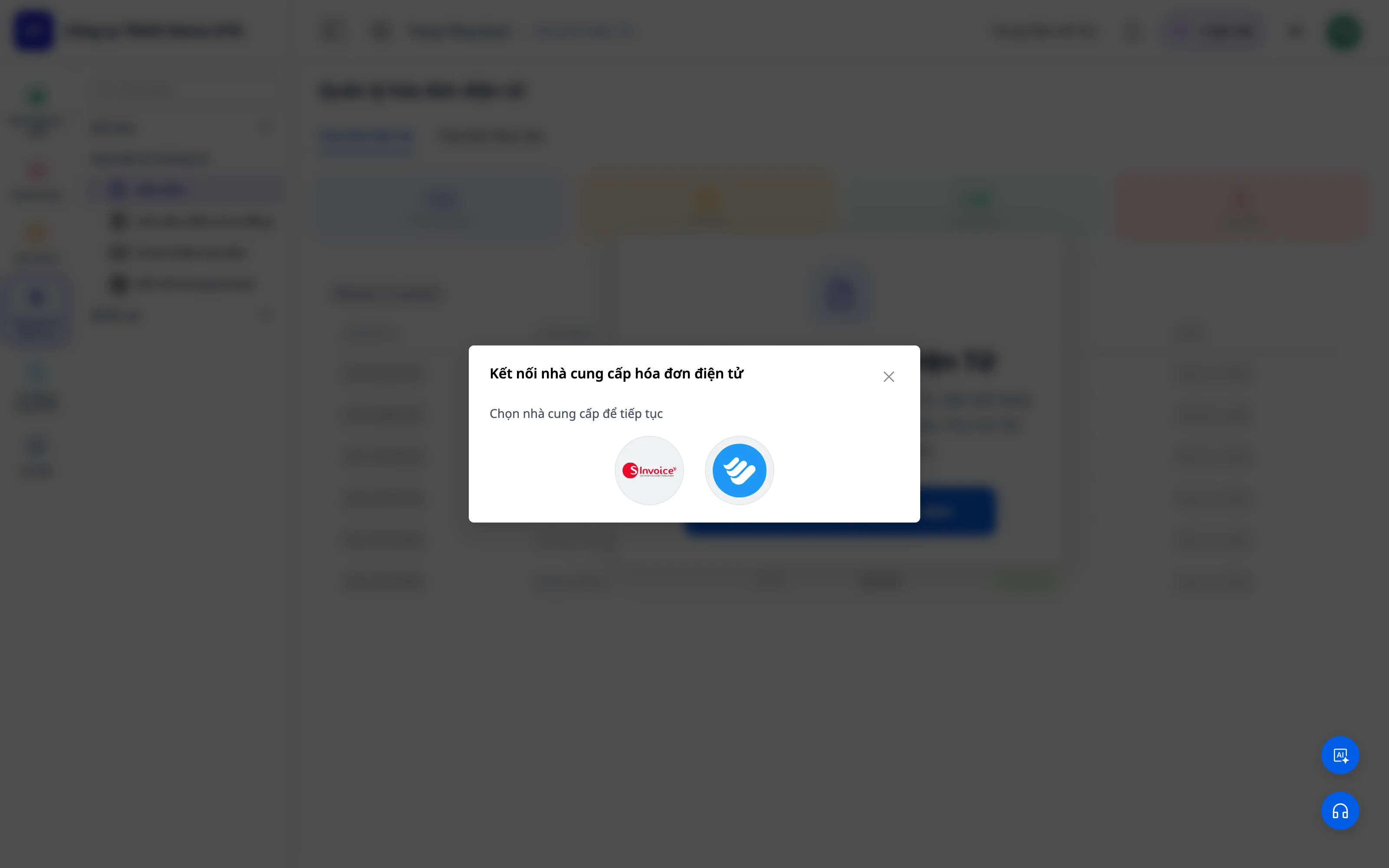
Create invoices easily
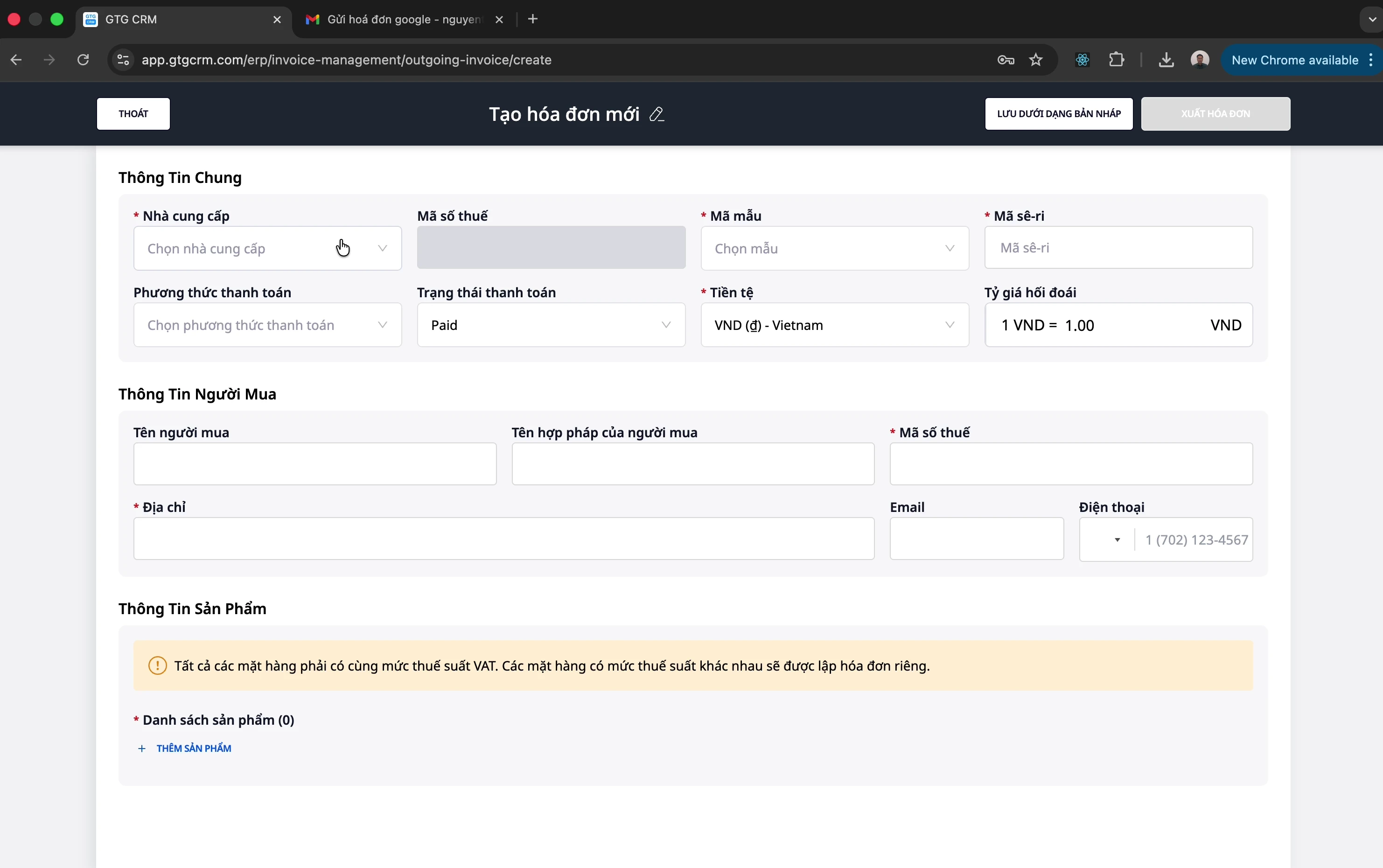
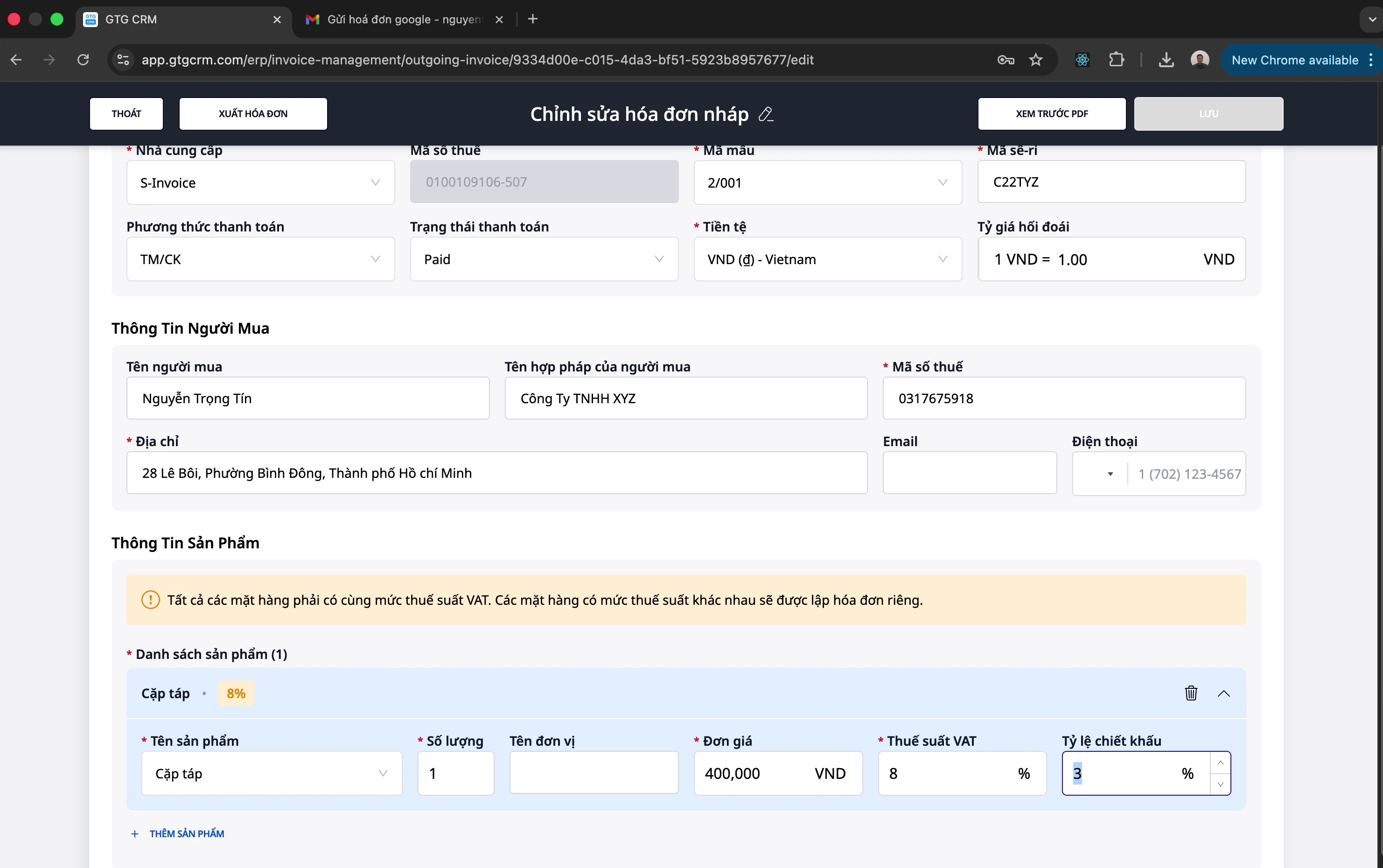
- Select the appropriate invoice template
- Enter buyer information (name, tax code, address)
- Add products/services with unit price, quantity, tax rate
- Supports product-based discounts
- Preview the PDF before issuing
3. Replacement Invoices
When an issued invoice needs to be adjusted (returned goods, errors, etc.):
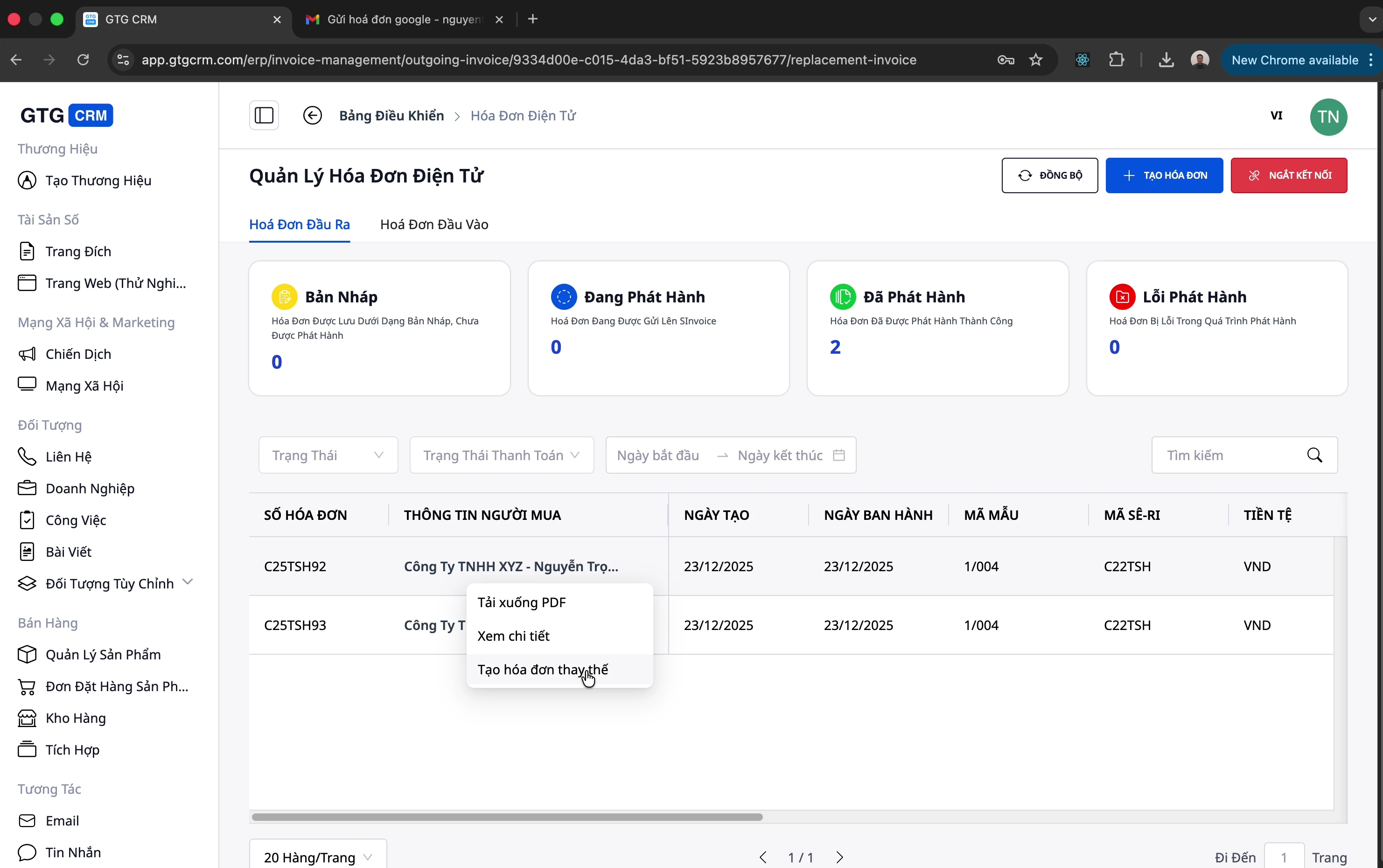
- Create a replacement invoice directly from the original invoice
- Adjust product information, quantity, and price
- The system automatically links it to the original invoice
💡 Note: Replacement is only one way to handle things after issuance. When an invoice needs to be fully canceled (not adjusted), use the Cancel invoice feature in the section below.
4. Cancel Electronic Invoices
When an issued invoice needs to be fully canceled (wrong customer, serious error, order cancellation, etc.), GTG CRM supports canceling electronic invoices directly in the system with both providers:
| Provider | Invoice Cancellation |
|---|---|
| S-Invoice (Viettel) | ✅ Cancel directly via API |
| MISA | ✅ Cancel directly via API |
- Open the issued invoice → select "Cancel invoice" → confirm
- GTG CRM sends the cancellation request to the provider (S-Invoice/MISA) and updates the invoice status
- Automatic journal entry reversal (JE reversal): if the invoice has already been recorded in the accounting books, the system automatically creates a reversing journal entry — revenue, tax, and receivables are restored to the correct balances, with no manual adjustments needed by accounting
💡 Benefit: Invoice cancellation is no longer a task of "logging separately into the provider’s software + manually updating the books". One action in GTG CRM — the invoice is canceled properly and the books are automatically reconciled immediately. (See more about double-entry accounting in GTG CRM’s Accounting feature set.)
5. Sync & Management
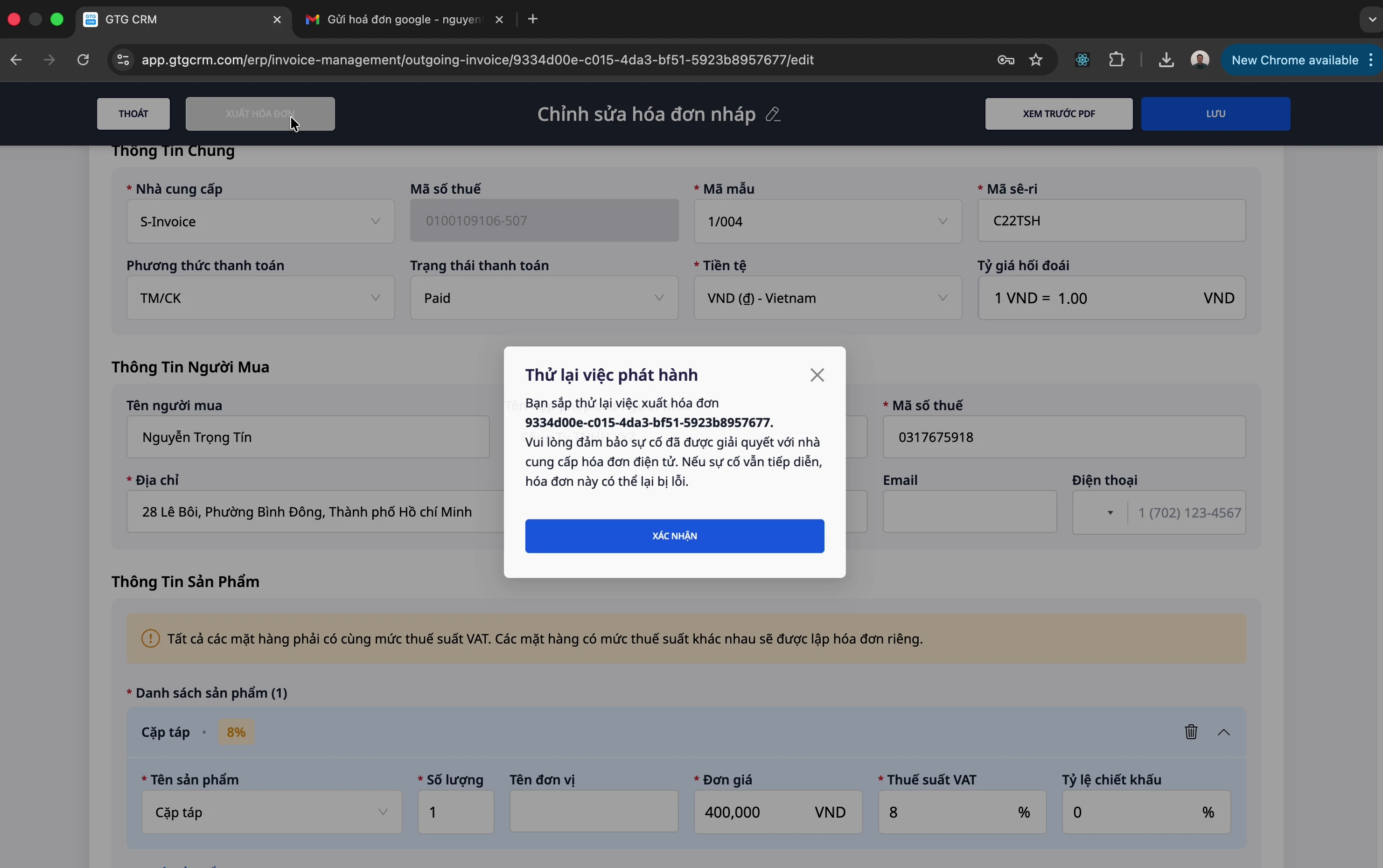
- Synchronize invoices from the provider into GTG CRM
- Download PDF of issued invoices
- Edit invoice information when needed
- Track payment status (Paid / Unpaid)
Benefits for Businesses
| Benefit | Description |
|---|---|
| Save time | Automatically collect incoming invoices from email |
| Centralized management | All incoming/outgoing invoices in one place |
| Provider integration | Issue invoices directly via S-Invoice, MISA |
| Easy reporting | Accountants can easily download and prepare tax reports |
| Replacement invoices | Handle adjustments and refunds quickly |
| Safe invoice cancellation | Cancel S-Invoice/MISA invoices in one action — automatically reverse journal entries, books reconcile automatically |
| Dedicated invoice inbox | Collect incoming invoices in a separate inbox, with permissions & filtering by source |
| Receivables tracking | Know the payment status of each invoice |
Integration with GTG CRM
Electronic invoices are deeply integrated with other GTG CRM modules:
- Customer Management (CRM): Link invoices to customers
- Order Management: Automatically issue invoices when orders are completed
- Reports: Track revenue and expenses by invoice
Conclusion
Electronic Invoice from GTG CRM is a comprehensive solution that helps businesses: - ✅ Automatically manage incoming invoices (with a dedicated invoice inbox, filtered by source) - ✅ Easily issue VAT invoices - ✅ Safely cancel invoices — automatically reverse journal entries, books reconcile automatically - ✅ Save time for accountants - ✅ Comply with tax regulations
Try it today!
Document belongs to GTG CRM - Comprehensive customer relationship management system
Ready to try this feature for free for your business?
Try for free

