
Feature Introduction
GTG CRM has long been strong for selling products: product catalog, inventory, orders, invoices. But if you sell services — agencies, consulting, spas/clinics, freelancers, B2B providers — you used to have to "bend the rules": create services as dummy products with no inventory, and no real contracts (just quotes, no signatures, no parties, no payment schedules).
Starting today, GTG CRM supports selling services as a first-class citizen: a Catalog that contains both products and services, mixed quotes (a single quote with both products and services), and a true Contract — with Party B, acceptance milestones, bilingual options, send & sign, and then progressive invoicing → automatic accounting entries.
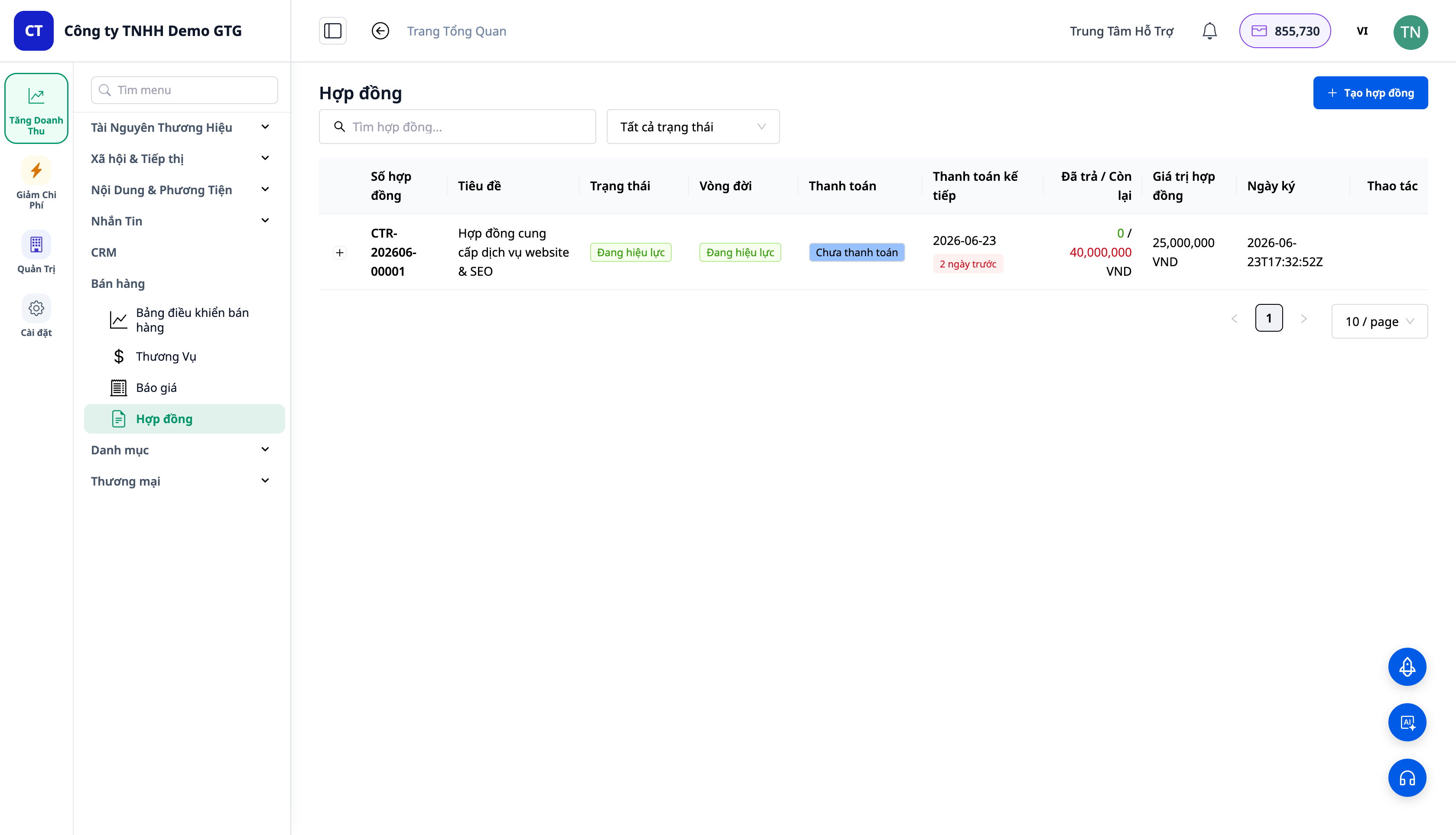
Problems Businesses Are Facing
| Old Method | Consequences |
|---|---|
| Services had to be created as "dummy products with no inventory" | Confusing catalog, incorrect inventory logic |
| One quote for products, a separate contract for services | Two documents, drafted twice |
| No contracts with Party B / acceptance milestones | Difficult to enforce, difficult to accept in stages |
| Word contracts + payment tracking in Excel | Missed payment deadlines, unknown outstanding balance |
| Manual revenue booking after signing | Forgot to issue invoices, forgot to book revenue |
GTG CRM connects a single workflow: service → mixed quote → contract → send & sign → progressive invoices → revenue entries & payment received — no workarounds, no double data entry.
Highlights
1. One Catalog for Both Products and Services
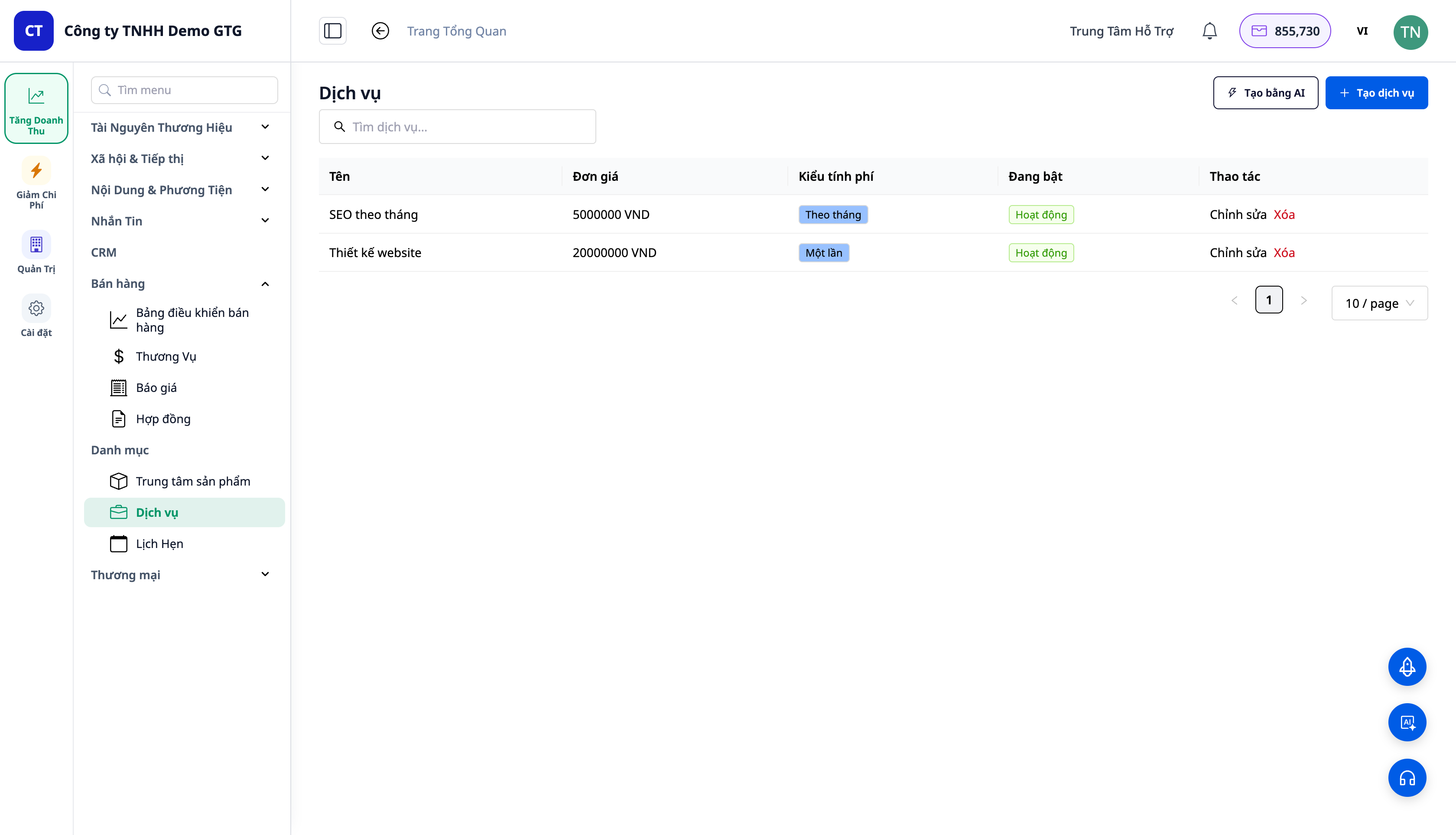
- In the CRM → Catalog menu: Products, Services, Appointments — where you define "what you sell," all under a single heading.
- Services have pricing and billing cycles: one-time or recurring (monthly…). Products can also be recurring subscriptions.
- This unified list is what the quote/contract line item selector uses — select both products and services in one place.
2. Mixed Quotes — One Quote, Both Products and Services
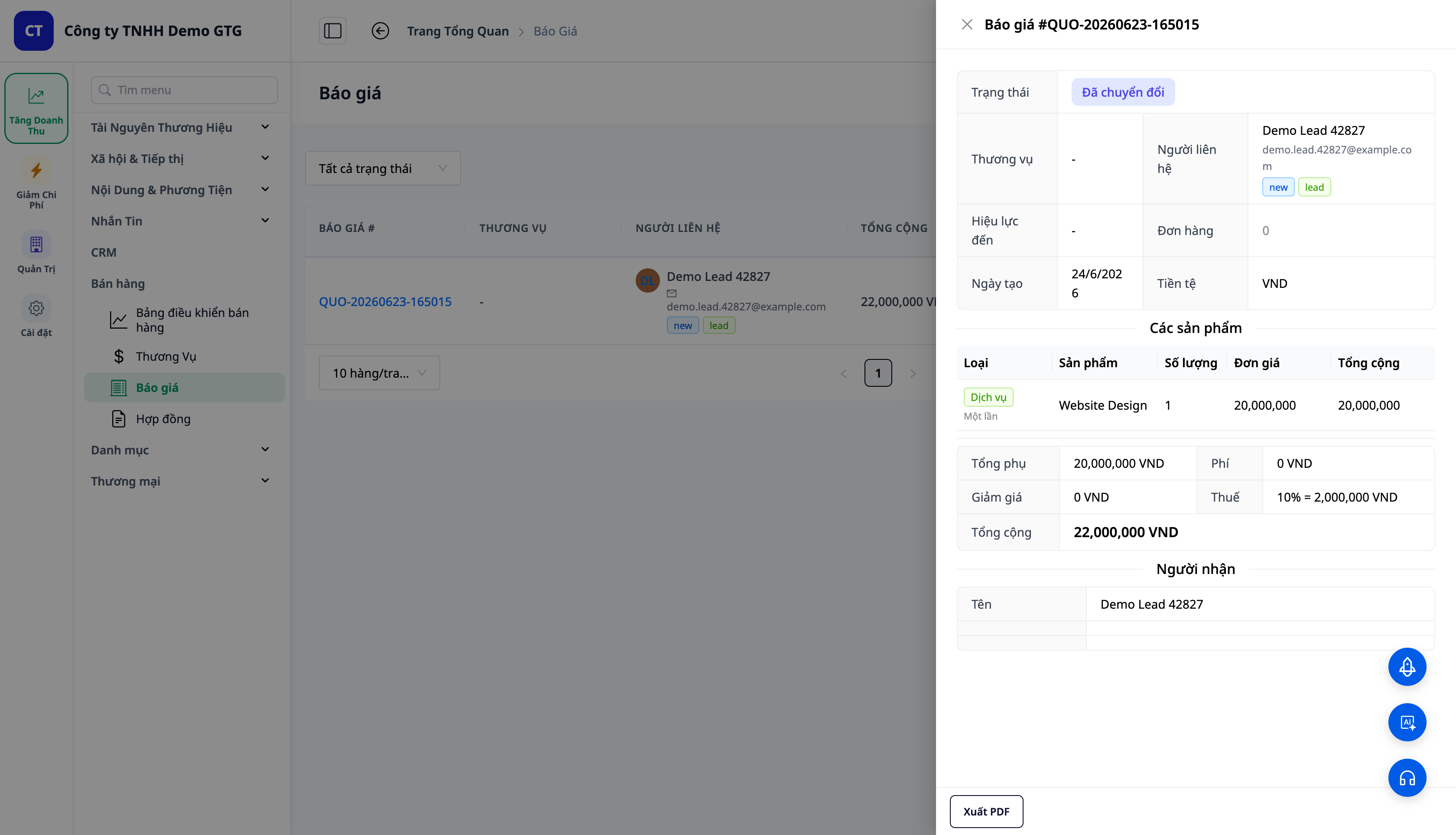
- Add line items of type Service (e.g., "Website Design", "Monthly SEO") and type Product (e.g., "Hosting License" × 3) within the same quote.
- Each line has a Type tag (Service = green, Product = blue); service lines display the billing cycle.
- Quotes go from DRAFT → SENT → ACCEPTED; when Accepted, a Convert to Contract button appears.
3. True Contracts — Party B, Acceptance, Bilingual
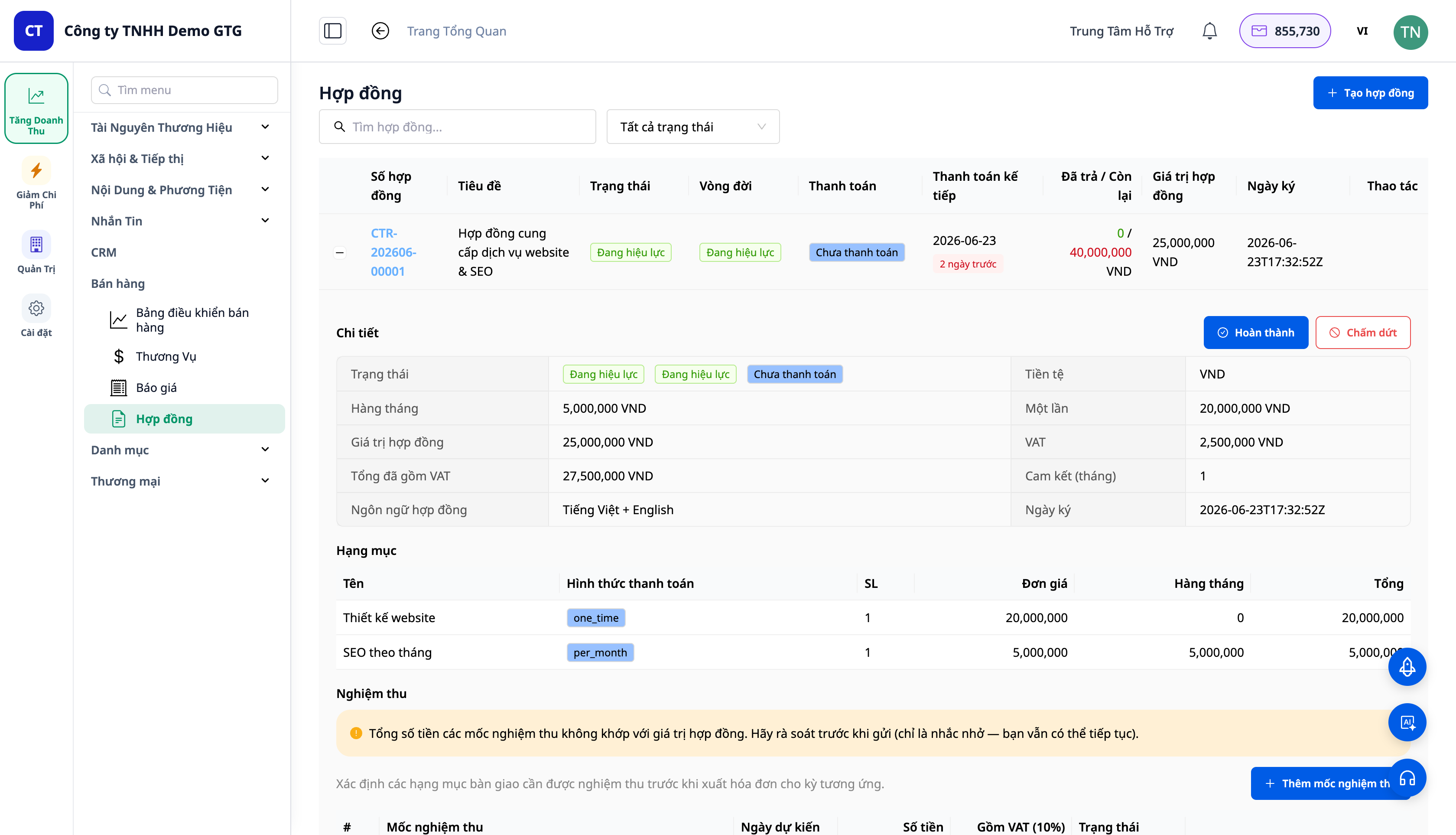
- Convert to Contract preserves the type/cycle of each line item; the total is split into one-time total and monthly total + VAT.
- Party B can be an individual or a company; information (legal name, tax ID, address, representative) can be auto-filled if company data already exists — thanks to the company enrichment feature.
- Acceptance Milestones (Nghiệm thu) are set when creating the contract, guiding the payment schedule.
- Bilingual Contracts (up to 2 languages) + emails in the chosen language, branded.
- Contracts can also include direct product lines (without going through a quote) — a single contract can contain both products and services.
4. Send → Sign → Progressive Invoicing
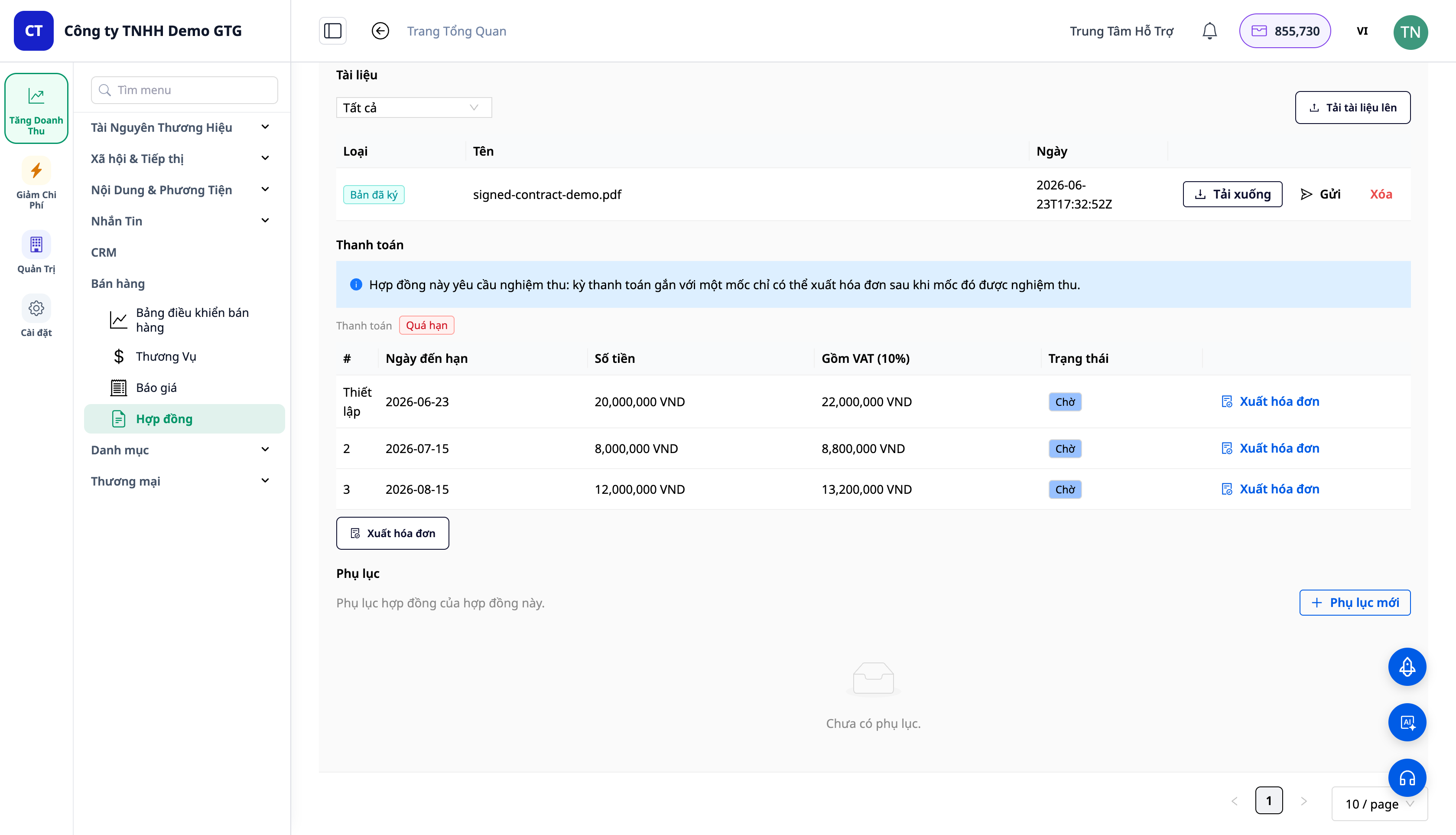
A practical and legally compliant signing process:
- Send to Client: The system renders the contract as a Word (.docx) file (editable/negotiable) and emails it to the client. Status changes from DRAFT to SENT.
- Client signs outside the system (paper/soft copy) and sends it back.
- Upload Signed Copy: Attach the signed file (stored in the system) → record the signer and signing time. SENT → SIGNED → ACTIVE.
- Progressive Invoicing: For each payment installment, view the invoice preview → confirm → issue the invoice through your existing ERP/invoicing workflow.
ℹ️ Note: Issuing invoices requires the workspace to be connected to an e-invoicing system / tax provider. The entire workflow of creating services, quotes, contracts, sending & downloading signed copies works normally; only the invoice issuing step requires this connection.
5. Invoices → Automatic Accounting Entries
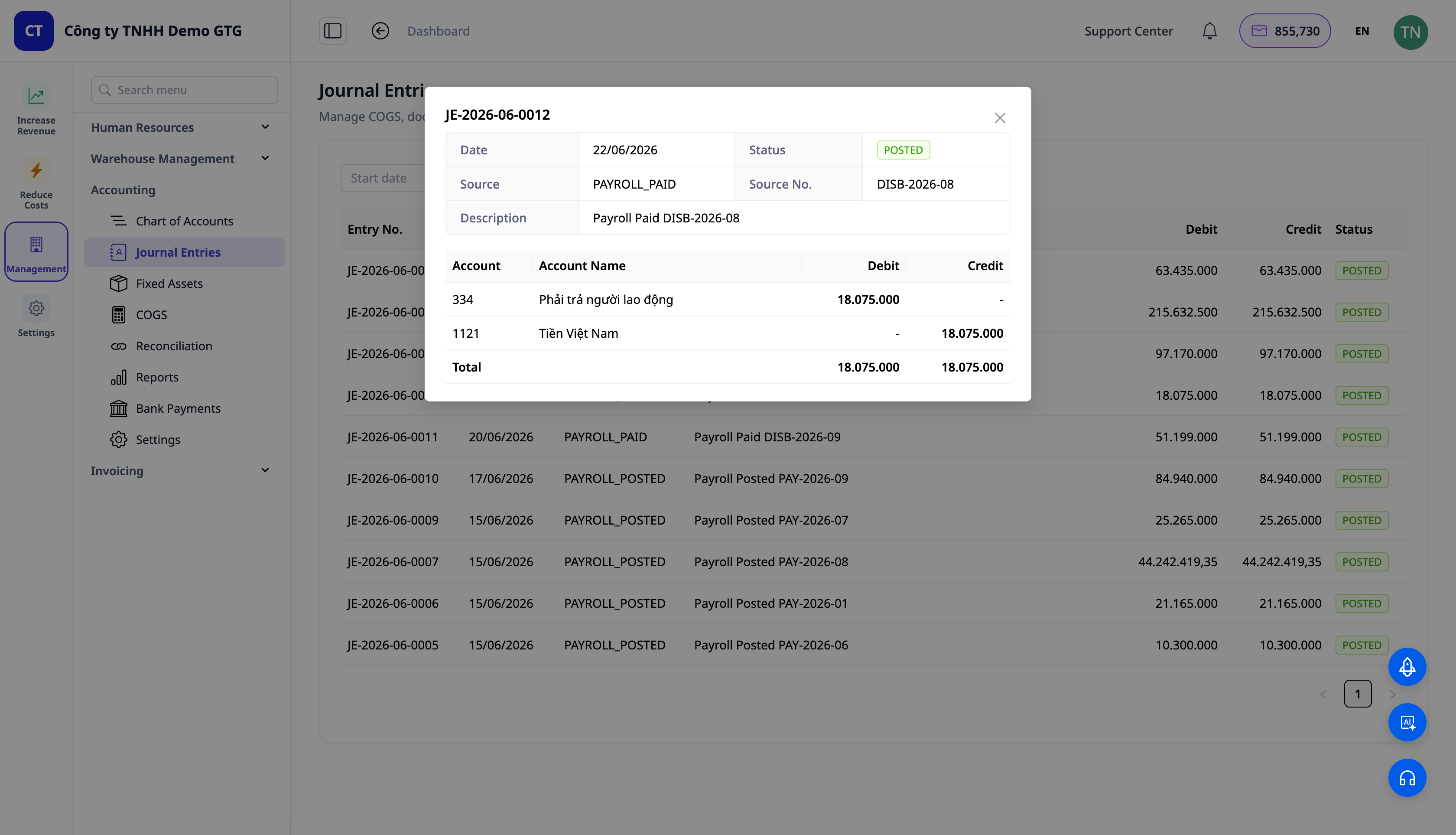
- A signed contract is a commitment, not a financial transaction — therefore, no entries are generated upon signing.
- When an invoice is issued, the entry is recorded: Debit Accounts Receivable (131) / Credit Revenue (511) / Credit VAT (3331) — processed through the existing automated invoice accounting engine.
- When payment is received: Debit Cash (111/112) / Credit Accounts Receivable (131).
The entire system reuses your existing automated accounting engine — no "custom" GL codes, your workflow is owned and adjustable by you.
Benefits for Businesses
| Feature | Real Benefits for You |
|---|---|
| One Catalog (products + services) | Eliminates "dummy products", clean and accurate catalog |
| Mixed Quotes | One document instead of two; less re-drafting |
| Contracts with Party B + acceptance milestones | Clear commitments, phased acceptance |
| Progressive invoicing by schedule | Never miss a payment, always know the outstanding balance |
| Invoices → automatic entries | Revenue booked correctly, no manual entry |
| Auto-fill company information | Party B & Tax ID pre-filled for contracts/invoices |
Who Is It For?
- Marketing / Advertising Agencies (ICP3) selling monthly service packages.
- Consultants, freelancers, B2B providers needing contracts and progressive invoicing.
- Spas, clinics, training centers selling services bundled with products.
- Businesses selling both products and services who want a single quote / a single contract.
How to Get Started?
Go to CRM → Catalog → Services to create your first service, then create a mixed quote and convert it to a contract. Refer to the step-by-step guide in the article "User Guide: Selling Services & Contracts".
Free Trial — no credit card required.


