
What is the AI Image Studio feature?
AI Image Studio is an intelligent image processing and editing tool integrated into GTG CRM, allowing you to create and edit professional product and marketing photos in just a few clicks without needing design knowledge or complex graphic software.
Instead of hiring photographers, designers, or spending hours editing in Photoshop, you can now: - Create captivating marketing images with AI - Generate product images with automatic model try-ons - Change product backgrounds to various styles - Subtly remove unwanted objects from photos - Enhance image quality with advanced AI filters
All processed by AI, fast, professional, and cost-effective.
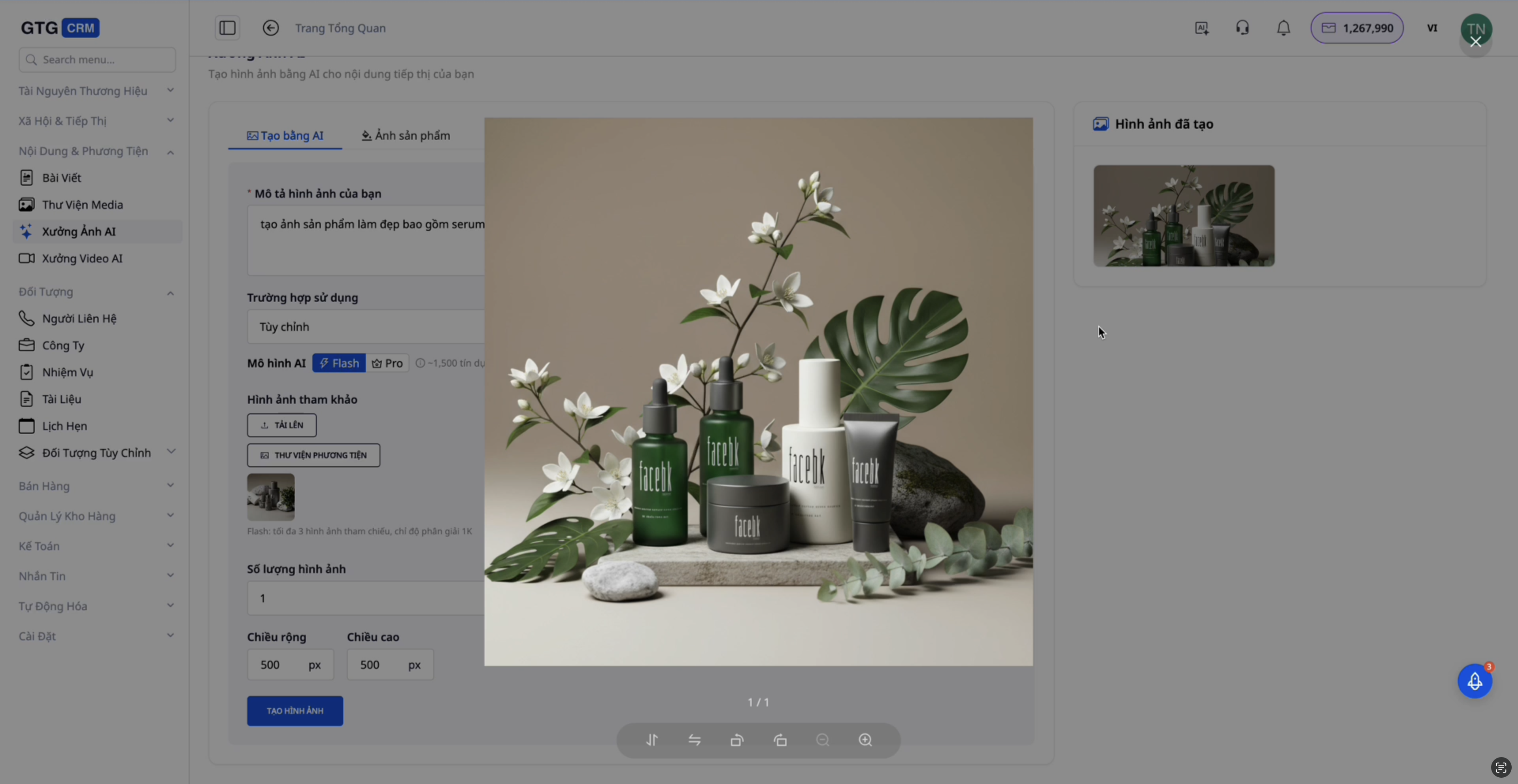
Key Features
AI Image Studio offers 5 specialized image processing modules, each addressing a specific need:
1. Create Marketing Images
Generate advertising images for Facebook, LinkedIn, or customize them to specific dimensions. Simply upload a reference image, and AI will create an optimized version with a more professional layout.
2. Product Photography (Try-on & Studio)
- Try-on: Upload product images (clothing, accessories), and AI will automatically generate images with a model wearing the product.
- Studio Style: Change product backgrounds to various styles: interior, beach, studio, marble...
3. Background Change (Background Removal & Change)
Isolate product backgrounds and replace them as needed – ideal for catalog and web images.
4. Object Removal
Completely remove unwanted objects, people, or logos from images while maintaining the quality of the rest.
5. Advanced Editing
Includes: style transfer, quality enhancement, lighting adjustments, color grading, and various other effects.
Practical Examples
Using the Product Try-on module, you simply need to: 1. Upload the product image 2. Select the model style 3. Write a prompt for the AI (Optional) 5. Click "Generate Product Image"
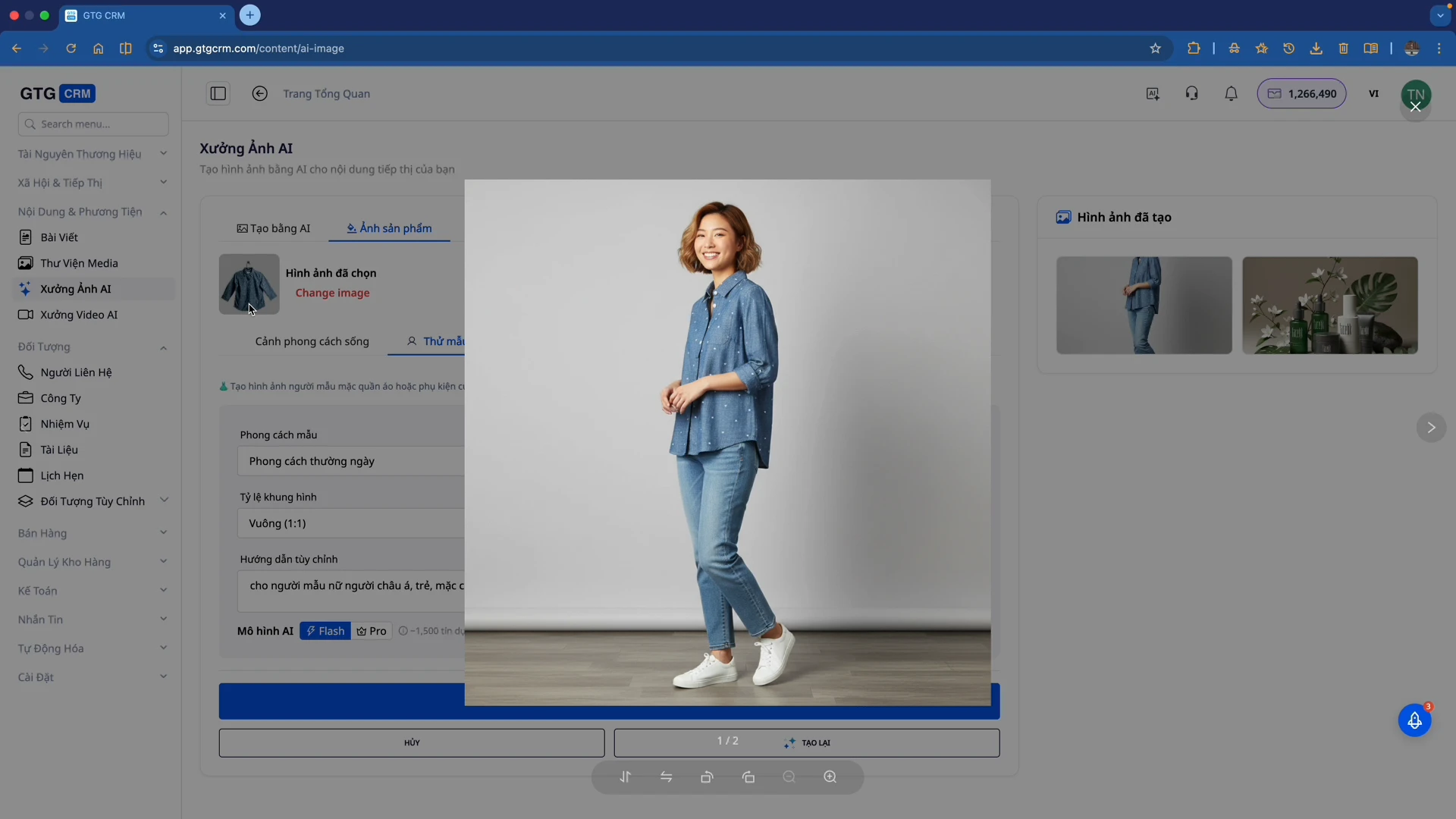
AI will analyze the original image and generate a new version with an optimized composition, colors, and layout – potentially even better than the original!
Change Product Backgrounds
You can change product backgrounds to various styles, for example, a marble background to create a luxurious feel.
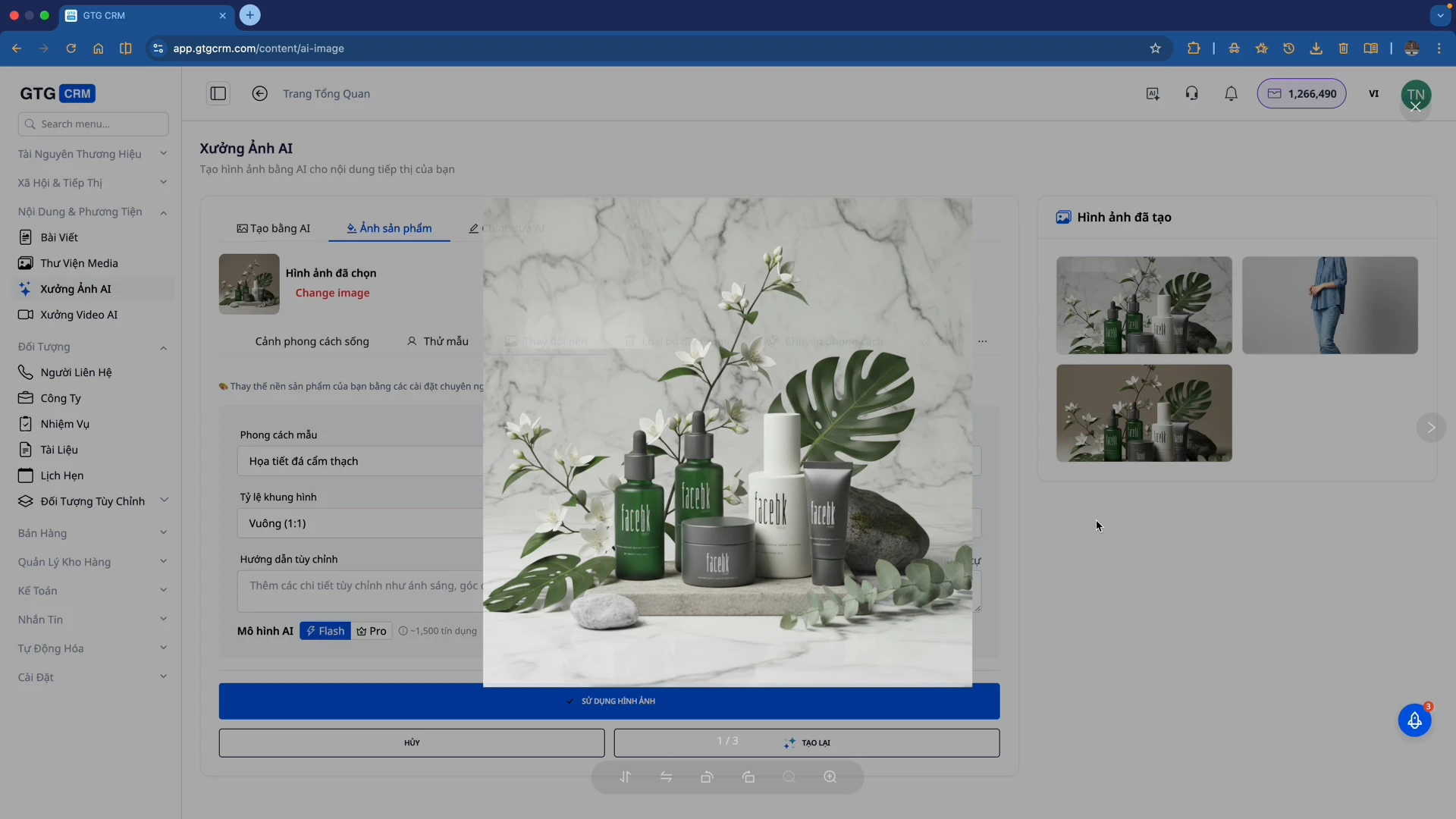
Compare the original image with the one after AI has changed the background – the product remains the same, only the background is completely transformed.
Remove Unwanted Objects
With the Object Removal feature, you can subtly eliminate unwanted people or objects from your photos.
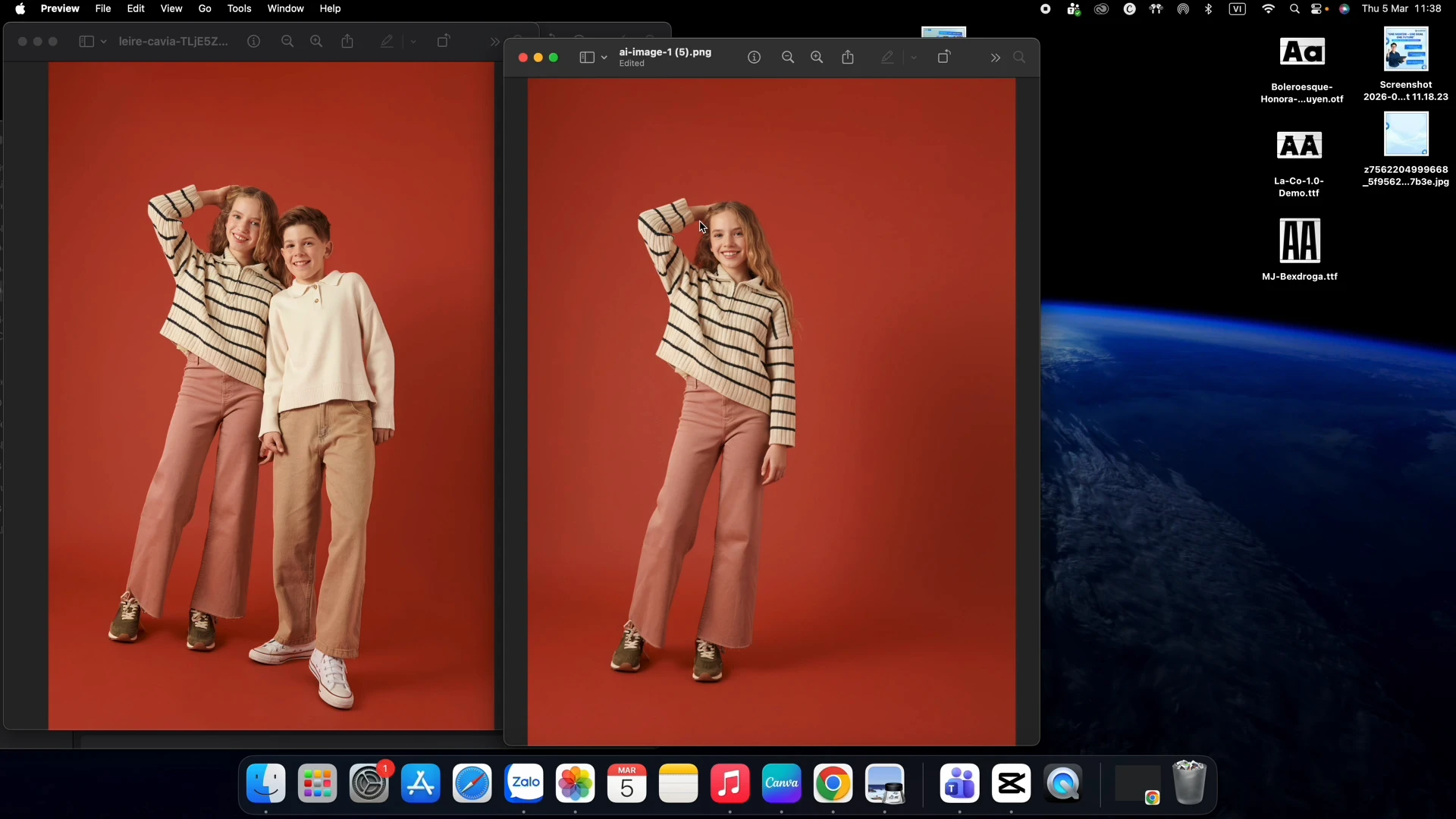
AI will accurately remove the requested object and seamlessly fill in the gaps naturally, preserving the quality of the rest of the image.
What Problems Does It Solve for Users?
AI Image Studio is designed to address the common pain points for marketing and sales teams:
Save Time and Cost
- No need to hire photographers, designers, or photo studios
- Process dozens of images in minutes instead of hours
- No need to learn Photoshop or other complex software
Quickly Create Marketing Content
- Upload new products to your website/fanpage instantly
- Create professional advertising banners in a flash
- Easily A/B test multiple image versions
Enhance Brand Image Quality
- Consistent, professional product images
- Beautiful backgrounds, suitable for each industry
- Remove aesthetically unpleasing elements (old logos, superfluous people...)
Integrated Directly into GTG CRM
- No need to switch between multiple tools
- Generated images can be saved directly to the Media Library
- Use immediately for products, campaigns, and posts
Who is AI Image Studio Suitable For?
- Marketers: Quickly create ad images, banners, and social media posts
- E-commerce Sellers: Create professional product images for websites, e-commerce platforms, and social media
- Sales Teams: Take beautiful product photos to send to clients or use in catalogs
- Content Creators: Quickly process images for content marketing campaigns
Key Benefits
- Fast: Process images in seconds, no waiting
- Accurate: AI is deeply trained for each type of task
- Cost-Effective: No outsourcing fees
- Easy to Use: Intuitive interface, no specialized knowledge required
- Built-in Integration: Work directly within CRM, no external tools needed
- Convenient Storage: Save to Media Library or download to your device
- Save Credits When Creating Websites with AI: When AI generates images for a website, the system applies per-section image budgets – creating only a reasonable amount of images for each block, thus reducing credit consumption while maintaining page quality
Important Notes
- All AI-processed images can be saved to the Media Library for reuse
- You can download images directly to your device after processing
- It's recommended to upload original images with good quality for the best AI processing results
- Some advanced features (style transfer, lighting adjustments, color grading) are extensions of basic functionalities
Ready to try this feature for your business for free?
Try for Free

