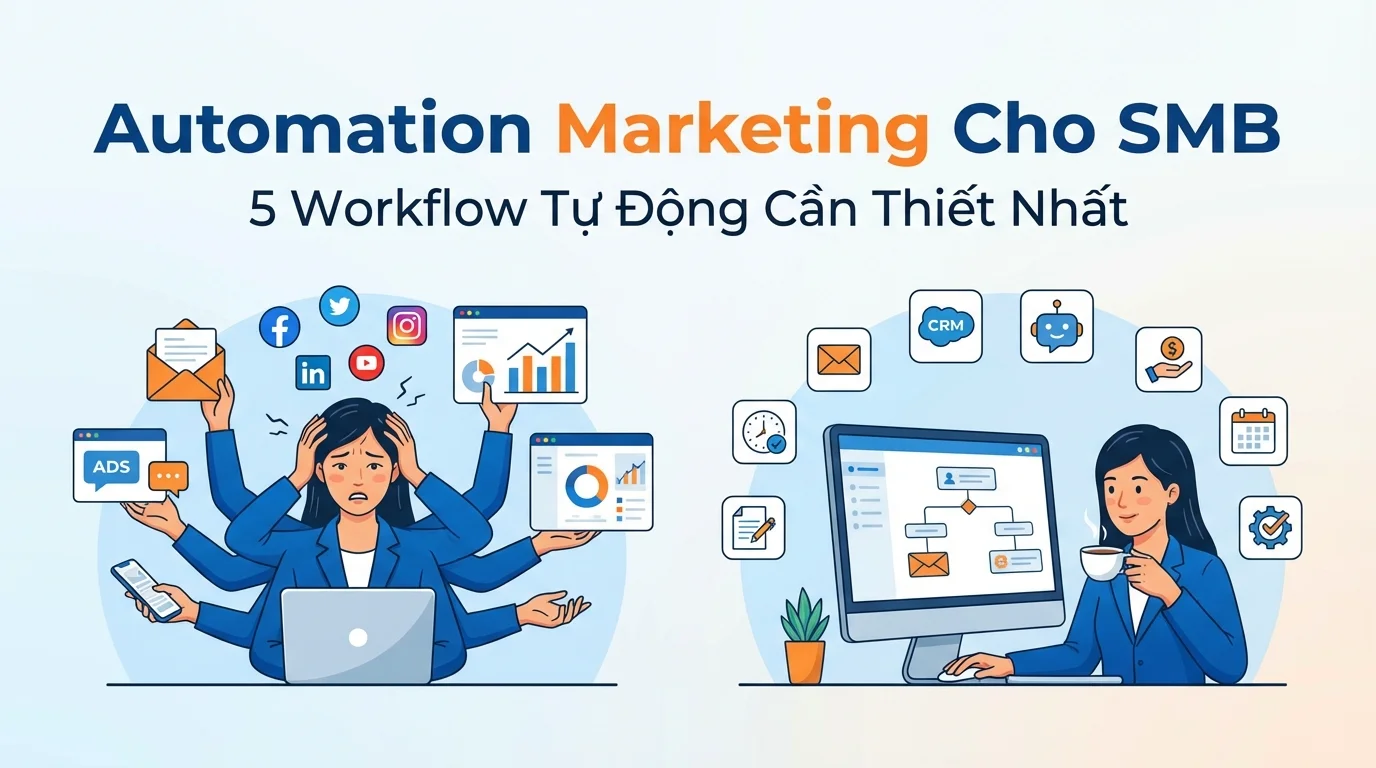
In today's fiercely competitive environment, small and medium-sized enterprises (SMBs) often face a paradox: they need professional marketing to compete with larger rivals, but lack the resources to hire a full marketing team. While large businesses can employ 10-20 people for their marketing department, with clearly defined roles ranging from running ads and designing graphics to writing content and customer service, small businesses typically have only 1-2 people to handle everything.
According to a recent survey, 73% of small business owners in Vietnam said they either handle marketing themselves or have only one marketing employee who takes on multiple roles. As a result, they are constantly overwhelmed: running Facebook Ads in the morning, responding to customer messages at noon, sending marketing emails in the afternoon, and planning content for the following week in the evening. Many important tasks are neglected or performed irregularly due to lack of time.
So how can small businesses effectively compete with larger rivals without doubling their staffing costs? The answer lies in marketing automation – automating repetitive marketing processes, freeing up time, and ensuring consistent and accurate customer service.
5 Automated Workflows Every SMB Needs
Workflow #1: Welcoming New Customers (Welcome Sequence)
When activated : When the customer registers an account / fills out a form / makes their first purchase.
Here's a specific example:
- New guests register
Down (immediately)
- Email 1: Welcome + service introduction
Down (after 2 days)
- Email 2: User guide / helpful tips
Down (after 5 days)
- Email 3: Special offer for new customers
Down (after 7 days)
- Email 4: Request for review/feedback
Why is this important? 65% of customers make a second purchase if they are properly welcomed in the first week.
How to set it up on GTG CRM:
- Go to Automation Workflow → Create new workflow
- Trigger: "New contact created" or "First order"
- Add the following steps: Send Email → Wait → Send Email → Wait...
- Enable workflow → operates automatically 24/7
Workflow #2: Appointment Reminder
When to activate : Before the appointment/booking
Here's a specific example:
- Booking created
Down (before 24 hours)
- Zalo/SMS: "Remind me of your appointment tomorrow at 10:00 AM"
Down (before 2 hours)
- Zalo/SMS: "Confirming today's appointment at 10:00"
↓ (if not arriving)
- Zalo/SMS: "Sorry you can't come. Would you like to reschedule?"
Suitable for : Spas, dental clinics, hair salons, medical clinics, training centers.
Result : Reduced no-show rates from 20% to 5%.
Workflow #3: Post-Purchase Service
When to activate : After the order is completed
- Order completed
Down (after 1 day)
- Email: Thank you + user guide
Down (after 7 days)
- Email: Ask for feedback / invite reviews
Down (after 30 days)
- Email: Suggest related products (upsell)
Down (after 60 days)
- Zalo: Special offer for returning customers (re-engage)
Why is it important? The cost of retaining existing customers is five times cheaper than acquiring new ones.
Workflow #4: Win-Back for "Hibernating" Guests
When to trigger : When a customer has not interacted or made a purchase after 60 days.
- Guests who have been inactive for more than 60 days
↓
- Email: "We miss you! What's new...?"
Down (after 3 days, if you don't open the email)
- Zalo: Send a 15% discount voucher.
Down (after 7 days, if still no response)
- Last email: "Final offer: 25% off"
↓ (if still no response)
- Switch to the "Inactive" group — stop sending emails.
Results : Typically, 10-15% of "dormant" customers are rehabilitated.
Workflow #5: Lead Nurturing (Converting Potential Customers)
When to activate : New leads from registration forms, Facebook Ads, landing pages
- New Lead
Down (immediately)
- Email: Useful resources (ebooks, guides, videos)
Down (after 3 days)
- Email: Case study / testimonial
Down (after 5 days)
- Email: Product comparison + price list
Down (after 7 days, if not purchased)
- Create a task for the employee: "Call lead X for consultation"
How to Set It Up on GTG CRM
GTG CRM uses a Temporal Workflow Engine — a durable engine that ensures all workflows run in the correct order, preventing data loss even after a system restart.
Step 1 : Go to the Automation menu → Workflow Builder
Step 2 : Select Trigger (trigger condition):
- New Contact
- New order
- Tag change
- Time (specific date/time)
- Customize
Step 3 : Add Actions:
- Send Email
- Send via Zalo/SMS
- Wait X days
- Add tags / remove tags
- Create tasks for employees.
- Update contact information
- If/Then condition
Step 4 : Test → Turn On
Comparison: Manual vs. Automation
| Criteria | Handmade | GTG CRM Automation |
|---|---|---|
| Setup time | — | 30 minutes/workflow |
| Operating time/day | 2-3 hours | 0 (automatic) |
| Mistake (forgot to send email, text message) | 20-30% | 0% |
| After-hours activities | Are not | 24/7 |
| Personalization | Difficult | Automated based on customer data |
Price list
| Package | Price | Credits | Automatic |
|---|---|---|---|
| Basic | 199,000 VND/month | 80,000 | 3 workflows |
| Beginning | 449,000 VND/month | 192,600 | 10 workflows |
| Growth | 639,000 VND/month | 275,000 | Unlimited workflows |
| Professional | 1,029,000 VND/month | 448,000 | Unlimited + Advanced |
Conclude
With GTG CRM's workflow automation tools, businesses can set up these processes intuitively, easily, and in a way that suits the scale of SMBs. With just a few initial configuration steps, you can build an automated marketing system that increases customer service efficiency, improves conversion rates, and optimizes operating costs.