
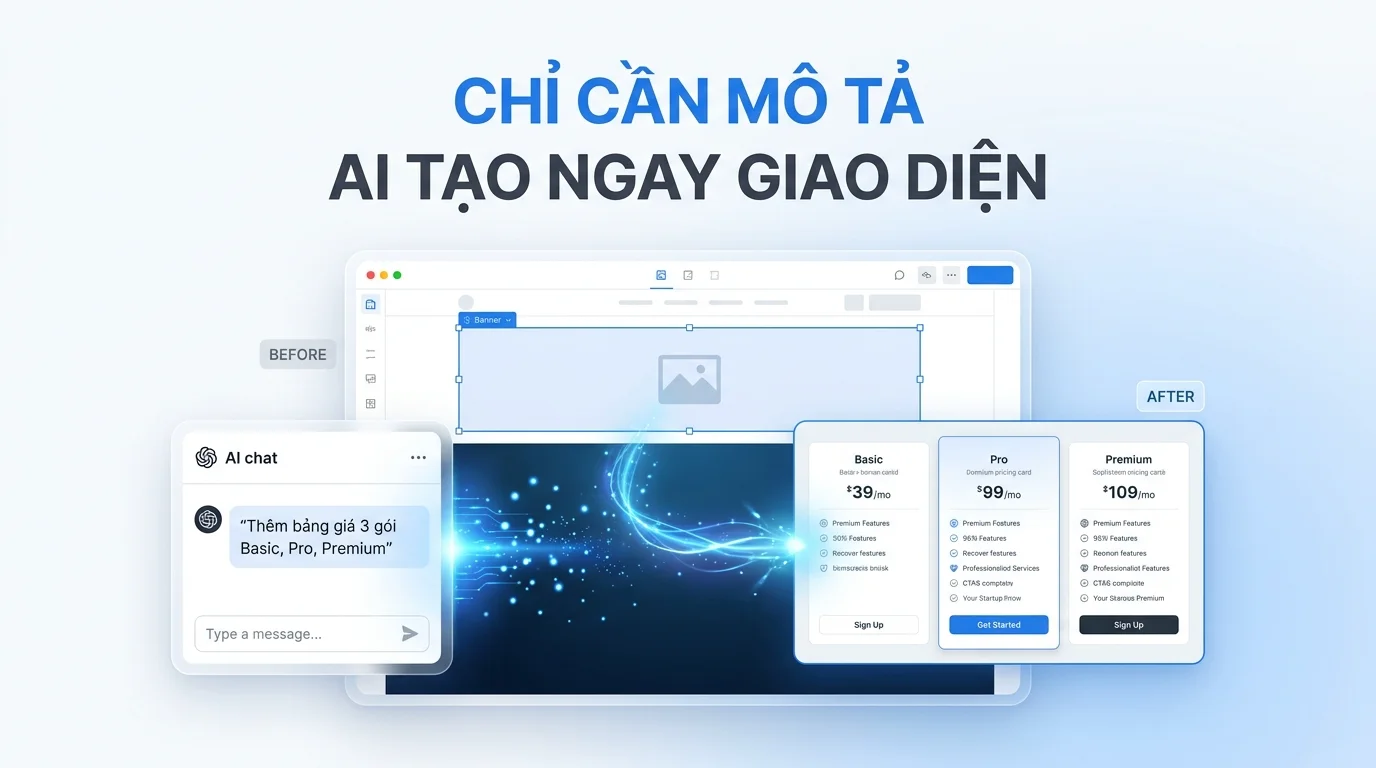
GTG CRM provides powerful AI tools that help you quickly and professionally create individual interface sections for your website. Unlike the full website creation feature, this tool allows you to build small UI blocks and flexibly integrate them into existing pages according to your vision.
This feature is especially useful when you already have a website and want to add new elements like banners, hero sections, or calls-to-actions without redesigning the entire site. With just a few simple steps, AI will create an interface that matches your business style and objectives.
Main features
GTG CRM's AI-powered website section creation tool includes the following capabilities:
- Create each interface block independently according to specific requirements.
- Customize your design style from professional to luxury.
- Choose a color palette that suits your brand.
- Improve the AI-generated section with additional requirements.
- Insert the new section at the desired location on the page.
- Adjust content and links after creation.
- Create multiple variations to choose the best option.
User manual
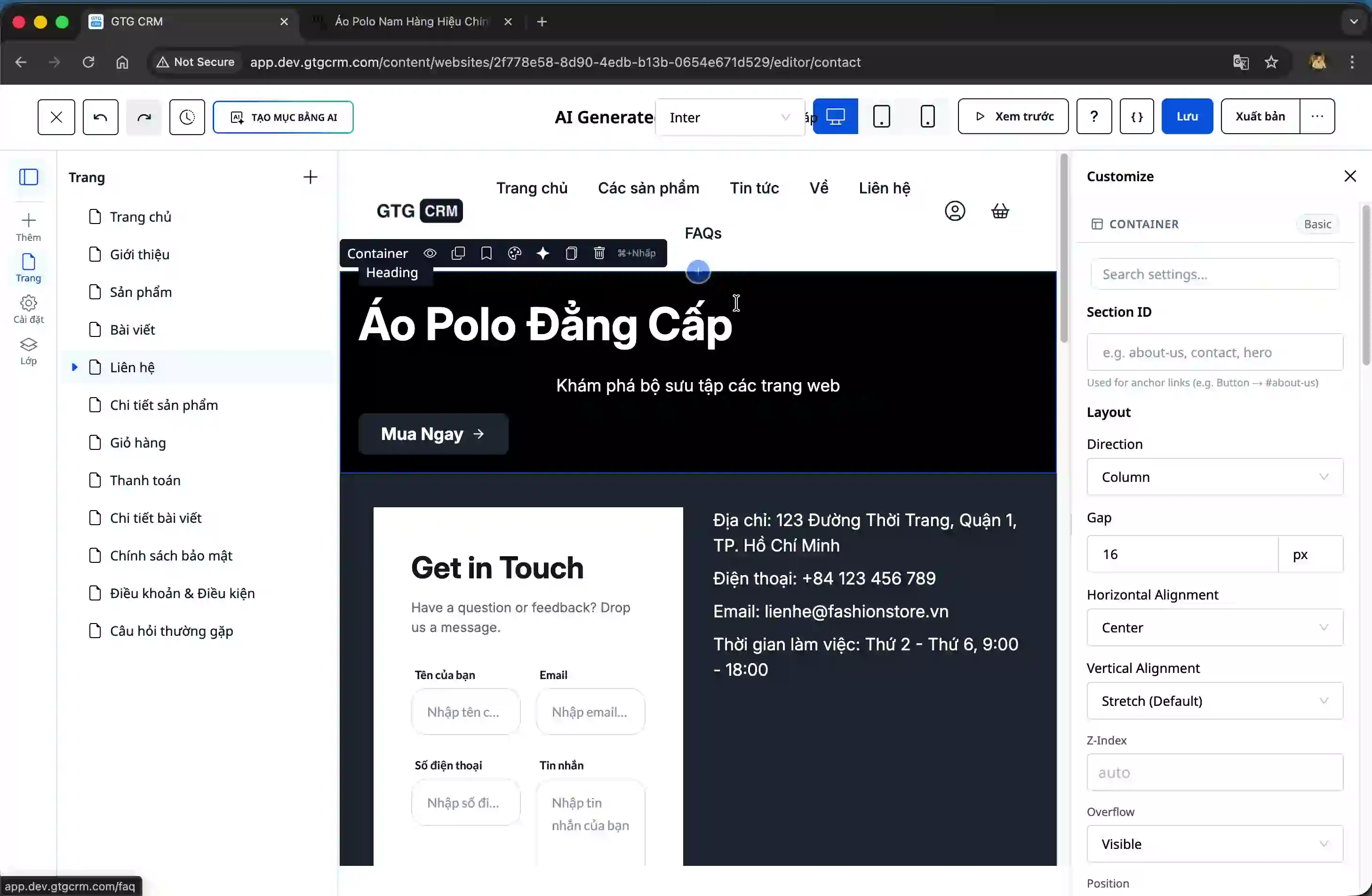
Step 1: Access the AI Section creation function.
In the website editing interface, you will see a button to create a section using AI. Click this button to open the configuration form.
Step 2: Select the section type and fill in the information.
After the form opens, you need to select the type of section you want to create. The system provides many options such as banner, hero, call-to-action, and other section types.
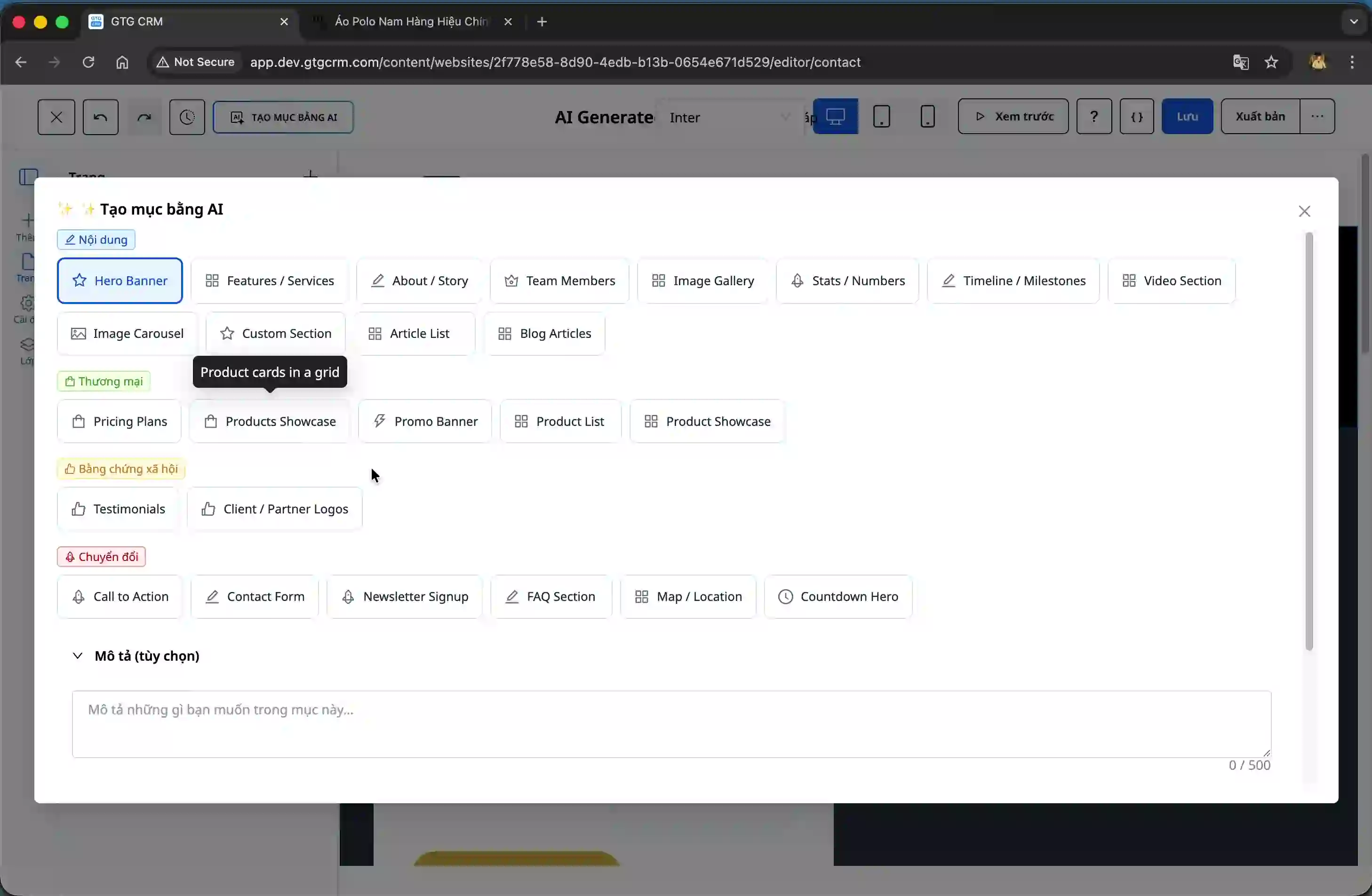
Fill in the important information:
Section type : Choose the type that best suits your purpose, for example, banner if you want to create a prominent header.
Optional description : Enter a brief description of the content and presentation style you desire.
Website purpose : Clearly define the purpose, such as selling products, introducing services, or collecting customer information.
Design style : Choose a style that suits your brand, whether it's professional, modern, or luxury.
Color Palette : Choose a dominant color for the section, ensuring it harmonizes with the overall website design.
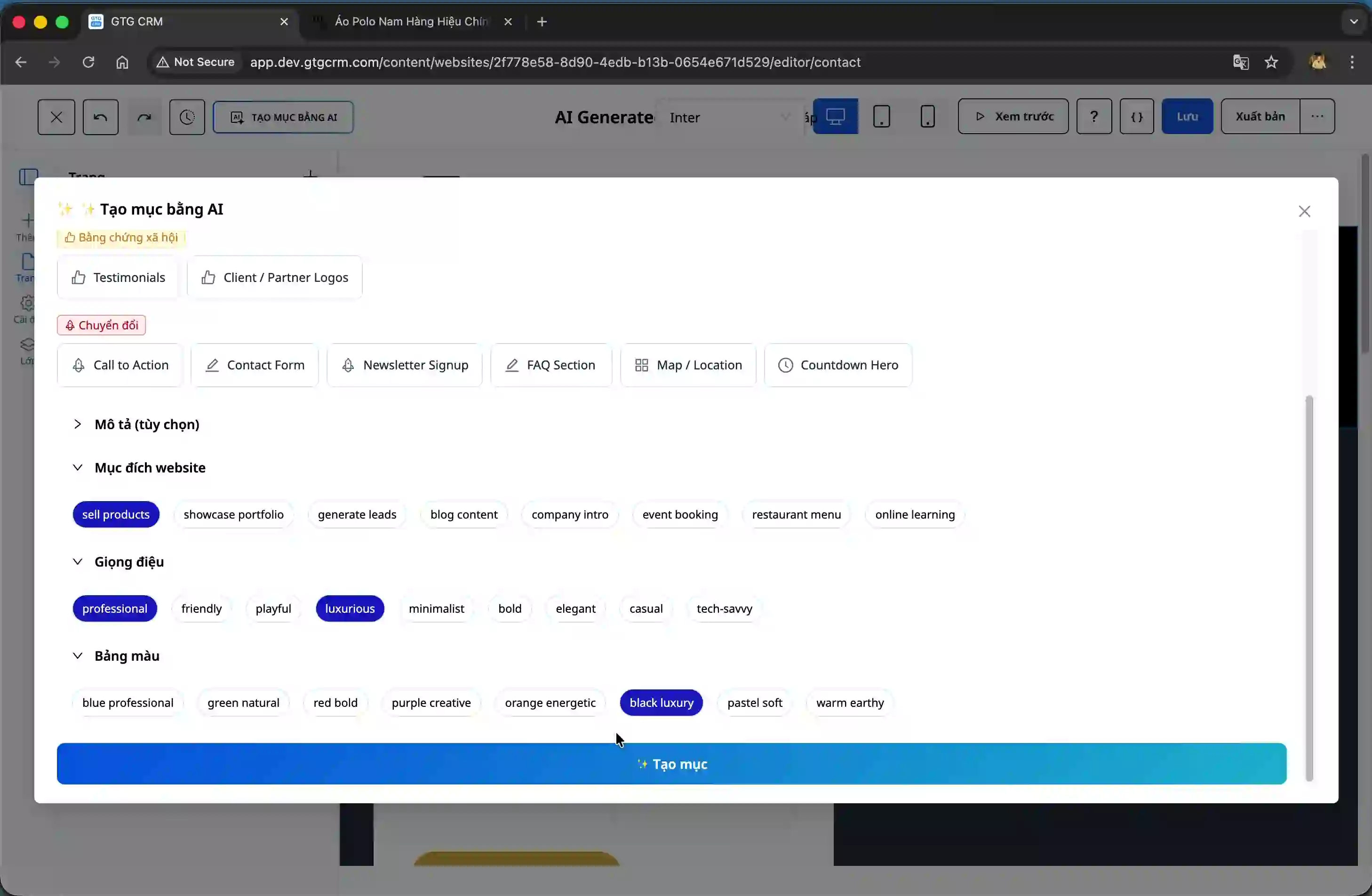
Step 3: Create a section and view the results.
After filling in all the information, click the "Create" button to start the AI processing. The system will create a new section based on the parameters you provided.
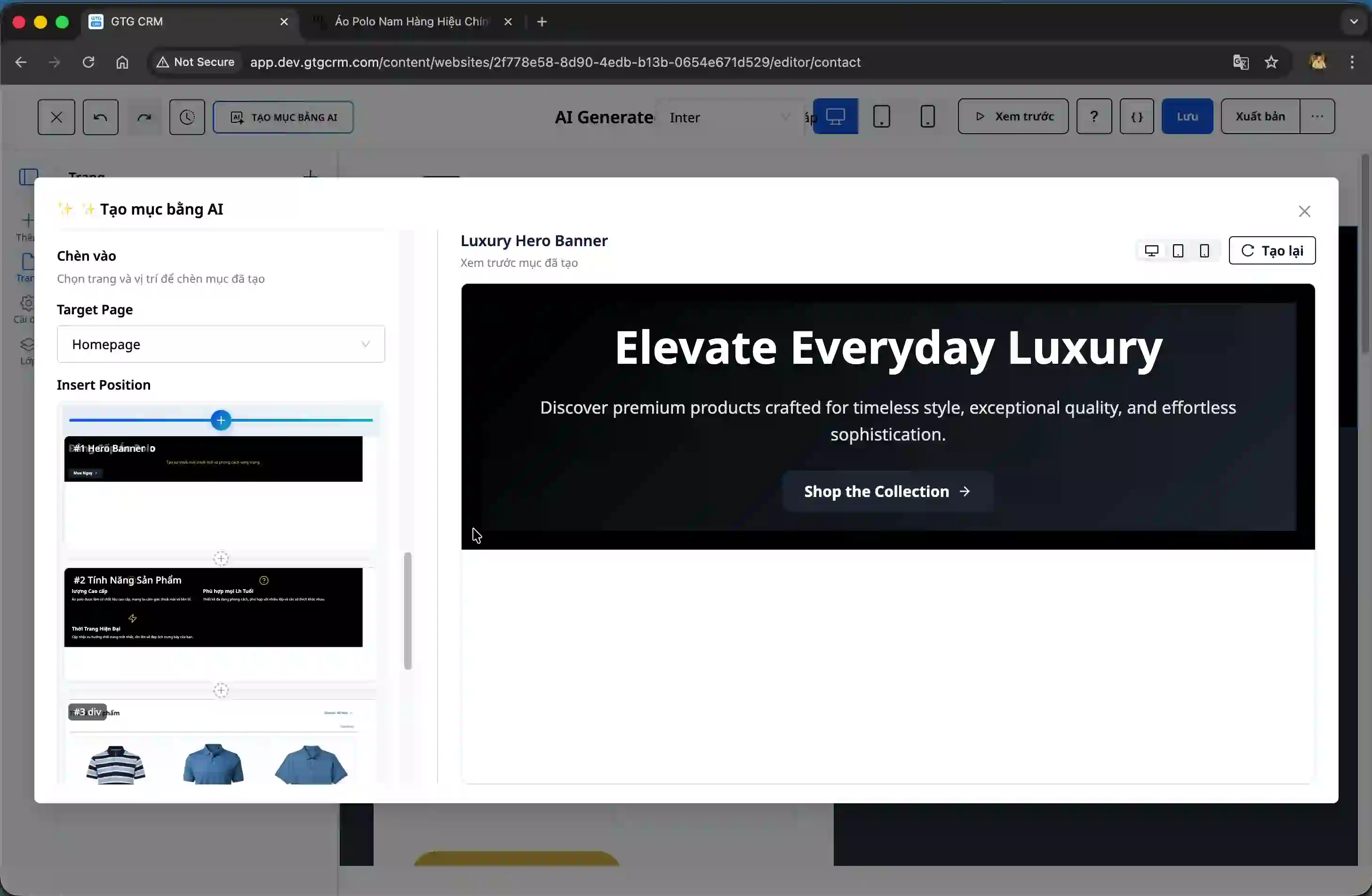
The results will be displayed directly on the screen for you to preview and evaluate.
Step 4: Choose the location for the section.
Observe the control panel on the left side of the screen; you will see the current structure of the website. Choose the location where you want to insert the new section.
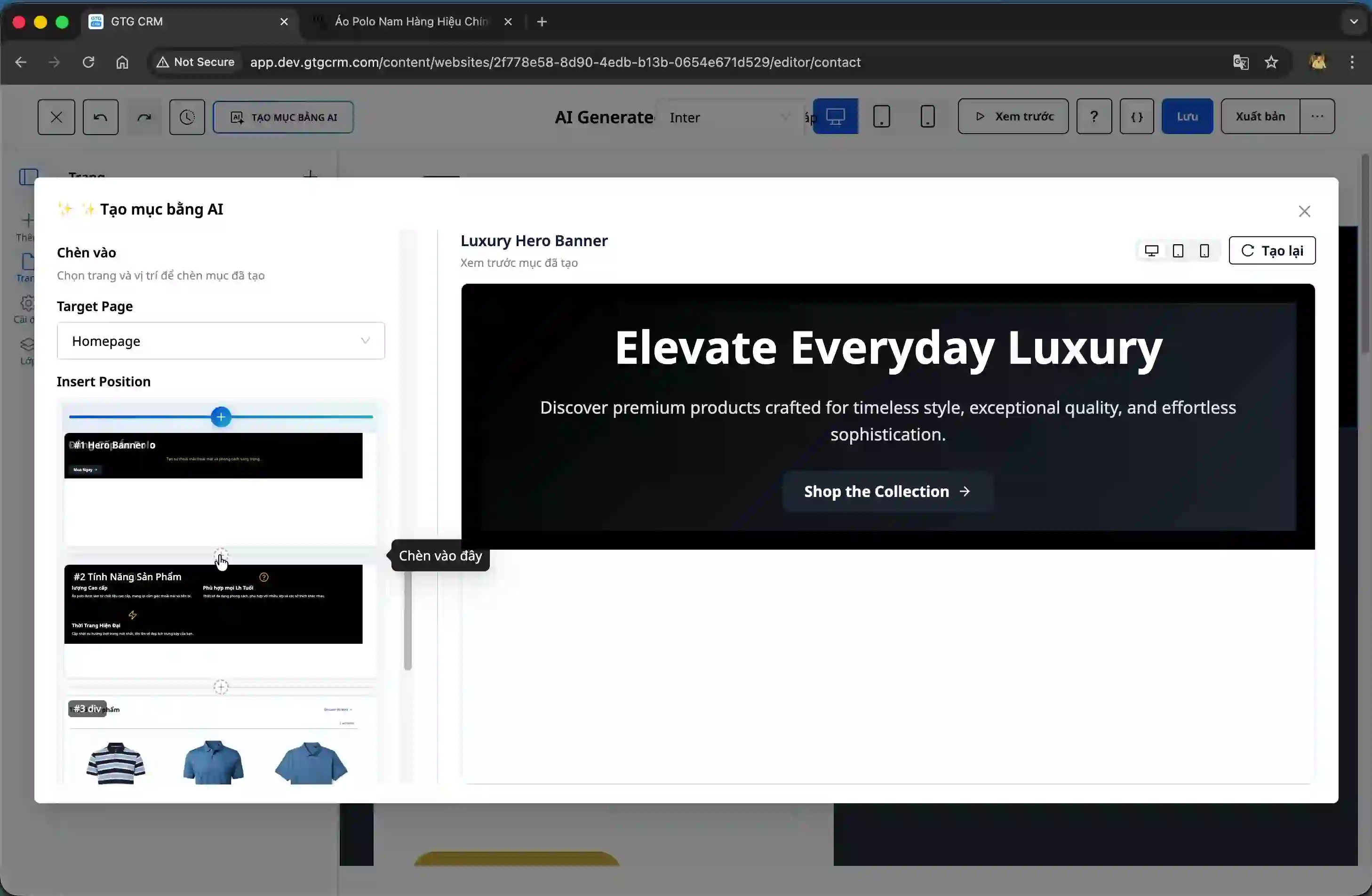
After selecting a location, scroll down to check where the new section will appear and ensure it fits the overall layout.
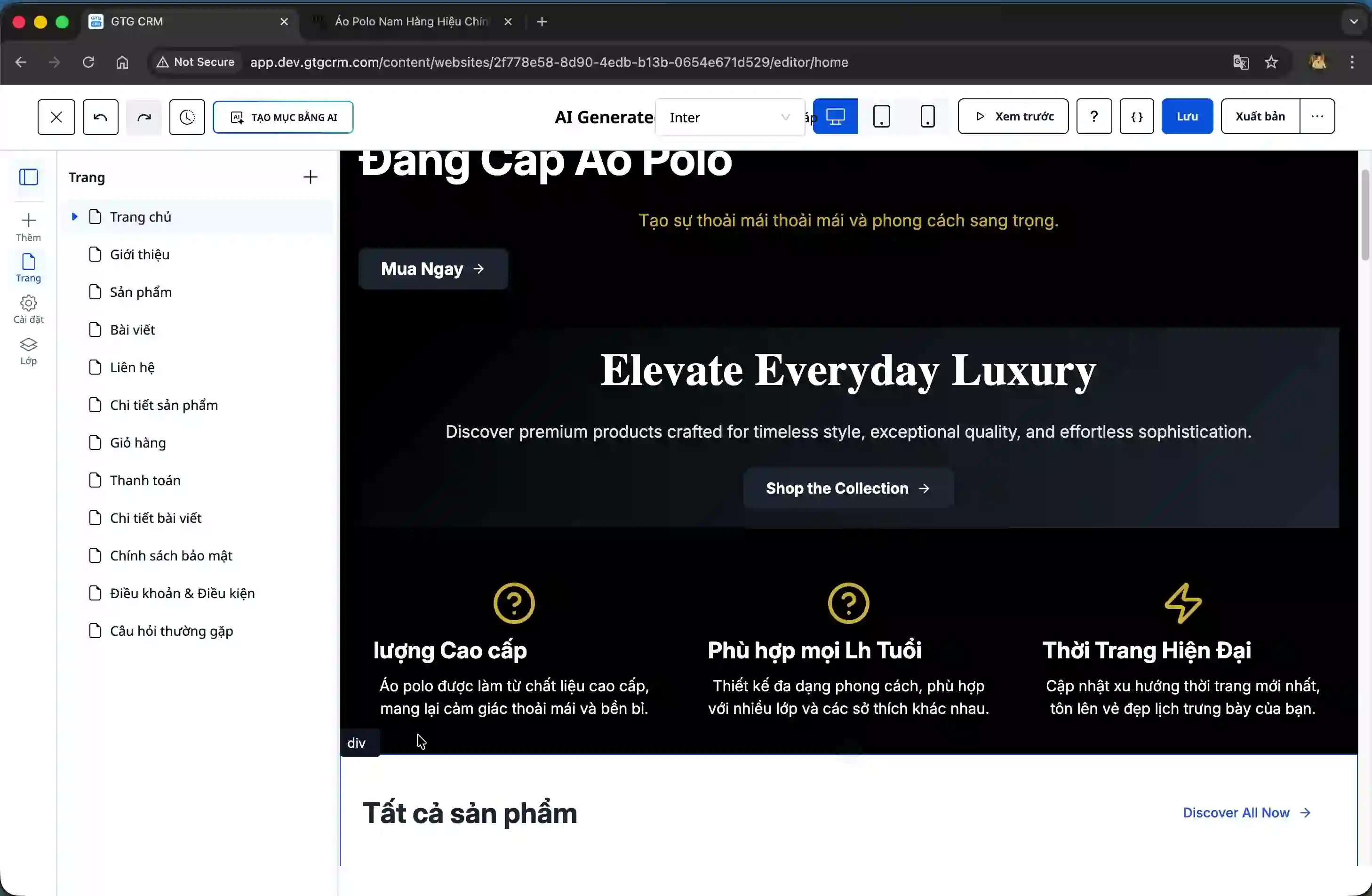
Step 5: Improve the section using AI (optional)
If you want to adjust the section you just created, right-click on it and select "Improve with AI".
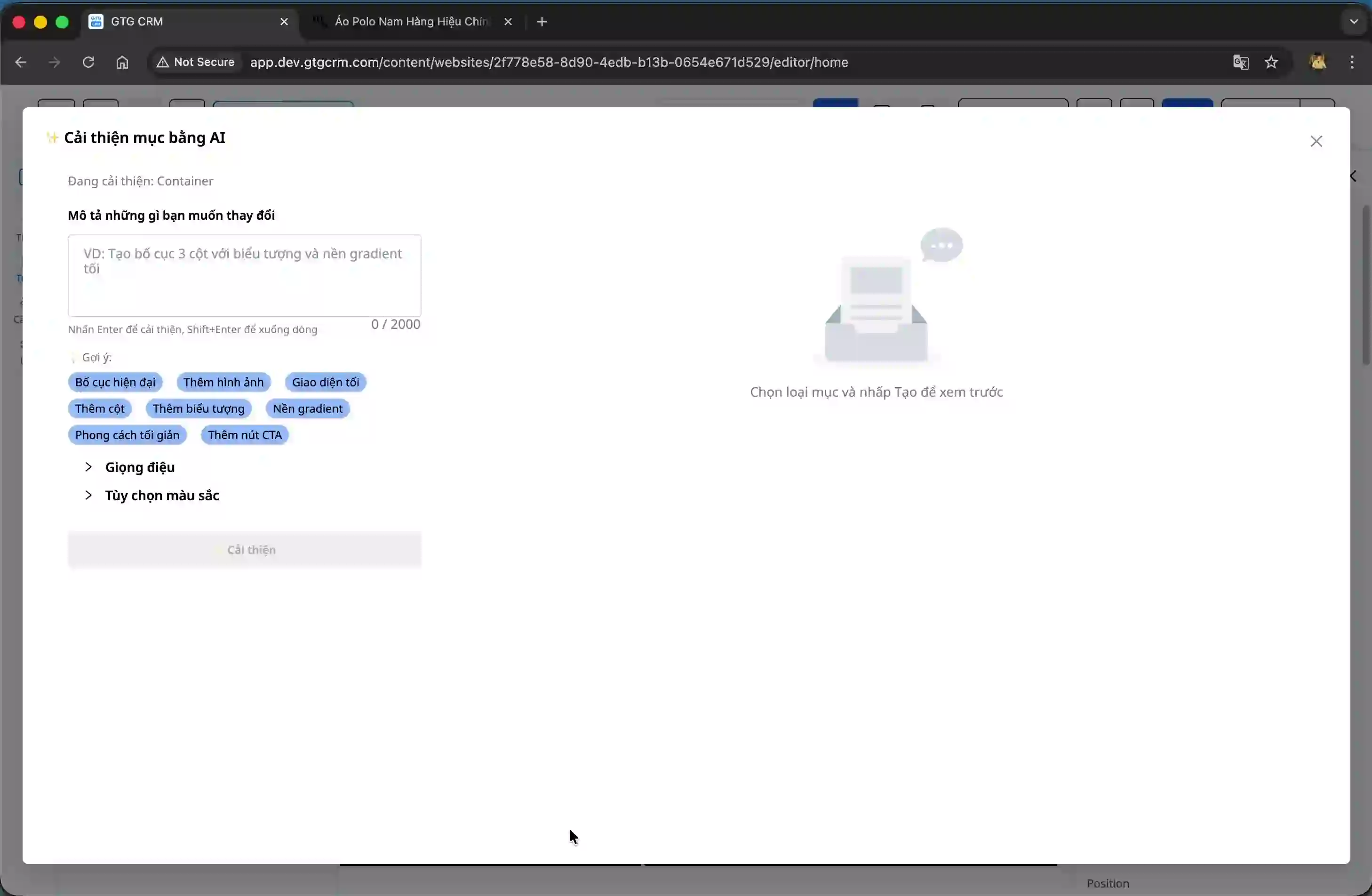
Enter a specific improvement request, for example, "add a button" or other changes. The system provides a suggestion button to help you refer to common requests.
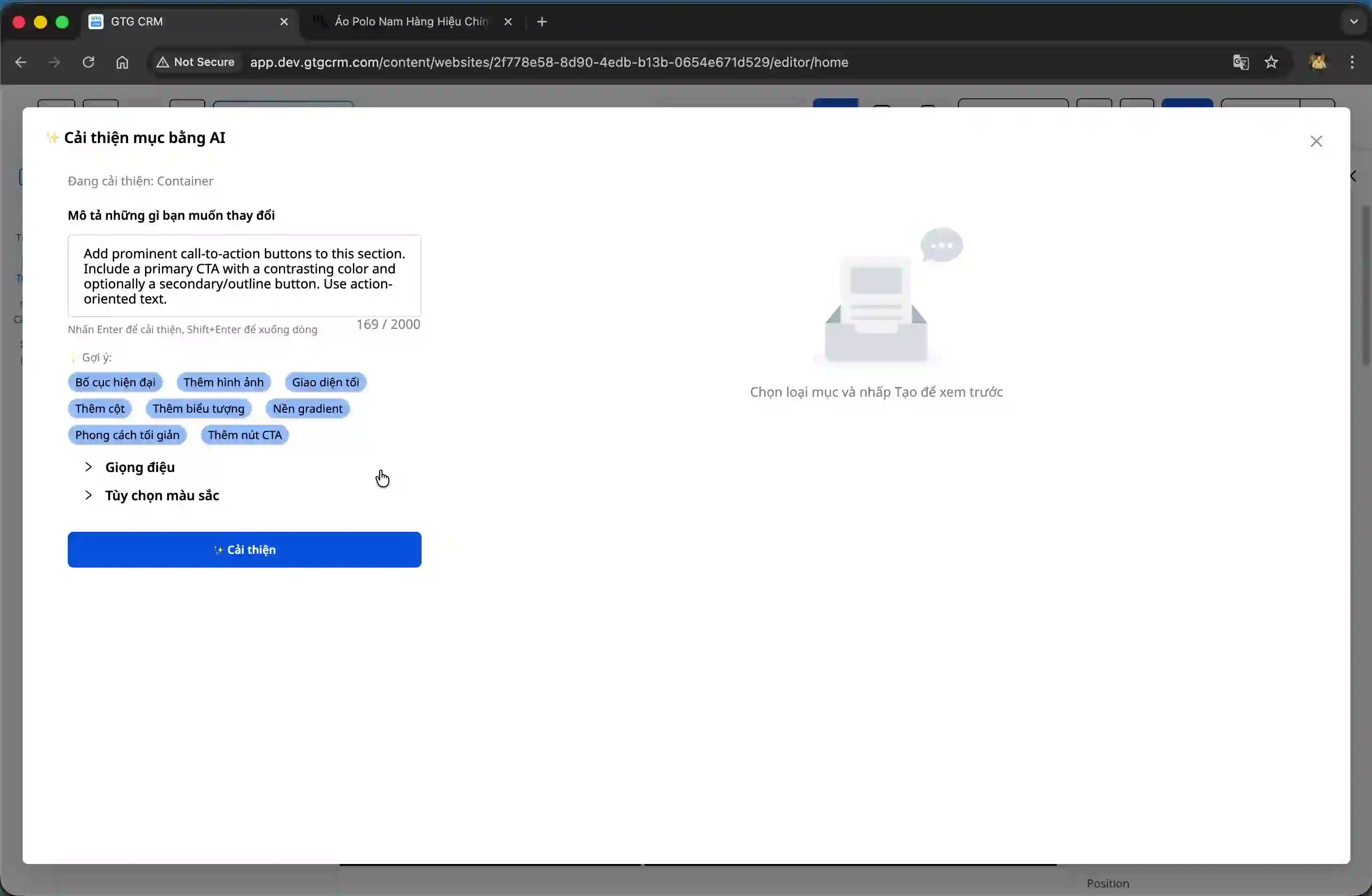
Continue selecting styles and color palettes if you need to make changes, then click the "Improve" button.
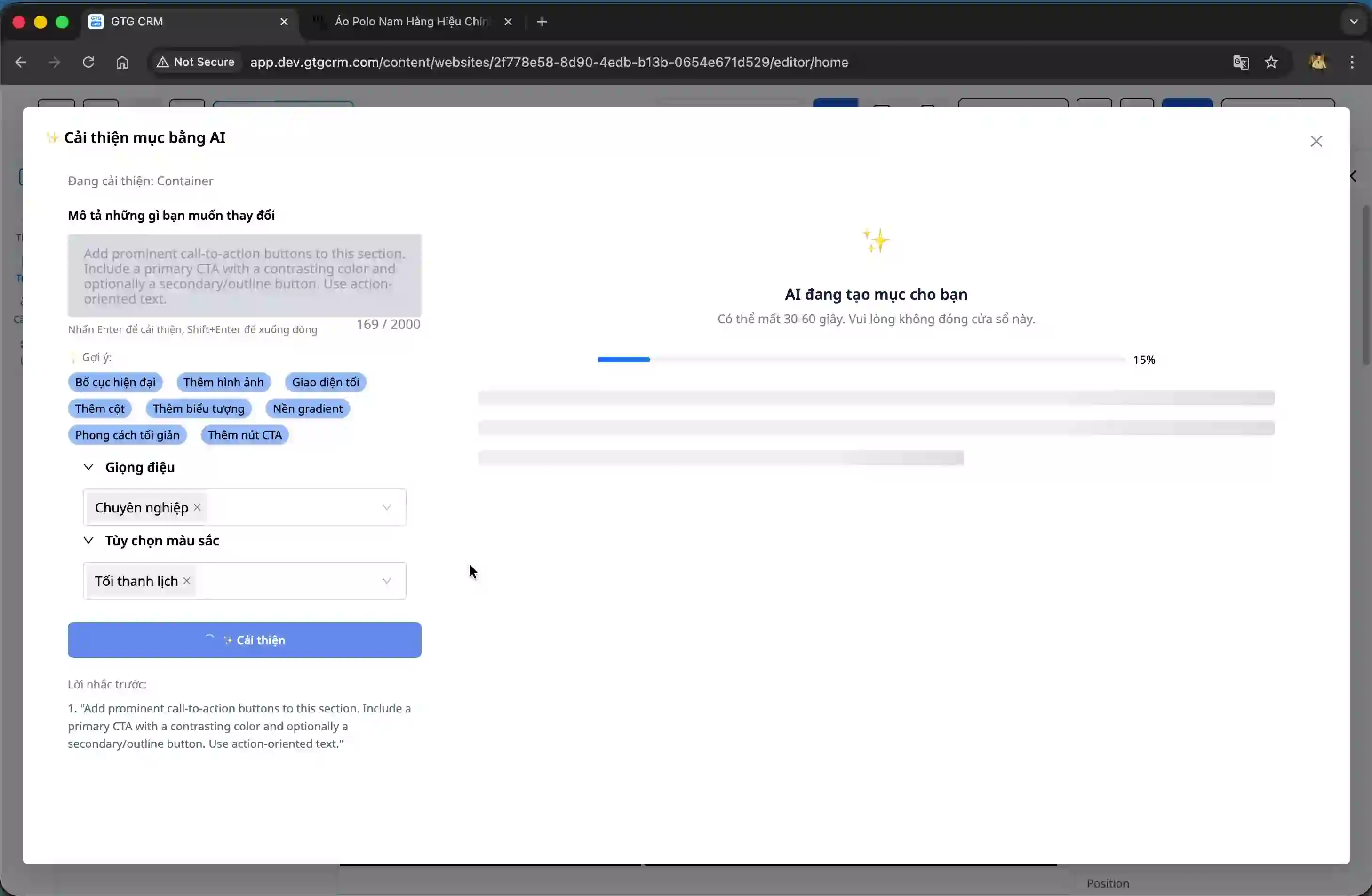
The processing is very fast, usually taking only about 10 seconds. Once complete, the AI will display an improved version.
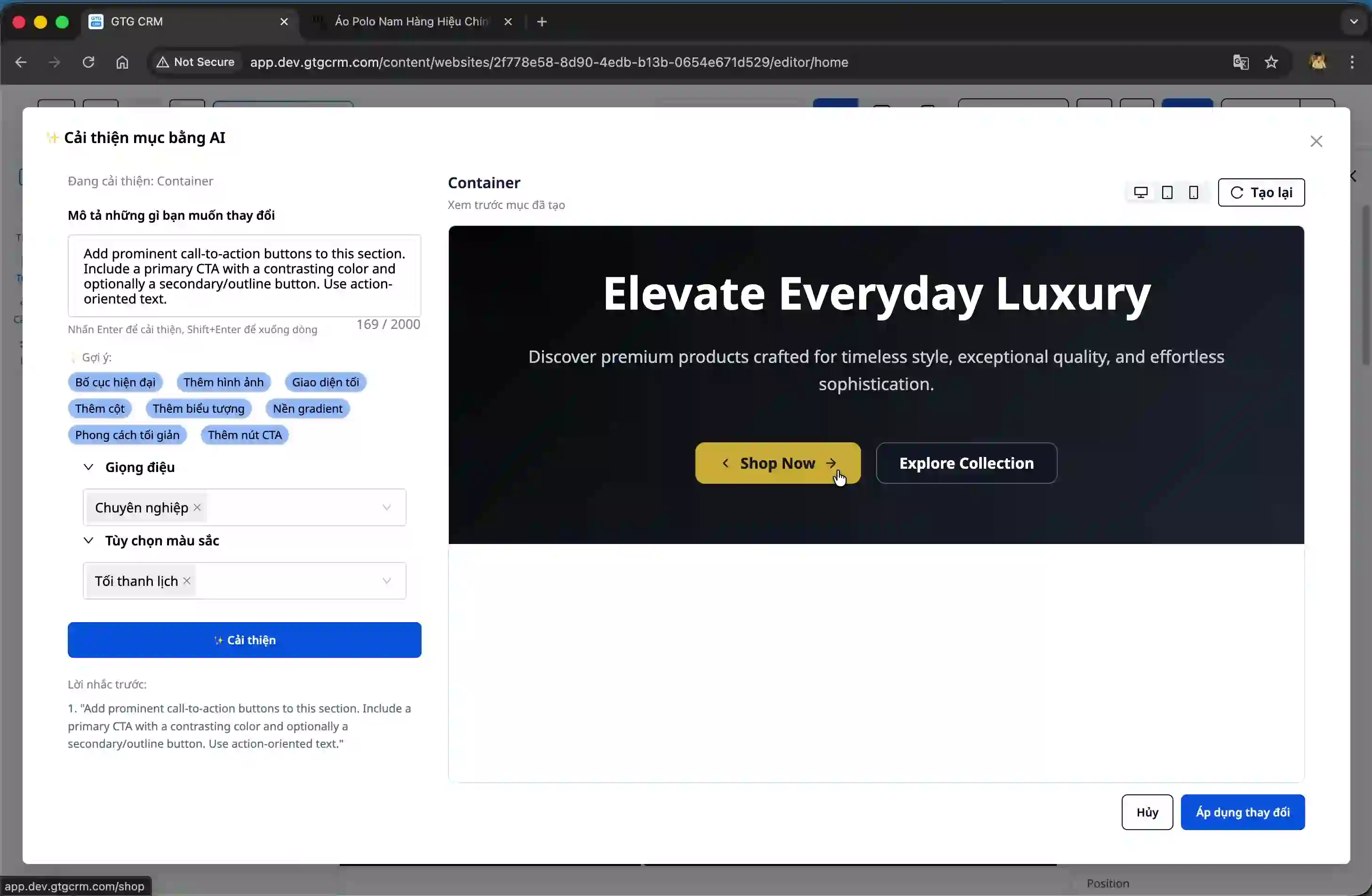
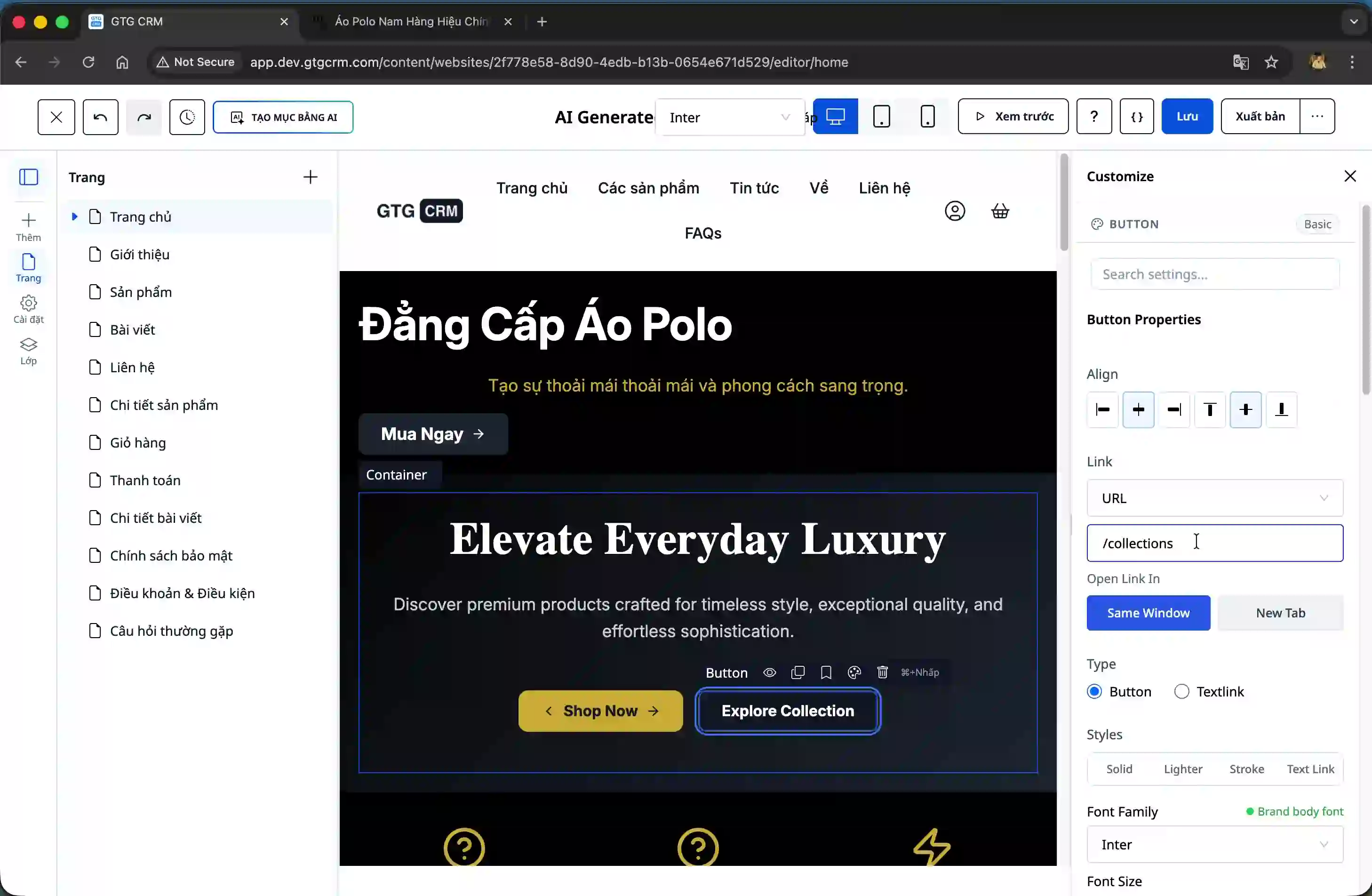
Step 6: Apply changes and customizations
Click the "Apply Changes" button to update the website with the new theme.
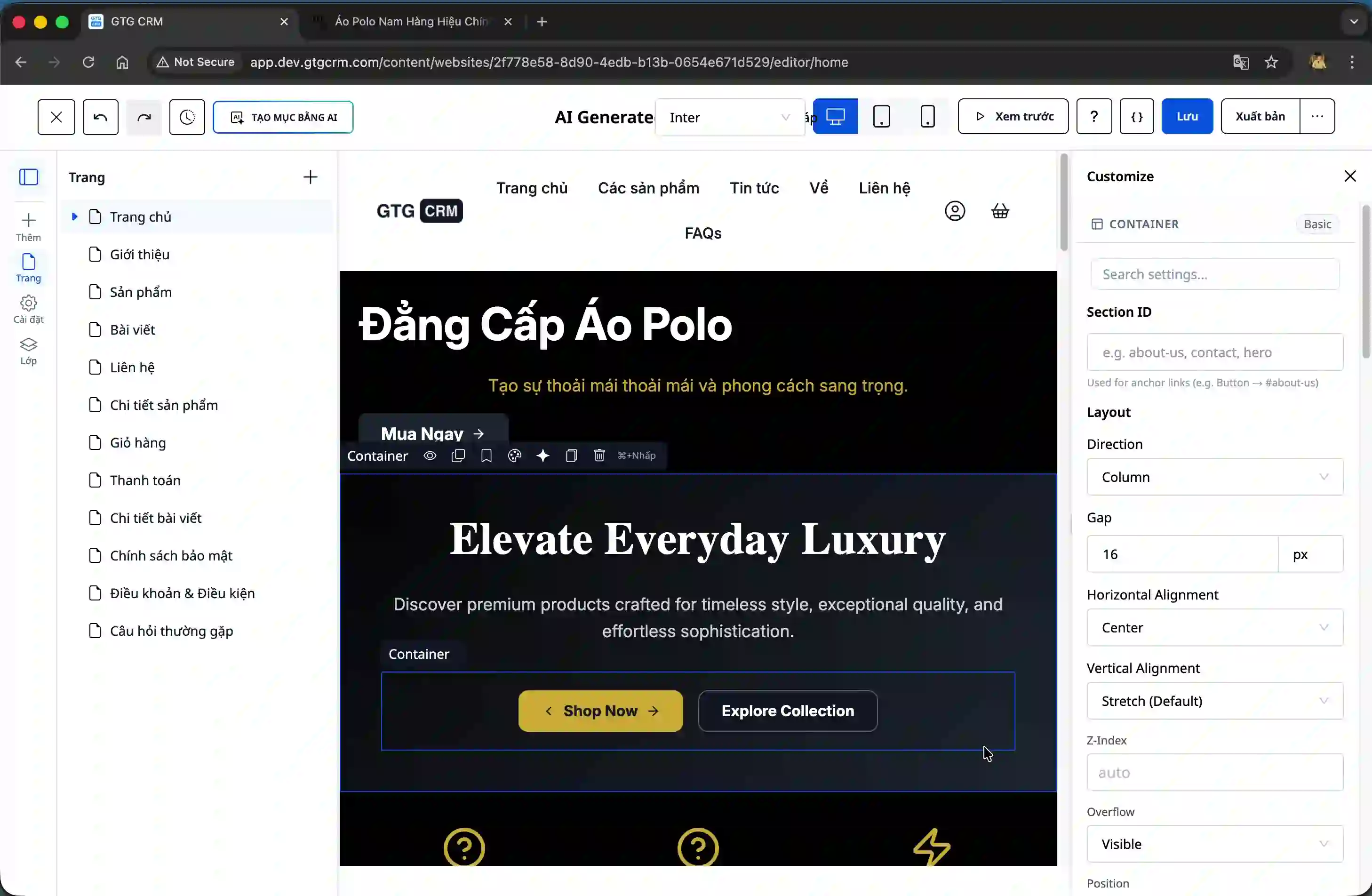
After applying the changes, you can fine-tune details such as changing the button layouts, editing text, or adjusting other parameters to suit your specific requirements.
Benefit
Using AI tools to create website sections offers the following benefits:
- Significantly saves design and development time compared to manual methods.
- Create professional-looking interfaces even without design experience.
- Be flexible and experiment with different styles and layouts.
- Easily improved and adjusted based on real-world feedback.
- Ensure consistency in style and color with the brand.
Important note
After creating the section using AI, take the time to thoroughly test the content and ensure the links are working correctly. While AI generates a quality interface, you still need to customize navigation URLs and specific content to align with your business strategy.
If the initial results aren't satisfactory, don't hesitate to use the enhancement feature multiple times. The AI will learn from your requirements and create increasingly better versions.


