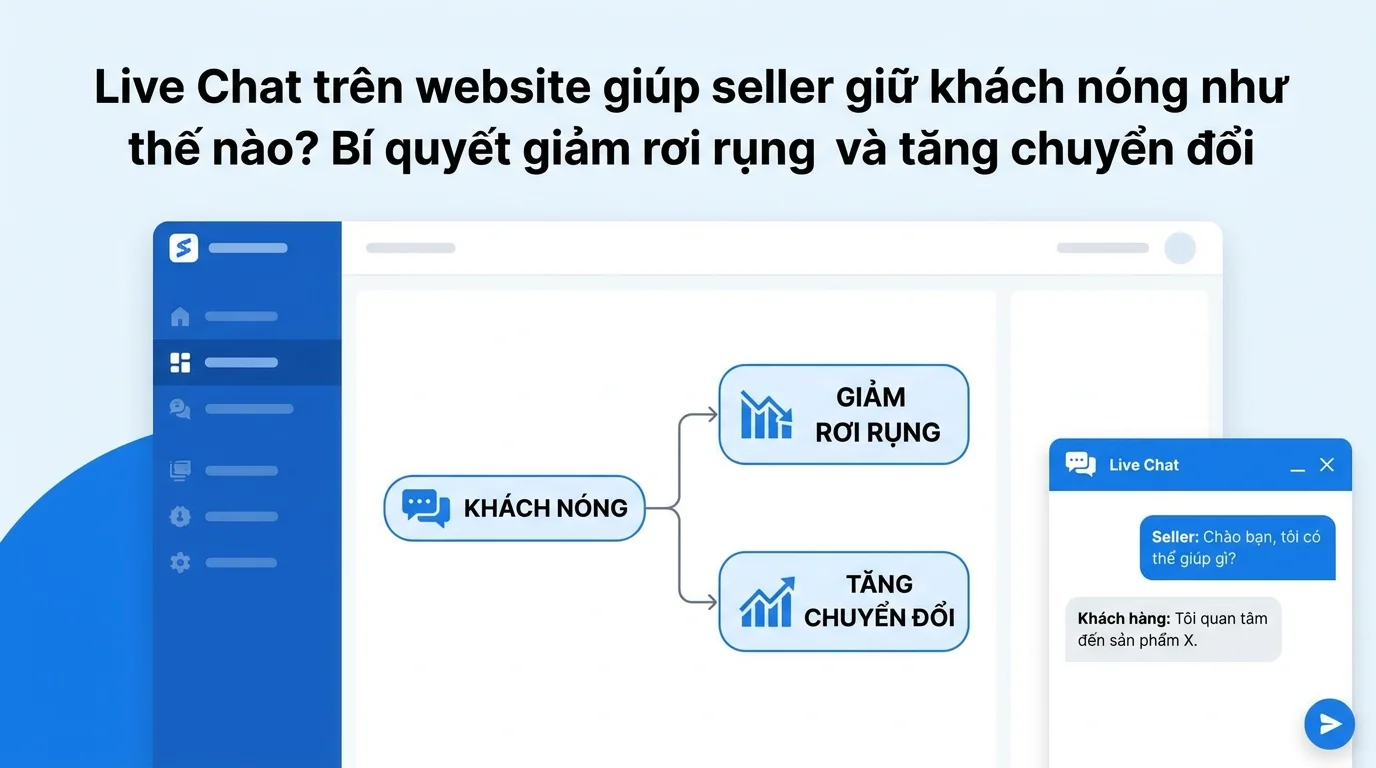
Many online sellers have attractive websites or landing pages with consistent traffic, but still experience low conversion rates. This isn't because customers lack need, but because they have lingering doubts and haven't received timely answers. When customers are unsure about price, policies, or products, without a quick point of contact to ask questions, they will leave and may not return. Live chat on the website is a tool that helps sellers intervene in that moment, retaining interested customers while they are still engaged, thereby increasing conversion rates naturally and effectively.
Why do visitors leave a website without making a purchase?
When a customer visits a seller's website or landing page, they usually already have a certain level of interest. They might be researching products, comparing prices, or considering multiple options. However, there's a gap between interest and a purchase decision, and that gap is the unanswered questions.
Customers may have questions about shipping options, available sizes, delivery time, return policy, or simply need quick advice to choose the right product. These questions may seem minor, but if not answered promptly, they can become obstacles that cause customers to stop and leave.
The reality is that impatient customers don't wait long. They might be viewing multiple pages simultaneously, or simply don't want the hassle of going through multiple steps to contact you. If your website doesn't offer a quick way for them to ask questions directly on the page they're viewing, they'll leave and may return to your Facebook inbox, Zalo, or another page with faster support. This is a common pitfall many sellers face without realizing it.
How does Live Chat intervene in the behavior of leaving?
Live chat on websites acts as a bridge between sellers and hesitant customers. While customers are browsing products on the page, a small, compact chat widget appears in the corner of the screen, ready for them to click and ask questions at any time. This creates the feeling that someone is right there to assist, helping customers feel more confident in making a decision.
The strength of live chat for e-commerce websites lies in its immediacy and convenience. Customers don't need to leave their current page, open other applications, or search for a phone number. They simply click the chat icon, type their question, and wait for a response within seconds or minutes. This convenience reduces friction in the purchasing journey, making it easier for customers to continue rather than exit.
Furthermore, chat on e-commerce websites goes beyond simply answering questions. It also allows sellers to proactively engage with visitors through proactive chat features. For example, if a customer has been viewing a product page for too long without taking action, the seller can proactively open a small chat box with a question like, "Do you need any assistance?". This helps customers feel valued and makes it easier to start a conversation.
Hot customer processing flow from access to conversion.
To better understand how Live Chat helps retain interested customers, we can visualize a practical workflow as follows:
Visitors arrive at a seller's website or landing page through ads, articles, or organic search. They begin by viewing products, reading descriptions, and checking prices. At this point, they are interested but undecided.
During the browsing process, customers encounter some unclear points. They might have questions about the warranty policy or want to know which colors are still available. Without Live Chat, they would have to find a way to contact the seller via email, hotline, or social media. But if there's a website chat widget in the corner of the screen, they can simply click on it and ask immediately.
When a customer clicks on the chat button, a small form may appear asking them to fill in their name and email address before starting the conversation. This is a call-to-action (CTA) form that helps sellers collect customer information from the outset, making follow-up and customer service easier later on. After filling it out, the customer is connected with the seller or receives an automated response if it's outside of business hours.
During the conversation, sellers can see which page the customer is currently on thanks to the visitor presence feature. This helps sellers understand the context and respond directly. For example, if the customer is viewing a t-shirt product page, the seller can immediately ask about the size or color without the customer having to explain everything from scratch.
After answering the question, the seller can send additional information, images, or links to related products for the customer's convenience. If the customer doesn't make a purchase immediately, the information left in the form will be saved to the seller's CRM, allowing the seller to follow up with the customer later via email, Zalo, or other channels.
This entire process runs smoothly, increasing website conversions without disrupting the customer experience. Customers feel supported promptly, and sellers have the opportunity to retain hot customers and build relationships from the first interaction.
Situations where sellers should use Live Chat to retain hot customers.
Live chat isn't always necessary, but in certain situations, it becomes a very useful tool for retaining hesitant customers. Below are some common use cases that online sellers often encounter:
When customers need quick advice about products.
Many products require consultation before purchase, especially those with multiple options in size, color, configuration, or features. Customers may be unsure which option best suits their needs. Having live chat with the seller directly on the website allows them to quickly ask questions and receive specific suggestions, making purchasing decisions easier.
When customers want to know the exact shipping fee and delivery time.
This is one of the most common questions customers ask before placing an order. If this information isn't clear on the product page, customers will hesitate and may leave. A website chat widget allows customers to ask questions immediately and receive specific answers tailored to their needs, reducing hesitation.
When customers need to confirm inventory or promotions.
During sales or flash sales, customers often worry about products running out of stock or whether discount codes are still valid. With live chat, sellers can immediately confirm stock availability or explain the promotion in detail, creating a sense of security and encouraging faster action.
When customers encounter technical problems or don't know how to place an order.
Some customers, especially those less familiar with online shopping, may have difficulty filling out order forms, choosing payment methods, or applying discount codes. Live Chat helps sellers guide customers step-by-step, reducing barriers and helping them complete their orders.
When customers want to know more about our return and warranty policies.
Questions about policies often cause customers to delay their purchase decisions because they want to be sure they are protected if problems arise. A short chat can clarify any concerns and help customers feel more confident before placing an order.
Example of a real-life chat flow between a customer and a seller.
To better understand how Live Chat works in practice, let's look at a typical chat flow example:
Customer: Hi shop, I'd like to ask if you still have any white t-shirts in size M?
Seller: Hi! The white T-shirt in size M is still in stock. Would you like to order it now, or do you need more information about the material?
Customer: Is the fabric stretchy? I'm worried it won't fit.
Seller: This is 100% cotton fabric with slight stretch, very comfortable to wear. If you are 1.60m tall and weigh 50kg, size M will fit you well. Could you please provide your height and weight so I can give you more accurate advice?
Customer: I'm 1.58m tall and weigh 48kg.
Seller: Then size M is a good fit for you. I'll send you the detailed size chart for your reference. Would you like to place your order now? I'll offer free shipping if you order today.
Customer: So I'll order one white one, size M. When will I receive it, shop?
Seller: Which area are you in? If you're in downtown Hanoi, you should receive it tomorrow.
Customer: I live in Cau Giay.
Seller: Okay, you'll receive your order tomorrow. I've sent you the order link so you can fill in your information. Thank you!
In this flow, customers receive quick answers regarding inventory, materials, sizes, and delivery times. Sellers also proactively offer free shipping to encourage customers to place orders immediately. The entire process runs smoothly, helping customers transition from indecision to a purchase decision in just a few minutes.
A real-life scenario: A seller selling cosmetics online.
Ms. Lan runs an online cosmetics business with a beautiful website that provides complete product information, high-quality images, and detailed descriptions. However, she noticed a high percentage of visitors who didn't make a purchase. After analyzing the situation, she discovered that many customers had questions about product usage, ingredients, or wanted advice on products suitable for their skin type.
Previously, she only put her phone number and email address at the bottom of the page. But customers rarely called or emailed because they felt it was time-consuming. They usually left and looked for other places with faster support, mainly shops on Facebook or Zalo.
After integrating Live Chat into her website, Ms. Lan began to see a difference. When customers visited the product page and saw the chat icon in the corner of the screen, they clicked on it and asked questions immediately. She could respond within minutes, providing specific advice on products suitable for each skin type, explaining how to use them, and even sending before-and-after photos from previous customers to increase trust.
Thanks to visitor presence, she knows which products customers are viewing, and can then proactively initiate a chat asking, "Are you interested in this moisturizer? I can advise you." This approach increases customer response rates and creates a more friendly atmosphere.
Additionally, she set up a CTA form before chatting to collect customers' names and email addresses. Even if customers don't make a purchase immediately, she still has the information to send follow-up emails or messages later. As a result, the website's conversion rate increased significantly, and she gained an effective customer service channel right on her website.
Comparing websites without chat support and websites with live chat.
When a seller only has a sales website or landing page without live chat, customers have to find all the information themselves from the available content. If they have questions, they have to find a way to contact the seller via email, hotline, or social media. This process is time-consuming and can easily frustrate customers, especially those who are impatient and want an immediate response.
Conversely, with live chat integrated directly into the website, customers can ask questions at any time without leaving the page. This convenience helps reduce bounce rates and increase conversion opportunities. Customers feel better supported, and sellers have the opportunity to interact directly to persuade and answer questions while customers are still interested.
Furthermore, a website with live chat creates a more professional impression. Customers tend to trust shops with clear and readily available support systems. This is especially important in today's fiercely competitive e-commerce environment.
The role of CRM in managing customers from Live Chat
Live chat is more than just answering questions. After the conversation, customer information needs to be stored and managed so that sellers can continue to provide follow-up service. This is where CRM for sellers comes into play.
When customers leave information via a CTA form before or during a chat, this data can be saved to the CRM system. This allows sellers to track interaction history, see what questions customers have asked, which products they are interested in, and what stage they are in the customer journey.
This information helps sellers personalize customer service. For example, if a customer inquired about a product but didn't buy it, after a few days the seller can send a gentle reminder email or text message, or notify them of relevant promotions. This helps increase conversion rates without bothering the customer.
Furthermore, integrating Live Chat with CRM allows sellers to manage multiple interaction channels simultaneously. Instead of monitoring each conversation individually via chat, email, Facebook, and Zalo, sellers can consolidate them into a single unified inbox, making customer service easier and more efficient.
How does GTG CRM help sellers connect Live Chat with their website?
GTG CRM provides a Live Chat solution that integrates directly into your e-commerce website or landing page in a simple and effective way. Sellers only need to add a short embed code snippet to their website to have a professional chat widget ready to assist customers.
GTG CRM's chat widget has all the necessary features to help sellers retain customers. When a customer clicks on the chat icon, they can be asked to fill out a CTA form before starting a conversation. This helps sellers collect customer information from the start, making it easier to follow up later.
Outside of business hours, the system can automatically respond to customers using auto-replies, notifying them of the seller's expected response time and requesting their contact information. This ensures sellers don't miss out on customers even when they're offline.
The visitor presence feature lets sellers know which page a visitor is viewing and how they are interacting with the website. This information is very useful for sellers to understand the context and provide targeted support. For example, if a visitor is viewing the checkout page but hasn't completed the process, the seller can proactively ask if the visitor is experiencing any problems.
Proactive chat is also a useful feature, allowing sellers to proactively initiate a chat with visitors. This is suitable in situations such as when a customer has viewed a product for a long time without taking action, or when a customer is on a landing page for a special promotion.
All conversations from Live Chat are centralized in GTG CRM's unified inbox, making it easy for sellers to manage and ensuring no messages are missed. Customer information after the chat is saved in the CRM system, allowing sellers to track and provide follow-up care in a systematic way.
With GTG CRM, sellers not only have a simple Live Chat tool, but also a seamless customer management system, helping to increase the ability to retain hot spots and convert them into actual customers.
Tips for using Live Chat to keep customers engaged
Although live chat is a useful tool, to maximize its effectiveness, sellers need to keep the following points in mind:
Quick responses are crucial. Hot customers can't wait long. If a seller doesn't respond within the first few minutes, the customer may leave and not return. Therefore, sellers need to ensure someone is available to monitor chat during peak hours, or use auto-reply to clearly indicate response times.
Use proactive chat judiciously. Initiating chat can increase engagement, but doing it too frequently or at inappropriate times can make customers feel bothered. This feature should only be used when customers have been on the site for a certain amount of time or are showing signs of hesitation.
Gather customer information naturally. A pre-chat call-to-action (CTA) form is necessary, but don't ask for too much information right away. Just their name and email or phone number are enough to start. Other information can be collected during the conversation.
Combine Live Chat with other channels. Live Chat doesn't completely replace channels like Facebook, Zalo, or hotlines. Each channel has its own advantages and serves different customer groups. Sellers should integrate all of them into a single seller CRM system for easier management.
Continuous monitoring and improvement are essential. After a period of use, sellers should review conversations to understand customer questions and concerns, thereby improving website content or preparing sample answers for faster responses.
Conclude
Live chat on an e-commerce website is not just a customer support tool, but also a crucial bridge that helps sellers retain hesitant customers. Once customers have spent time visiting a website or landing page, what they need is quick and accurate answers. Without a touchpoint to help them get that, they will leave and may not return.
With Live Chat, sellers have the opportunity to intervene at the right time, answer questions, advise on products, and encourage customers to take action while they are still interested. Combined with features like CTA forms, visitor presence, proactive chat, and CRM integration for sellers, Live Chat becomes a powerful tool to increase website conversions naturally and sustainably.
If you have a sales website or seller landing page but aren't fully utilizing your traffic, try integrating Live Chat into your system. GTG CRM is ready to help you connect Live Chat with your website and manage customers professionally, helping you retain interested customers and increase sales more effectively.
Frequently Asked Questions
Is live chat on a website any different from chatting on Facebook or Zalo?
Live Chat on the website allows customers to ask questions directly on the page they are viewing without switching to another application, reducing friction in the purchase journey. Customers don't need a Facebook or Zalo account; they can chat immediately upon accessing the website. Additionally, Live Chat provides features like visitor presence to track which page customers are viewing, helping sellers provide more relevant support.
Do I need to be online 24/7 to answer chat messages?
Not necessarily. You can set up auto-replies outside of business hours to notify customers of response times and ask them to leave their contact information. The system will save these messages for you to reply to later. The important thing is to respond quickly during business hours to avoid missing urgent customers.
Does live chat actually help increase conversion rates?
Yes. Many sellers have seen increased conversion rates after integrating Live Chat into their websites. This is because customers get their questions answered promptly, reducing hesitation and building trust. However, effectiveness depends on how you use it and how quickly you respond.
What skills do I need to set up Live Chat on a website?
With GTG CRM, you simply copy an embed code snippet and paste it into your website. Most website platforms like WordPress, Wix, or custom-built websites support this. If you're not technically savvy, you can ask your website developer for assistance in a few minutes.
Can live chat automatically collect customer information?
Yes. You can set up a CTA form that asks customers to fill in their name and email address before starting a chat. This information will be saved to your CRM system for future follow-up. Additionally, during the chat, you can ask for other information such as their phone number or interests to personalize the service.
Can I see where customers are on the website when they chat?
Yes. The visitor presence feature lets you know which page a visitor is viewing and how they are interacting on the website. This helps you understand the context and respond directly to their needs. For example, if a visitor is viewing a specific product page, you can immediately advise them on that product without asking further questions.
Turn what you've just read into tangible results — apply it now with GTG CRM, free.
Apply now