
The article below will clearly explain what Zalo OA is, classify business OA accounts, the benefits of verified OAs, and provide detailed instructions on how to successfully register for an OA account.
What is a Zalo Official Account for Businesses?
Zalo Official Account (OA) is an official account for businesses on Zalo, allowing direct connection with customers through various features such as chat, broadcast, chatbots, voice calls, and posting.
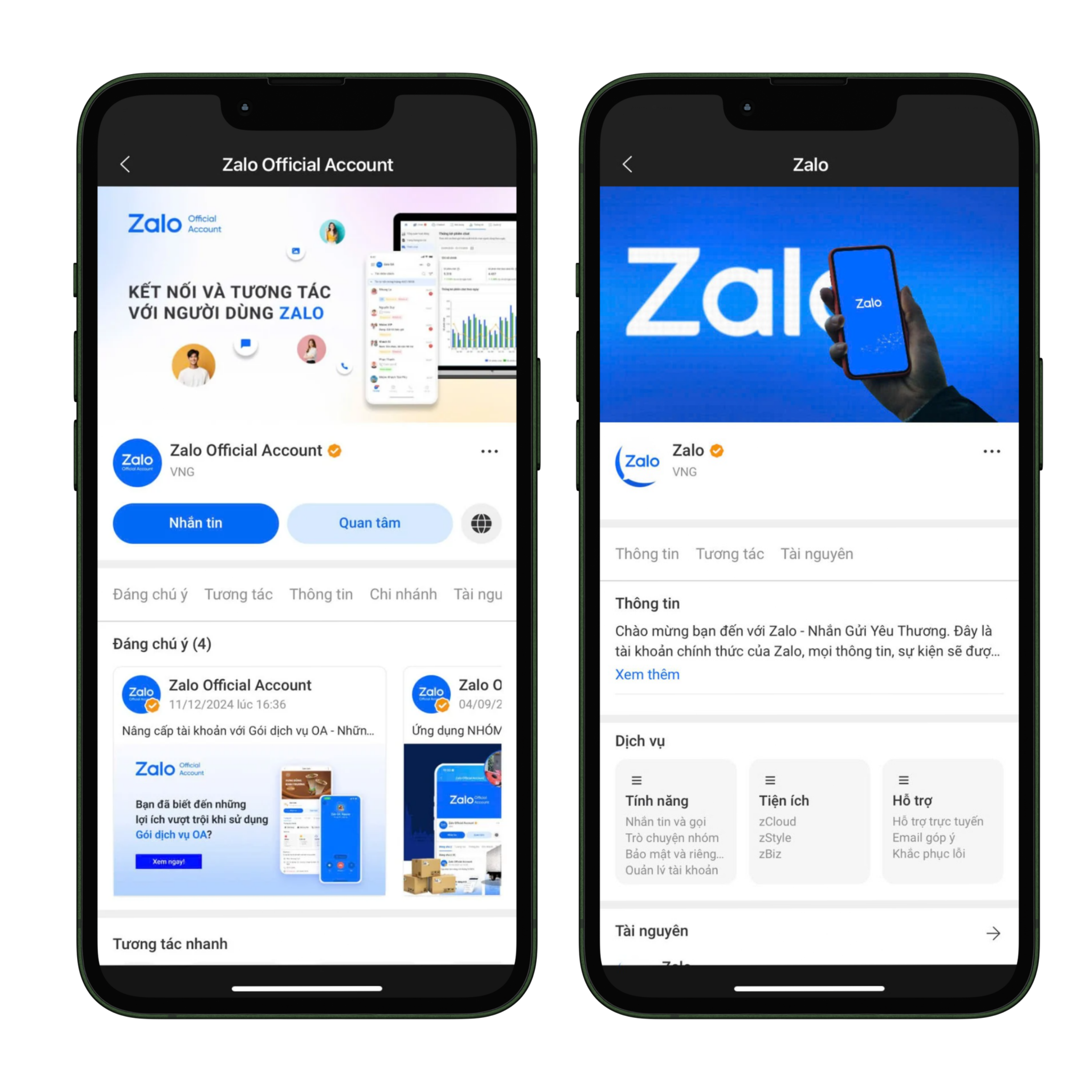
Zalo OA Interface
Currently, there are two popular types of OAs for businesses:
- Advertising Profile: This is an account type for individuals or business households without a Business Registration Certificate, used solely for running ads on Zalo. It does not support features like messaging, broadcasting, posts, chatbots, or voice calls. However, it can be upgraded to a verified OA with full functionality by submitting a Business License.
- Verified OA: This is an account type for businesses or business households with a Business Registration Certificate, marked with a blue tick for increased credibility. It allows multiple administrators to manage the account across various devices and supports all features for customer care and online business development.
Benefits of Using a Verified OA
Upgrading to and using a verified OA not only helps businesses comply with legal requirements but also brings many practical benefits in brand building and customer development.
- Higher Credibility: The verified blue tick reassures customers when interacting.
- Full Suite of Tools: Send messages, post articles, use chatbots, make voice calls, broadcast.
- Flexible Management: Allows multiple administrators to manage simultaneously.
- Supports Online Business: Integrates with Zalo advertising to increase customer reach effectiveness.
If your business wants to leverage Zalo as part of a multi-channel strategy, check out the article: 7 Best Multi-Channel Messaging Management Tools Today
Zalo OA Registration Process for Businesses
Step 1: Access and Log In
- Go to oa.zalo.me
- Log in using your personal Zalo account.
- Select Create Official Account.
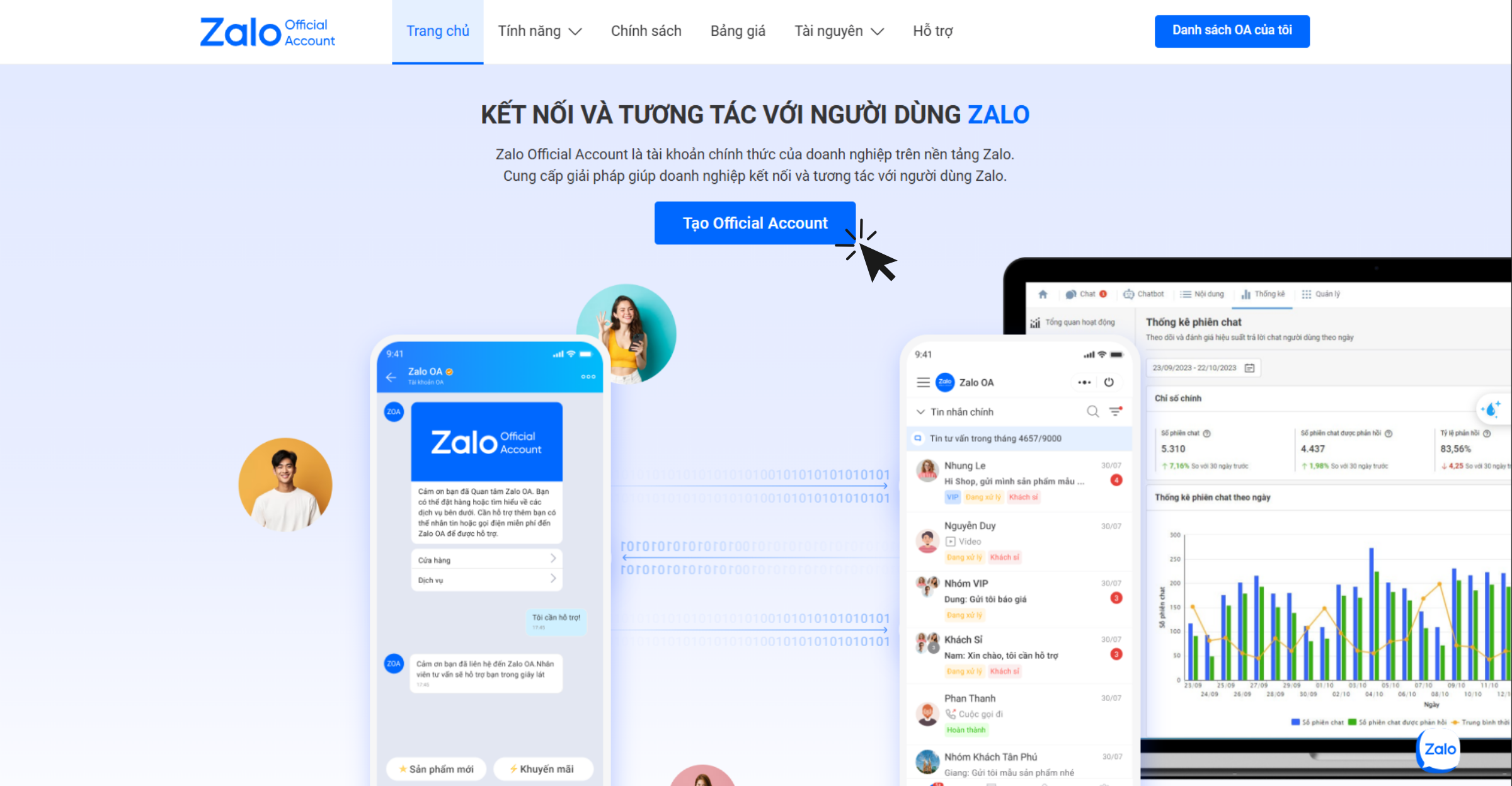
Access and log in to create a Zalo OA
Step 2: Log In via QR Code
- Use the Zalo app to scan the QR code for login.
- Requirement: A Vietnamese phone number (+84) that has been verified with a personal Zalo account.
Step 3: Fill in Account Information
When creating an OA, businesses need to provide complete information as required by Zalo to ensure accuracy and transparency:
- Activity Category: Choose the correct industry group that matches your Business Registration Certificate to avoid verification rejection.
- Official Account Name: The OA name must comply with Zalo's regulations. It can be the business/household name as stated on the Business Registration Certificate, a brand name protected by the Intellectual Property Office, or the name of a product/service/project you are trading if it doesn't fall into the above categories.
- Introduction: The description should be concise, easy to understand, clearly state the business sector, and not be misleading to viewers.
- Avatar: It is recommended to use the official logo or a representative product/service image for easy brand recognition by customers.
- Cover Photo: Should be an image directly related to the business's field or products to enhance professionalism.
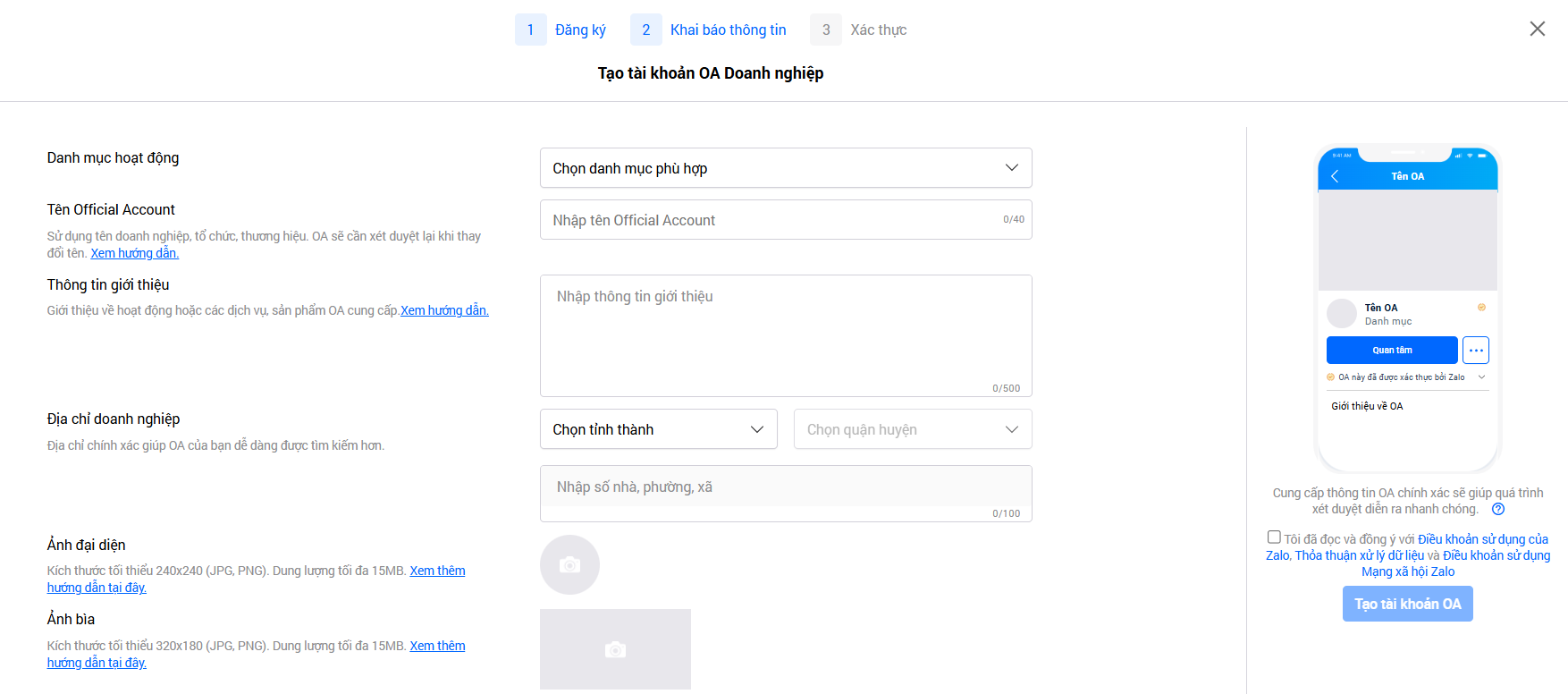
Declare information compliant with Zalo's policy
➞ Click Create OA Account.
Step 4: Verify OA
After successfully creating the OA, businesses must proceed with verification within 14 days to complete the registration process. Once verified, the account will receive a blue tick and can utilize all features supporting sales, marketing, and customer care on Zalo.
There are three common verification methods:
- Verification by Business or Store Name: Applicable to businesses, business households, stores, or business locations that are legally registered.
- Verification by Protected Brand Name: Applicable when the business owns a trademark protected by a certificate issued by the Intellectual Property Office.
- Verification by Specific Industry: For businesses operating in regulated sectors or using a name other than the above two methods.
After submitting the verification documents, the administrator will receive a notification about the review period and results from the Zalo Official Account system. Typically, the response time is within 2-3 business days, but it may take longer in some cases.
Important Notes:
- Businesses will only be granted an OA if they operate in a legal industry according to Vietnamese law.
- Prohibited fields include financial activities that are misleading or fraudulent, such as binary options, virtual currency issuance, cryptocurrency trading, bid auctions, or similar models.
- Businesses in the financial, banking, and insurance sectors are required to verify their accounts before using OA, including but not limited to activities such as: credit, deposits, securities, e-wallets, payment intermediary services, insurance, insurance agents, and tax services.
To maximize Traffic from Zalo OA, you can also read: Proper Follow-up for Increased Revenue: How to “Warm Up” Cold Leads with Email Marketing
Conclusion
In the Vietnamese market, Zalo Official Account is an indispensable tool for businesses to build their brand, maintain customer relationships, and drive online sales. Specifically, a verified OA not only strengthens trust but also unlocks a full range of effective sales and marketing support features. Businesses should proceed with registering and verifying their OA today to fully leverage the power of Zalo – a messaging application used daily by tens of millions of Vietnamese people.
Turn what you've just read into real results — apply it now with GTG CRM, for free.
Apply Now

