

Have you ever felt tired of spending hours designing every little detail of a website? Or simply wanted to experiment with different styles but were hesitant because it was too time-consuming? In the digital age, speed and efficiency are key to business success. GTG CRM understands this, and we've created a tool that helps you build websites many times faster than traditional methods.
Imagine you're designing a high-end e-commerce website. You need a sophisticated banner, a product description section, or a customer review area. Instead of drawing each frame, choosing each color, and writing each line of code, now you just need to describe what you want verbally, and AI will create it for you instantly. Not only that, you can also easily refine and improve every detail. That's the power of the AI Section creation feature in GTG CRM.
How does GTG CRM help customers?
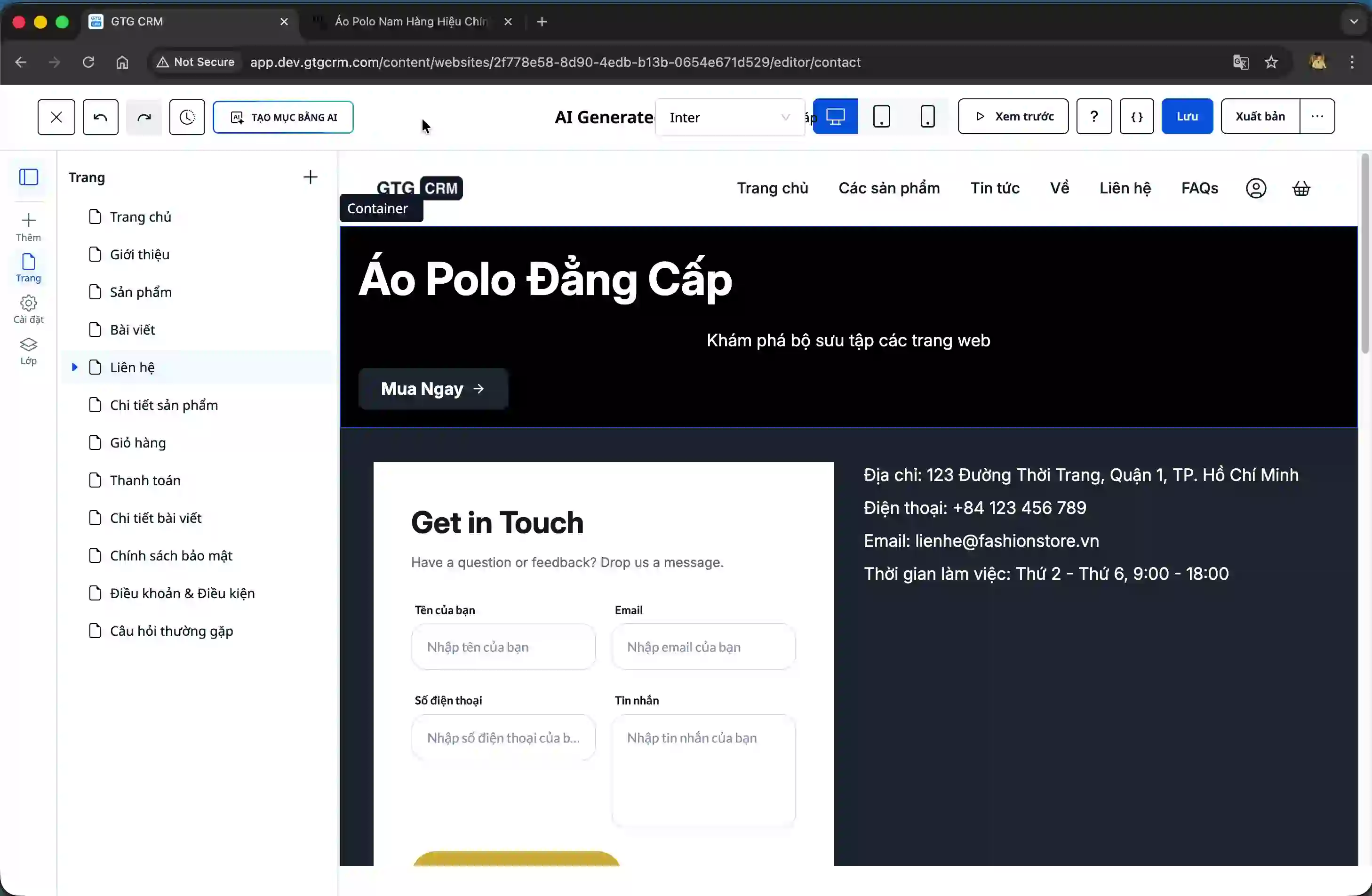
GTG CRM's AI-powered Section creation feature is more than just a design tool. It's an intelligent assistant that helps you turn ideas into reality with just a few clicks. From creating complete interface blocks to fine-tuning details, everything is optimized so you can focus on business development instead of struggling with technical issues.
Our system allows you to flexibly create individual sections and then integrate them into your existing page. Want to add an advertising banner? Or a featured product display area? Just describe it, choose a style, and let the AI do the rest. The process is incredibly fast, taking only about 10 seconds to create a complete, visually appealing, and professional section.
Highlights You Can't Miss
Create Custom Sections in Just a Few Simple Steps
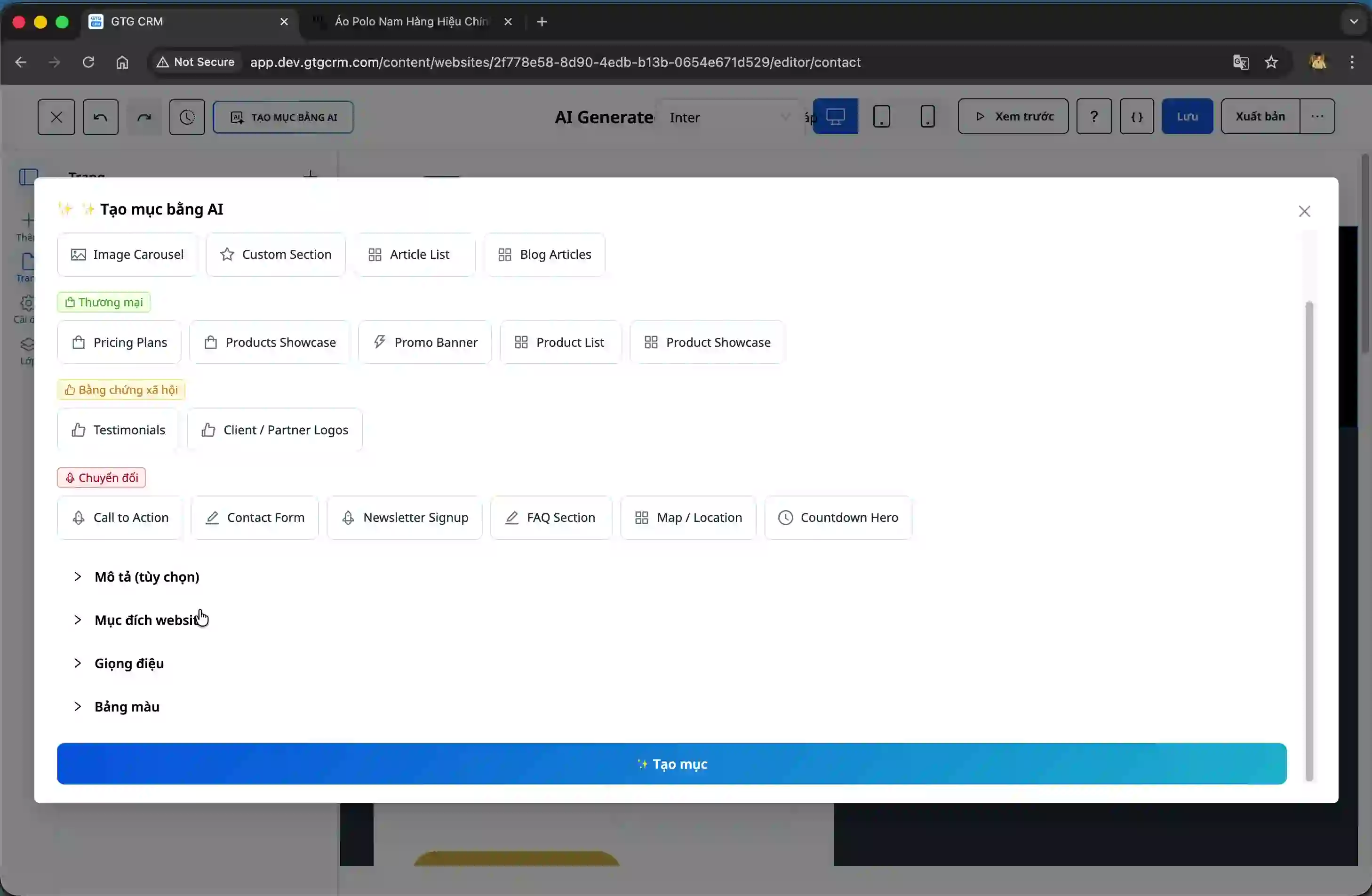
When you enter the editing page, the first thing to do is choose the type of section you want to create. This could be a banner, a product introduction, or any content block you have in mind. Then, you fill in information such as the website's purpose (e.g., selling products), design style (professional, luxury, dynamic, etc.), and desired color scheme. Everything is designed so you can customize it to match your brand.
Freedom to Choose Section Placement
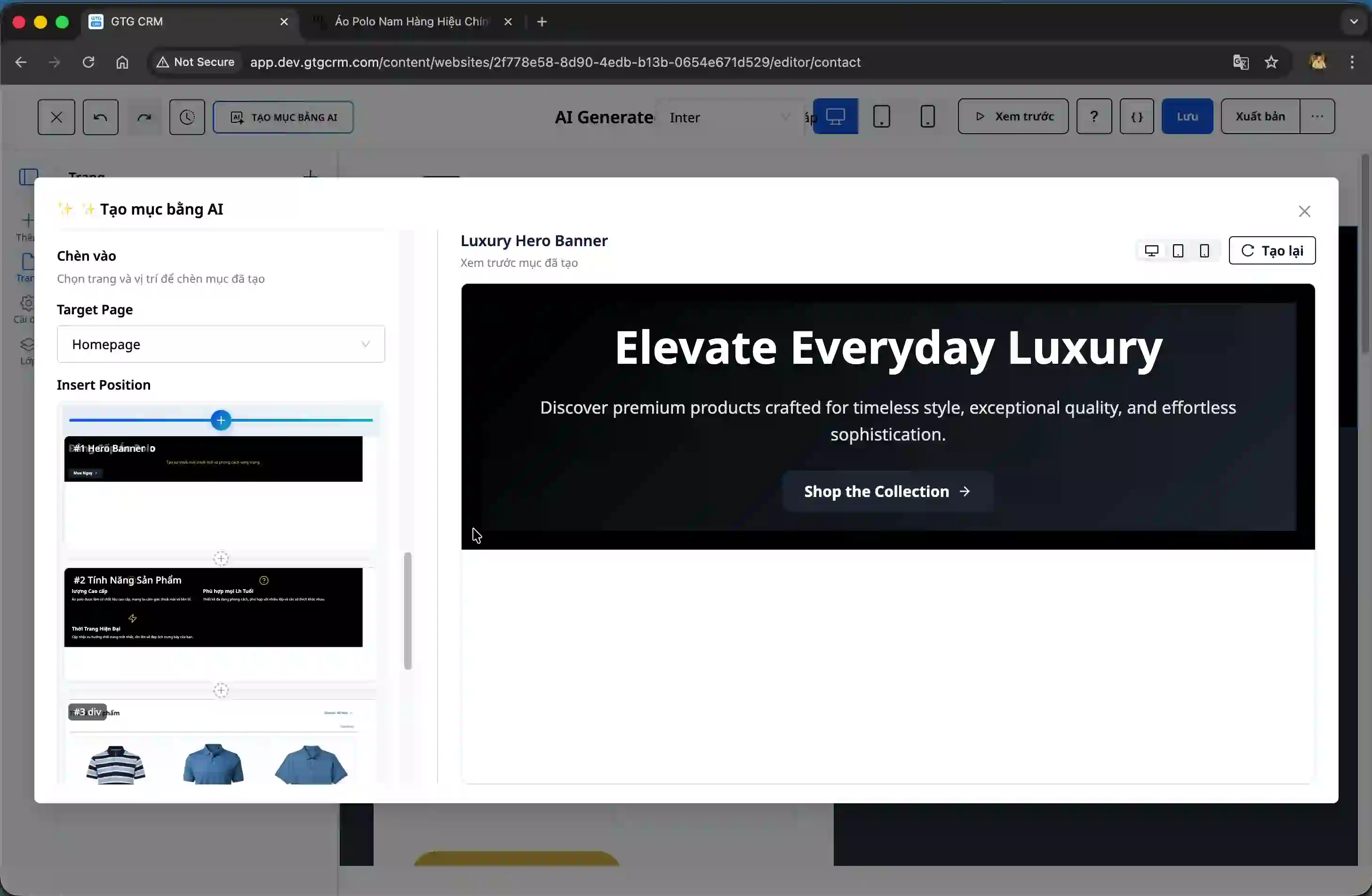
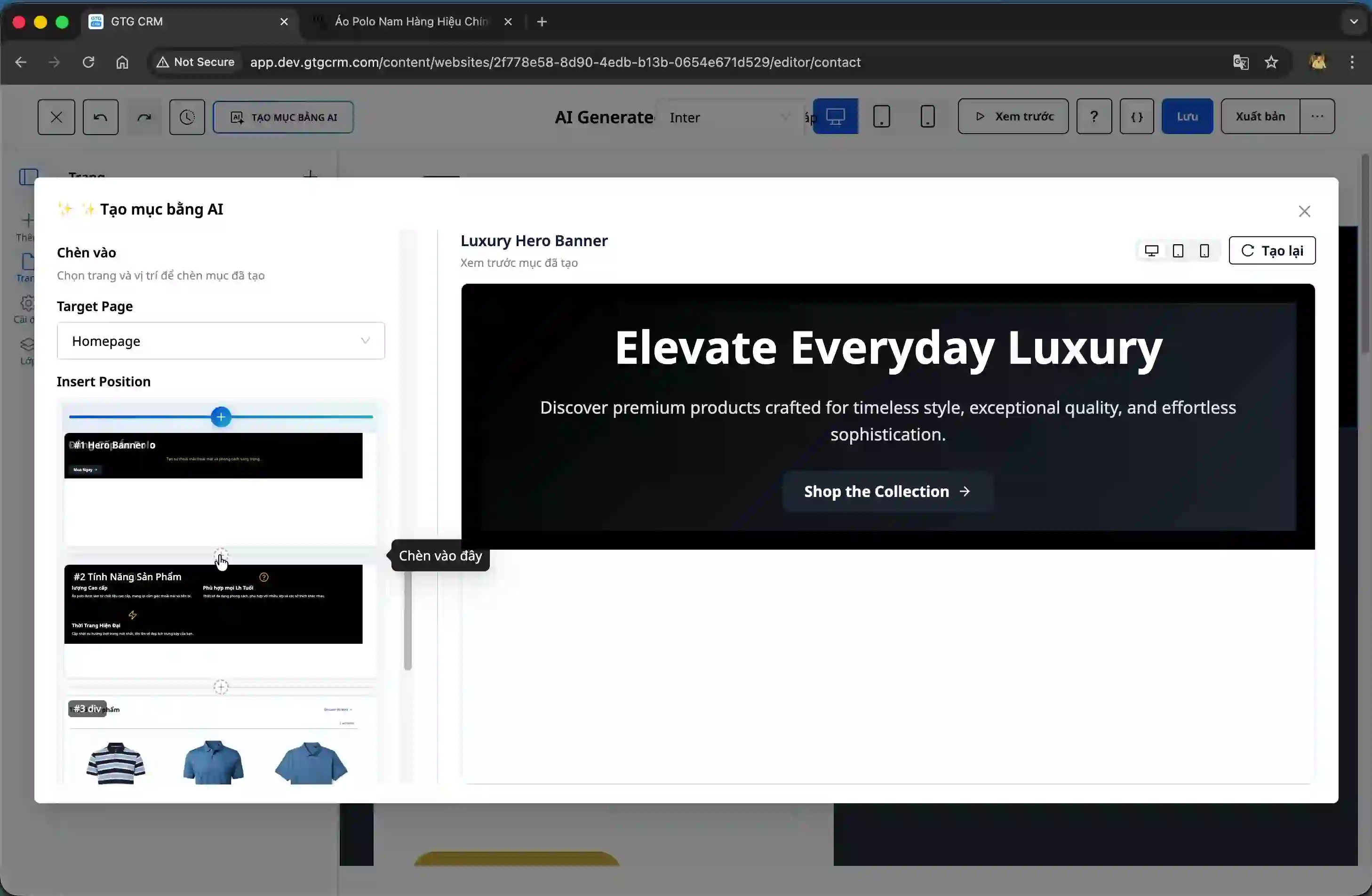
After the AI creates the new section, you'll see it displayed directly in the interface. The interesting part is that you have complete control over where you place this section on the website. Look at the left-hand panel, select your desired location, then drag and drop or insert the section in the correct spot. Everything is intuitive and as easy as assembling Lego pieces.
Improve Sections with AI in an Instant
This is the most special feature. If you want to fine-tune the section you just created, simply right-click on it and select "Improve with AI". The system will display an input field for you to describe what you want to change. For example, you might want to add a button, change the color, or adjust the layout. You can even use the suggestion feature to have the system automatically generate a perfectly formatted English prompt for you.
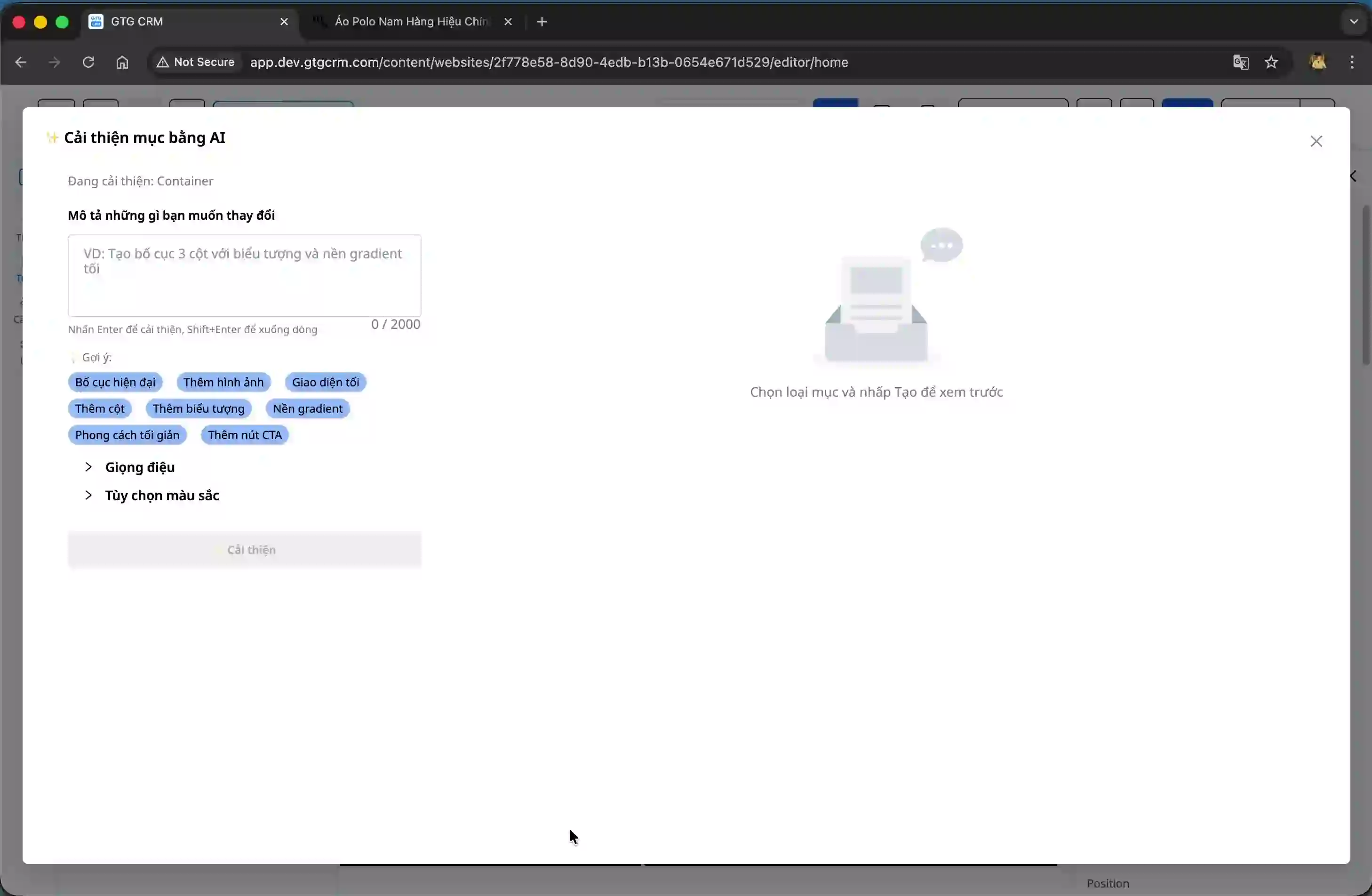
Lightning-fast processing speed
One of the most impressive aspects for users is the speed. From the moment you click the "Improve" button until you receive the result, it only takes about 10 seconds. In that short time, the AI analyzes your request, redesigns the section, and returns the complete interface. You simply click "Apply Changes" to have a completely redesigned section.
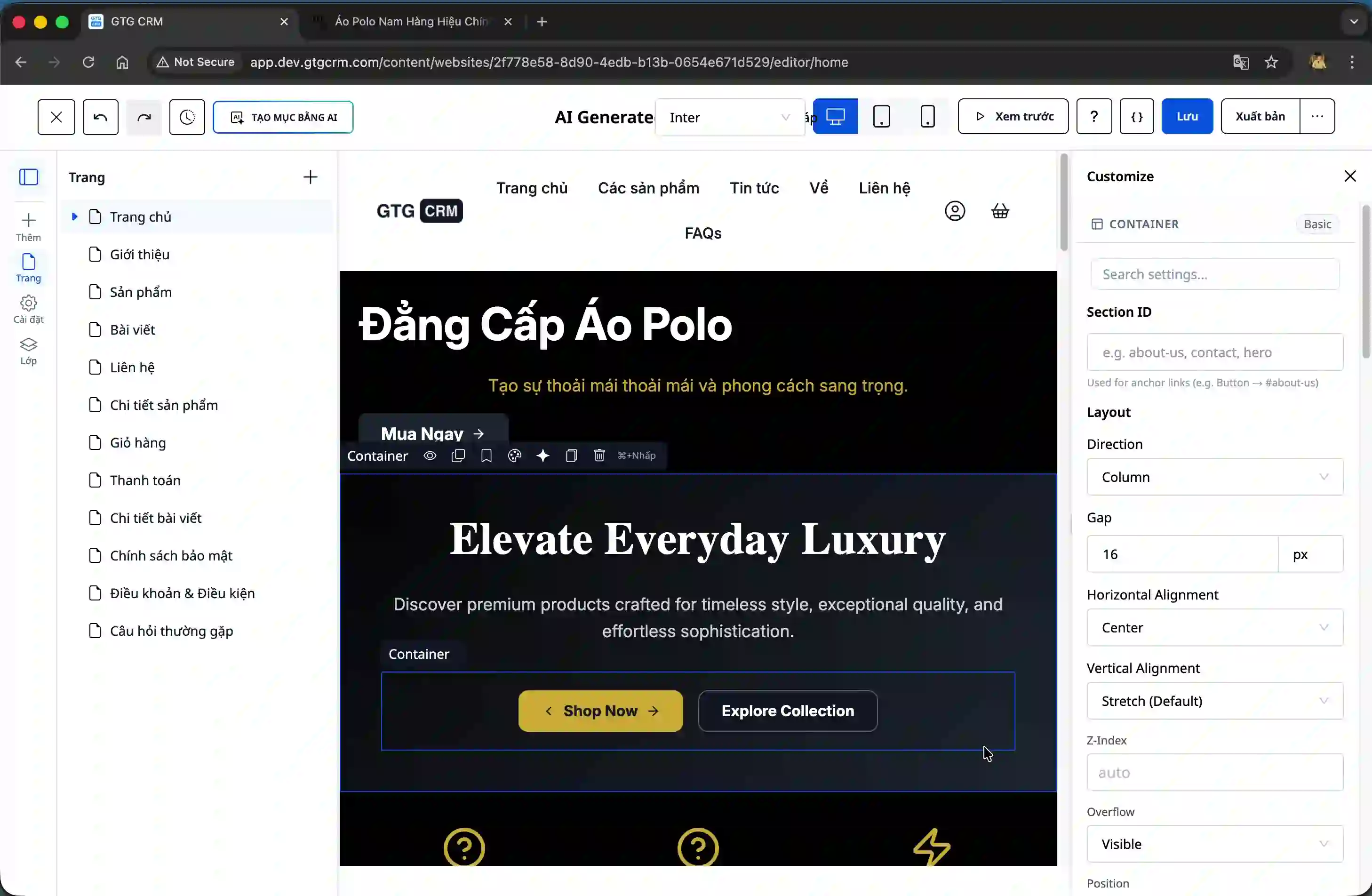
Customize the details to your liking.
Once a section is created, everything is editable. Buttons, links, URLs, images, text – everything is under your control. You can change the links so that when users click a button, they are directed to the correct page you want. This helps you not only have a visually appealing website but also one that is effective and aligns with your business goals.
Detailed User Guide
Step 1: Access the Editing Page
First, go to the website editor page in GTG CRM. Here, you will see a visual interface with readily available design tools. Find the "Create New Section" button, usually located in an easily visible position.
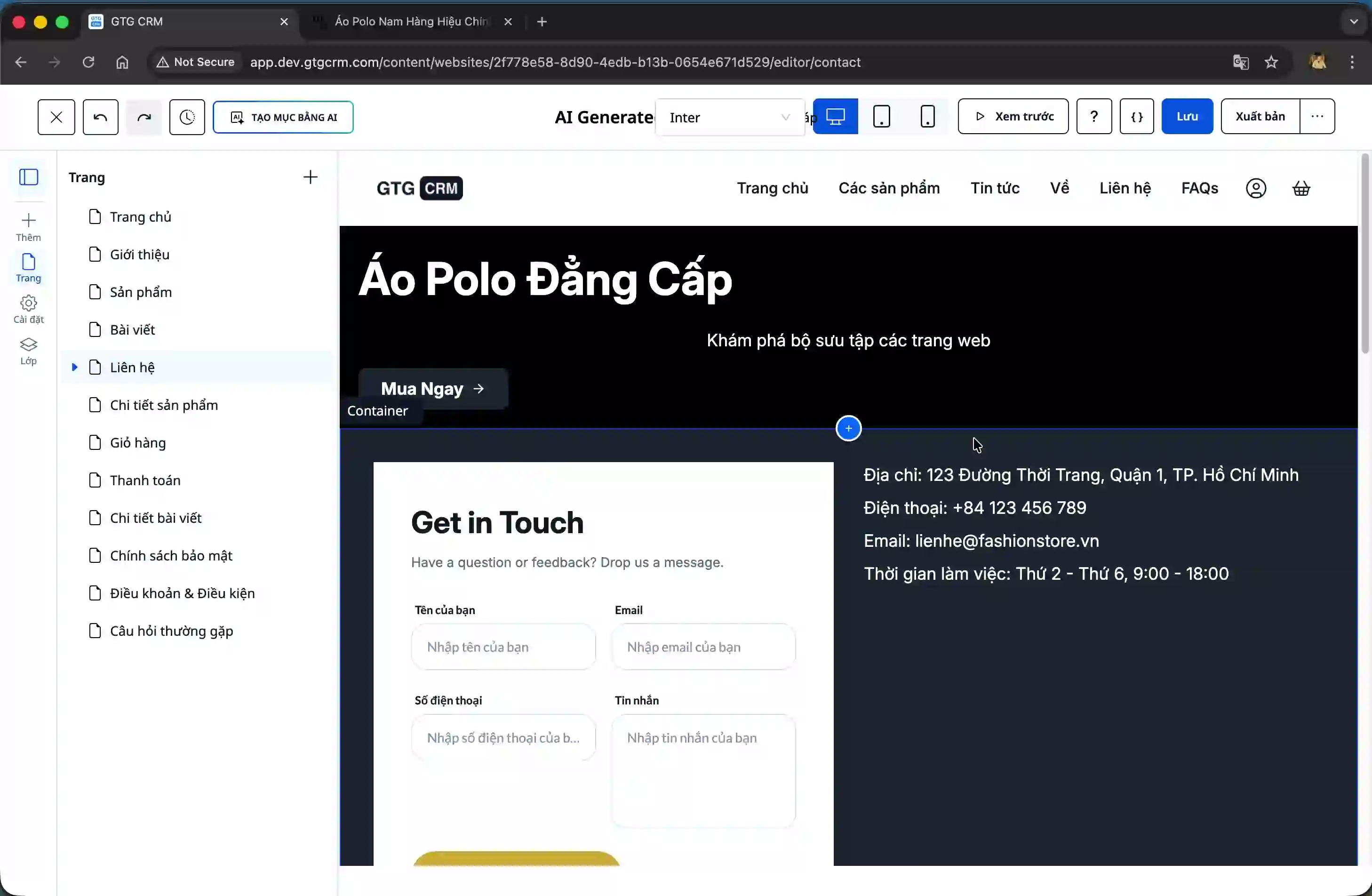
Step 2: Select Section Type and Fill in the Information
When you click the "Create Section" button, an input form will appear. Here, you select the type of section you want to create (banner, introduction, product, etc.), then fill in the information such as:
- A brief description of the section.
- The purpose of the website (e.g., selling products, introducing services...)
- Design style (professional, luxury, modern...)
- Color palette (you can choose from a pre-set color palette or customize it)
After filling in all the information, click the "Create" button and wait for the AI to process it.
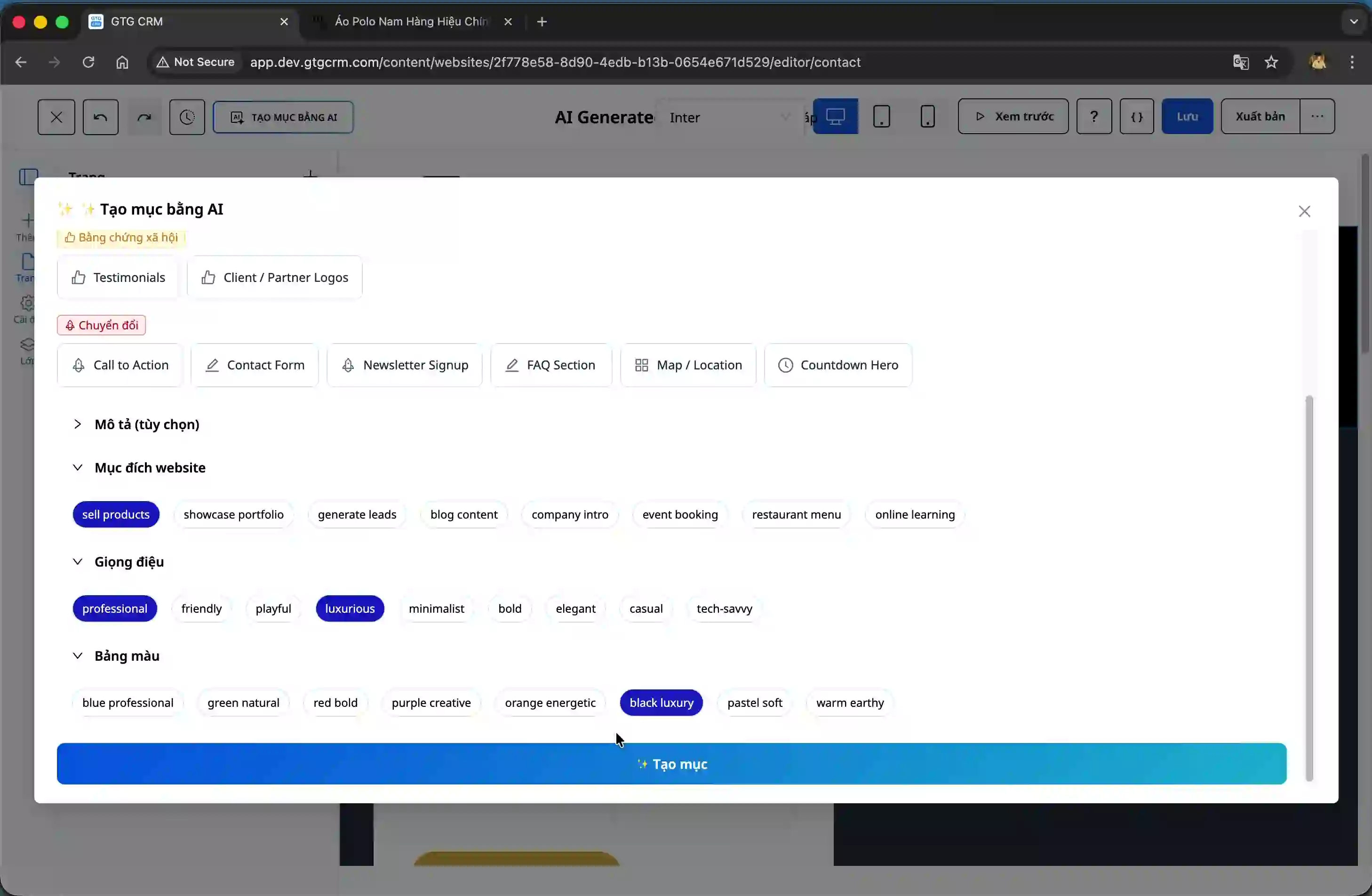
Step 3: View Results and Choose a Location
Within seconds, the AI will generate the complete section and display it directly on the screen. You can preview this section and decide where to place it on the website. Look at the left-hand panel, select the desired location, then drag and drop or insert the section there.
Step 4: Improve the Section (If Needed)
If you want to make further adjustments, right-click on the section and select "Improve with AI". Enter a description of the changes you want (e.g., "add two buttons", "change background color to black"), then click "Improve". The system will process and return the results in about 10 seconds.
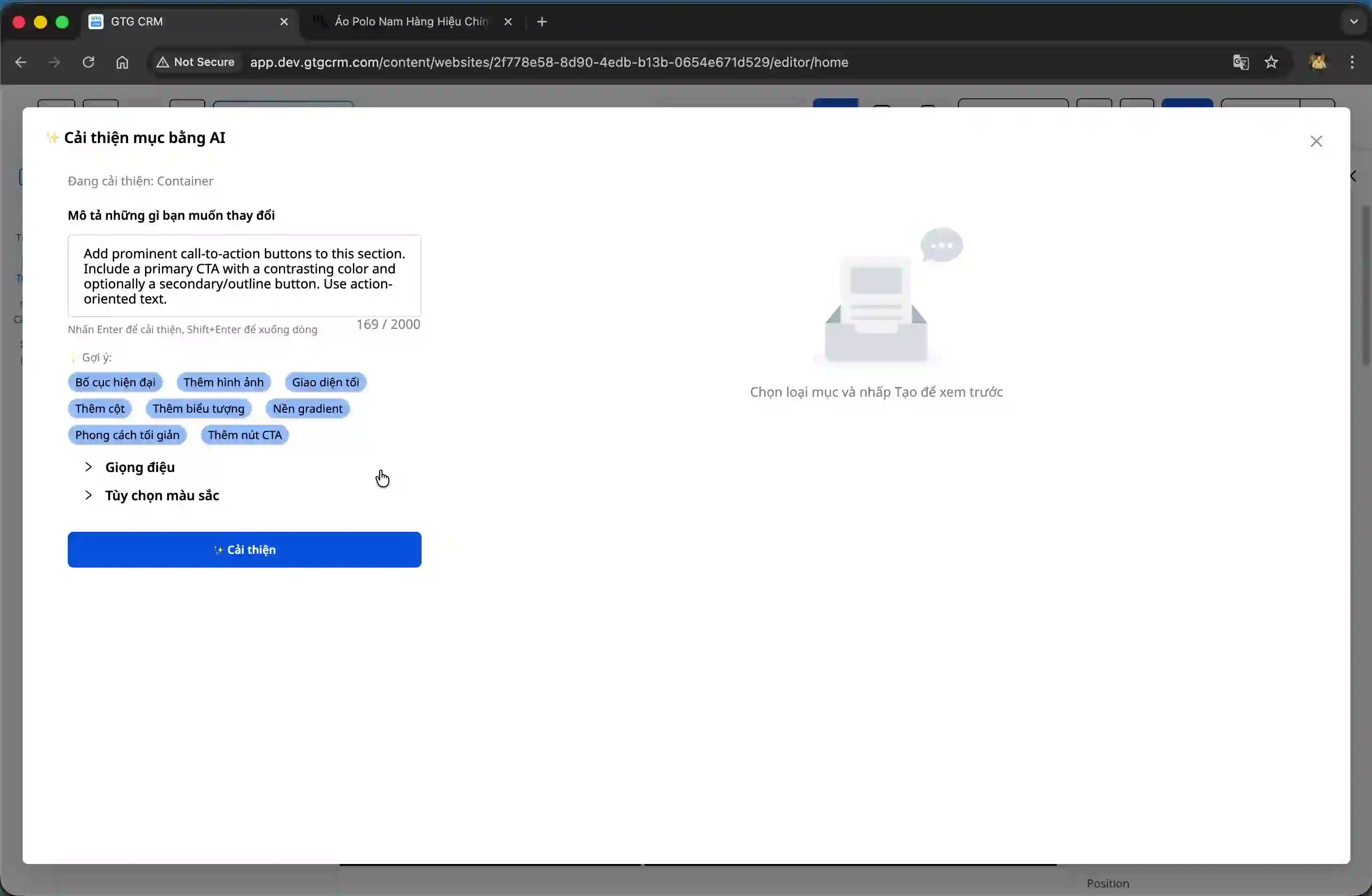
Step 5: Implement Changes and Refine
Once you receive the improved version, review it, and if you're satisfied, click "Apply Changes." The new section will be updated immediately. You can continue editing details such as links, URLs, and text to finalize the section as you wish.
Step 6: Save and Publish
Once complete, save the entire page and publish it. Your website now has a new section, professionally designed and consistent with your brand style.
Practical Benefits for Businesses
Significant Time Savings : Instead of spending hours designing and coding a section, you now only need a few minutes. This allows you to focus on other important tasks such as business strategy or customer service.
No Advanced Technical Knowledge Required : You don't need to be a professional programmer or designer. With an intuitive interface and AI support, anyone can create beautiful and professional sections.
Flexibility to Experiment with Multiple Styles : You can easily experiment with many different design styles without much effort. This helps you find the style that best suits your brand and target customers.
Accelerate Product Launch Speed : When websites are built faster, you can launch products or services sooner, thereby seizing market opportunities more quickly.
Lower Costs : No need to hire designers or developers for every small change; you can do everything yourself within the GTG CRM system, saving significant costs.
Important Note
Although AI is powerful and intelligent, you should still thoroughly check every detail before publishing. Ensure that links and URLs are working correctly and that the content is displayed as intended. Additionally, test on various devices (desktop, mobile, tablet) to ensure the best user experience.
With its AI-powered section creation feature, GTG CRM not only helps you build websites quickly but also unlocks countless creative possibilities. You can experiment, improve, and perfect your website more easily than ever before. Start experiencing it today and feel the difference!
Ready to try this feature for free for your business?
Try it for free.

