
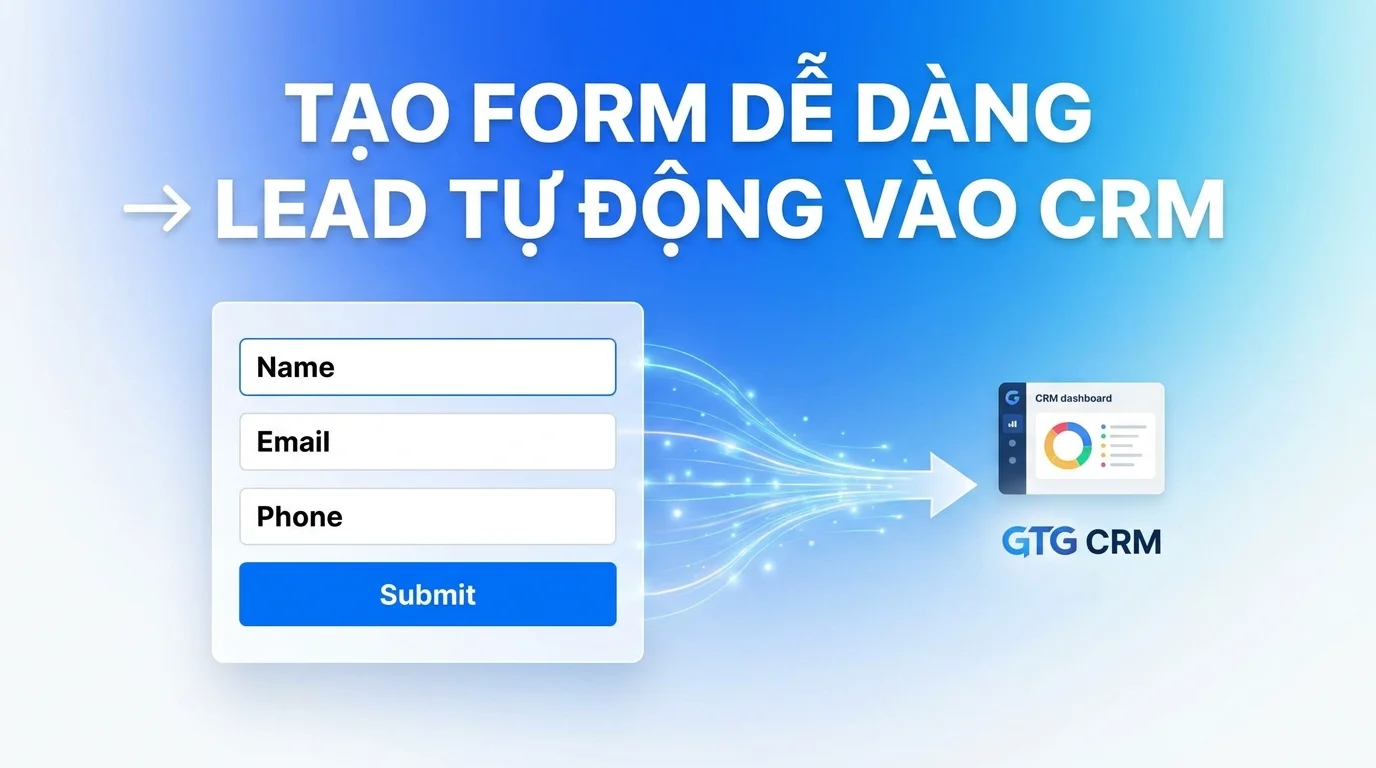
In today's era of digital transformation, effectively collecting and managing customer information is key to sustainable business growth. However, many businesses still struggle with using multiple tools, complex integrations with third-party platforms, or even hiring developers to build data collection forms. This is not only costly but also makes the operational process cumbersome and difficult to control.
GTG CRM understands these challenges and offers a comprehensive solution with its integrated Form Builder feature. You can create professional information collection forms yourself and integrate them directly into your website without needing any coding knowledge. All customer information submitted through the form will automatically sync to the GTG CRM system, allowing for centralized management and significant time savings.
What Problems Does GTG CRM Help You Solve?
The GTG CRM Form Builder feature is specifically designed to address common pain points businesses face in customer information collection. Instead of signing up for and using third-party form services like Google Forms or Typeform and then manually entering data into your CRM system, you can now do it all with a single tool.
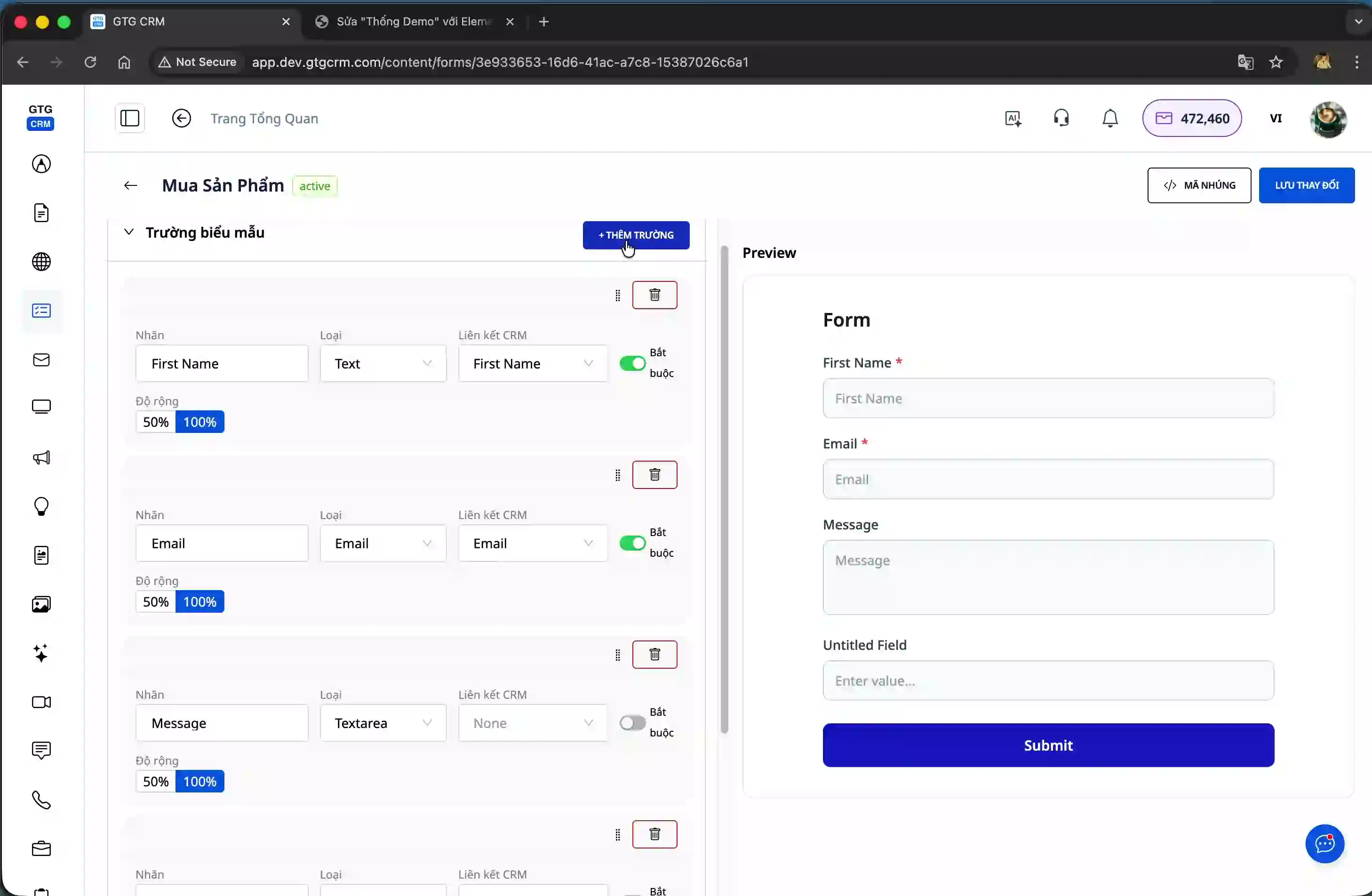
The system allows you to customize forms to your business needs, from selecting the information fields to collect, arranging the layout, adjusting colors, to integrating them onto any website you use. Whether you're using WordPress, Shopify, WIX, or custom-built platforms with React, Next.js, GTG CRM forms can integrate seamlessly.
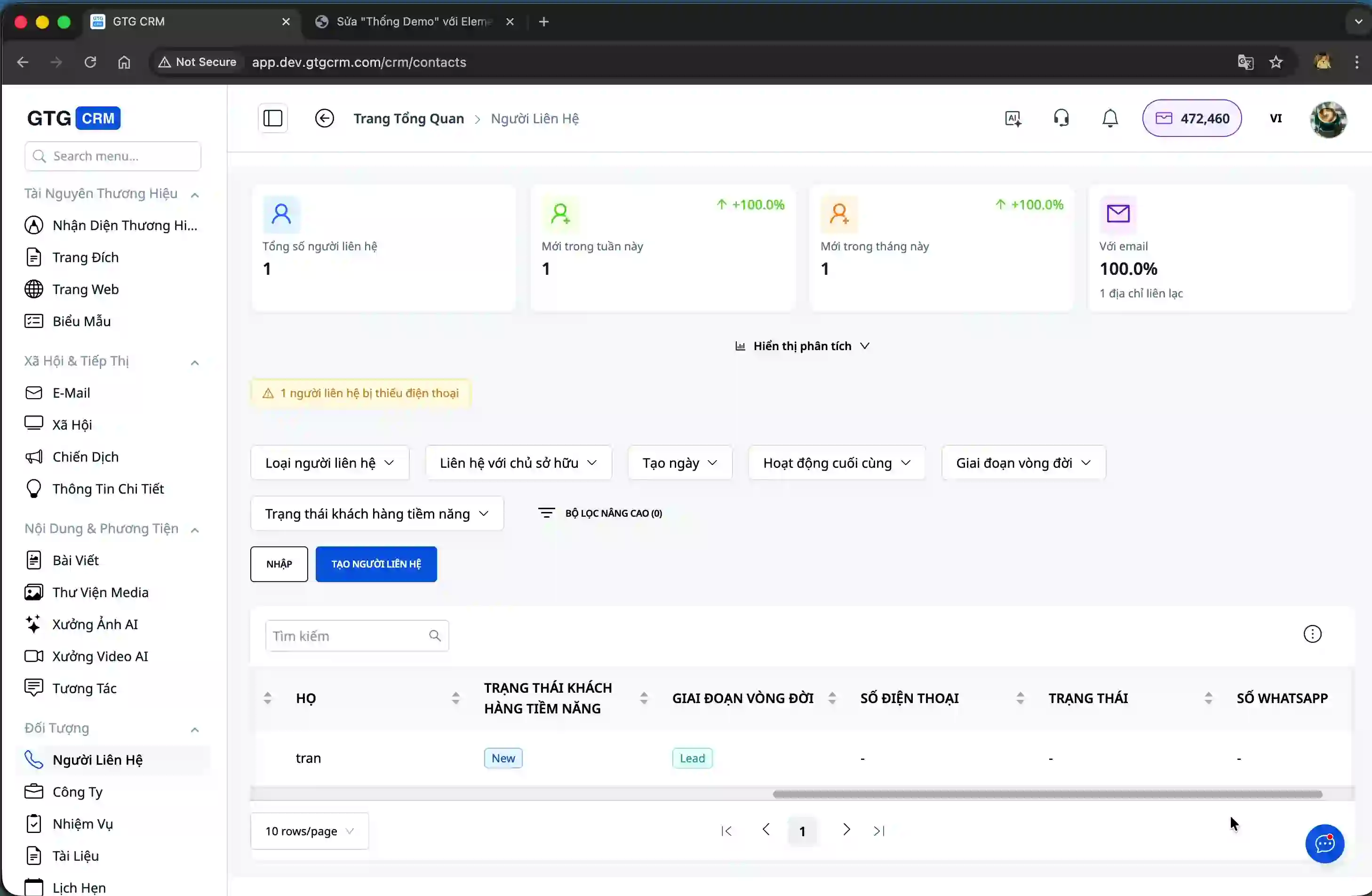
Notably, all customer information submitted through the form will be automatically stored in the Contacts section of GTG CRM, along with complete details such as name, email, and phone number. You won't need to copy-paste or manually enter anything, saving time and minimizing data entry errors.
Key Highlights of the Form Builder Feature
GTG CRM's Form Builder boasts superior features that allow you to easily create professional information collection forms in minutes. Its intuitive drag-and-drop interface lets you add, delete, and arrange information fields effortlessly without any programming knowledge. You can adjust the width of each field to create an attractive layout that matches your website design.
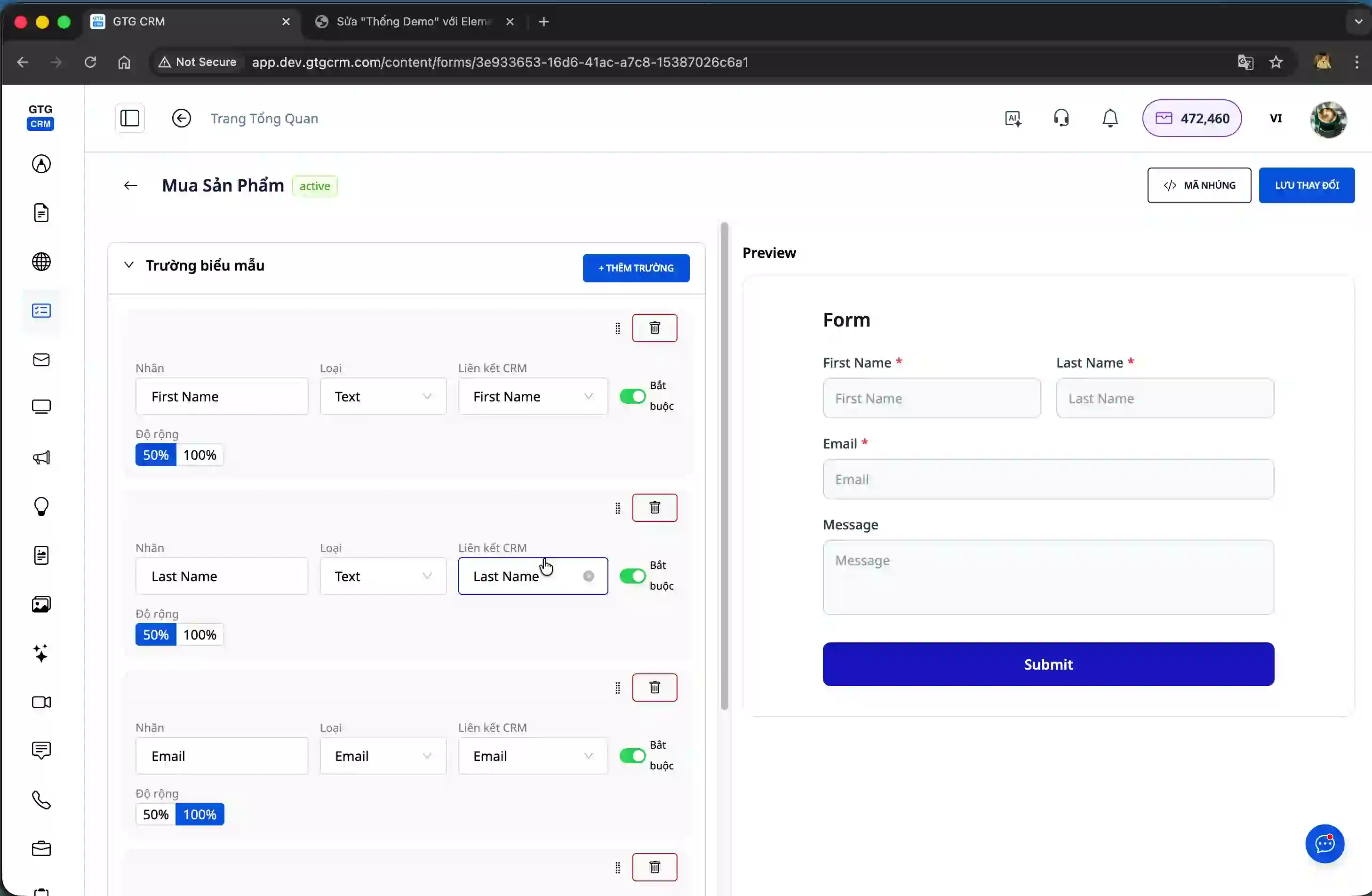
The system fully supports essential data field types for CRM, including first name, last name, email, phone number, and many other custom fields. Each field you create will be directly mapped to the contact information fields in GTG CRM, ensuring data is stored accurately and structurally.
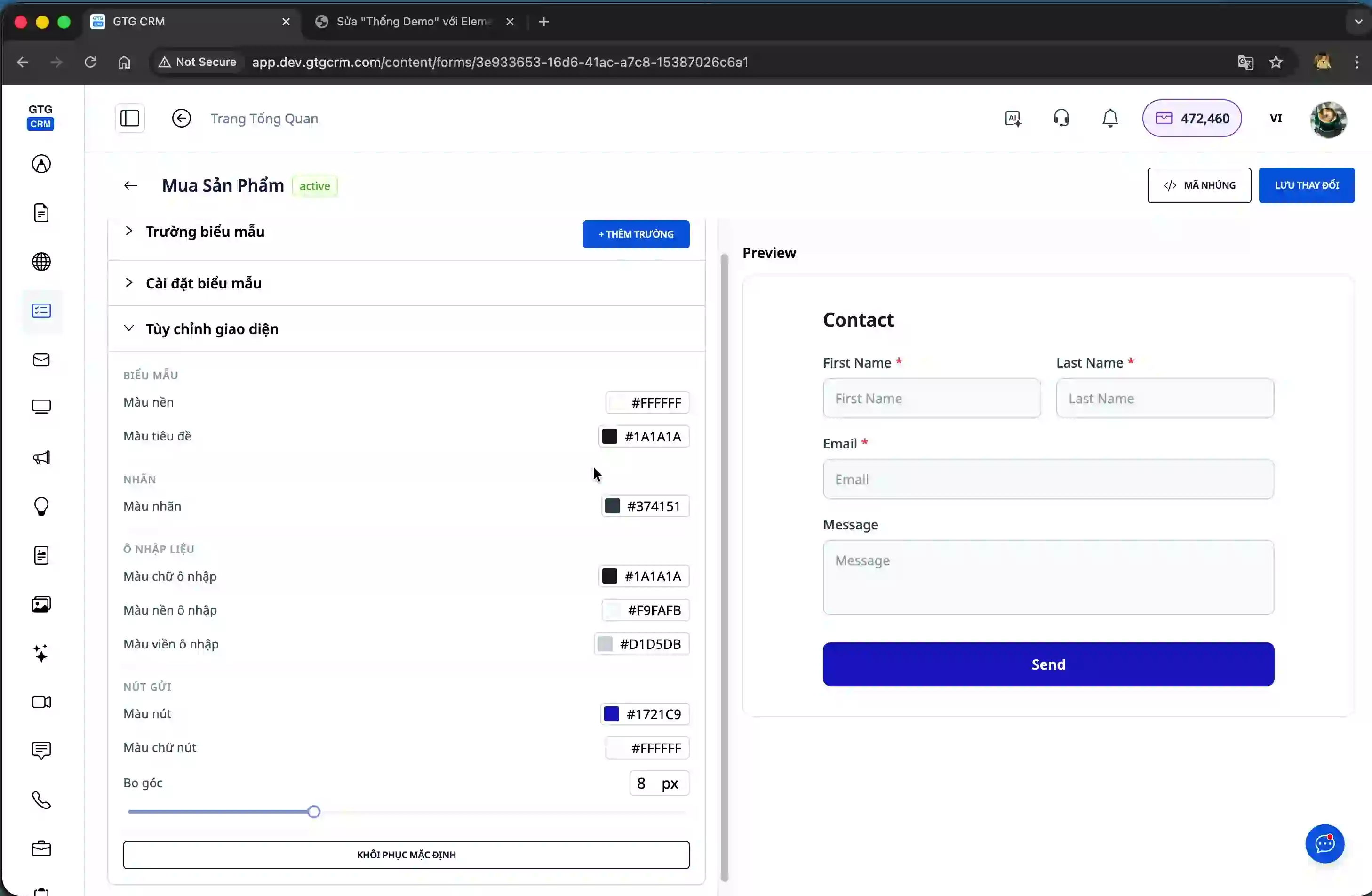
In terms of design, you can customize the form's colors to match your business's brand. From background colors, text colors, to button colors, everything can be adjusted to your liking. This helps your form look professional and harmonious with your overall website design.
Once your form is complete, GTG CRM offers various methods for website integration. You can choose to use embed codes in Script or Iframe format, or a Share Link. The Share Link, in particular, allows you to send it directly via social media platforms like Facebook and Zalo for customers to fill in their information without needing to visit your website.
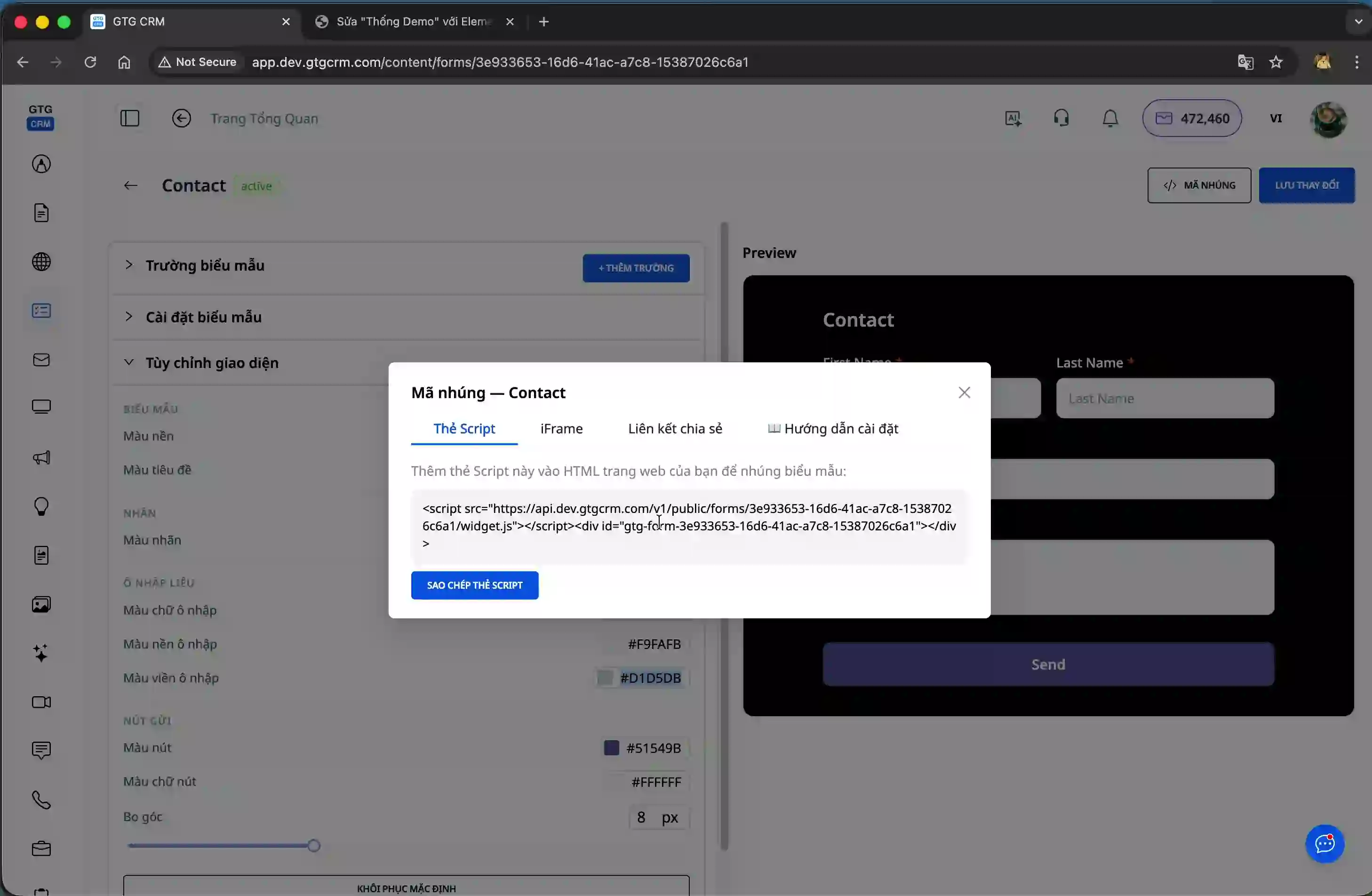
The most outstanding feature is the automatic data synchronization. As soon as a customer fills in complete information and clicks submit, the data is instantly stored in the GTG CRM system. You can view new contact lists, check detailed customer information, and start nurturing them immediately.
Furthermore, GTG CRM provides detailed analytics tools to help you monitor form performance. You can view the total number of submissions, conversion rates, and other important metrics to evaluate the effectiveness of your customer information collection campaigns.

Benefits of Using GTG CRM's Form Builder
Significantly save time and costs by not having to use third-party form services or hire developers. Everything you need is available within GTG CRM, from the form creation tool to the customer data management system.
Data is synchronized automatically and instantly, allowing you to respond quickly to new leads. No more waiting or manual data entry; all information is updated immediately into the CRM system.
Centrally manage all customer information in one place. You can easily search, categorize, and nurture customers systematically and professionally.
Monitor the performance of your information collection campaigns through built-in analytics tools. You'll clearly see conversion rates, leads generated, and can make optimal decisions for your marketing campaigns.
Flexibly integrate with all types of websites, from popular platforms like WordPress, Shopify, WIX, to custom-built websites. With just a few simple steps, your form can be operational on any web page.
Important Notes
When creating forms, ensure you select the correct data field types corresponding to the information you want to collect. Incorrect field mapping can result in data not being saved to the correct location in the CRM system.
Before officially using a form, always test it by filling in information and checking if the data is saved correctly into GTG CRM. This helps you identify and resolve technical issues as early as possible.
With GTG CRM's Form Builder, collecting and managing customer information has never been easier. You can confidently create professional forms, integrate them into your website, and start collecting leads today without any programming knowledge required.
Ready to try this feature for free for your business?
Try for Free

