

In this era of booming e-commerce, selling on multiple e-commerce platforms (Shopee, Lazada, TikTok Shop) has become an inevitable trend for sellers. However, managing orders from various channels often causes many difficulties: easily missing orders, difficulty controlling inventory, and spending a lot of time switching between platforms.
GTG CRM was born to thoroughly solve this problem by aggregating all orders from e-commerce platforms to a single platform. No need to log into each platform separately, you can track, process, and ship all orders right on GTG CRM, helping to optimize the sales process and not miss any orders.
This article will guide you step-by-step on how to sync and manage multi-channel orders on GTG CRM most effectively.
Key Features
Automatic order synchronization from Shopee, Lazada, TikTok Shop to a single platform
Centralized order management — View and process all orders from multiple channels in one place
Unified inventory management — Synchronized inventory updates across all sales channels
Automatic creation of shipping orders as soon as an order is "Confirmed" - no need to wait until 'In Transit'
Automatic electronic invoice generation in accordance with Government regulations
Aggregated revenue reports from all sales channels
Fast processing — No need to switch between multiple platforms
Guide to Multi-Channel Order Synchronization
Step 1: Connect to E-commerce Platforms
Go to "Settings" → "Sales Channel Integrations"
Select the platform you want to connect: Shopee / Lazada / TikTok Shop
Click "Connect" and log in with your shop account
Allow GTG CRM to access order and product data
Repeat for the remaining platforms
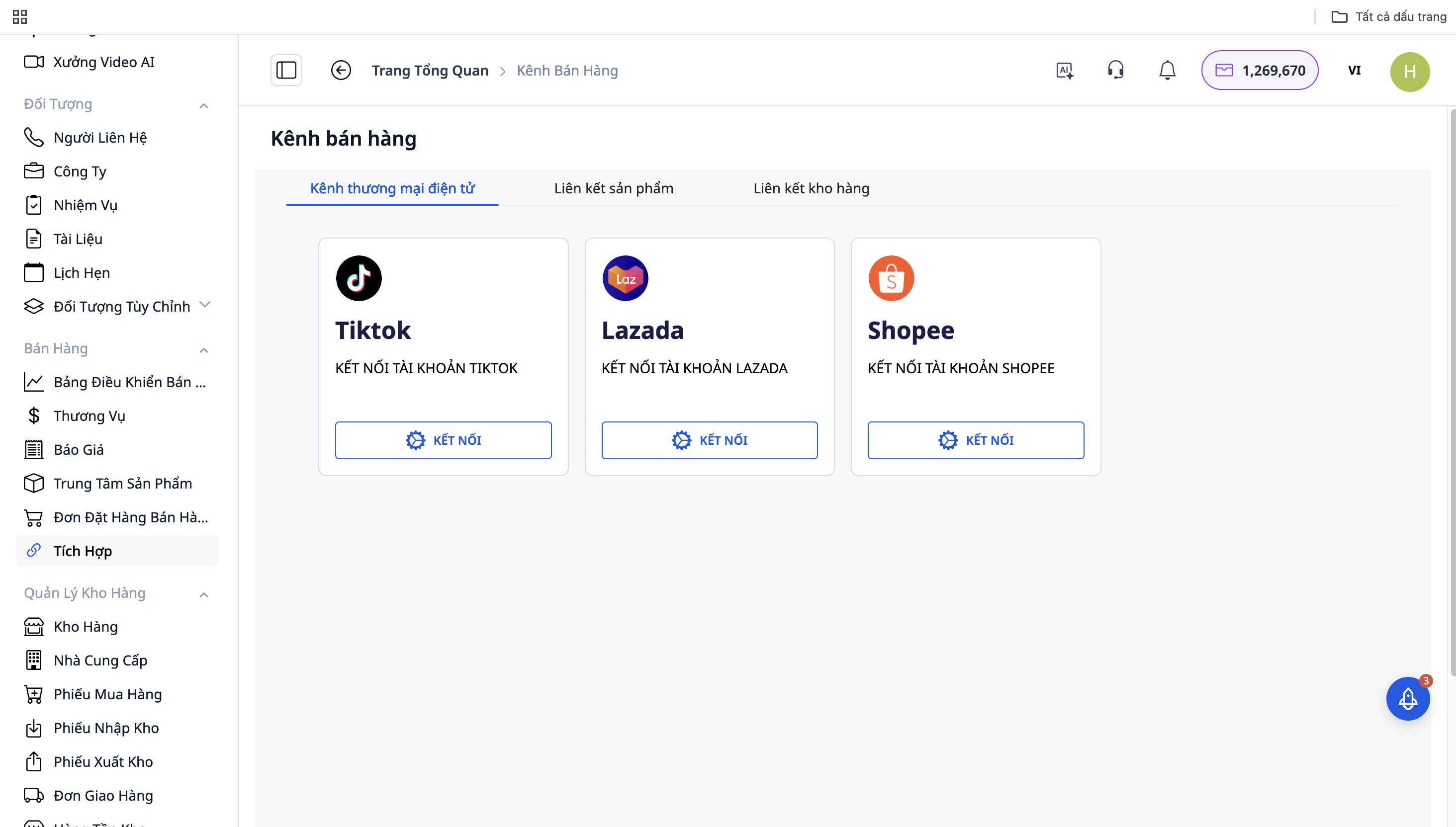
Step 2: Automatic Order Synchronization
After successful connection, GTG CRM will automatically sync orders from the platforms to the system:
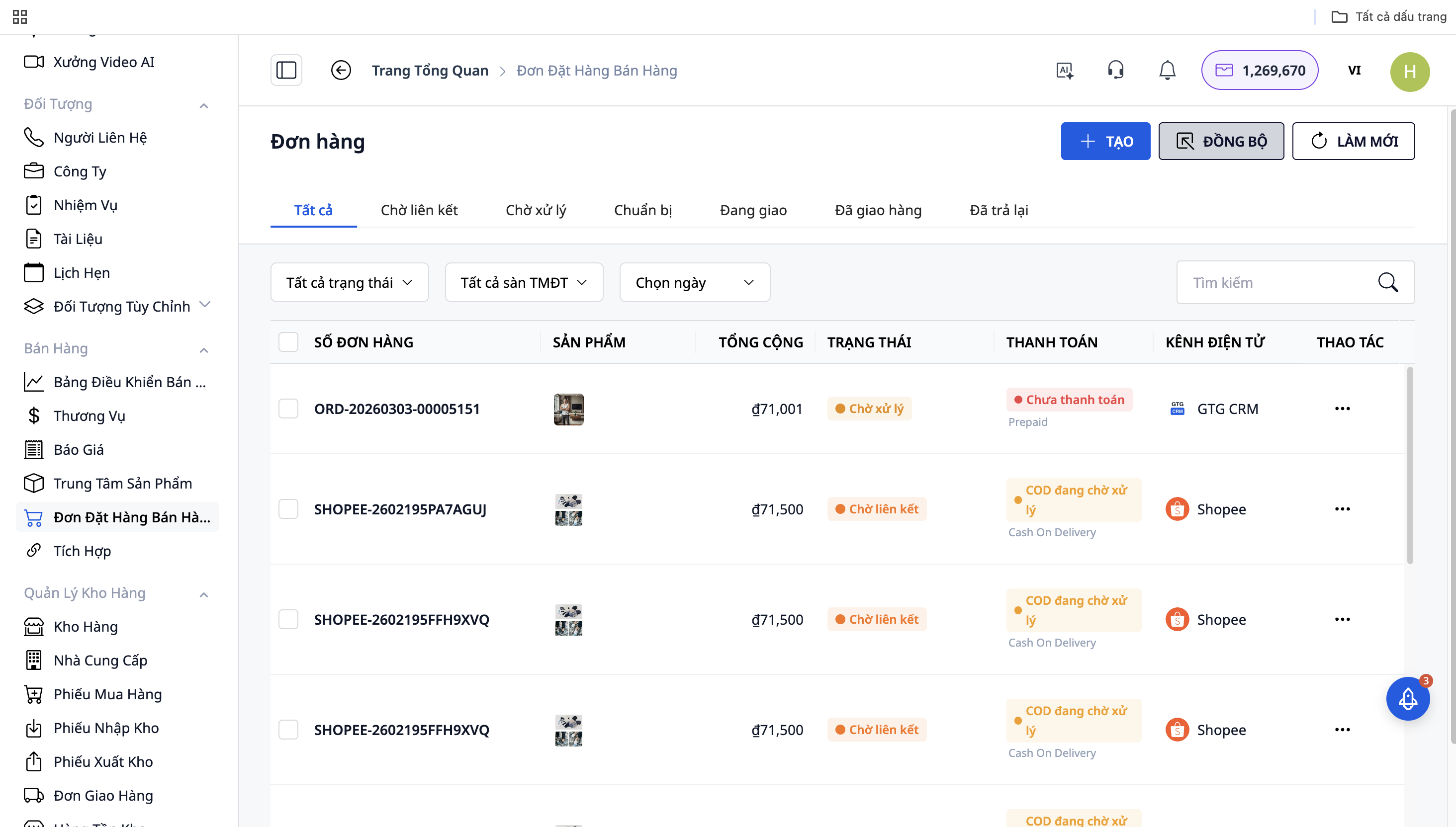
All orders from Shopee, Lazada, TikTok Shop will be displayed in the "Sales Dashboard"
Each order will have a source icon (platform logo) for easy distinction
Orders are updated in real-time
Step 3: Order Processing
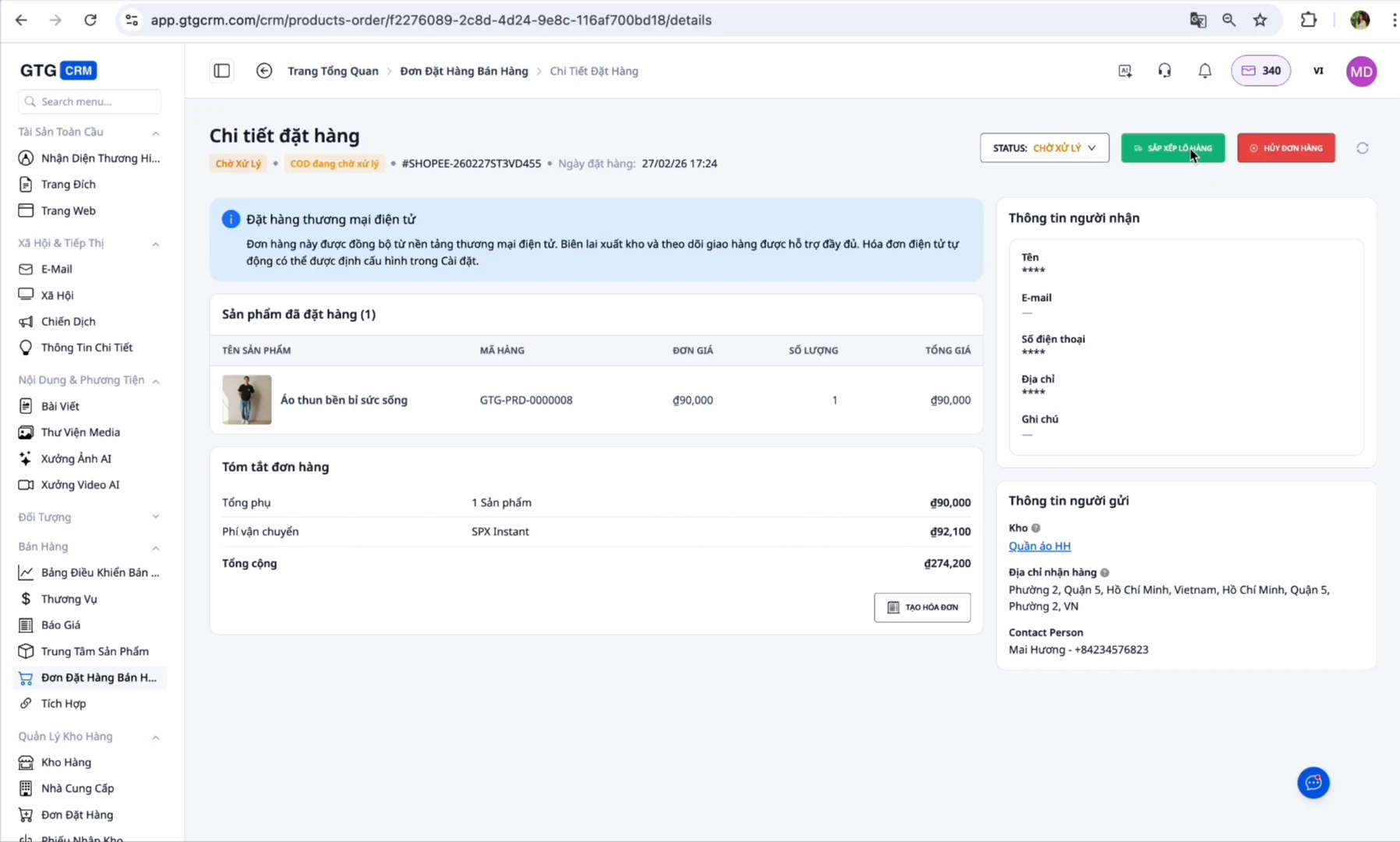
When a new order arrives: The order will be in "On Hold" or "Pending" status
Confirm order: Change the status to "In Transit"
Prepare goods: Go to the shipping orders section, click "print label" to create the shipping code
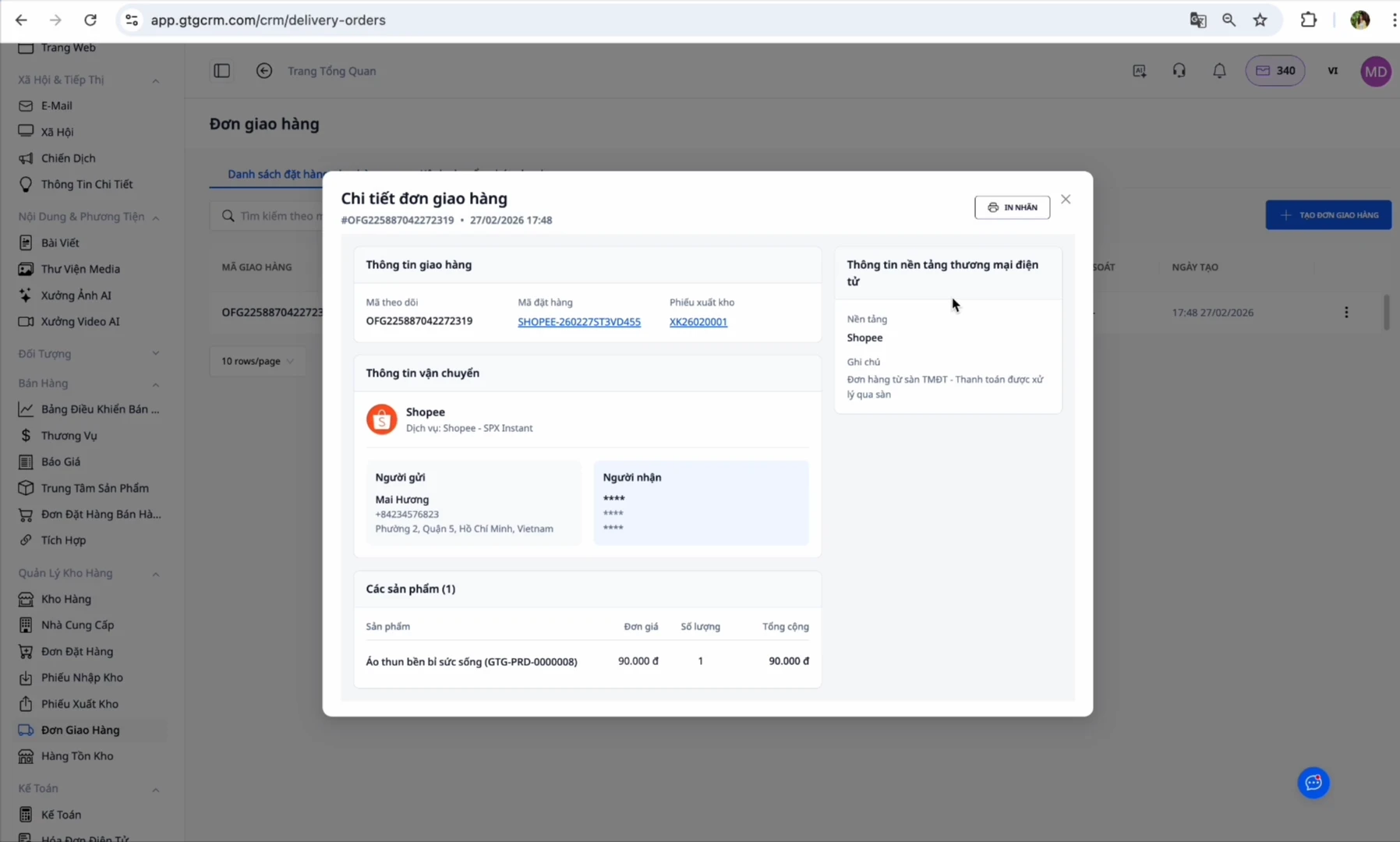
At this point, GTG CRM automatically creates a shipping order:
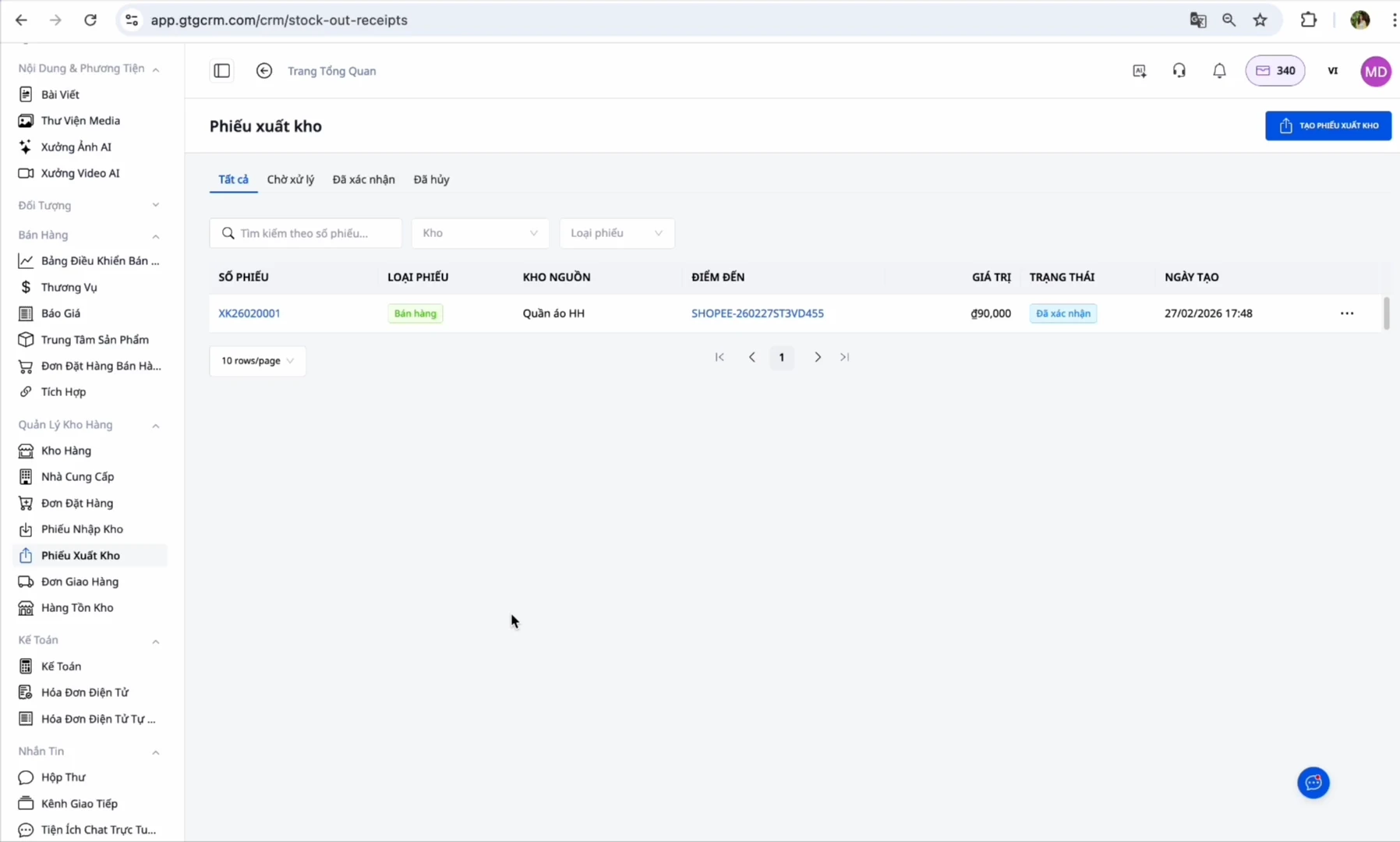
출고: 방금 생성한 출고 전표로 이동 → "출고 확인"을 클릭합니다. (이 단계는 귀하가 클릭하며, 재고를 차감하고 원가를 기록합니다. 확인 후 시스템에서 자동으로 전자 세금계산서를 발행합니다.), 이후 시스템에서 자동으로 전자 세금계산서 발행 (설정된 경우)
완료: 고객이 상품 수령을 성공하면 주문은 "완료"로 전환됩니다.
GTG CRM 사용의 이점
시간 절약: 각 마켓플레이스에 개별적으로 로그인할 필요 없이 모든 주문을 한 곳에서 관리할 수 있습니다.
주문 누락 방지: 자동 동기화 기능을 통해 절대 주문을 놓치지 않습니다.
정확한 재고 관리: 재고 수량은 모든 채널에서 동기화되어 업데이트됩니다.
프로세스 자동화: 출고 전표가 미리 생성되어 있으며, 확인만 클릭하면 전자 세금계산서가 자동으로 발행됩니다.
간편한 신고: 시스템이 매입 세금계산서를 수집하고 정부 규정에 따라 매출 세금계산서를 자동으로 발행합니다.
종합 보고서: 모든 채널의 매출 및 이익을 단일 대시보드에서 확인할 수 있습니다.
중요 참고 사항
SKU에 관하여:
GTG CRM의 SKU가 전자상거래 마켓플레이스의 SKU와 100% 일치하는지 확인하십시오.
SKU가 다르면 → 시스템에서 재고를 동기화할 수 없습니다.
하나의 상품 = 모든 채널에서 단일 SKU
자동 세금계산서 발행에 관하여:
마켓플레이스(Shopee/Lazada/TikTok)에 자동 세금계산서 발행을 위임한 경우 → GTG CRM에서 자동 세금계산서 발행을 켜지 마십시오. 두 번 발행되는 것을 방지하기 위함입니다.
이 기능은 마켓플레이스에 위임하지 않은 경우에만 활성화하십시오. (전자상거래 마켓플레이스 주문에만 적용됨을 유의하십시오.)
창고 주소에 관하여:
정확한 창고 주소를 입력하십시오. 배송 기사가 상품을 수령하러 오는 곳이기 때문입니다.
근무 시간 동안 항상 창고 담당자가 있는지 확인하십시오.
주문 상태에 관하여:
자동 세금계산서 발행은 출고 확인을 해야 가능합니다.
수정 세금계산서는 원본 세금계산서가 발행된 후에만 생성할 수 있습니다.
결론
GTG CRM은 다채널 판매자들이 Shopee, Lazada, TikTok Shop의 주문을 가장 효율적으로 관리할 수 있도록 돕는 포괄적인 솔루션입니다. 각 마켓플레이스에 개별적으로 로그인하고, 전환하는 데 많은 시간을 소비하며, 주문을 놓칠 수 있는 대신 GTG CRM을 열기만 하면 모든 주문을 즉시 처리할 수 있습니다.
특히, 출고 전표 생성부터 전자 세금계산서 발행까지 자동화된 기능으로 GTG CRM은 추가적인 노력 없이도 세금계산서에 대한 법적 규정을 준수하도록 돕습니다. 지능적인 재고 동기화 시스템은 판매 가능한 수량보다 초과 판매하는 상황을 방지하고 항상 정확한 재고를 관리할 수 있도록 보장합니다.
GTG CRM을 통해 수동 운영 작업에 시간을 낭비하는 대신 판매 및 비즈니스 개발에 집중할 수 있습니다. 이것은 4.0 전자상거래 시대의 모든 다채널 판매자에게 필수적인 도구입니다.


