
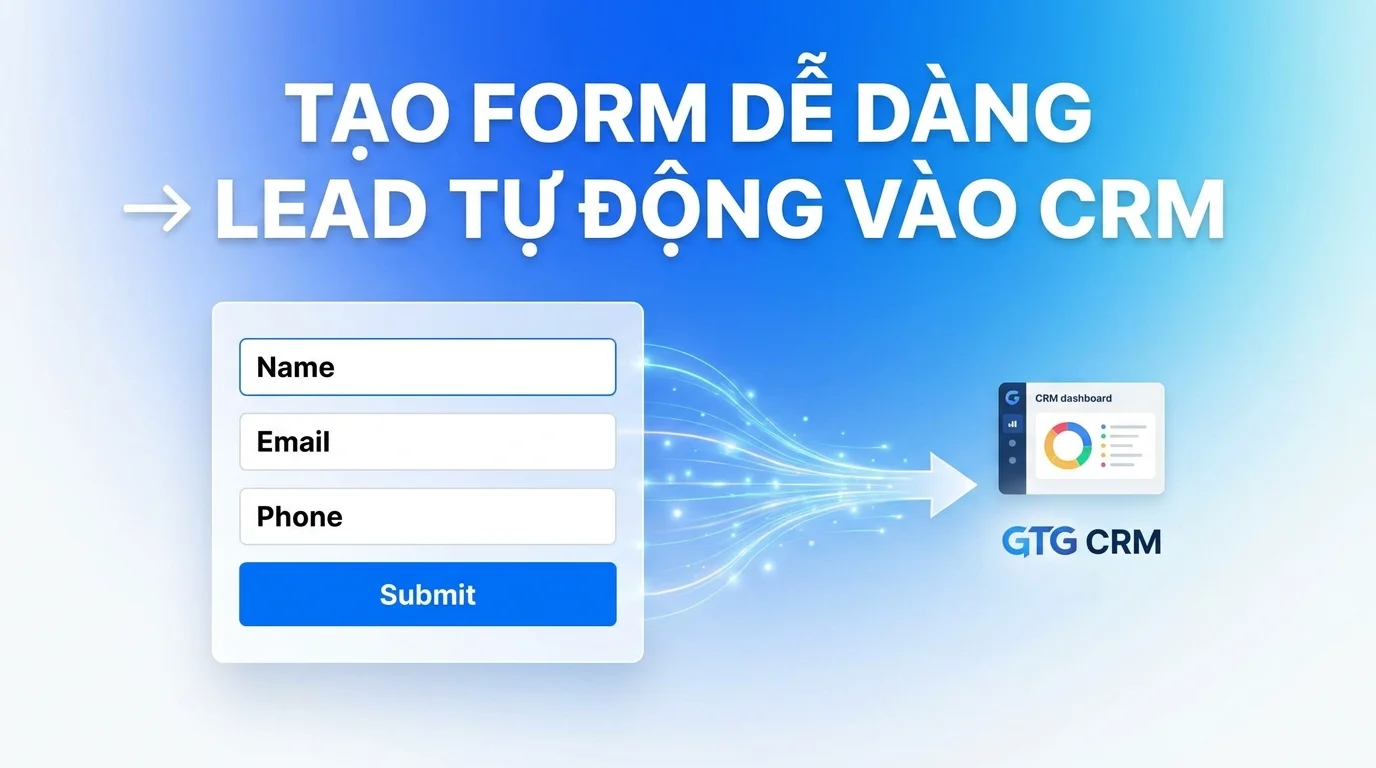
In today's digital transformation era, effectively collecting and managing customer information is key to sustainable business growth. However, many businesses still struggle with using multiple tools, complex integrations with third-party platforms, or even hiring developers to build data collection forms. This is not only costly but also makes operational processes cumbersome and difficult to control.
GTG CRM understands these challenges and offers a comprehensive solution with its integrated Form Builder feature. You can create professional customer information collection forms yourself and integrate them directly into your website without needing any coding knowledge. All customer information submitted through the form will be automatically synced to the GTG CRM system, allowing for centralized management and significant time savings.
What Problems Does GTG CRM Solve for You?
The GTG CRM Form Builder feature is specifically designed to address the common pain points businesses face in collecting customer information. Instead of signing up for and using third-party form services like Google Forms or Typeform and then manually entering data into the CRM system, you can now do it all with a single tool.
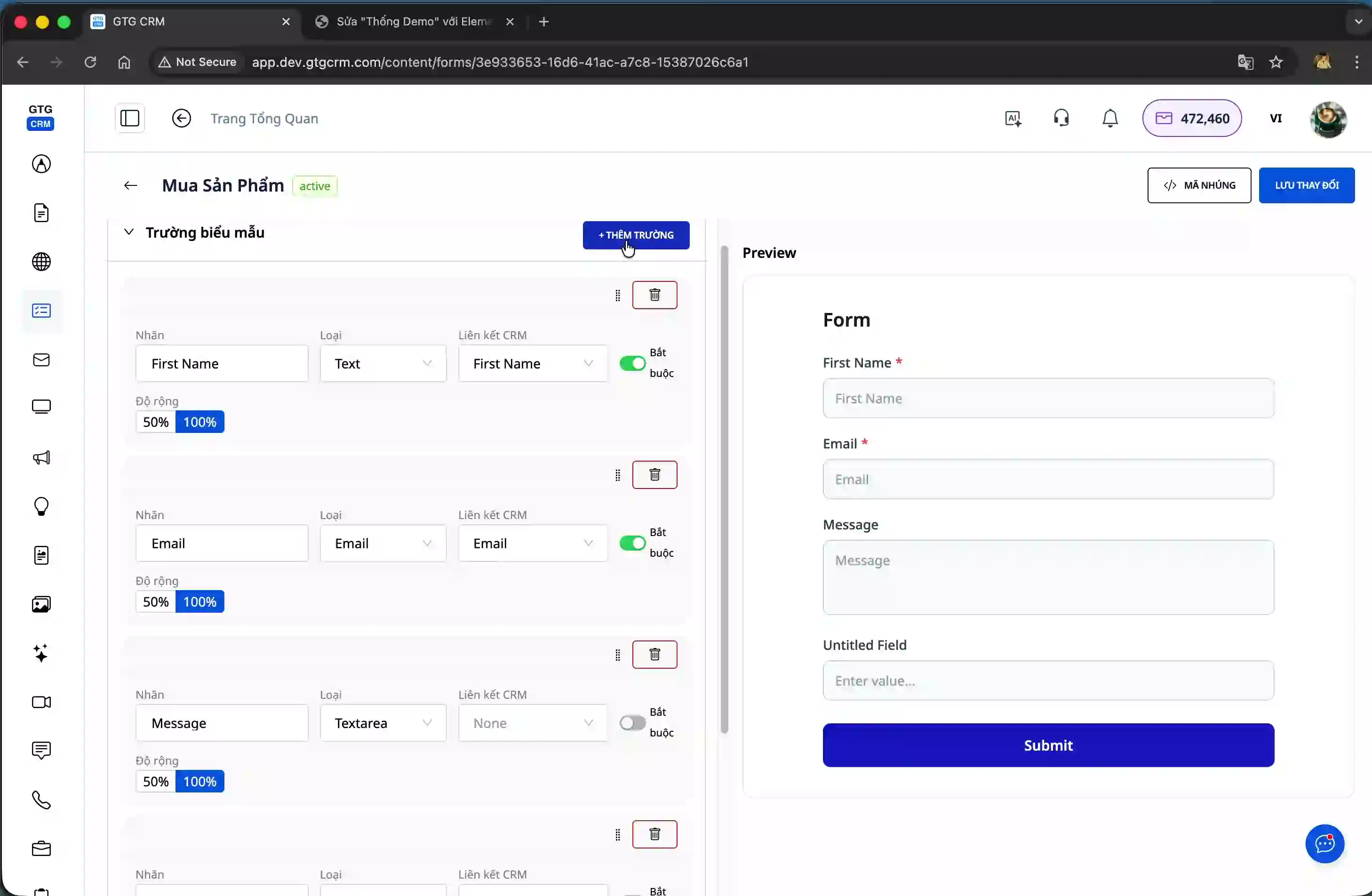
The system allows you to customize forms according to your business needs, from selecting the fields to collect, arranging the layout, adjusting colors, to integrating them into any website you are using. Whether you are using WordPress, Shopify, WIX, or custom-built platforms with React, Next.js, GTG CRM forms can be seamlessly integrated.
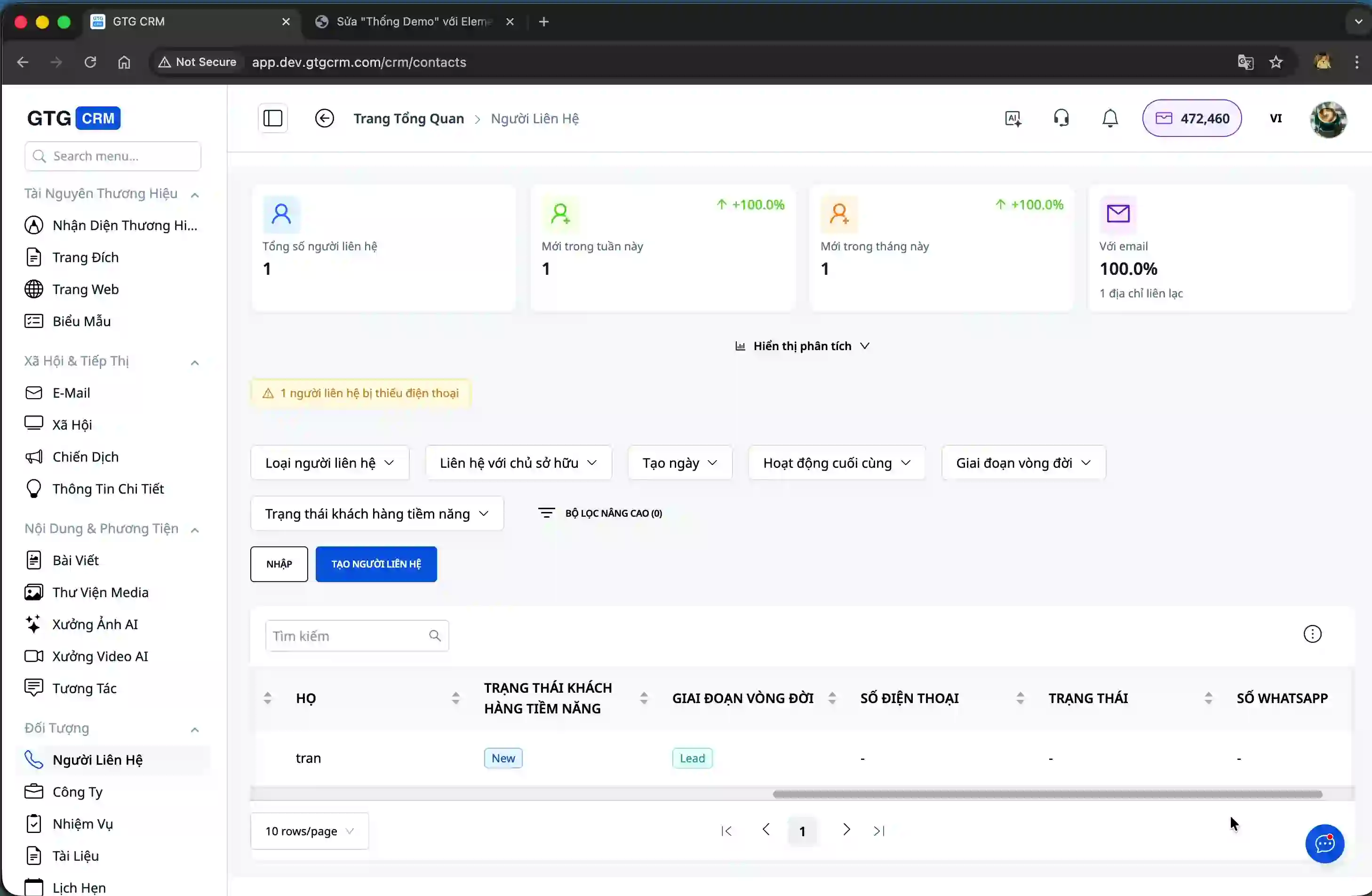
Notably, all customer information submitted through the form will be automatically stored in the Contacts section of GTG CRM, along with detailed information such as name, email, and phone number. You won't need to copy-paste or manually enter anything, saving time and minimizing data entry errors.
Key Features of the Form Builder
GTG CRM's Form Builder boasts superior features that allow you to easily create professional information collection forms in minutes. The intuitive drag-and-drop interface lets you add, delete, and arrange form fields effortlessly without any programming knowledge. You can adjust the width of each field to create an aesthetically pleasing layout that matches your website design.
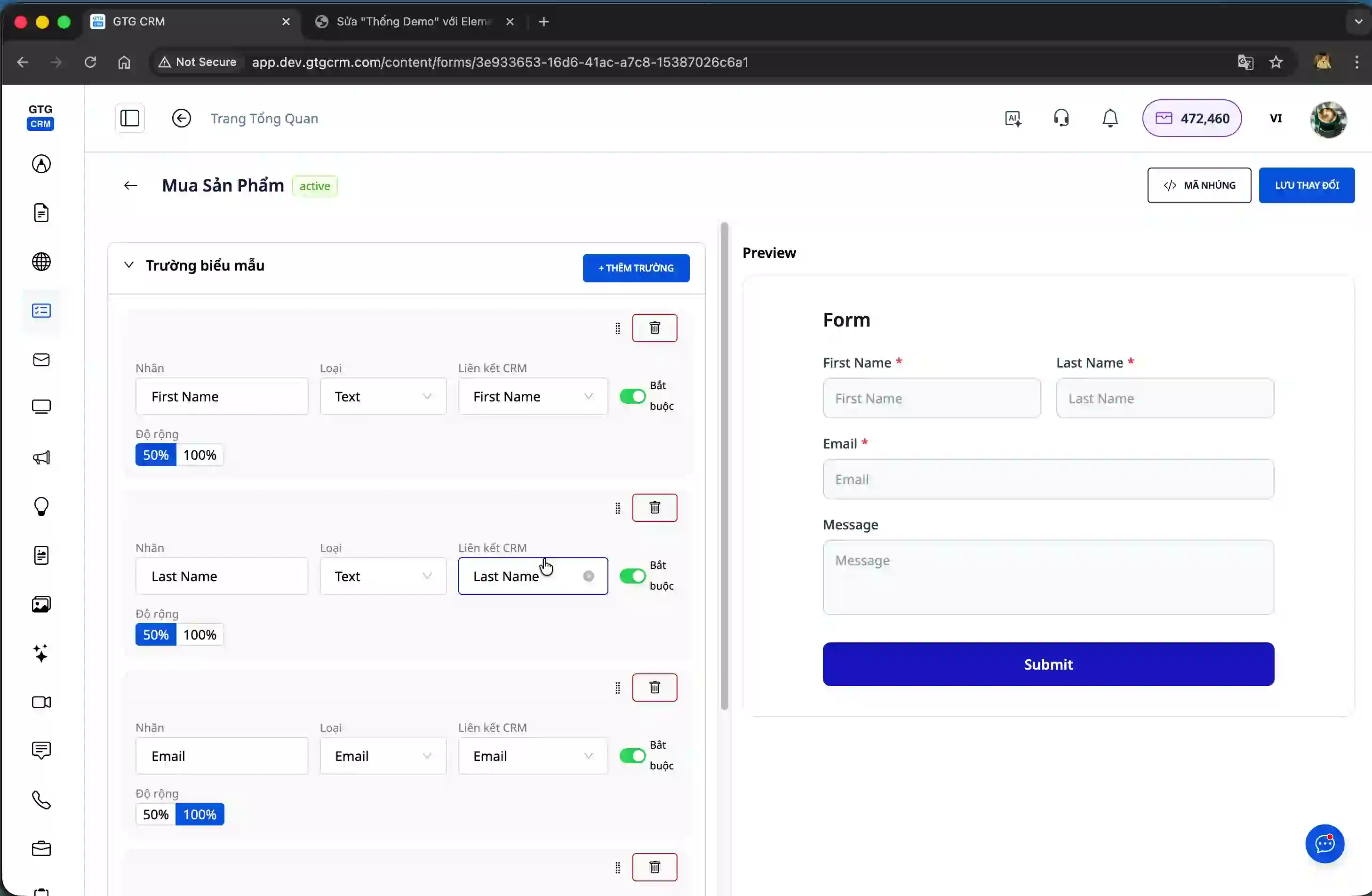
The system fully supports essential CRM data field types, including first name, last name, email, phone number, and many other custom fields. Each field you create will be directly mapped to the contact information fields in GTG CRM, ensuring data is stored accurately and structurally.
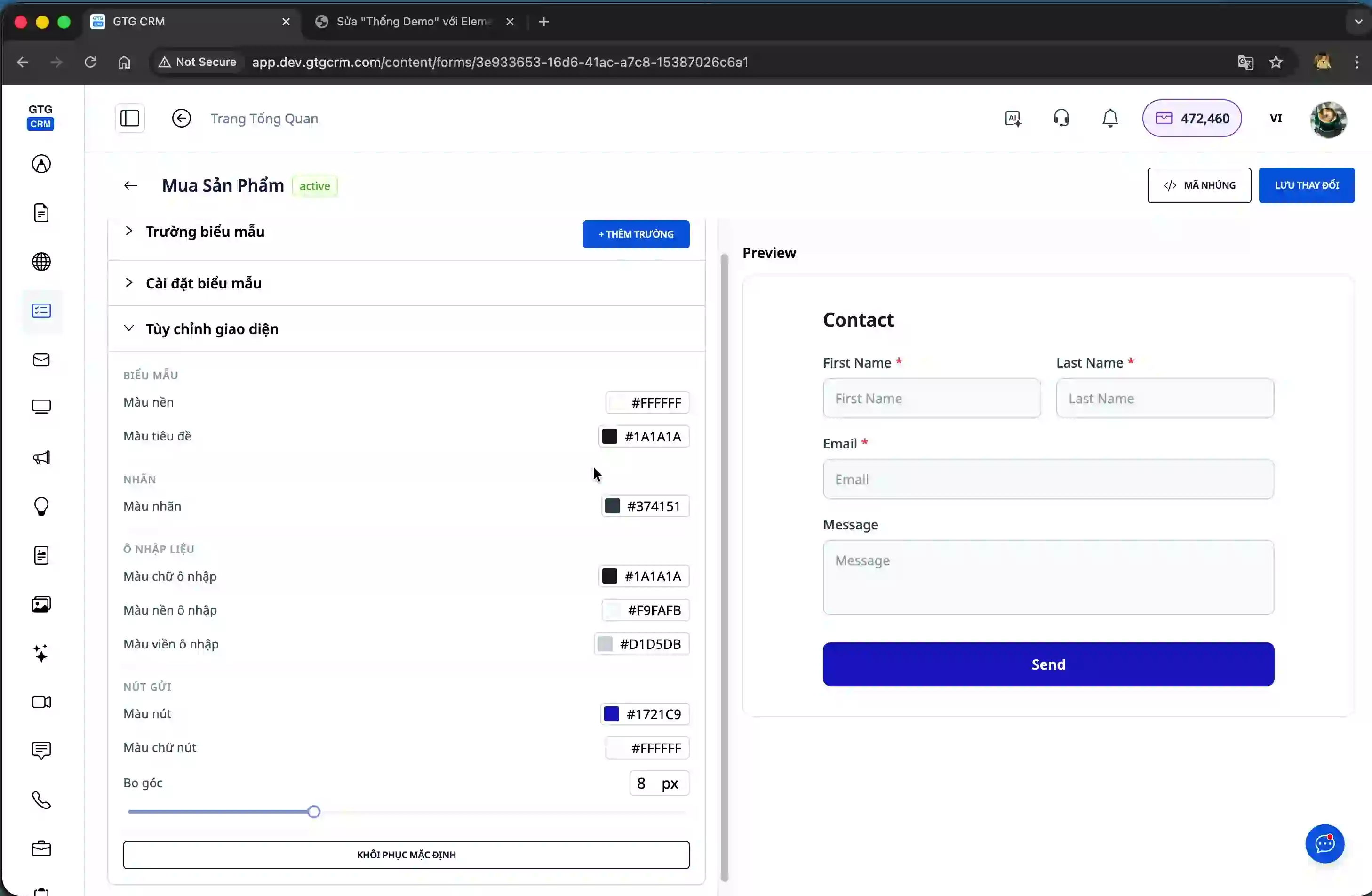
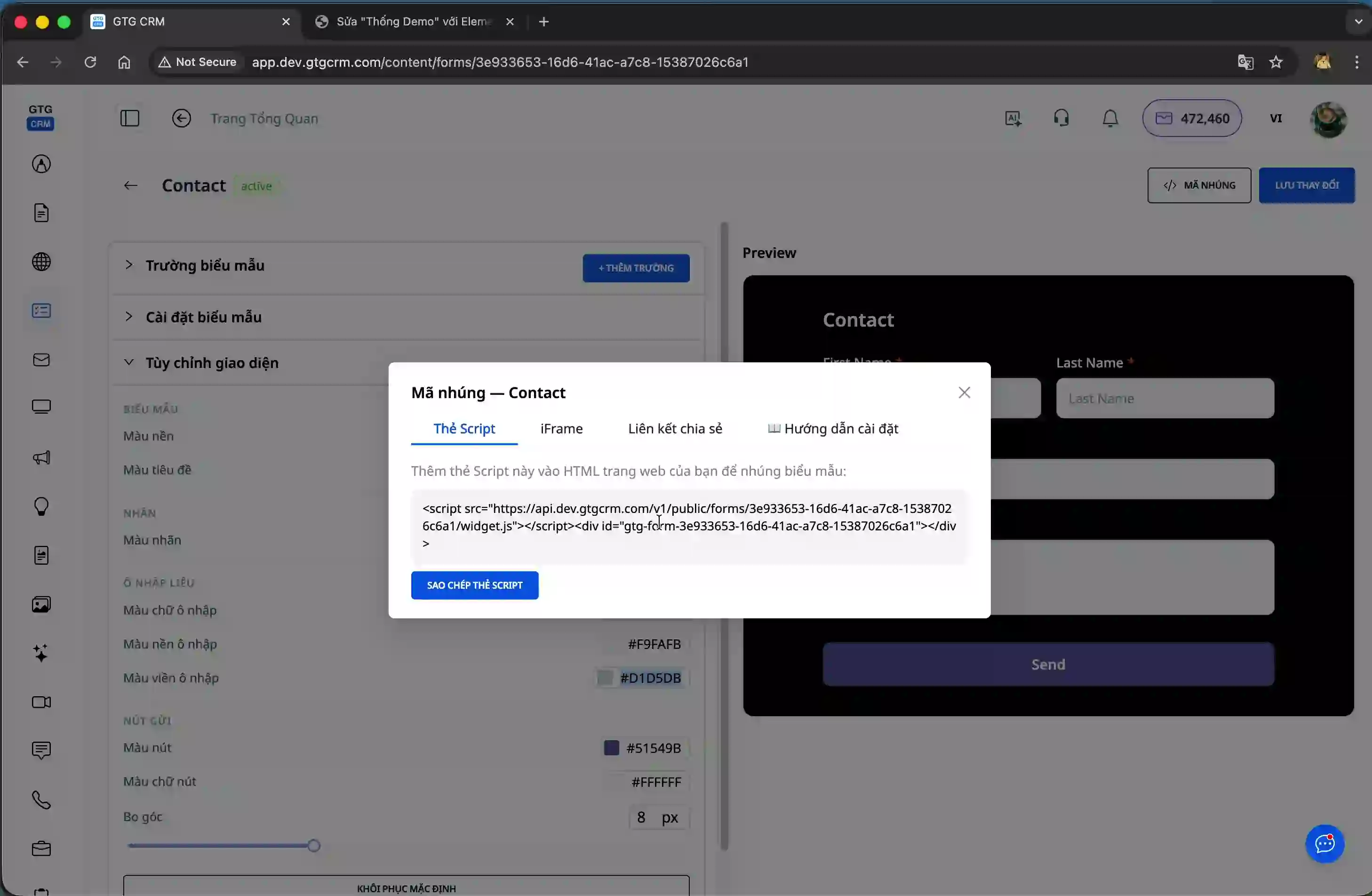
In terms of design, you can customize the form's colors to match your brand identity. From background color, text color, to button color, everything can be adjusted to your preference. This helps your form look professional and harmonize with your overall website design.
Once your form is complete, GTG CRM offers various methods for integration into your website. You can choose to use embed codes in Script, Iframe, or Share Link formats. In particular, the share link allows you to send it directly via social networks like Facebook and Zalo for customers to fill in their information without needing to visit your website.
The most outstanding feature is the automatic data synchronization. As soon as a customer fills in all the information and clicks submit, the data is instantly saved to the GTG CRM system. You can view the list of new contacts, check detailed customer information, and start nurturing them immediately.
Additionally, GTG CRM provides detailed analytics tools to help you monitor form performance. You can view total submissions, conversion rates, and other key metrics to evaluate the effectiveness of your customer information collection campaigns.

Benefits of Using GTG CRM's Form Builder
Significantly save time and cost by not having to use third-party form services or hire developers. Everything you need is available within GTG CRM, from the form builder tool to the customer data management system.
Data is automatically and instantly synchronized, allowing you to quickly respond to new leads. No more waiting or manual data entry; all information is updated to the CRM system immediately.
Centrally manage all customer information in one place. You can easily search, categorize, and nurture customers in a systematic and professional manner.
Monitor the performance of your information collection campaigns through built-in analytics tools. You will clearly understand conversion rates, lead volume, and can make optimal decisions for your marketing campaigns.
Flexibly integrate with all types of websites, from popular platforms like WordPress, Shopify, WIX to custom-built websites. With just a few simple steps, your form can be operational on any web page.
Important Notes
When creating forms, ensure you select the correct data field types corresponding to the information you want to collect. Incorrect field mapping may result in data not being stored in the correct location within the CRM system.
Before officially using the form, always test it by filling in information and checking if the data is saved correctly in GTG CRM. This helps you identify and resolve technical issues as early as possible.
With GTG CRM's Form Builder, collecting and managing customer information has never been easier. You can confidently create professional forms, integrate them into your website, and start collecting leads today without any programming knowledge.
Ready to try this feature for your business for free?
Try for Free

