
![Kế hoạch chạy quảng cáo Facebook cho người mới bắt đầu hay nhất 2025 [Tặng bộ 8 sheet mẫu]](https://assets.gtgcrm.com/gtgcrm-home-page/ke-hoach-quang-cao-facebook-cho-nguoi-moi-bat-dau-2025/ke-hoach-chay-quang-cao-facebook-cho-nguoi-moi-bat-dau-hay-nhat-2025.png)
Why you need a Facebook advertising plan?
A plan is not just a to-do list. It's a tool that helps you see the big picture: what are the campaign goals, where are the target customers, how should the budget be allocated, and what data needs to be tracked to evaluate effectiveness.
For beginners, having a plan is like having a "compass," avoiding the confusion of dozens of choices when setting up a campaign. For those with experience, a plan is a way to compare, optimize, and gradually upgrade each phase.
Sample Facebook Ads Plan: 8 Sheets for Newbies
To help you avoid starting from scratch, we have researched and compiled a sample plan consisting of 8 sheets on Google Sheets. The great thing about this plan is that it not only records information but also guides you step-by-step like a smart checklist.
Sheet 1: Plan Overview
The first sheet is the plan overview, where you set goals, estimate budget, and implementation time. Once this step is clear, everything that follows will be clearer and easier to control when running ads.
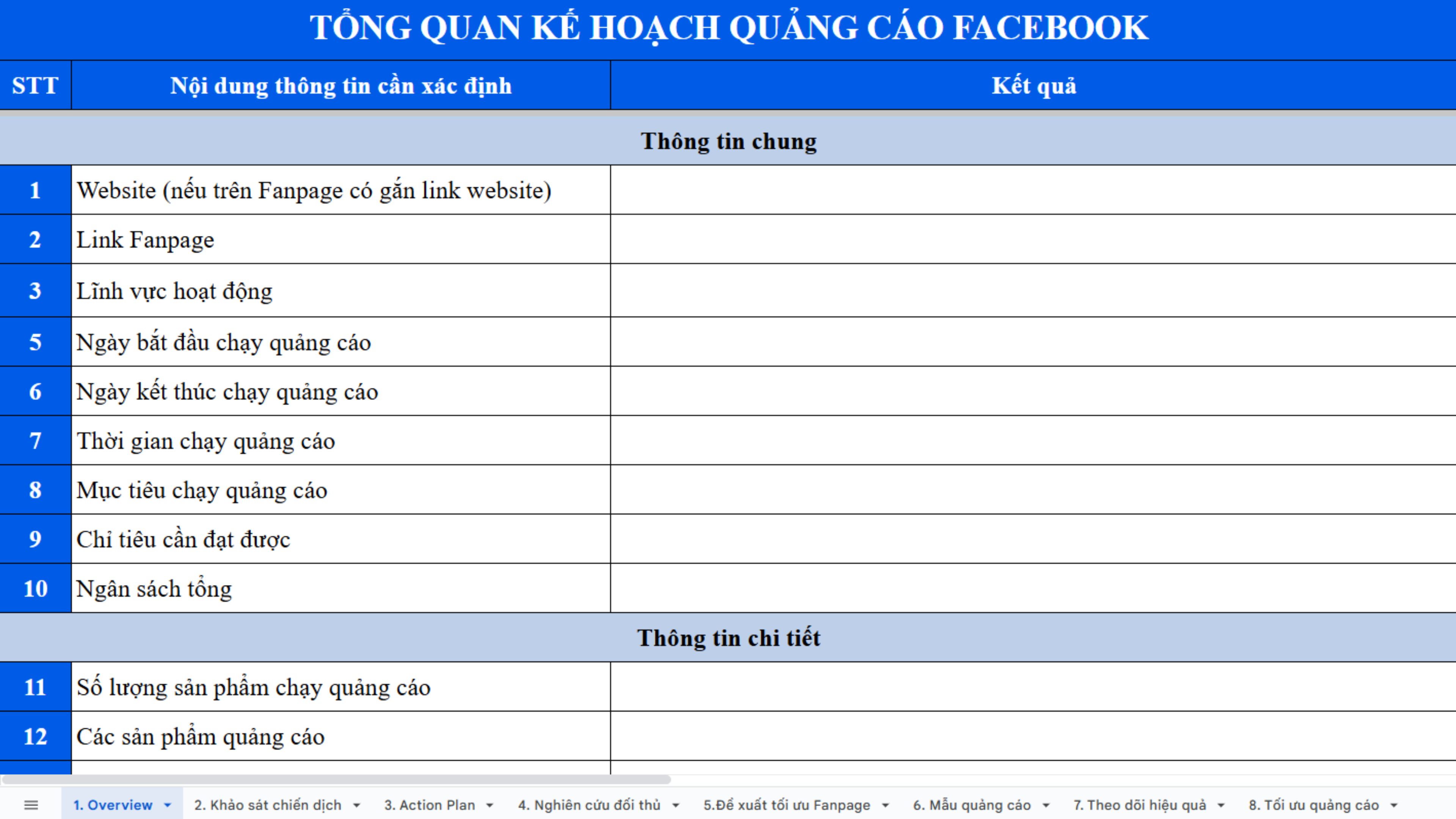
Facebook Ad Plan Overview
Sheet 2: Campaign Survey
The information used during campaign setup serves as a handbook. Beginners often forget the target audience, daily budget, or ad placement. Centralized storage helps you avoid remembering too many details; just open the sheet to find the information you need.
Sheet 3: Action Plan
When you get to the detailed plan for each implementation phase, you'll see the difference. Instead of just clicking "create ad" and letting it run, you have a clear strategy: a testing phase to see which audiences respond well, a scaling phase to increase the budget, and finally, remarketing – the phase that brings sustainable revenue.
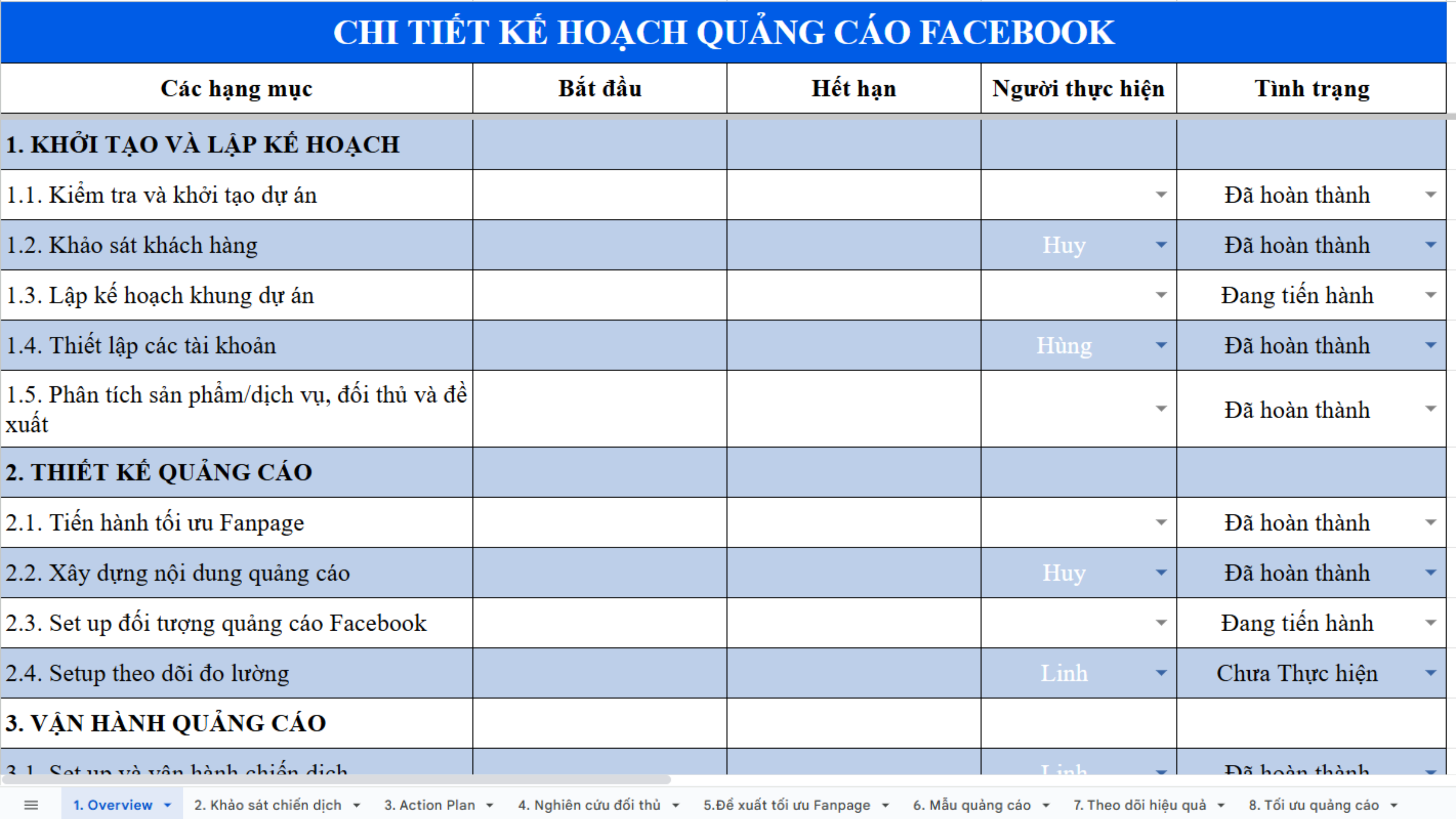
Facebook Ad Plan Details
Sheet 4: Competitor Research
Another important aspect is competitor research. This sheet helps you systematize your observations from the Facebook Ad Library or competitors' fan pages. It's not for copying, but for learning how they communicate, comparing strengths and weaknesses, and finding your own niche.
Sheet 5: Fanpage Optimization
Many people forget that the fanpage is the "first landing page" that customers see. A fanpage lacking information or with poor content will reduce ad effectiveness, no matter how accurately you target.
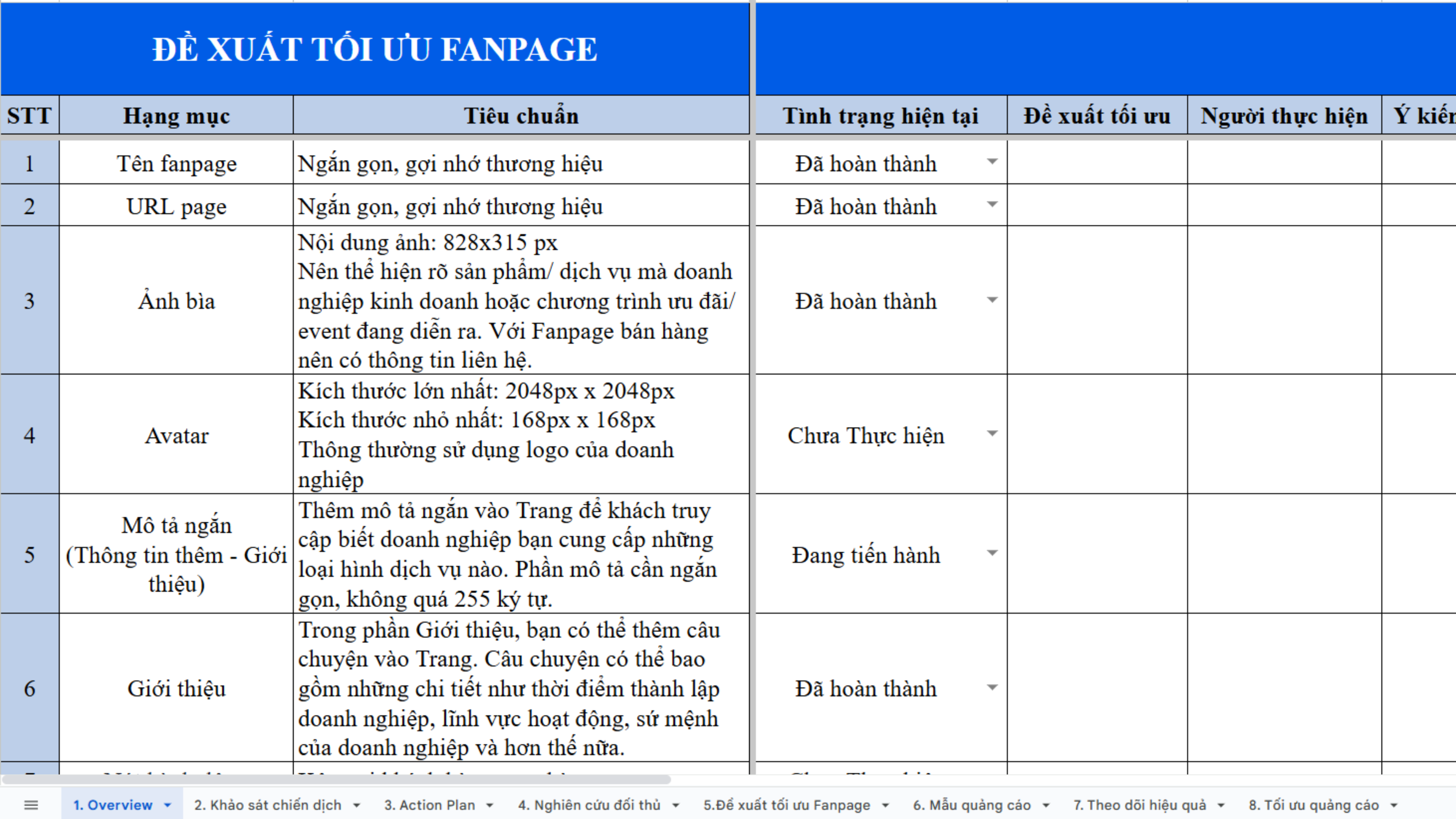
Fanpage Optimization Recommendations
Sheet 6: Facebook Ads Content Template
The Facebook Ads content template is where you get suggestions for headlines, main content, and calls to action. It's like a "mold" to prevent you from running out of ideas and to avoid common mistakes that lead to ad rejection.
Sheet 7: Performance Tracking
Once the campaign is running, you'll need to track and measure. This sheet not only records CPC, CTR, or CPM but also allows you to see daily changes. This is crucial for knowing when to keep things as they are and when to make changes.
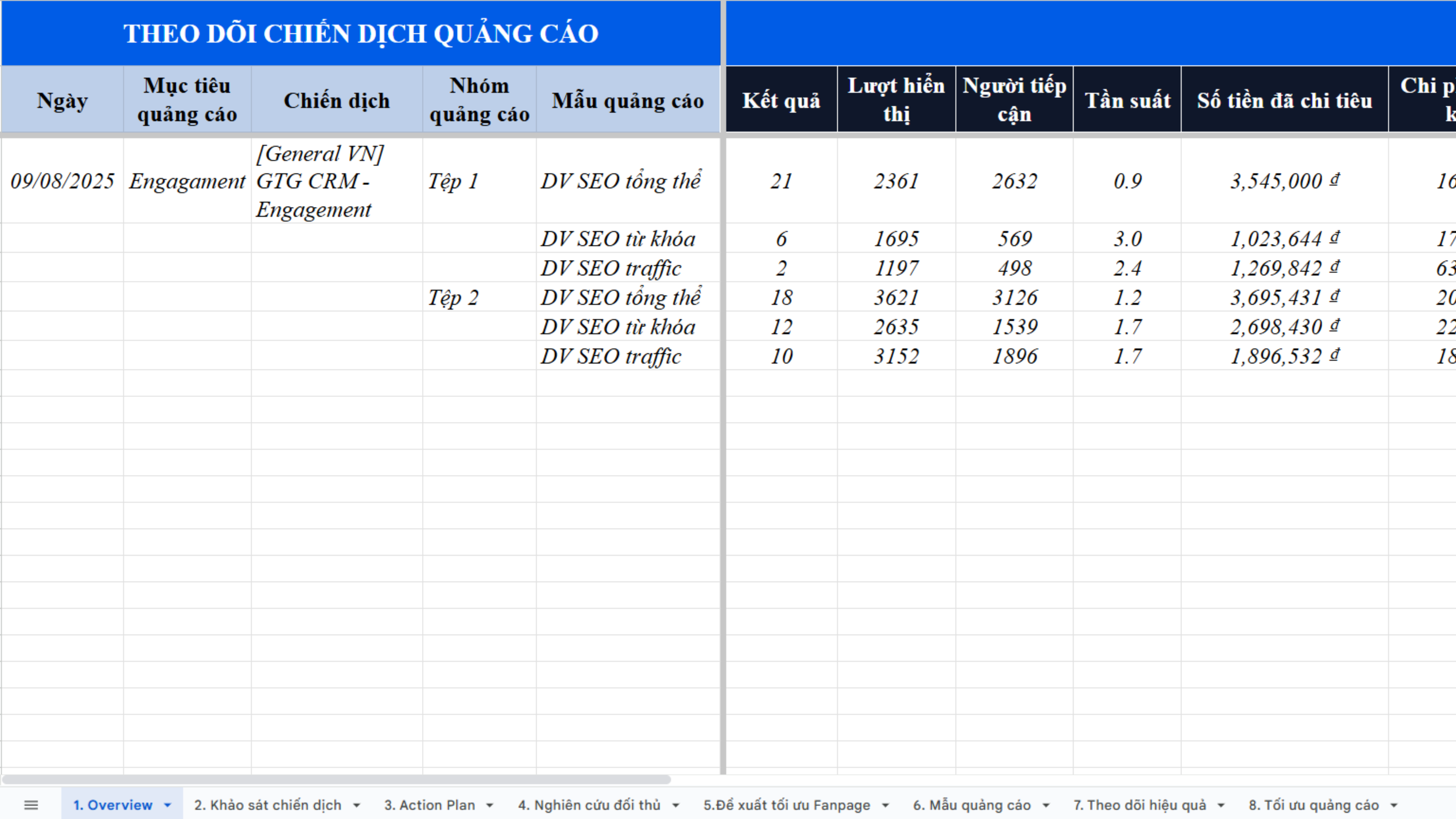
Performance Tracking
Sheet 8: Ad Optimization
Finally, the campaign optimization sheet summarizes the entire process. Rules for turning ad sets on/off, and the best times to scale or pause are recorded so you don't have to start from scratch next time. This is also your "memory," helping each subsequent campaign be better than the previous one.
How to Maximize This Plan
When you download it, take at least 30 minutes to fill in the information carefully. Don't think of it as a waste of time; in reality, you're saving a lot of money by avoiding mistakes during implementation. After running ads, make it a habit to record data regularly. It only takes a few minutes each day but will give you a clear picture after 1-2 weeks. And importantly, don't overlook remarketing, where many newbies often forget, but it's a goldmine for revenue.
Conclusion
Facebook Ads are not difficult; what you need is a clear plan to avoid getting lost. This sample set of 8 sheets will be a solid starting point, helping you grasp the structure and thinking process right from the beginning. With a specific plan in hand, you'll be more confident, save budget, and know how to optimize each campaign to truly turn ads into revenue.
Turn what you've just read into real results — apply it now with GTG CRM, for free.
Apply Now

