

Feature Introduction
Social Hub is a powerful feature of GTG CRM that helps businesses manage all their social media posting activities on a single platform.
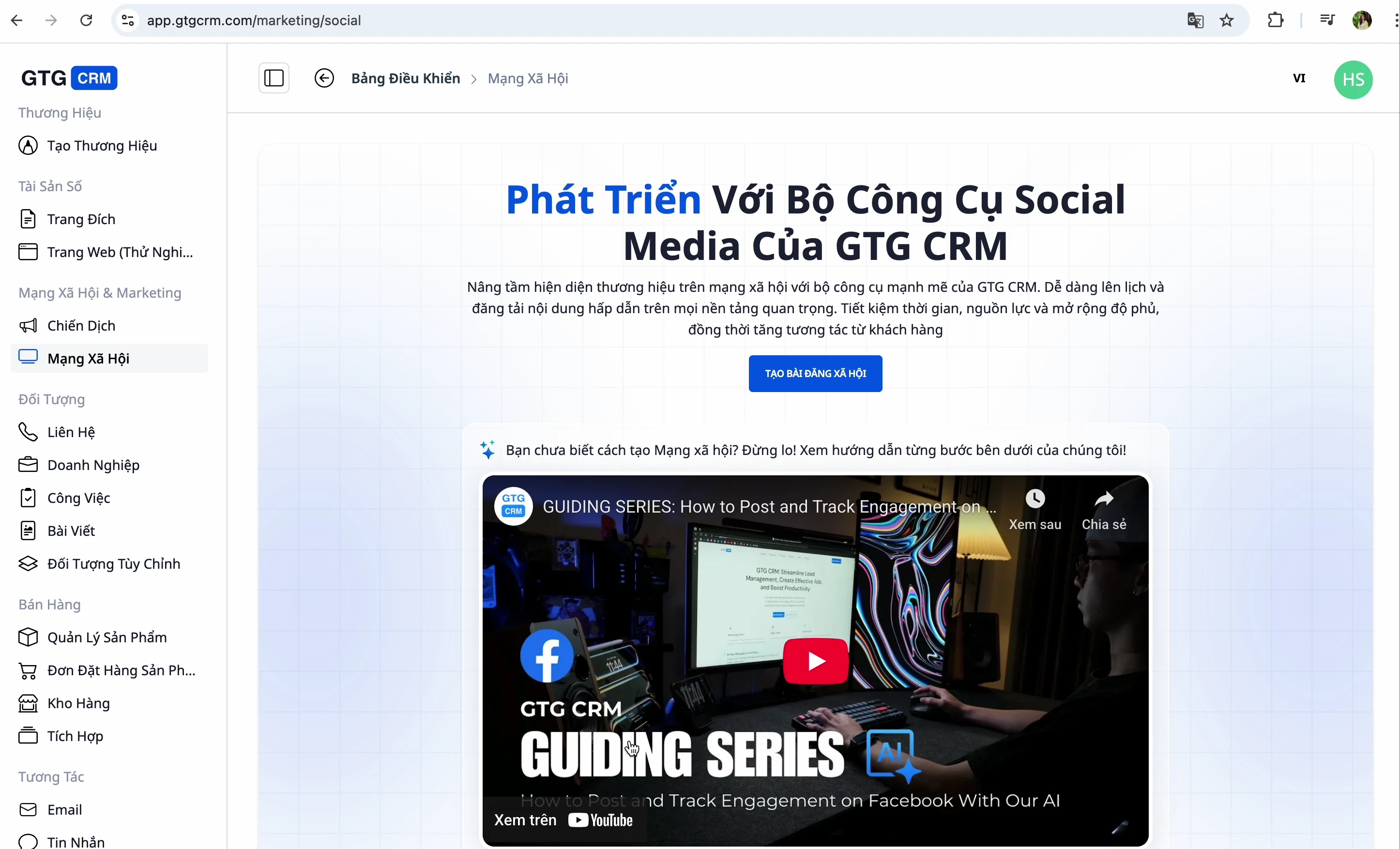
Problems Solved
Currently, many businesses post on social media in a fragmented and unsystematic way:
- Each channel in a different place
- Each post with a different style
- Difficult to control
- Unable to measure effectiveness
Social Hub helps you post more systematically, save time, and gain better control.
Supported Platforms
GTG CRM Social Hub supports 4 popular social media platforms:
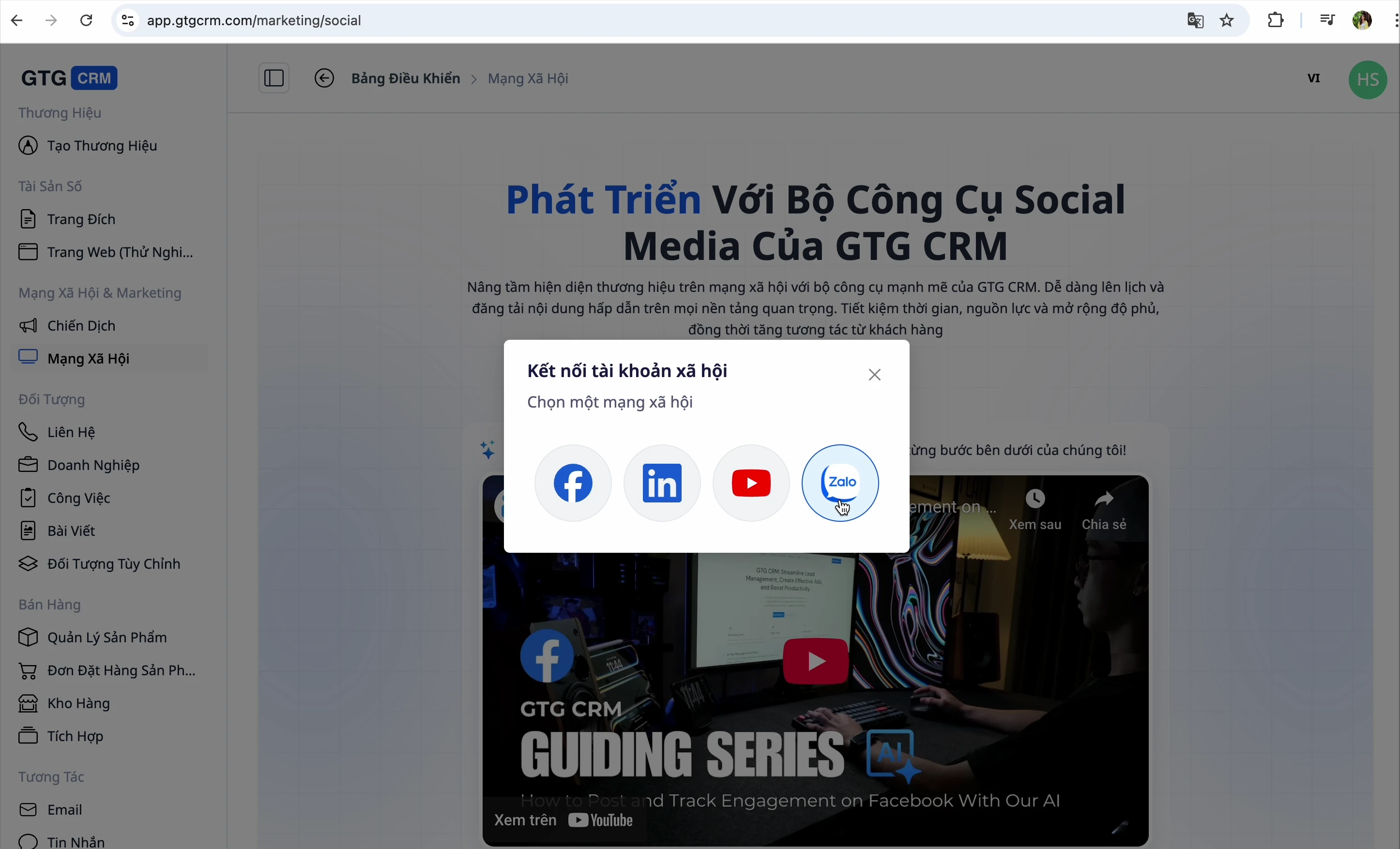
| Platform | Features |
|---|---|
| Post, manage fan pages, track interactions | |
| Professional posting, first comment | |
| YouTube | Upload videos, playlists |
| Zalo | OA posts, Broadcast to target customers |
Outstanding Features
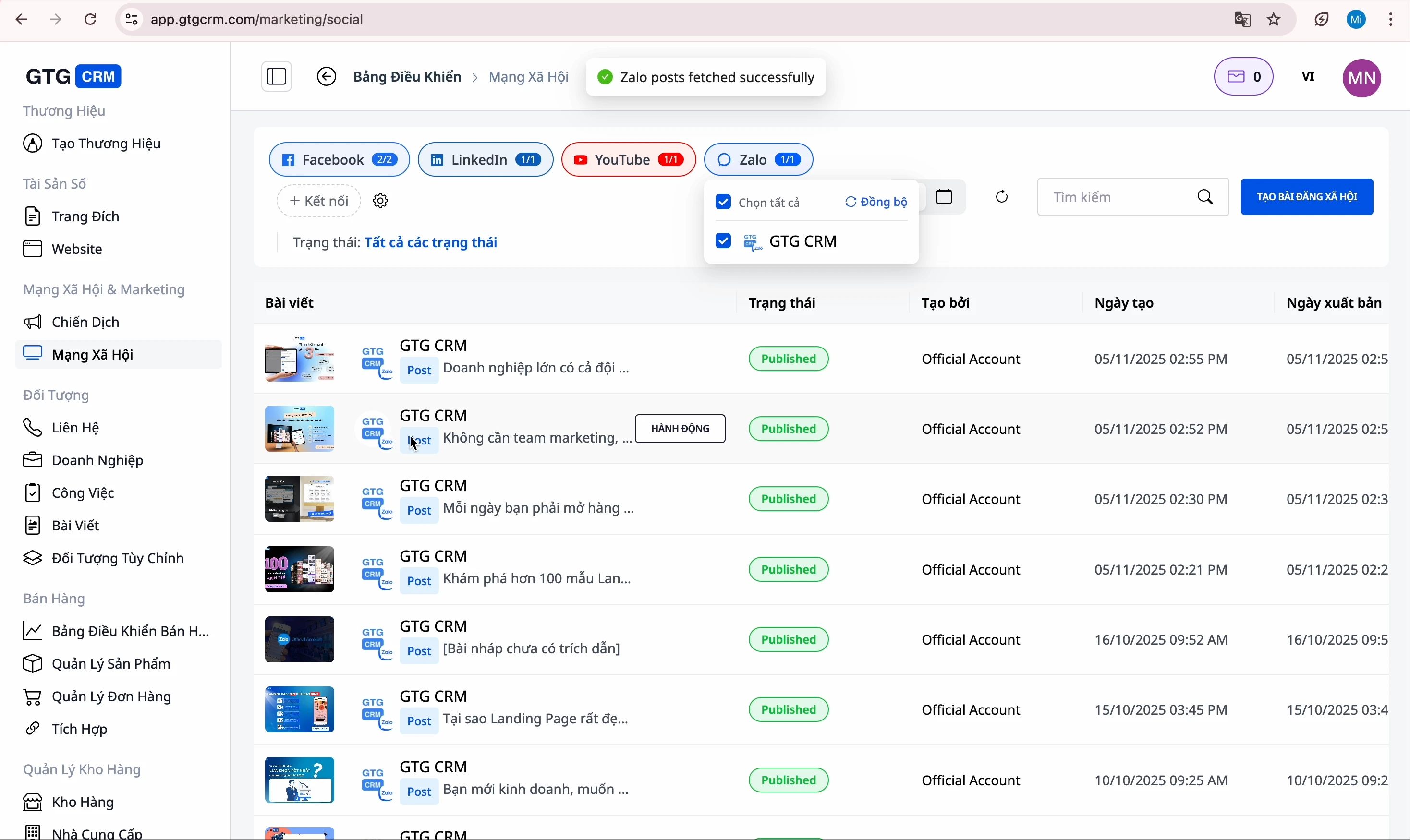
1. Centralized Multi-Channel Management
Instead of logging into each platform individually, you can create content, design images, schedule, and track posts for multiple channels within a single interface.
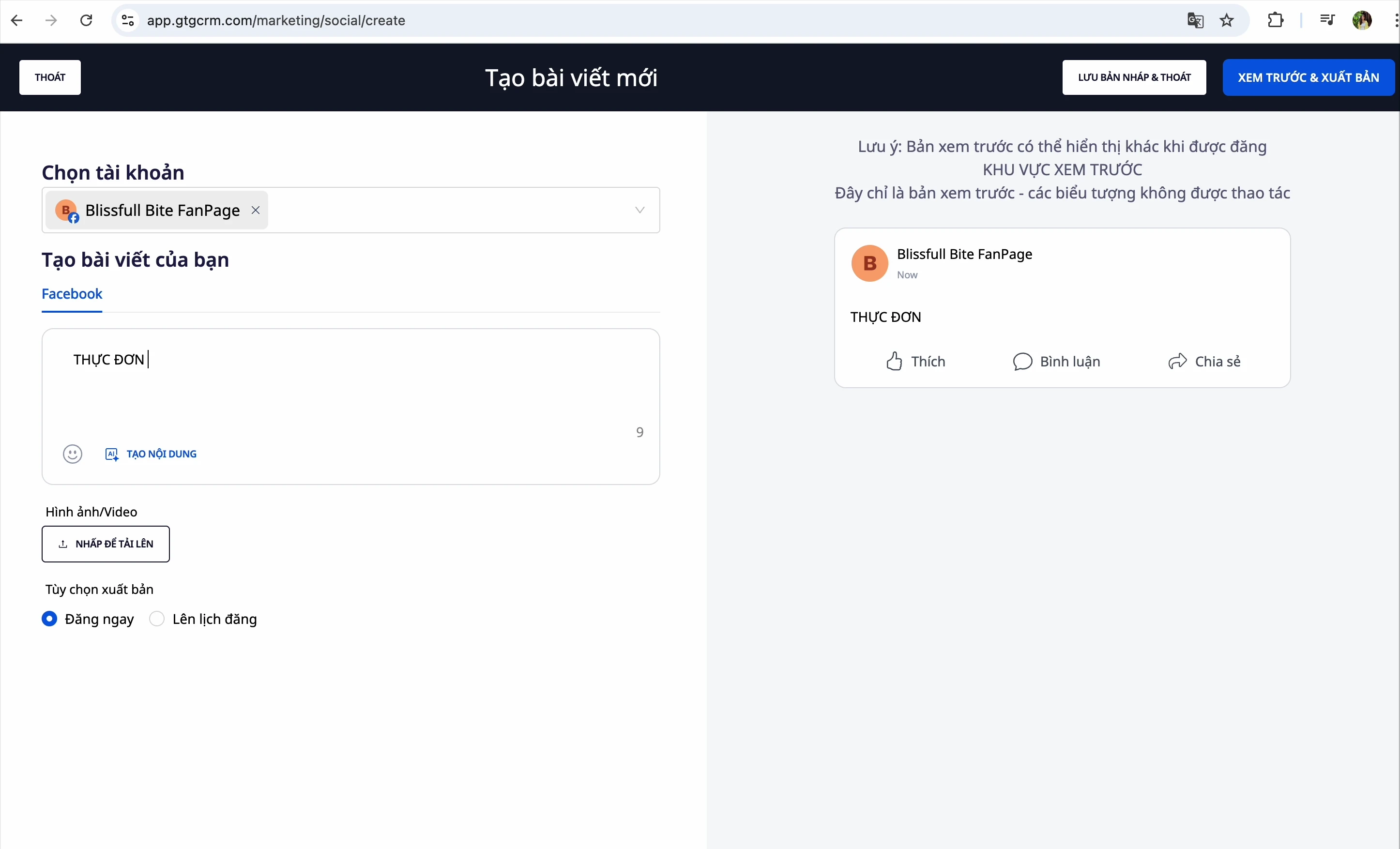
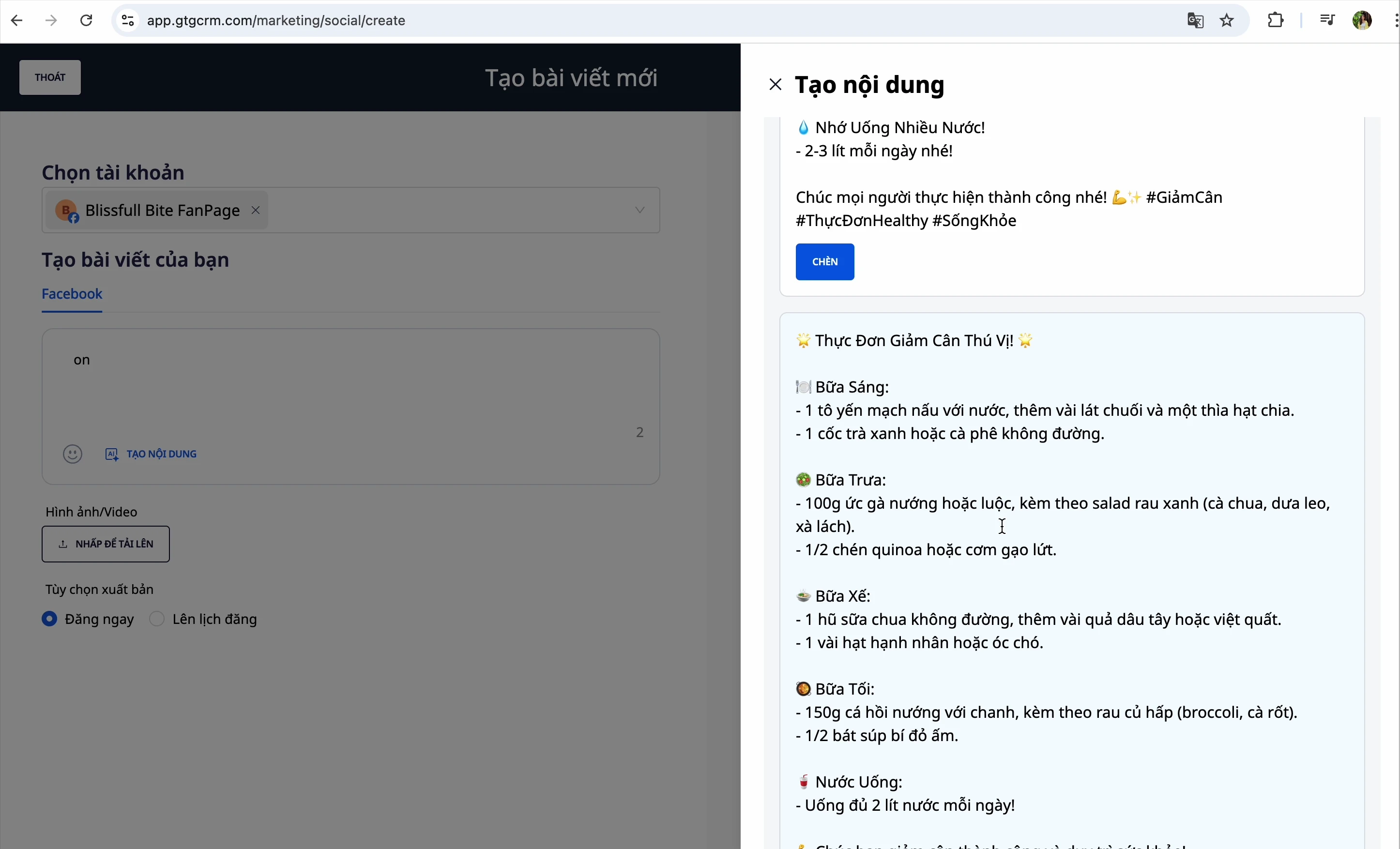
2. Content Creation with AI
GTG CRM integrates AI to support automatic content generation:
- Enter a prompt for the AI to write the post
- You can provide reference URLs for the AI to get more accurate information
- AI returns multiple results for you to choose from
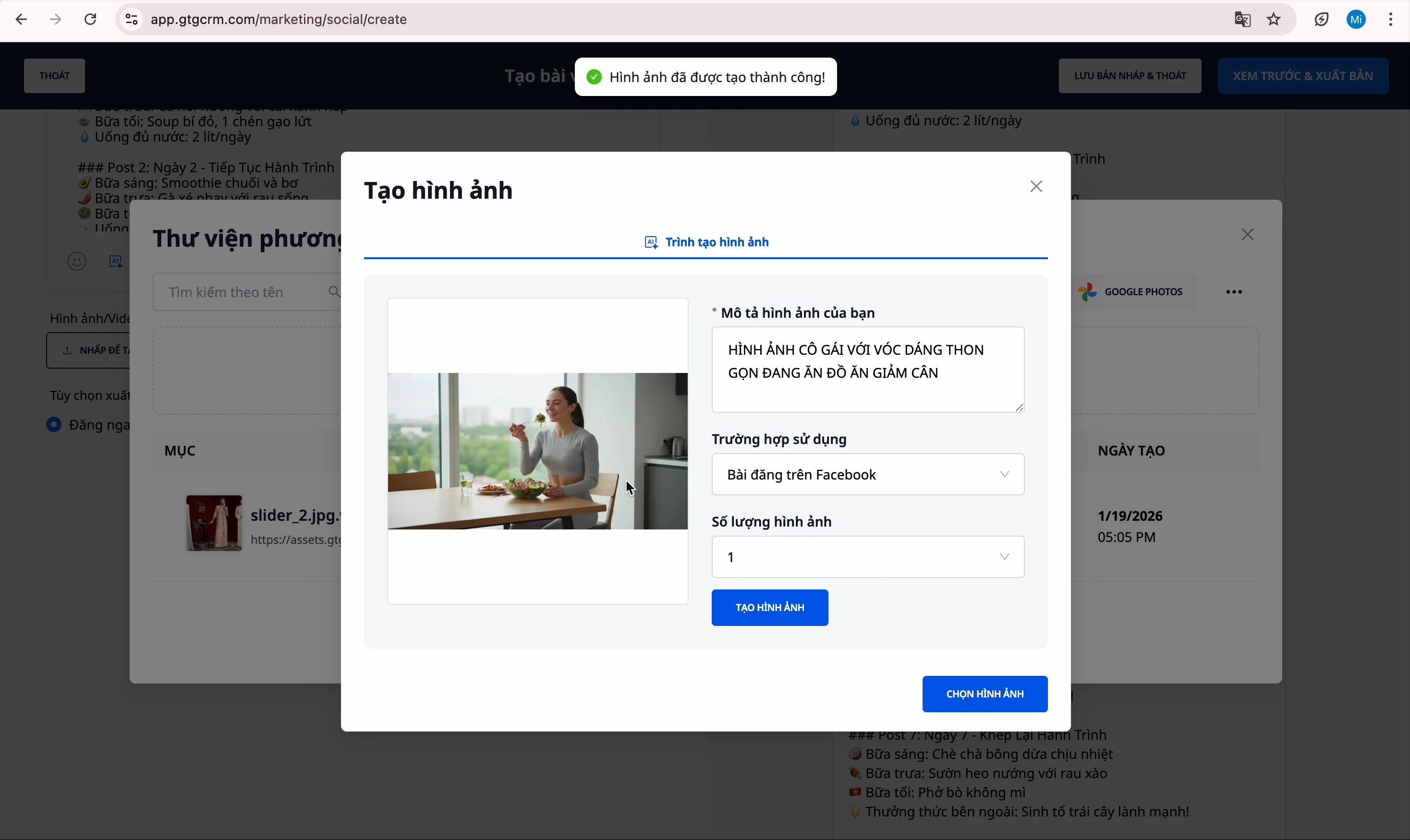
3. Image Creation with AI
Not only content, but you can also ask AI to create images for your posts:
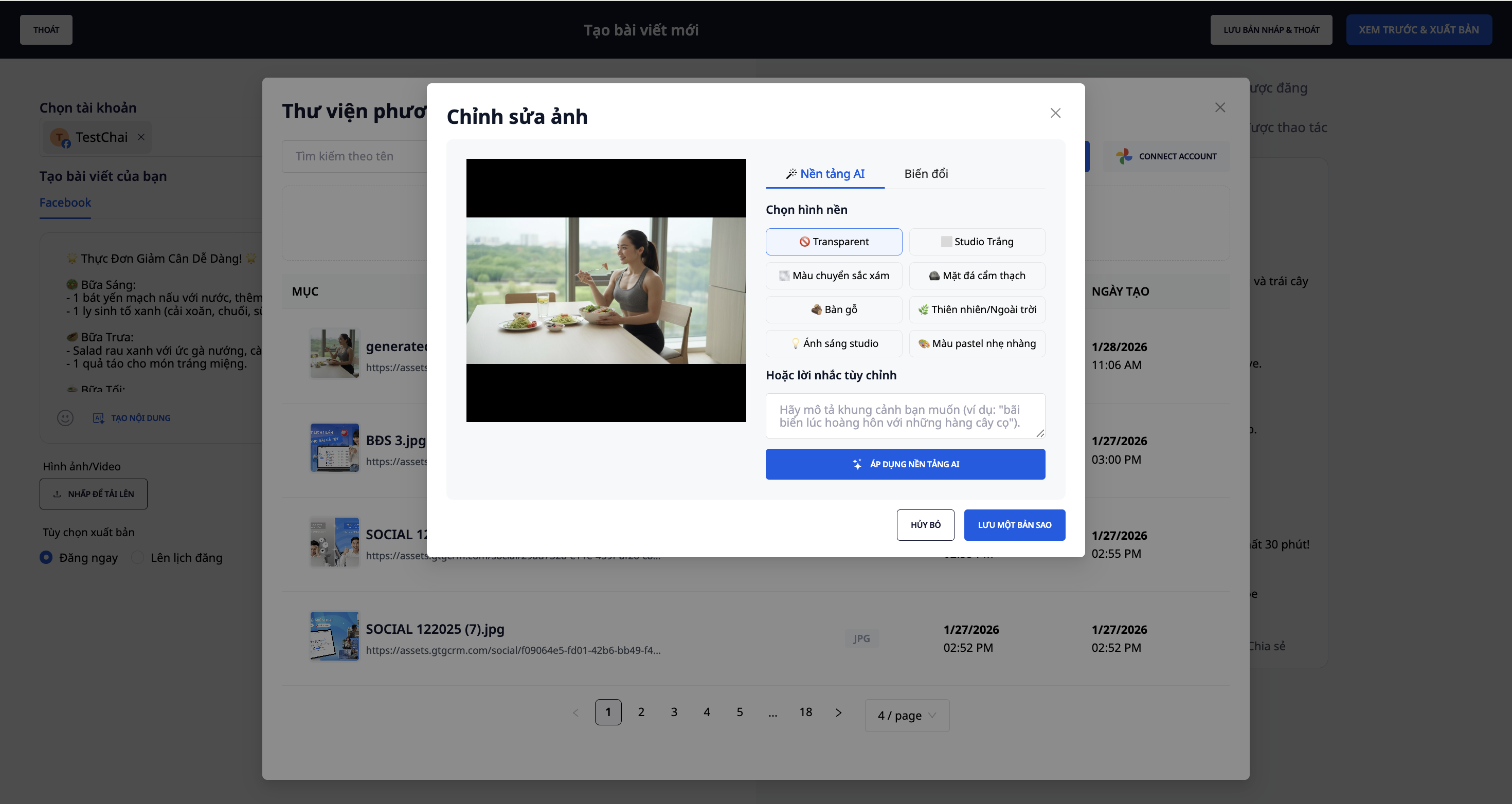
4. Direct Image Editing
Images can be edited directly on GTG CRM:
- Resize
- Rotate horizontally, rotate left
- Crop to desired dimensions
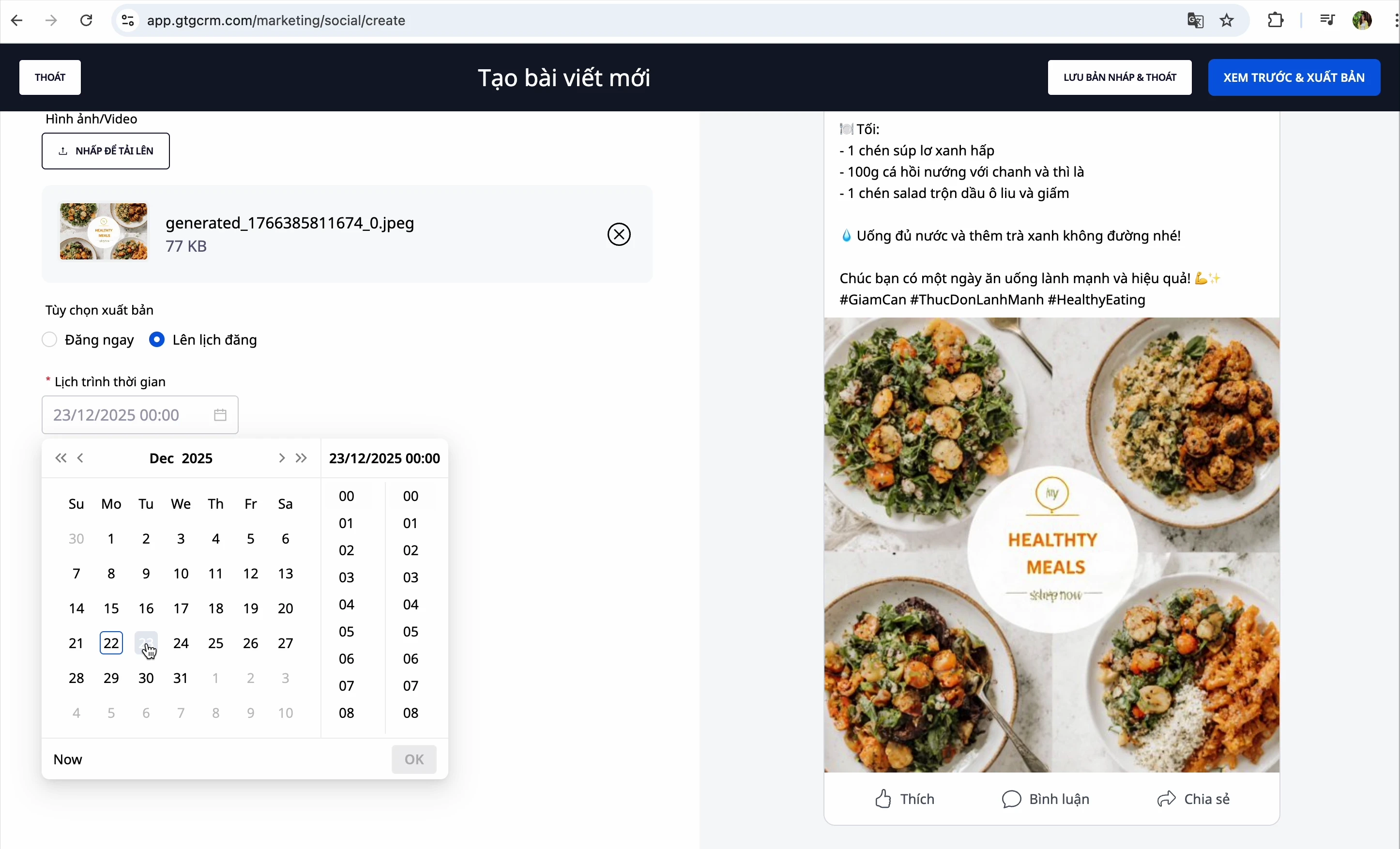
5. Post Scheduling
You can:
- Post Now: Publish the post immediately
- Schedule: Choose a specific time for the post to be published automatically
- Save Draft: Save for later completion
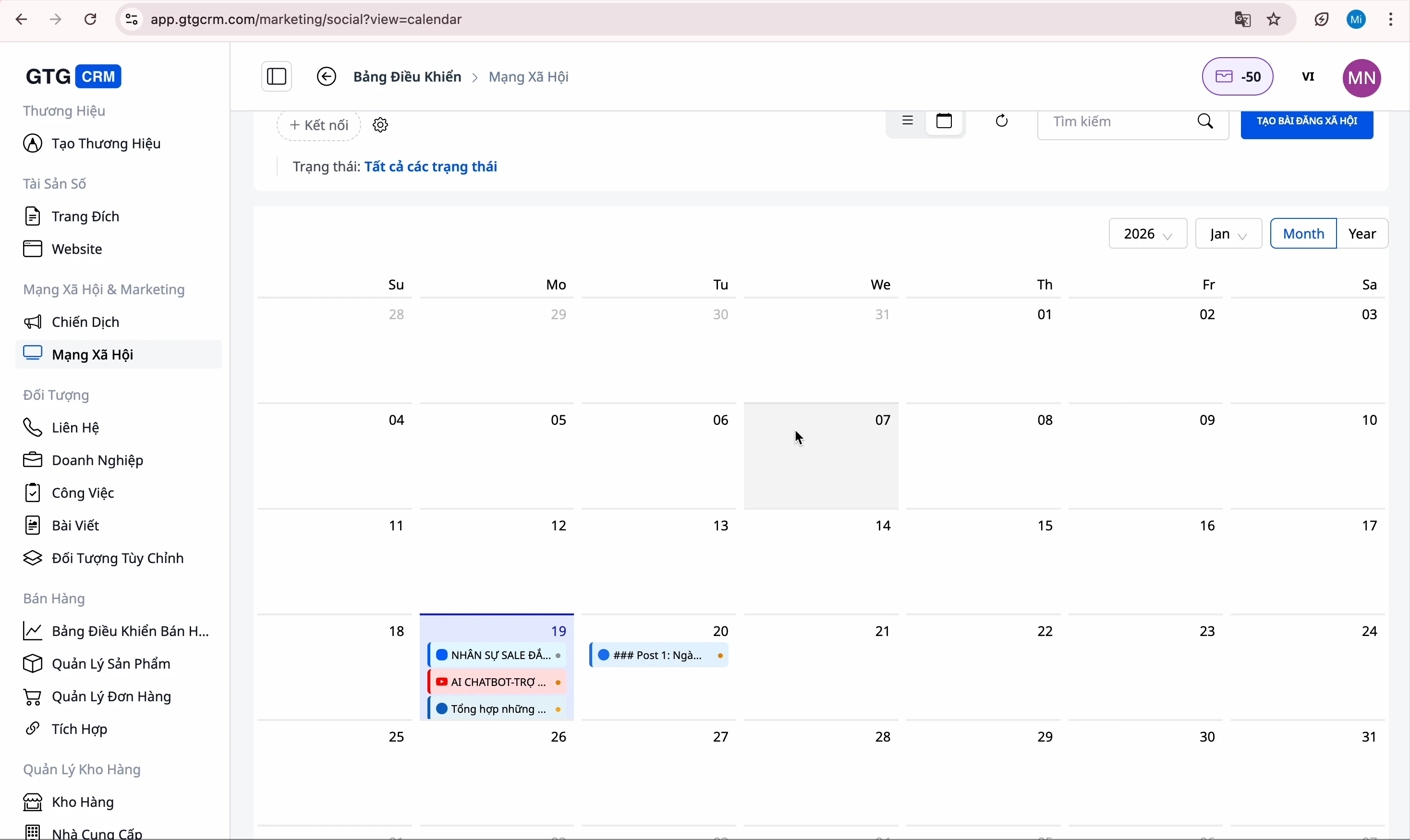
6. Track Post Status
Manage posts by status:
- Draft
- Scheduled
- Published
- Error
7. Interaction Statistics
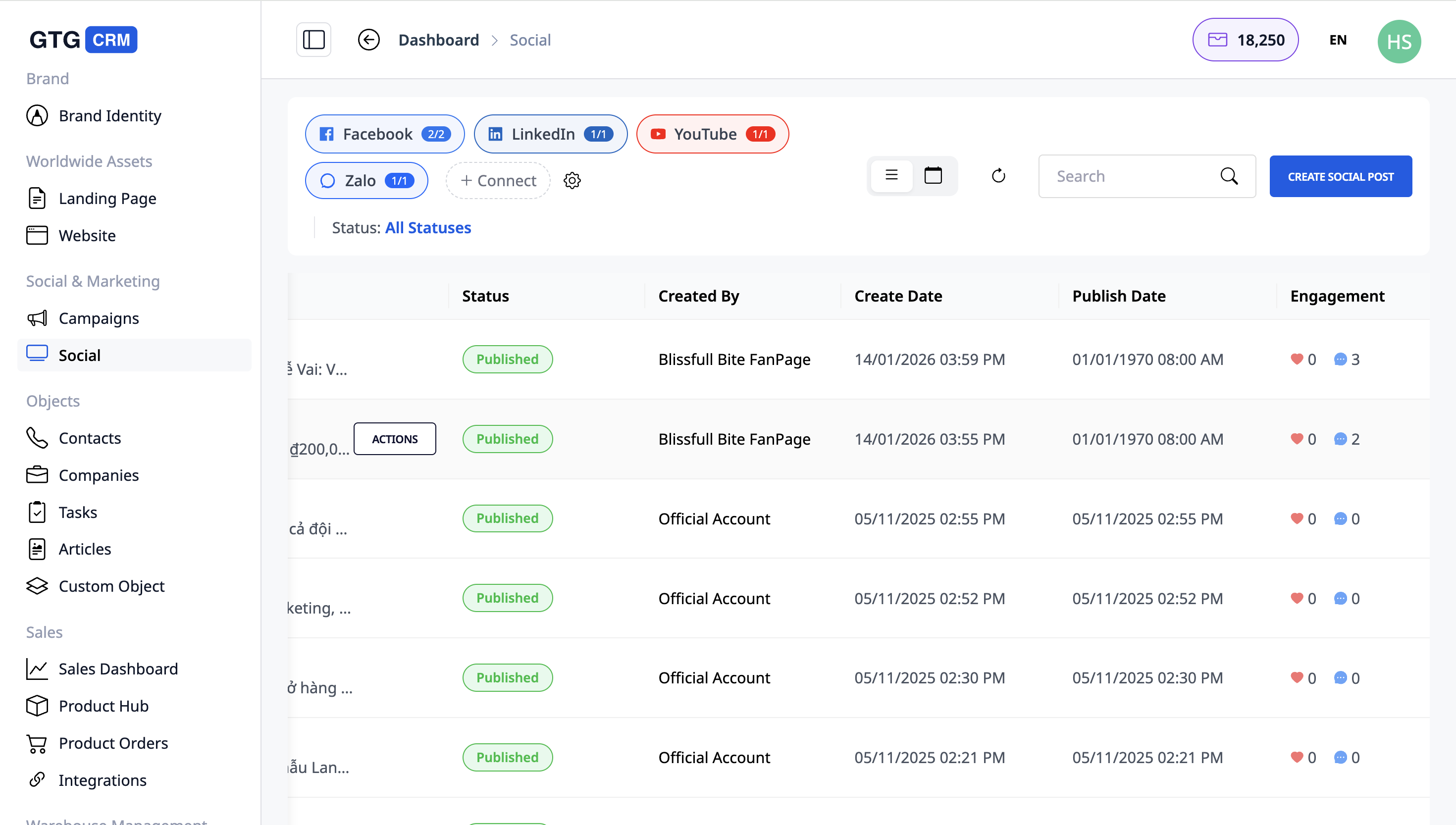
GTG CRM helps you track:
- Interactions
- Comments
- Post performance
![Interaction Statistics]
8. Zalo Broadcast
Special feature for Zalo:
- Posts: Publish to the Official Account's wall
-
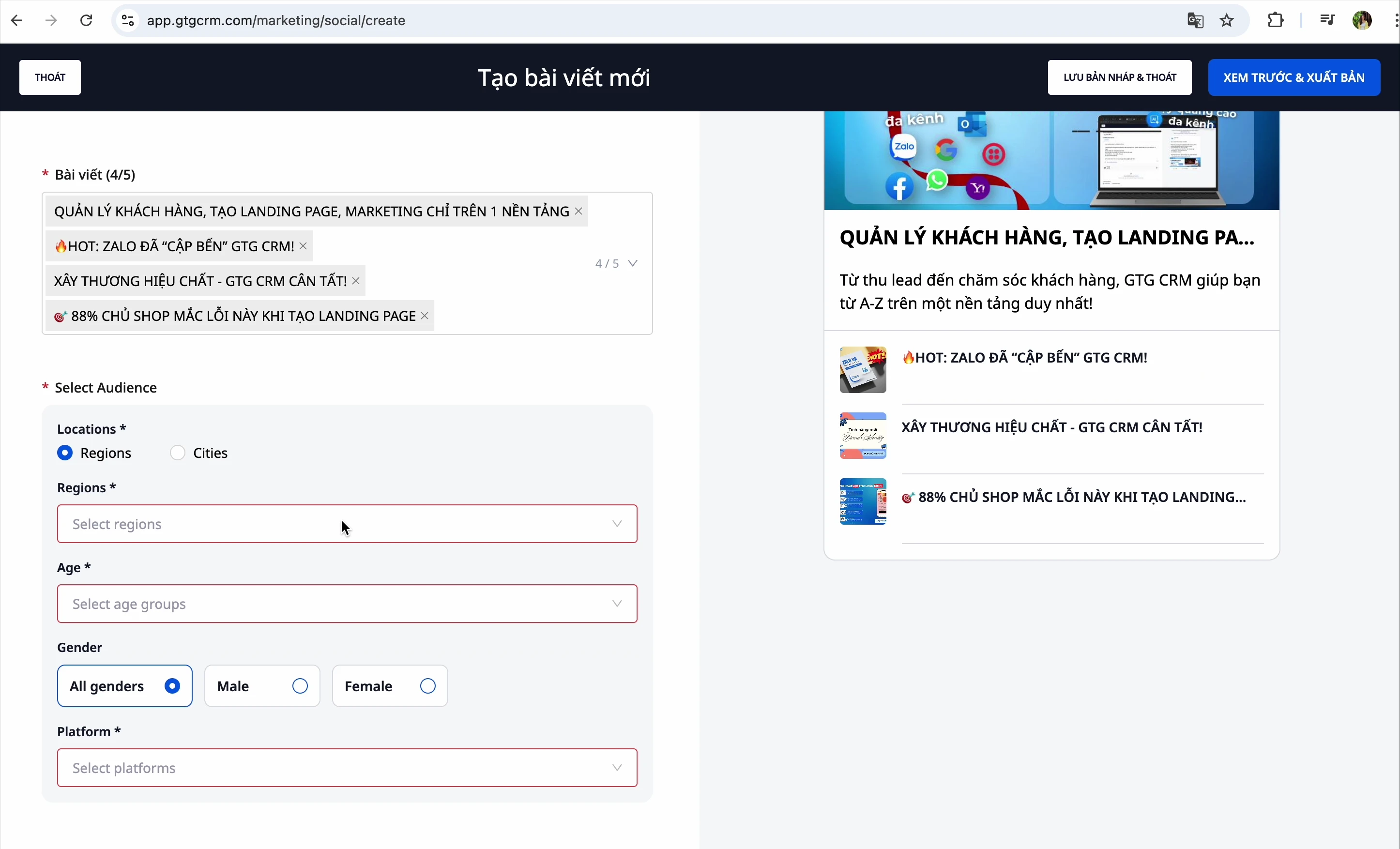
Broadcast: Send directly to target customers by:
- Geographic location (South, North, Central)
- Age group
- Platform (iOS, Android, Windows)
Benefits for Businesses
| Benefit | Description |
|---|---|
| Time-saving | Manage everything in one place, no need to switch between platforms |
| Easy to measure | Track post performance across all channels |
| Consistent | Ensure content is synchronized across all platforms |
| AI-assisted | Quickly create content and images with AI |
| Smart scheduling | Post at optimal times |
| Targeted | Reach the right audience (especially with Zalo) |
Publish YouTube Shorts — Declare Correctly, System Automatically Verifies (NEW)
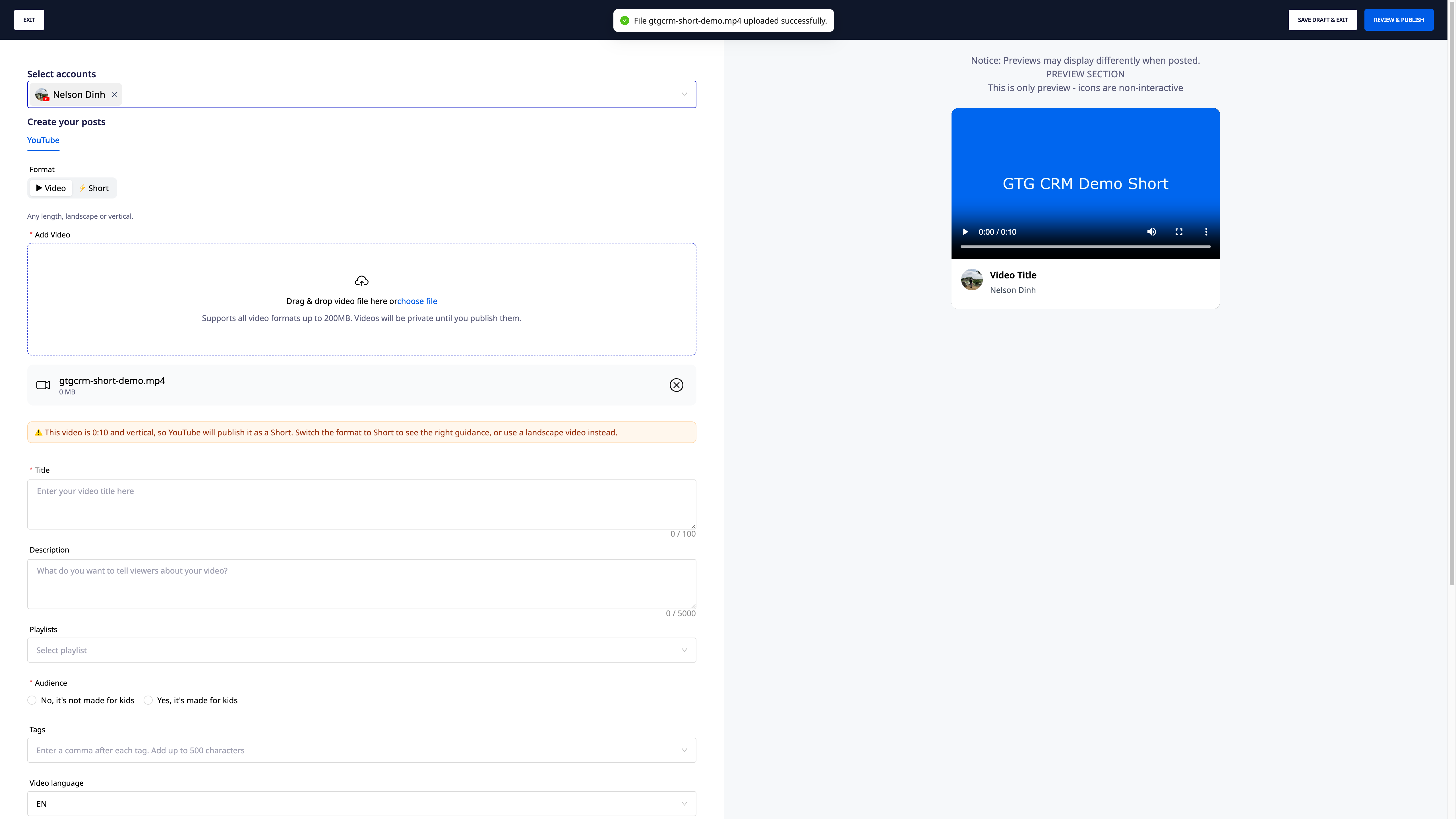
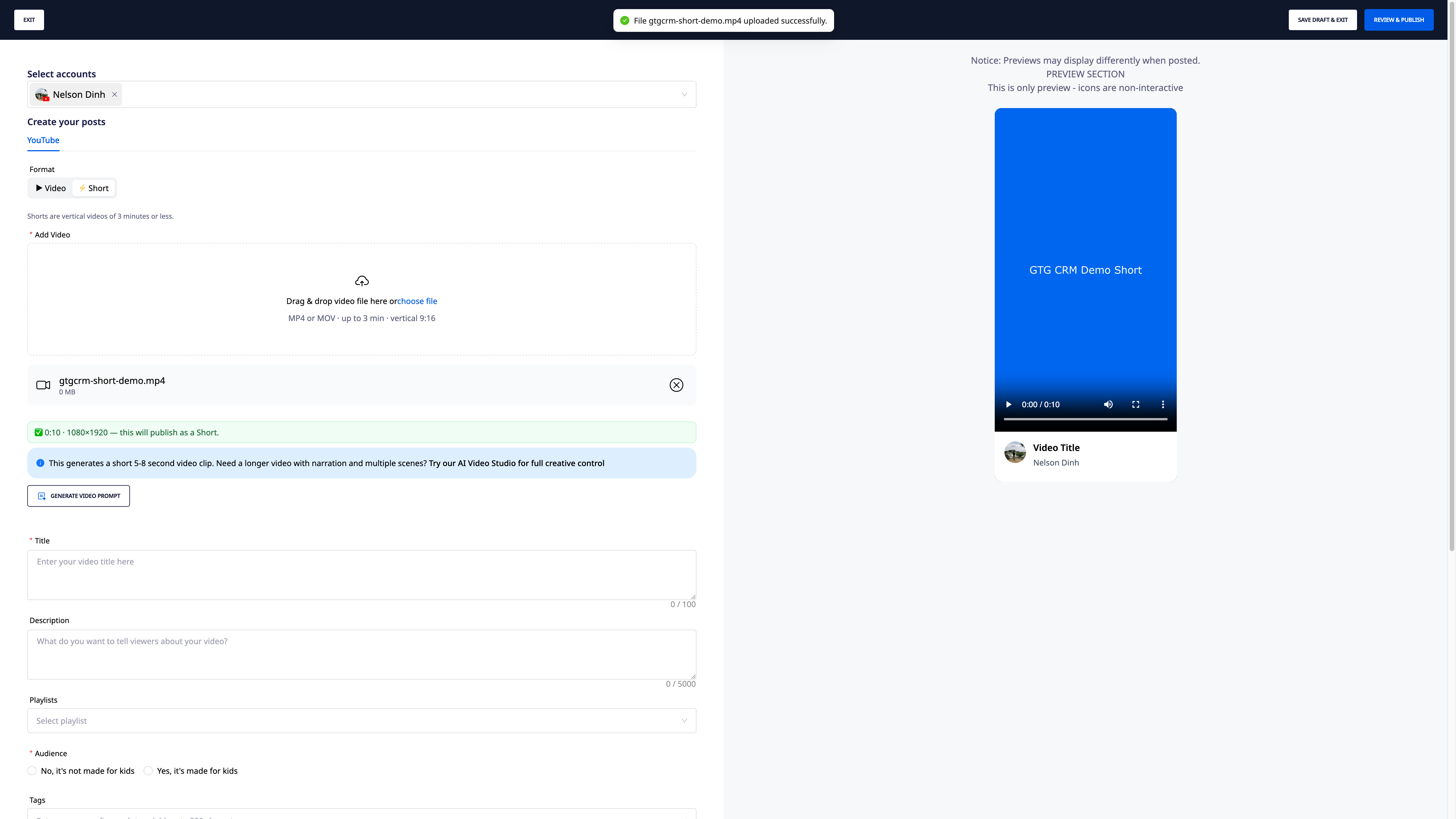
When uploading videos to YouTube from Social Hub, you now clearly select whether you are posting a Regular Video or a Short — instead of the system defaulting all videos as regular videos.
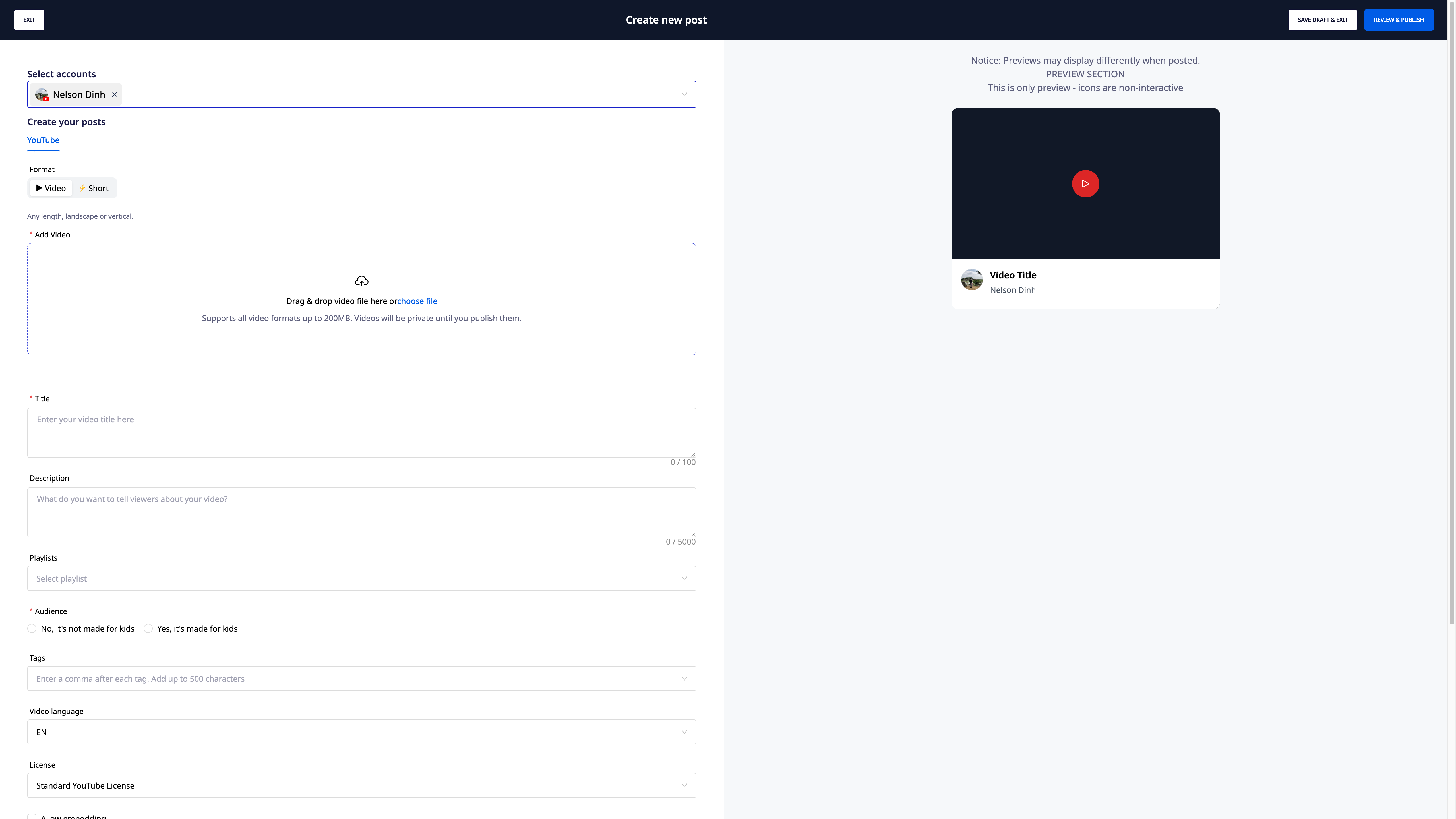
- Before posting, the system automatically checks if the file is in the correct Short format (vertical or square, max 3 minutes). If your chosen file isn't suitable — for example, if it's longer than 3 minutes or horizontal — the system will clearly state why and provide a one-tap button to switch to uploading as a regular Video, rather than blocking you and making you guess how to fix it.
- Don't have a vertical file ready? There's a shortcut to AI Video Studio to create 9:16 vertical videos instantly from existing photos or scripts.
- Uploading as a Video, but the file is vertical and under 3 minutes? The system will warn you beforehand: YouTube might automatically categorize this video as a Short even if you selected Video — because this decision is made by YouTube based on the file itself, not something Social Hub can change.
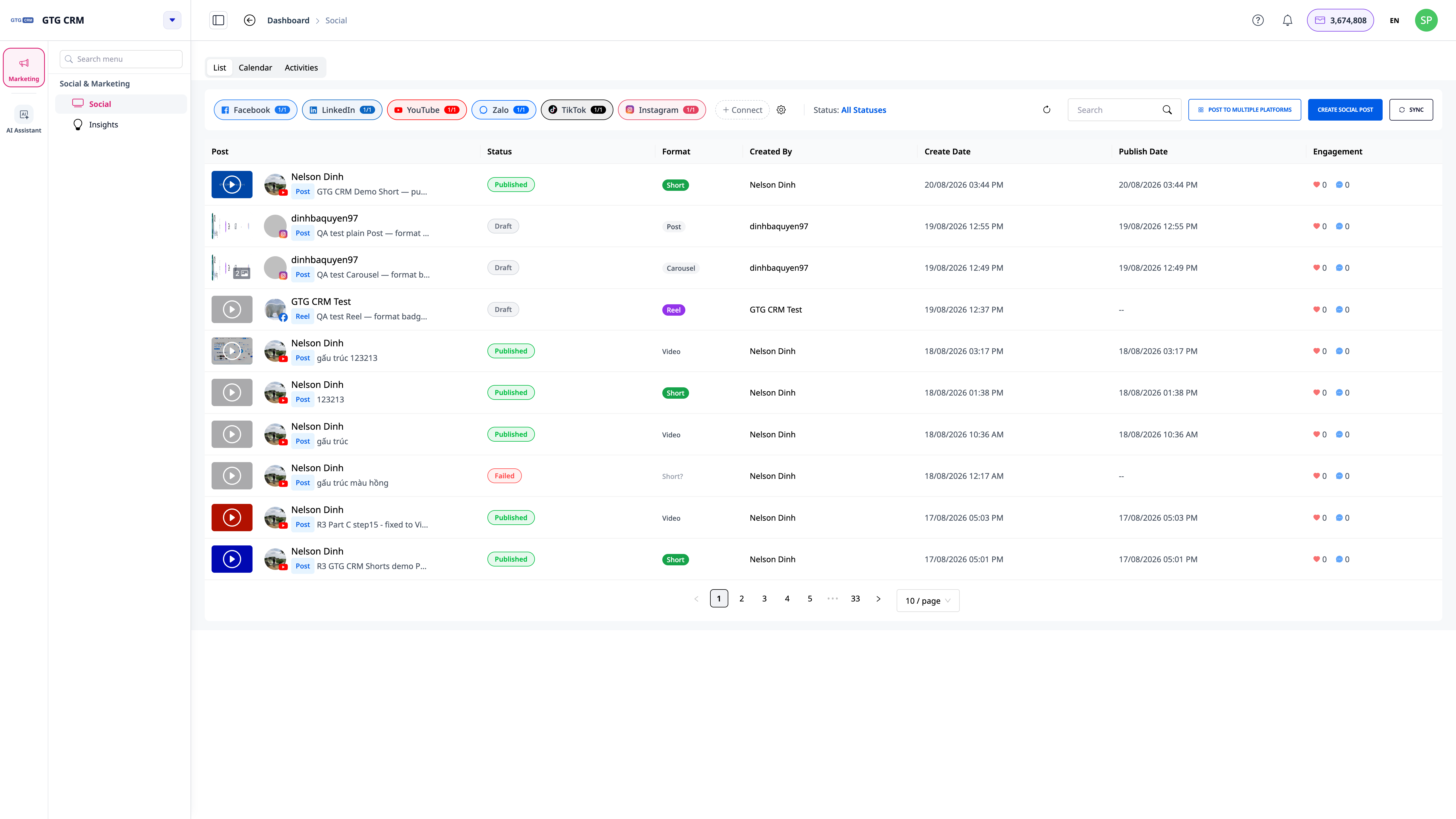
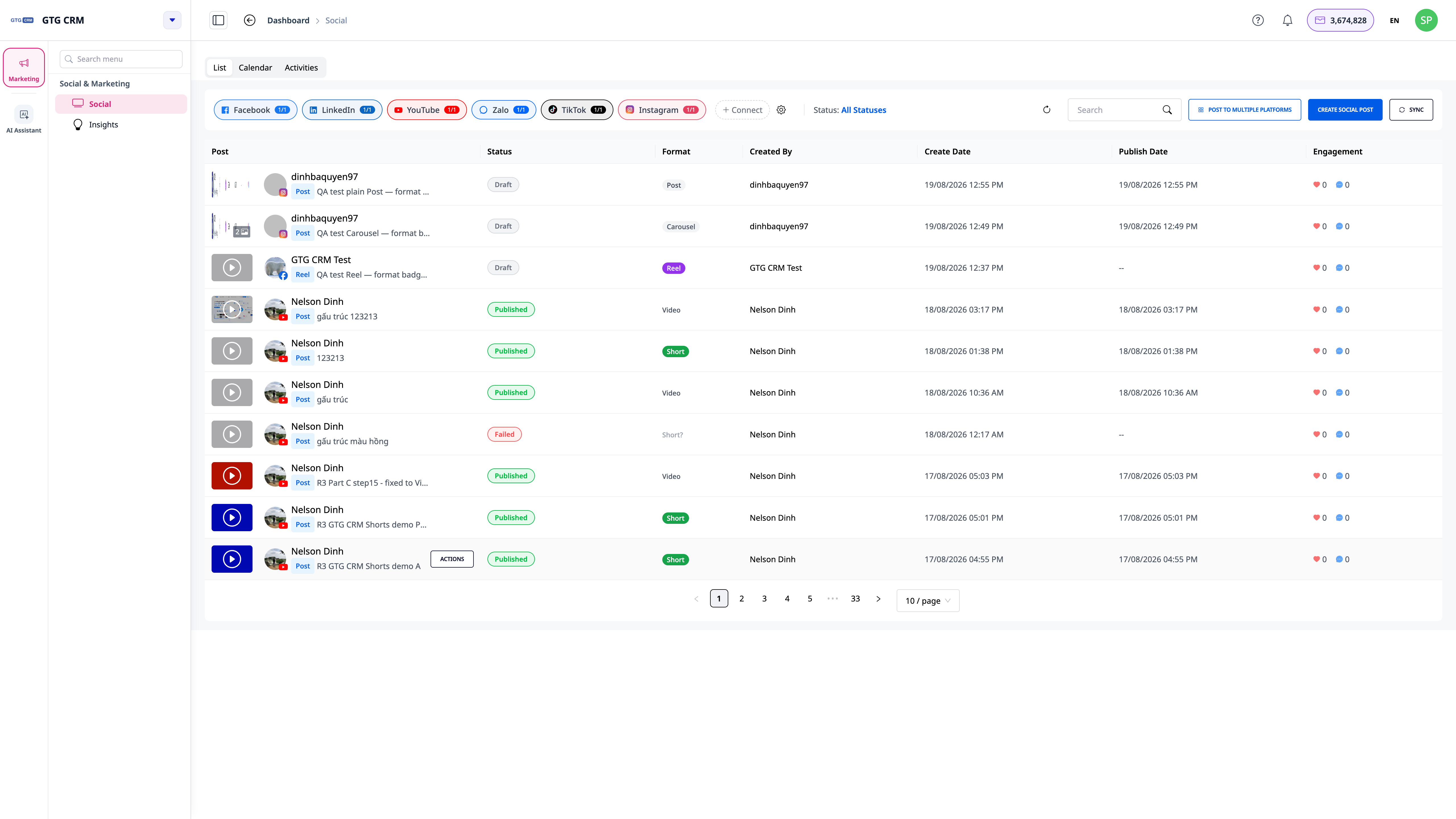
- After posting, the system re-verifies whether YouTube has categorized the post as a Short or a regular Video, and applies the corresponding label directly on the post list. If the result differs from the initial expectation, you'll receive a notification explaining the reason, not silence.
- Content generated by AI (images, videos, synthesized voiceovers)? Before posting, check the box to confirm "Content uses synthesized AI" — adhering to the AI content transparency requirements that YouTube applies to all channels.
Post Format Labels — Clear Across Facebook, Instagram, YouTube
The post list now displays consistent format labels (Video / Short / Reel / Story…) for all three platforms — not just YouTube — so you can quickly see which posts are running in short format and easily track performance by content type.
Conclusion
GTG CRM's Social Hub is a comprehensive solution for social media marketing management. On a single platform, you can:
- Post to multiple channels
- Create content and images with AI
- Schedule posts automatically
- Manage and track engagement
Experience Social Hub today to enhance your business's marketing effectiveness!
Documentation belongs to GTG CRM - Comprehensive Customer Relationship Management System
Ready to try this feature for your business for free?
Try for Free

