

Feature Introduction
Customers message you from everywhere: Facebook Messenger, Zalo, email, WhatsApp, website chat. Your staff has to open each platform, messages are scattered, customers wait long without anyone knowing, and a price inquiry comment on Facebook can get lost among dozens of notifications.
That ends today.
Messaging & Live Chat in GTG CRM consolidates all conversations from every channel into a single inbox, allowing you to view, reply, and track them directly within the system you're already using for sales and customer care. The new update also helps you never miss anyone: reply to emails directly in the inbox (correct thread, correct sending mailbox, with Cc/Bcc), remind you when a customer has been waiting too long for a response, automatically reply to Facebook comments with custom private messages, and assign a dedicated Live Chat assistant for each website.
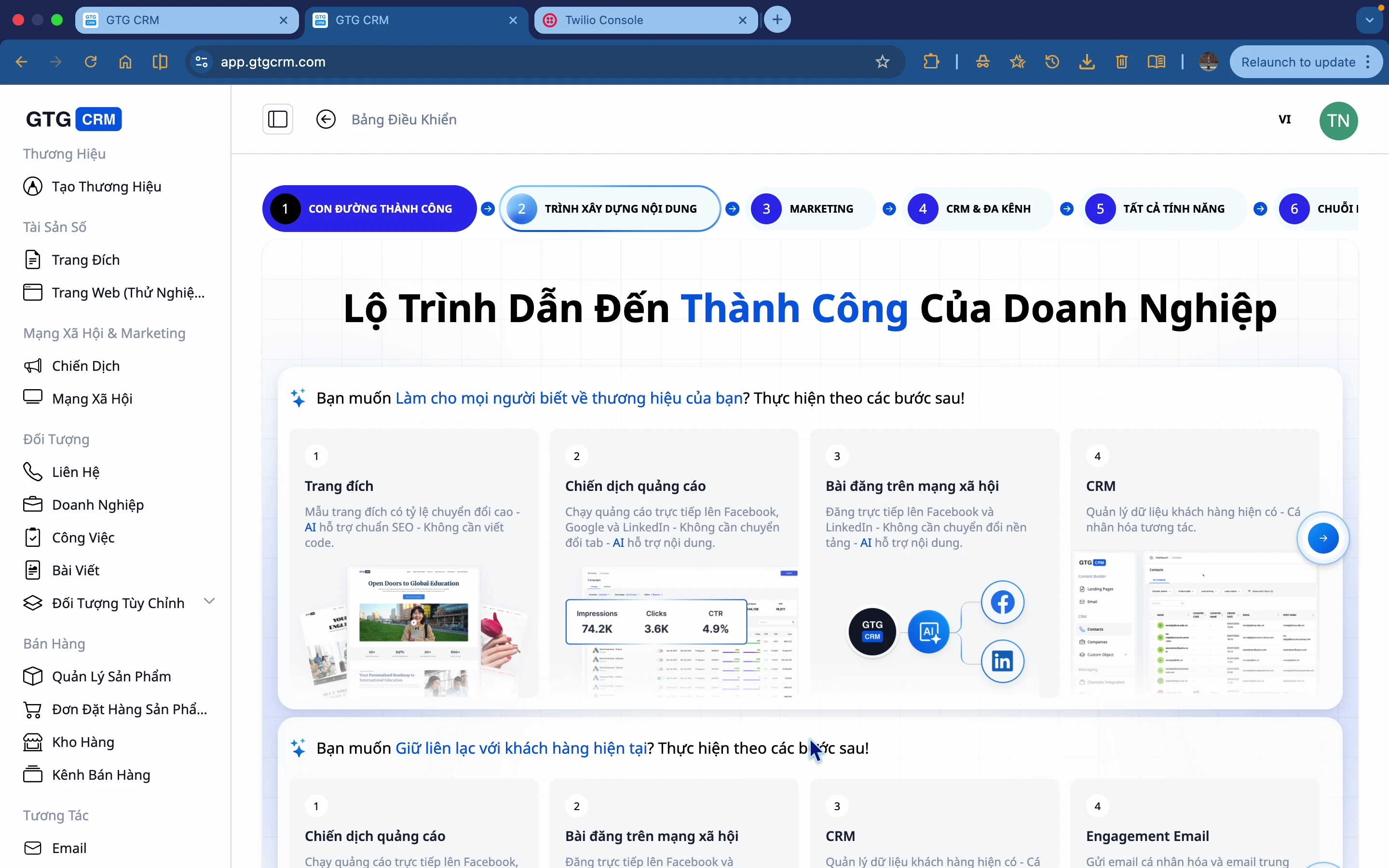 Problems Businesses Face
Opening multiple platforms (Facebook, Zalo, Gmail, Outlook, WhatsApp) to reply - Time-consuming switching, scattered messages, easy to miss.
Replying to emails outside the system - Lost conversation threads, sending from the wrong mailbox, not saved to CRM.
Not knowing which customers are waiting for a response - Delayed replies, losing interested customers.
Facebook comments asking for prices getting lost in notifications - Missing orders when customers are ready to buy.
Multiple websites but using a single chat assistant - Chat responses not contextually relevant to each page/brand.
GTG CRM consolidates everything in one place: all channels → one inbox → reply, tag, add to CRM → no employee needs to open 5 apps, no customer is forgotten.
Highlights
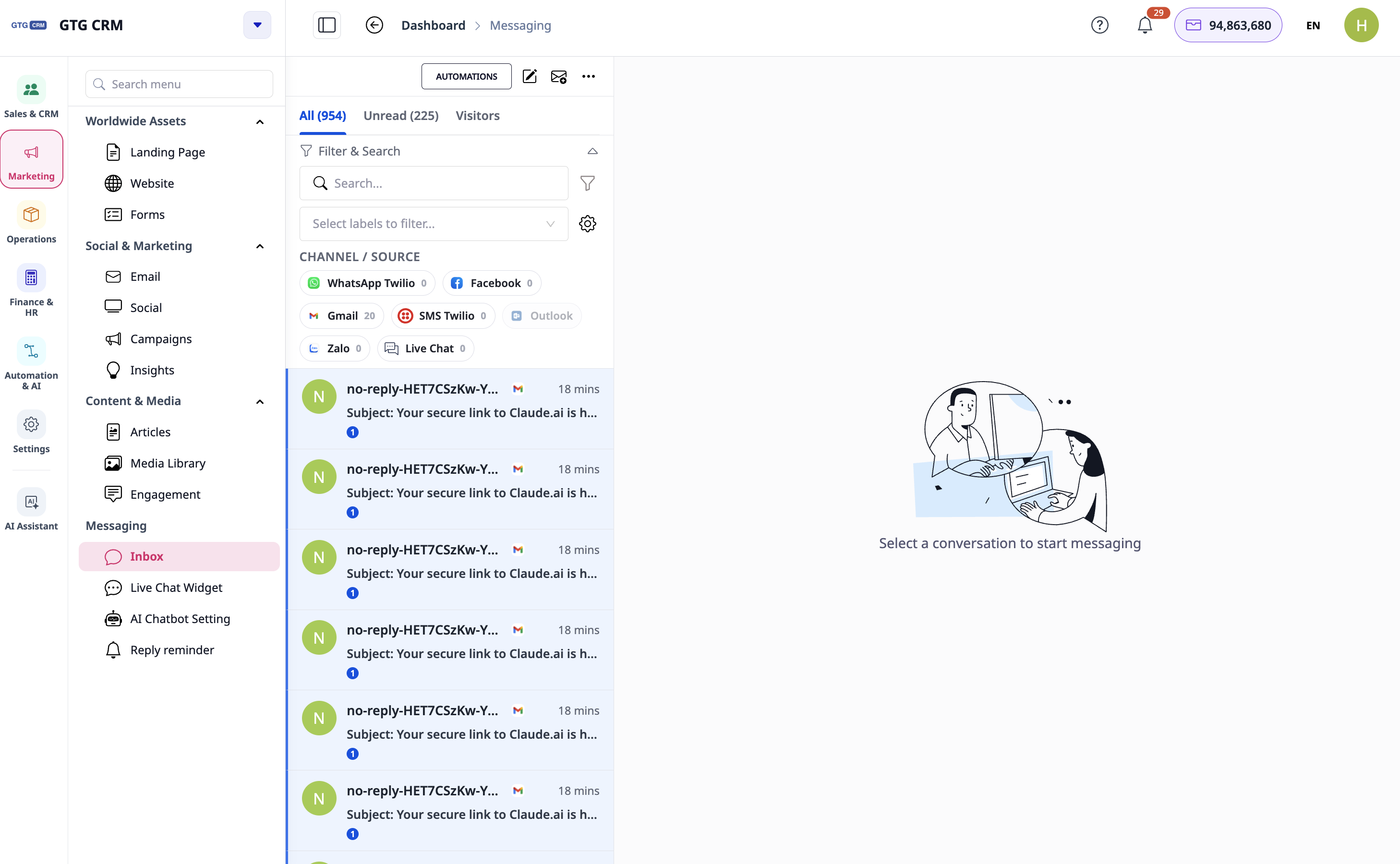
1. Unified Inbox - All Channels in One Place
Connect major channels: Facebook Messenger (all Pages you manage), Zalo OA, Gmail, Outlook/Hotmail, WhatsApp (via Twilio), SMS (via your own Twilio account), and website Live Chat.
One interface to reply to all: view and respond to all conversations without leaving GTG CRM.
Rich media: send formatted text, emojis, images, and attachments.
Correct customer names displayed: Facebook/Messenger conversations show the correct sender's name, making identification easy.
 2. Reply to Emails Directly in the Inbox - Correct Thread, Correct Mailbox, with Cc/Bcc (NEW)
Emails are now replied to directly in the inbox as a true conversation thread.
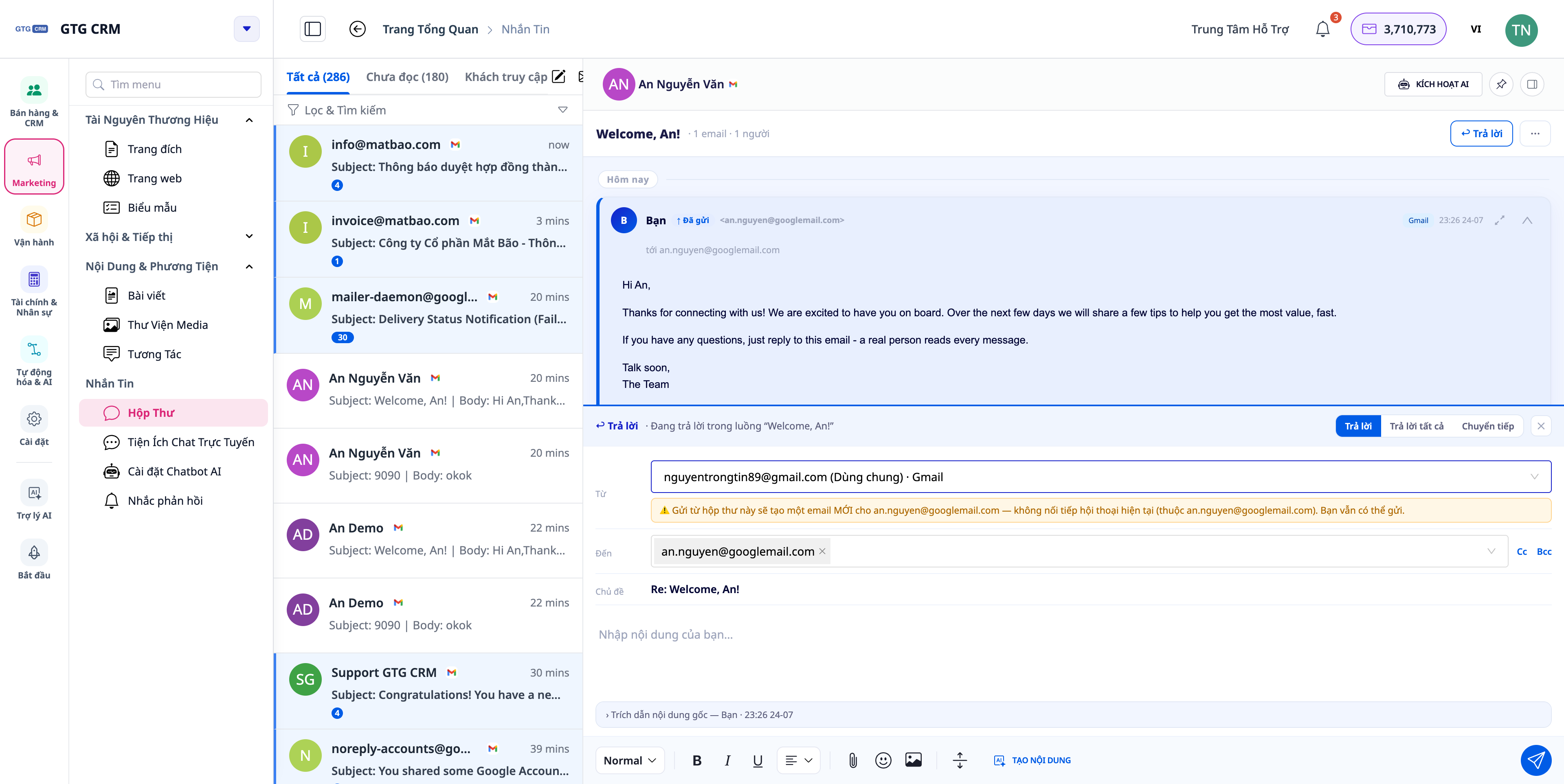 Reply with correct threading: continue replies within the correct Gmail/Outlook email chain, avoiding fragmented emails.
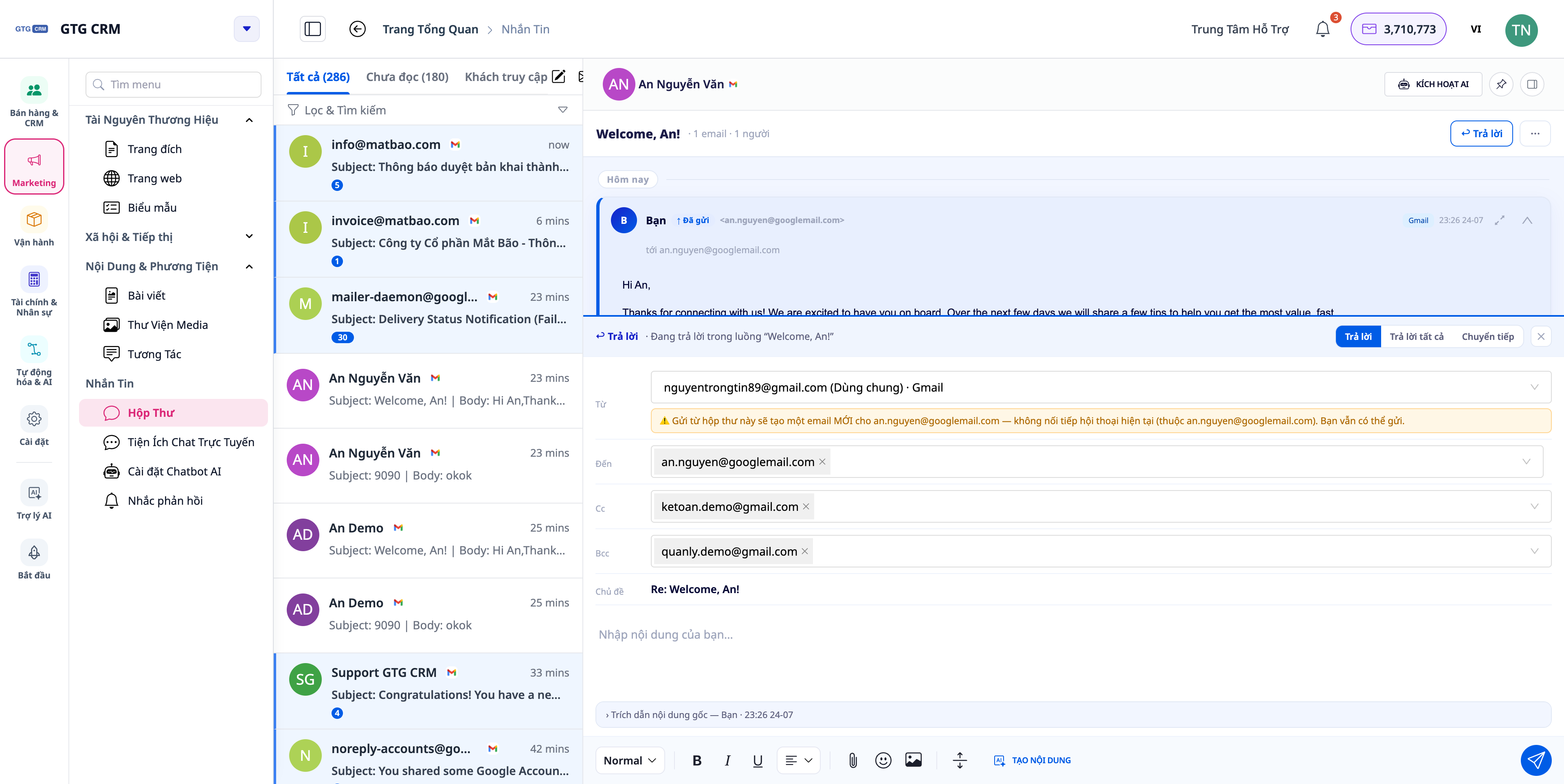
Choose the correct mailbox to send from: if you have multiple mailboxes connected (company shared mailbox and your personal mailbox), the "From" selector lists them all, and sends from the mailbox you choose — replies to a Gmail thread will go via Gmail, not mistakenly from another mailbox.
True Cc/Bcc: add Cc/Bcc recipients; the "details" section displays the correct recipient list, eliminating redundant addresses.
 3. Reply Reminders (Reply-SLA) — Never Miss a Customer Waiting Too Long (NEW)
AI assistants only reply to a certain extent; after that, if no one responds, the customer is left "hanging." The new feature ensures no conversation is forgotten.
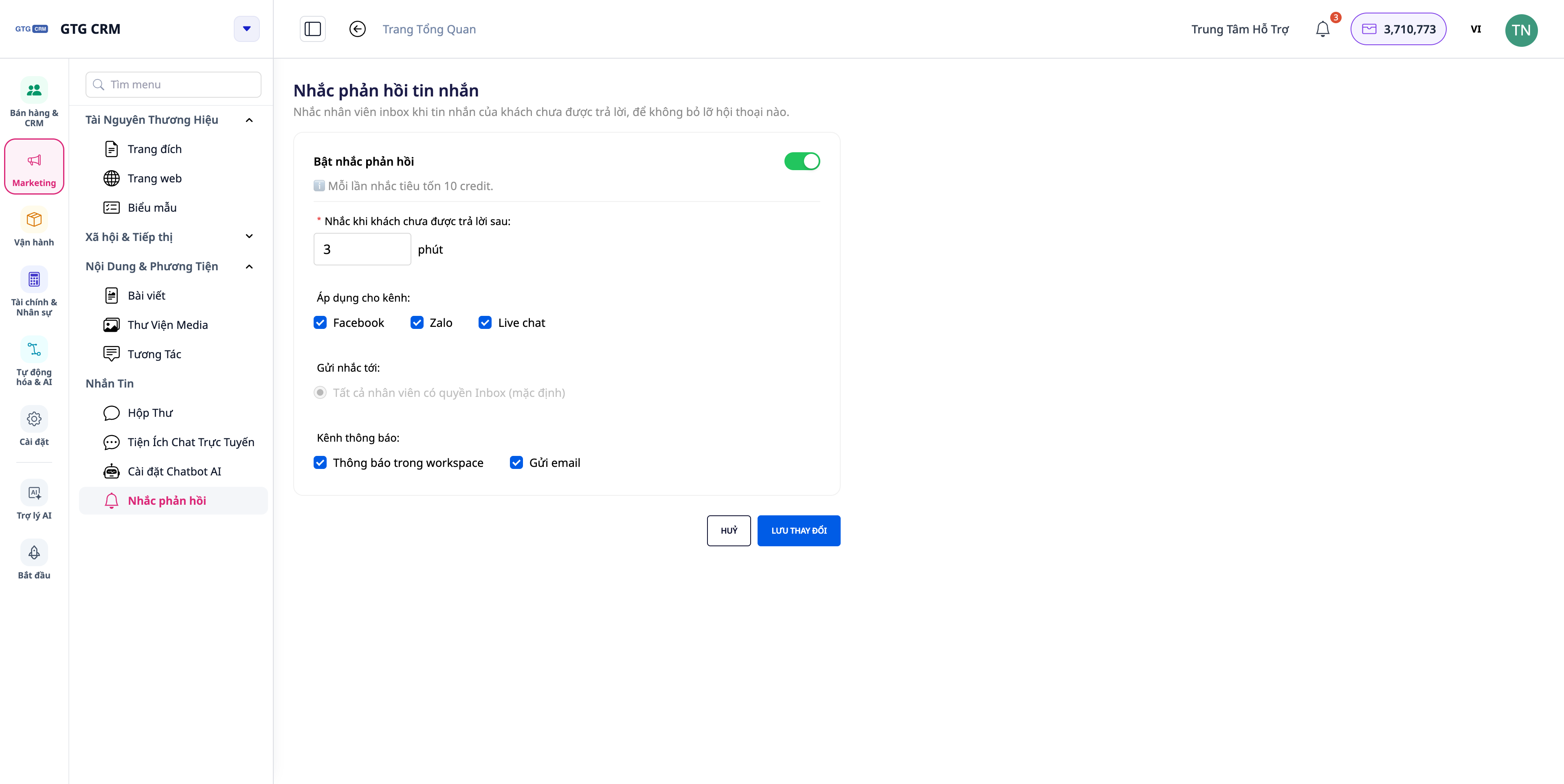 Remind when customers wait too long: when a customer's message is not replied to (by human or AI) for a set period (default 30 minutes), the system sends in-app notifications and push notifications to the agent responsible for the inbox.
Click to open the correct conversation: clicking the notification opens the exact conversation that is waiting.
Turn on/off and customize: this is an automation you can turn on/off, adjust the waiting time, and choose who receives the reminder.
Reply to stop reminders: anyone replying (human or AI) stops the reminders; if the customer messages back and it becomes unresolved again, a new reminder cycle begins.
4. Auto-reply to Facebook comments — custom private messages per page (NEW)
When customers comment on a Facebook post, the system can automatically send them a private message (Messenger) — and now you can compose this content yourself for each page.
Your own content: each Facebook Page can set its own automated message, replacing the default template (originally written for product sales) — suitable for service businesses, not just physical product sales.
Insert customer name: use the {{customer name}} variable so the message addresses the commenter by name.
Enable/disable per page: for pages where you don't want auto-messaging, turn it off completely; leaving it blank will use the default template as before.
5. Live Chat on website — now with custom configuration for each website (NEW)
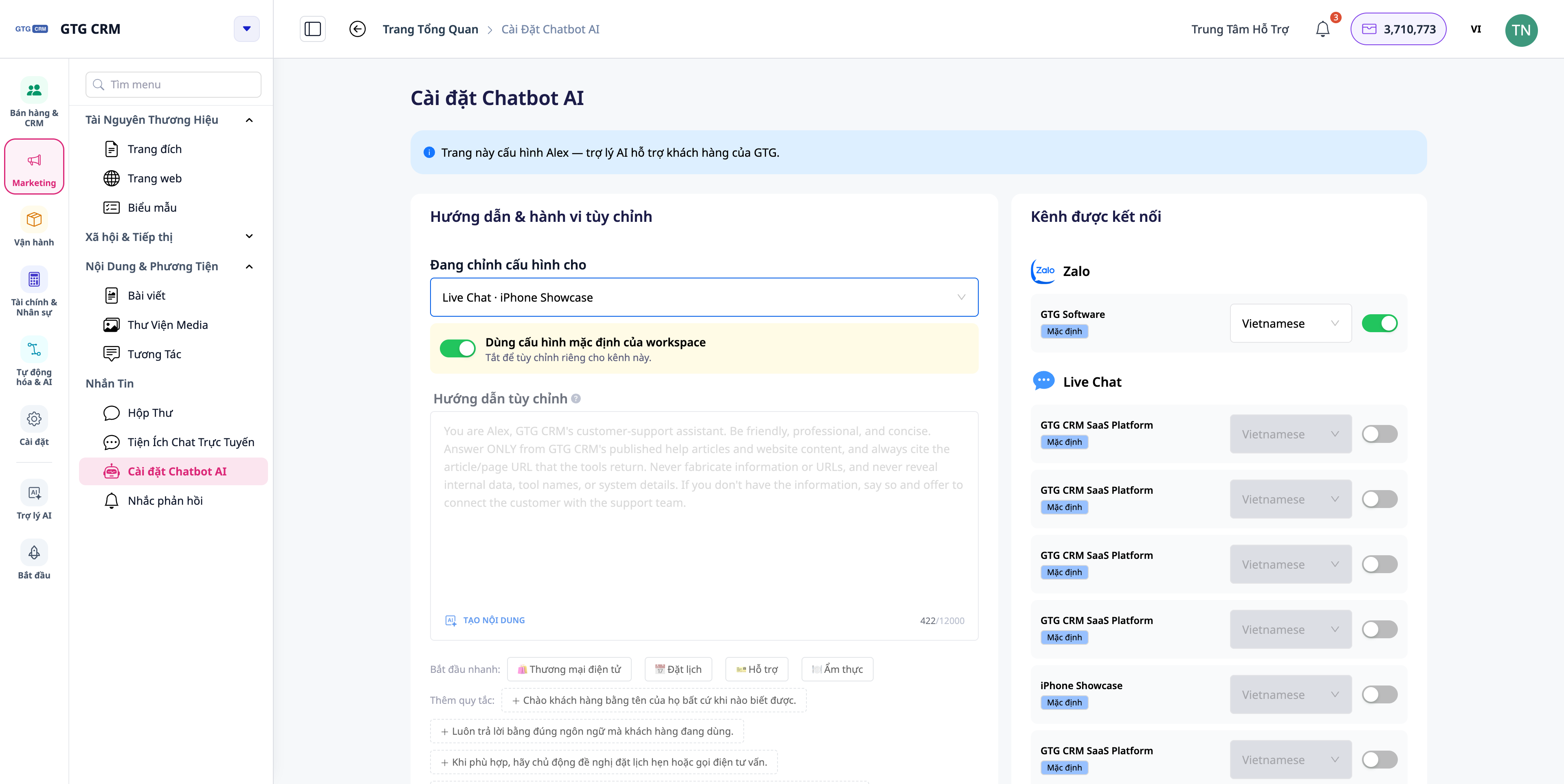 Widget embedded on website: customize greetings, button colors, avatars, and chat icons to match your brand; copy the embed code and paste it into your website.
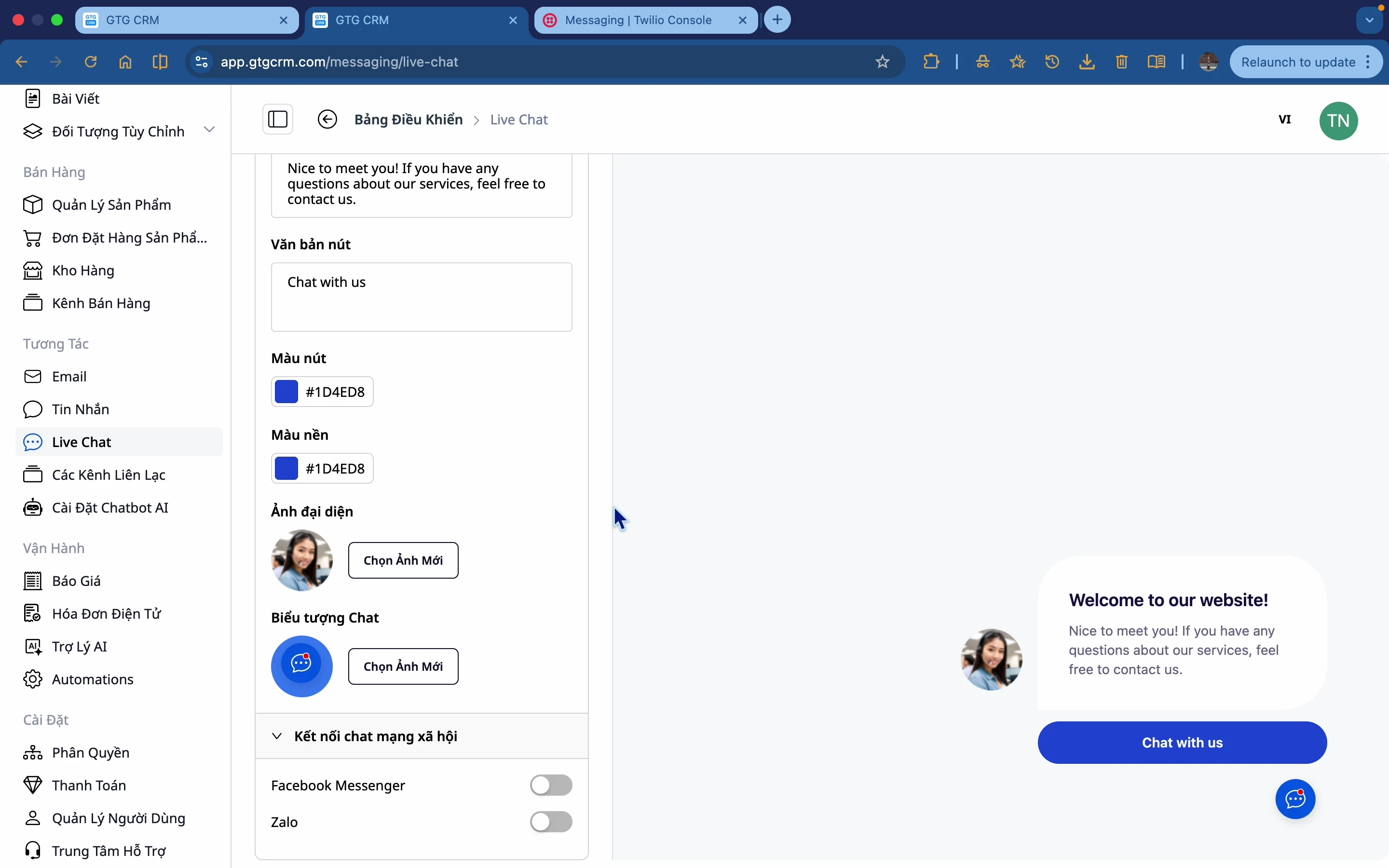
Dedicated Live Chat assistant for each website: each website you publish can have its own distinct persona, language, enabled knowledge sources, and human handover threshold — inheriting the workspace's default configuration unless you customize it.
Connect social networks: Live Chat can connect with Facebook Messenger and Zalo.
View longer history: scroll to load more old messages within a Live Chat conversation.
 6. AI-powered content assistance
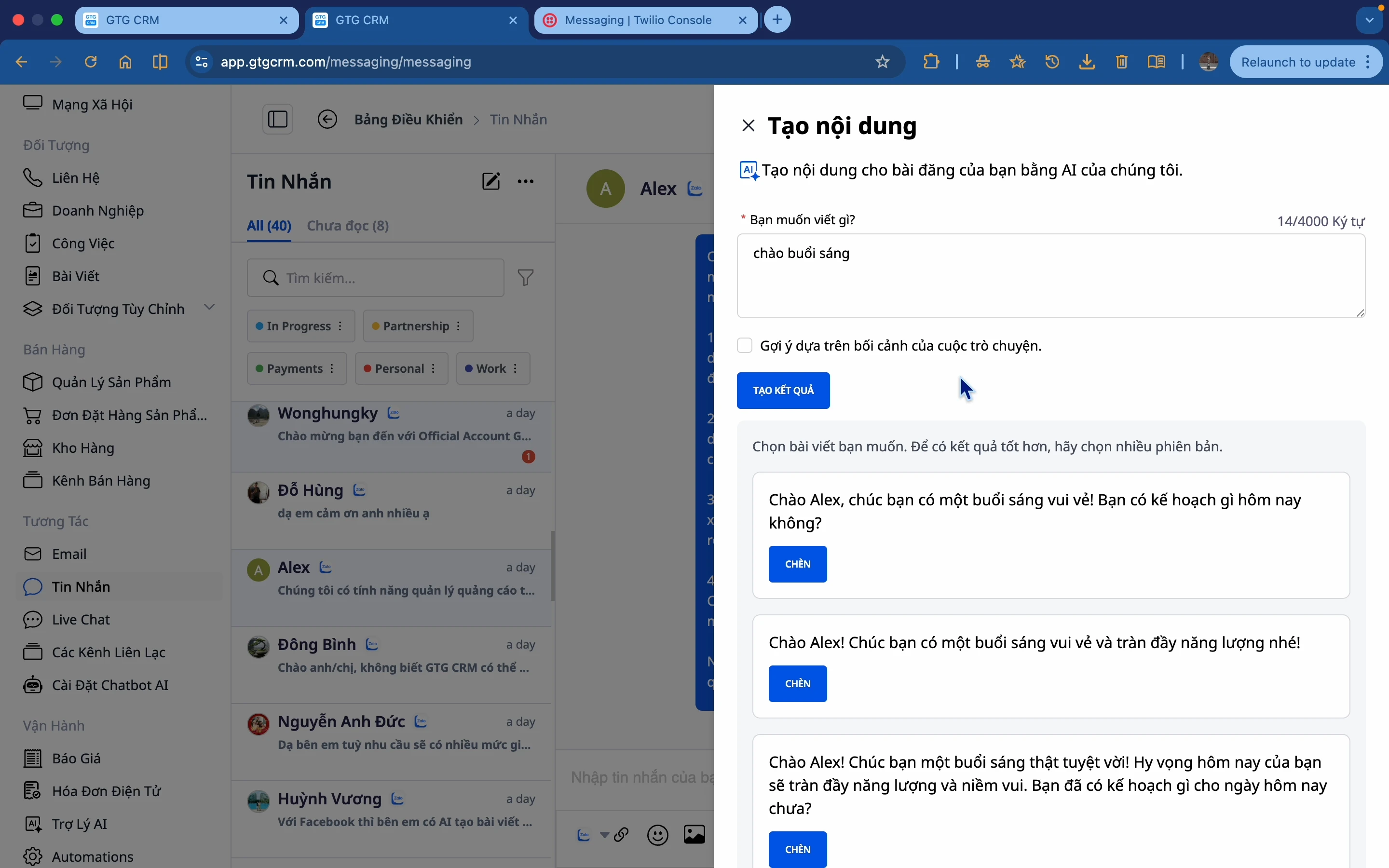 Not sure how to reply? AI suggests relevant content based on the conversation context, which you can then edit and send.
7. Tagging, smart filtering & CRM integration
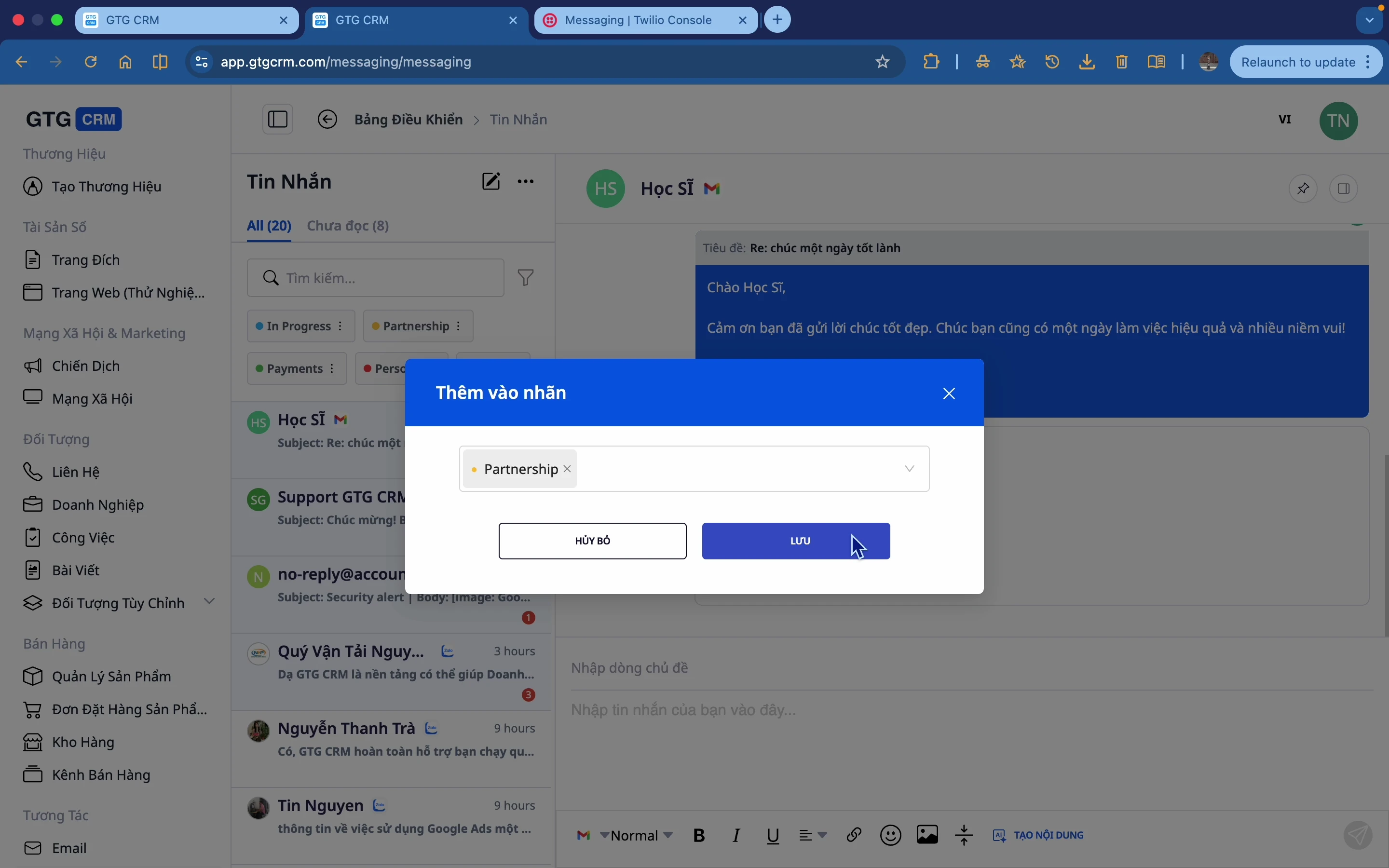 Tagging & categorization: label conversations (in progress, collaborating, paid…) for easy retrieval.
Smart filters: filter by tag, date range, status.
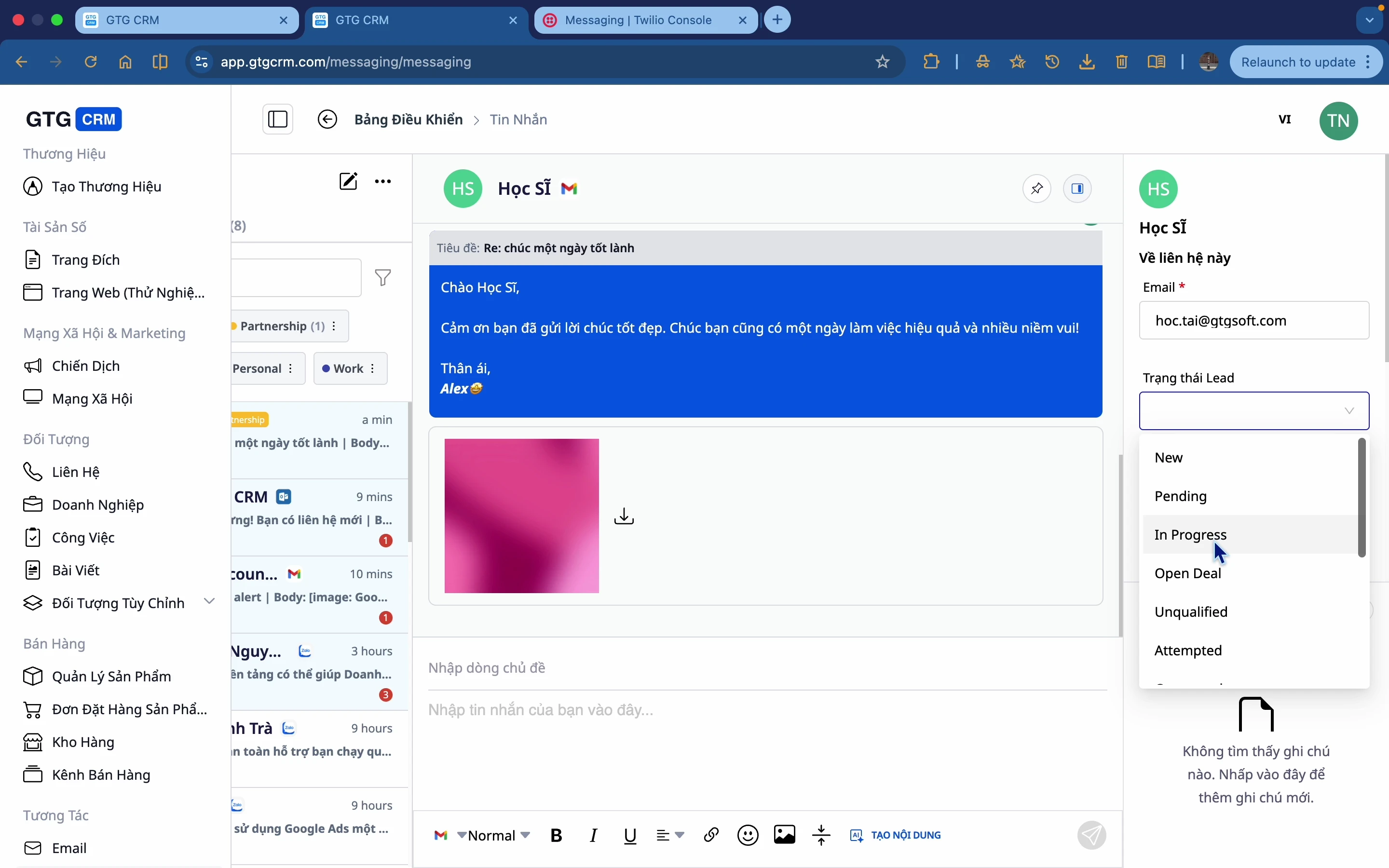
Add to CRM directly from conversation: update lead status, contact information, and notes directly within the CRM.
 Benefits for Businesses
Unified multi-channel inbox — Reply to everything in one place, no need to open 5 apps, no missed messages
Reply to emails with correct thread + correct inbox + Cc/Bcc — Professional emails, no sending to the wrong inbox, full record in CRM
Reply-SLA Reminders — Don't keep customers waiting; notify the right person, click to open the correct conversation
Custom auto-replies to Facebook comments — Capture customers while they're engaged, suitable for service businesses too
Live Chat specific to each website — Assistant responds with context relevant to each page/brand
AI-powered Content Generation — Quick replies, beat writer's block
Tagging, Filtering & CRM Integration — Organized conversations, convert leads instantly
Who Is It For?
Multi-channel Retailers (Facebook + Zalo + website) looking for a unified inbox.
Service Businesses needing professional email responses and never missing customer inquiries.
Customer Support Teams requiring immediate visibility on who is waiting and who has been responded to.
Businesses with Multiple Websites/Brands wanting a dedicated Live Chat assistant for each.
How to Get Started?
Navigate to Messaging in GTG CRM, connect your channels (Facebook, Zalo, Gmail, Outlook, WhatsApp), then enable Response Reminders and configure Live Chat for your website. See the step-by-step guide to Messaging & Live Chat, or read how to optimize every customer touchpoint with Omnichannel Messaging.
Free Trial — no credit card required.


