

Feature Introduction
You sell on your website, on Shopee, Lazada, TikTok Shop — and each channel has its own way of managing products. Product lists are scattered, inventory doesn't match across channels, and every time you add a new product, you have to re-enter it everywhere. Categories are forced into the rigid classification trees of the platforms, not according to how you actually organize your store. And often overlooked: a lot of products don't have photos because hiring photographers is expensive, and doing it yourself takes a whole week.
That ends today.
Product Hub in GTG CRM gives you one single place to manage all your products, variants, inventory, and sales channels — right alongside the orders, invoices, and accounting you're already using. The new update also helps you upload your entire catalog to the system in minutes instead of manual entry: paste a store link for AI to read the page and set up products for you, drag a supplier's catalog PDF to get images, create your own categories (up to 3 levels) exactly how you organize your goods, and create product photos with AI for items lacking images — all directly on the product screen.
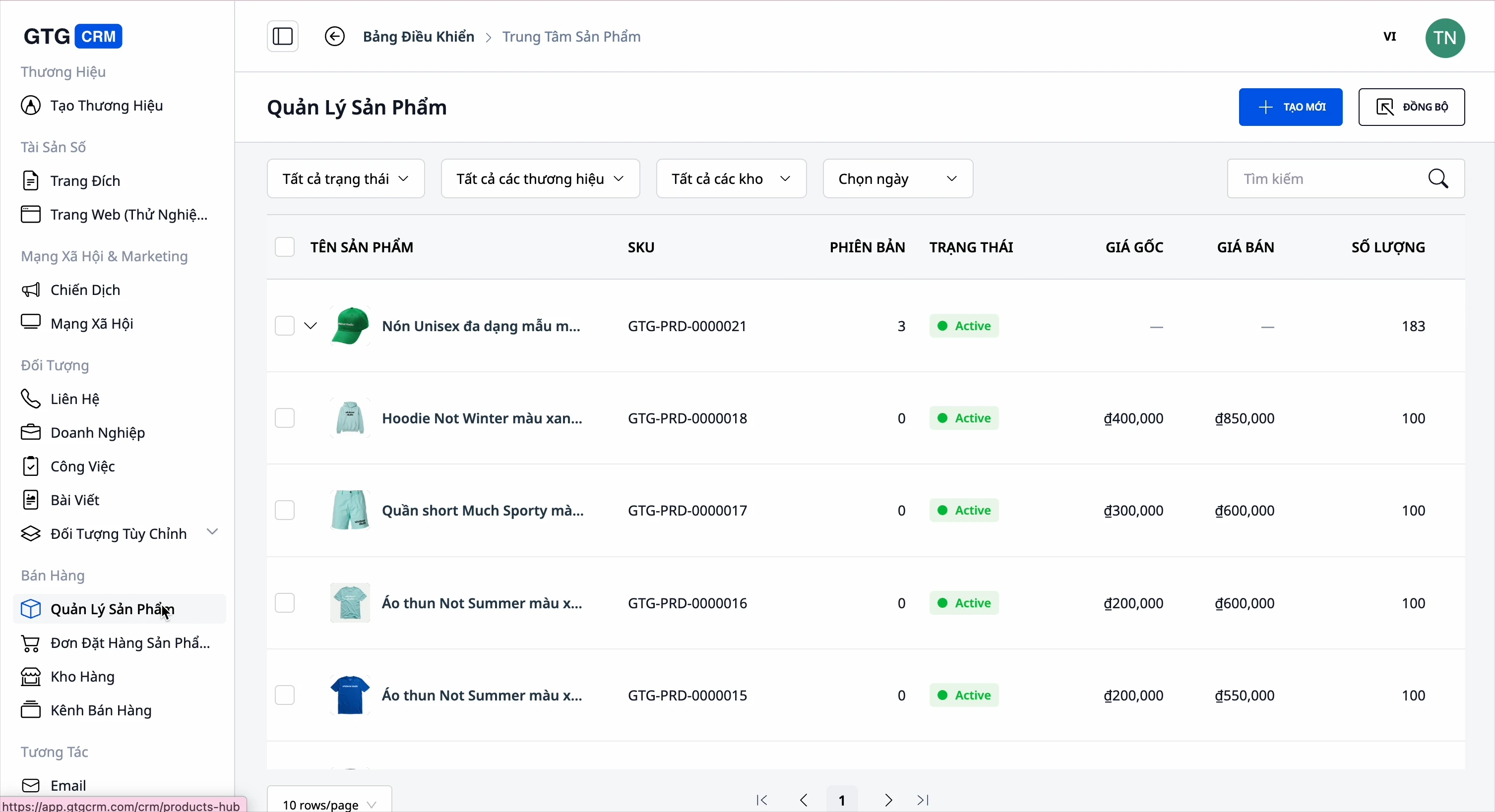
Problems Businesses Face
Managing products separately on each platform (Shopee, Lazada, TikTok, Website) — Disparate data, multiple price/quantity updates, prone to errors
Tracking inventory manually on each channel — Selling more than available, accepting orders when out of stock
Manually entering each new product into the system — Takes half a day to list a few dozen products, easy to miss photos/specifications
Categories are forced into the platform's rigid classification tree — Cannot organize according to how your store actually operates
Many imported products have no photos — Product pages are blank, customers scroll past without buying
Product photos are mixed up, requiring another software to crop/edit — Switching back and forth between tools, slow and easy to select the wrong photo
GTG CRM consolidates everything into a single data source: products → your own categories → photos → inventory → sales channels → orders → invoices → accounting — seamlessly, without double data entry.
Highlights
1. Centralized Product & Variant Management
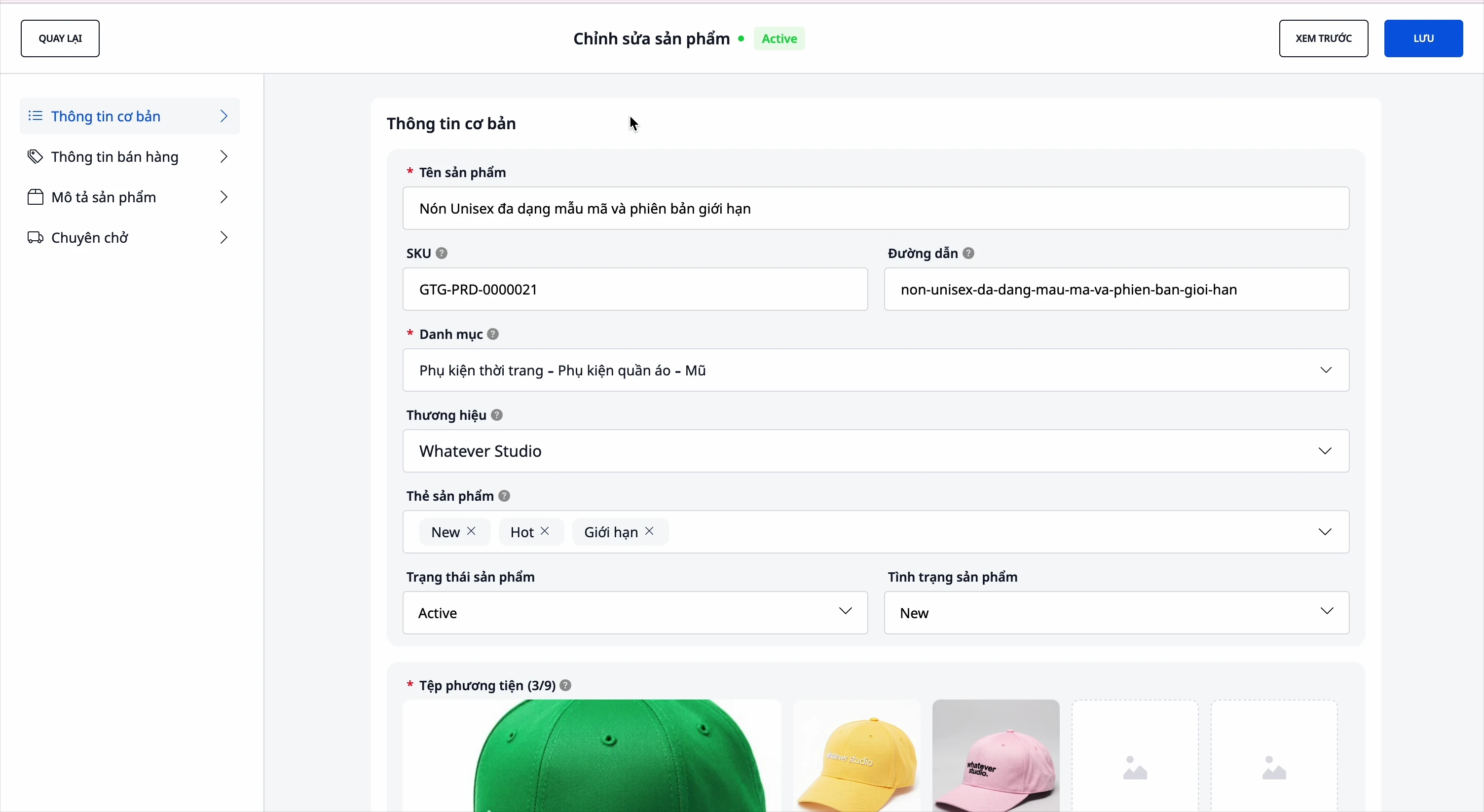
- Complete Information: name, SKU, category, brand, description, specifications, images, and videos.
- Variants: color, size... up to 3 attributes, each variant has its own SKU and price.
- Automatic Profit Calculation: enter cost price and selling price, select VAT for the product → the system automatically calculates profit, no manual calculations needed.
- VAT Decided by You: The VAT field starts empty; the system doesn't pre-select any rate for you. You can click AI Suggestion for reference, and the VAT Review bar helps confirm or set VAT in bulk for existing products.
- Product Status: Normal / Draft / Out of Stock, to control what's being sold and what's hidden.

2. Your Own Product Categories — Up to 3 Levels
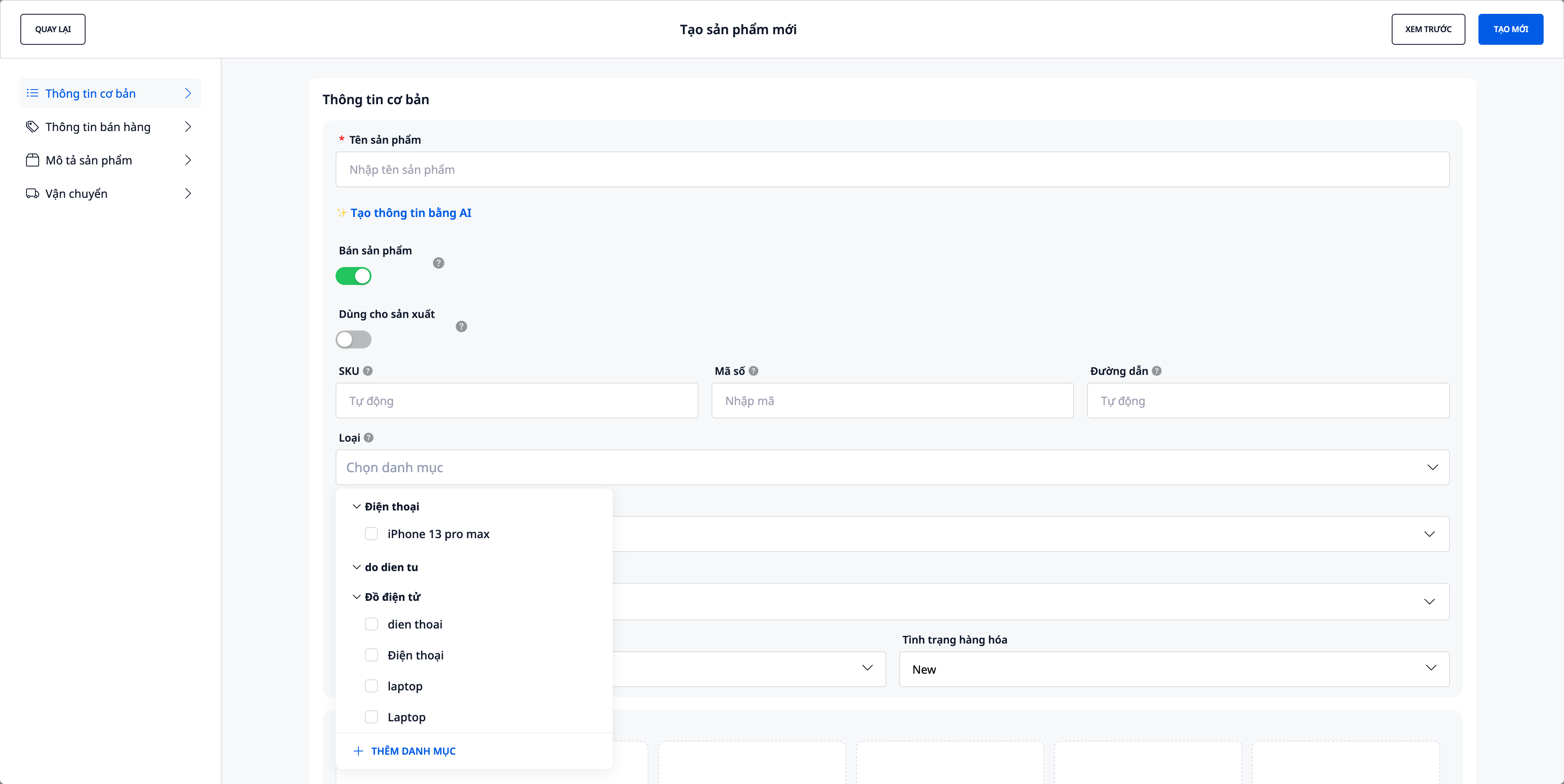
Previously, categories were locked to the platform's fixed classification tree. Now, you can create categories according to how your store is organized — just like you categorize your blog posts.
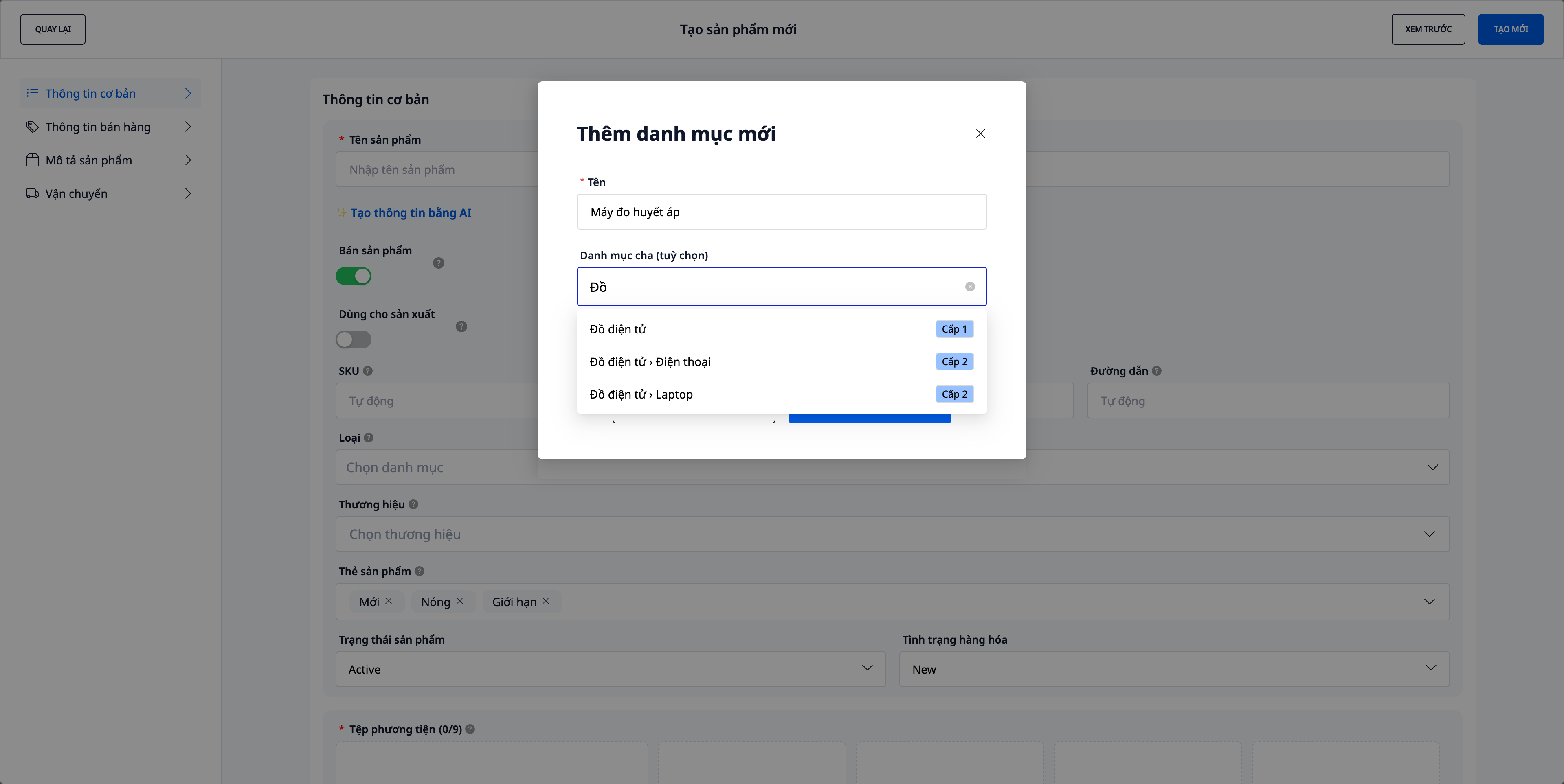
- Create while adding products: click "Add New Category", type the name, select a parent category (optional) — the system will combine them into a path like
Electronics › Laptops › Gaming. - Up to 3 levels, clear from the start: each parent category selection is labeled Level 1 / Level 2, and a Preview shows how many levels you're creating — selecting a "Level 2" item will result in exactly 3 levels, no guesswork.
- Old categories remain: existing products keep their previous platform categories (displayed as "Old Category", for viewing only) until you re-categorize them — no data loss.
3. Import products from website links — AI reads the page, pre-builds products
Have an existing online store or product page? Paste the link, and the system will read the page and pre-build products for you to review — no manual typing required.
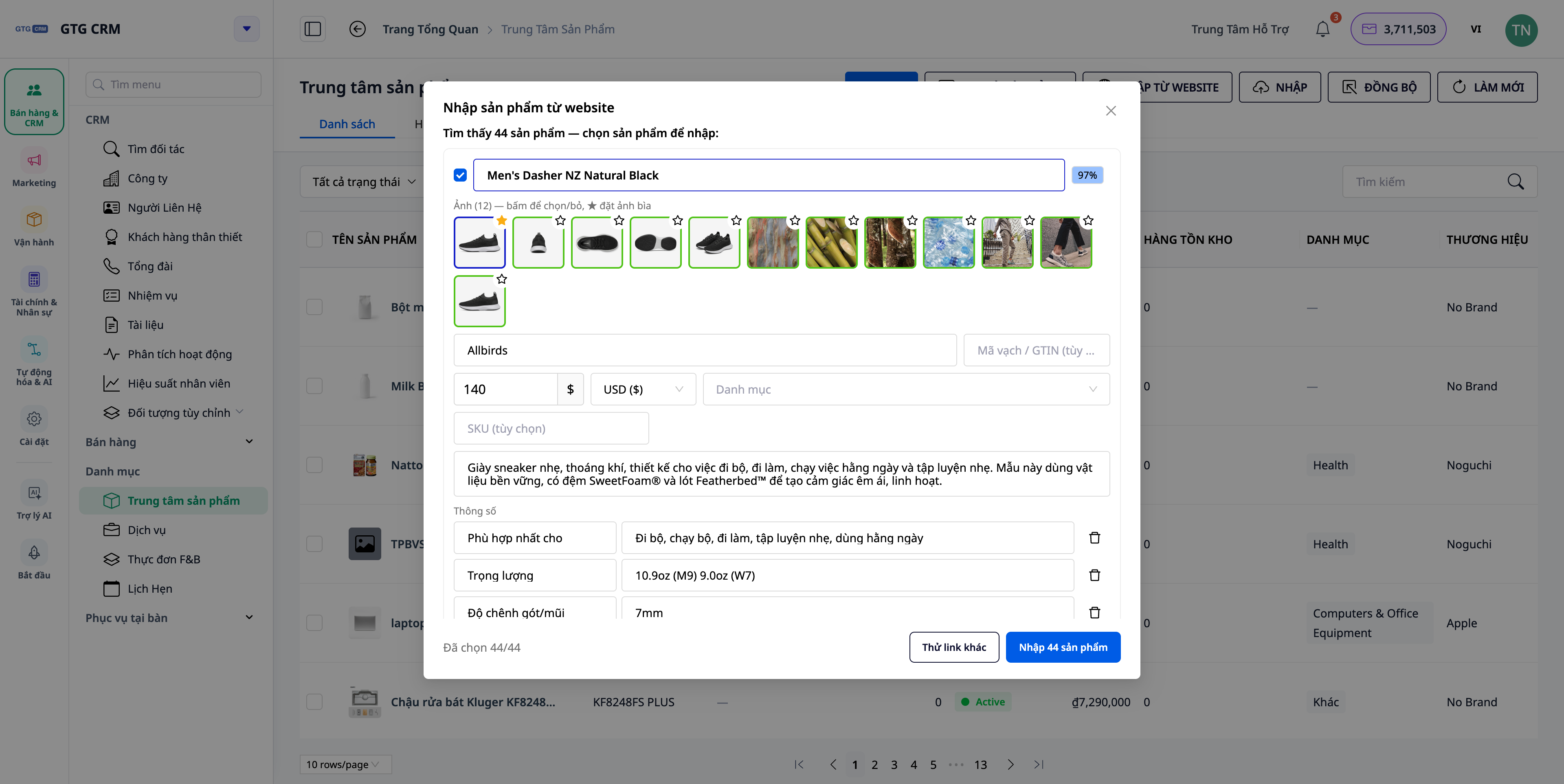
- One page or a whole store: paste a link to a single product (creates 1 draft) or a category page / "all products" link (creates multiple drafts at once).
- Fetch all information: AI extracts name, SKU, description, brand, barcode (GTIN), specifications, price/currency, variants, and entire image sets — not just one photo.
- "Fetch full details" option: enable this for the system to open each product page and grab all images, descriptions, specifications, and variants (more accurate, slightly slower).
- Review before creating: edit any field, deselect unwanted products, choose which images to keep and which to set as cover photos (★) — nothing is saved until you click Create.
- Assign your own categories directly: suggested categories are matched to your store's custom categories, syncing with the rest of Product Hub.
💡 Importing from websites consumes a small amount of credits per page scan — you'll see the cost clearly before running.
4. Media Library — import images from PDF catalogs & crop/edit on the fly
When creating or editing a product, click the image field to open the Media Library. The latest update adds two ways to bring in images without leaving the form:
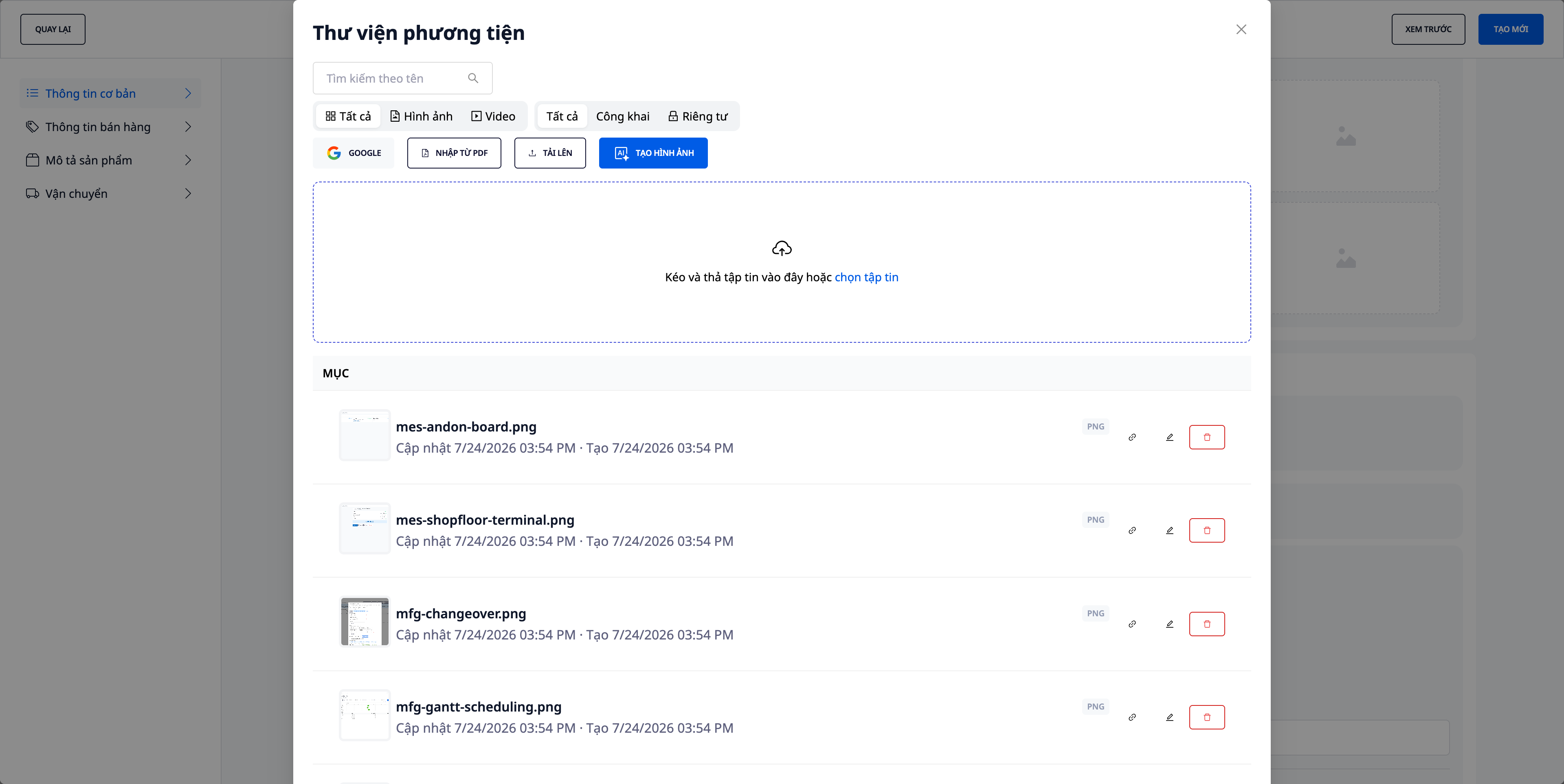
- Import images from PDF catalogs: Suppliers send PDF catalogs? Drag the file in to extract images directly, no manual screenshots or cropping needed (includes a list of failed images, if any, for your review).
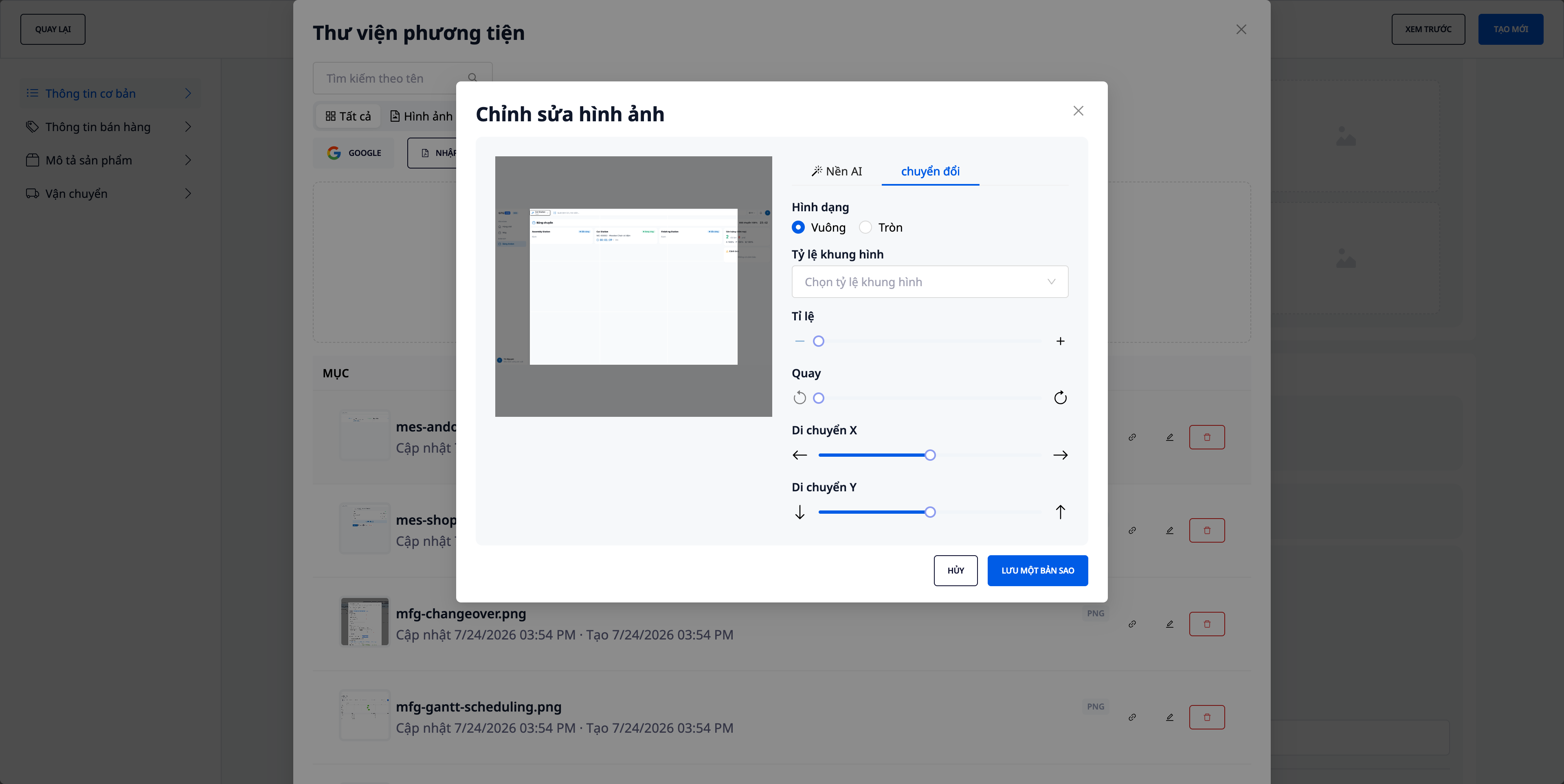
- Crop/edit images directly in the library: Crop, rotate, and adjust image frames on the spot — no need to open another tool and come back.
- Retain original file names: Uploaded/imported images keep their original file names, making them easy to identify and preventing mix-ups.
- Familiar import options included: Still supports uploading from your computer, importing from Google (Drive/Photos), and generating product images with AI (see section 5).
5. Generate & Supplement Product Images with AI
Have a lot of products without images — imported from files, marketplaces, or entered manually? Open AI Images in Product Hub, select the scope "All products without images", and the system will generate product images from their names + descriptions (+ category/brand). You can preview them before saving — it will never overwrite existing images automatically.
- Preview before saving: The results grid clearly shows "N images ready, M failed"; review each image before clicking Apply.
- Transparent costs: Generating images with AI uses credits — the system displays the cost and confirms before running, and only deducts based on the actual number of images created.
- Generate immediately upon receiving stock: At the end of the product import process, if there are still items missing images, a suggestion button "Generate AI images for products missing images" will appear for immediate action.
- Only generate for missing ones: If your import file includes an image path column, the system will automatically use those images and exclude these products from the "missing images" scope — AI will only generate for products that are truly empty.
6. Warehousing & Multi-Warehouse Inventory
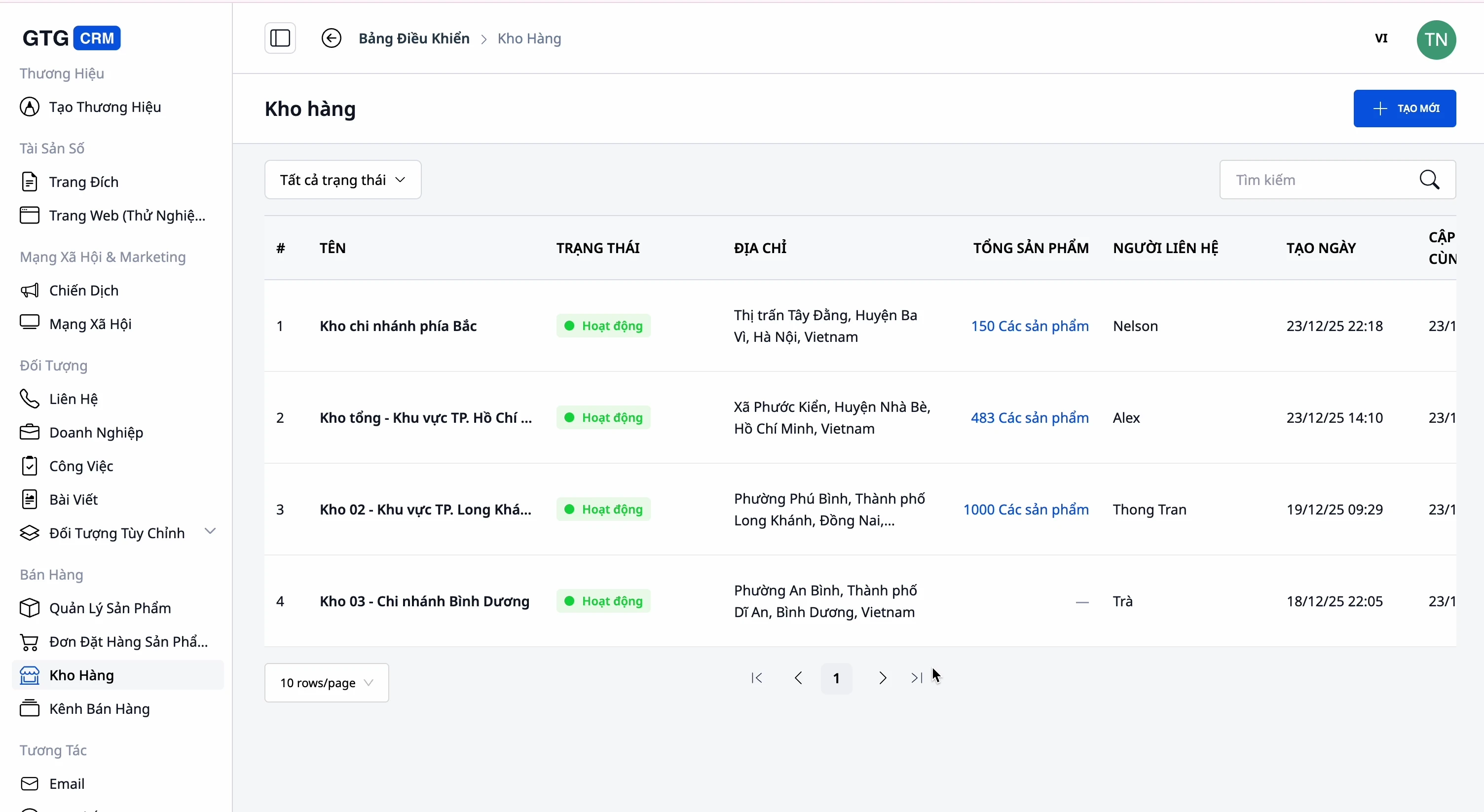
- Multiple warehouses: Main warehouse, secondary warehouse, branch warehouses — with names, codes, addresses, and contact persons.
- Track inventory per warehouse: Know how many of each product are available and where.
- Link products ↔ warehouses: Clearly see which products belong to which warehouses.
7. Multi-Channel Sales & Two-Way Sync with E-commerce Marketplaces
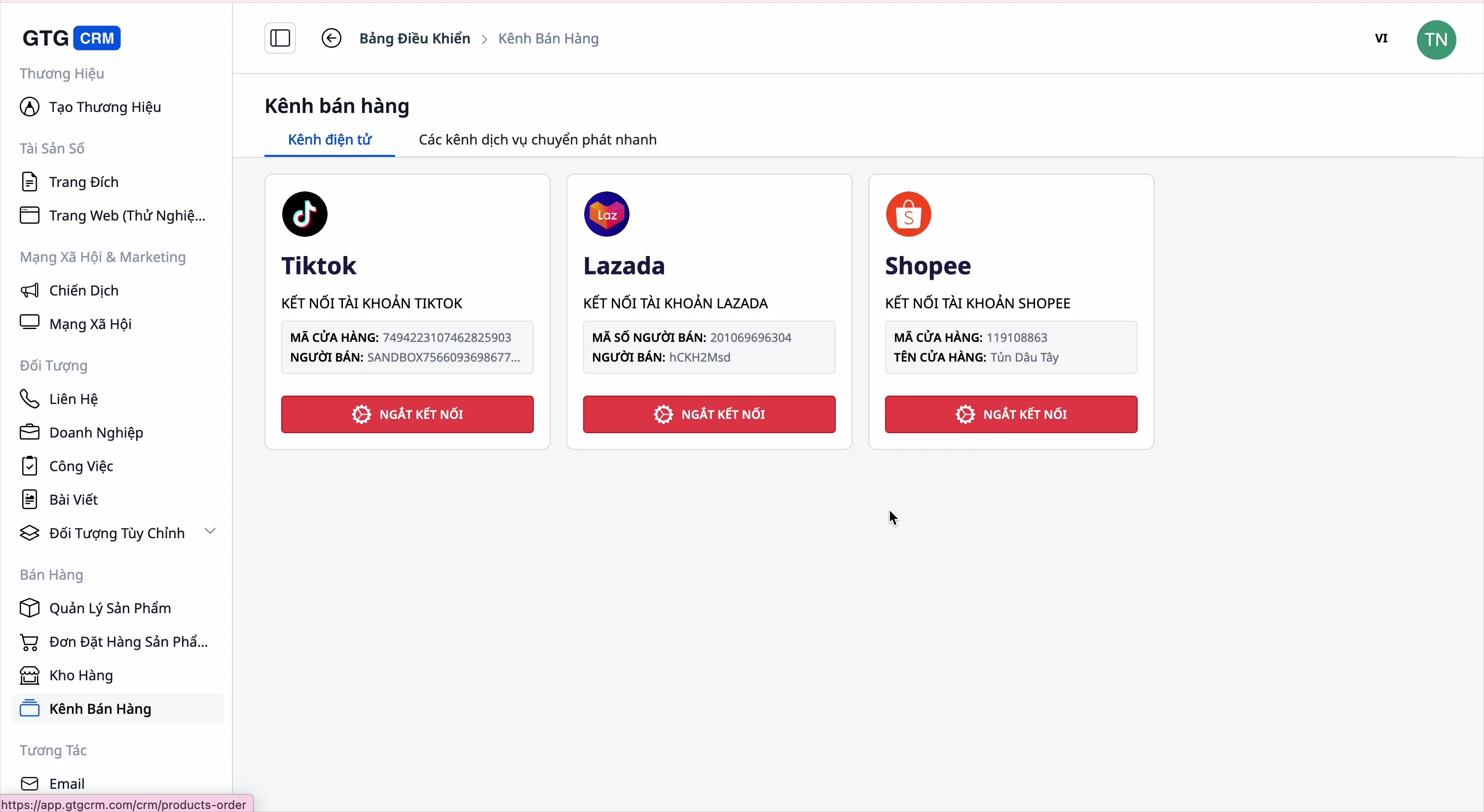
- Connect to marketplaces: Shopee, Lazada, TikTok Shop.
- Pull in: Import products from marketplaces into GTG CRM (all or selected items).
- Push out: Upload products from GTG CRM to marketplaces, configuring information for each one.
- Map categories when pushing to marketplaces: Since you use your own categories, when pushing products to Shopee/Lazada/TikTok, the system will suggest corresponding marketplace categories for you to confirm — and remember that mapping for future pushes, so you don't have to select them again from scratch.
8. Seamless Integration with the Entire System
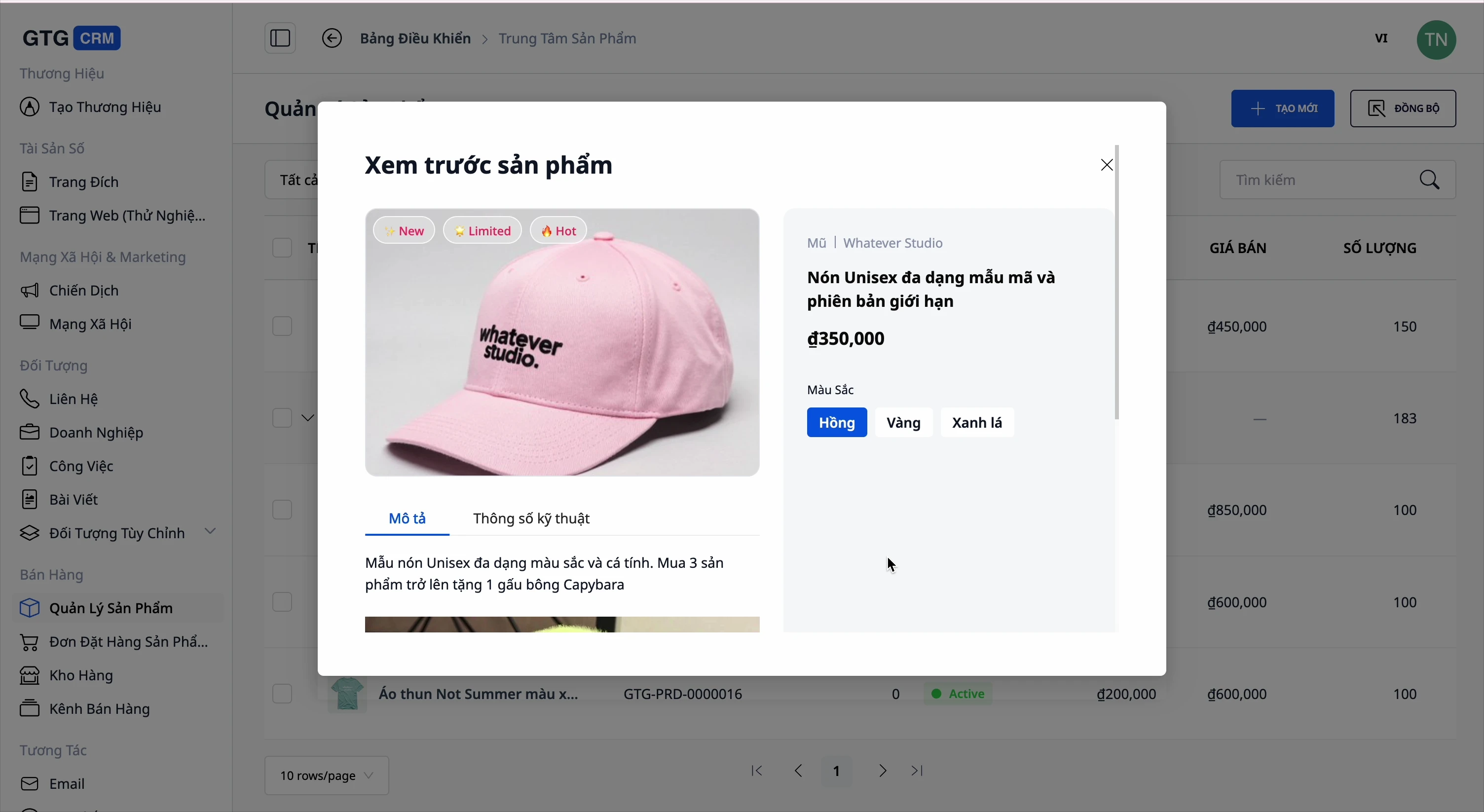
- Orders: create orders directly from products.
- Website & Landing Page: display products on the website, link to landing pages, preview before publishing.
- Electronic Invoices: issue invoices for sold products.
- AI Assistant: quickly ask which products are selling well and their inventory status.
Benefits for Businesses
Centralized Product + Variant + Price Management — One place to manage everything, automatically calculate profit, eliminate pricing errors.
Custom Categories Up to 3 Levels — Organize your store operations correctly, not dictated by marketplaces.
Import Products from Website Links (AI) — Build your entire catalog in minutes, with full images/brands/specifications/variants.
Import Images from PDF Catalogs + Edit On-the-Spot — Quickly get supplier images without leaving the form, preserving original filenames.
Generate Product Images with AI — Cover your entire catalog with images in minutes, no need for photoshoots; preview before saving, see costs upfront.
Multi-Warehouse Inventory — Know what you have and where, avoid overselling, and prevent unexpected stockouts.
Multi-Channel Sync + Category Mapping on Push — Sell on Shopee/Lazada/TikTok/Website from one place, push to marketplaces without re-selecting categories.
Seamless Integration: Orders, Website, Invoices, Accounting — Reduce the number of software you need to buy, one place for reconciliation.
Who Is It For?
- Online Shops Selling on Multiple Marketplaces need a central place to manage products and inventory.
- SME Businesses with Multiple Warehouses want to track inventory per warehouse.
- Distributors / Catalog Importers want to quickly add hundreds of products from supplier websites or PDF catalogs.
- Store Owners Who Want to Customize Categories according to their operational methods, not rigid marketplace structures.
- E-commerce Startups who want a storefront with complete images but don't have the budget for professional photography.
How to Get Started?
Go to Products in GTG CRM. Create a few of your own categories (click "Add new category"), then add your first product — or paste a store link to import in bulk, or drag a PDF catalog into the Media Library. For products missing images, open AI Images to generate them in minutes. Connect your warehouses and marketplaces when ready. See the step-by-step Product Hub guide, or read how to upload your entire product catalog in an afternoon.
Try for Free — no credit card required.


