User Guide: Setting Up Taxes in Accounting Settings on GTG CRM
2026-11-27
Answer once, in one card, how the business files taxes and issues invoices: nothing preselected, nothing submitted to the tax authority, and record who answered and when.
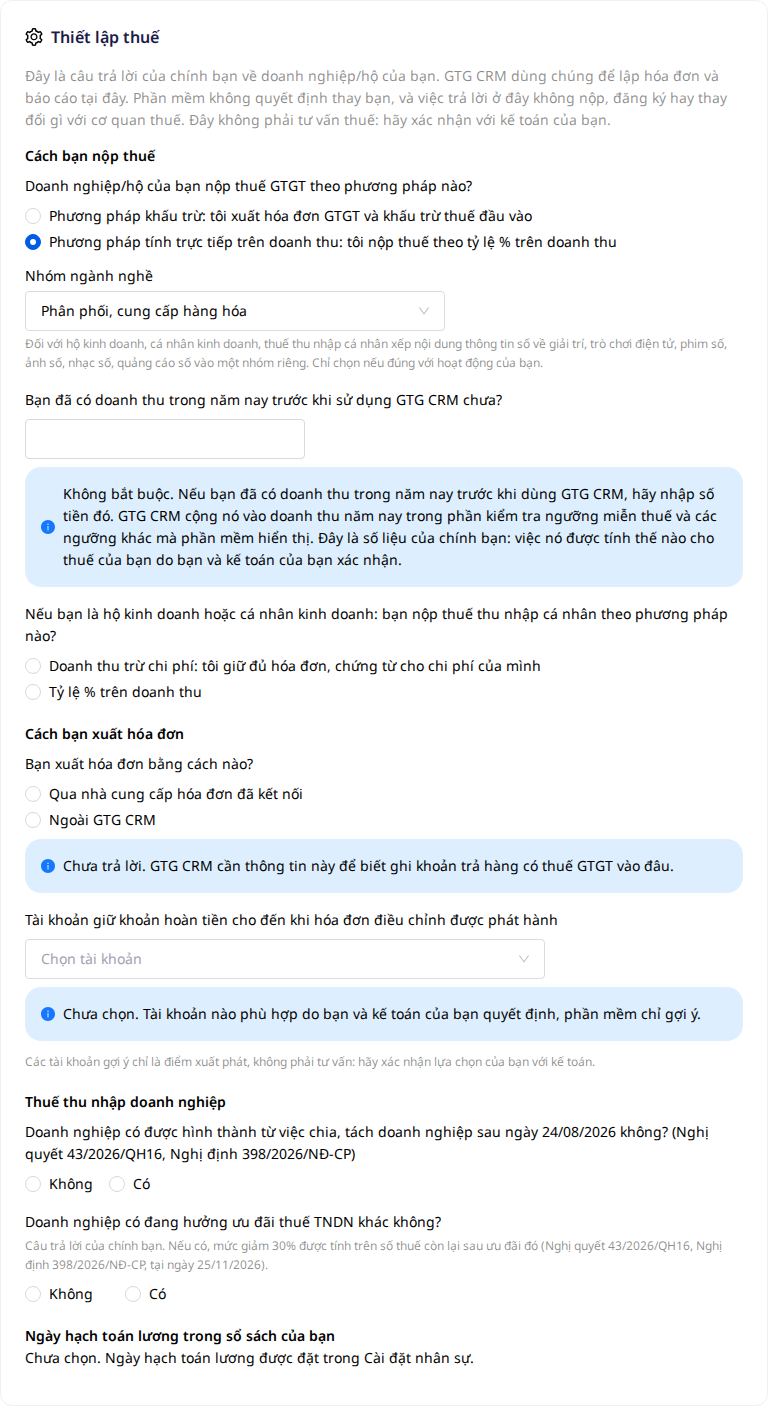
Answer once, in one card, how the business files taxes and issues invoices: nothing preselected, nothing submitted to the tax authority, and record who answered and when.
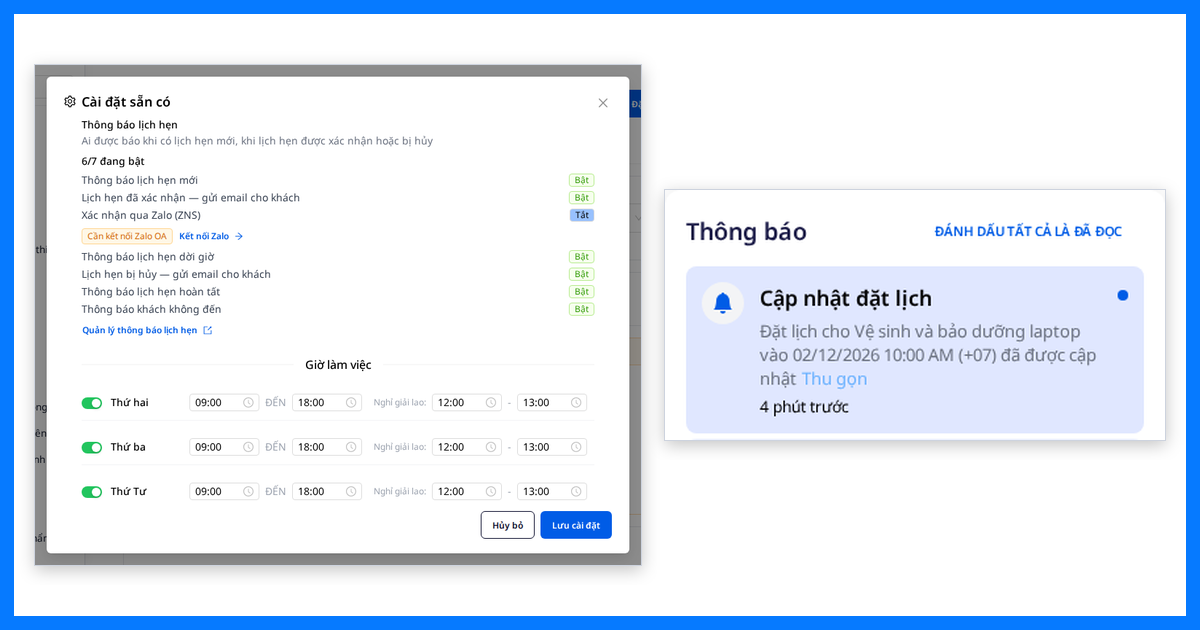
View which appointment notification cards are turned on, receive bell notifications when a customer changes their appointment time via chat, and turn off or change the recipient for each card.
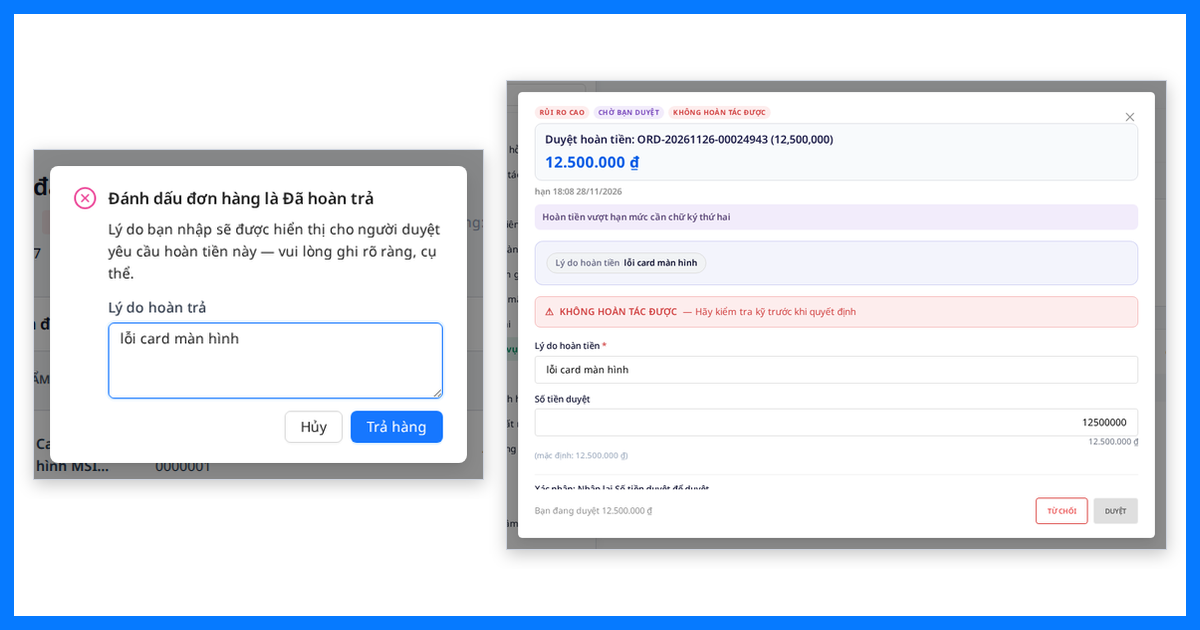
Turn on the over-limit refund approval tab, set the limit, and review the reason the staff member recorded when receiving the returned goods, which is pre-filled for the approver. Then click Approve or Reject.
2026-11-18
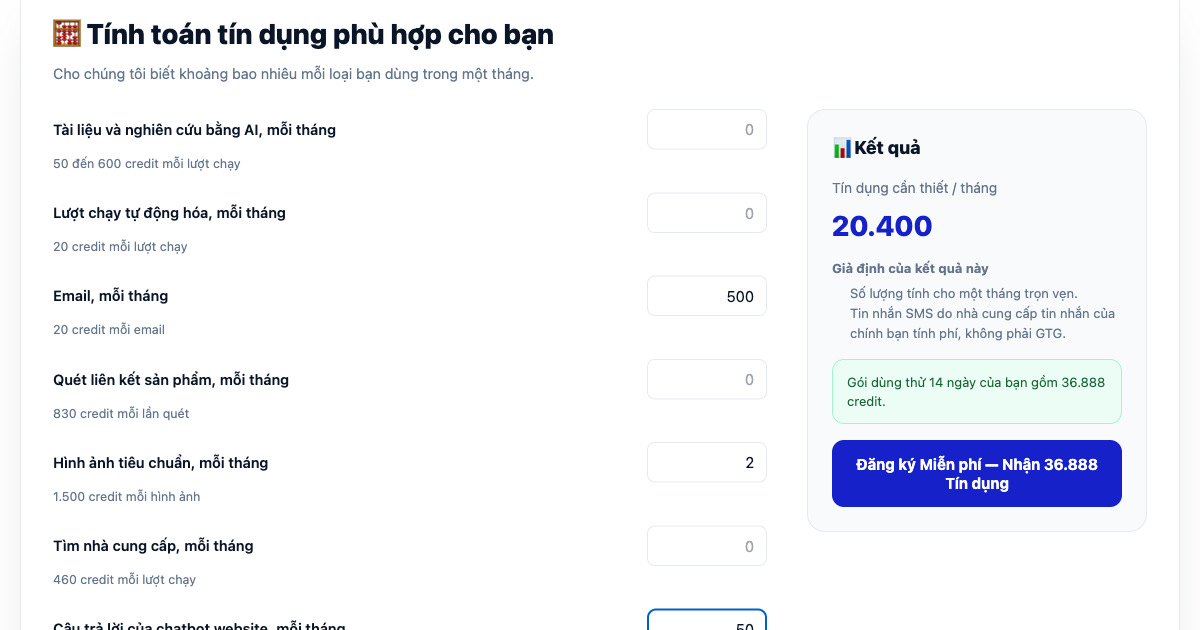
Calculate how many GTG CRM credits you need each month using the public price list, then choose between Starter (90,000 credits) or Growth (150,000 credits). Includes an example and the calculation.
2026-11-13
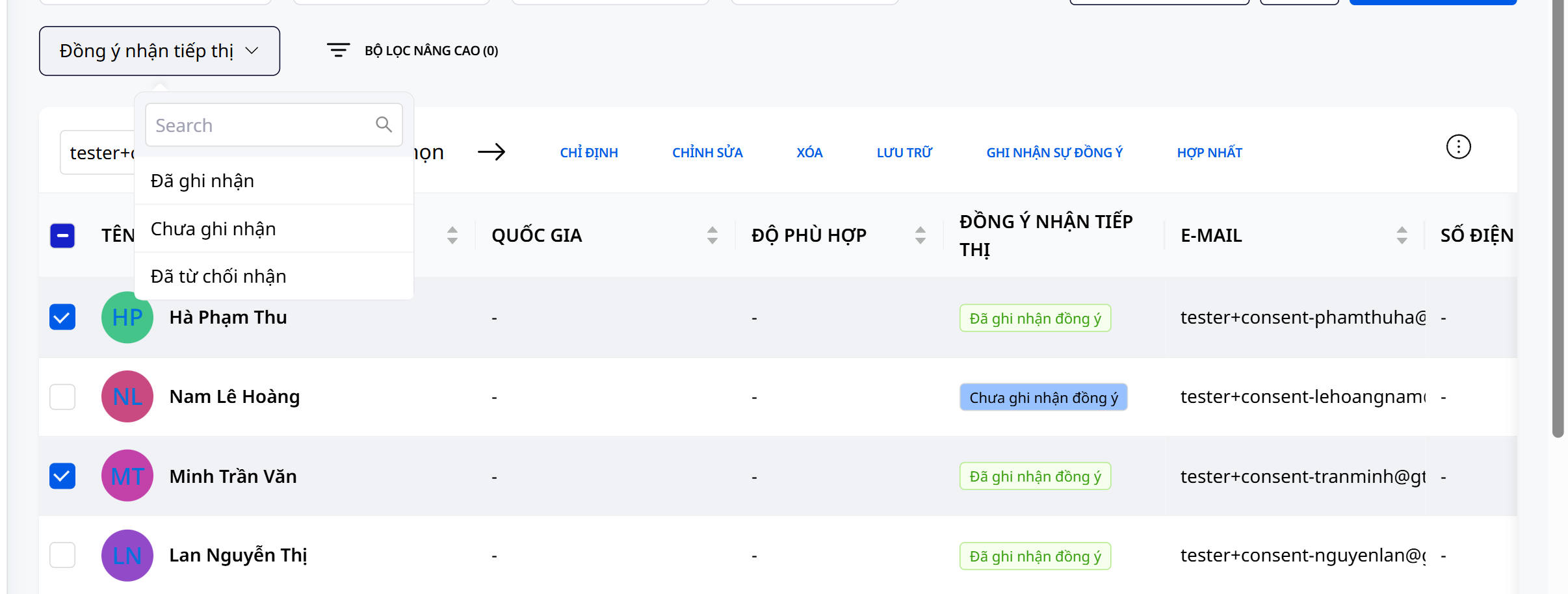
Only have names and emails for old customers? GTG CRM holds the offer back until you record who agreed, where, when, and the proof you keep.
2026-10-29
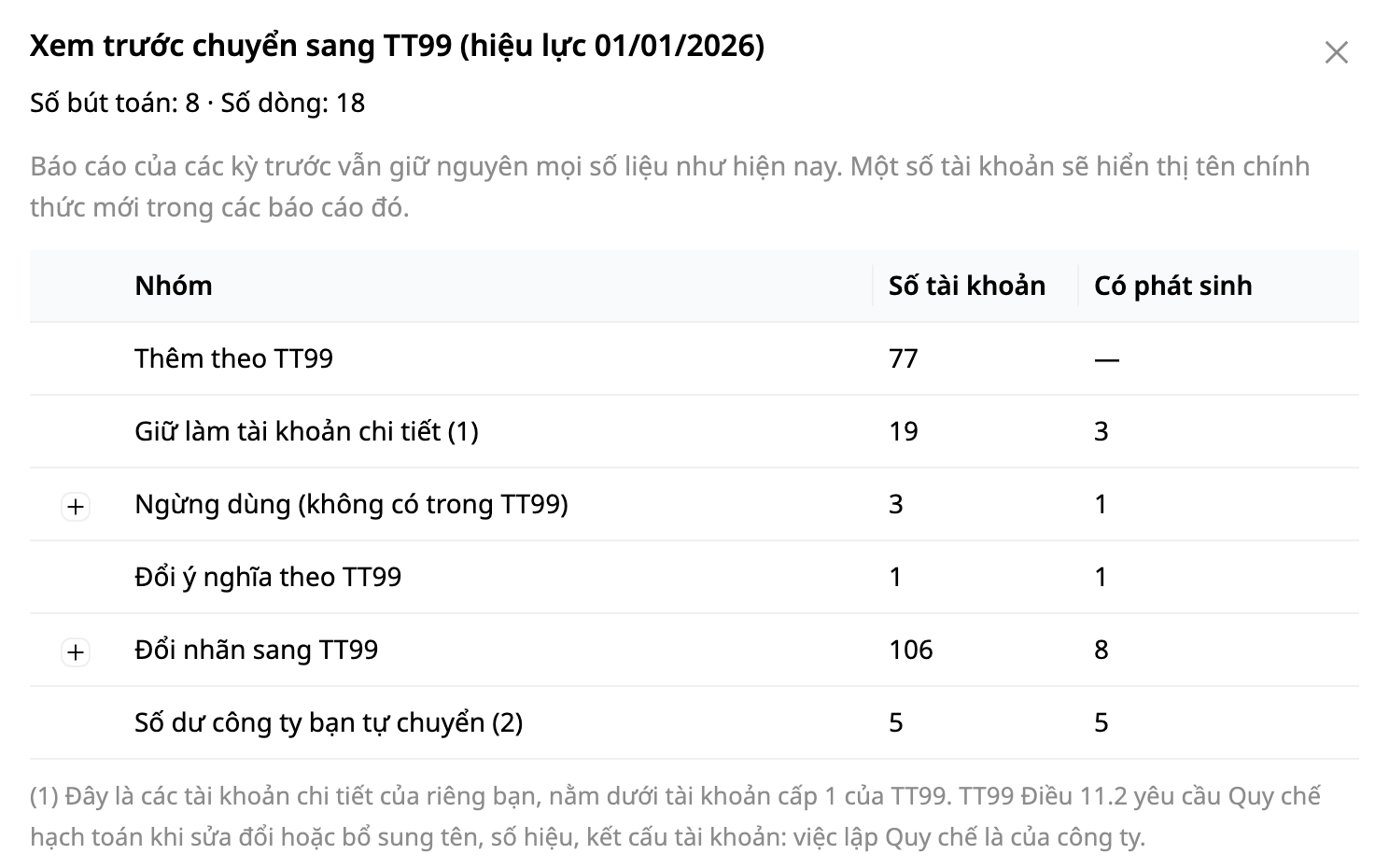
Books recorded under TT200 since the beginning of 2026? Preview changes by group, answer your company's questions yourself, then switch to TT99 without changing any journal entries.
2026-07-31
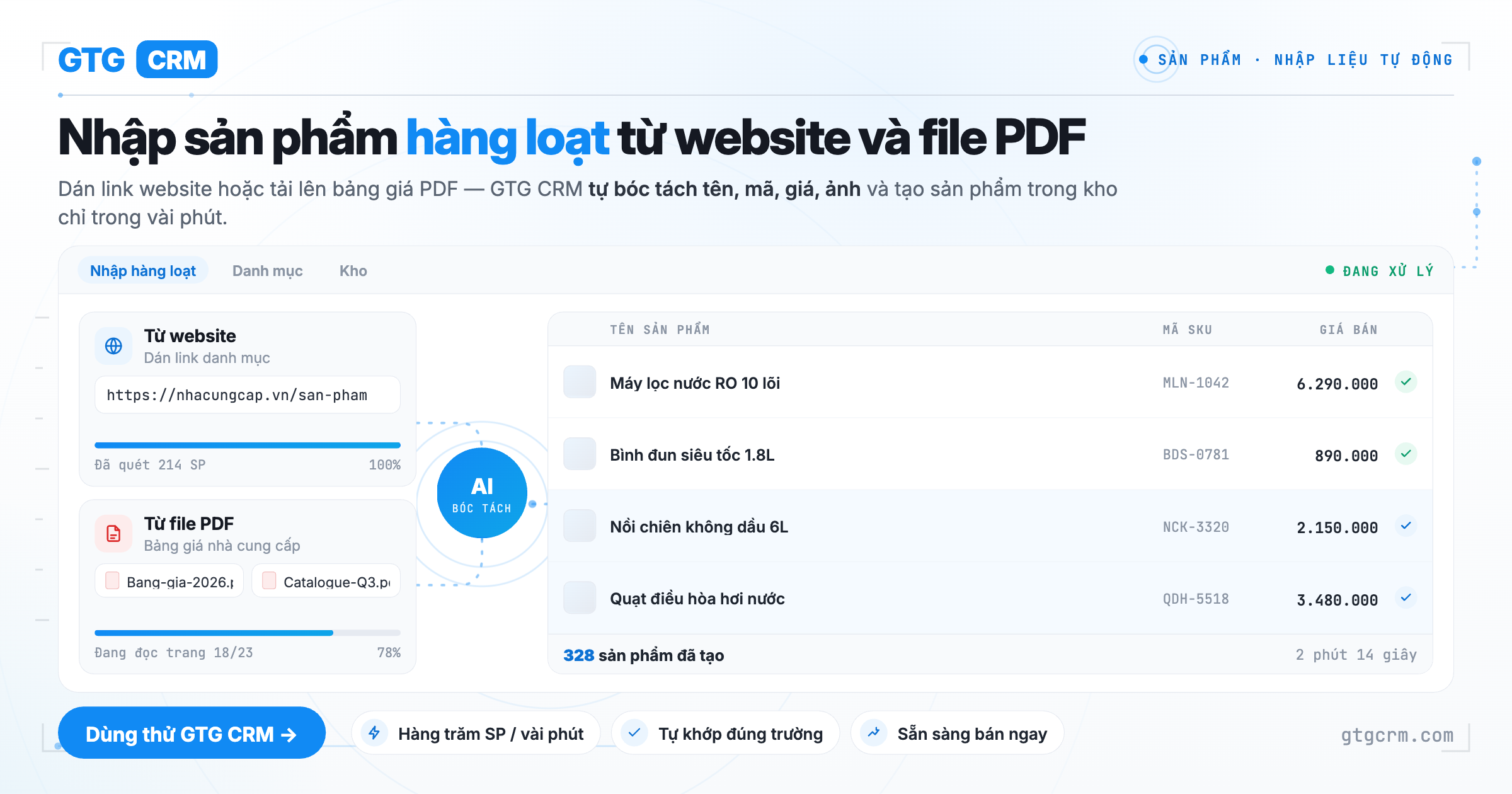
Instead of manually typing each product, upload your entire catalog to the system in a single afternoon: paste links for AI to create product models, retrieve images from your PDF catalog, and create your own product catalog.
2026-10-05
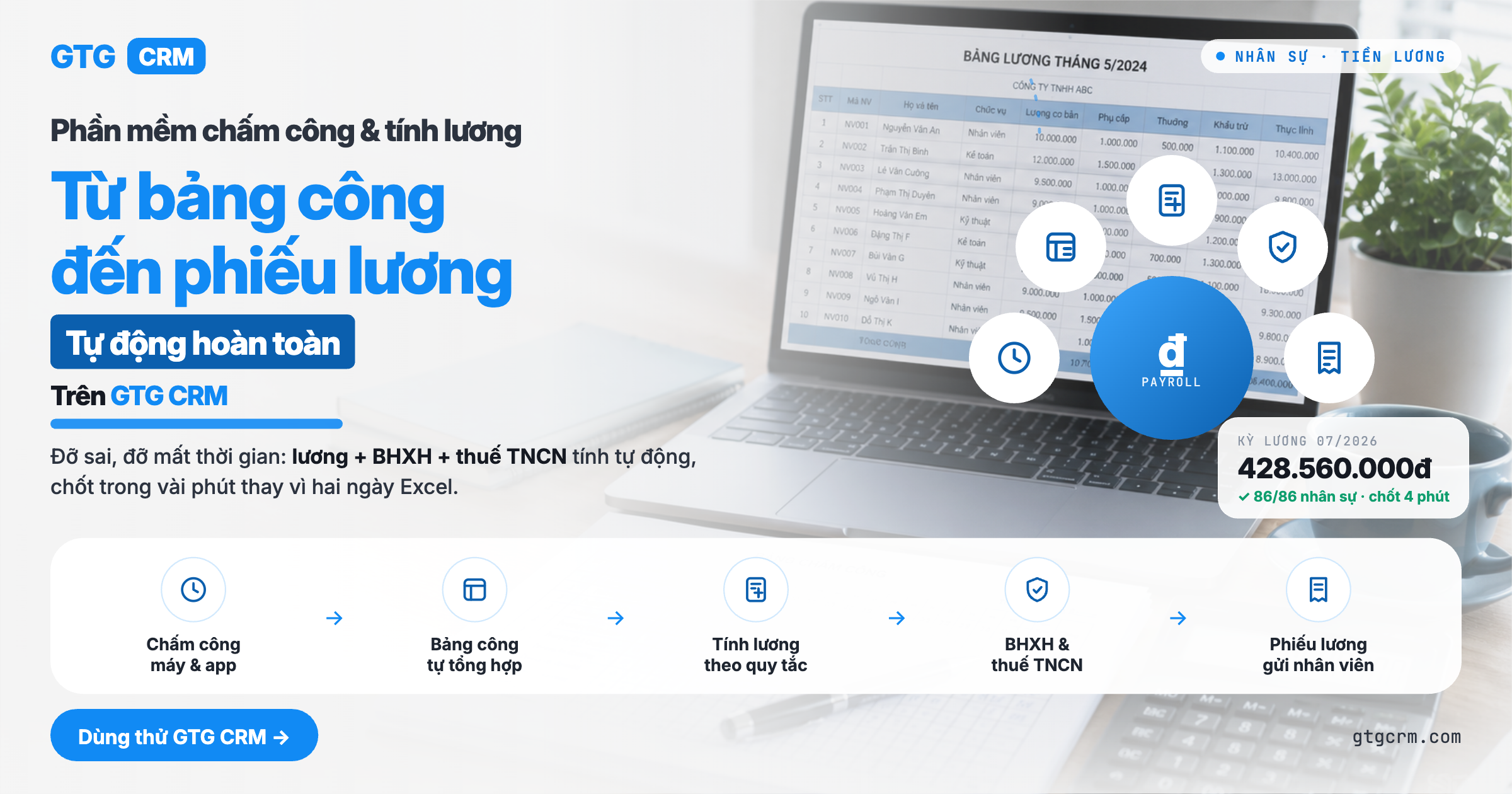
Worried about payroll software violating the law? GTG CRM provides default social insurance/tax datasets for you to review, adjust, and master — automatically generating payroll records that are still factually correct.
2026-07-22

2026-07-22

2026-11-18

2026-07-22

2026-07-22

2026-11-05

2026-11-18
Discover the power of GTG CRM — the all-in-one solution that helps your business streamline operations, strengthen customer engagement, and achieve breakthrough growth.
Full features
No credit card required

2026-07-22

2026-07-22

2026-07-22

2026-07-22

2026-07-22

2026-07-22
2026-11-27
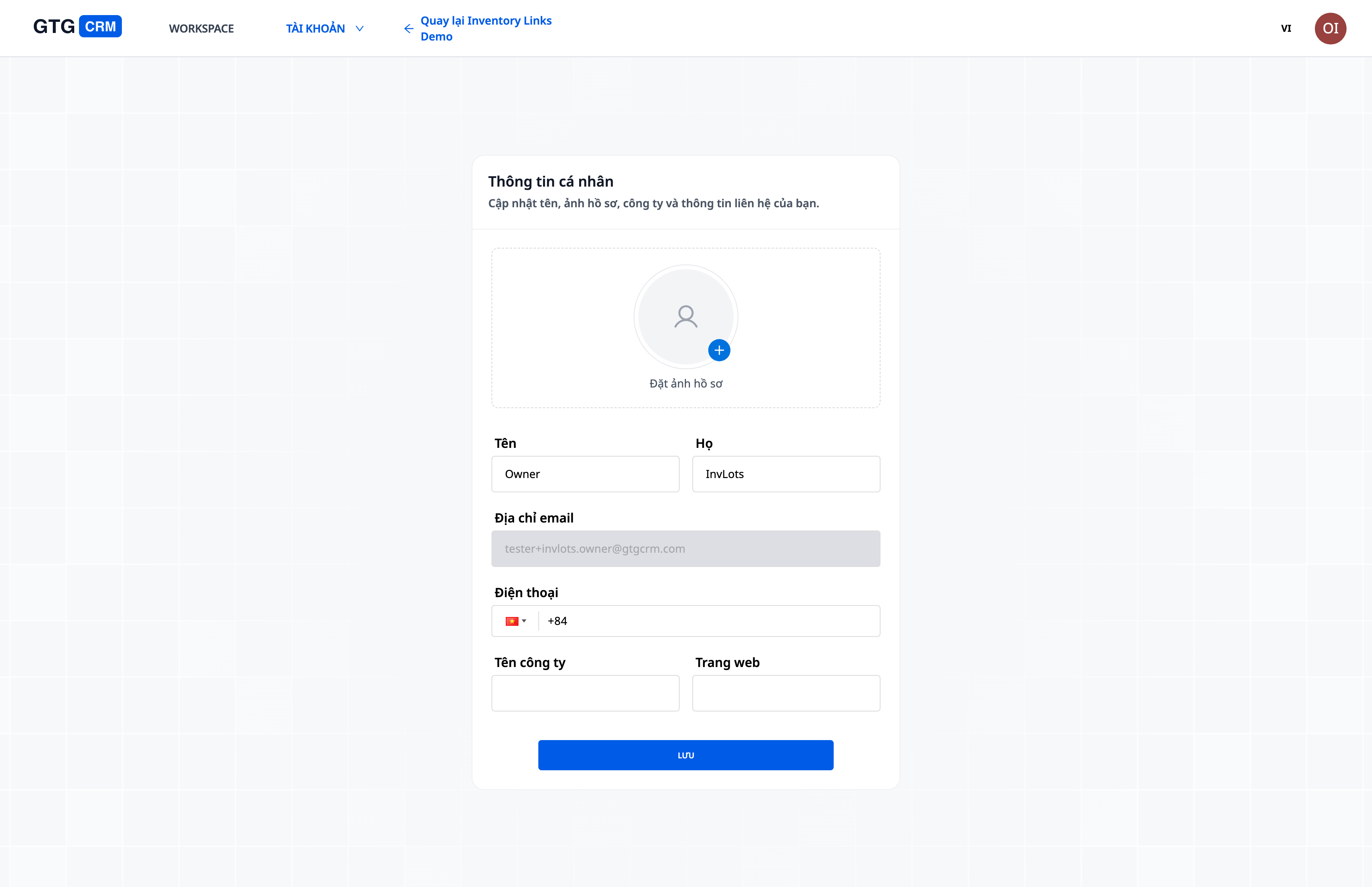
Open Account from your profile picture, switch between your pages, then click Back to return to the exact page you were working on in the workspace, even after reloading the page.
2026-11-27
Answer once, in one card, how the business files taxes and issues invoices: nothing preselected, nothing submitted to the tax authority, and record who answered and when.
2026-11-26
View which appointment notification cards are turned on, receive bell notifications when a customer changes their appointment time via chat, and turn off or change the recipient for each card.
2026-11-26
Turn on the over-limit refund approval tab, set the limit, and review the reason the staff member recorded when receiving the returned goods, which is pre-filled for the approver. Then click Approve or Reject.
2026-11-25
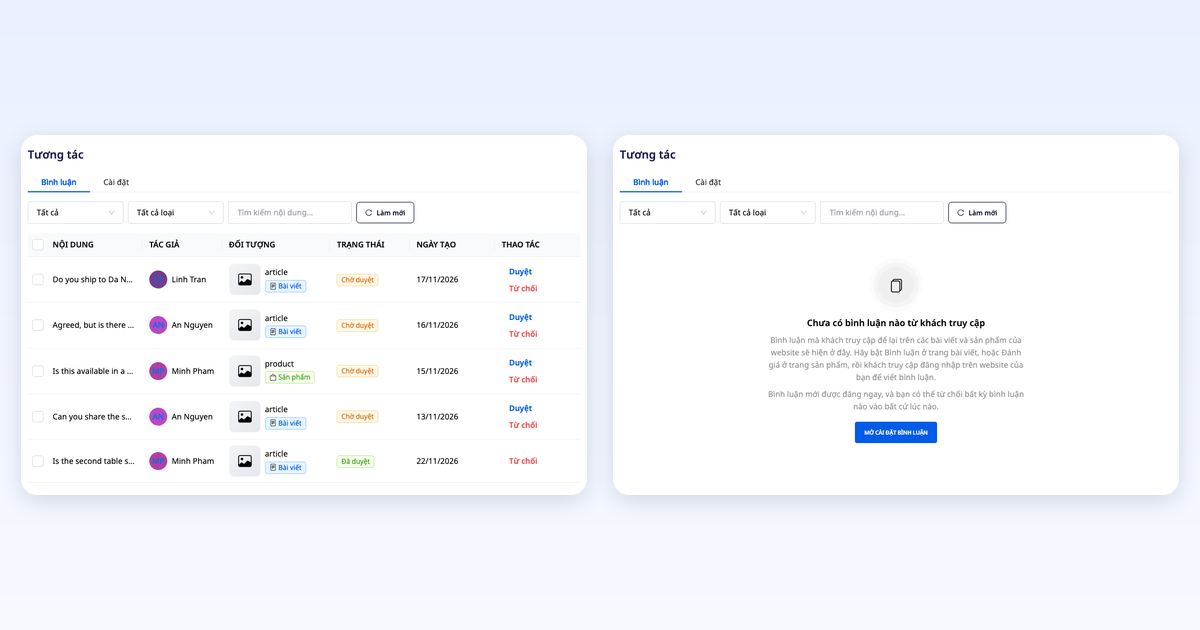
View customer comments left on your website's posts and products, approve or reject them individually or in bulk, and choose how new comments are handled.

2026-11-25
Social networks, ads, email domains, banks: which connections are linked, and which need attention? View them all on one page in Company Settings.