
Introduction to Features
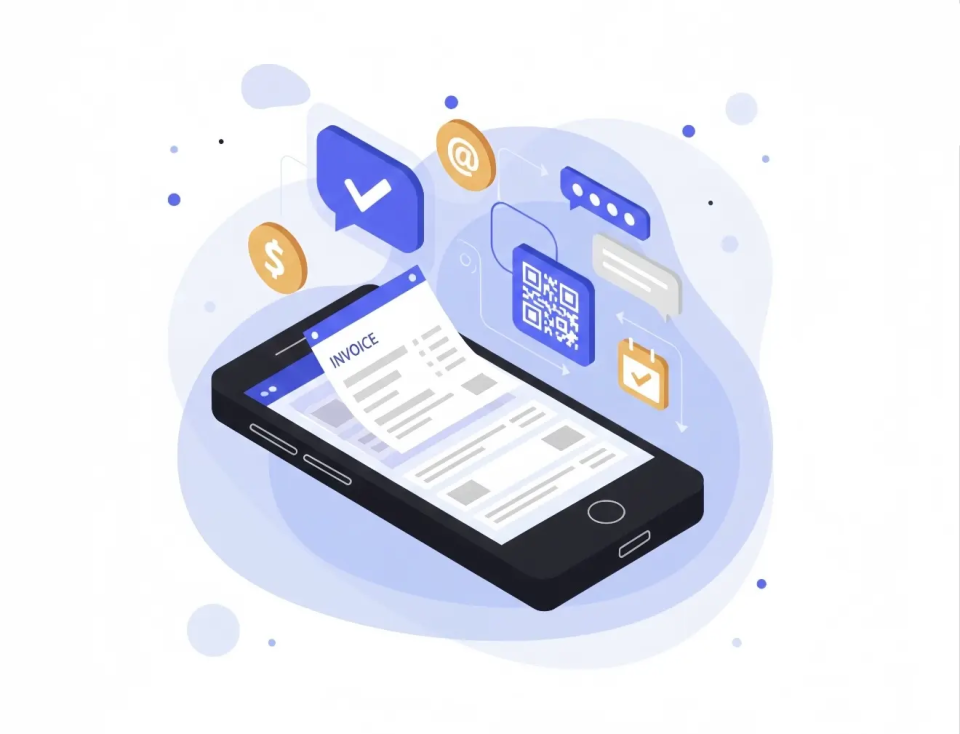
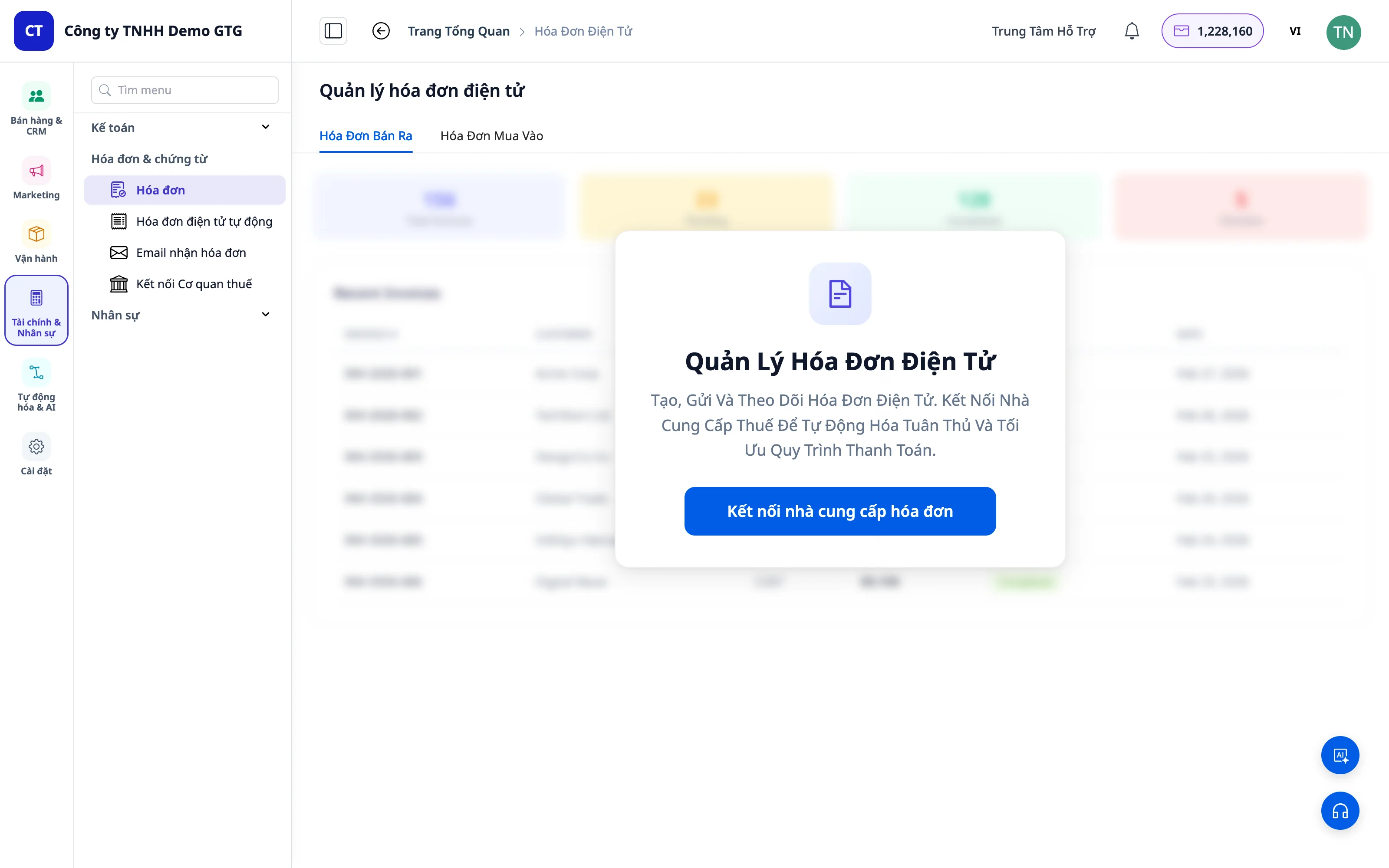
Electronic Invoices is a key feature of GTG CRM that helps businesses manage all incoming and outgoing invoices in a centralized, automated, and efficient manner.
Why Manage Electronic Invoices?
In business, there are two most important concepts:
| Concept | Description | Invoice Type |
|---|---|---|
| Revenue | Money earned from sales | Outgoing invoice (issued to customers) |
| Cost | Money spent on purchasing goods for sale | Incoming invoice (issued by supplier to you) |
GTG CRM makes it incredibly easy for you to issue invoices and manage invoices!
Outstanding Features
1. Incoming Invoice Management
Manual Invoice Upload
- Drag and drop or select PDF invoice files
- System automatically recognizes and extracts information
- Supports complex invoices with multiple products
Automatic Collection from Email
This is a special feature of GTG CRM!
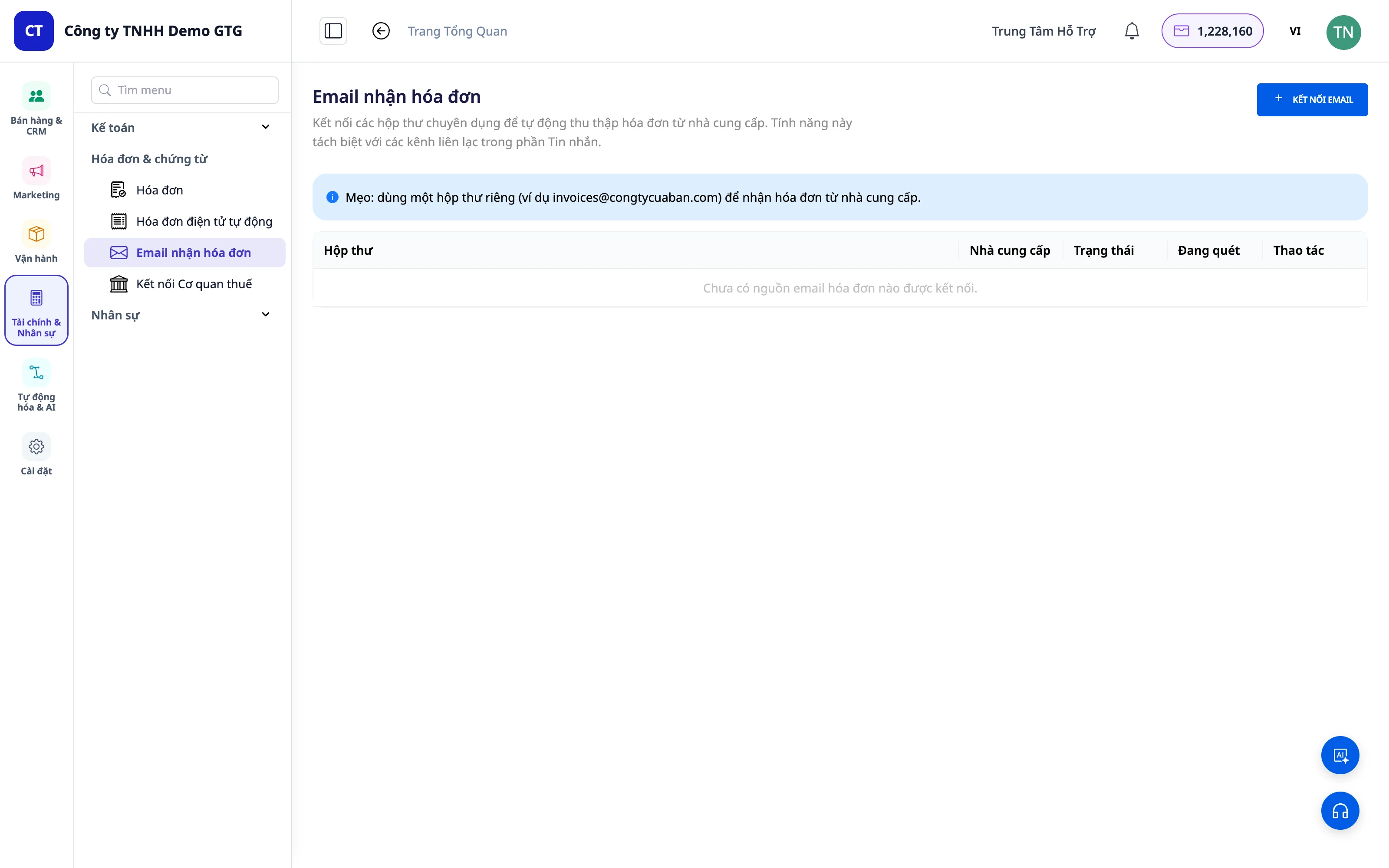
- Connect your business email to GTG CRM
- Enable the "Automatic Invoice Collection" feature
- System automatically retrieves invoices from email and imports them into the system
💡 Benefit: No more downloading invoices manually every month! All incoming invoices are collected neatly, and accountants just need to download them and prepare tax reports.
Dedicated Invoice Mailboxes
Now you can create dedicated invoice mailboxes — completely separate from customer service email channels (messaging).
- Create one or more mailboxes exclusively for incoming invoices (e.g.,
invoice@company.com,accounting@company.com) - Separate Permissions: Only authorized personnel (accountants, financial managers) can view the invoice mailbox — regular business emails won't be mixed in
- All invoices sent to these mailboxes are automatically gathered into the "Incoming Invoices" list
- The "Incoming Invoices" list can be filtered by source mailbox — you'll know exactly which invoice came from which mailbox, eliminating confusion between different departments or branches
💡 Benefit: Incoming invoices no longer get buried in customer service inboxes. Accountants have a clean, separate "invoice repository" that can be filtered by source — making month-end reconciliation much faster.
2. Outgoing Invoice (VAT) Issuance
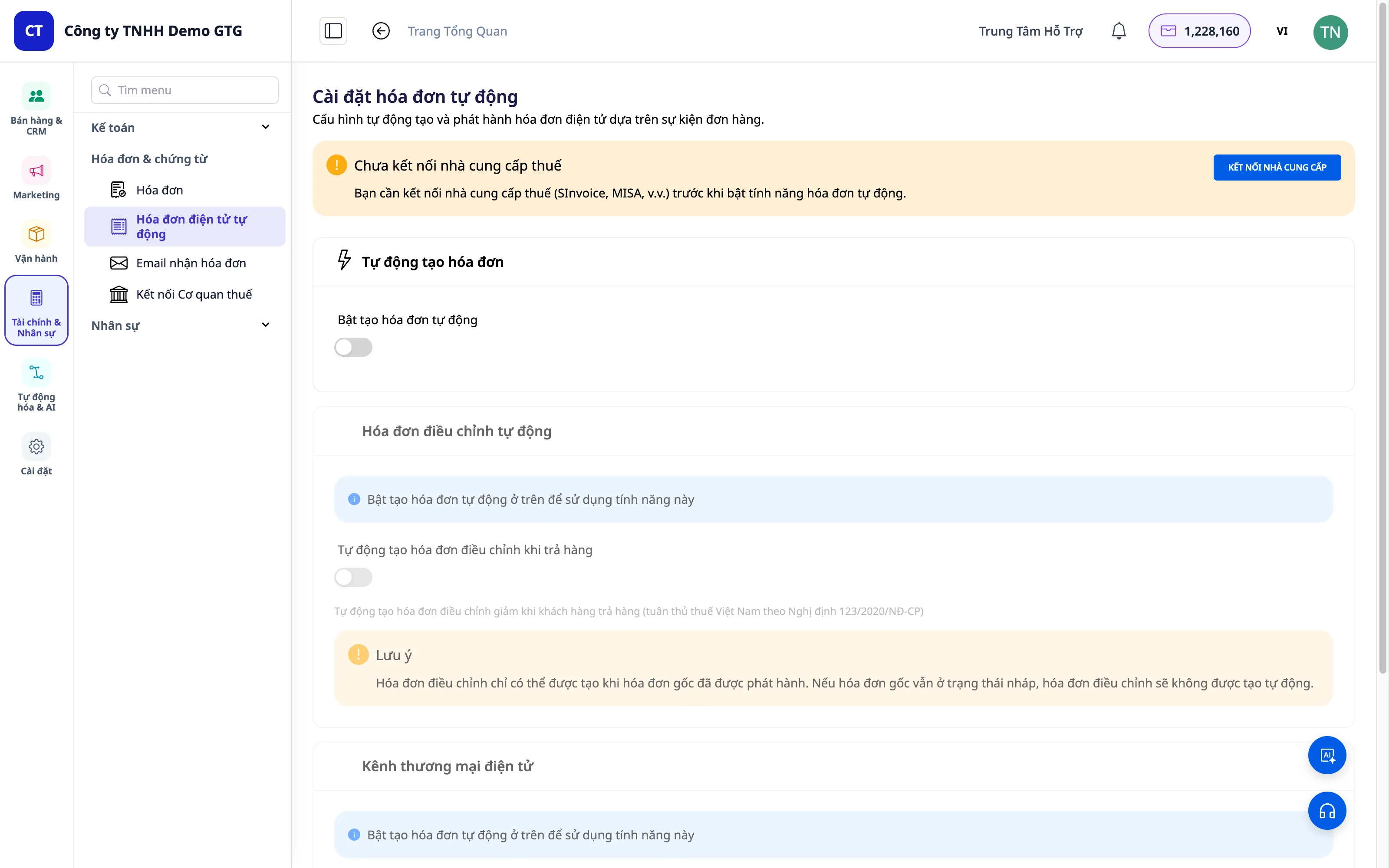
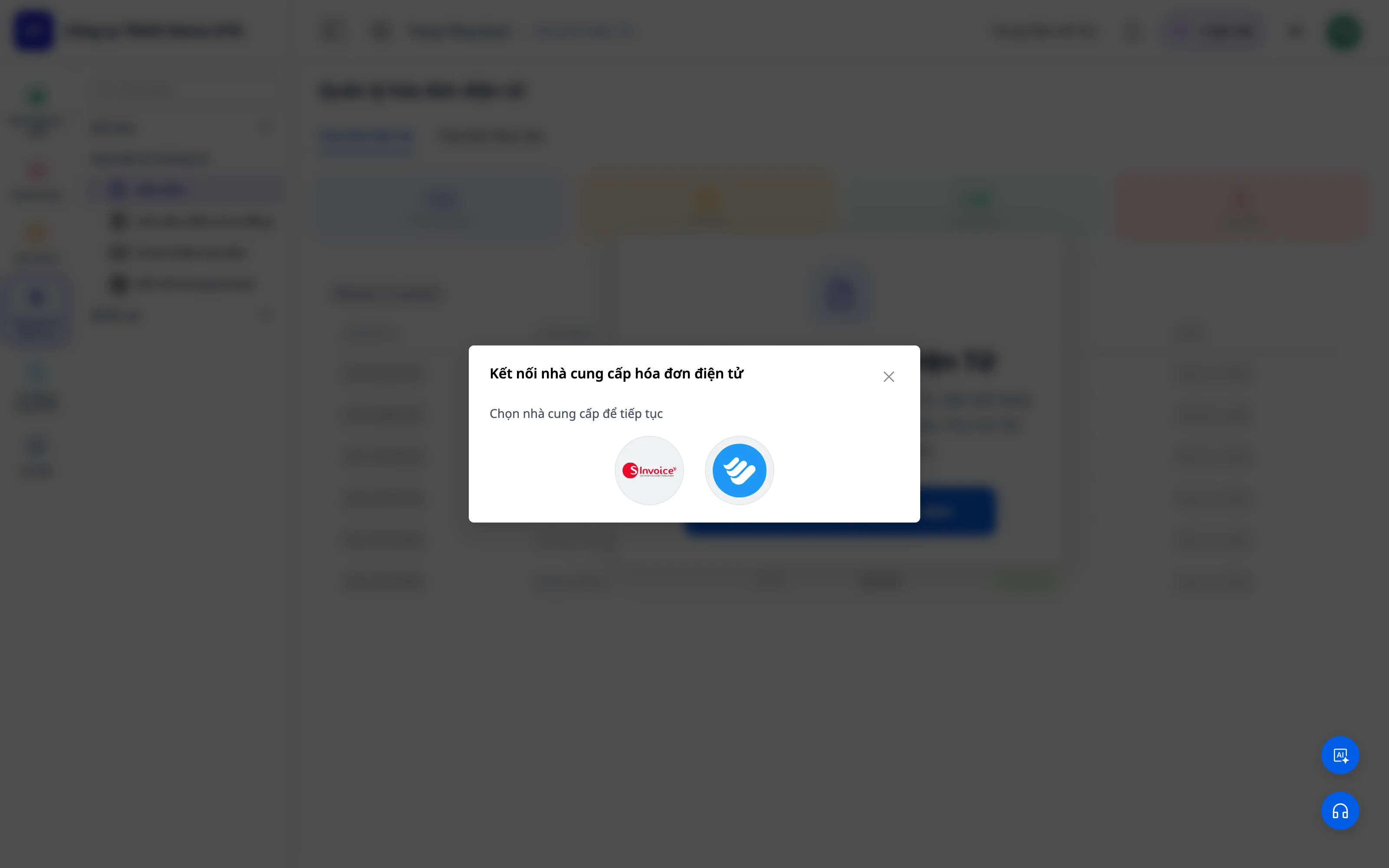
GTG CRM is integrated with reputable electronic invoice providers:
| Provider | Description |
|---|---|
| S-Invoice (Viettel) | Viettel electronic invoices |
| MISA | Accounting software and electronic invoices |
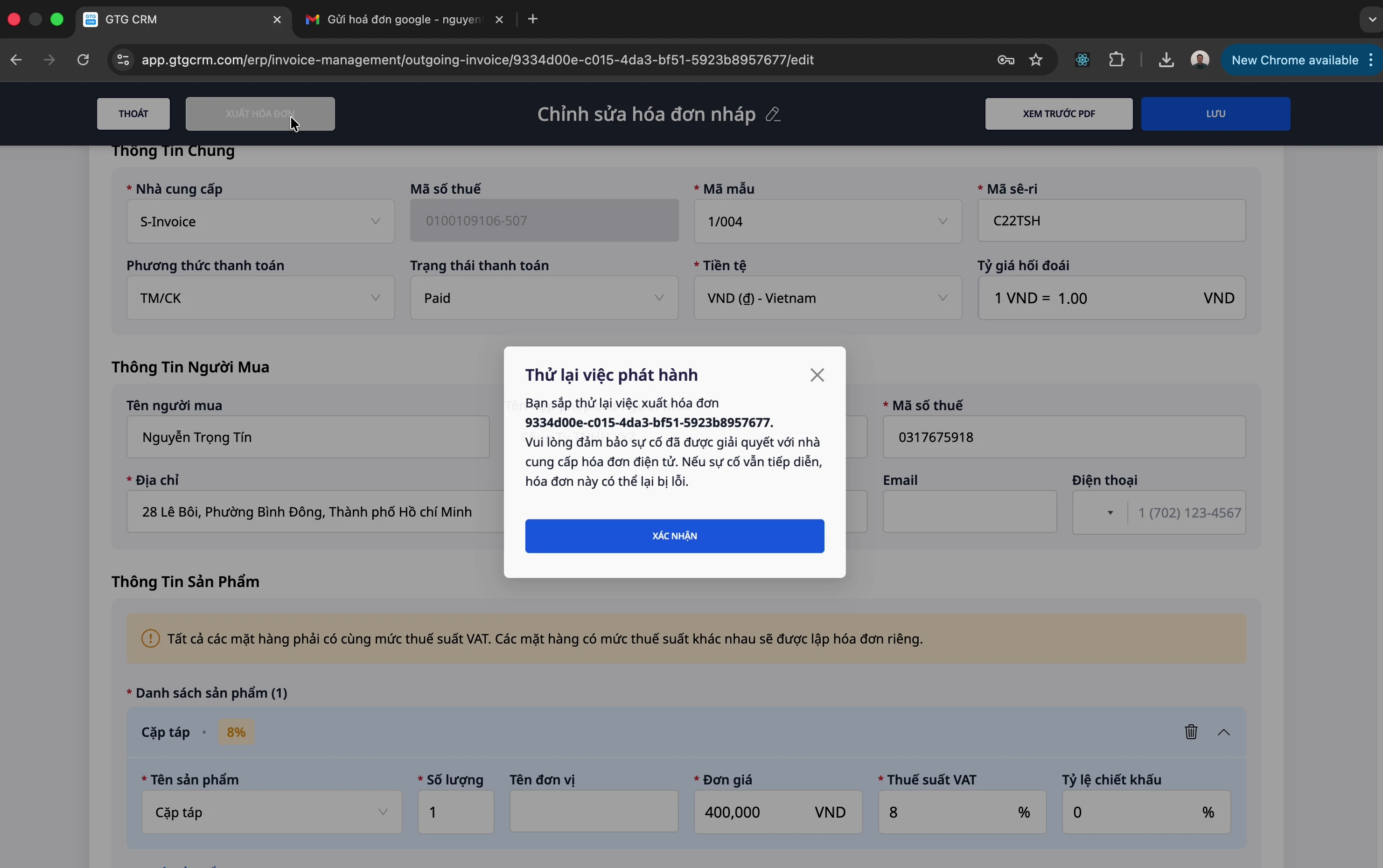
Easy Invoice Creation
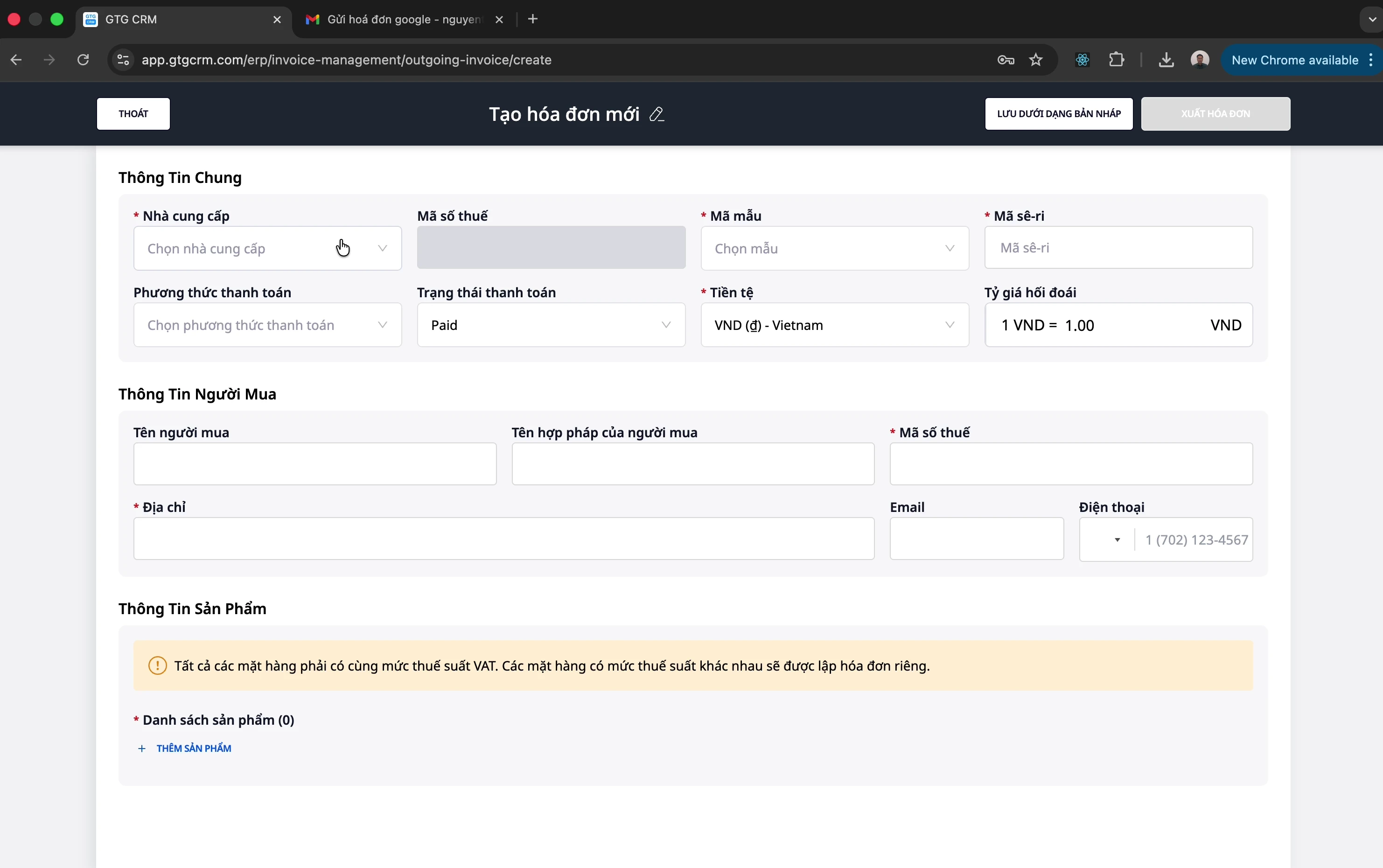
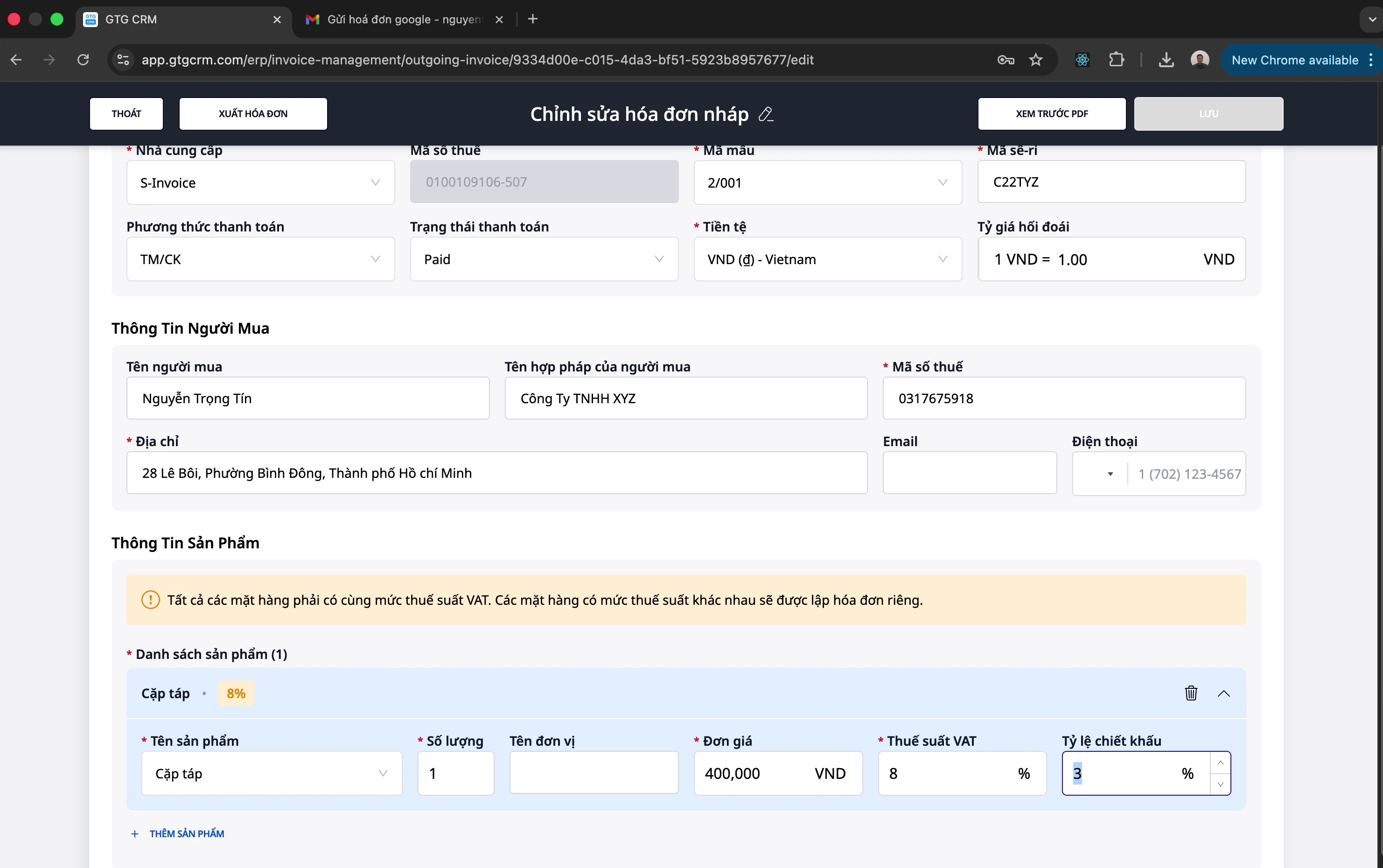
- Select the appropriate invoice template
- Enter buyer information (name, tax ID, address)
- Add products/services with unit price, quantity, tax rate
- Supports discounts per product
- Preview PDF before issuing
3. Replacement Invoices
When an issued invoice needs to be adjusted (customer returns, errors...):
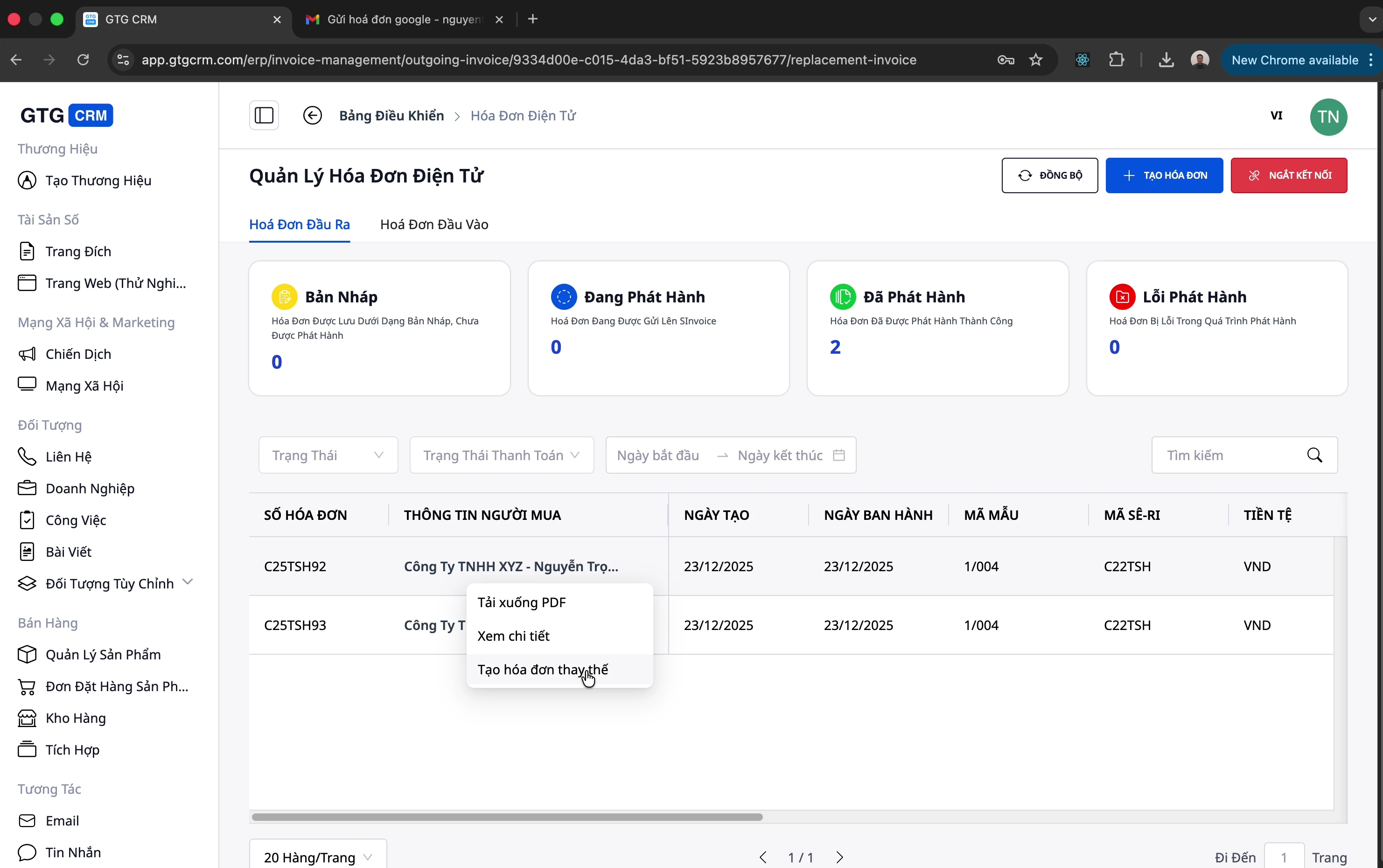
- Create a replacement invoice directly from the original invoice
- Adjust product information, quantity, price
- System automatically links to the original invoice
💡 Note: Replacement is just one method of post-issuance adjustment. If an invoice needs to be completely canceled (not adjusted), use the Cancel Invoice feature in the section below.
4. Electronic Invoice Cancellation
When an issued invoice needs to be fully canceled (wrong customer, serious error, order cancellation...), GTG CRM supports canceling electronic invoices directly within the system for both providers:
| Provider | Cancel Invoice |
|---|---|
| S-Invoice (Viettel) | ✅ Direct cancellation via API |
| MISA | ✅ Direct cancellation via API |
- Open the issued invoice → select "Cancel Invoice" → confirm
- GTG CRM sends the cancellation command to the provider (S-Invoice/MISA) and updates the invoice status
- Automatic Journal Entry Reversal (JE reversal): if the invoice has been recorded in the accounting ledger, the system automatically creates a reversing entry — revenue, tax, and payables are restored to their correct balances, requiring no manual adjustment by the accountant
💡 Benefit: Canceling an invoice is no longer a process of "logging into the provider's software separately + manual ledger correction." One action in GTG CRM — the invoice is canceled correctly, and the ledgers automatically reconcile. (See more about double-entry bookkeeping in the Accounting feature set of GTG CRM.)
5. Synchronization & Management
- Synchronize invoices from providers to GTG CRM
- Download PDF of issued invoices
- Edit invoice information when needed
- Track payment status (Paid / Unpaid)
Benefits for Businesses
| Benefit | Description |
|---|---|
| Time Savings | Automatic collection of incoming invoices from email |
| Centralized Management | All incoming/outgoing invoices in one place |
| Provider Integration | Issue invoices directly through S-Invoice, MISA |
| Easy Reporting | Accountants can easily download and prepare tax reports |
| Replacement Invoices | Quickly handle adjustments and returns |
| Safe Invoice Cancellation | Cancel S-Invoice/MISA invoices in one action — automatic journal entry reversal, ledgers reconcile automatically |
| Dedicated Invoice Mailbox | Consolidate incoming invoices into a dedicated mailbox, with permissions and source filtering |
| Debt Tracking | Know the payment status of each invoice |
Integration with GTG CRM
Electronic invoices are deeply integrated with other modules of GTG CRM:
- Customer Management (CRM): Link invoices to customers
- Order Management: Automatically issue invoices upon order completion
- Reporting: Statistical analysis of revenue and expenses based on invoices
Conclusion
GTG CRM's Electronic Invoice is a comprehensive solution that helps businesses: - ✅ Automate incoming invoice management (with dedicated invoice mailboxes and source filtering) - ✅ Easily issue VAT invoices - ✅ Safely cancel invoices — with automatic journal entry reversal and reconciled ledgers - ✅ Save time for accountants - ✅ Comply with tax regulations
Experience it today!
Document belongs to GTG CRM - Comprehensive Customer Relationship Management System
Ready to try this feature for free for your business?
Try for Free

