
In an era where customer communication primarily happens online, businesses need more flexible tools than just traditional phones. One of the most popular and powerful solutions today is Twilio – a global communications infrastructure platform trusted by millions of businesses.
If you've ever heard of "calling over the internet" or "integrating a call center into software," it's likely Twilio's technology is behind it.
To better understand how a virtual PBX works, you can refer to this article: What is a Virtual PBX (Cloud Call Center)? How it works, its benefits, and why you should use Twilio.
What is Twilio?
Twilio is a platform that provides Communication Platform as a Service (CPaaS).
Simply put, Twilio allows you to make calls, send messages, authenticate users, or create a virtual customer care call center – all over the internet via APIs, without needing separate hardware infrastructure.
Key Twilio services include:
- Voice: Make calls, receive calls, record, and manage calls over the internet.
- Messaging: Send SMS, WhatsApp, or omnichannel messages to global customers.
- Video: Integrate video calls into websites or applications.
- Verify: User authentication service (OTP, 2FA).
- Email (SendGrid): Send transactional emails, marketing emails with high inbox rates.
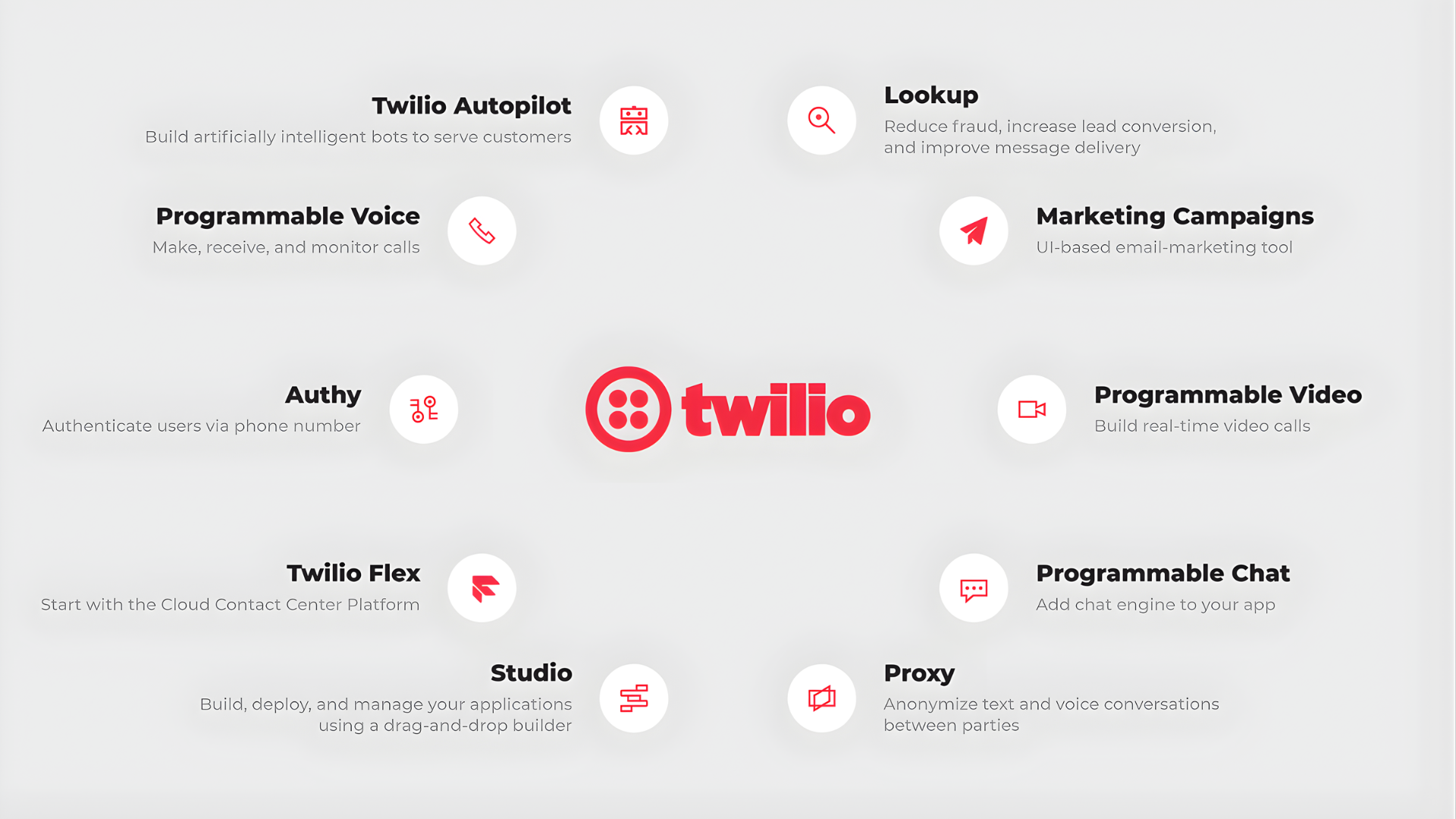
Twilio's Services
With Twilio, businesses can build their own communication infrastructure, customized to their scale and needs, without hiring external call center services or installing complex software.
If you are interested in other omnichannel messaging management solutions, see this article: 7 Best Omnichannel Messaging Management Tools Today.
How to Create a Twilio Account in Detail
Step 1. Register for an Account
- Visit https://www.twilio.com/try-twilio
- Fill in your name, email, password, or sign up quickly using your Google account.
- Verify your email by clicking the link Twilio sends to your inbox.
Step 2. Verify Your Personal Phone Number
After logging in, Twilio will ask you to enter your phone number to send a verification code (OTP).
This step enhances security and activates your trial account.
Step 3. Receive Your Recovery Code
Once verification is complete, Twilio will display your Recovery Code – a backup code to restore access if you lose your verification device or encounter security issues.
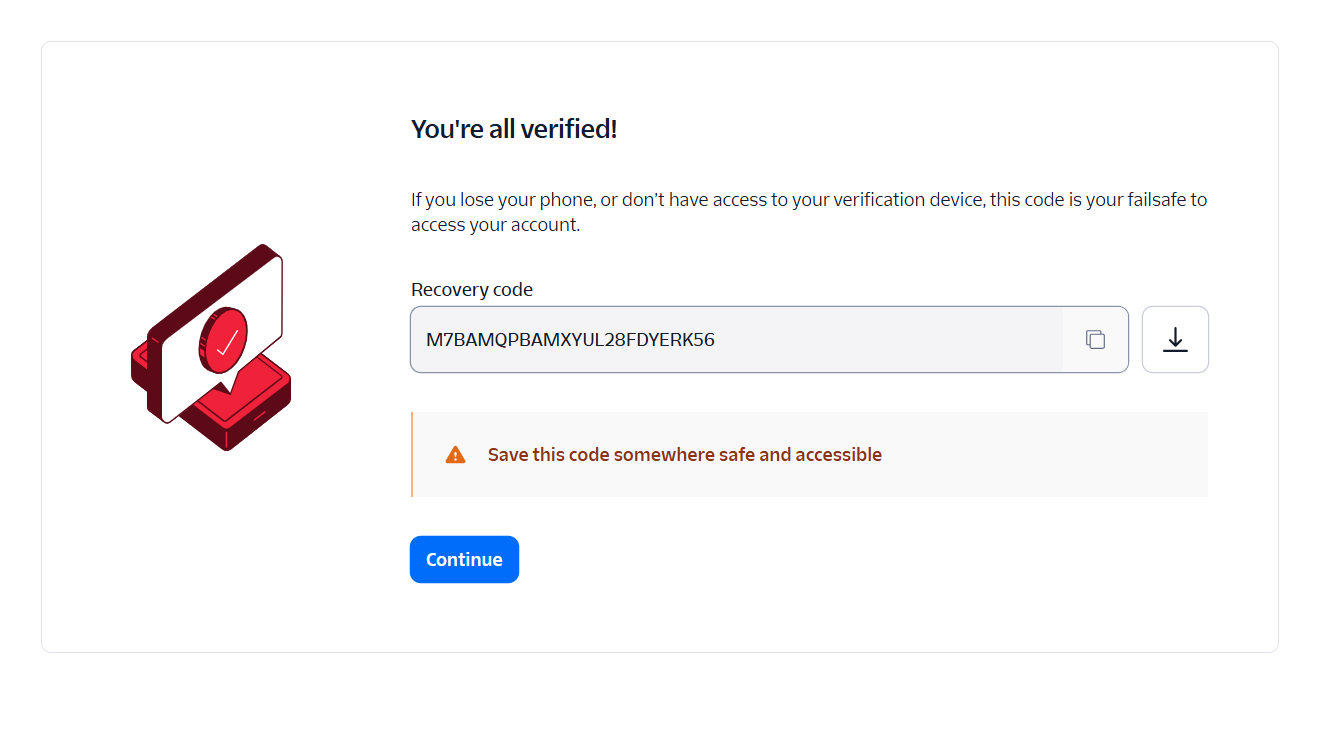
Receive Your Twilio Account Recovery Code
This code is displayed only once. Store it securely in a password manager or your personal secure notes.
Step 4. Personalize Your Experience (Personalized Onboarding)
After creating your account, Twilio will take you to the "Personalized Onboarding" section.
Here, the system will ask you a few questions to customize your experience, for example:
- “What do you want to build with Twilio?”
- “Which channels do you plan to use?”
You can choose based on your intended use, such as:
- Voice if you want to make calls, receive calls, or build a virtual call center.
- Messaging if you are interested in SMS or WhatsApp.
- Email if you need a transactional email sending service (SendGrid).
There are no "right" or "wrong" answers – just choose according to your actual needs.
Step 5. Explore the Twilio Console
After completing onboarding, you will be directed to the Twilio Console – the main management dashboard.
Here, you can:
- View account information (Account SID, Auth Token).
- Manage phone numbers (Buy / Active Numbers).
- Configure Voice, Messaging, Verify, etc.
- Monitor activity logs and reports.
Step 6. Upgrade Your Twilio Account for Real-World Use
After completing the registration and verification process, your account is still in Trial Account status, allowing only test operations or calls to verified numbers.
To start using Twilio for practical purposes such as voice calls, sending SMS, or purchasing international numbers, you need to upgrade your account (Upgrade Account) by following these steps:
1. In the top right corner of the interface, click the Admin menu.
2. From the list, select Account billing.
3. On the Manage Billing page, click Upgrade Account.
4. Provide the required information to Twilio and add a Payment Method – this can be a credit card or a business account.
Once completed, your Twilio account will have full access:
- You can purchase new phone numbers.
- Make and receive actual calls.
- Send international messages or SMS for marketing, depending on your needs.
Quick Tip: When upgrading, Twilio will require payment method verification. Ensure your card is enabled for international payments (or use Visa/Mastercard for guaranteed success).
Benefits of Having a Twilio Account
Flexibility and Cost Savings
Instead of investing in physical phone systems, lines, or separate SIM cards, you can simply create a Twilio account to deploy a virtual PBX, SMS, or user authentication system.
The pay-as-you-go pricing model makes it accessible and budget-friendly for small businesses.
Global Operation, Location Independence
Twilio supports over 180 countries – you can purchase international phone numbers and communicate with customers anywhere, whether you are working in Vietnam or abroad.
Easy Integration with Other Software
Twilio has open APIs that are easy to connect with CRM, ERP, chatbot systems, or self-developed platforms.
This allows you to manage communications, customers, and communication data in one place.
High Reliability & International Security Standards
Twilio is trusted by many major corporations (Airbnb, Netflix, Lyft...).
The system meets ISO 27001, SOC 2, PCI DSS, GDPR standards, ensuring user data is always secure.
Suitable for All Business Sizes
Whether you are a small business owner, a startup, or a medium-to-large enterprise, Twilio offers suitable service plans – from trial to professional operations.
Conclusion
Twilio is the starting point for businesses to proactively control their communication systems – flexibly, modernly, and cost-effectively.
With just a few minutes to register, you can instantly have a "mini call center" on the cloud, ready to make calls, send messages, or verify users anywhere.
If you want to learn how to apply Twilio in operations and omnichannel customer care, refer to this article: Optimize Every Touchpoint in the Customer Journey with GTG CRM's Omnichannel Messaging.
Turn what you just read into real results — apply it now with GTG CRM, for free.
Apply Now

