
Introducing the Feature
Want to expand your market but don't know where to start? You sit and type into Google, scroll through fan pages, copy-pasting names into a file — you might get a few lines in an hour, and it's not even guaranteed to be the right audience. Finding new customers and partners, which should be a growth step, becomes a time-consuming manual task.
That ends today. GTG CRM has the Find Partners & Potential Customers tool: you just describe who you're looking for in your own words (industry, region, type of business), and an AI assistant will discover real companies and contacts from the web, save your search history, and let you import the most suitable results directly into your Contacts & Companies in the CRM. Get a clean list in minutes, assign a nurturing script, and start reaching out — all in one place.
Problems Businesses Are Facing
| Old Method | Consequences |
|---|---|
| Searching Google/fanpages and copy-pasting manually | Wastes an entire afternoon, fragmented data, easy to miss things |
| Buying floating lists | Wrong audience, outdated data, ineffective |
| Cannot save search results | Have to start from scratch next time |
| Lists are outside the CRM | Cannot assign nurturing, easily miss opportunities |
GTG CRM consolidates the finding — saving — importing — nurturing process into a single workflow right within the CRM you're already using.
Highlights
1. Describe in Your Own Words, AI Discovers Real Companies & People
Type your needs in natural language (e.g., "coffee chains in HCMC needing packaging suppliers" or "interior design companies in Hanoi"). The AI returns a list of real companies/contacts from the web.
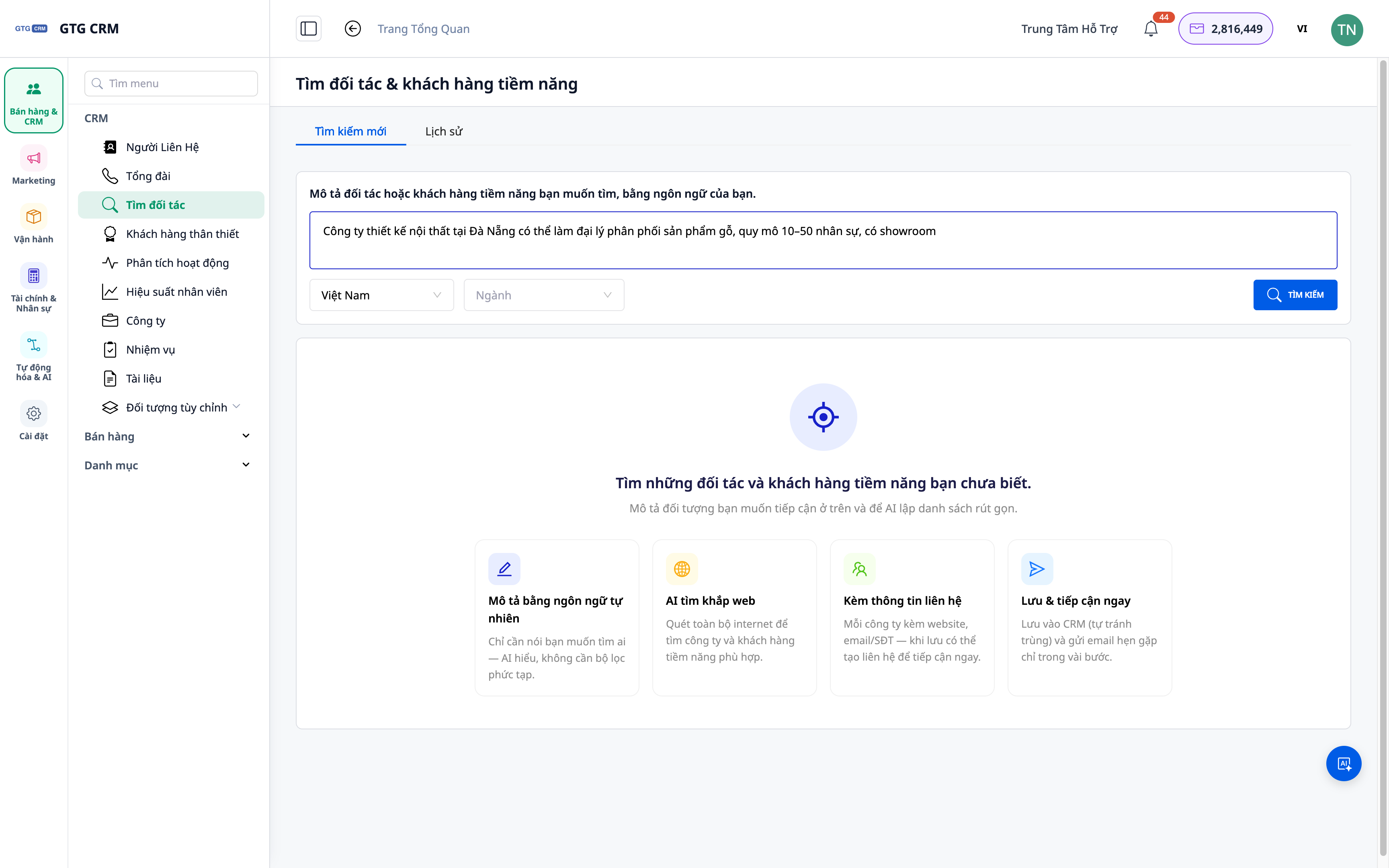
- Feature: Search using natural language descriptions.
- Benefit: No need for complex search syntax — just say what you think.
2. Results Include Both Companies and Contacts
The returned list includes not only company names but also relevant contacts, helping you reach the right person.
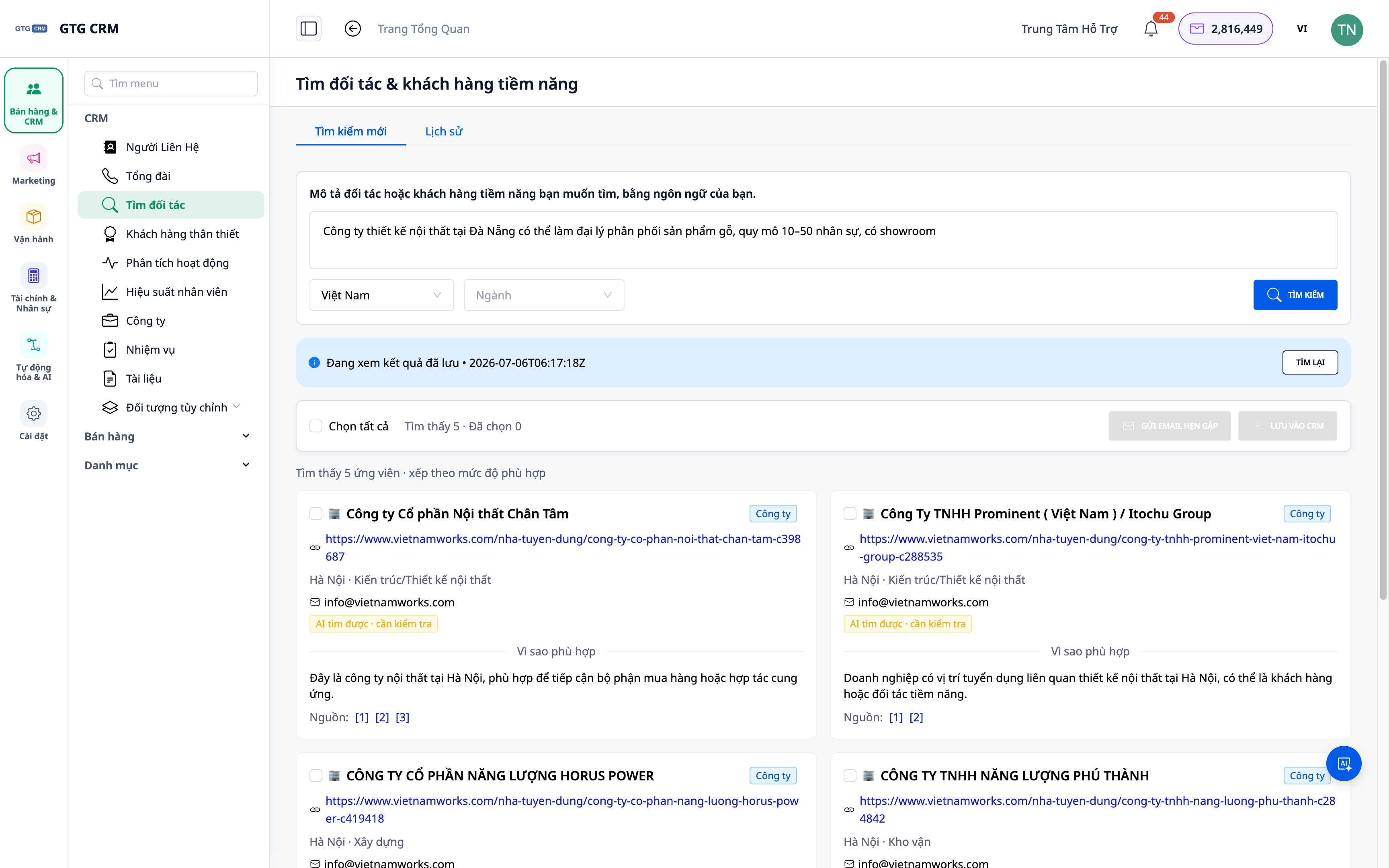
- Feature: Company-level + contact-level results.
- Benefit: Shortens the path to decision-makers.
3. Save Search History — Review, Re-run
Each successful search is saved: you can revisit old results or re-run queries anytime.
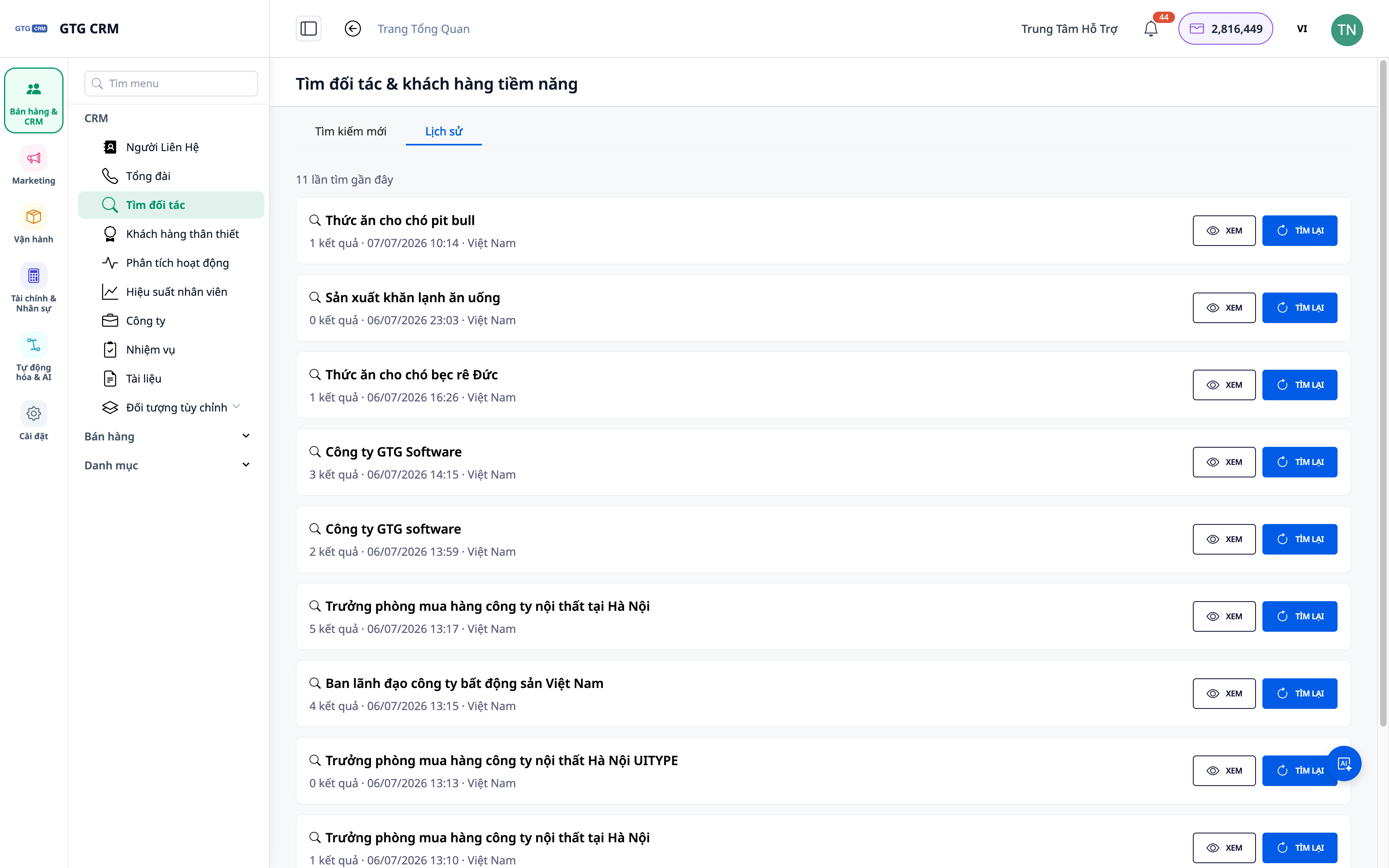
- Feature: Saved search history.
- Benefit: No need to start over; gradually build a "potential customer pool".
4. Import Directly to Contacts & Companies, Assign Nurturing
Select suitable results and import them into the CRM as Contacts/Companies; from there, assign automated nurturing scripts to begin outreach.
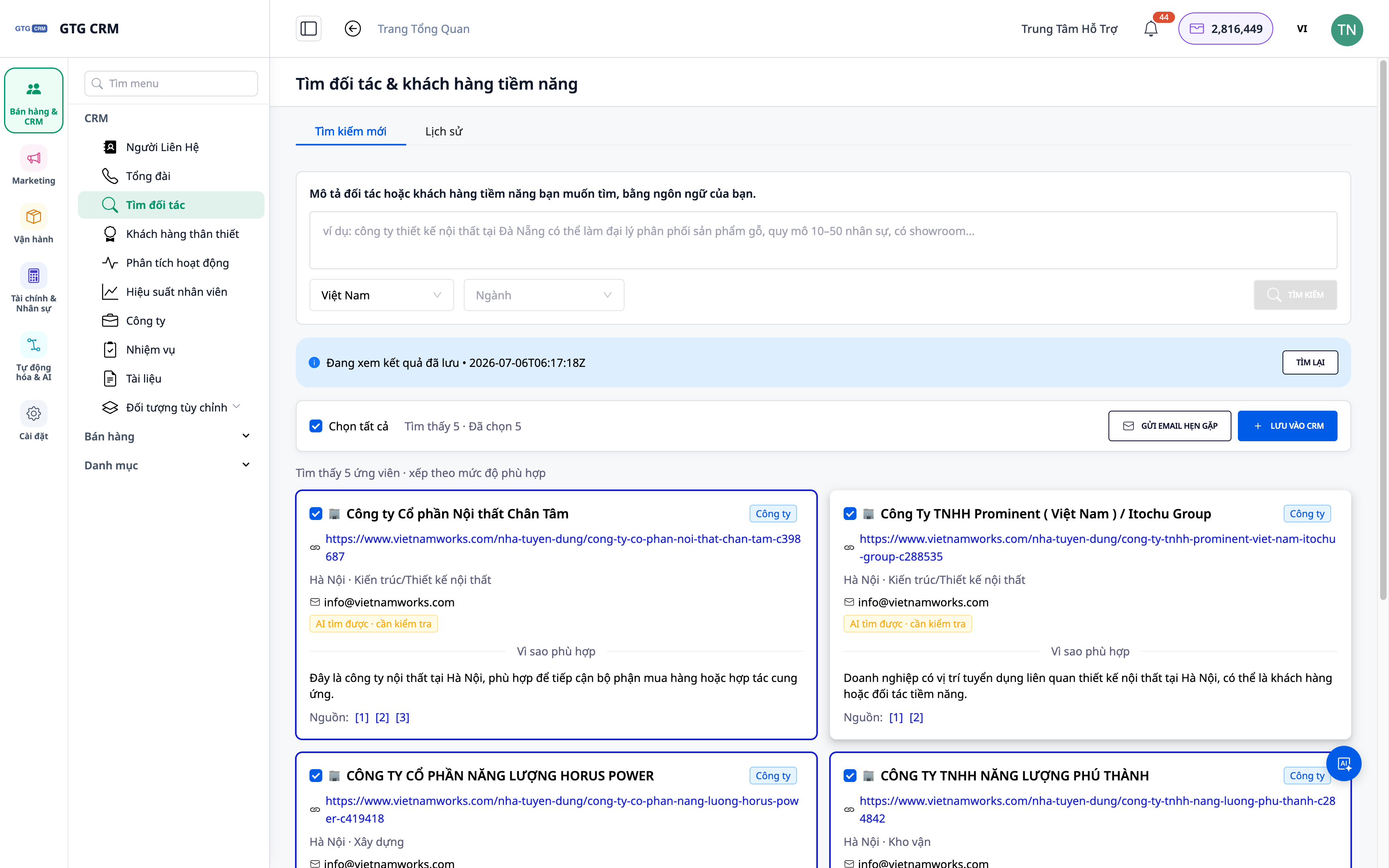
- Feature: Import results to Contacts/Companies + assign playbooks.
- Benefit: From list to nurturing action in just a few clicks.
ℹ️ Each search consumes a small amount of credit; results depend on publicly available data on the web.
Benefits for Businesses
| Feature | Actual Benefit for You |
|---|---|
| Search using natural language | Get a list of potentials in minutes |
| Company + contact results | Reach the right people, the right audience |
| Search history | Gradually build a potential customer pool, no redoing work |
| Import directly into CRM | No missed opportunities; nurture within the system |
Who Is It For?
- Sales / Business Development (BD) teams needing a steady stream of new customers/partners.
- Agencies finding potential clients by industry/region for campaigns.
- Business owners looking to expand their market and proactively find partners.
💡 Need to find suppliers (procurement side) instead of customers? Check out the sister feature Find Suppliers with AI.
How to Get Started?
Go to the Contacts ▸ Find Partners & Potential Customers section, describe who you're looking for, and start. Need detailed steps? See the article How to Find Partners & Potential Customers with AI.
Try for free — no credit card required.


