
Introduction
AI Chatbot by GTG CRM is an automated customer message support feature, integrated directly into the CRM ecosystem. This feature helps businesses respond to customers faster, more consistently, and reduces the load of repetitive questions during the sales and customer care process.
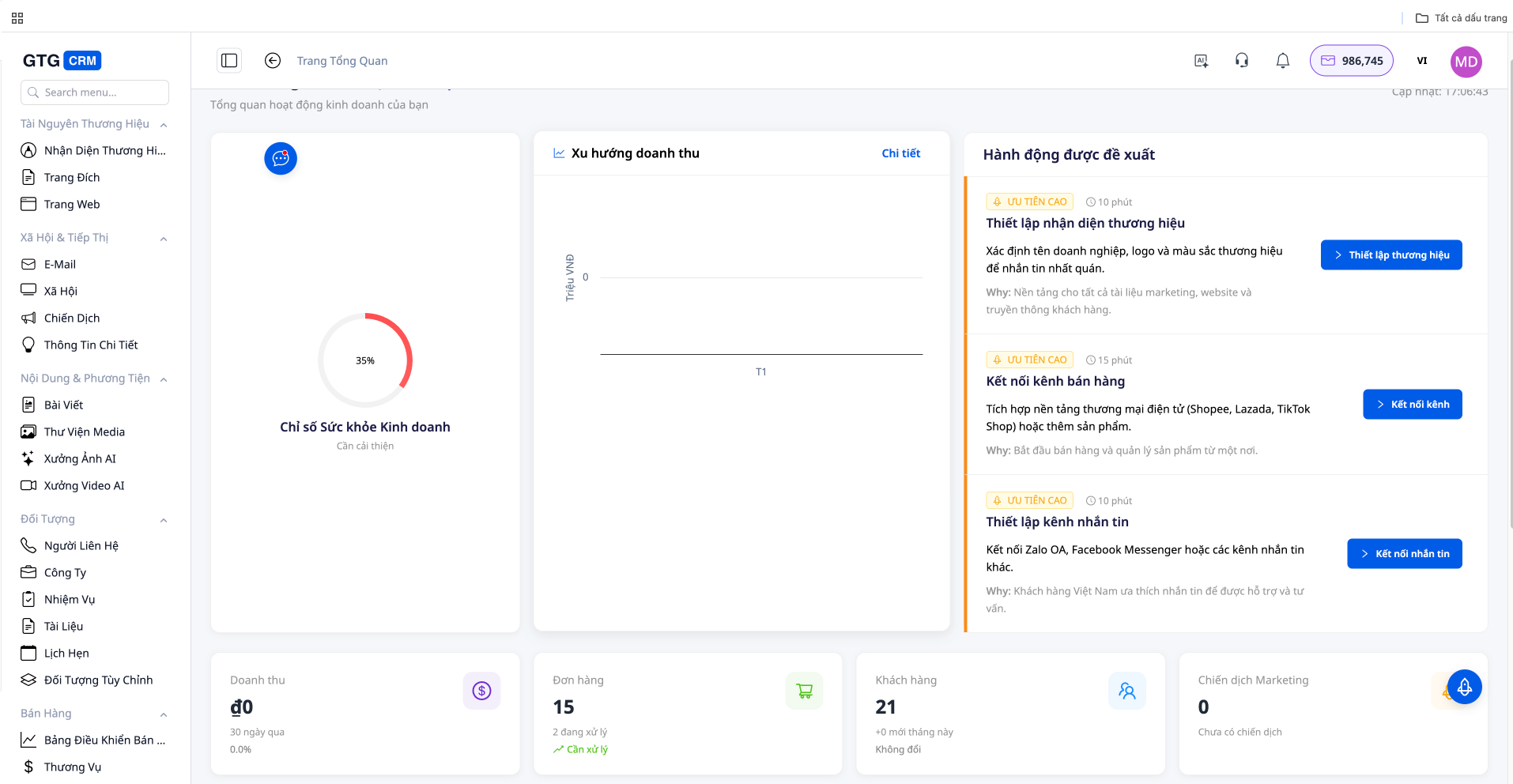
Why Need an AI Chatbot?
In modern business, customers expect quick responses 24/7. AI Chatbot helps:
- Instant Responses: Answer customers immediately, no waiting
- 24/7 Operation: Support customers at all times, including outside working hours
- Consistent Information: Ensure all customers receive accurate information
- Reduce Staff Workload: Automatically handle frequently asked questions
- Increase Conversions: Consult and suggest suitable products
Featured Capabilities
1. Multi-Channel Connectivity
AI Chatbot supports many popular communication channels:
Supported Channels:
- Facebook Messenger: Connect to your Fanpage
- Zalo OA: Connect to Zalo Official Account
- WhatsApp: Connect your WhatsApp Business account
- Live Chat: Connect to your website
2. Connect Facebook Messenger
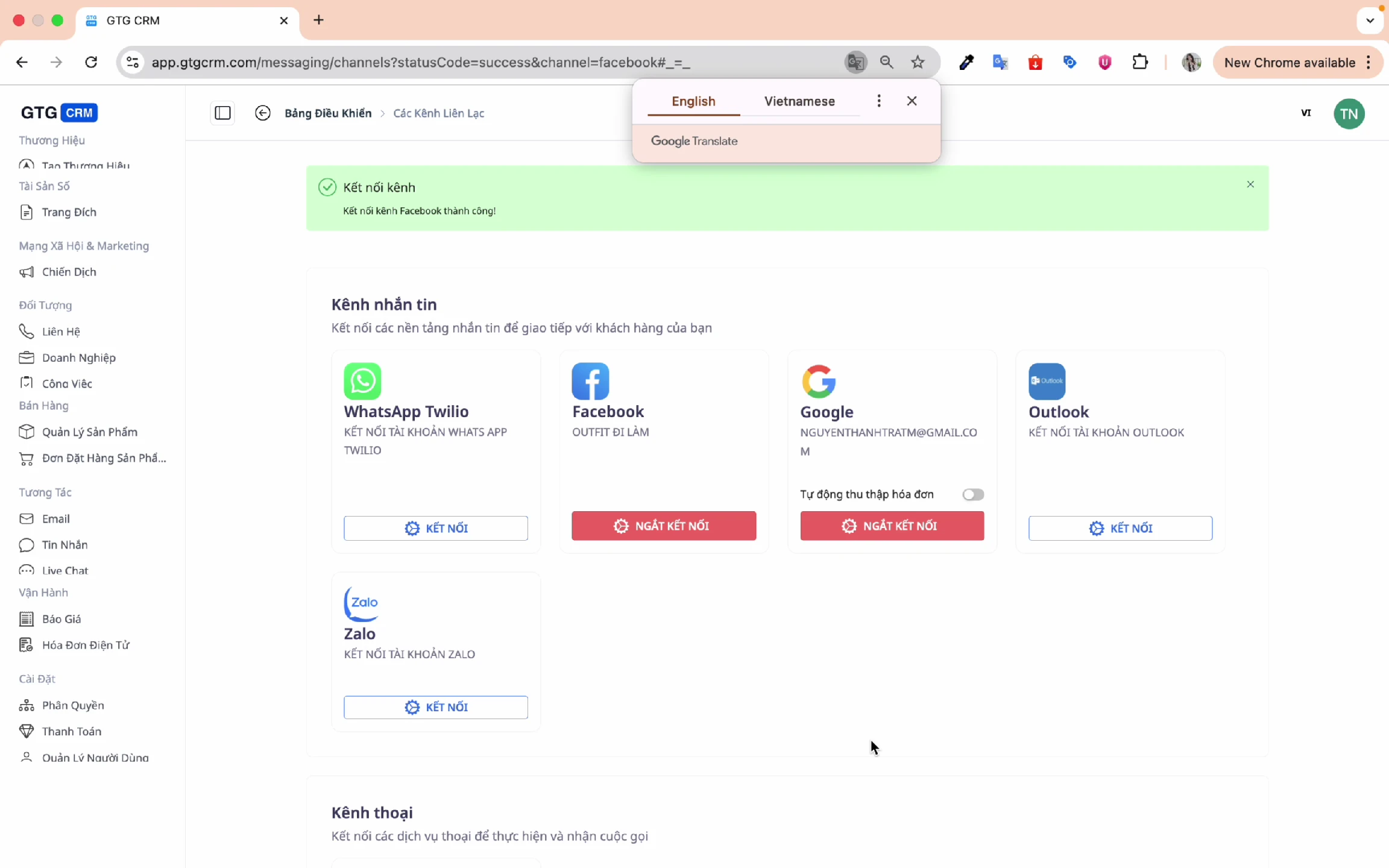
Connect your Facebook Fanpage for the AI Chatbot to automatically reply to messages:
Select the Fanpage to connect:
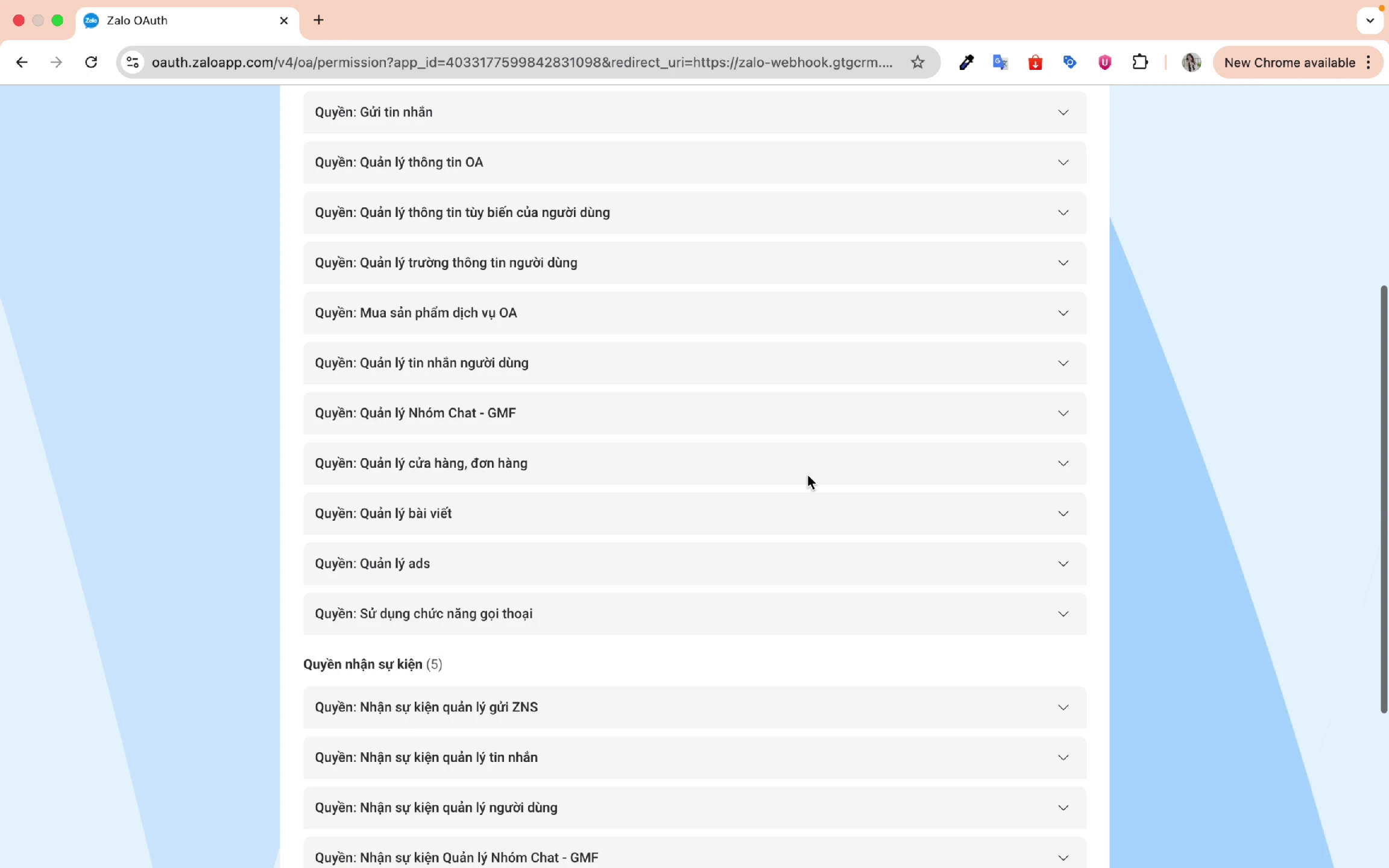
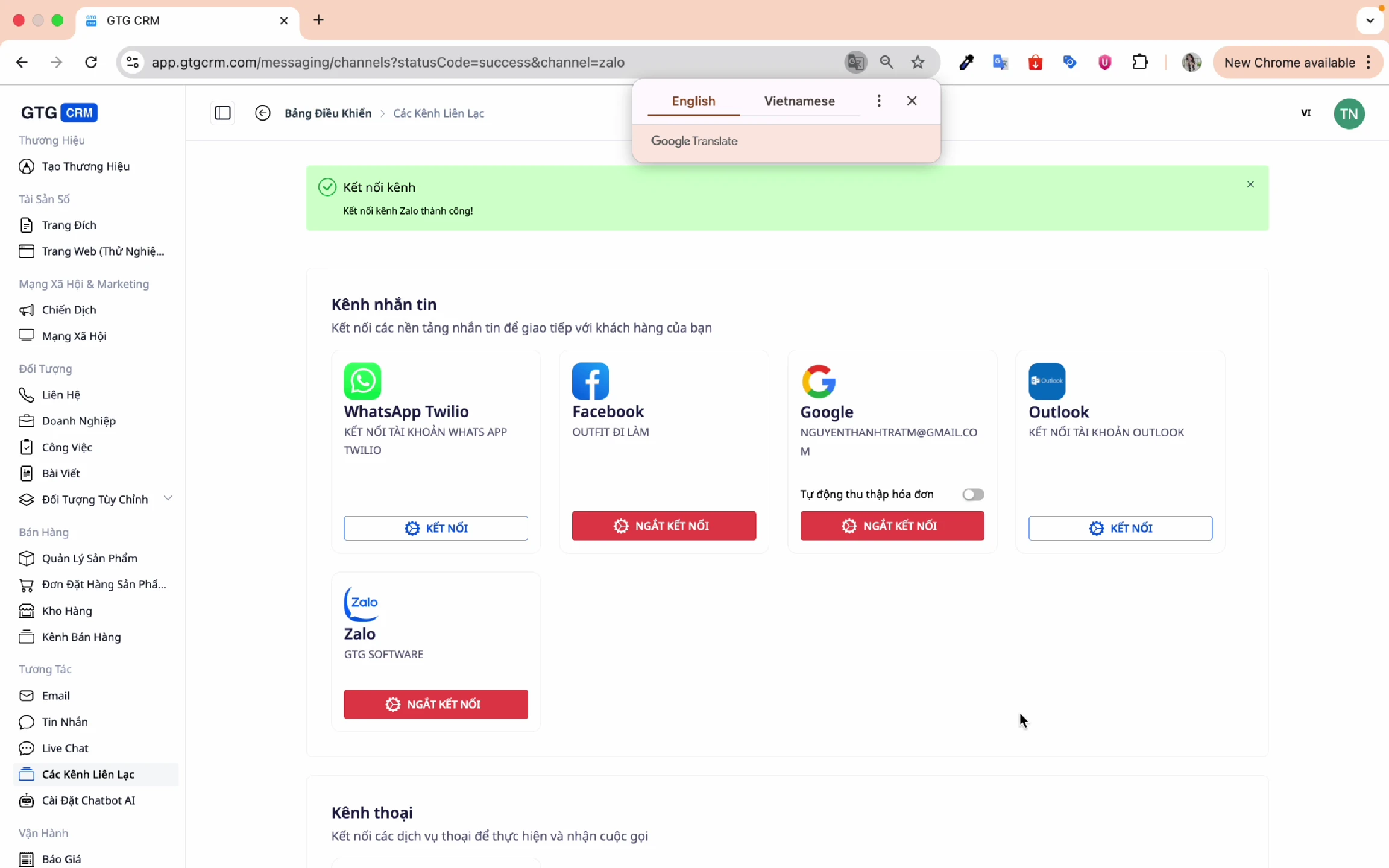
3. Connect Zalo OA
Similarly, connect your Zalo Official Account:
After connecting, the channels will appear in the list:
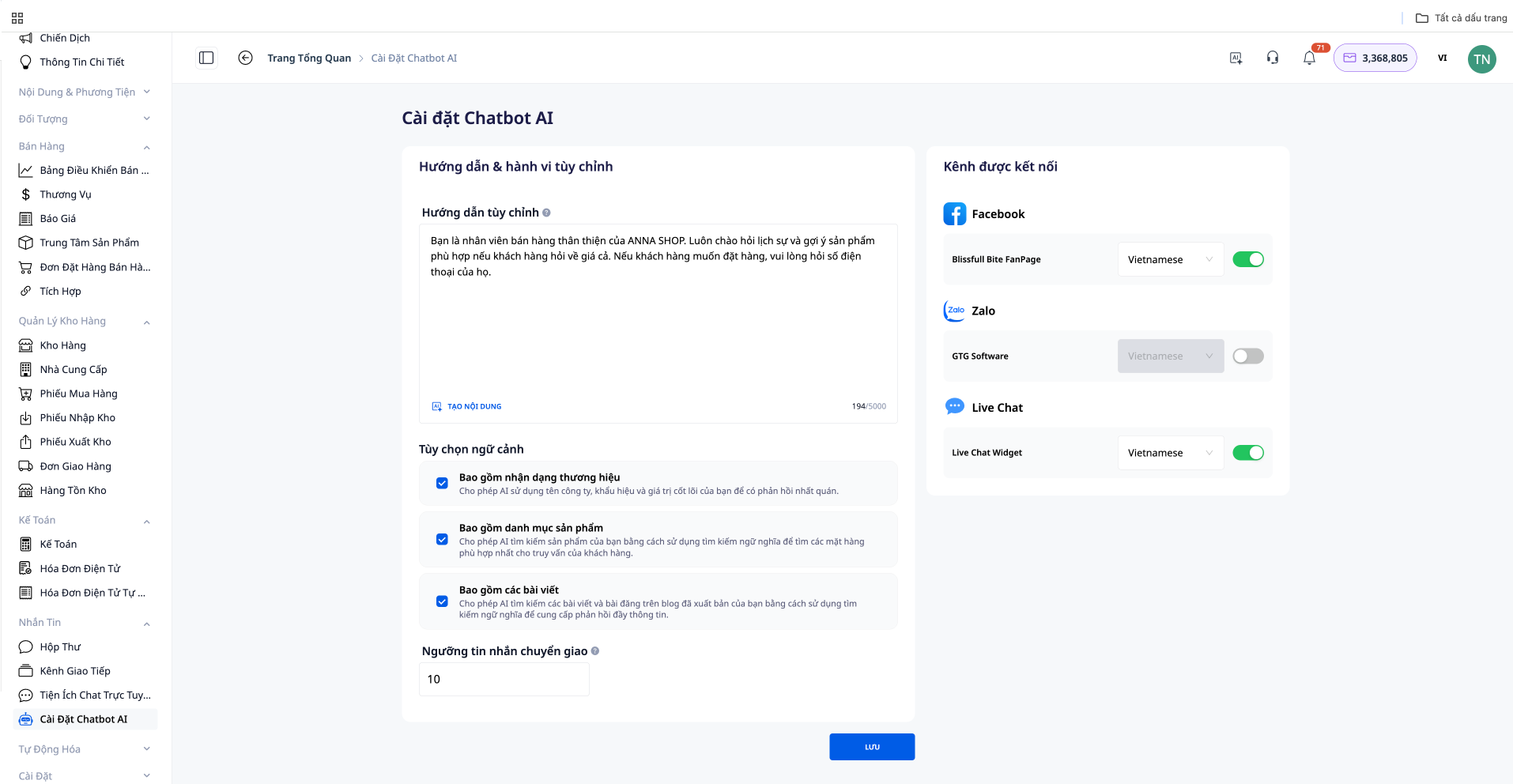
4. AI Chatbot Settings
Access the AI Chatbot settings to customize:
5. How AI Chatbot Works
GTG CRM's AI Chatbot operates based on the data pre-configured by the business:
Data Sources:
Source Description
Brand IdentityBrand information (name, description, values) ProductsProduct list with prices, descriptions, images PostsPublished content posts
This allows the Chatbot to respond to customers:
- With accurate product information
- In the correct business context
- In the brand's style
6. Custom Instructions Guide
You can instruct the AI Chatbot on how to respond in your own style:
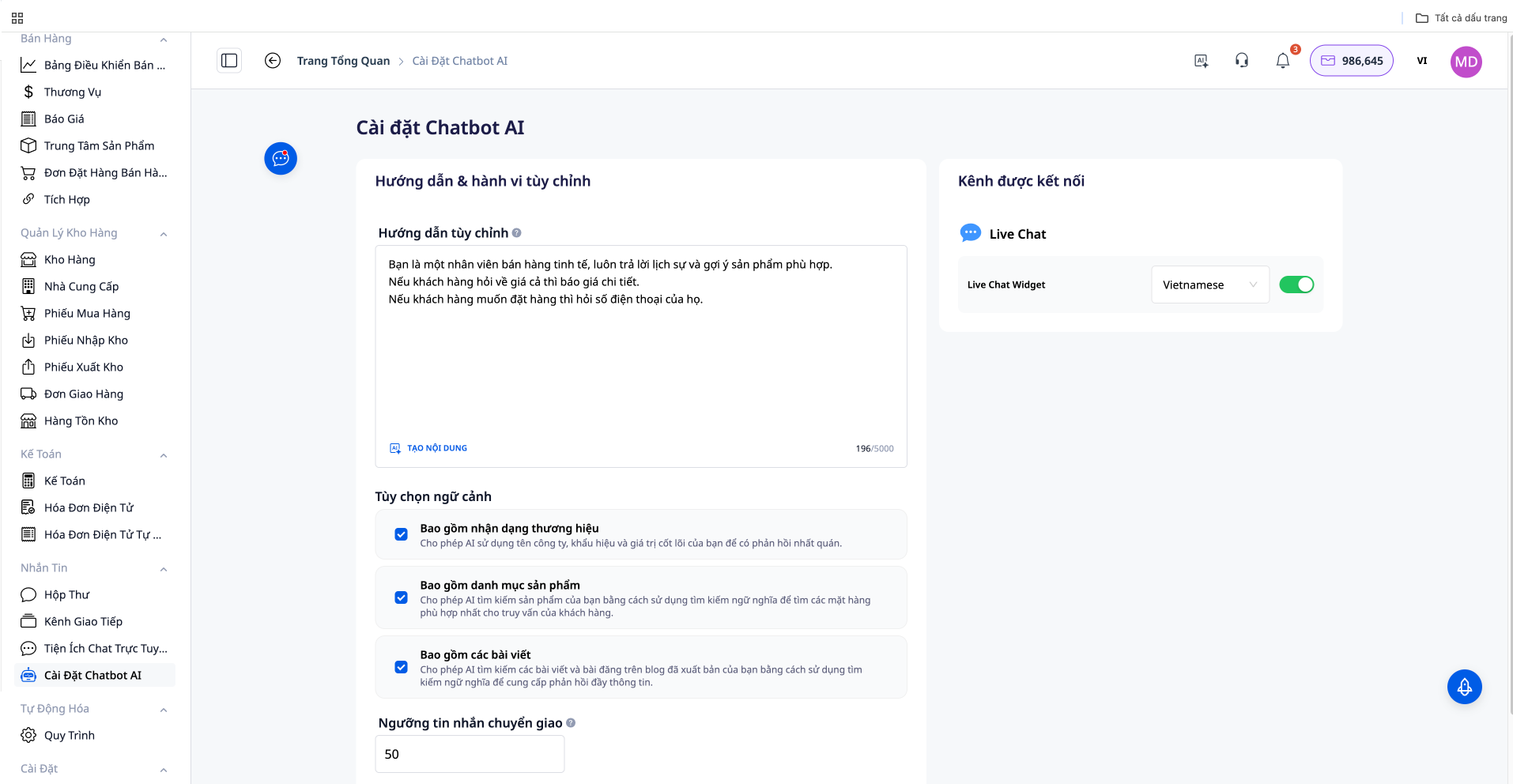
Instruction Example:
You are a sophisticated sales representative, always responding politely and suggesting suitable products. If a customer asks about prices, provide detailed quotes. If a customer wants to order, ask for their phone number.
7. Context Options
Configure information sources for the AI Chatbot:
Include Brand Recognition:
- Allow AI to retrieve information from Brand Identity
- Answer accurately according to brand image
Includes Products:
- AI automatically accesses the first 50 products
- Product consultation based on customer questions
- Consistent information for all customers
Includes Articles:
- AI accesses published articles
- References content when answering
Book Appointment:
- Allow customers to view available times, book, view, cancel, and reschedule appointments directly in the chat window
- Works on Facebook, Zalo, WhatsApp, and Live Chat on the website
8. Message Handover Threshold
Set the number of messages AI will respond to before transferring to a staff member:
Meaning:
- Example: Set threshold = 10
- AI will respond to the first 10 messages
- After that, a staff member will take over for further consultation
Benefits:
- AI handles basic questions
- Staff focus on closing deals
- Balance between automation and personalization
9. Enable/Disable AI for Each Channel
Choose which channels AI Chatbot should support:
- Enable AI for Facebook, Zalo, Live Chat as needed
- Flexibly adjust for each channel
10. Select Language
AI Chatbot supports multiple languages:
Supported Languages:
- Vietnamese
- English
- Japanese
- Korean
- Chinese
- Thai
11. Save Settings
After completing the configuration, click Save:
12. Demo: AI Chatbot in Action
Test Chat Screen:
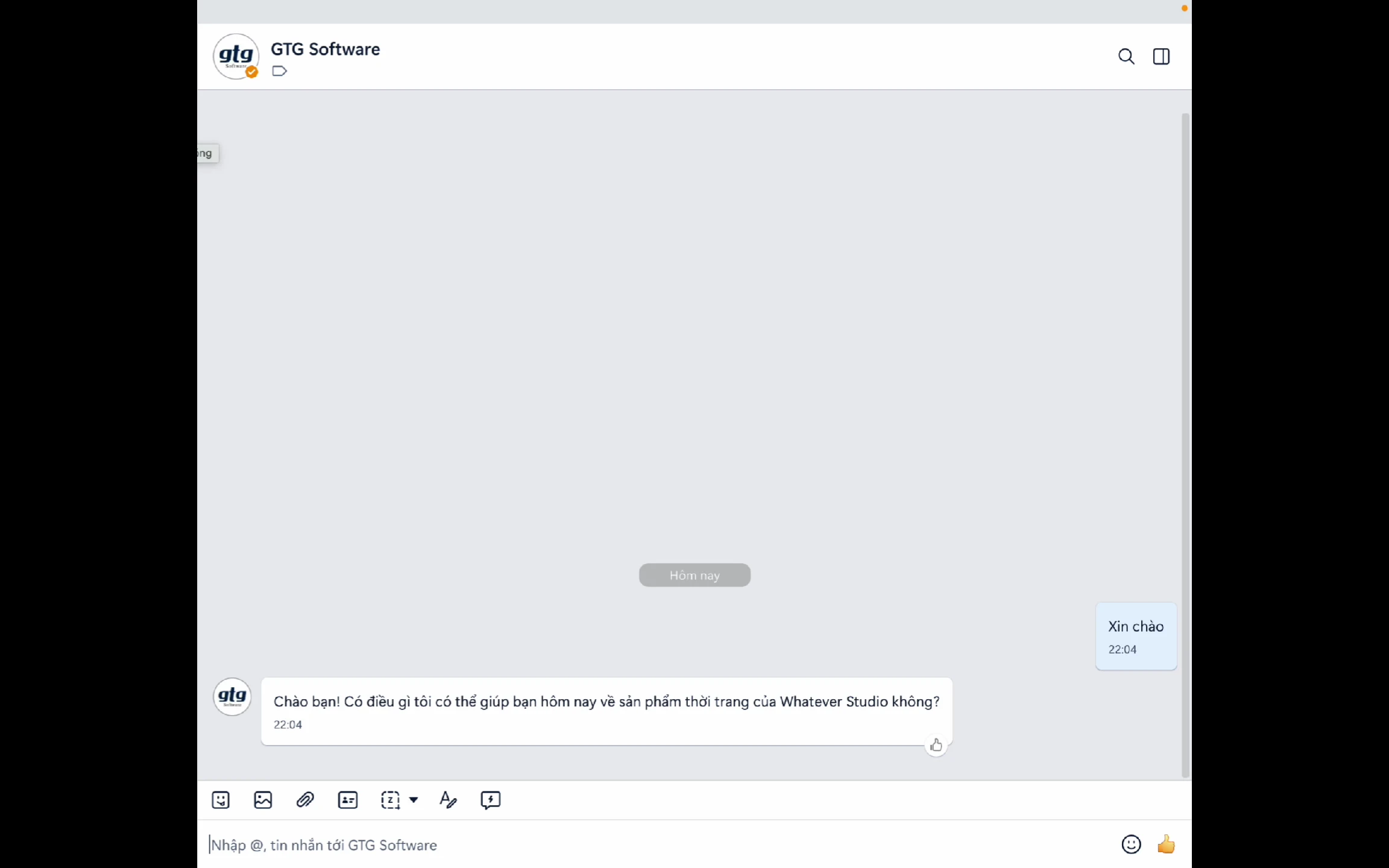
Customer Asks a Question:
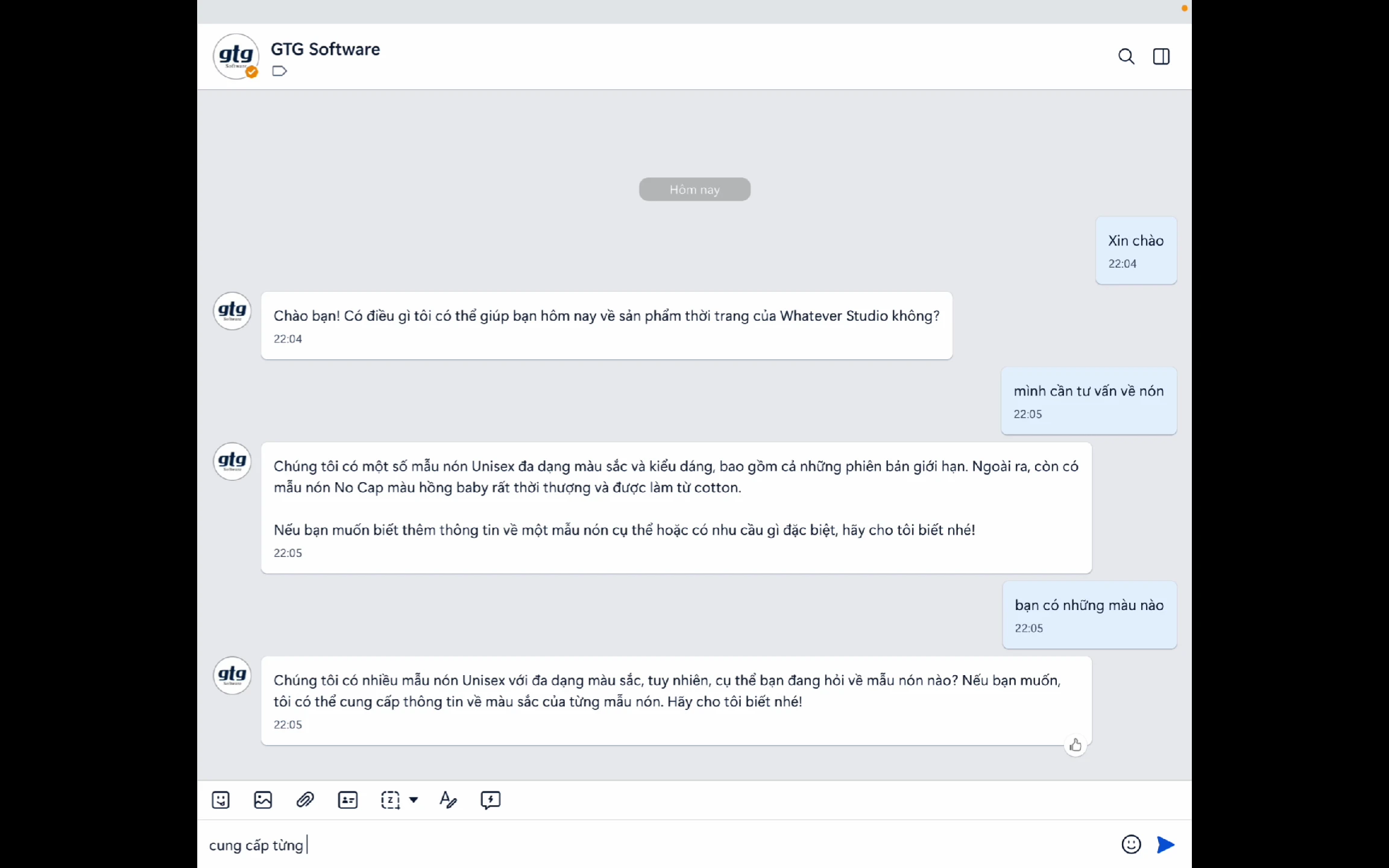
AI Chatbot Responds:
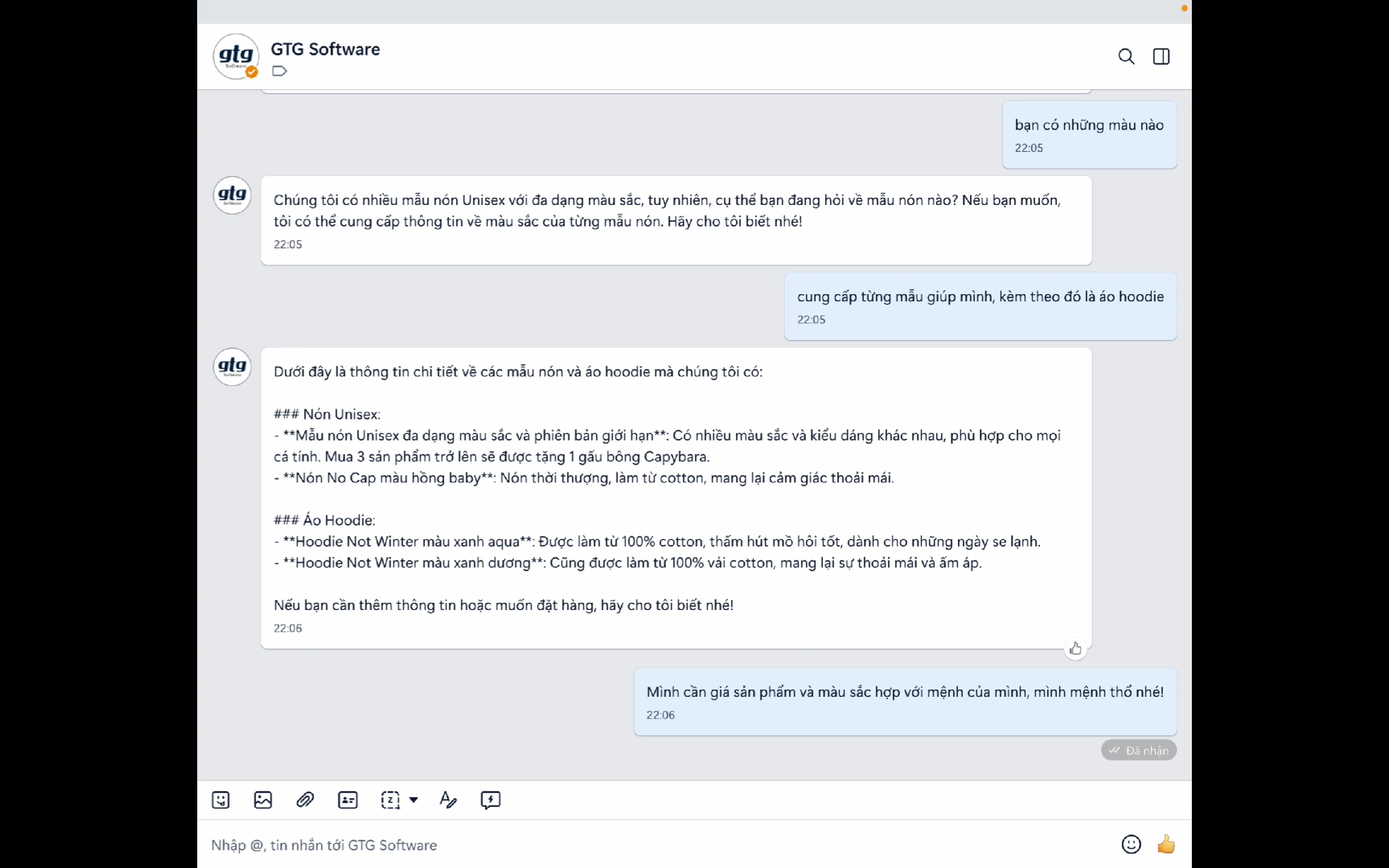
Product Recommendation:
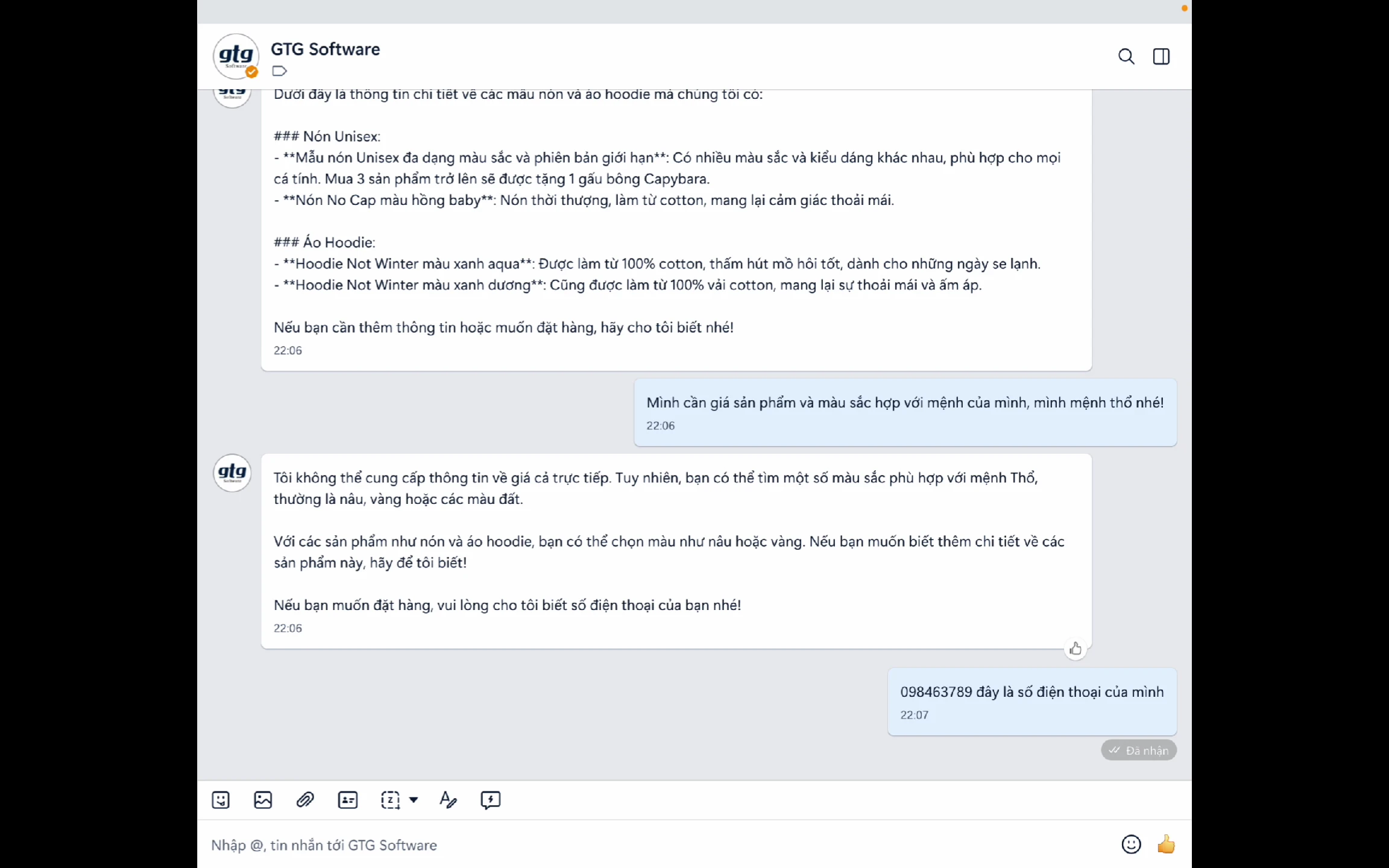
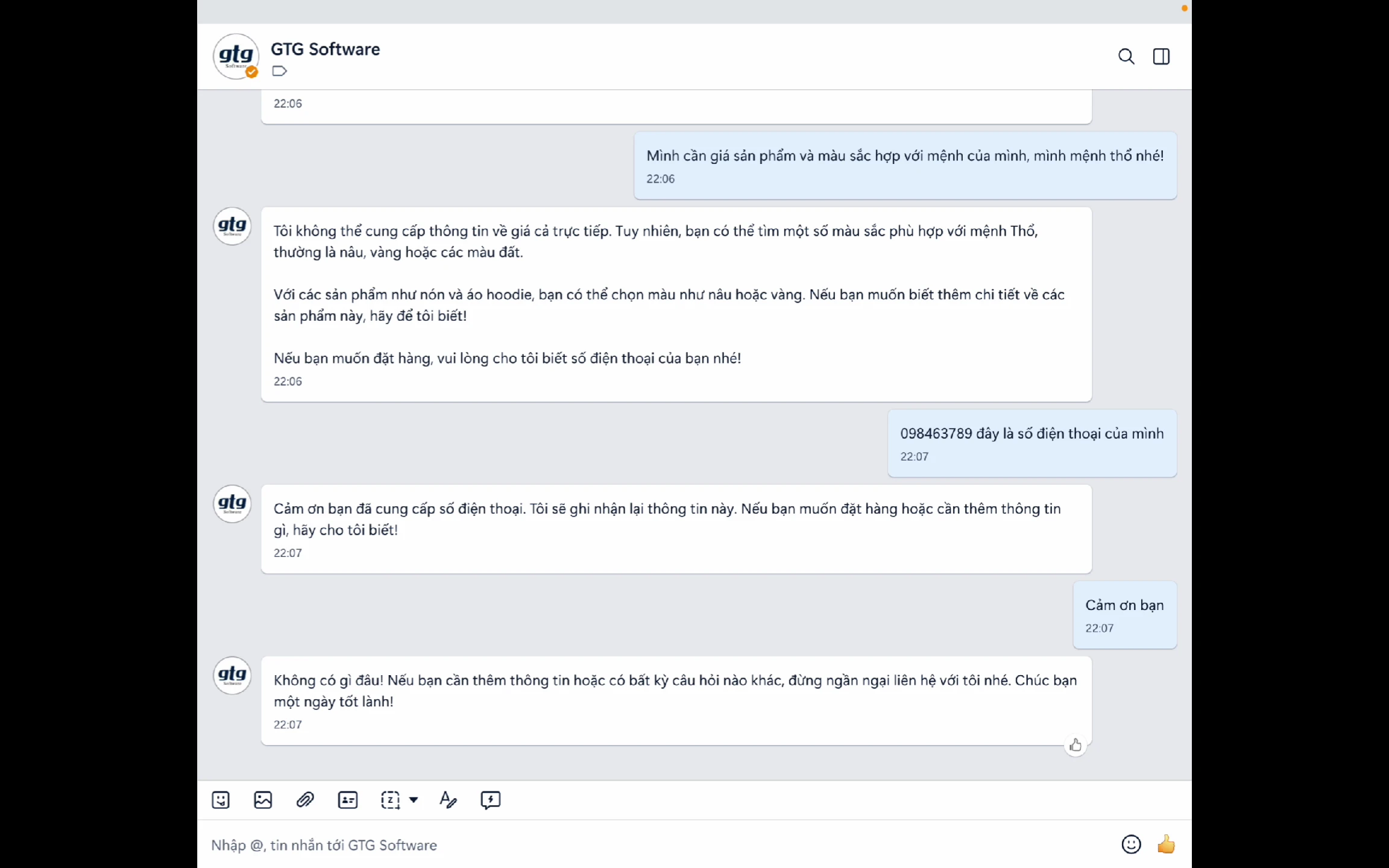
Conversation Complete:
Customers can also comment to place an order.
New: Respond from Your Documents — Accurate and Non-Fabricated
Your customers don't ask generic questions. They ask "Does the shop deliver on Sundays?", "Is size M in blue in stock?", "What is your return policy?". A bot that knows nothing about your business will answer incorrectly – or worse, make up an answer, causing customers to lose trust from the very first message.
Now GTG CRM's AI Chatbot has Knowledge Sources: you upload your documents (policies, price lists, FAQs, product guides), the system processes them and allows the bot to look up and answer correctly based on that specific content instead of giving general responses.
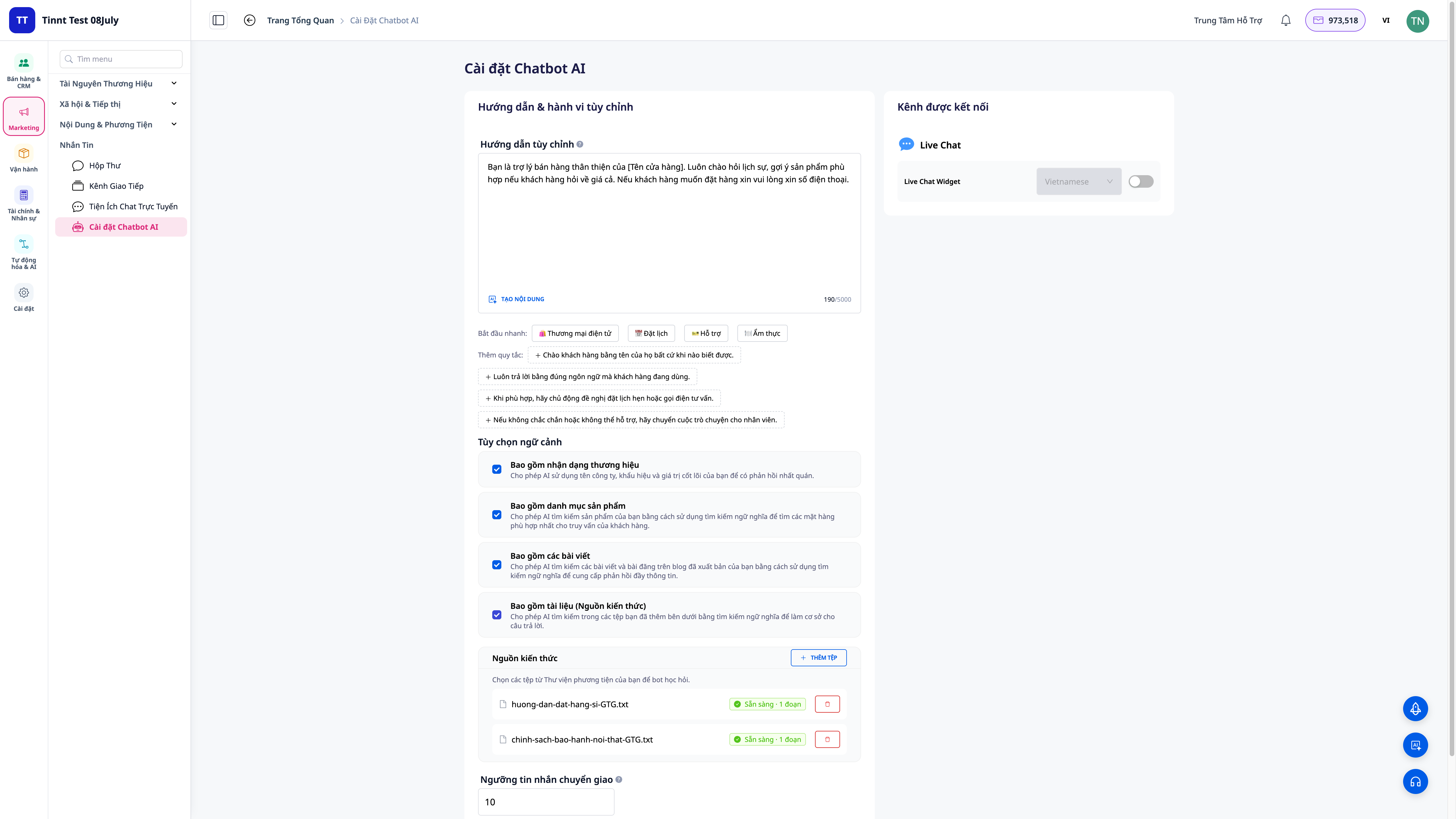
- Upload various document types: policies, price lists, FAQs, guides — the system processes them automatically in the background, requiring no extra effort from you.
- Most accurate answers: combines semantic search (understands intent even with different wording) and keyword search (captures specific product codes, policy names).
- Easy updates: bot gives incomplete answers? Add more documents, and the bot updates its responses instantly.
- Accurate to your business, no fabrications: the bot uses answers directly from the documents you provide — building greater customer trust.
New: Bot performs real actions for customers — not just answering
In addition to answering, you can enable/disable specific capabilities for the bot to perform real-world tasks directly within the chat interface — within safe limits, respecting your data scope and permissions:
| Customer asks | Bot performs |
|---|---|
| "Where is my order?" | Looks up the order and provides its actual status |
| "Do you have size M in blue in stock?" | Checks inventory and provides an accurate answer |
| "I'd like to book a table for Saturday evening" | Books an appointment for the customer |
| "What time is my appointment?" / "Please cancel my appointment" / "Reschedule my appointment to Sunday" | New: views, cancels, or reschedules existing appointments — directly within the chat, no callback needed |
| "I need help with a return" | Creates a support ticket and shares the policy |
You control what the bot can do; lookup actions only function within your data scope, designed with privacy protection in mind. Want to set it up step-by-step? See the AI Chatbot User Guide, Knowledge Sources section. You can also read a real-world case study in the article Chatbot answers accurately, doesn't fabricate — serving customers 24/7 without additional staff.
New: Customers can view, cancel, and reschedule appointments themselves — no need to call back or chat with staff. For appointments booked via chat, customers can continue the conversation in the same chat thread to inquire about their appointment time, cancel it, or reschedule to a different time. The bot confirms the correct appointment based on the service and time slot (not by ID or phone number) before cancelling or rescheduling, and retains that appointment — it does not create a new one. This functionality works on Facebook, Zalo, WhatsApp, and Live Chat on the website (not yet supported on Instagram). Enable this capability in AI Chatbot Settings → Contextual Options → Appointment Booking — it is disabled by default until you enable it.
Business Benefits
BenefitsDescription
Instant Responses Respond to customers in seconds 24/7 OperationNever miss a message Information ConsistencyEnsure accurate information Reduced Staff LoadAutomate handling of frequently asked questions Increased ConversionsConsult and recommend suitable products Multilingual SupportSupport multiple languages OmnichannelFacebook, Zalo, Live Chat in one system Learns from DataAnswers based on factual information Answers from DocumentsAccurate to your business, no fabrications — based on documents you upload Performs Real ActionsLook up orders, check stock, create tickets, book/view/cancel/reschedule appointments — within safe limits
Conclusion
GTG CRM's AI Chatbot is a powerful assistant that helps businesses:
- Provide professional 24/7 customer care
- Save time and resources
- Increase conversion rates and sales
- Build a consistent customer experience
Start setting up an AI Chatbot for your business today!
Ready to try this feature for free for your business?


