
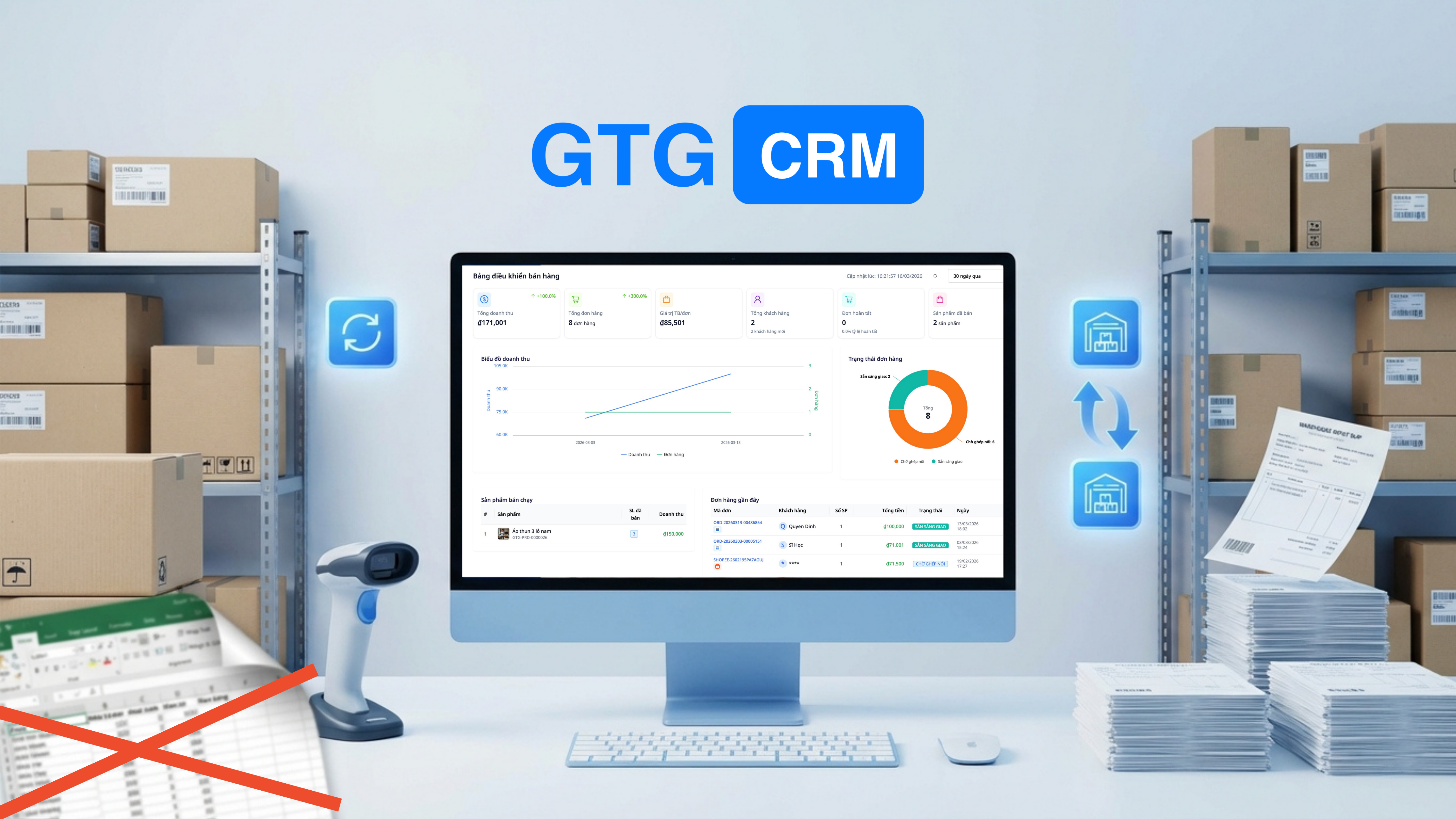
Korrekt lagerstyring er afgørende for succes eller fiasko i enhver produktbaseret virksomhed. En nylig undersøgelse viser, at 43 % af små virksomheder i Vietnam ikke sporer deres lager eller bruger manuelle metoder, hvilket resulterer i overskud eller mangel på varer, der direkte påvirker omsætning og fortjeneste.
For e-handelssælgere, der bruger Excel eller Google Sheets til lagerstyring, har du sandsynligvis oplevet disse skræmmende situationer: opdage, at en datalinje er indtastet forkert, hvilket gør hele lagerrapporten unøjagtig, eller at opdage en forskel på snesevis af produkter ved månedens lageroptælling uden at vide, hvor fejlen ligger. Hver sådan fejl medfører ikke kun tidskrævende undersøgelser, men kan også føre til økonomiske tab på millioner af kroner.
Udfordringen bliver mange gange mere kompleks, når en virksomhed udvider til flere lagre: hovedlager, filiallager, lager hos partnere. Hvert lager har sin egen Excel-fil, uden realtids synkronisering, hvilket gør det næsten umuligt at få et samlet overblik over lagerstatus.
Så hvordan kan man styre lageret på flere lokationer præcist, i realtid og uden at være afhængig af manuelle, fejlbehæftede værktøjer som Excel?
Alvorlige Problemer ved Lagerstyring med Excel
Selvom Excel er et populært og let tilgængeligt værktøj, indebærer brugen af det til lagerstyring i et dynamisk forretningsmiljø mange alvorlige risici og begrænsninger.
Data opdateres ikke i realtid
Dette er det største problem med lagerstyringsmetoden ved hjælp af Excel. Når en medarbejder A pakker varer til ordrer, men glemmer at opdatere Excel-filen, eller hvis computeren fryser under opdateringen, mens medarbejder B ser på Excel-filen og tror, at der er nok lager til at acceptere nye ordrer. Resultatet er oversalg, der skader både kunden og butikkens omdømme.
I omnikanal-handel er dette problem endnu værre. Et produkt sælges på Shopee, men lageret på Lazada og TikTok Shop opdateres ikke øjeblikkeligt, hvilket fører til mange samtidige ordrer på samme produkt på forskellige platforme, mens der kun er ét tilbage på lager.
Uundgåelige fejl på grund af manuel dataindtastning
Mennesker er ikke maskiner; fejl er uundgåelige. Indtastning af et forkert antal fra 150 til 1500, en forkert beregningsformel i en celle, der gør hele datakolonnen forkert, eller utilsigtet sletning af en vigtig linje er almindelige fejl ved arbejde med Excel. Det værste er, at disse fejl ofte ikke opdages med det samme, men først afsløres ved periodisk lageroptælling, hvor det er for sent at rette dem.
Flere lagerlokationer bliver et mareridt
Når en virksomhed udvider til flere lokationer, bliver styring med Excel ekstremt kompleks. Hvert lager har sin egen Excel-fil, hver fil administreres af en anden person med forskellige registreringsmetoder. Samling af data fra alle lagre for at få et samlet overblik over lagerbeholdningen kræver manuel indsamling, kopiering/indsættelse og beregning, hvilket tager meget tid og nemt fører til fejl.
Flytning af varer mellem lagre er også en stor udfordring. Når 50 produkter flyttes fra lager A til lager B, skal du huske at opdatere begge Excel-filer: reducere lager A og øge lager B. At glemme en af disse handlinger vil gøre dataene helt unøjagtige.
Kan ikke spore præcise omkostninger
Mange sælgere indkøber varer i flere partier til forskellige priser. Når de pakker, ved de ikke præcis, hvilken batch de pakker fra, og hvad varens omkostningspris er. Dette fører til unøjagtige profitberegninger og fejlagtige finansielle rapporter. FIFO-metoden (First In First Out) er standard, men ekstremt kompliceret at implementere manuelt i Excel.
Ingen automatiske advarsler, når varen er ved at løbe tør
Med Excel skal du aktivt huske at tjekke lagerbeholdningen hver dag for at se, hvilke produkter der er ved at løbe tør. At glemme at tjekke en dag kan føre til pludselige lagerudsolgter, manglende evne til at opfylde modtagne ordrer, hvilket resulterer i tab af omsætning og omdømme. Opsætning af automatiske advarsler i Excel er muligt, men kræver kendskab til makroer og VBA, som de fleste sælgere ikke har.
GTG CRM - Professionelt Lagerstyringssystem til Alle Størrelser
Med en klar bevidsthed om de udfordringer, virksomheder står over for med manuelle lagerstyringsmetoder, har GTG CRM udviklet et integreret, automatiseret og ekstremt brugervenligt lagerstyringssystem, der passer til alle størrelser, fra individuelle sælgere til store distributionsvirksomheder.
Systemet er ikke blot et sted at registrere lagerdata, men en omfattende løsning, der automatiserer hele processen fra varemottagelse, vareudlevering, vareoverførsel til rapportering og advarsler. Alle handlinger registreres med en fuld sporbarhed, hvilket sikrer gennemsigtighed og mulighed for at spore oprindelsen, når det er nødvendigt.
Lagerstyringsfunktioner
1. Flere Lagre — Styring Fra Én Dashboard
Opret og administrer flere lagre samtidigt:
- Hovedlager (centralt lager)
- Filiallagre (efter lokation)
- Lagre til kommissionerede varer (consignment)
Hvert lager har sin egen lagerbeholdning, men alt vises på én dashboard. Du ved straks, hvilket lager der har varer, og hvilket der skal genopfyldes.
2. Vareindgang/Vareudlevering Med Dokumentation
Alle lagerbeholdningstransaktioner har tydelig dokumentation:
- Vareindgangsbilag: Indgang fra leverandør, specificerer mængde, enhedspris
- Vareudleveringsbilag: Udlevering efter ordre eller manuel udlevering
- Vareoverførselsbilag: Overførsel af varer mellem lagre — med fuld sporing
3. Automatisk Omkostningsberegning (FIFO)
Systemet beregner automatisk omkostningerne efter metoden FIFO (First In, First Out):
- Første varemodtagelse: 100 stk. × 50.000đ
- Anden varemodtagelse: 200 stk. × 55.000đ
- Udlevering af 150 stk. → systemet beregner automatisk: 100 × 50K + 50 × 55K = nøjagtig vareomkostning
Ingen manuel beregning med Excel — finansielle rapporter er altid nøjagtige.
4. Synkronisering Med Ordrer
Når en ordre er bekræftet → lagerbeholdningen reduceres automatisk:
- Ordre fra Shopee → trækkes fra lager
- Ordre fra hjemmeside → trækkes fra lager
- Ordre fra Lazada → trækkes fra lager
- Alt synkroniseres i realtid — aldrig oversælg
5. Advarsel Ved Udsolgt
Indstil sikkerhedsgrænser for hvert produkt:
- Produkt A: minimum lagerbeholdning = 50
- Når lagerbeholdningen falder til under 50 → systemet advarer med det samme
- Aldrig mere pludselige lagerudsolgter
6. Realtids Lagerrapportering
- Lagerbeholdning efter lager, efter produkt, efter dato
- Detaljeret historik over vareindgang/vareudlevering
- Omkostningsrapporter, profit/tab efter produkt
Sammenligning: Excel vs GTG CRM
| Kriterier | Excel | GTG CRM |
|---|---|---|
| Realtid | ❌ Manuel opdatering | ✅ Automatisk ved transaktion |
| Flere lagre | ❌ Mange filer, svære at administrere | ✅ 1 dashboard, alle lagre |
| FIFO omkostning | ❌ Manuel beregning med formler | ✅ Automatisk beregning |
| Advarsel om lagerbeholdning | ❌ Skal huske at tjekke manuelt | ✅ Automatisk advarsel |
| Ordresynkronisering | ❌ Kopi-indsæt | ✅ Automatisk lagerreduktion |
| Ind- og udgående dokumenter | ❌ Ingen | ✅ Fuldstændige sedler |
| Fejl | Høj | Næsten 0 |
Hvem bør bruge det?
- E-handelssælgere der sælger på flere platforme, og som har brug for at synkronisere lagerbeholdningen
- Detailbutikker med flere afdelinger
- Distributører der administrerer et samlet lager og agentlagre
- Produktionsvirksomheder der skal overvåge råmaterialer og færdigvarer
Konklusion — Konverter fra Excel til et professionelt lagerstyringssystem
I denne æra med stærk teknologisk udvikling er det ikke kun spild af tid at blive ved med at bruge Excel til lagerstyring, men det indebærer også store risici for virksomheden. Virksomheder, der er overgået til et professionelt lagerstyringssystem, rapporterer en reduktion af fejl på op til 95%, en tidsbesparelse på 60% i håndtering af lagerrelaterede opgaver, og vigtigst af alt, de står aldrig over for situationer med oversalg eller pludselig mangel på varer.
GTG CRM giver dig mulighed for at foretage denne overgang nemt og smertefrit. Du kan starte med at importere dine nuværende Excel-data til systemet på få minutter. Umiddelbart efter vil alle ind- og udgående lageroperationer blive automatiseret og synkroniseret i realtid med ordrer fra e-handelsplatforme, hvilket fuldstændigt eliminerer manuel dataindtastning.
Det vigtigste er, at GTG CRMs lagerstyringssystem ikke fungerer isoleret, men er dybt integreret med andre moduler som ordrestyring, elektroniske fakturaer og finansiel rapportering. Når en ordre er bekræftet, reduceres lagerbeholdningen automatisk. Når en faktura udstedes, beregnes omkostningerne automatisk. Alle data flyder problemfrit mellem modulerne, hvilket sikrer absolut konsistens og nøjagtighed.
Med 36.888 gratis credits ved registrering har du tilstrækkelige ressourcer til at administrere tusindvis af ind- og udgående transaktioner, nok til at opleve og fuldt ud vurdere systemets effektivitet. Brug 10 minutter på opsætningen, og du vil aldrig vende tilbage til Excel igen.
Tilmeld dig GTG CRM gratis og start professionel lagerstyring på gtgcrm.com


