
Έχετε επισκεψιμότητα στη σελίδα του προϊόντος σας, αλλά το ποσοστό μετατροπής παραμένει χαμηλό; Ή αντίστροφα, η σελίδα του προϊόντος είναι όμορφη, αλλά κανείς δεν τη βρίσκει στο Google; Αυτό είναι ένα κλασικό πρόβλημα που αντιμετωπίζουν οι περισσότεροι πωλητές ηλεκτρονικού εμπορίου.
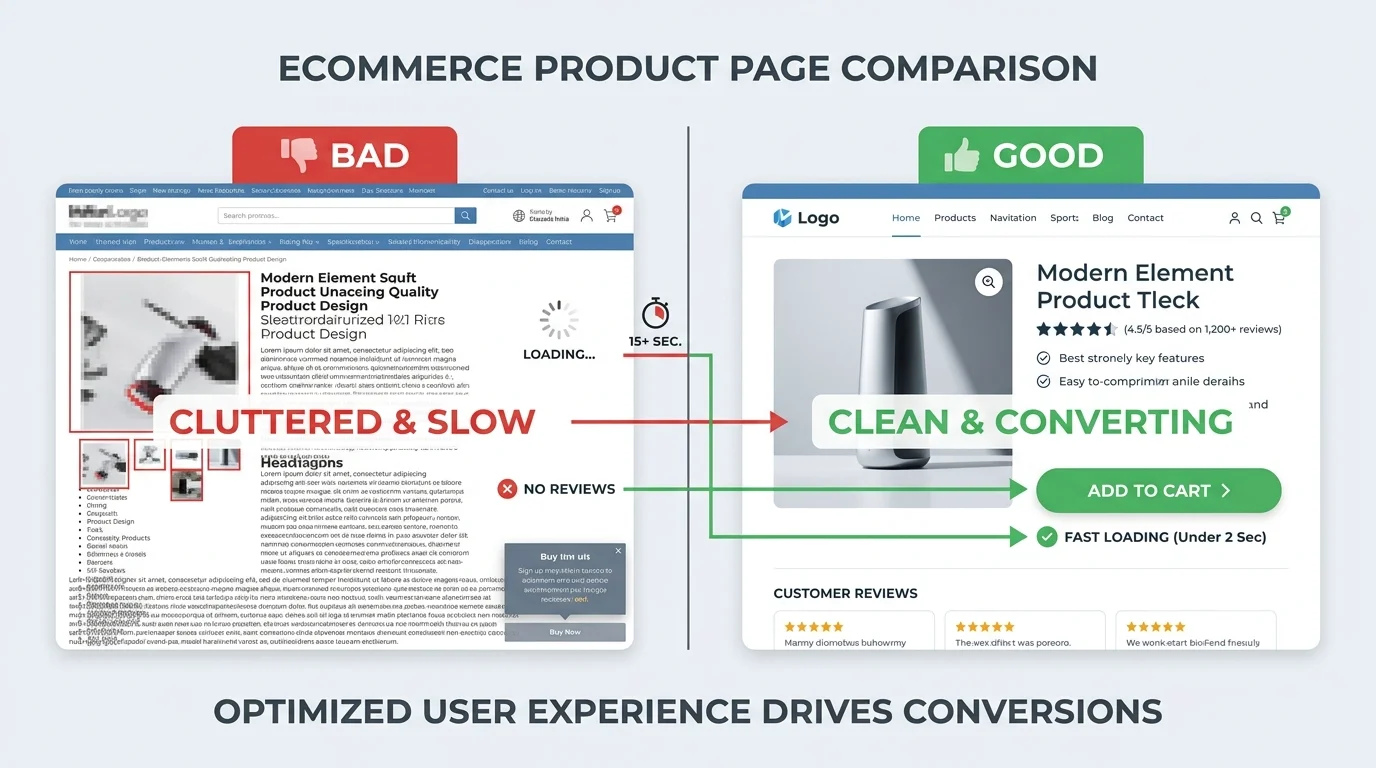
Στην πραγματικότητα, μια σελίδα προϊόντος βελτιστοποιημένη για SEO και μια σελίδα προϊόντος που μετατρέπει εύκολα δεν είναι δύο αντίθετα πράγματα. Πρέπει να πηγαίνουν χέρι-χέρι. Μια καλή σελίδα προϊόντος πρέπει να βοηθά τους πελάτες να σας βρουν (SEO) και να τους πείθει να αγοράσουν (Μετατροπή).
Αυτό το άρθρο θα σας καθοδηγήσει στο πώς να βελτιστοποιήσετε τη σελίδα προϊόντος για SEO και στις δύο κατευθύνσεις - και πώς το GTG CRM σας βοηθά να εκτελέσετε κάθε βήμα αυτόματα και αποτελεσματικά.
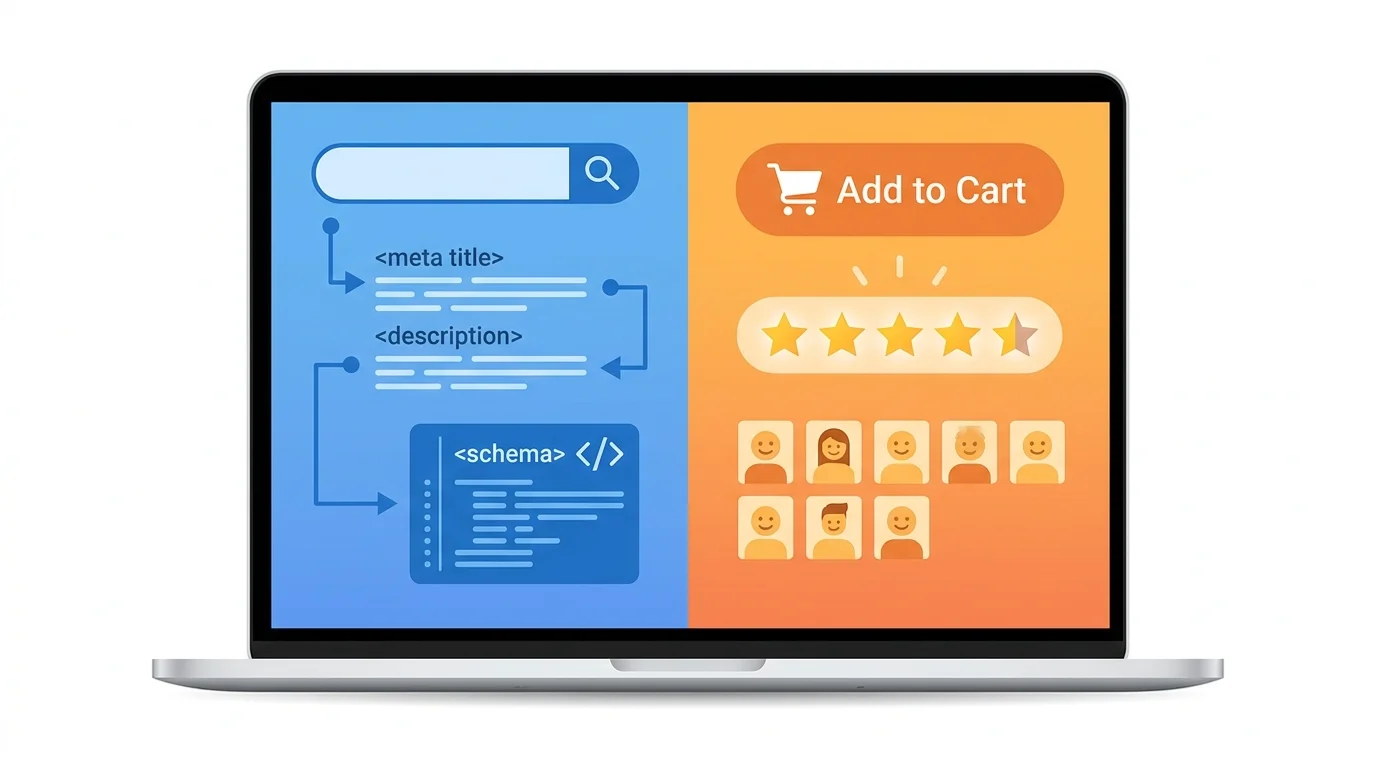
Γιατί Αποτυγχάνουν Πολλές Σελίδες Προϊόντων;
Πριν μπούμε στις λεπτομέρειες, ας κατανοήσουμε τα κοινά λάθη:
Σελίδες με SEO αλλά χωρίς μετατροπή
- Περιεχόμενο γεμάτο λέξεις-κλειδιά, δύσκολο στην ανάγνωση
- Έλλειψη πραγματικών πληροφοριών για το προϊόν
- Έλλειψη κοινωνικής απόδειξης (κριτικές, βαθμολογίες)
- Σαφής ή δύσκολη εύρεση CTA (Κάλεσμα σε δράση)
- Χαμηλής ποιότητας εικόνες
Όμορφες σελίδες χωρίς επισκεψιμότητα
- Μη βελτιστοποιημένοι τίτλοι, meta descriptions
- Έλλειψη περιεχομένου για τις μηχανές αναζήτησης
- Έλλειψη schema markup
- Εικόνες χωρίς alt text
- Αργός χρόνος φόρτωσης
Στόχος αυτού του άρθρου: Να σας βοηθήσει να εξισορροπήσετε και τους δύο παράγοντες για να έχετε μια σελίδα προϊόντος που κατατάσσεται ψηλά και πωλεί.
1. Βελτιστοποίηση Τίτλου & Meta Description
Title Tag (Τίτλος Σελίδας)
Τυπική Φόρμουλα:
[Όνομα προϊόντος] - [Κύριο χαρακτηριστικό] | [Μάρκα]
Παράδειγμα:
| Πώς γίνεται | Παράδειγμα |
|---|---|
| Κακό | "Ανδρικό μπλουζάκι" |
| Καλό | "Ανδρικό Μπλουζάκι 100% Βαμβάκι - Ελαστικότητα 4 κατευθύνσεων, Αεριζόμενο | ShopX" |
Σημειώσεις:
- Μήκος: 50–60 χαρακτήρες (μέγιστο 60)
- Περιέχει την κύρια λέξη-κλειδί στην αρχή
- Περιέχει τη μοναδική πρόταση πώλησης (USP) του προϊόντος
- Ελκυστικό, ενθαρρύνει το κλικ
Με το GTG CRM: Όταν δημιουργείτε ή επεξεργάζεστε μια σελίδα προϊόντος στο Website Builder, μπορείτε να ορίσετε ένα ξεχωριστό Page Title για κάθε σελίδα στις ρυθμίσεις SEO. Αυτός ο τίτλος θα εμφανίζεται στην καρτέλα του προγράμματος περιήγησης και στα αποτελέσματα αναζήτησης της Google.
Meta Description
Τυπική Φόρμουλα:
[Σύντομη περιγραφή] + [Κύριο όφελος] + [CTA]
Παράδειγμα:
Ανδρικό μπλουζάκι από 100% premium βαμβάκι, ελαστικότητα 4 κατευθύνσεων, εξαιρετική απορρόφηση ιδρώτα.
Δωρεάν μεταφορικά πανελλαδικά, επιστροφές εντός 30 ημερών. Δείτε τώρα!
Σημειώσεις:
- Μήκος: 150–160 χαρακτήρες
- Περιέχει φυσικές λέξεις-κλειδιά (όχι κατάχρηση)
- Τονίζει τα οφέλη, όχι μόνο τα χαρακτηριστικά
- Περιέχει σαφές CTA (Αγοράστε τώρα, Δείτε λεπτομέρειες…)
Με το GTG CRM: Κάθε σελίδα στον ιστότοπο έχει πεδίο Meta Description στις ρυθμίσεις SEO. Επιπλέον, το σύστημα δημιουργεί αυτόματα Open Graph Title και Open Graph Image (μέσω του endpoint
/api/og) για βελτιστοποιημένη εμφάνιση κατά την κοινή χρήση στα μέσα κοινωνικής δικτύωσης.
2. Βελτιστοποίηση Περιεχομένου Προϊόντος
A. Περιγραφή προϊόντος βελτιστοποιημένη για SEO
Αποτελεσματική Δομή Περιεχομένου:
Εισαγωγική παράγραφος (100–150 λέξεις)
- Παρουσιάζει τι είναι το προϊόν
- Τι πρόβλημα λύνει για τον πελάτη
- Περιέχει την κύρια λέξη-κλειδί 1–2 φορές φυσικά
Παράδειγμα:
"Βαμβακερό μπλουζάκι ανδρικό 100% από το ShopX, ειδικά σχεδιασμένο για υπαλλήλους γραφείου ή για όσους είναι δραστήριοι. Με υλικό βαμβάκι υψηλής ποιότητας, το μπλουζάκι έχει ελαστικότητα 4 κατευθύνσεων και απορροφά καλά τον ιδρώτα, κρατώντας σας άνετα όλη μέρα."
Λεπτομερείς Πληροφορίες (300–500 λέξεις)
Χρησιμοποιήστε επικεφαλίδες επιπέδου 2, 3 για να δομήσετε το περιεχόμενο με σαφήνεια:
## Βασικά Χαρακτηριστικά

### Υλικό
- Υψηλής ποιότητας 100% βαμβάκι από την Αμερική
- Ελαστικότητα 4 κατευθύνσεων, δεν τσαλακώνει
- Γρήγορη απορρόφηση ιδρώτα

### Σχεδιασμός
- Slim fit γραμμή που κολακεύει το σώμα
- Σταθερό στρογγυλό λαιμόκοψη
- Προσεκτικές ραφές
Σημαντική Σημείωση:
- Γράψτε σε στυλ benefit-driven (τα οφέλη προηγούνται των χαρακτηριστικών)
- Κακό: "Το μπλουζάκι έχει βαμβακερό υλικό"
- Καλό: "Το βαμβακερό υλικό σας κρατά στεγνούς ακόμα και κατά τη διάρκεια έντονης δραστηριότητας"
- Χρησιμοποιήστε φυσικά λέξεις-κλειδιά, τοποθετημένες σε επικεφαλίδες και στην αρχή των παραγράφων
- Χωρίστε σε μικρές παραγράφους (3-4 γραμμές), εύκολες στην ανάγνωση σε κινητό
Με το GTG CRM: Όταν δημιουργείτε προϊόντα στην ενότητα CRM → Products, έχετε πεδίο περιγραφής rich-text για να εισάγετε λεπτομερές περιεχόμενο. Αυτό το περιεχόμενο θα εμφανίζεται στη σελίδα του προϊόντος στον ιστότοπο. Επιπλέον, η λειτουργία AI Product Creation σας επιτρέπει να εισάγετε το όνομα του προϊόντος → το σύστημα δημιουργεί αυτόματα περιγραφή, κατηγορία, ετικέτες, SKU, ακόμη και 3 εικόνες προϊόντος με AI.
B. Αποφυγή Διπλότυπου Περιεχομένου
Για καταστήματα με πολλά παρόμοια προϊόντα, αυτό είναι σοβαρό πρόβλημα:
Λύση:
- Ευέλικτο πρότυπο: Δημιουργήστε ένα κοινό πρότυπο αλλά αλλάξτε τουλάχιστον 30-40% του περιεχομένου
- Μοναδικά σημεία πώλησης: Τονίστε το ξεχωριστό πλεονέκτημα κάθε προϊόντος
- Χρήση AI για υποστήριξη: Χρησιμοποιήστε AI για να γράψετε παραλλαγές, αλλά πρέπει να ελέγξετε και να επεξεργαστείτε
- Canonical tag: Εάν τα προϊόντα είναι πολύ παρόμοια, χρησιμοποιήστε canonical για να δείξετε προς την κύρια σελίδα
Με το GTG CRM: Το σύστημα δημιουργεί αυτόματα canonical tag για κάθε σελίδα προϊόντος (self-canonical). Όταν ο ιστότοπος υποστηρίζει πολλές γλώσσες, οι ετικέτες hreflang δημιουργούνται επίσης αυτόματα για όλες τις ενεργές γλώσσες μαζί με το
x-default, βοηθώντας την Google να μην θεωρεί διαφορετικές εκδόσεις γλώσσας ως διπλότυπο περιεχόμενο.
3. Βελτιστοποίηση Εικόνων
Οι εικόνες όχι μόνο βοηθούν τους πελάτες να οραματιστούν το προϊόν, αλλά είναι και ένας σημαντικός παράγοντας για το SEO.
A. Όνομα Αρχείου & Alt Text
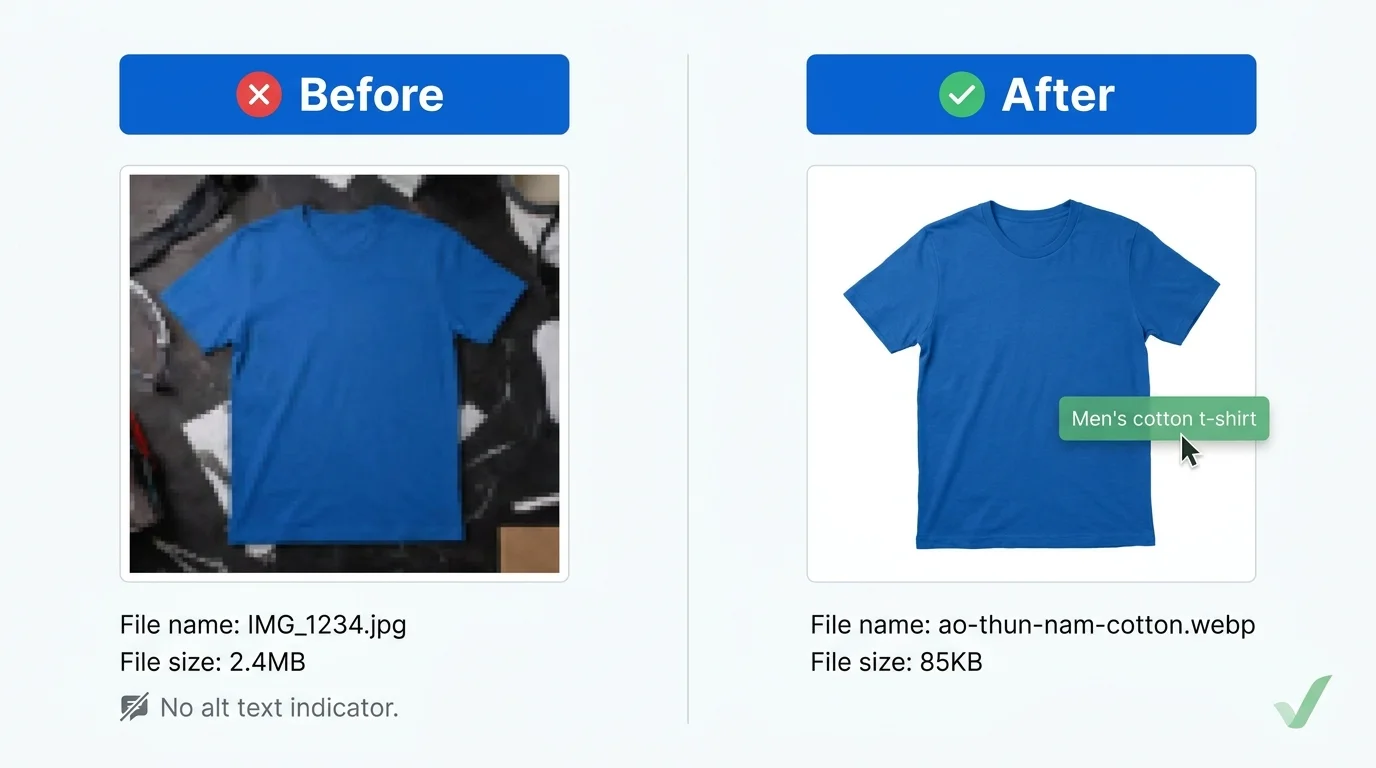
| Πώς να το κάνετε | Όνομα αρχείου | Alt text |
|---|---|---|
| Κακό | IMG_1234.jpg |
(κενό) |
| Καλό | mao-thun-nam-cotton-trang.jpg |
Ανδρικό βαμβακερό μπλουζάκι λευκό slim fit |
Κανόνες ονοματοδοσίας:
- Όνομα αρχείου:
san-pham-mau-dac-diem.jpg(χρησιμοποιήστε παύλες, πεζά) - Alt text: Περιγράψτε ακριβώς το περιεχόμενο της εικόνας, περιέχοντας φυσικά λέξεις-κλειδιά
B. Βελτιστοποίηση Μεγέθους
Πρόβλημα: Βαριά εικόνα → Σελίδα φορτώνει αργά → Οι πελάτες φεύγουν, το SEO μειώνεται
Λύση:
- Χρησιμοποιήστε τη μορφή WebP (μειώνει το μέγεθος κατά 30-40% σε σύγκριση με το JPEG)
- Συμπιέστε τις εικόνες πριν την μεταφόρτωση (TinyPNG, Squoosh)
- Σωστό μέγεθος: μην ανεβάζετε εικόνες 4K για μικρογραφίες
- Lazy loading: φορτώστε εικόνες μόνο όταν ο χρήστης φτάσει σε αυτές με κύλιση
Στόχος: Κάθε εικόνα < 200KB, συνολικό μέγεθος σελίδας < 2MB
Με το GTG CRM: Όλες οι εικόνες που ανεβαίνουν στην Βιβλιοθήκη Πολυμέσων διανέμονται μέσω CDN (
assets.gtgcrm.com) για να διασφαλιστεί η γρήγορη ταχύτητα φόρτωσης. Ο ιστότοπος είναι χτισμένος σε Next.js με αυτόματη βελτιστοποίηση εικόνων (next/image) — αυτόματη αλλαγή μεγέθους και lazy loading. Μπορείτε επίσης να βρείτε stock εικόνες από το Unsplash και το Google Photos απευθείας στο GTG CRM, ή να δημιουργήσετε εικόνες προϊόντων με το AI Image Studio (Google Gemini).
Γ. Πραγματικές Εικόνες vs. Διαφημιστικές Εικόνες
Χρειάζεστε και τα δύο:
- Διαφημιστικές Εικόνες (στούντιο, όμορφες) → Δημιουργούν πρώτη εντύπωση
- Πραγματικές Εικόνες (πελάτες που χρησιμοποιούν) → Αυξάνουν την εμπιστοσύνη, μειώνουν τις επιστροφές
Προτεινόμενος αριθμός:
- 3–5 κύριες εικόνες (στούντιο)
- 2–3 πραγματικές εικόνες
- 1 εικόνα μεγέθους / τεχνικών λεπτομερειών
Με το GTG CRM: Κάθε προϊόν υποστηρίζει πολλαπλές εικόνες και κάθε παραλλαγή (variant) μπορεί να έχει τη δική της εικόνα. Όταν πουλάτε σε πολλαπλά κανάλια (TikTok Shop, Lazada, Shopee), το σύστημα αλλάζει αυτόματα το μέγεθος των εικόνων στο τυπικό μέγεθος κάθε πλατφόρμας (π.χ., 800×800 για το TikTok Shop).
4. Αύξηση Εμπιστοσύνης (Trust)
Α. Κοινωνική Απόδειξη (Social Proof)
Σημαντικοί λόγοι:
- 90% των πελατών διαβάζουν κριτικές πριν αγοράσουν
- Καλή κοινωνική απόδειξη → αύξηση ποσοστού μετατροπής 15–30%
- Περιεχόμενο από χρήστες → αύξηση δυναμικού περιεχομένου για SEO
Αποτελεσματικοί παράγοντες κοινωνικής απόδειξης:
- Ποσότητα πωληθέντων: "Έχουν πωληθεί 1.200+ προϊόντα"
- Χρόνος ίδρυσης: "Εμπιστεύονται 10.000+ πελάτες από το 2019"
- Πιστοποιήσεις: "Το προϊόν πληροί τα πρότυπα TCVN…"
Με το GTG CRM: Το σύστημα υποστηρίζει επί του παρόντος σχόλια και likes για άρθρα (articles) στον ιστότοπο, με λειτουργία αυτόματης ή χειροκίνητης έγκρισης σχολίων (
auto_approve/manual_review). Μπορείτε να διαχειριστείτε σχόλια στο Content → Comment Moderation με καταστάσεις pending/approved/rejected/spam.Σημείωση: Η λειτουργία βαθμολογίας με αστέρια (star rating) στα προϊόντα δεν έχει ακόμη ενσωματωθεί άμεσα. Για να αυξήσετε την εμπιστοσύνη στη σελίδα του προϊόντος, θα πρέπει να αξιοποιήσετε τις διαθέσιμες ενότητες Testimonials στον Website Builder για να εμφανίσετε σχόλια από πελάτες.
Β. Σαφείς Πολιτικές
Οι Δεσμεύσεις Μας

✅ Δωρεάν επιστροφή εντός 30 ημερών αν δεν είστε ικανοποιημένοι
✅ 12μηνη εγγύηση για ελαττώματα κατασκευαστή
✅ Δωρεάν αποστολή σε όλη την χώρα για παραγγελίες άνω των 199k
✅ Επιθεώρηση εμπορευμάτων πριν την πληρωμή
Με το GTG CRM: Μπορείτε να δημιουργήσετε ενότητες πολιτικής απευθείας στον Website Builder χρησιμοποιώντας έτοιμα στοιχεία (Text, Icon List, Grid). Οι πληροφορίες αποστολής — συμπεριλαμβανομένων των χρεώσεων αποστολής και των συνεργατών μεταφοράς (GHN, ViettelPost, VNPost) — διαμορφώνονται απευθείας στη μονάδα E-commerce και εμφανίζονται αυτόματα στους πελάτες κατά την παραγγελία.
5. FAQ & AI Περιεχόμενο
Α. Γιατί Χρειάζονται οι FAQ;
- SEO: Αυξημένες ευκαιρίες εμφάνισης στα rich results (πλαίσιο ερωτήσεων στην Google)
- UX: Γρήγορη απάντηση ερωτήσεων, μείωση ποσοστού εγκατάλειψης καλαθιού
- Λέξεις-κλειδιά: Περιέχουν φυσικές long-tail λέξεις-κλειδιά
Β. Πώς να Γράψετε Αποτελεσματικά FAQ
Τυπικό παράδειγμα:
## Συχνές Ερωτήσεις

### Το ρούχο είναι ελαστικό;
Ναι, το ρούχο είναι κατασκευασμένο από 100% βαμβάκι με τεχνολογία πλέξης 4 κατευθύνσεων,
είναι καλά ελαστικό αλλά δεν χάνει το σχήμα του μετά από πολλά πλυσίματα.

### Τι μέγεθος να επιλέξω;
Ανατρέξτε στον παρακάτω πίνακα μεγεθών. Εάν ζυγίζετε 65-70 κιλά,
με ύψος 170 εκατοστά, θα πρέπει να επιλέξετε μέγεθος L.

### Έχει δωρεάν μεταφορικά;
Ναι, δωρεάν μεταφορικά σε όλη τη χώρα για παραγγελίες άνω των 199k.
Προτεινόμενες δημοφιλείς ερωτήσεις:
- Το προϊόν έχει [χαρακτηριστικό Χ];
- Τι μέγεθος/χρώμα να επιλέξω;
- Πόσο καιρό κάνει η παράδοση;
- Ποια είναι η πολιτική επιστροφών;
- Το προϊόν μοιάζει με τη φωτογραφία;
Με το GTG CRM: Το Website Builder προσφέρει 5 προκαθορισμένες παραλλαγές ενοτήτων FAQ (FAQSection) — απλώς σύρετε και αποθέστε τις στη σελίδα και εισαγάγετε το περιεχόμενο. Το σύστημα δημιουργεί αυτόματα σχήμα FAQPage (JSON-LD) από το περιεχόμενο της ενότητας FAQ, βοηθώντας την Google να εμφανίζει πλούσια αποσπάσματα χωρίς να χρειάζεται κώδικας.
Γ. Χρήση AI για Κλιμάκωση Περιεχομένου (Με Ελεγχόμενο Τρόπο)
Πότε να χρησιμοποιήσετε AI:
- Σύνταξη παραλλαγών περιγραφών προϊόντων
- Δημιουργία FAQ από δεδομένα υποστήριξης πελατών
- Βελτιστοποίηση τόνου, γραμματικής
- Δημιουργία περιεχομένου σε πολλές γλώσσες
Πότε να μην χρησιμοποιήσετε:
- Αντιγραφή 100% περιεχομένου AI χωρίς επεξεργασία
- Χρήση AI για σύνταξη τεχνικών προδιαγραφών (εύκολα λάθος)
- Αυτόματη δημοσίευση περιεχομένου AI χωρίς έλεγχο
Με το GTG CRM: Το ενσωματωμένο πακέτο εργαλείων AI σας βοηθά να κλιμακώσετε αποτελεσματικά το περιεχόμενο:
Εργαλείο Λειτουργία AI Δημιουργία Προϊόντων Εισαγωγή ονόματος προϊόντος → αυτόματη δημιουργία περιγραφής, κατηγορίας, ετικέτων, SKU και 3 εικόνων AI Συγγραφέας Άρθρων Σύνταξη μεγάλων άρθρων περιεχομένου για blog/marketing AI Στούντιο Εικόνων Δημιουργία εικόνων προϊόντων χρησιμοποιώντας το Google Gemini (1024×1024) AI Δημιουργία Ιστοσελίδων Περιγραφή επιχείρησης → δημιουργία ολοκληρωμένης ιστοσελίδας πολλαπλών σελίδων με ζωντανή προεπισκόπηση AI Μετάφραση Μετάφραση ιστοσελίδας σε 10 γλώσσες με 2 λειτουργίες: Standard (Google Translate) ή AI Enhanced (GPT-4o με εταιρικό πλαίσιο) AI Βοηθός (Chat) Ερωτήσεις-απαντήσεις, δημιουργία προϊόντων, σύνταξη email, δημιουργία αναρτήσεων social — απευθείας στο CRM Όλο το περιεχόμενο που δημιουργείται από AI χρειάζεται ανθρώπινο έλεγχο πριν τη δημοσίευση.
6. CTA & Βελτιστοποίηση Μετατροπών
Α. Θέση CTA
Χρυσός κανόνας: Ένα CTA πρέπει να εμφανίζεται τουλάχιστον 2 φορές:
- Above the fold (αμέσως στην κορυφή της σελίδας, χωρίς να χρειάζεται κύλιση)
- Μετά την ενότητα λεπτομερούς περιγραφής (όταν ο πελάτης έχει διαβάσει όλες τις πληροφορίες)
Παράδειγμα διάταξης:
[Εικόνα προϊόντος]    [Όνομα + Τιμή + Βαθμολογία]
                   [ΠΡΟΣΘΗΚΗ ΣΤΟ ΚΑΛΑΘΙ] [ΑΓΟΡΑΣΤΕ ΤΩΡΑ]

[Λεπτομερής περιγραφή...]

                   [ΠΡΟΣΘΗΚΗ ΣΤΟ ΚΑΛΑΘΙ] [ΑΓΟΡΑΣΤΕ ΤΩΡΑ]
Β. Αποτελεσματικός Σχεδιασμός CTA
| Τι να κάνετε | Λεπτομέρειες |
|---|---|
| Κακό | Μικρό κουμπί, αχνό χρώμα, γενικό κείμενο ("Κάντε κλικ εδώ") |
| Καλό | Μεγάλο κουμπί, έντονο χρώμα, σαφές κείμενο ("Προσθήκη στο Καλάθι", "Αγοράστε Τώρα - Δωρεάν Μεταφορικά") |
Βελτιστοποίηση για κινητά:
- Το κουμπί CTA να καταλαμβάνει τουλάχιστον το 50% του πλάτους της οθόνης
- Επαρκής απόσταση μεταξύ των κουμπιών (αποφυγή τυχαίων κλικ)
- Σταθερό CTA (κολλημένο στο κάτω μέρος κατά την κύλιση)
Με το GTG CRM: Ο Website Builder υποστηρίζει responsive preview σε desktop, tablet και mobile — μπορείτε να ελέγξετε και να προσαρμόσετε τα CTAs για κάθε breakpoint. Το σύστημα Craft.js επιτρέπει την προσαρμογή του styling για κάθε breakpoint με τον Responsive Override Indicator (πράσινη κουκκίδα που υποδεικνύει αλλαγμένη τιμή). Το κουμπί "Προσθήκη στο καλάθι" ενσωματώνεται αυτόματα με tracking GA4/GTM με τα events:
add_to_cart,begin_checkout,purchase.
Γ. Μείωση Τριβής (Friction)
Παράγοντες που διστάζουν τους πελάτες:
- Πρέπει να εγγραφούν για να αγοράσουν
- Φόρμα πολύ μεγάλη
- Καμία οικεία μέθοδος πληρωμής
- Ασαφείς χρεώσεις αποστολής
Λύσεις:
- Εμφάνιση χρεώσεων αποστολής από την αρχή
- Πολλαπλές μέθοδοι πληρωμής (αντικαταβολή, τραπεζική μεταφορά, ηλεκτρονικά πορτοφόλια)
- Απλή φόρμα checkout (3–5 πεδία)
Με το GTG CRM: Η ενότητα e-commerce υποστηρίζει τη ρύθμιση πολλαπλών μεθόδων πληρωμής και πολλαπλών συνεργατών μεταφορών (GHN, ViettelPost, VNPost, ιδιωτική μεταφορά). Οι χρεώσεις αποστολής υπολογίζονται αυτόματα με βάση τη διεύθυνση του πελάτη. Το checkout χρησιμοποιεί το ενσωματωμένο component CheckoutAddress, απλοποιώντας τη διαδικασία παραγγελίας. Οι πελάτες μπορούν να εγγραφούν γρήγορα μέσω social login (Facebook, Google, Apple) ή OTP για να μειώσουν την τριβή.
7. Schema Markup
Το Schema markup βοηθά την Google να κατανοήσει καλύτερα τα προϊόντα σας, εμφανίζοντας έτσι rich results (εικόνες, τιμές, αξιολογήσεις) απευθείας στη σελίδα αποτελεσμάτων αναζήτησης.
Σημαντικοί τύποι Schema για σελίδες προϊόντων
| Τύπος Schema | Περιγραφή | Εμφάνιση στην Google |
|---|---|---|
Product |
Όνομα, περιγραφή, εικόνα, τιμή, SKU, μάρκα, κατάσταση αποθέματος | Τιμή, κατάσταση αποθέματος απευθείας στο SERP |
FAQPage |
Συχνές ερωτήσεις & απαντήσεις | Αναπτυσσόμενο πλαίσιο FAQ στο SERP |
Article |
Τίτλος, συγγραφέας, ημερομηνία δημοσίευσης, εικόνα | Rich snippet για άρθρα blog |
Organization |
Όνομα, URL, λογότυπο εταιρείας | Knowledge panel |
Παράδειγμα Product Schema:
{
  "@context": "https://schema.org/",
  "@type": "Product",
  "name": "Ανδρικό Βαμβακερό Λευκό T-Shirt",
  "image": [
    "https://assets.gtgcrm.com/photos/ao-thun-1.jpg",
    "https://assets.gtgcrm.com/photos/ao-thun-2.jpg"
  ],
  "description": "Ανδρικό t-shirt από 100% βαμβάκι υψηλής ποιότητας, ελαστικότητα 4 κατευθύνσεων...",
  "sku": "SHIRT-WHITE-001",
  "brand": {
    "@type": "Brand",
    "name": "ShopX"
  },
  "offers": {
    "@type": "Offer",
    "url": "https://shopx.gtgcrm.com/ao-thun-nam-cotton",
    "priceCurrency": "VND",
    "price": "199000",
    "availability": "https://schema.org/InStock"
  }
}
Με το GTG CRM: Το σύστημα δημιουργεί αυτόματα schema markup (JSON-LD) με server-side rendering χωρίς να χρειάζεται να γράψετε κώδικα:
Σελίδα Αυτόματο Schema Σελίδα προϊόντος Product— όνομα, περιγραφή, εικόνα, SKU, brand, τιμή, currency, κατάσταση αποθέματοςΣελίδα άρθρου Article— τίτλος, περιγραφή, εικόνα, συγγραφέας, ημερομηνία δημοσίευσης/ενημέρωσηςΣελίδα με FAQ section FAQPage— αυτόματη εξαγωγή Q&A από το FAQ componentΣε όλο τον ιστότοπο Organization— όνομα, URL, λογότυποΣελίδα κατηγορίας CollectionPageΕπιπλέον, το σύστημα δημιουργεί αυτόματα canonical tag, hreflang tags (για πολύγλωσσους ιστότοπους) και Twitter Card (
summary_large_image).
8. Ρυθμίσεις SEO για Όλο τον Ιστότοπο στο GTG CRM
Εκτός από το SEO ανά σελίδα, το GTG CRM παρέχει εργαλεία SEO σε επίπεδο ολόκληρου του ιστότοπου:
| Λειτουργία | Λεπτομέρειες |
|---|---|
| Sitemap.xml | Αυτόματη δημιουργία από όλες τις σελίδες· επιτρέπει συμπερίληψη/εξαίρεση κάθε σελίδας, ρύθμιση προτεραιότητας, προσθήκη custom URL, επεξεργασία raw XML· ενημέρωση χωρίς επαναδημοσίευση |
| Robots.txt | 3 προκαθορισμένες ρυθμίσεις (Allow All, Block All, Standard SEO) + χειροκίνητη επεξεργασία με έλεγχο σύνταξης |
| Favicon | Μεταφόρτωση μέσω του panel Brand Kit |
| Tracking codes | Facebook Pixel, Google Tag (gtag.js), GTM, custom script για <head> και <body> — με sanitize κατά της εισαγωγής script |
| URL Slug | Προσαρμογή για κάθε σελίδα (π.χ., /mens-cotton-tshirt) |
| Multi-language SEO | Αυτόματη δημιουργία hreflang για όλες τις ενεργές γλώσσες + x-default· canonical URL αφαιρεί αυτόματα το prefix της γλώσσας |
9. Συνολική Λίστα Ελέγχου: Έλεγχος Σελίδας Προϊόντος
Χρησιμοποιήστε αυτήν τη λίστα ελέγχου για να ελέγξετε τη σελίδα του προϊόντος σας:
Βασικό SEO
- [ ] Βελτιστοποιημένος Title tag (50–60 χαρακτήρες, με keyword)
- [ ] Ελκυστικό Meta description (150–160 χαρακτήρες)
- [ ] Φιλικό URL (με keyword, χωρίς ειδικούς χαρακτήρες)
- [ ] Σωστή δομή επικεφαλίδων (H1 → H2 → H3)
- [ ] Περιεχόμενο τουλάχιστον 300 λέξεις
- [ ] Φυσική πυκνότητα keyword (1–2%)
- [ ] Εσωτερικοί σύνδεσμοι (σύνδεση σε σχετικά προϊόντα)
Εικόνες
- [ ] Πλήρες Alt text για όλες τις εικόνες
- [ ] Χρήση Media Library + CDN (assets.gtgcrm.com)
- [ ] Τουλάχιστον 3–5 εικόνες υψηλής ποιότητας
- [ ] Εικόνες για κάθε παραλλαγή προϊόντος (μέγεθος, χρώμα)
Εμπιστοσύνη & Κοινωνική Απόδειξη
- [ ] Υπάρχει section με Testimonials στη σελίδα του προϊόντος
- [ ] Ξεκάθαρη πολιτική επιστροφών
- [ ] Πολιτική εγγύησης (αν υπάρχει)
- [ ] Πληροφορίες επικοινωνίας εύκολα προσβάσιμες
- [ ] Εμφάνιση αριθμού πωλήσεων ή πελατών που εμπιστεύονται
Περιεχόμενο & UX
- [ ] Περιγραφή προϊόντος ευανάγνωστη, με σαφή δομή
- [ ] Τονίστε τα οφέλη, όχι μόνο τα χαρακτηριστικά
- [ ] Υπάρχουν FAQ τουλάχιστον 3–5 ερωτήσεις (χρησιμοποιήστε το διαθέσιμο FAQ Section)
- [ ] Όχι διπλότυπο περιεχομένου με άλλα προϊόντα
- [ ] Εύκολη ανάγνωση σε κινητό (ελέγξτε την προεπισκόπηση responsive)
Μετατροπή
- [ ] Ξεκάθαρο, εμφανές CTA
- [ ] Το CTA εμφανίζεται τουλάχιστον 2 φορές
- [ ] Η τιμή εμφανίζεται καθαρά
- [ ] Σαφείς πληροφορίες αποστολής/κόστους
- [ ] Απλή φόρμα checkout
- [ ] Πολλές μέθοδοι πληρωμής (COD, τραπεζική μεταφορά, πορτοφόλια)
Τεχνικά (Το GTG CRM χειρίζεται αυτόματα)
- [ ] Πλήρης σήμανση σχήματος (Προϊόν, Συχνές Ερωτήσεις) — αυτόματα
- [ ] Ετικέτα Canonical — αυτόματα
- [ ] Hreflang (εάν είναι πολύγλωσσο) — αυτόματα
- [ ] Sitemap.xml σωστά διαμορφωμένο
- [ ] Robots.txt επιτρέπει την ανάκτηση
- [ ] HTTPS — αυτόματα
- [ ] Κώδικας παρακολούθησης (Facebook Pixel, GA4/GTM) εγκατεστημένος
10. Παραδείγματα: Καλή Σελίδα vs. Όχι Τόσο Καλή Σελίδα
Παράδειγμα μη καλής σελίδας
| Παράγοντας | Πρόβλημα |
|---|---|
| URL | website.com/product?id=12345 — μη φιλικό |
| Τίτλος | "T-shirt" — πολύ σύντομο, χωρίς λέξη-κλειδί |
| Περιεχόμενο | "Ανδρικό T-shirt. Υλικό βαμβάκι. Χρώμα λευκό. Τιμή: 199k." — πολύ πρόχειρο |
| Εικόνα | IMG_1234.jpg χωρίς alt text |
| Κοινωνική απόδειξη | Καμία |
| CTA | Ασαφές |
Παράδειγμα καλής σελίδας (εφαρμοσμένο στο GTG CRM)
URL: shopx.gtgcrm.com/ao-thun-nam-cotton-trang
Τίτλος: "Ανδρικό Βαμβακερό Λευκό T-shirt - Ελαστικό 4 κατευθύνσεων, Αεριζόμενο | ShopX"
Meta: "Ανδρικό T-shirt από 100% βαμβάκι, ελαστικό 4 κατευθύνσεων, απορροφητικό. Δωρεάν μεταφορικά σε όλη τη χώρα, επιστροφές εντός 30 ημερών. Αγοράστε τώρα!"
Τυπικό περιεχόμενο:
# Ανδρικό Βαμβακερό Λευκό T-shirt - Slim Fit

Έχουν πωληθεί 5.200+

Τιμή: ~~299.000đ~~ 199.000đ (-33%)

[ΠΡΟΣΘΗΚΗ ΣΤΟ ΚΑΛΑΘΙ] [ΑΓΟΡΑΣΤΕ ΤΩΡΑ - ΔΩΡΕΑΝ ΜΕΤΑΦΟΡΙΚΑ]

---

## Γιατί να Επιλέξετε το Ανδρικό T-shirt ShopX;

Ψάχνετε για ένα ποιοτικό ανδρικό βαμβακερό t-shirt, που να είναι άνετο
όταν κινείστε αλλά και κομψό όταν πηγαίνετε στη δουλειά; Το λευκό βαμβακερό t-shirt της ShopX
είναι η τέλεια επιλογή με υλικό υψηλής ποιότητας και μοντέρνο σχεδιασμό.

### Εξαιρετικά Χαρακτηριστικά
- 100% βαμβάκι από ΗΠΑ - απαλό, αεριζόμενο
- Ελαστικότητα 4 κατευθύνσεων - άνεση στις κινήσεις
- Γρήγορη απορρόφηση ιδρώτα - παραμένει στεγνό όλη μέρα

### Τι Λένε οι Πελάτες; (Ενότητα Μαρτυριών)
"Το μπλουζάκι φοριέται πολύ άνετα, το ύφασμα είναι απαλό, μετά από 3 πλύσεις διατηρεί καλό σχήμα..."

---

## Συχνές Ερωτήσεις (Ενότητα FAQ → αυτόματη σήμανση FAQPage)

### Είναι το μπλουζάκι ελαστικό;
Ναι, το μπλουζάκι είναι κατασκευασμένο από 100% βαμβάκι σε συνδυασμό με τεχνολογία ύφανσης 4 κατευθύνσεων...

### Πόσο καιρό κάνει η παράδοση;
1-3 ημέρες ανάλογα με την περιοχή, μέσω GHN/ViettelPost/VNPost.

---

## Οι Δεσμεύσεις του ShopX
✅ Επιστροφές εντός 30 ημερών
✅ Δωρεάν μεταφορικά σε όλη τη χώρα
✅ Έλεγχος παραγγελίας πριν την πληρωμή

[ΠΡΟΣΘΗΚΗ ΣΤΟ ΚΑΛΑΘΙ] [ΑΓΟΡΑΣΤΕ ΤΩΡΑ]
Αυτόματη σήμανση: Προϊόν + Συχνές Ερωτήσεις (JSON-LD, server-side rendered)
Εικόνες: Από τη Βιβλιοθήκη πολυμέσων → CDN, βελτιστοποιημένες μέσω Next.js Image
Δυνατά σημεία:
- Βελτιστοποιημένοι τίτλος & URL (ρυθμίζεται στις ρυθμίσεις SEO)
- Πλήρες περιεχόμενο, με σαφή δομή επικεφαλίδων
- Η ενότητα μαρτυριών αυξάνει την εμπιστοσύνη
- Σαφές CTA, εμφανίζεται 2 φορές
- Ενότητα FAQ → αυτόματη δημιουργία σήμανσης FAQPage
- Εικόνες CDN + αυτόματη lazy loading
- Αυτόματη σήμανση σχήματος (Προϊόν, Συχνές Ερωτήσεις, Οργανισμός)
- Έτοιμο για πολλαπλές γλώσσες με αυτόματη μετάφραση hreflang
Συμπέρασμα
Η βελτιστοποίηση σελίδων προϊόντων για SEO δεν αφορά μόνο την εισαγωγή λέξεων-κλειδιών ή την ομορφιά της διεπαφής. Αφορά την ισορροπία μεταξύ SEO και Μετατροπών — μεταξύ του να βοηθάτε τους πελάτες να σας βρίσκουν και του να τους πείθετε να αγοράζουν.
Επόμενα βήματα:
- Επανελέγξτε όλες τις σελίδες προϊόντων σύμφωνα με την παραπάνω λίστα ελέγχου
- Δώστε προτεραιότητα στη βελτιστοποίηση των 20% κορυφαίων προϊόντων με τις υψηλότερες πωλήσεις
- Δοκιμή A/B διαφόρων αλλαγών (τίτλος, CTA, διάταξη)
- Παρακολούθηση αποτελεσμάτων: επισκεψιμότητα, ποσοστό εγκατάλειψης, ποσοστό μετατροπών
Με το GTG CRM, μεγάλο μέρος των τεχνικών στοιχείων SEO έχει χειριστεί αυτόματα (σήμανση σχήματος, canonical, hreflang, sitemap, CDN). Εσείς απλώς εστιάζετε στο ποιοτικό περιεχόμενο και την εμπειρία του πελάτη — το κομμάτι που κάνει πραγματικά τη διαφορά.
Μετατρέψτε αυτό που διαβάσατε σε απτά αποτελέσματα — εφαρμόστε το τώρα με το GTG CRM, δωρεάν.
Εφαρμόστε τώρα

