
GTG CRM offers an Article feature to help you professionally manage structured content. Each article is equipped with essential information such as title, content, featured image, author, category, SEO, and publishing status.
You can use this feature for various purposes like marketing blogs, instructional guides, FAQs, or Knowledge Bases for chatbots. Notably, GTG CRM supports two methods for creating articles: traditional manual creation and automatic AI generation from videos, saving you time and optimizing work efficiency.
Key Features
- Manage structured articles with full metadata (title, author, category, tags, SEO)
- AI support for automatic content and meta description generation
- Feature-rich editor with diverse text formatting options
- Publishing status management (Draft, Published, Archived)
- Smart article filtering and search
- Automatic article generation from videos using AI
- Direct image and link insertion into content
How to Use
Step 1: Access the Article Feature
From the left-side menu, click on the "Articles" section. The overview page will display statistics on the total number of articles, published articles, drafts, and archived articles.
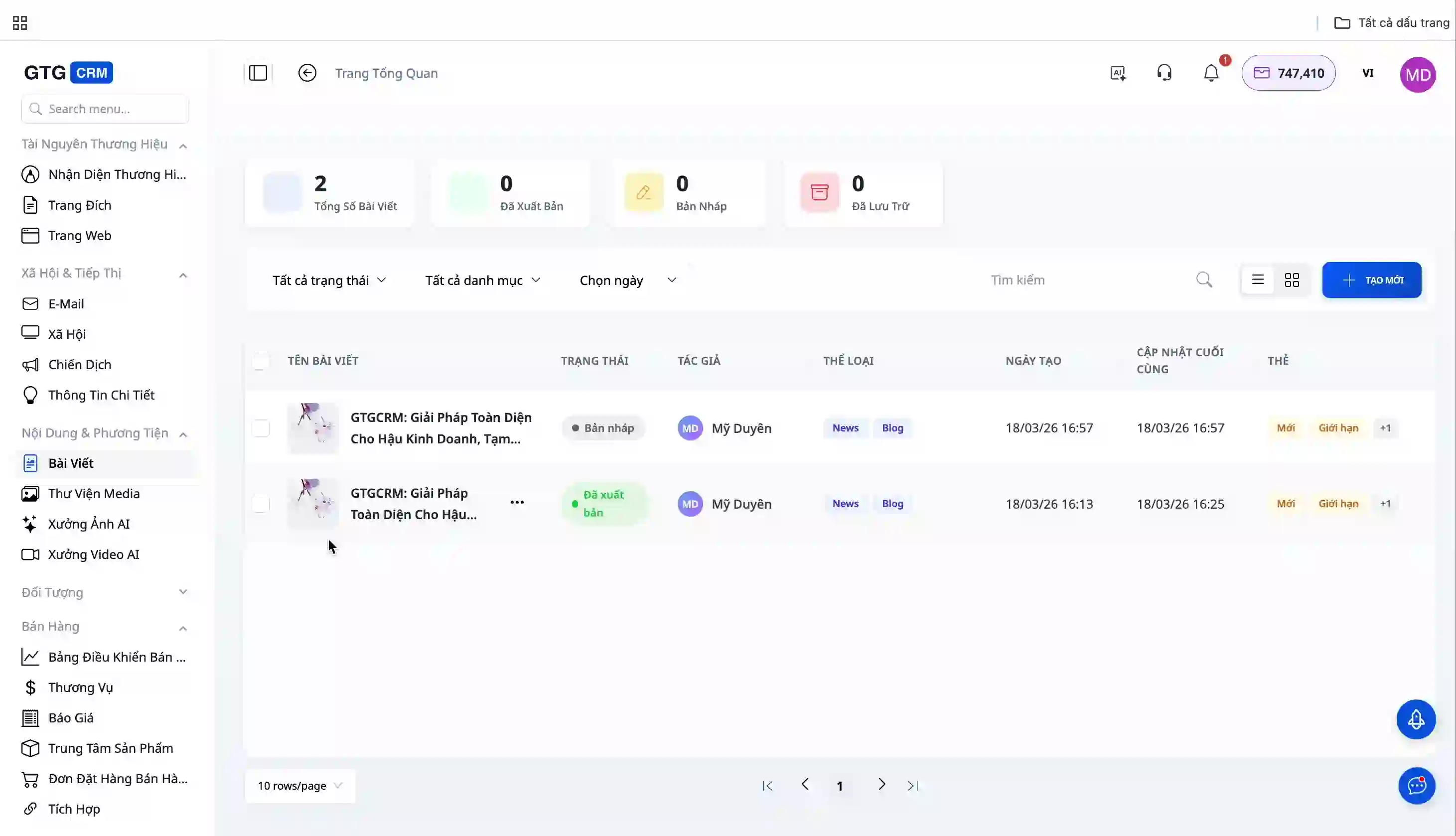
You can manage articles using:
- Status filters (Draft, Published, Archived)
- Category filters
- Publication date filters
- Keyword search
Step 2: Create a New Article
Click the "Create New" button to begin. GTG CRM offers two article creation methods:
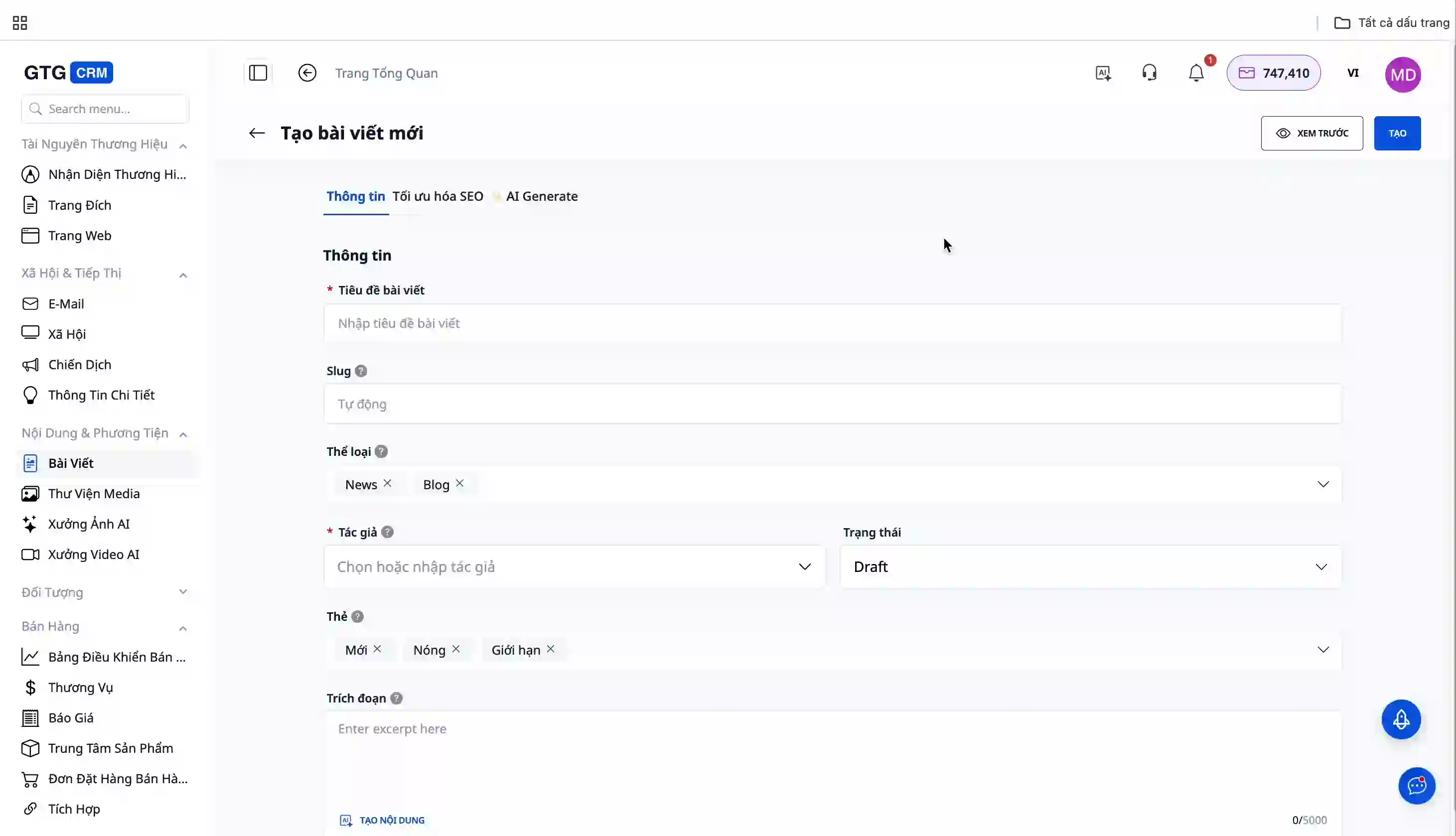
Method 1: Manual Article Creation
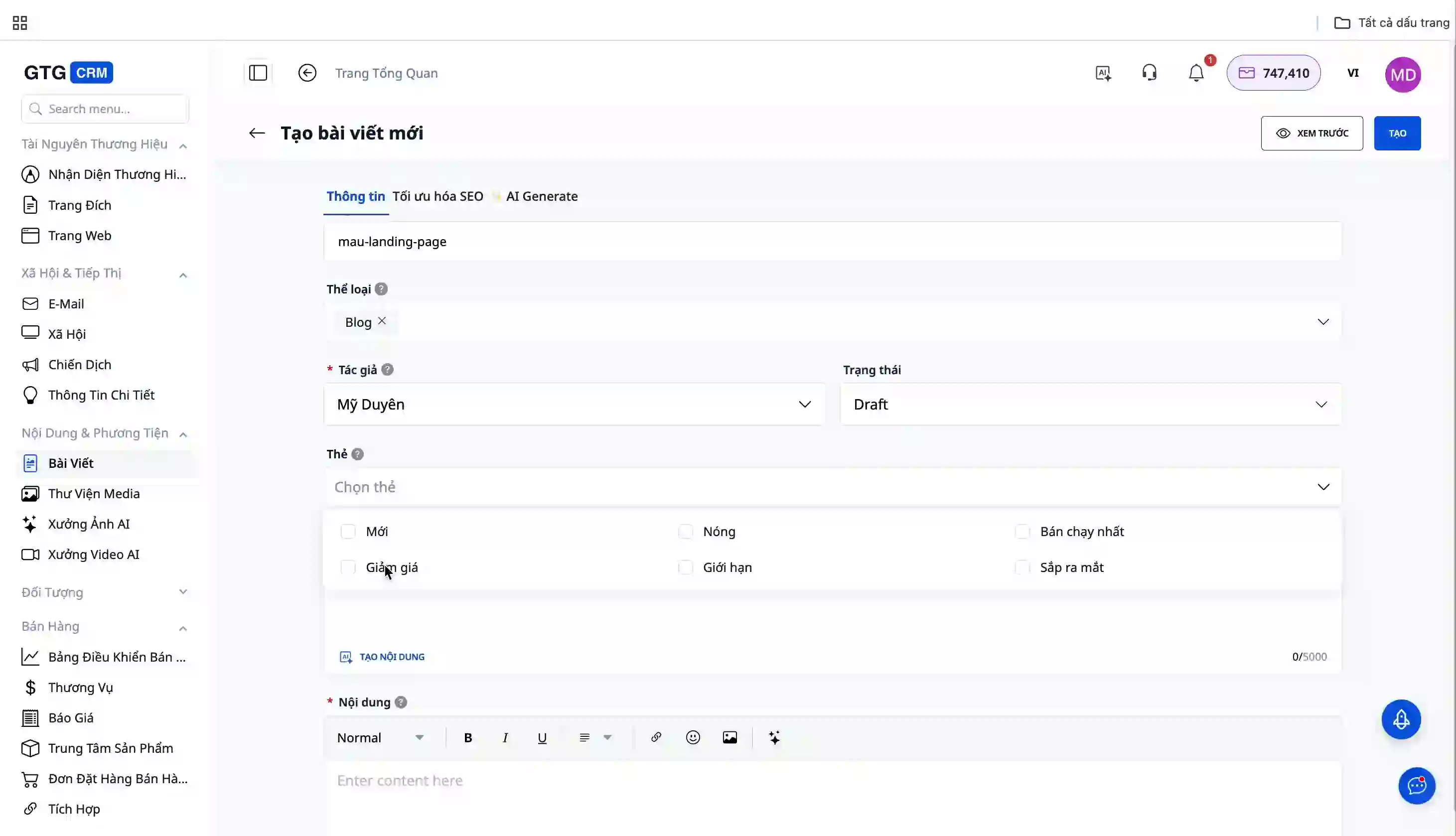
Step 1: Fill in Basic Information
Title and URL:
- Enter the article title
- The URL will be automatically generated, or you can customize it
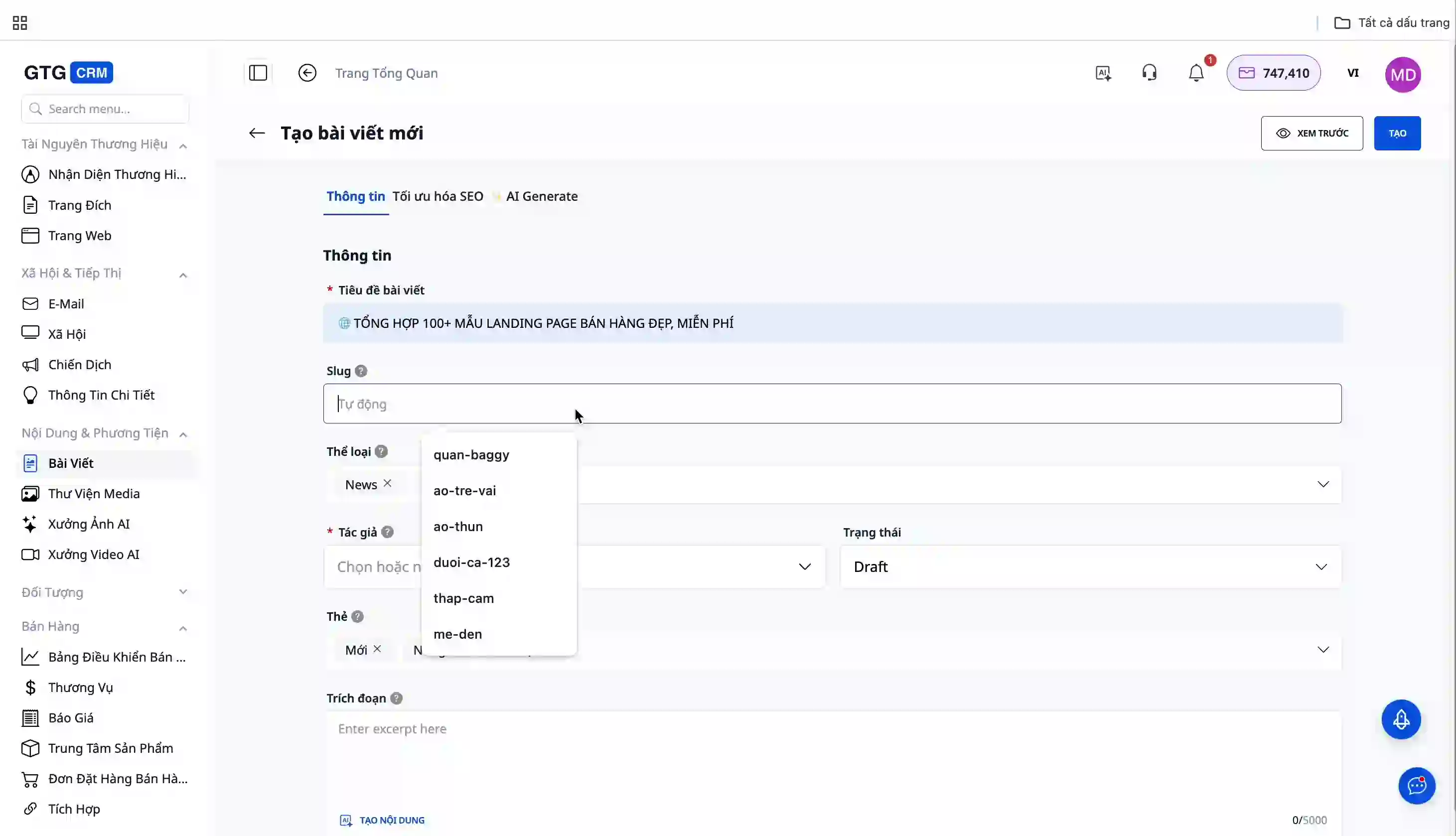
Article Classification:
- Select the article type (News, Blog, or create new)
- Choose a category (you can add new categories if needed)
Author and Status:
- Enter the author's name
- Select the publishing status:
- Draft: Not yet published
- Published: Publish to the website immediately
- Archived: Archive the article
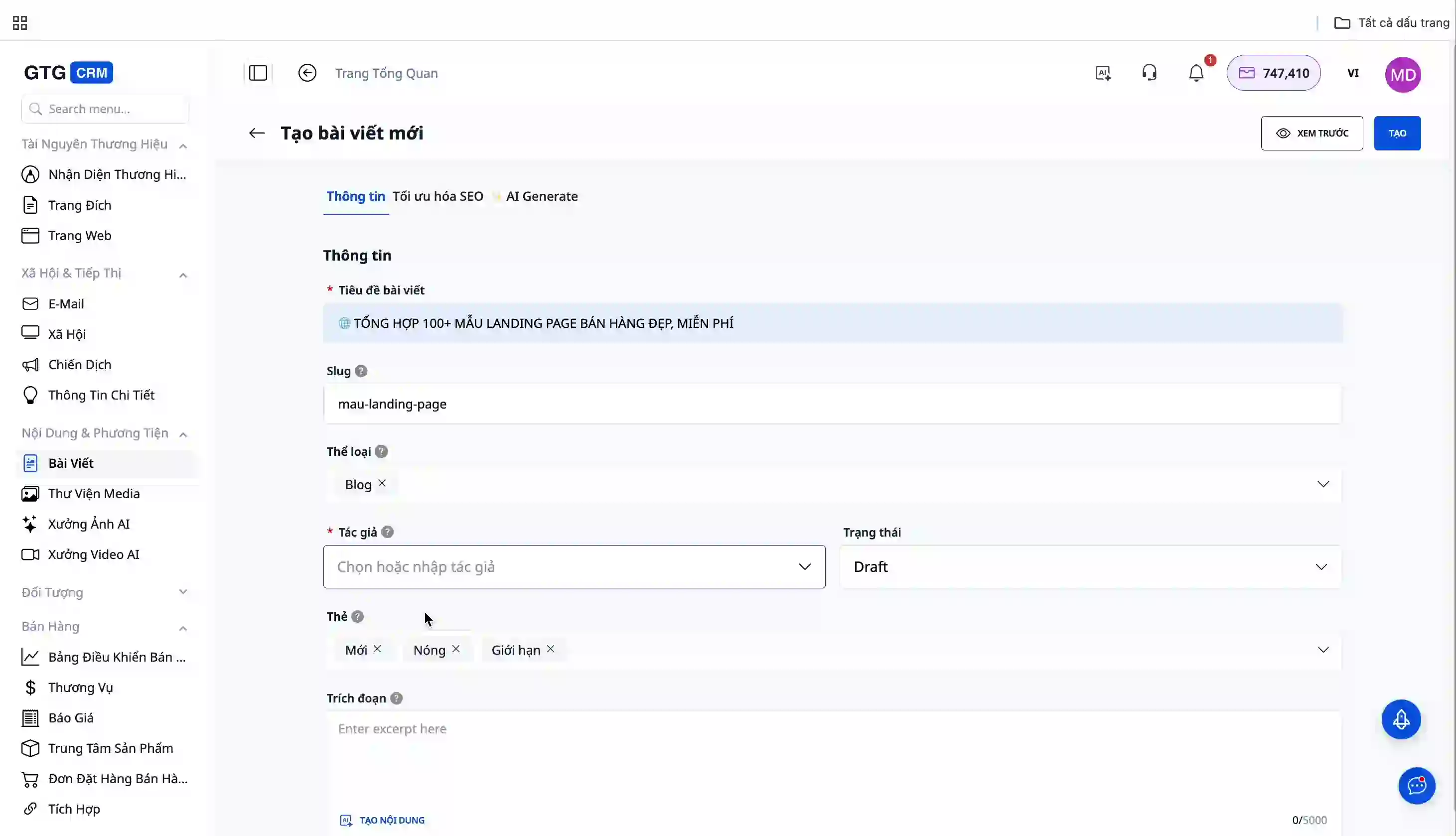
Tagging:
Add relevant tags (new, discount, featured...)
Step 2: Create a Meta Description
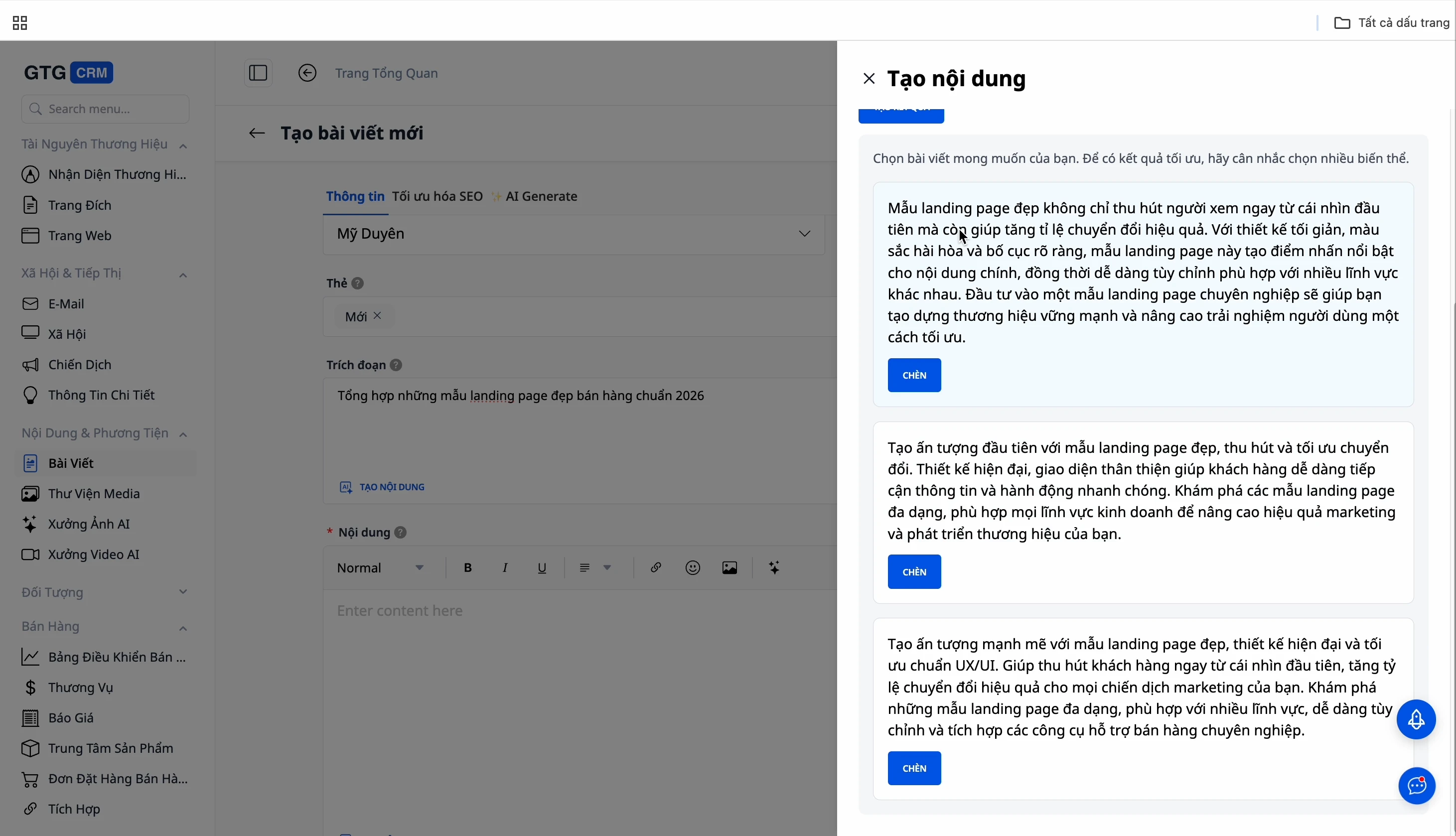
You have two options:
Option 1: Manual Entry - Directly enter the meta description in the snippet field.
Option 2: Use AI - Click the AI generation button, and the system will automatically create SEO-friendly meta descriptions. Choose the version you like best.
Step 3: Compose Article Content
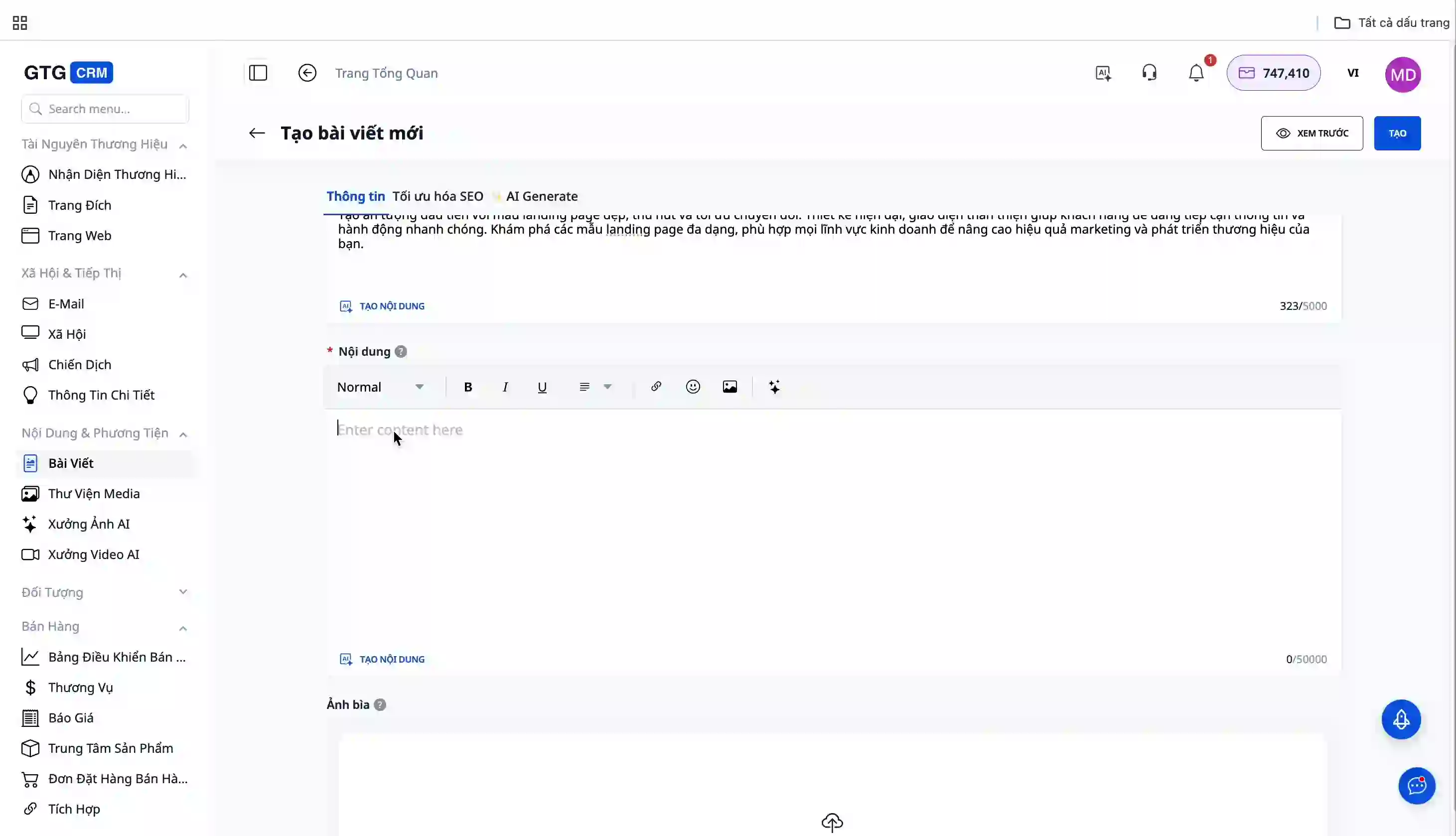
Manual Content Creation:
You can directly edit content with formatting tools:
- Bold, italic, underline
- Headings (H1, H2, H3...)
- Alignment (left, center, right)
- Ordered and unordered lists
Use AI for Content Generation:
Instead of using multiple tools, you can create content directly within GTG CRM:
- Click the AI button in the editor
- Enter your request (e.g., "Write an article on 10 effective online sales tips")
- AI will generate SEO-optimized content
- Select and insert it into the article
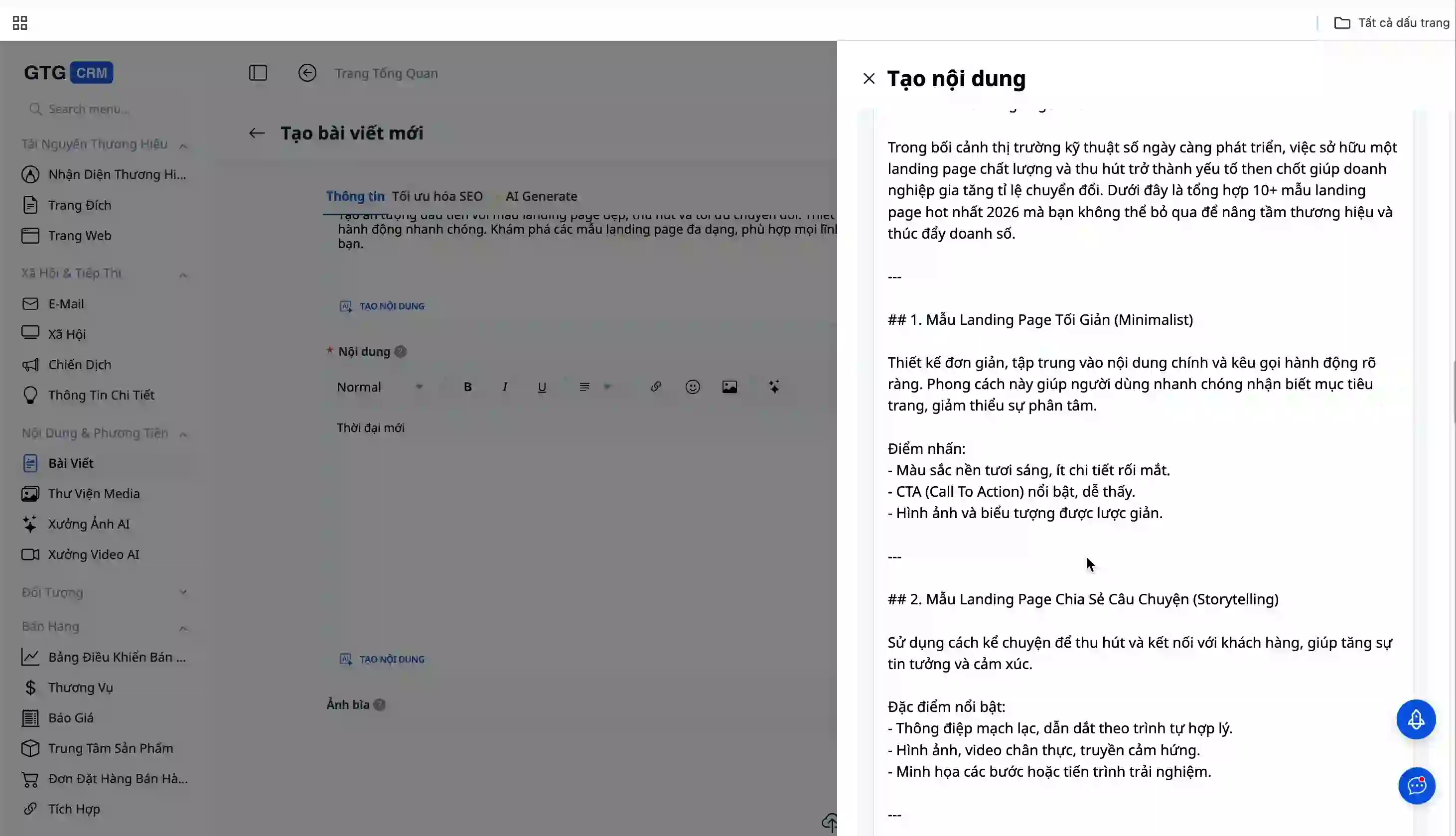
The AI in GTG CRM is trained to produce SEO-optimized articles, so you don't need complex commands. The more detailed the prompt, the higher the quality of the content.
Content Formatting:
GTG CRM fully supports formatting tools:
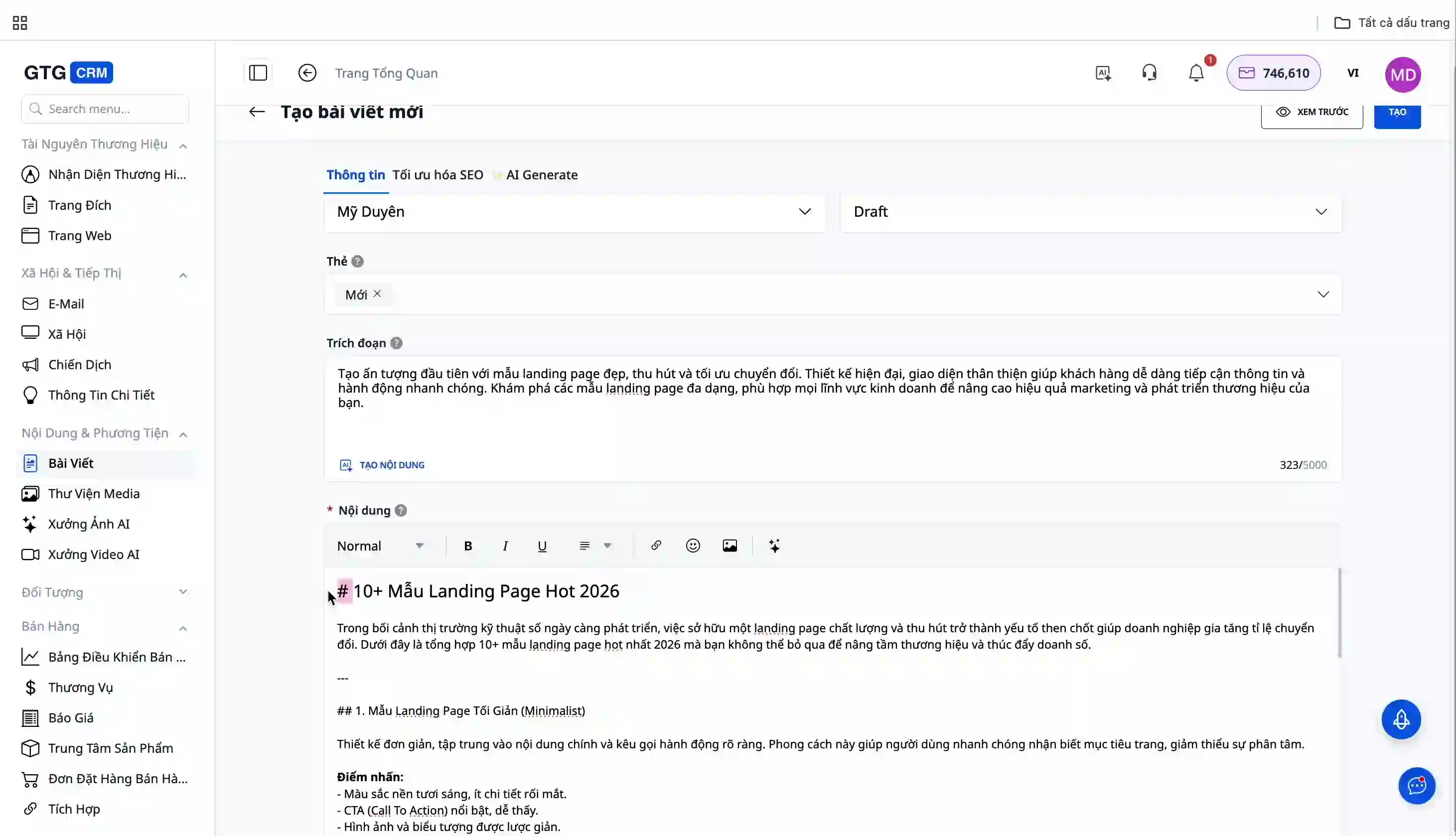
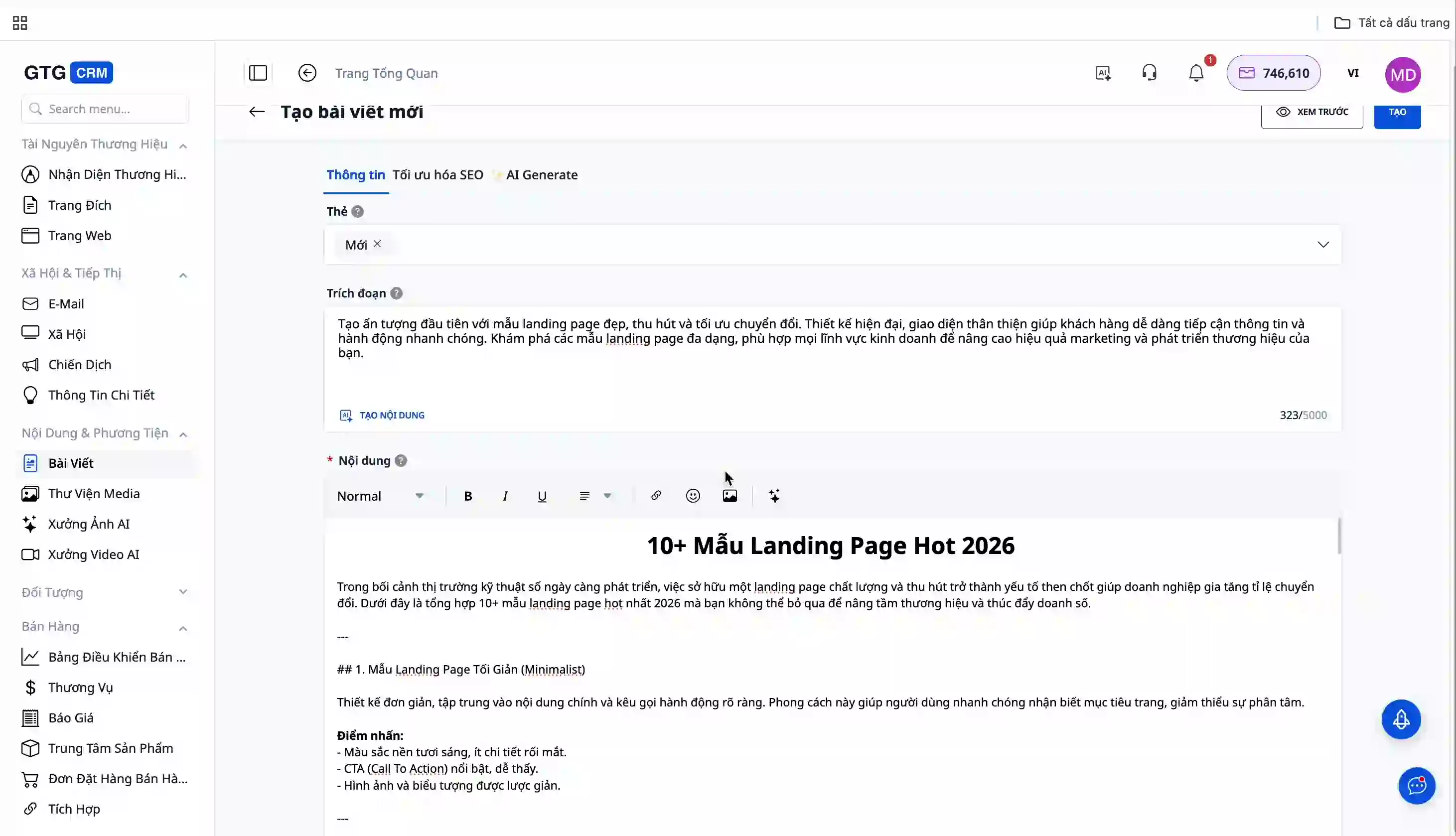
Insert Images:
- Click the image insertion button
- Select a file from your computer or
- Enter the image URL directly
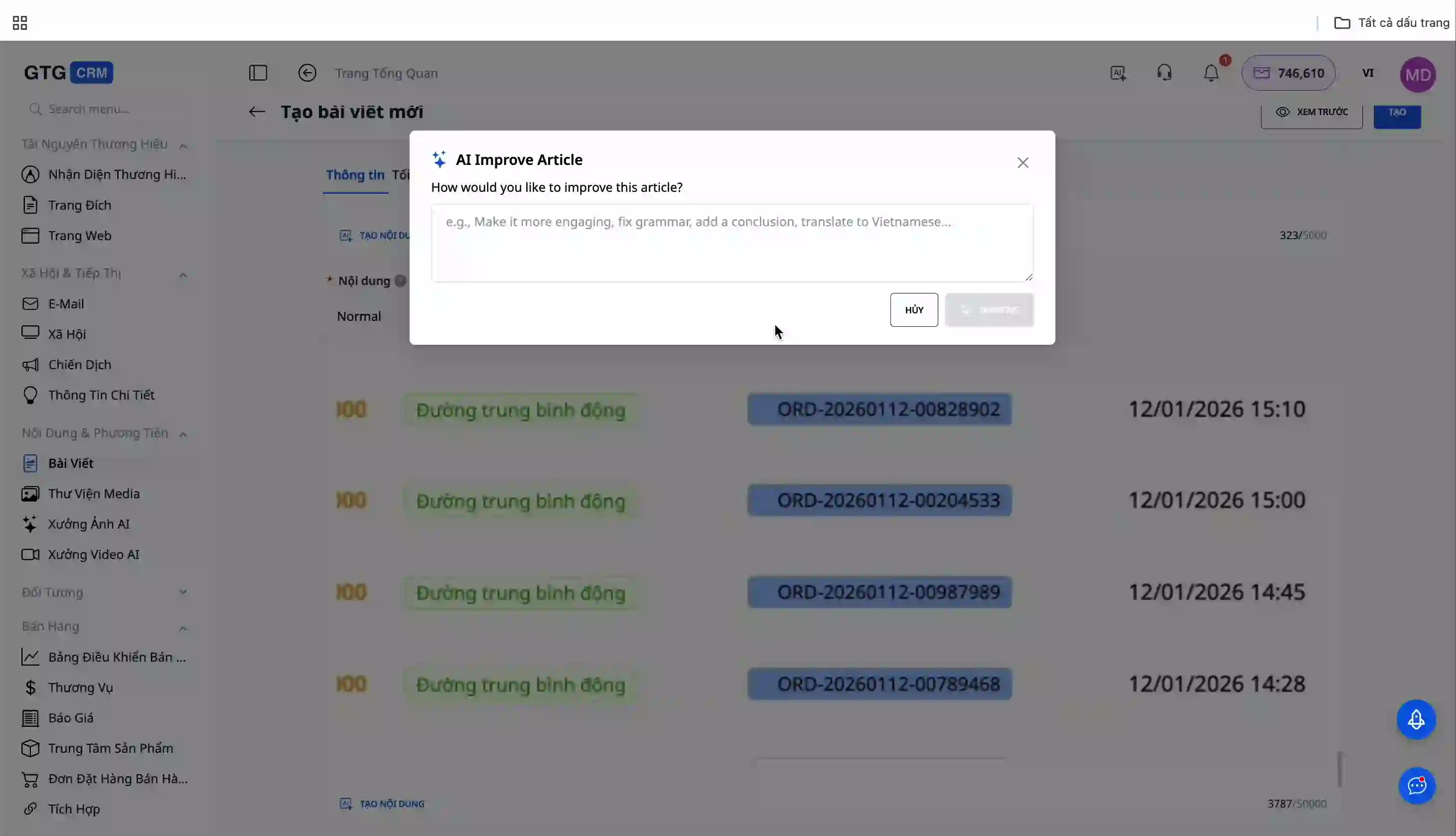
Edit with AI:
If you're not satisfied with the content, use the "AI Improve" feature:
- Highlight the paragraph you want to edit
- Click the "AI Improve" button
- Enter specific editing instructions
- AI will optimize the content according to your desired direction
Step 4: Save the Article
Once completed, click the "Save" button to save the article with your chosen status.
Method 2: Automatic Article Creation from Video using AI
This advanced method can significantly save you time when you already have instructional or product introduction videos.
How it Works
- Upload Video: Upload your tutorial video to the system
- Extract Subtitles: AI automatically converts speech in the video to text (SRT)
- Generate Article: AI analyzes the subtitles and automatically creates a structured article
- Generate Screenshots: The system automatically extracts screenshots from key moments
- Review and Edit: You review and finalize the article
Advantages of This Method
- Significant time savings on article writing
- Ensures content accuracy with the video
- Automatic generation of illustrative screenshots
- Ideal when you already have demo or tutorial videos
- Automatic SEO optimization
Benefits of the Article Feature in GTG CRM
- Time Saving: AI assists in automatic content and meta description generation
- All-in-One Solution: No need to switch between multiple tools
- SEO Optimized: AI is trained to create search engine-friendly content
- Professional Management: Easy filtering, searching, and categorization of articles
- Flexible: Two article creation methods suitable for various scenarios
- Automation: Turn videos into articles with just a few simple steps
Important Notes
- AI content generation is more effective when you provide detailed and clear prompts
- Always review AI-generated content before publishing
- For video-to-article creation, ensure the video has clear audio for accurate subtitle extraction by AI
- The "Published" status will immediately publish the article to your website, so check carefully before selecting
- Use tags and categories wisely for easy future management and searchability
- It's recommended to save articles in "Draft" status during the creation process to prevent data loss
The GTG CRM Article feature offers a comprehensive content management solution with two flexible methods: manual creation with AI assistance and automatic generation from videos. With AI technology deeply integrated into the workflow, you can create high-quality, SEO-optimized articles without needing to be a content marketing expert.