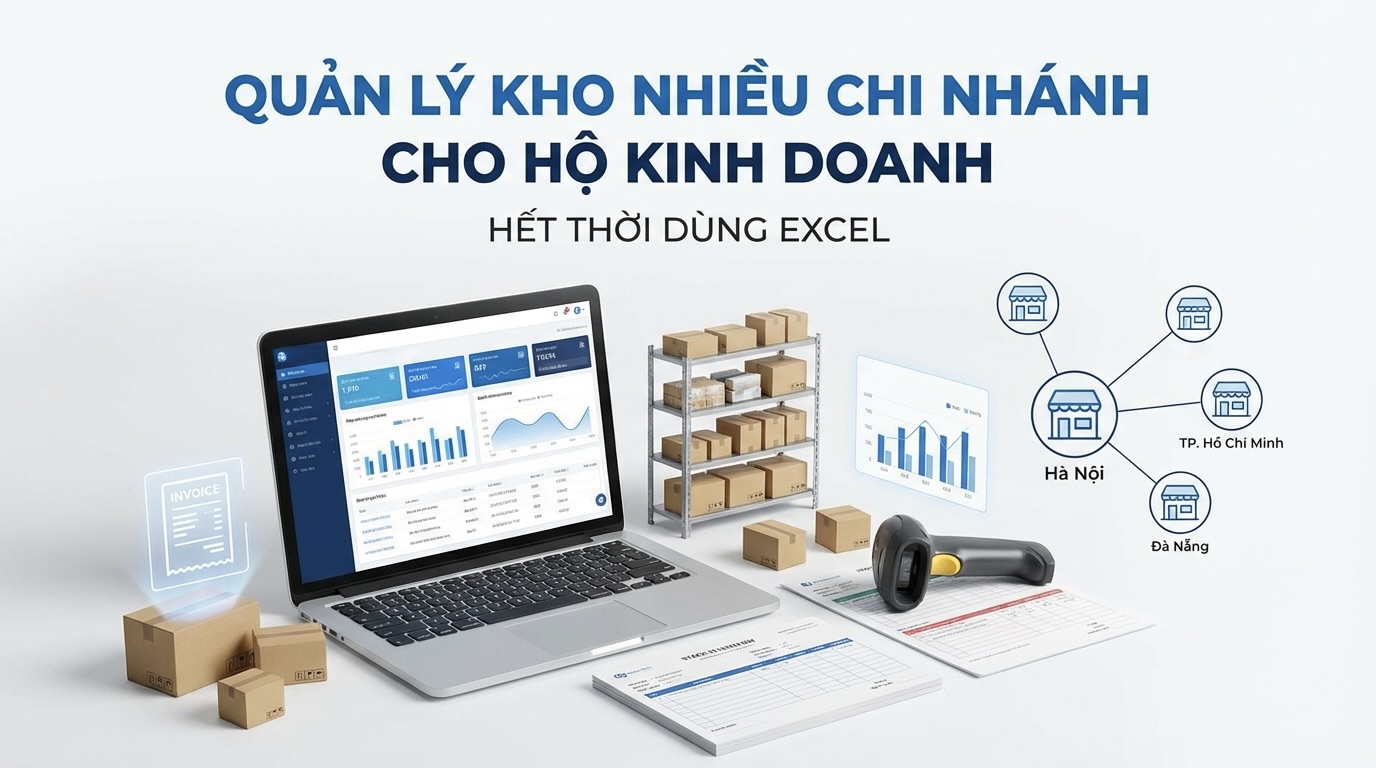
You have 2-3 stores/warehouses in different locations. Each warehouse has its own staff and inventory. You are managing all of this with Excel + Zalo - warehouse staff report inventory levels via messages, and you update them in an Excel file. When a customer asks "Do you have this in stock?" - you have to text the warehouse staff → wait for a reply → then reply to the customer.
Challenges of Managing Multi-Branch Warehouses
| Problem | Consequence |
|---|---|
| Each warehouse has its own Excel file | Unable to know total inventory |
| Non-realtime updates | Items are out of stock, but the file still shows "in stock" |
| Incorrect data entry | Discrepancies at month-end inventory count |
| Unable to know cost price | Purchasing goods in multiple batches at different prices → cannot know true profit |
| Warehouse transfers via paper | Lost inventory during transfers between warehouses |
| Unable to issue e-invoices promptly | Violation of Decree 123 |
GTG CRM — Warehouse Management + Invoices in 1 System
Unlike standard warehouse software, GTG CRM connects inventory with electronic invoices and orders — especially suitable for businesses that need to comply with Decree 123.
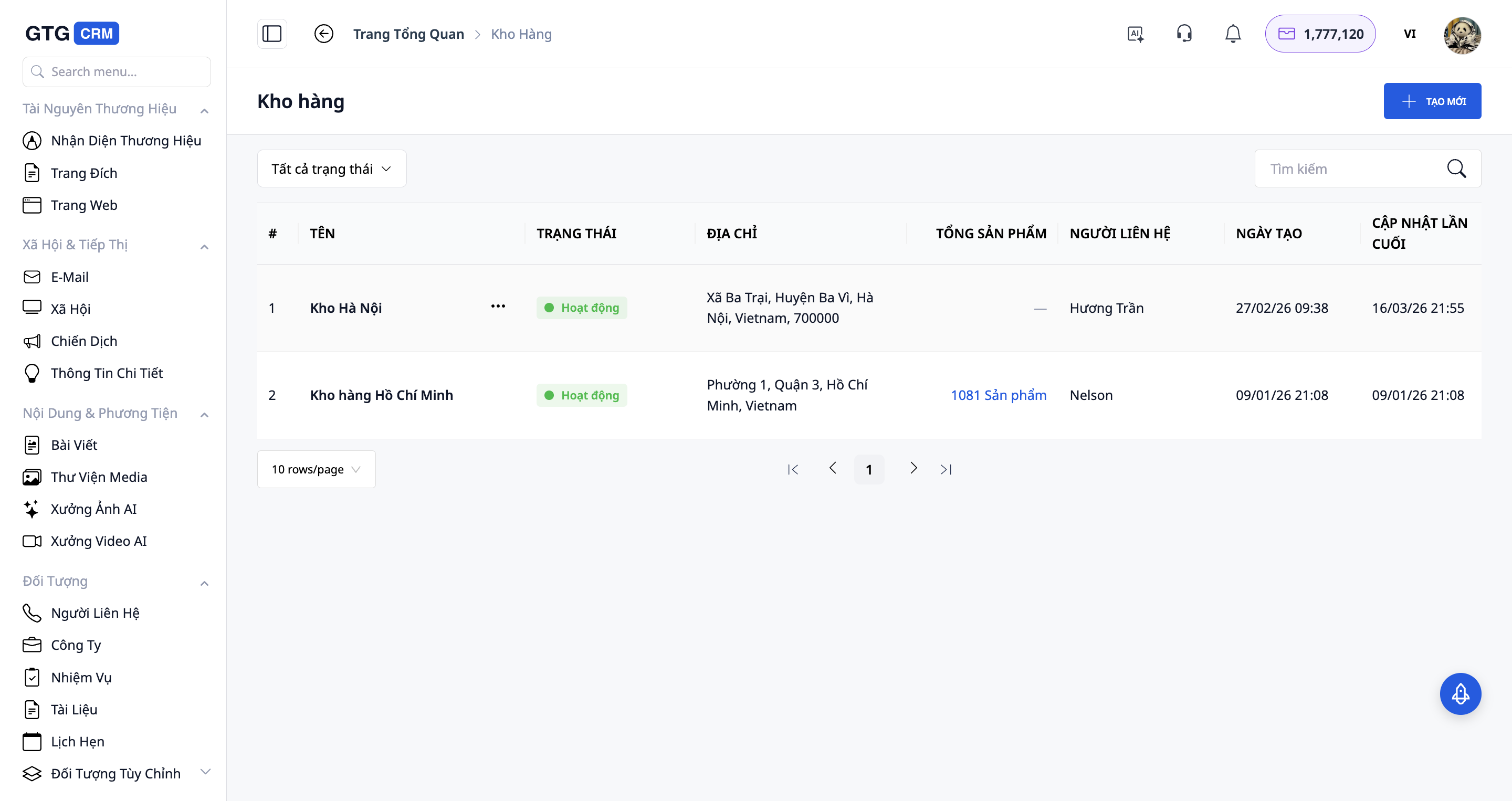
1. Manage Multiple Warehouses from 1 Dashboard
Create and manage multiple warehouses:
| Warehouse | Location | Person in Charge |
|---|---|---|
| Main Warehouse | 123 Nguyen Trai, Dist. 1 | Mr. Minh |
| Branch Warehouse 1 | 456 Le Loi, Dist. 3 | Ms. Hoa |
| Branch Warehouse 2 | 789 CMT8, Binh Duong | Mr. Tuan |
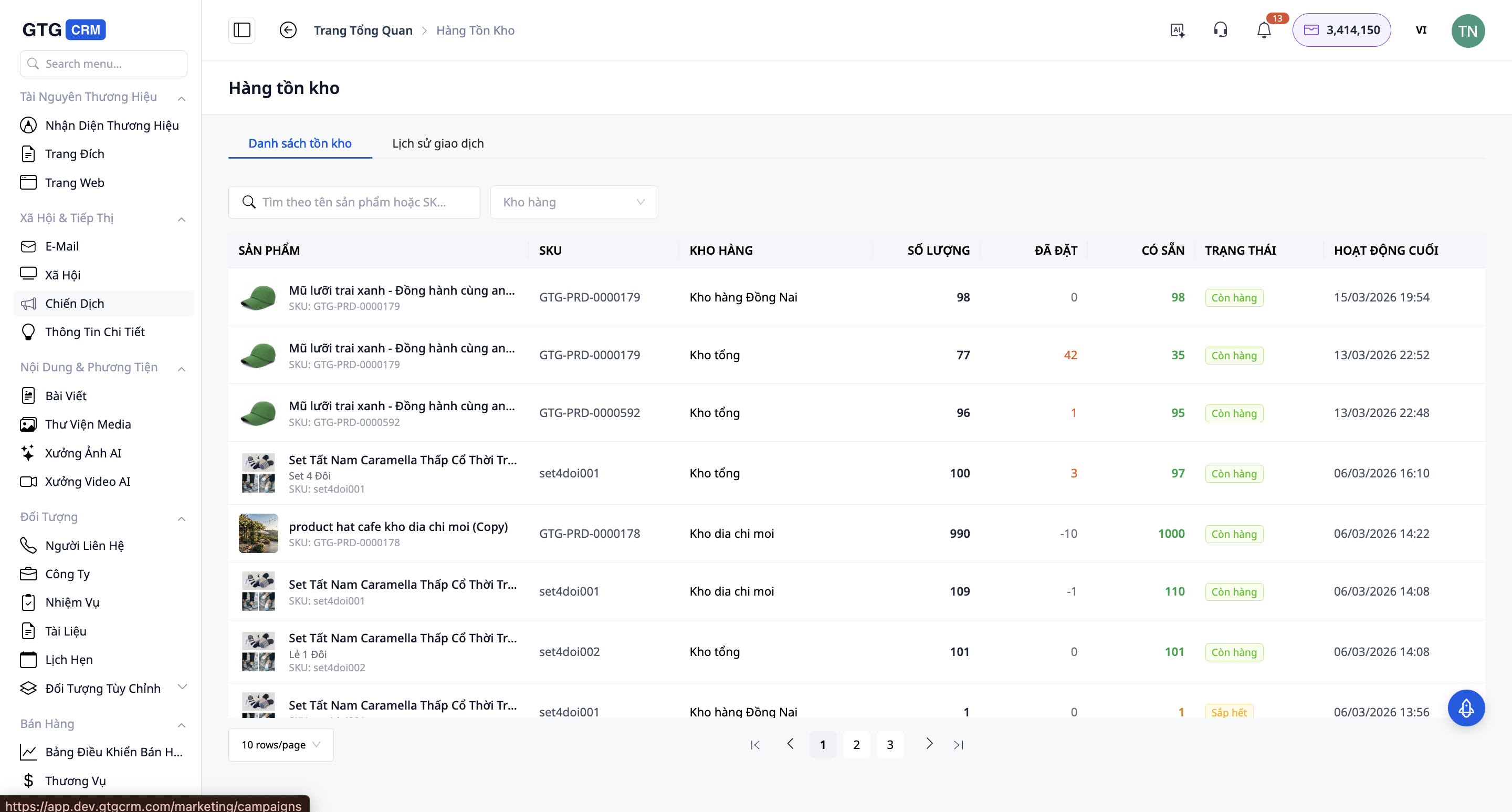
All displayed on one dashboard:
- Inventory per warehouse
- Total inventory
- Slow-moving stock
- Low stock items
2. Trackable Warehouse Transfers
When you need to transfer goods from warehouse A to warehouse B:
```
Create a transfer order
→ Warehouse A: Outgoing 100 units of Product X
→ Transportation
→ Warehouse B: Incoming 100 units of Product X
→ Confirm receipt
```
- Full tracking: who created, when, how many
- If shortages are received → the system records the discrepancy
- Never "lose goods in transit" without knowing
3. Connect Warehouse → E-Invoice
This is the differentiating factor compared to typical warehouse software:
```
Customer purchases at the store
↓
Create order → Select fulfillment from Branch Warehouse 1
↓
Inventory at Branch Warehouse 1 automatically decreases
↓ (simultaneously)
E-invoice is automatically generated
↓
Sign → Send to Tax Authority → Email to customer
```
1 action = warehouse dispatch + e-invoice creation + revenue recording.
4. Goods Receiving + Cost Price Calculation
When receiving goods from suppliers:
```
Create goods receipt note:
- Supplier: ABC Corp
- Product: 200 units × 50,000đ
- Receiving warehouse: Main Warehouse
↓
Inventory increases + FIFO cost price updated
↓ (optional)
Create purchase invoice (incoming e-invoice)
```
5. Reports for Small Businesses
Simple, easy-to-understand reports - no accountant needed:
| Report | Content |
|---|---|
| Current Inventory | Quantity + value of inventory per warehouse |
| In - Out | Summary of incoming/outgoing by day/month |
| Product Profit/Loss | Selling price - Cost price = Profit, per product |
| Slow-Moving Stock | Products unsold for > 30/60/90 days |
| Revenue | Total revenue by warehouse, by branch |
Comparison: Excel vs GTG CRM
| Criteria | Excel | GTG CRM |
|---|---|---|
| Multi-Warehouse | Multiple files, difficult to consolidate | 1 dashboard for all |
| Realtime | Manual updates | Automatic upon transaction |
| Warehouse Transfers | Paper/Zalo records | Electronic transfer orders |
| FIFO Cost Price | Manual calculation (prone to errors) | Automatic and accurate |
| E-invoices | Requires separate software | Built-in integration |
| Low Stock Alerts | No | Automatic |
| Errors | 10-20% | < 1% |
| Cost | 0đ (but time-consuming) | From 199K/month (saves time) |
Who Is It Suitable For?
| Business Type | Example |
|---|---|
| Retail businesses with multiple stores | Convenience store chains, fashion shops with 2-3 branches |
| Distribution agents | Central warehouse + agent warehouses |
| Small-scale manufacturing | Raw material warehouse + finished goods warehouse |
| E-commerce sellers | FBM warehouse + dropship warehouse |
| Chain F&B | Raw material warehouse for each branch |
Pricing
| Plan | Price | Credits | Number of Warehouses |
|---|---|---|---|
| Free | 0đ | 36,888 (one-time) | 1 warehouse |
| Basic | 199,000đ/month | 80,000 | Multi-warehouse |
| Starter | 449,000đ/month | 192,600 | Multi-warehouse |
| Growth | 639,000đ/month | 275,000 | Multi-warehouse |
| Professional | 1,029,000đ/month | 448,000 | Multi-warehouse |
Conclusion
When businesses have multiple warehouses or branches, managing with Excel is highly prone to inventory discrepancies, time-consuming checks, and difficulty in controlling actual profits. A centralized warehouse management system helps update inventory in real-time, track incoming-outgoing-transfer movements clearly, and connect directly with orders and invoices. With GTG CRM, small businesses can manage all their inventory, revenue, and invoices within a single platform, enabling more accurate and professional operations.
Get Started Today
- Sign up for GTG CRM → 36,888 free credits
- Create warehouses (main + branches)
- Import products from Excel
- Start professional warehouse management