
Hvernig verður maður þá „framúrskarandi auglýsandi“ í augum Google?
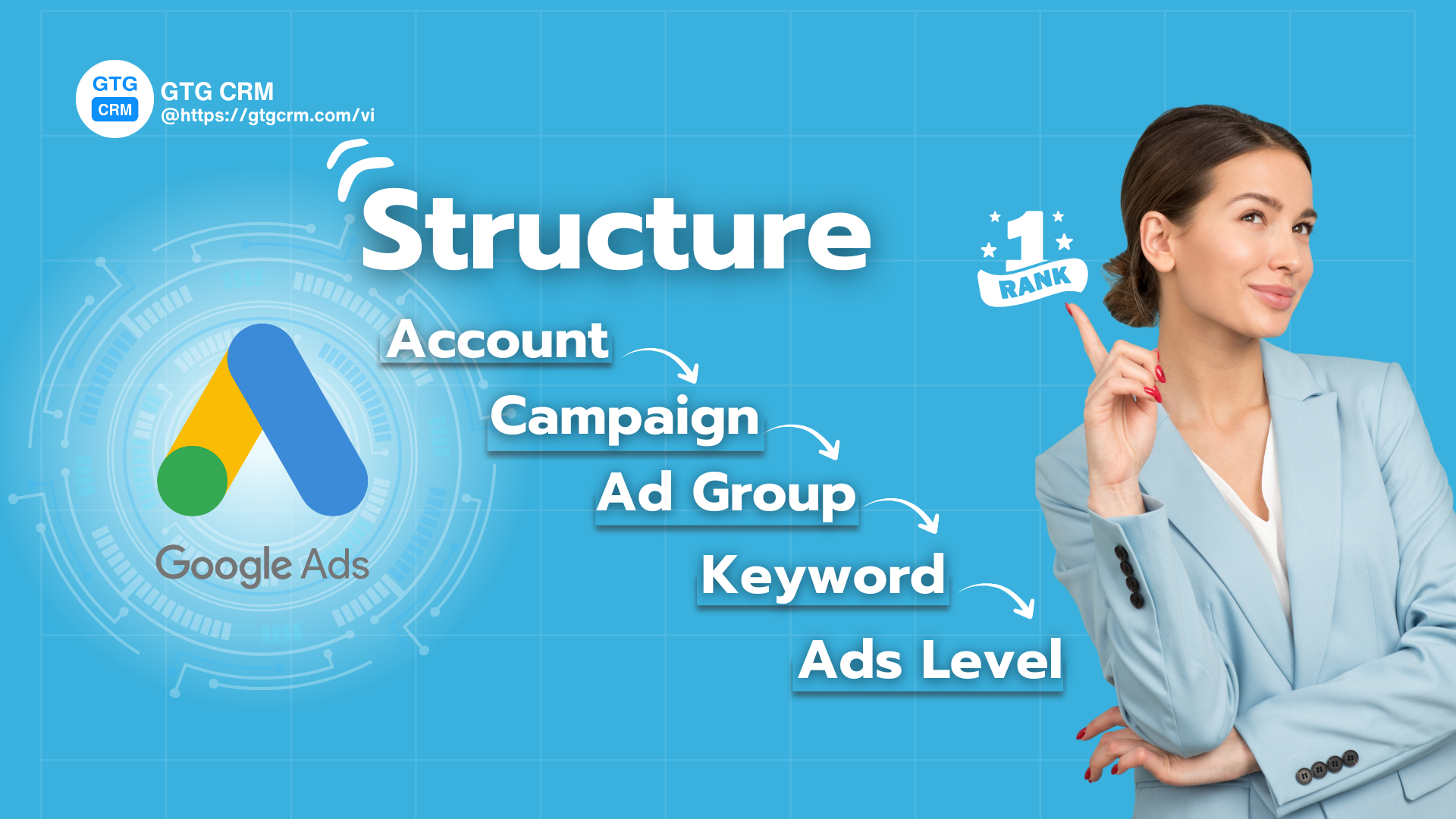
Staðlað Google Ads herferðarskipulag - GTG CRM
Það felur í sér að skapa óaðfinnanlega upplifun frá því augnabliki sem notandi leitar þar til hann lendir á vefsíðunni þinni. Allt verður að „passa“ fullkomlega saman:
- Leitarorð verða að endurspegla réttan leitarvilja notandans.
- Auglýsing þín verður að innihalda þessi leitarorð og bjóða upp á aðlaðandi lausn.
- Lendingarsíðan verður að vera tilvalinn áfangastaður, þar sem notendur finna nákvæmlega það sem þeir þurfa, á svakalega hröðum hleðslutíma.
Þegar þessir þrír þættir koma saman mun gæðaeinkunn þín aukast hratt og Google mun „verðlauna“ þig með því að birta auglýsingar þínar með lægsta mögulegum kostnaði. Í stuttu máli, eltu ekki fjárhagsáætlunina, einbeittu þér að tengslum og notendaupplifun – það er leiðin að sjálfbærum hagnaði.
Með GTG CRM skulum við kanna hvernig á að byggja upp traust „Google Ads hús“, lag fyrir lag.
Lag 1: Reikningur (Account Level) - Grunnnn fyrir árangur
Google Ads reikningur er þar sem allar auglýsingaherferðir þínar eru geymdar. Strax frá upphafi þarftu að skilgreina skýrt:
- Viðskiptamarkmið: Hvers vegna ertu að auglýsa? Auka sölu, safna leiðum eða auka vörumerkjaþekkingu?
- Rökrétt skipulag: Hver reikningur ætti aðeins að vera fyrir eitt vörumerki eða eitt fyrirtæki. Þetta gerir þér kleift að fylgjast auðveldlega með árangri og greina gögn án ruglings.
- Tracking tengingar: Þetta er afar mikilvægt skref. Gakktu úr skugga um að þú hafir tengt Google Analytics 4 (GA4) reikninginn, Google Tag Manager og stillt Conversion Tracking. Fullkomlega tracker reikningur mun hjálpa þér að mæla nákvæmlega árangur hvers eyris sem varið er, og þar með taka réttar hagræðingarákvarðanir.
Lag 2: Herferð (Campaign Level) - Skipting stórra markmiða
Herferðir eru líktar við stórar deildir í húsinu, hver með sitt sérstaka markmið.
Þú ættir að skipta herferðum út frá:
- Aðalmarkmið: Til dæmis: „Leitaraflóa“ herferð fyrir námskeið, „Sölu“ herferð fyrir vöru A.
- Stórir vöru-/þjónustuflokkar: „Marketing Automation“ herferð og „Social Media Management“ herferð fyrir GTG CRM vörur.
- Auglýsingarásir: Aðskilja Search, Display, Video eða Performance Max herferðir til að forðast fjárhagsáætlunarsamskipti og auðvelda árangursstýringu.
- Fjárhagsáætlun & Target: Hver herferð mun hafa sitt eigið fjárhagsáætlun og markmið um skotmörk (staðsetning, tæki, tími).
Best Practice: Nefnið herferðir kerfisbundið, til dæmis: [Land] - [Rás] - [Vara] eins og „IS – Leitar – Námskeið í markaðssetningu“.
Þriðja lag: Auglýsingahópar (Ad Group Level) - Djúpun á efni
Ef herferðir eru stór herbergi, þá eru auglýsingahópar litlar möppur í hverju herbergi. Hver auglýsingahópur verður að snúast um eitt þröngt efni eða eina ákveðna leitartilgang .
Dæmi: Í herferðinni „Námskeið í stafrænni markaðssetningu“ geturðu búið til auglýsingahópa:
- Auglýsingahópur 1: „Námskeið í stafrænni markaðssetningu í TPHCM“ (einbeitir sér að leitarorðum með staðsetningu).
- Auglýsingahópur 2: „Námskeið í stafrænni markaðssetningu á netinu“ (einbeitir sér að leitarorðum um netnámskeið).
Algeng mistök: Að setja öll leitarorð í einn hóp. Þetta gerir auglýsingar óviðkomandi, minnkar Gæðastig og eykur tilboð.
Fjórða lag: Leitarorð (Keyword Level) - Þar sem hugsanlegir viðskiptavinir hittast
Leitarorð eru tengiliðurinn milli notenda og auglýsinga þinna. Að nota leitarorðsmatsgerðir á sanngjarnan hátt er lykilatriði:
- Nákvæmt samsvörun (Exact Match): Hámarksstýring, hentar fyrir lykilleitarorð.
- Samsvörun orðasambands (Phrase Match): Hófleg útbreiðsla, ná yfir fleiri afbrigði.
- Neikvæð leitarorð (Negative Keyword): Uppfæra stöðugt til að fjarlægja óviðkomandi fyrirspurnir, halda umferð þinni hreinni.
Hagræðingarráð: Fyrir mikilvæg leitarorð skaltu nota SKAG (Single Keyword Ad Group) uppbyggingu. Það þýðir að hver auglýsingahópur hefur aðeins eitt leitarorð. Þetta tryggir að auglýsingar passa fullkomlega við fyrirspurnir notenda, sem leiðir til aukinnar CTR og aukinnar gæðastigs.
Eiginleiki til að búa til og stjórna Google auglýsingum GTG CRM - Samþætt gervigreind leggur sjálfkrafa til hugsanleg leitarorð og flokkar leitarorð byggt á leitarmarkmiðum notenda ( kaup, leit að upplýsingum, samanburður á vörum... ), sem hjálpar þér að byggja upp nákvæma auglýsingahópaskipan frá upphafi. byggt á hegðun viðskiptavina og keppinauta, gerir stjórnun og sköpun Google Ads auglýsinga auðveldari, hagræðir leitarorðarannsóknir, hjálpar þér að byggja upp stöndugri auglýsingareikningsuppbyggingu.
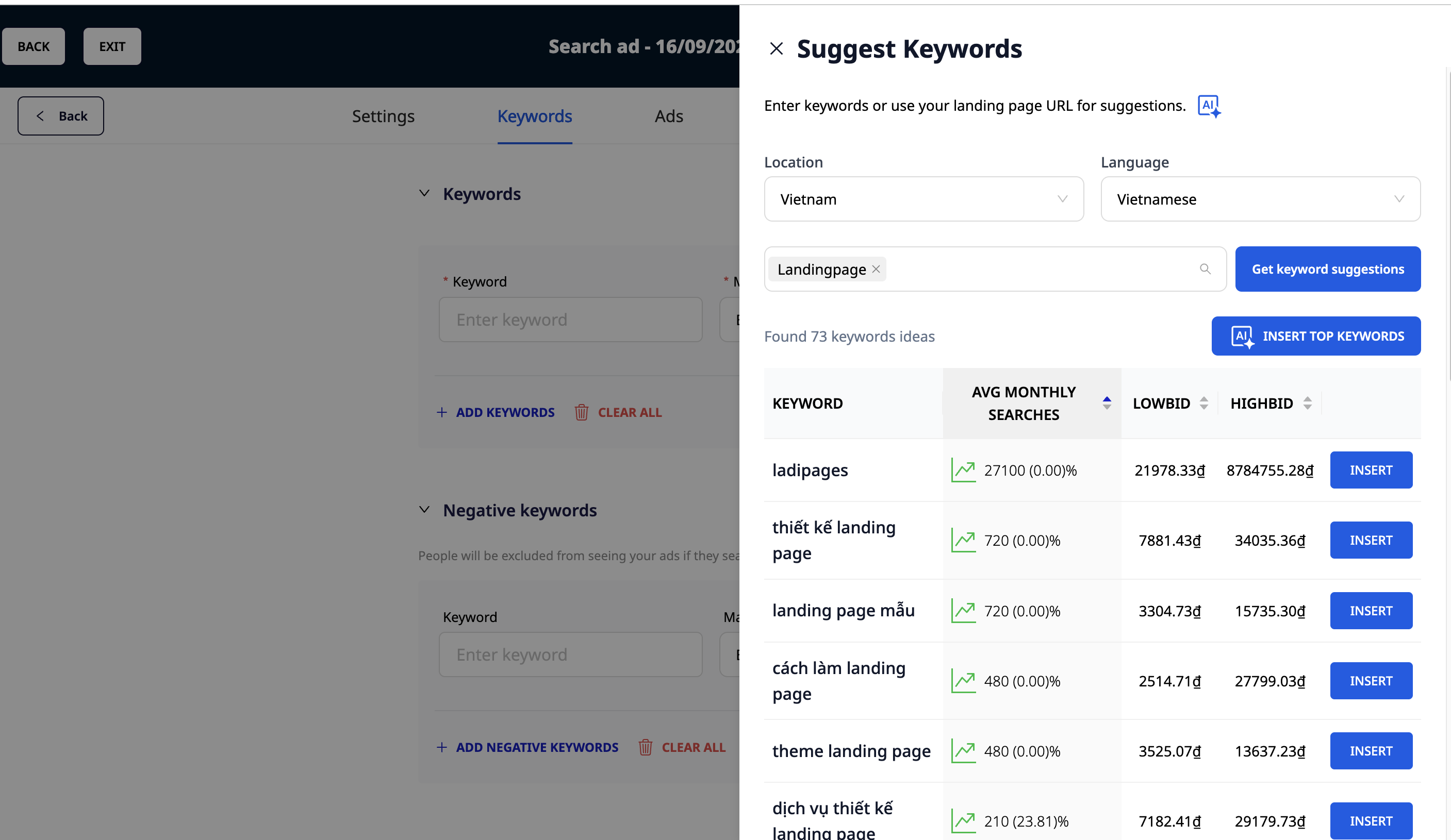
GTG CRM leggur til leitarorð með gervigreind
Fimmta lag: Auglýsingar (Ad Level)
Hver auglýsingahópur þarf að minnsta kosti 2-3 auglýsingadæmi, þar á meðal Responsive Search Ads (RSA) til að Google geti prófað og fundið skilvirkasta útgáfuna sjálfkrafa.
Reglur um góðar auglýsingar:
- Innihalda aðalorð: Koma fram í fyrirsögn og lýsingu.
- Áhersla á einstakt gildi (UVP): Af hverju ættu notendur að velja þig?
- Tökum virk skilaboð (CTA) skýr: "Skráðu þig núna", "Frekari upplýsingar", "Ókeypis prufa"...
- Nýttu þér auglýsingaaukahluti: Sitelinks, Callouts, Structured Snippets... hjálpa auglýsingum að skera sig úr og auka smellihlutfall (CTR).
Lendingarsíða & Gæðaeinkunn: Tveir þættir sem ráða úrslitum
Öll þessi viðleitni verður til einskis ef lendingarsíðan þín er ekki góð. Lendingarsíðan verður að vera í samræmi við leitarorð og auglýsingatexta. Lendingarsíða með hröðum hleðslutíma, viðeigandi efni og hagræðingu fyrir viðskipti (CRO) mun vera mikill "plús" fyrir gæðaeinkunnina.
Gæðaeinkunnin er samsetning af:
- Búið smellihlutfall (CTR): Eru auglýsingar þínar aðlaðandi?
- Viðeigandi auglýsingaefni: Passa auglýsingar við leitarorð?
- Reynsla af lendingarsíðu: Er lendingarsíðan góð og viðeigandi?
Niðurstaða
Standard Google Ads uppbygging hjálpar þér að laða að gæðaumferð, en að breyta líkindum í tekjur er lokamarkmiðið.
Þetta er þegar GTG CRM kemur við sögu:
- Sjálfvirk leiðarstjórnun: GTG CRM getur sjálfkrafa skráð og flokkað leiðir frá Google Ads herferðum, sem gerir söluteyminu kleift að fylgja þeim eftir strax.
- Nákvæm mæling: Skýrslur GTG CRM leyfa þér að greina dýpra: Hvaða herferðir skila gæðamestu leiðunum? Hvaða leitarorð loka flestum pöntunum?
- Fjölrása samþætting: GTG CRM hjálpar þér að fylgjast með vegferð viðskiptavina frá því að þeir smella á Google Ads auglýsingu þar til þeir hafa samskipti á Facebook, Zalo eða með tölvupósti.
Breyttu því sem þú hefur nýlokið við að lesa í raunverulegar niðurstöður — notaðu GTG CRM, ókeypis.
Notaðu núna

