
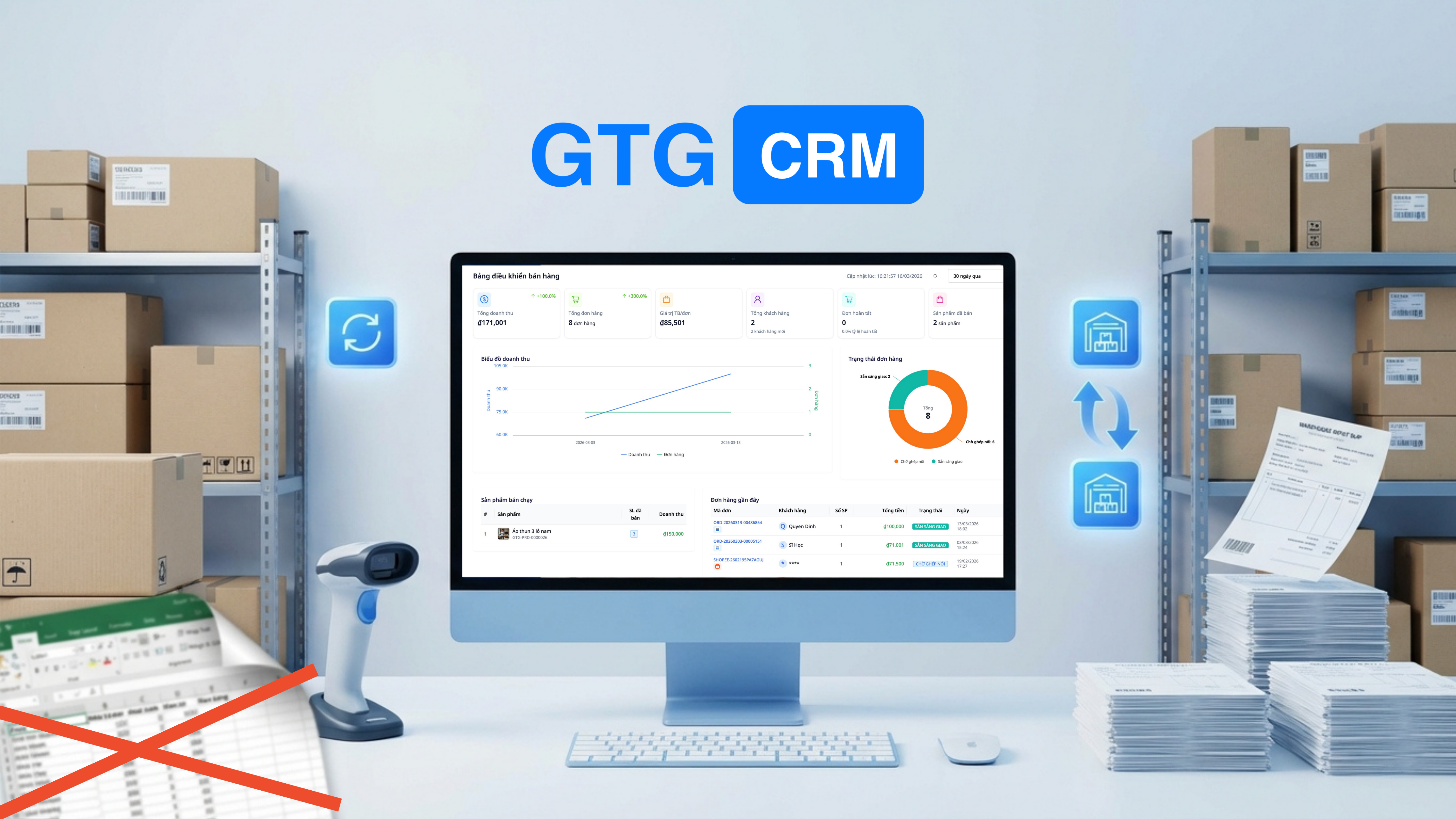
Nákvæm vörustjórnun er lífsnauðsynleg þáttur sem ræður velgengni eða mistökum hvers fyrirtækis sem selur vörur. Nýleg rannsókn sýnir að 43% lítilla fyrirtækja á Víetnam fylgjast ekki með birgðum eða nota handvirkar aðferðir, sem leiðir til alvarlegs umfram eða skorts á vörum, sem hefur beina áhrif á tekjur og hagnað.
Fyrir netverslunaraðila sem nota Excel eða Google Sheets til að stjórna birgðum, hefur þú líklega upplifað þessar hræðilegu aðstæður: uppgötvað að gagnaröð var innsláttar ranglega sem gerir alla birgðaskýrsluna rangt, eða framkvæma birgðakönnun í lok mánaðar og uppgötva mun á tugum vara án þess að vita hvar villan liggur. Hver slík mistök kosta ekki aðeins tíma í rannsókn heldur geta einnig leitt til fjárhagstjóns upp á milljónir.
Áskorunin verður margfalt flóknari þegar fyrirtæki stækka til margra vöruhúsa: aðalvöruhús, útibúsvöruhús, vöruhús sem eru gefin samstarfsaðilum. Hvert vöruhús með sitt eigið Excel-skjal, án samstillingu í rauntíma, gerir heildaryfirlit yfir birgðastöðuna nánast ómögulegt.
Hvernig á þá að stjórna mörgum vöruhúsum nákvæmlega, í rauntíma, og án þess að treysta á handvirkar, auðveldlega villandi aðferðir eins og Excel?
Alvarleg vandamál við vörustjórnun með Excel
Þótt Excel sé vinsælt og aðgengilegt tæki, felur notkun þess til að stjórna birgðum í kraftmiklu viðskiptaumhverfi í sér marga alvarlega áhættu og takmarkanir.
Gögnum er ekki uppfært í rauntíma
Þetta er stærsta vandamál aðferðarinnar við vörustjórnun með Excel. Þegar starfsmaður A sendir út vörur til að pakka pöntun en gleymir að uppfæra það í Excel-skjalinu eða tölvan frýst meðan verið er að uppfæra, á meðan starfsmaður B horfir á Excel-skjalið og heldur að það sé nóg af vörum til að taka við nýrri pöntun. Niðurstaðan er ofsölu, sem leiðir til tjóns fyrir bæði viðskiptavini og orðspor verslunarinnar.
Í fjölrása viðskiptum er þetta vandamál enn verra. Vara er seld á Shopee en birgðir á Lazada og TikTok Shop eru ekki uppfærðar samstundis, sem leiðir til margra pantana á sömu vöru á mismunandi kerfum á sama tíma, þótt aðeins einn sé eftir í birgðum.
Óhjákvæmilegar villur vegna handvirkrar gagnafærslu
Menn eru ekki vélar, villur eru óhjákvæmilegar. Röng innsláttur á magni úr 150 í 1500, röng útreikningsformúla í reit sem gerir alla dálka rangt, eða óvart eyðing á mikilvægri röð eru algengar villur þegar unnið er með Excel. Það versta er að þessum villum er oft ekki uppgötvað strax heldur birtast þær aðeins við reglulega birgðakönnun, þegar það er orðið of seint að leiðrétta.
Fjölvöruhúsastjórnun verður martröð
Þegar fyrirtæki stækka á marga staði verður stjórnun með Excel afar flókin. Hvert vöruhús með sitt eigið Excel-skjal, hvert skjal stjórnað af öðrum aðila með mismunandi skráningarháttum. Samantekt gagna frá öllum vöruhúsum til að fá heildaryfirlit yfir birgðir krefst þess að safna, afrita-líma og reikna handvirkt, sem tekur mjög langan tíma og auðvelt er að gera villur.
Að flytja vörur milli vöruhúsa er einnig mikil áskorun. Þegar 50 vörur eru fluttar frá vöruhúsi A til vöruhúss B, verður þú að muna að uppfæra bæði Excel-skjöl: draga úr birgðum í A og auka birgðir í B. Að gleyma einni af þessum aðgerðum mun gera gögnin algjörlega ónákvæm.
Nákvæm kostnaðaruppgjör er ekki möguleg
Margir seljendur kaupa vörur í mörgum lotum á mismunandi verði. Þegar þeir senda út vörur vita þeir ekki nákvæmlega úr hvaða lotu þeir senda með hvaða kostnaði. Þetta leiðir til ónákvæmrar hagnaðarútreiknings og rangra fjárhagslegra skýrslna. FIFO (First In First Out) kostnaðaraðferðin, þótt hún sé stöndug, er afar flókin að framkvæma handvirkt í Excel.
Engin sjálfvirk viðvörun þegar vörur eru að klárast
Með Excel þarftu að muna eftir því að athuga birgðir daglega til að vita hvaða vörur eru að klárast. Ef þú gleymir að athuga daginn getur það leitt til þess að vörur klárist skyndilega, sem hindrar möguleika þína á að afgreiða fengnar pantanir, sem veldur tekjutapi og skemmir orðspor þitt. Að setja upp sjálfvirkar viðvaranir í Excel er mögulegt en krefst þekkingar á makróum og VBA, sem flestir seljendur hafa ekki.
GTG CRM - Faglegt birgðastjórnunarkerfi fyrir öll fyrirtæki
Með því að skilja skýrt þær áskoranir sem fyrirtæki standa frammi fyrir með handvirkum birgðastjórnunaraðferðum, hefur GTG CRM þróað samþætt, sjálfvirkt og afar notendavænt birgðastjórnunarkerfi sem hentar öllum stærðum, allt frá einstökum seljendum til stórra dreifingarfyrirtækja.
Kerfið er ekki bara staður til að skrá birgðagögn, heldur alhliða lausn sem sjálfvirkir allt ferlið frá vöruflutningum, úttektum, flutningum milli vöruhúsa, til skýrslugerðar og viðvarana. Öllum aðgerðum er skráð með fullum rekjanleika, sem tryggir gagnsæi og möguleika á upprunavottun þegar þörf krefur.
Birgðastjórnunaraðgerðir
1. Margar Vöruhús — Stjórnun frá einni mælaborði
Búðu til og stjórnaðu mörgum vöruhúsum á sama tíma:
- Aðal vöruhús (aðalgeymsla)
- Afleggjari vöruhús (eftir staðsetningu)
- Vöruhús afhent maka (sendingar)
Hvert vöruhús hefur sínar eigin birgðir, en allar birtast á einu mælaborði. Vita strax hvaða vöruhús hefur birgðir og hvaða vöruhús þarf að fylla á.
2. Innkaup/Úttektir með skjölum
Öll vöruhúsaviðskipti eru með skýrum skjölum:
- Innkaupsskjal: Innkaup frá birgja, sem tilgreinir magn, einingaverð
- Úttektarskjal: Úttektir samkvæmt pöntun eða handvirk úttekt
- Flutningsskjal: Flutningur vara milli vöruhúsa — með fullri rekjanleika
3. Sjálfvirk reikningur á kostnaðarverði (FIFO)
Kerfið reiknar sjálfkrafa kostnaðarverð samkvæmt aðferðinni FIFO (First In, First Out):
- Fyrsta innkaup: 100 stk × 50.000kr
- Annað innkaup: 200 stk × 55.000kr
- Úttekt á 150 stk → kerfið reiknar sjálfkrafa: 100 × 50K + 50 × 55K = nákvæmur kostnaður
Ekki þarf að reikna sjálf með Excel — fjárhagsyfirlit eru alltaf nákvæm.
4. Samstilling við pantanir
Þegar pöntun hefur verið staðfest → birgðir minnka sjálfkrafa:
- Pantanir frá Shopee → draga frá birgðum
- Pantanir frá vefsíðu → draga frá birgðum
- Pantanir frá Lazada → draga frá birgðum
- Allt samstillt í rauntíma — aldrei selja meira en til er
5. Viðvörun um uppselgingu
Stilltu öryggismörk fyrir hverja vöru:
- Vara A: Lágmarksbirgðir = 50
- Þegar birgðir fara undir 50 → kerfið gefur strax viðvörun
- Aldrei verða uppseldur án viðvörunar
6. Rauntíma birgðaskýrslur
- Birgðir eftir vöruhúsi, eftir vöru, eftir degi
- Nákvæm saga innkaupa/úttekta
- Reikningur á kostnaðarverði, hagnaður/tap eftir vöru
Samantekt: Excel vs GTG CRM
| Viðmið | Excel | GTG CRM |
|---|---|---|
| Raunhæfur tími | ❌ Handvirk uppfærsla | ✅ Sjálfvirkt þegar viðskipti eiga sér stað |
| Margir vöruskipar | ❌ Margar skrár, erfitt að stjórna | ✅ Eitt mælaborð, allir vöruskipar |
| Kostnaður samkvæmt FIFO | ❌ Reiknað með formúlum | ✅ Sjálfvirk útreikningur |
| Viðvörun um uppseldar vörur | ❌ Verður að muna að athuga | ✅ Sjálfvirk viðvörun |
| Samstilling pantana | ❌ Afritun og líming | ✅ Sjálfvirkrar færslu úr lager |
| Skjöl fyrir inn- og útflutning | ❌ Ekkert | ✅ Fullt af eyðublöðum |
| Villur | Hár | Næstum 0 |
Hver ætti að nota þetta?
- Netverslunarsalarar sem selja á mörgum vettvangi, þurfa samstillingu birgða
- Smásalaverslanir með margar útibú
- Dreifingaraðilar sem stjórna almennum vöruskipum + vöruskipum umboðsmanna
- Framleiðslufyrirtæki sem þurfa að fylgjast með hráefnum + fullunnum vörum
Niðurstaða — Skipt frá Excel yfir í atvinnuhúsnæðisstýringarkerfi
Í þessum stað stafrænnar tækni, að halda fast í Excel til að stjórna birgðum er ekki aðeins sóun á tíma heldur einnig mikil áhætta fyrir fyrirtæki. Fyrirtæki sem hafa skipt yfir í atvinnuhúsnæðisstýringarkerfi tilkynna um allt að 95% minni villur, 60% tímasparnað í lagerrekstri og mikilvægast af öllu, aldrei að horfast í augu við yfirseld eða skyndilegt uppseldur.
GTG CRM býður þér tækifæri til að skipta auðveldlega og án óþæginda. Þú getur byrjað með því að flytja gögn frá núverandi Excel skrá yfir í kerfið á nokkrum mínútum. Strax eftir það verður öll inn- og útflutningsstarfsemi sjálfvirk og samstillt í rauntíma við pantanir frá netverslunum, sem útilokar algjörlega handvirka innsláttarvinnu.
Mikilvægast er að GTG CRM lagerstýringarkerfið virkar ekki sjálfstætt heldur er það djúpt samþætt öðrum einingum eins og pantanastýringu, rafrænum reikningum og fjárhagslegum skýrslum. Þegar pöntun er staðfest minnkar birgðir sjálfkrafa. Þegar reikningur er gefinn út eru kostnaðargögn sjálfkrafa reiknuð. Öll gögn renna óaðfinnanlega milli eininga, sem tryggir algjöran samræmi og nákvæmni.
Með 36.888 ókeypis inneignum við skráningu hefur þú nægilegt fjármagn til að stjórna þúsundum inn- og útflutningsviðskipta, nóg til að prófa og meta fullkomlega skilvirkni kerfisins. Taktu 10 mínútur til að setja upp og þú munt aldrei þurfa að snúa aftur til Excel.
Skráðu þig á GTG CRM ókeypis og byrjaðu að stjórna birgðum þínum faglega á gtgcrm.com


