
Introduksjon til funksjoner
Du vet at du bør sende en e-post for å minne kunder om handlekurver de har forlatt, bør følge opp nye leads, bør vinne tilbake kunder som har forlatt – men å gjøre det manuelt er umulig, og å bygge en arbeidsflyt fra bunnen av er skremmende. Resultat: inntekter lekker bort der det lett kunne vært reddet.
GTG CRM løser dette med en katalog for inntektsautomatisering (Revenue Automations) – over 30 ferdige scenarier (playbooks), gruppert etter traktefaser, der hver av dem bare trenger en bryter for å aktiveres. Når den er aktivert, blir scenariet en arbeidsflyt som du eier – du kan åpne den for å redigere e-postinnhold, forsinkelser, målgrupper etter eget ønske, og deretter la den kjøre automatisk.
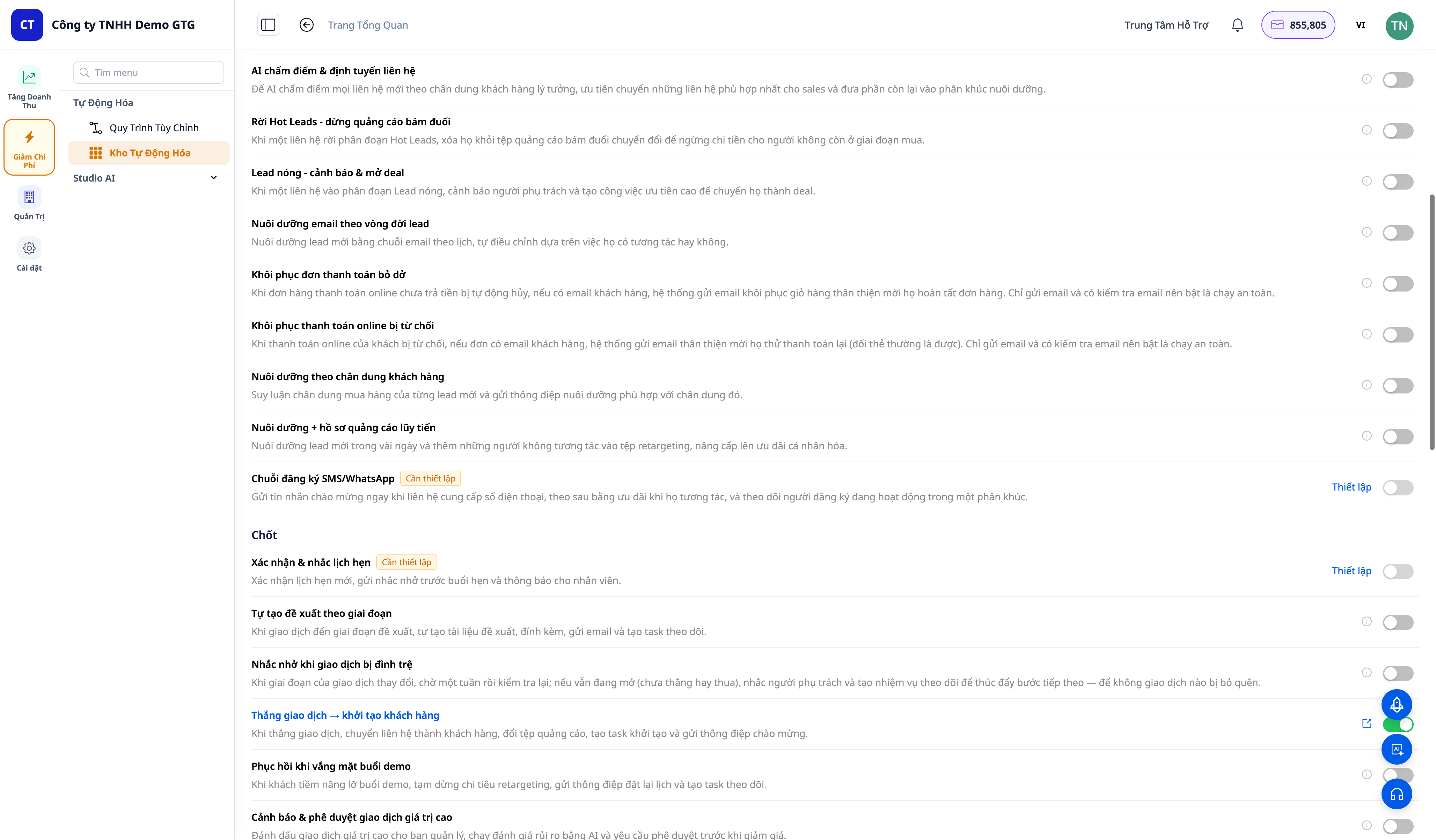
Problemer bedrifter står overfor
| Gammel metode | Konsekvens |
|---|---|
| Minne kunder om handlekurv, betaling osv. manuelt | Ikke nok tid, går glipp av gyldne øyeblikk → mister salg |
| Bygge arbeidsflyter fra bunnen av | Teknisk skremmende, tidkrevende, lett å gi opp |
| Oppfølging av kunder etter kjøp etter forgodtbefinnende | Kunder kommer ikke tilbake, ingen anmeldelser/NPS |
| Kunder som forlater uten oppfølging | Mister kunder permanent, ingen win-back |
| Nye leads som ikke blir bearbeidet | Leads blir kalde, sløsing med annonsekostnader |
GTG CRM gjør "bør"-oppgaver til enkle aktiveringer med ett trykk: ferdige scenarier, ferdig malinnhold, du trenger bare å finjustere og aktivere.
Høydepunkter
1. Over 30 ferdige scenarier, gruppert etter trakt
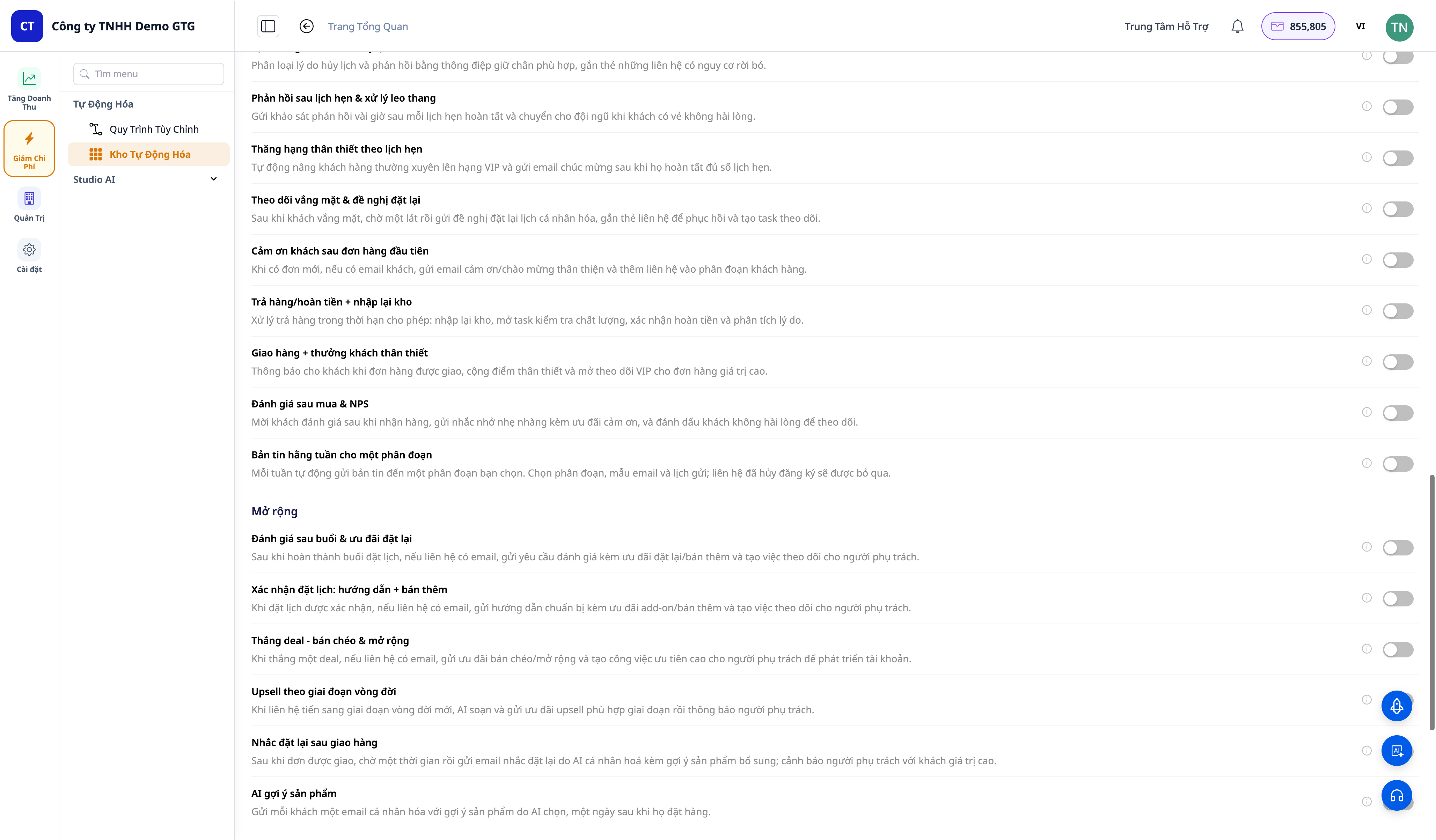
Scenariene er gruppert etter faser: Tiltrekke (Acquire) · Konvertere (Convert) · Lukke (Close) · Beholde (Retain) · Utvide (Expand) · Win-back. Noen eksempler:
- Gjenoppretting av forlatte handlekurver (cart-abandoned recovery)
- Gjenoppretting av mislykkede betalinger (order payment-failed recovery)
- Win-back av kansellerte ordrer (order-cancelled win-back) & tapte tilbud → win-back-kampanje
- Velkomst- og bearbeidingssekvens for nye leads (welcome & nurture) + bearbeidings-e-postkjede
- Deal vunnet → kunde-onboarding, varsling om høyverdi-deal + godkjenning
- Ordre levert → be om anmeldelse & NPS, returordre → lagre igjen + refusjon
- Planlegging: bekreftelse & påminnelse om avtale, no-show → ny planlegging, kansellering → beholde
- Segmentaktivering (segment entered/exited) & leads fra skjema → velkomst-e-post
- Ukesnyhetsbrev sendt til segment
2. Aktiver/deaktiver med ett trykk — og du eier arbeidsflyten
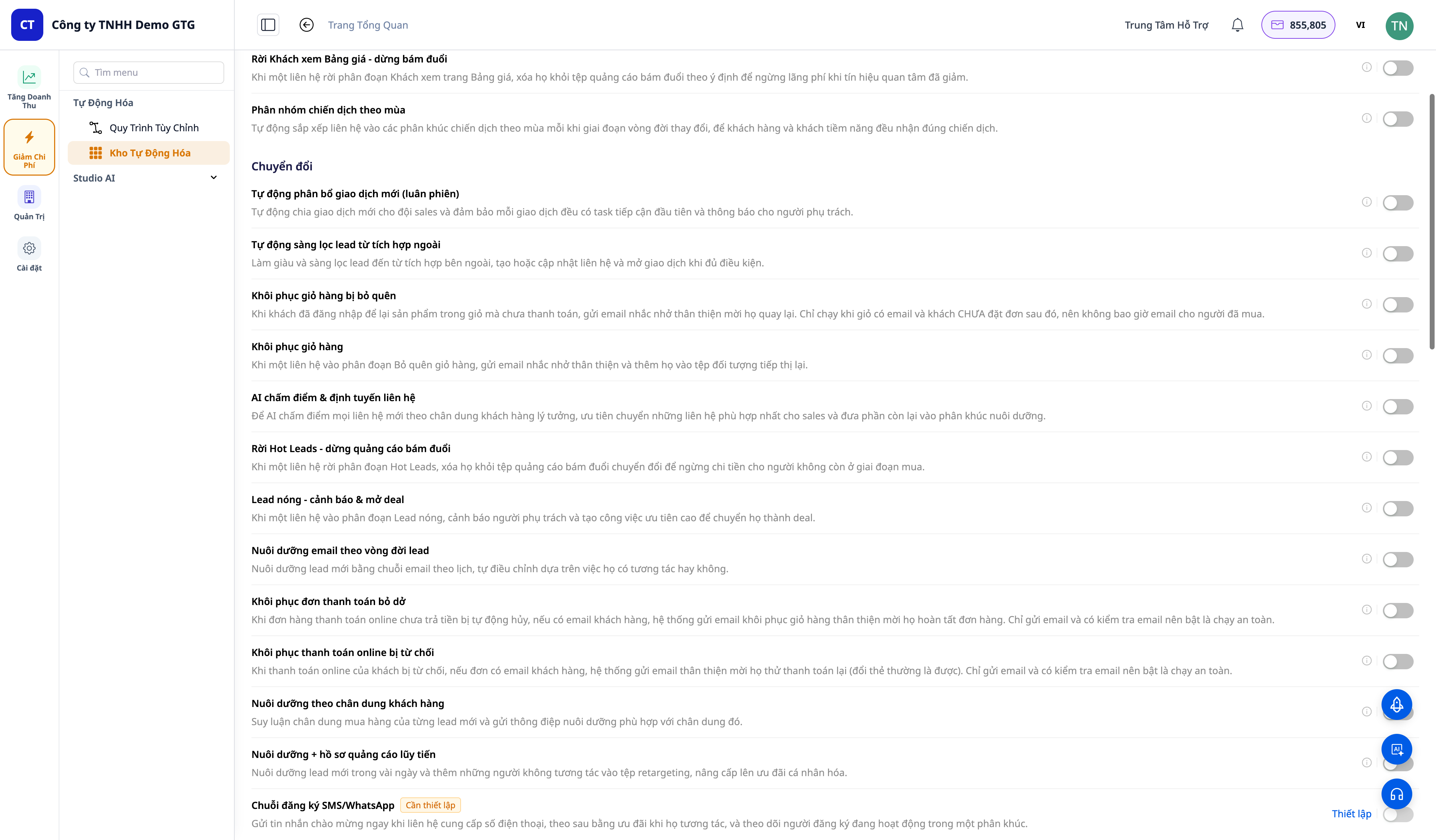
- Hvert scenario har én bryter. Slå på → scenariet blir automatisk satt opp (provisioned) og aktivert umiddelbart, med en lenke til "Se arbeidsflyt".
- Åpne "Se arbeidsflyt" → gå til arbeidsflyt-redigeringsprogrammet for det aktuelle scenariet (Trigger → steg → End). Du kan redigere e-postinnhold, forsinkelser, segmentmål, terskler og deretter lagre.
- Slå av → scenariet blir deaktivert og skjult (konfigurasjon beholdes, ingen sletting) — når du slår det på igjen, kjører det umiddelbart, uten å måtte bygge det på nytt.
3. Utløses automatisk til rett tid basert på kundeadferd
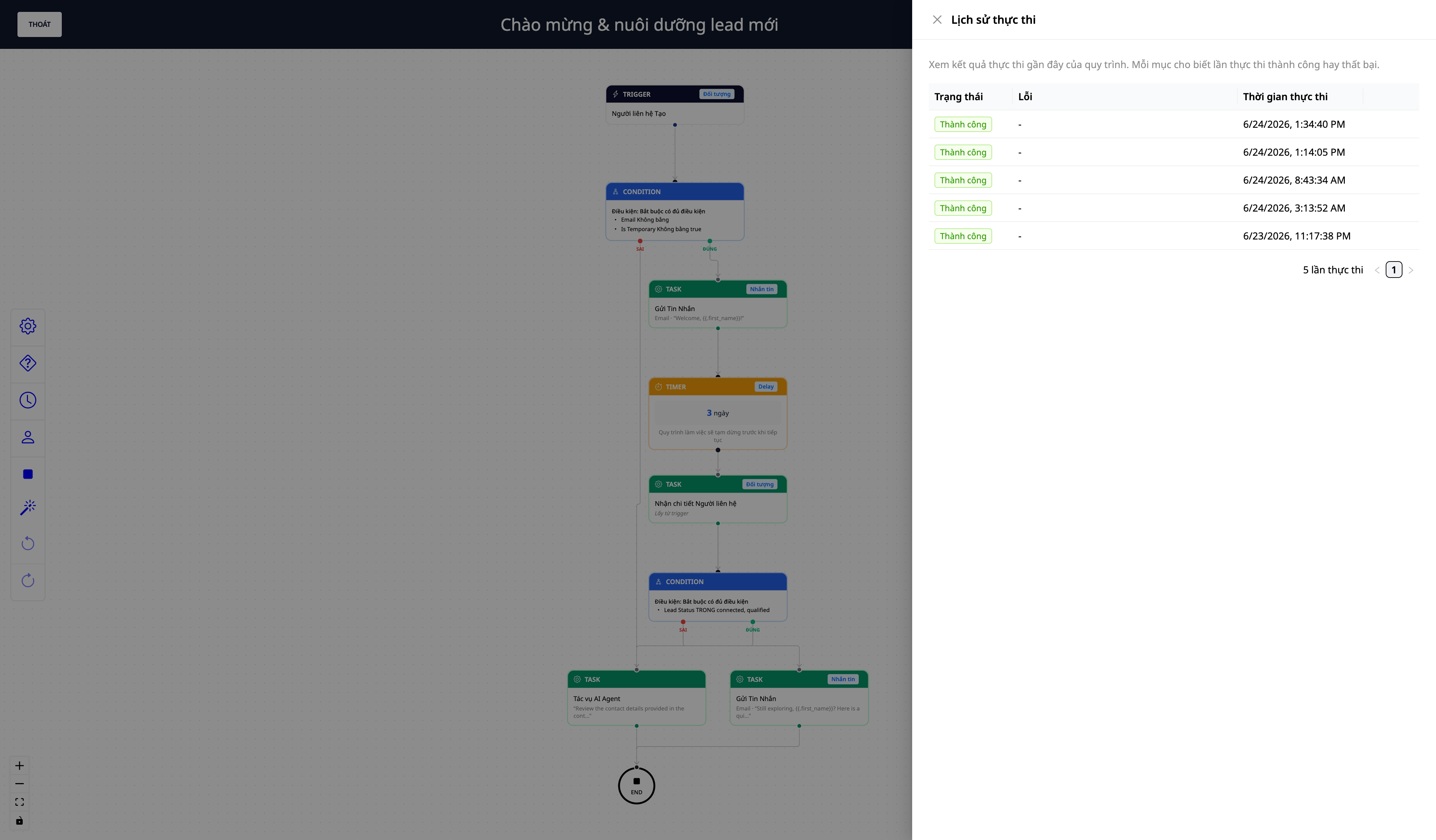
- Skript **kjører automatisk når en hendelse inntreffer** i CRM-dashbordet ditt: opprett kontakt, vinne/tape en deal, sende/returnere/kansellere en ordre, bekrefte/no-show/kansellere en avtale, en kunde går inn/ut av et segment, et skjema sendes inn...
- Du ser **kjøringslogger (execution logs)** for å se hvilke skript som har kjørt, om hvert trinn var vellykket eller om ytterligere konfigurasjon trengs.
- Krysskobling av segmenter-som-utløsere + **skjema sendt → utløser** + **broadcast-node til et helt segment** utvider automasjonsrekkevidden til en-til-mange-markedsføring.
Fordeler for Bedrifter
| Funksjon | Reelle fordeler for deg |
|---|---|
| Over 30 ferdige skript | Du trenger ikke bygge arbeidsflyter fra bunnen av — bare slå dem på |
| Gjenoppretting av handlekurv / redde betalinger | Redd inntekter som ellers ville gått tapt |
| Automatisk nurturing av leads + win-back | Leads blir ikke kalde, frafalne kunder trekkes tilbake |
| Oppfølging av kunder etter kjøp (anmeldelser/NPS) | Kunder kommer tilbake, du får anmeldelser og tidlig tilbakemelding |
| Du eier og kan endre arbeidsflyter | Tilpass innhold/målgruppe til bedriften din |
| Aktiver/deaktiver for å beholde konfigurasjon | Test fritt, slå på igjen umiddelbart |
Hvem passer dette for?
- Nettbutikk-selgere (ICP1) som ønsker å redde handlekurver, mislykkede betalinger, og følge opp kunder etter kjøp.
- Servicebedrifter / timebestilling som ønsker å automatisk bekrefte, minne om avtaler, og beholde kunder ved no-show/kansellering.
- Salgsteam som ønsker å tildele deals automatisk, varsle om store deals, og vinne tilbake tapte deals.
- Alle SMB-er som ønsker automatisert markedsføring uten behov for et teknisk team.
Hvordan komme i gang?
Gå til **Automatisering → Inntektsautomatiseringer (Revenue Automations)**, slå på det første skriptet (f.eks. "Gjenopprett handlekurv"), åpne "Se arbeidsflyt" for å redigere innhold, og la det kjøre. Se steg-for-steg veiledningen i artikkelen **"Brukerhåndbok for Inntektsautomatiseringer"**.
ℹ️ **Merk**: Noen trinn som **sender e-post/SMS/annonser** krever en **tilkoblet sendekanal** og **utfylling av kundeinformasjon som må fylles ut manuelt** (e-postkonto, målgruppesegment ID). I tillegg **koster sending av meldinger kreditter** — arbeidsområdet må ha tilstrekkelig med kreditter for at sendetrinnene skal kjøre fullstendig.
Gratis prøveperiode — ingen kredittkort kreves.


