
Overzicht
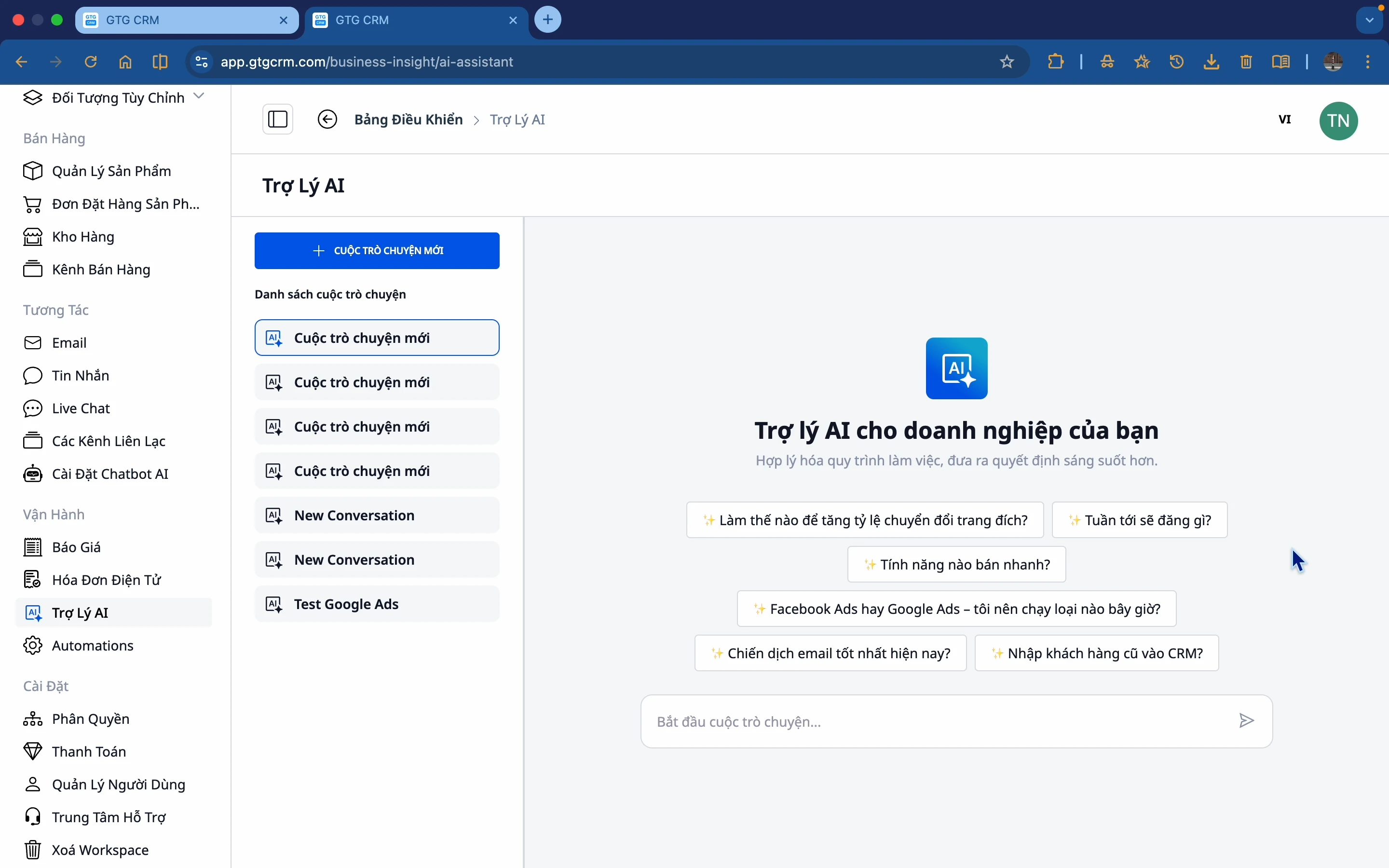
AI Biz Assistant is de intelligente assistent binnen GTG CRM, die bedrijven helpt gegevens op te vragen, samen te vatten en te begrijpen binnen het systeem. In plaats van afzonderlijke rapporten te hoeven doorzoeken, kunnen bedrijven rechtstreeks vragen stellen aan de AI en antwoorden ontvangen op basis van de werkelijke bedrijfsgegevens.
Waarom hebben bedrijven AI Biz Assistant nodig?
Huidige situatie
Veel bedrijven kampen met problemen:
- Er is geen gebrek aan gegevens, maar men weet niet waar te beginnen met de analyse
- Informatie is verspreid over verschillende locaties, wat tijd kost om samen te vatten
- Beslissingen worden gebaseerd op intuïtie in plaats van op feitelijke gegevens
- Er is geen tijd om elk gedetailleerd rapport te bekijken
- Het creëren van Excel- en PowerPoint-rapporten kost vele uren per week
- Het opstellen van contracten, statuten en volmachten die voldoen aan juridische normen vereist outsourcing of het gebruik van oude sjablonen die onzeker zijn
AI Biz Assistant Oplossing
AI Biz Assistant is ontwikkeld om deze problemen op te lossen:
Snellere toegang tot gegevens - Vraag en ontvang onmiddellijk antwoord
Begrip van de operationele situatie - Geaggregeerd uit meerdere databronnen
Tijdige besluitvorming - Gebaseerd op inzichten van de AI
Tijdsbesparing - Geen noodzaak om elk rapport te bekijken
Professionele rapportage - Automatische Excel, PowerPoint op basis van feitelijke gegevens
Juridische documenten volgens de norm - Vietnamese teksten volgens de staatsnormen, geen oude sjablonen nodig
Gegevensbronnen die de AI gebruikt
AI Biz Assistant verzamelt en analyseert gegevens uit modules binnen GTG CRM en externe bronnen:
1. Klantenbeheer
- Lijst met leads, klanten
- Interactiegeschiedenis
- Klantclassificatie
2. Productbeheer
- Productlijst
- Verkoopomzet
- Voorraad
3. Marketing & Advertenties
- Facebook-, Google-advertentiecampagnes
- Efficiëntie per campagne
- Kosten en conversies
4. Sociale media
- Geposte berichten
- Betrokkenheidsniveau
- Effectieve content
5. Omzet & Bestellingen
- Omzet per periode
- Aantal bestellingen
- Zakelijke trends
6. Google Drive
- Lijst met bestanden en mappen in Google Drive
- Lezen en extraheren van documentinhoud
- Zoeken naar bestanden op naam of inhoud
- Ophalen van video metadata uit Drive
De AI heeft toegang tot uw Google Drive (na het verbinden van uw Google-account) en kan de inhoud van bestanden analyseren, samenvatten of integreren in antwoorden - zonder GTG CRM te verlaten.
Automatisch Rapporten & Documenten Genereren
Dit is een volledig nieuwe reeks functies van AI Biz Assistant, waarmee gegevens met een simpele vraag worden omgezet in daadwerkelijke bestanden.
Automatisch Excel-bestanden (XLSX) Genereren
AI Biz Assistant kan rechtstreeks Excel-bestanden (.xlsx) genereren uit gegevens binnen GTG CRM - geen handmatige kopieeracties, geen formaatwijzigingen nodig.
Wat de AI kan genereren: - Overzichtstabel van omzet per maand/kwartaal/jaar - Klantenlijst met volledige informatie - Rapport over de effectiviteit van advertentiecampagnes (Facebook, Google) - Productvoorraadlijst - Rapport van bestellingen per verkoopkanaal - Elke datatabel die het bedrijf nodig heeft
Gebruik: Vraag het eenvoudig in het Nederlands:
"Maak een geaggregeerd Excel-bestand van de omzet in mei per product"
"Exporteer een lijst van de 50 meest veelbelovende klanten naar een Excel-bestand"
"Genereer een rapport van de Facebook-advertentiekosten van de afgelopen maand in tabelvorm"
AI haalt realtime gegevens uit het systeem, organiseert ze in een duidelijk gestructureerde tabel en exporteert een .xlsx-bestand dat u direct kunt downloaden.
Automatisch PowerPoint (PPTX) Slides Genereren
AI Biz Assistant kan professionele PowerPoint-presentaties (.pptx) maken van uw gegevens en inhoudelijke vereisten - ideaal voor directievergaderingen, partnerrapportages of investeerderspresentaties.
Wat AI kan genereren: - Slide met samenvatting van de bedrijfsresultaten per periode - Presentatie van marketingresultaten - Verkooprapportage voor het management - Slides met concurrentieanalyse - Elke presentatie met beschreven inhoud Hoe te gebruiken:
"Maak een samenvattende slide van de bedrijfsresultaten van mei met 5 hoofdslides"
"Genereer een presentatie met de resultaten van de Q2-reclamecampagne"
"Maak een maandelijkse PowerPoint-samenvatting voor het salesteam"
Het .pptx-bestand kan worden gedownload en is klaar om te openen in Microsoft PowerPoint of Google Slides.
Officiële Vietnamese Juridische Documenten Opstellen
AI Biz Assistant kan Vietnamese juridische documenten opstellen volgens de officiële staatsnormen: Times New Roman 13pt lettertype, briefhoofd volgens officiële sjablonen, standaardmarges, officiële juridische terminologie en taal.
24 document sjablonen, verdeeld over 10 groepen:
| Groep | Document |
|---|---|
| Oprichting van een bedrijf | Statuten van een LLC, Oprichtingsbesluit, Aanvraag voor registratie van bedrijfsinformatie |
| Personeel & Arbeid | Arbeidsovereenkomst, Benoemingsbesluit, Ontslagnemingbesluit |
| Volmacht & Vertegenwoordiging | Volmacht (persoon, organisatie) |
| Vergaderingen & Resoluties | Notulen van de ledenvergadering, Notulen van de algemene aandeelhoudersvergadering |
| Contracten | Samenwerkingsovereenkomst, Dienstverleningsovereenkomst |
| Ontbinding & Beëindiging | Besluit tot ontbinding van het bedrijf |
| Huishoudelijk reglement & Procedures | Huishoudelijk reglement, Werkingsregels |
Hoe te gebruiken - AI zal u om alle benodigde informatie vragen:
"Maak statuten voor LLC ABC"
AI zal stap voor stap vragen: bedrijfsnaam, adres, maatschappelijk kapitaal, lijst van leden, aandelenpercentage, wettelijk vertegenwoordiger... Nadat u alle informatie hebt verstrekt, genereert AI een .docx-bestand in het officiële Vietnamese staatsdocumentformaat, klaar om af te drukken en te ondertekenen.
Standaard opmaakkenmerken: - Lettertype: Times New Roman 13pt - Marges: standaard voor Vietnamees administratief document - Briefhoofd: SOCIALISTISCHE REPUBLIEK VAN VIETNAM - Onafhankelijkheid - Vrijheid - Geluk - Handtekening en zegel: correcte positie volgens sjabloon - Juridische taal: gebruik officiële terminologie, geen jargon of informele taal
Google Drive Koppelen
AI Biz Assistant heeft nu toegang tot uw Google Drive (na het koppelen van uw Google-account in Instellingen) en kan direct met documenten werken.
Wat AI kan doen met Google Drive:
- Bestandslijst: "Alle bestanden in de map Q2-rapporten weergeven"
- Zoeken: "Zoek naar een contractbestand met de klant Minh Hung"
- Document lezen: "Vat de inhoud van contractbestand ABC in mijn Drive samen"
- Video analyseren: "Haal de informatie op van de nieuwste video in Drive"
- Gegevens integreren: "Vergelijk de cijfers in het Excel-bestand in Drive met de werkelijke omzet in GTG CRM"
Koppel Google Drive één keer, gebruik het voor altijd. Nadat u uw Google-account hebt gekoppeld in Instellingen → Integraties, kan de AI uw Drive-bestanden openen en ermee werken wanneer u maar wilt.
Welke Vragen Kan AI Beantwoorden?
Zakelijke Situatie
- "Hoe is de omzet vandaag?"
- "Hoeveel nieuwe bestellingen zijn er in de afgelopen 7 dagen?"
- "Welk percentage van de omzet wordt gegenereerd door nieuwe klanten?"
Klanten & Leads
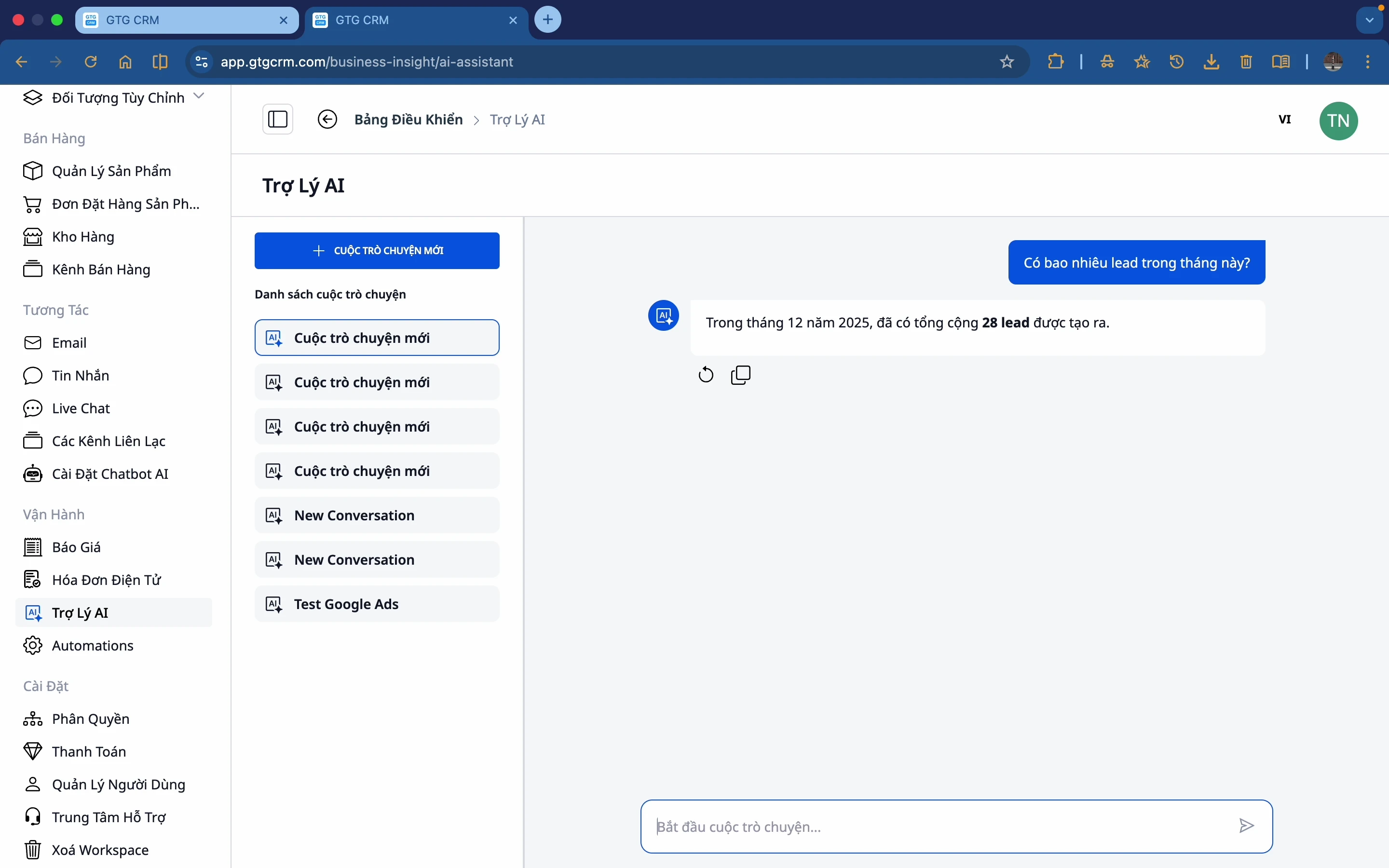
- "Hoeveel leads zijn er deze maand?"
- "Toon de nieuwste leads"
- "Welke klant koopt het meest?"
Marketing & Advertenties
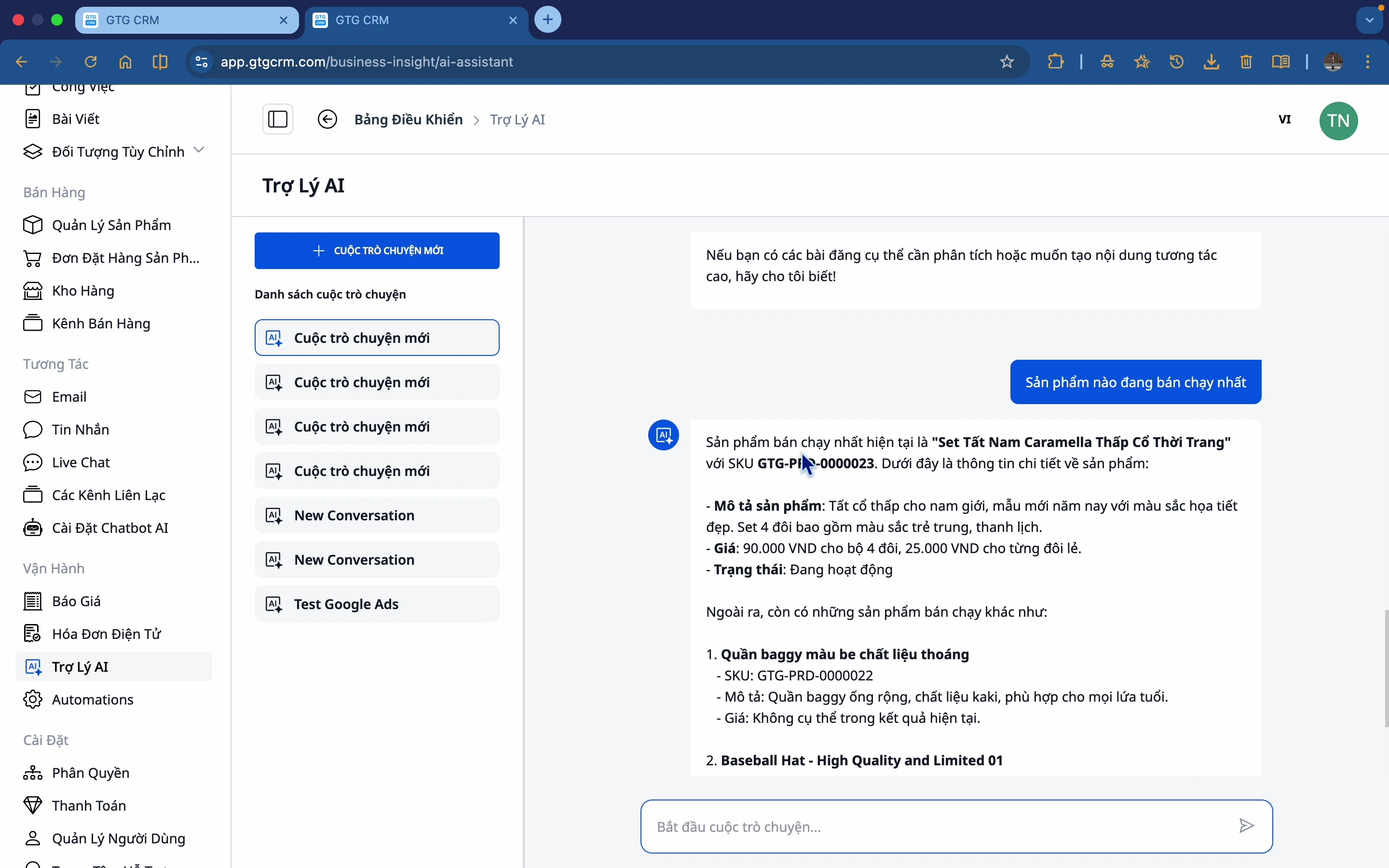
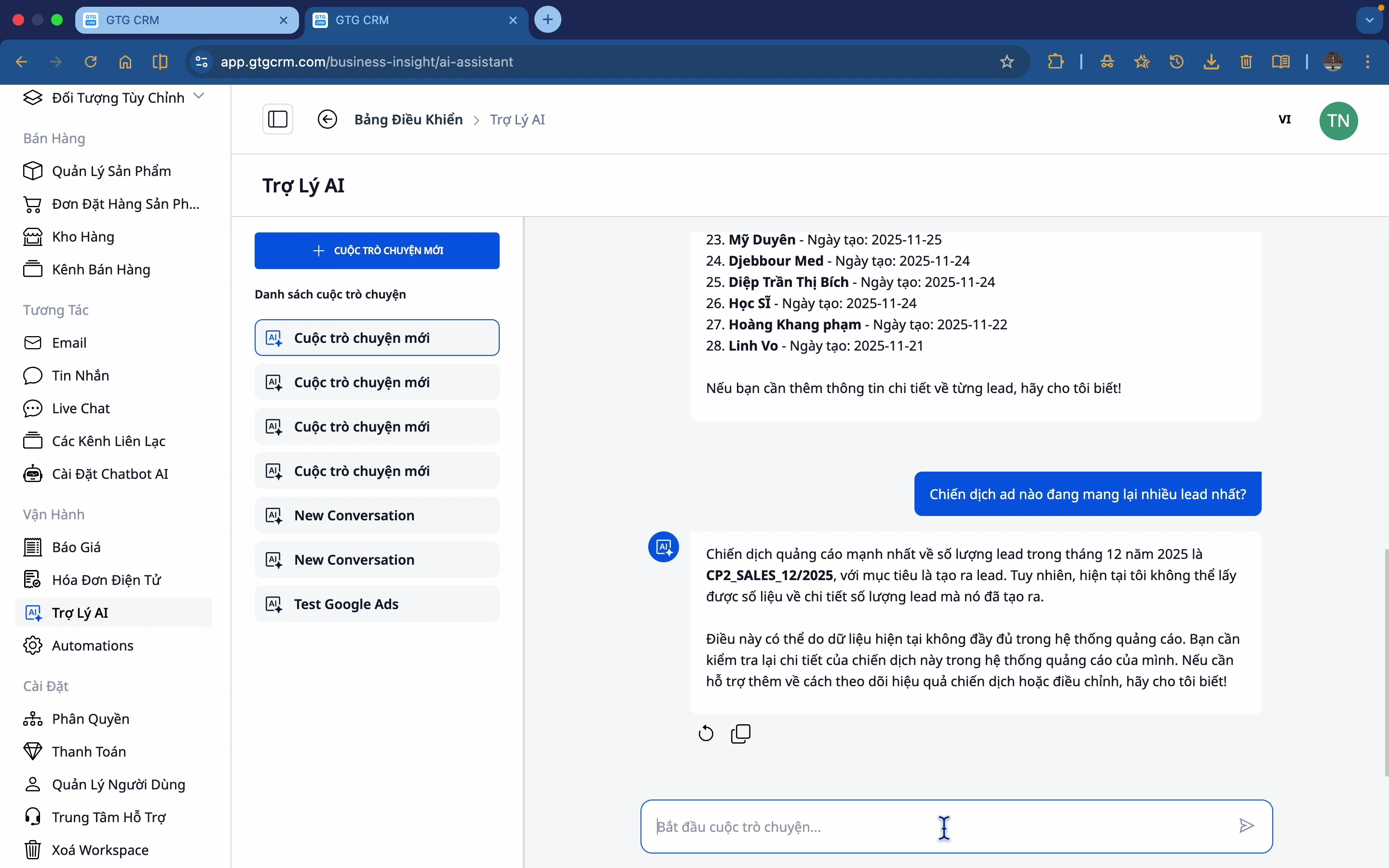
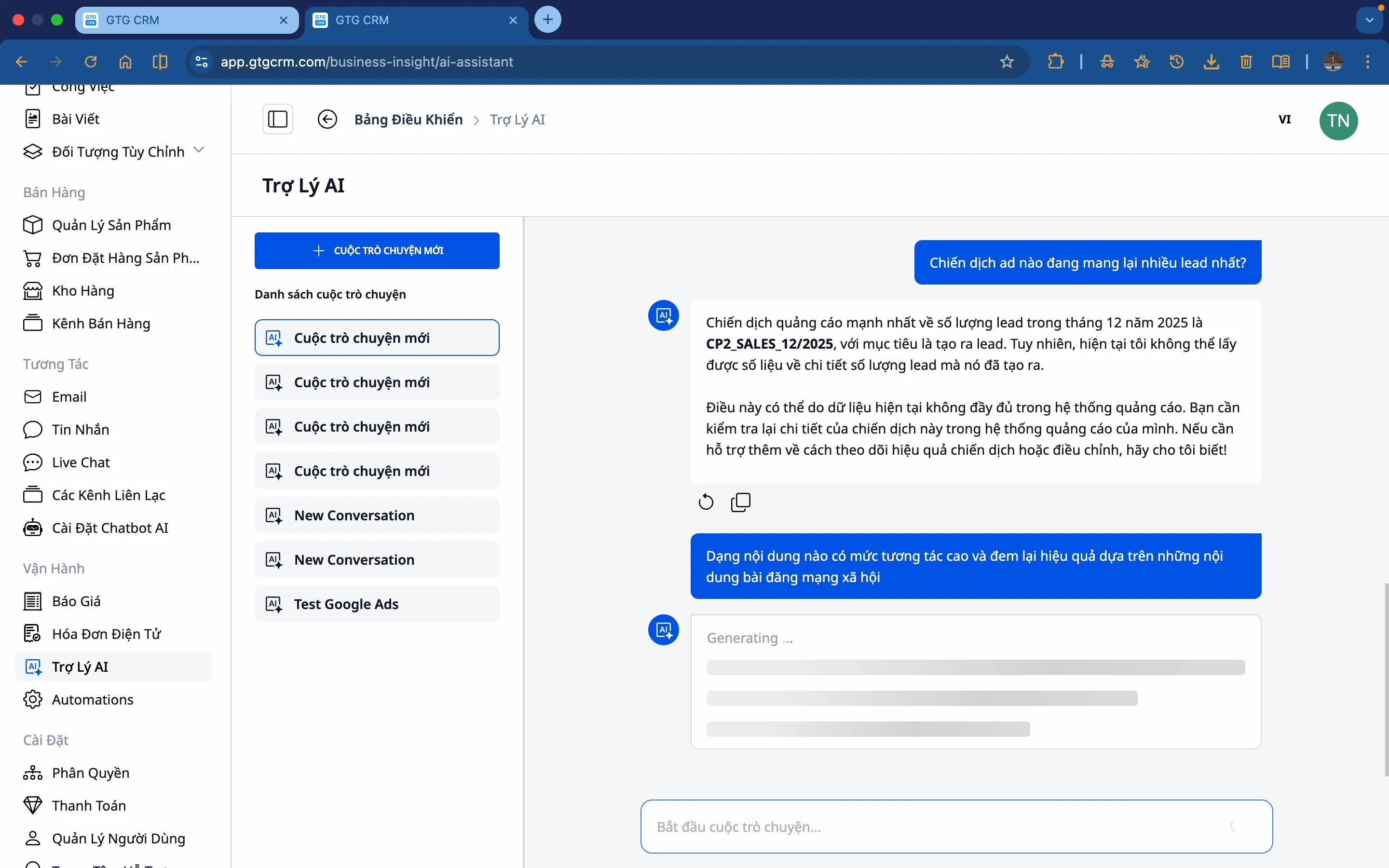
- "Welke advertentiecampagne levert de meeste leads op?"
- "Welk marketingkanaal presteert het beste?"
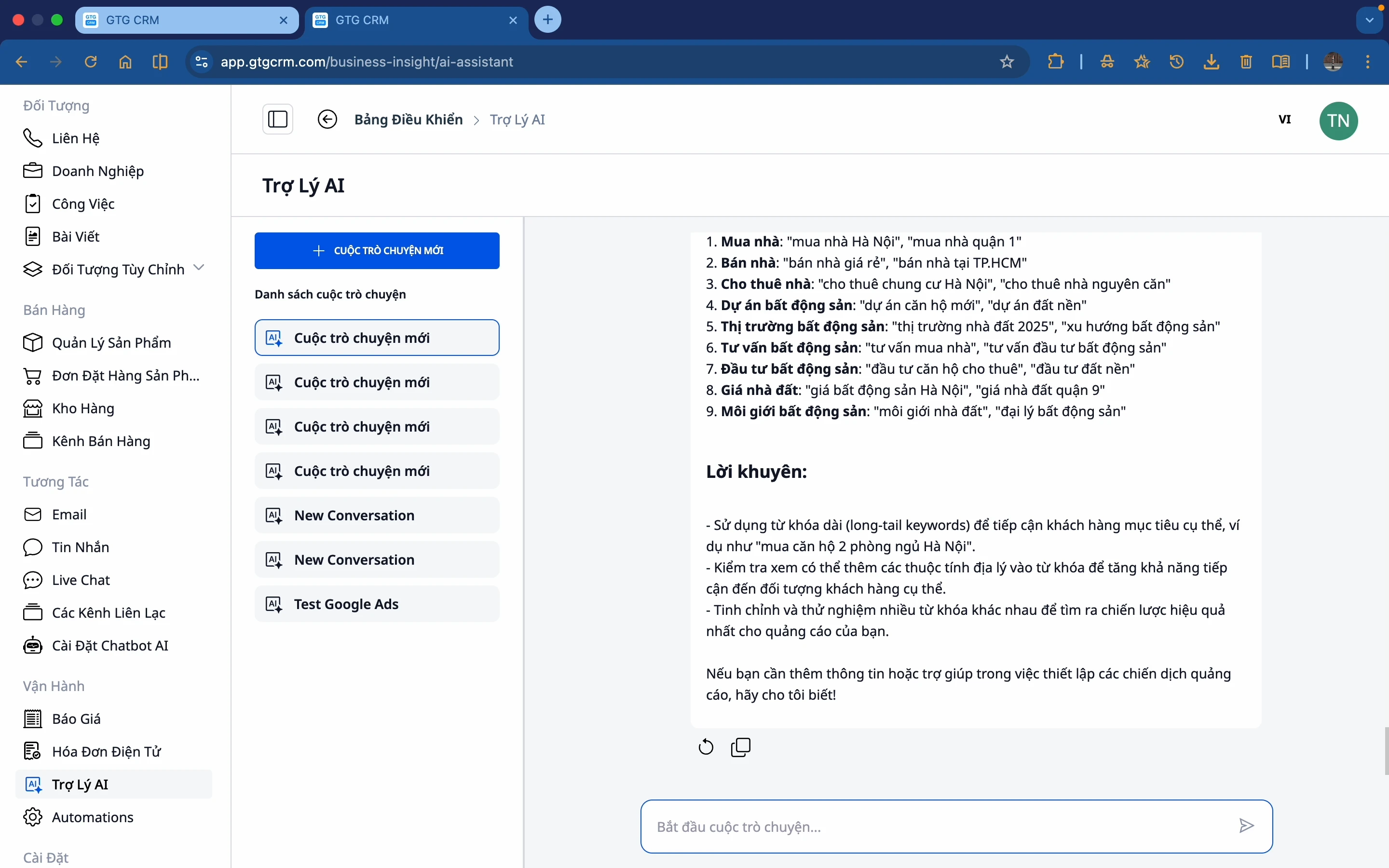
- "Suggesteer zoekwoorden om te adverteren op Google"
Content & Sociale Media
- "Welk type content heeft de hoogste interactie?"
- "Welk bericht heeft de meeste likes gekregen?"
Producten
- "Welk product verkoopt het beste?"
- "Welk product moet worden aangevuld?"
Excel & PowerPoint Rapporten Maken (Nieuw)
- "Maak een Excel-bestand met de omzet per product in mei"
- "Exporteer een lijst van de top 50 klanten naar een Excel-tabel"
- "Maak een slide met een rapport van de bedrijfsprestaties in Q2, bestaande uit 6 pagina's"
- "Maak een PowerPoint met een samenvatting van de effectiviteit van de Facebook-campagne van de afgelopen maand"
Juridische Documenten Opstellen (Nieuw)
- "Maak een arbeidsovereenkomst voor een nieuwe werknemer"
- "Stel een volmacht op voor de filiaalmanager"
- "Maak de statuten van mijn BV"
- "Schrijf een vergaderverslag van de ledenvergadering in juni"
- "Stel een benoemingsbesluit op voor de directeur verkoop"
Google Drive (Nieuw)
- "Toon de bestanden in de map Contracten op Drive"
- "Zoek naar het offertebestand dat naar de klant Binh Minh is gestuurd"
- "Vat de inhoud van document ABC in Google Drive samen"
Voorspellingen & Suggesties
- "Op welk kanaal moet ik me concentreren?"
- "Als we zo doorgaan, waar liggen dan de risico's?"
- "Suggesteer zoekwoorden om te adverteren op Google voor mijn branche"
Belangrijkste Voordelen
| Voordelen | Beschrijving |
|---|---|
| Tijdsbesparing | Geen noodzaak om elk rapport te bekijken, vraag de AI en krijg antwoorden |
| Snelle besluitvorming | Gebaseerd op echte gegevens, niet op gevoel |
| Eenvoudig in gebruik | Stel eenvoudig vragen in natuurlijk Nederlands |
| Samenvatting uit meerdere bronnen | AI combineert gegevens uit verschillende modules en ook Google Drive |
| Diepgaande inzichten | AI analyseert en geeft actie-suggesties |
| Automatische rapportgeneratie | Exporteer Excel- en PowerPoint-bestanden uit echte gegevens met één zin |
| Standaard juridische documenten | 24 VN-documenten in staatsconform formaat, direct te downloaden en te ondertekenen |
| Verbinding met ecosysteem | Lees en analyseer documenten van Google Drive binnen dezelfde interface |
Geschikt voor
- Ondernemers - Snel inzicht krijgen in de situatie, rapporten bekijken zonder Excel te openen
- Marketing Managers - Campagne-effectiviteit beoordelen, directe rapportslides genereren
- Sales Managers - Leads en omzet volgen, klantlijsten exporteren
- Accounting & Administratie - Contracten, statuten, volmachten correct opstellen
- Operationele Medewerkers - Informatie opvragen, periodieke rapporten genereren zonder IT
Conclusie
Met AI Biz Assistant in GTG CRM bekijken bedrijven niet alleen gegevens, maar begrijpen ze deze ook om sneller te handelen – en kunnen nu direct Excel-rapporten, presentatieslides of standaard Vietnamese juridische documenten genereren, allemaal in hetzelfde gesprek.
AI Biz Assistant transformeert complexe gegevens in begrijpelijke inzichten, professionele documenten en standaard juridische teksten, zodat bedrijven elke dag betere, tijdige beslissingen kunnen nemen en efficiënter kunnen opereren.
Klaar om deze functie gratis te proberen voor uw bedrijf?
Gratis proberen

