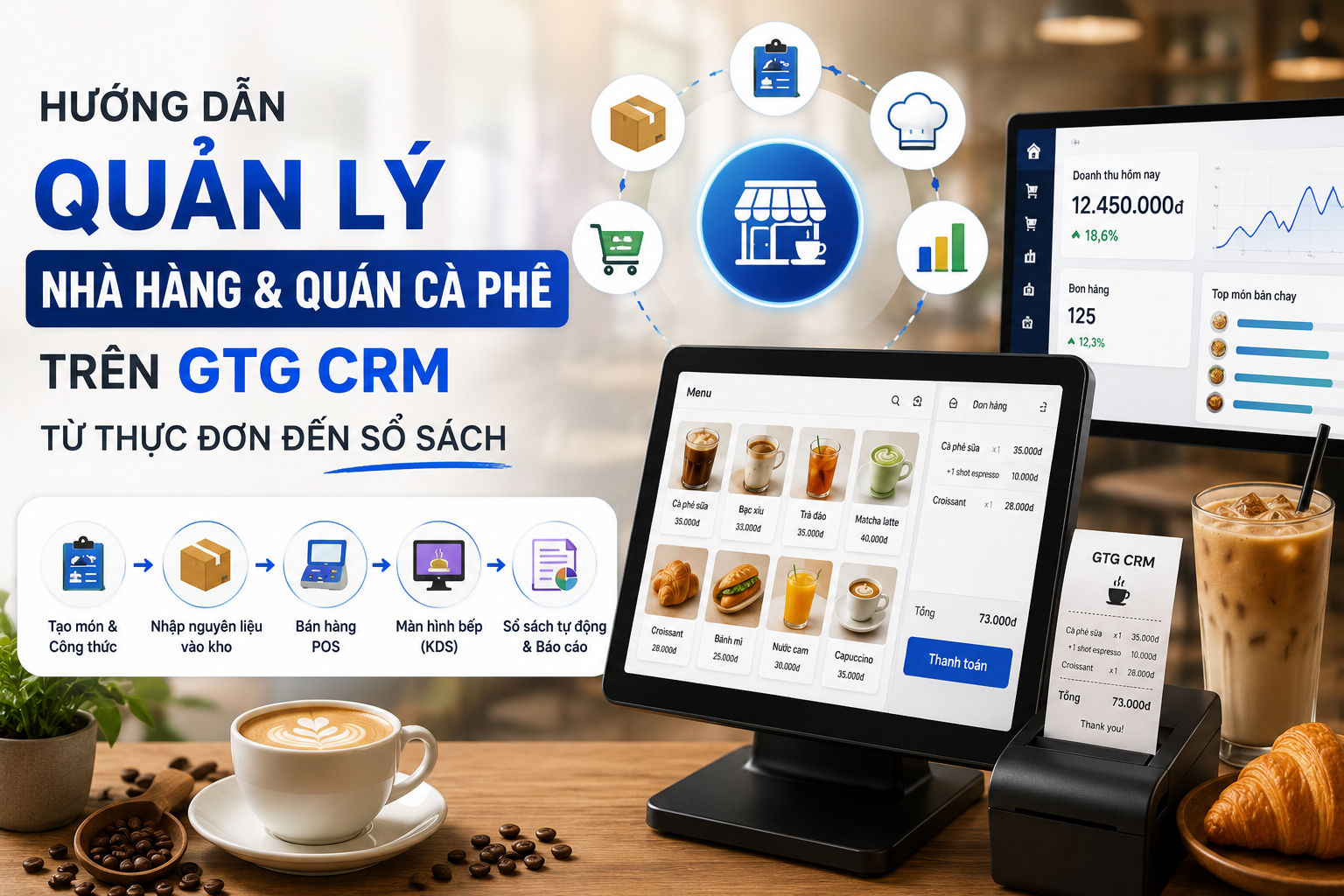
In the era of booming e-commerce, selling on multiple e-commerce platforms (Shopee, Lazada, TikTok Shop) has become an inevitable trend for sellers. However, managing orders from various channels often causes many difficulties: easily missing orders, difficulty controlling inventory, and wasting a lot of time switching between platforms.
GTG CRM is born to thoroughly solve this problem by aggregating all orders from e-commerce platforms into a single platform. No need to log into each platform individually, you can track, process, and ship all orders directly on GTG CRM, helping to optimize the sales process and not miss any orders.
This article will guide you step-by-step on how to sync and manage multi-channel orders on GTG CRM most effectively.
Key Features
- Automatic order synchronization from Shopee, Lazada, TikTok Shop to a single platform
- Centralized order management — View and process all orders from multiple channels in one place
- Unified inventory management — Synchronized inventory updates across all sales channels
- Automatic creation of shipping orders when orders change to "In Transit" status
- Automatic e-invoice generation in accordance with Government regulations
- Consolidated revenue reports from all sales channels
- Fast processing — No need to switch between multiple platforms
Guide to Multi-Channel Order Synchronization
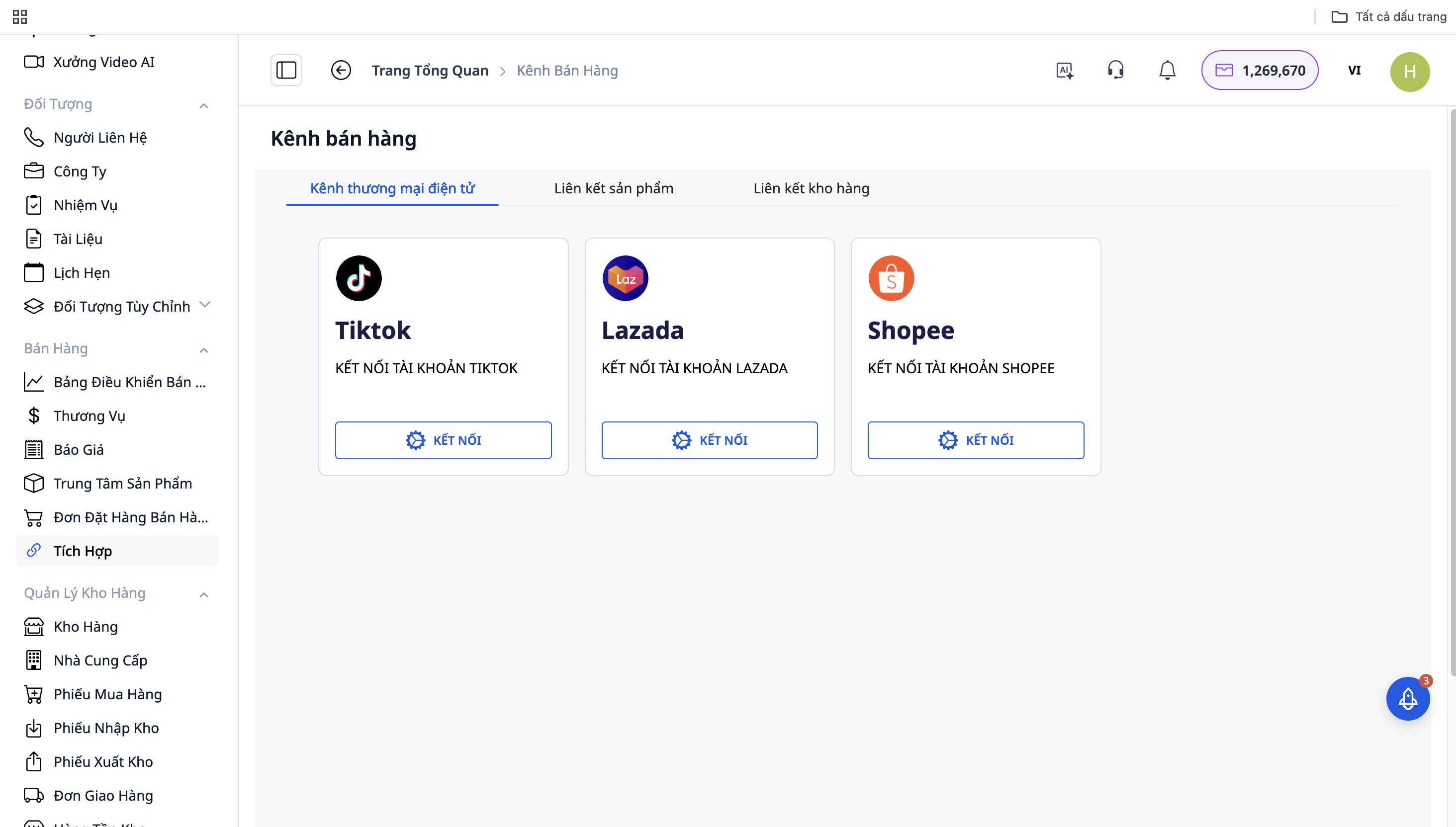
Step 1: Connect to E-commerce Platforms
- Go to "Settings" → "Sales Channel Integration"
- Select the platform to connect: Shopee / Lazada / TikTok Shop
- Click "Connect" and log in with your shop account
- Allow GTG CRM to access order and product data
- Repeat with the remaining platforms
Step 2: Automatic Order Synchronization
After connecting successfully, GTG CRM will automatically sync orders from the platforms to the system:
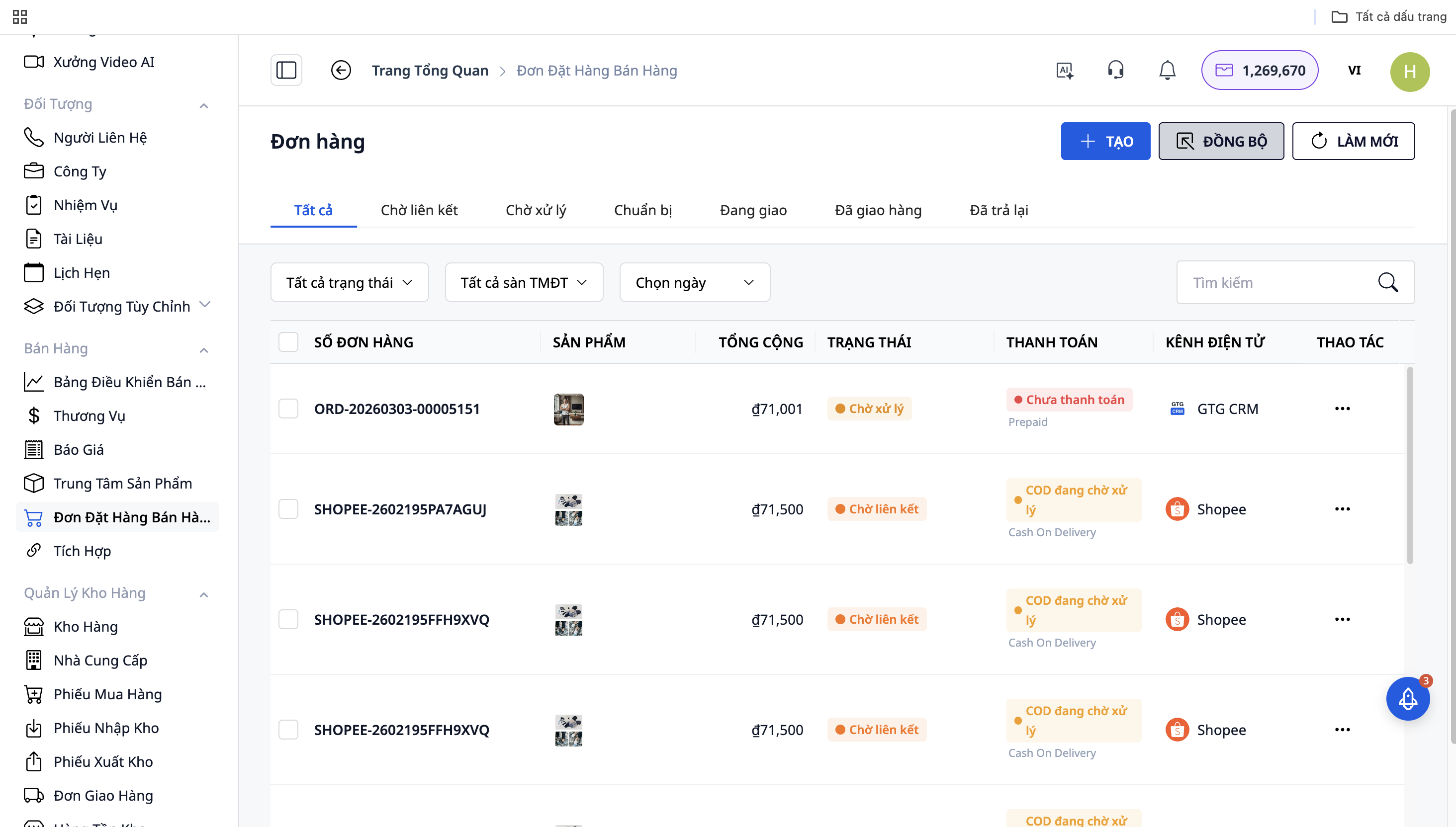
- All orders from Shopee, Lazada, TikTok Shop will be displayed in the "Sales Dashboard"
- Each order will have a source icon (platform logo) for easy identification
- Orders are updated in real-time
Step 3: Order Processing
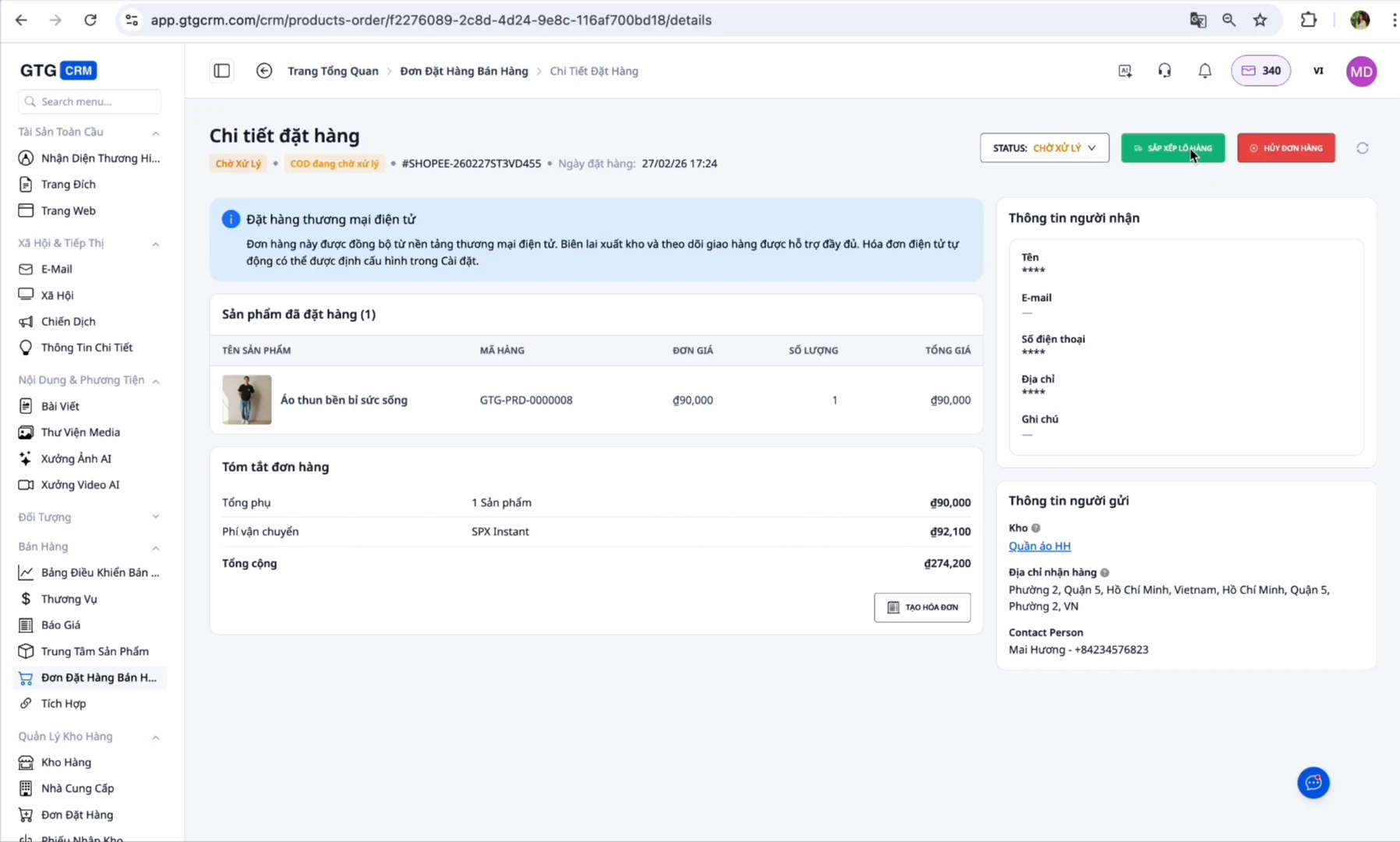
- When a new order arrives: The order will be in "On Hold" or "Pending" status
- Confirm order: Change the status to "In Transit"
- Prepare goods: Go to the shipping orders section, click "Print Label" to create the shipping label
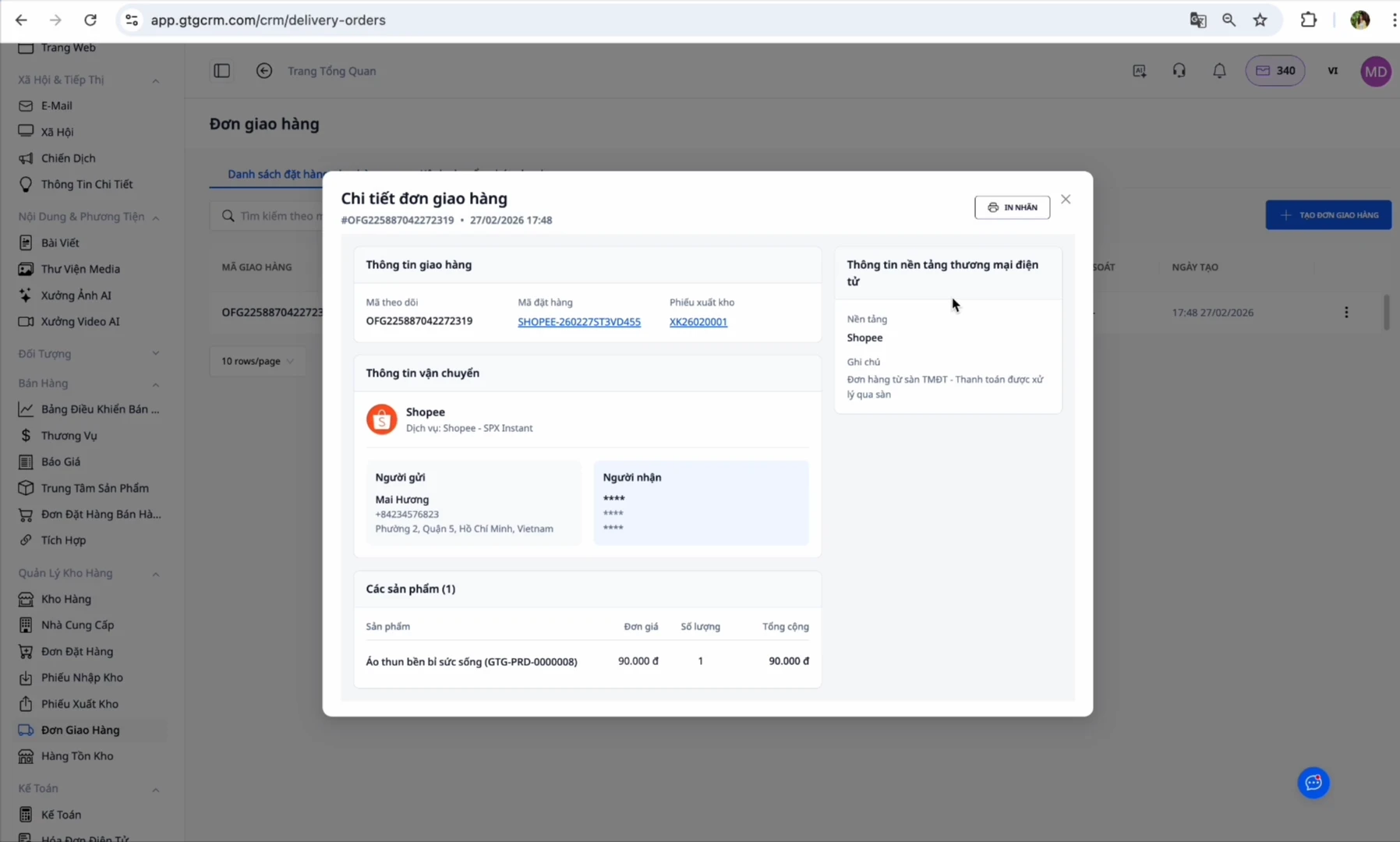
At this point, GTG CRM automatically creates a shipping order:
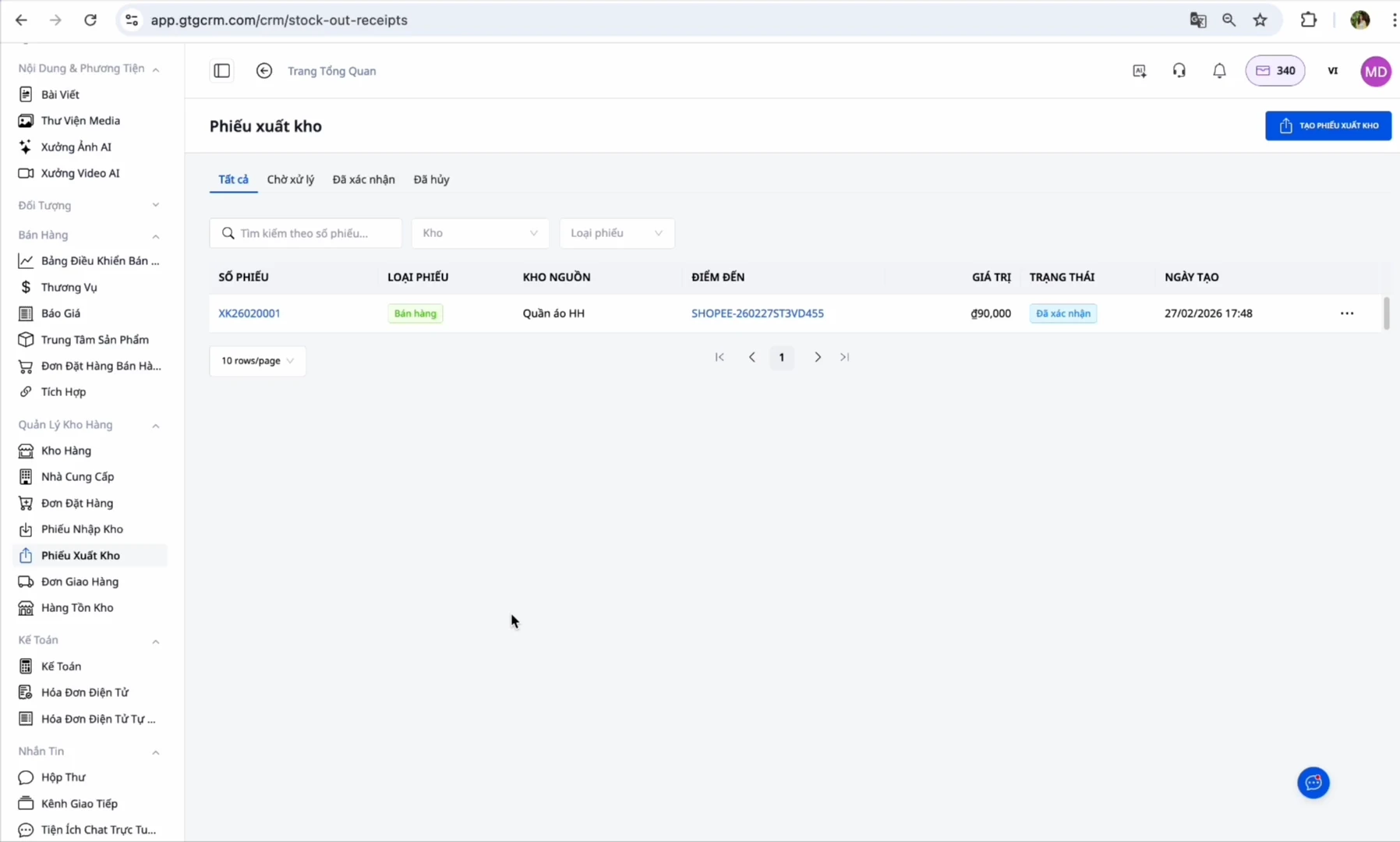
- Ship out: Go to the newly created shipping order → Click "Confirm Shipment" — The system will automatically generate an e-invoice (if configured)
- Completed: When the customer successfully receives the order, it changes to "Completed"
Benefits of Using GTG CRM
Save time: No need to log into each platform individually, manage all orders in one place
Never miss an order: Automatic synchronization ensures you never miss an order
Accurate inventory control: Inventory quantities are synchronized across all channels
Automate processes: From creating shipping orders to generating e-invoices, everything is automated
Easy tax declaration: The system automatically collects input invoices and generates output invoices according to Government regulations
Consolidated reports: View revenue and profit from all channels in a single dashboard
Important Notes
About SKUs:
- Ensure SKUs on GTG CRM match 100% with SKUs on e-commerce platforms
- If SKUs are different → the system cannot synchronize inventory
- One product = one unique SKU across all channels
About automatic invoicing:
- If you have authorized the platforms (Shopee/Lazada/TikTok) to issue invoices automatically → You should NOT enable automatic invoicing on GTG CRM to avoid double invoicing
- Only enable this feature if you have not authorized the platform
About warehouse address:
- Enter the warehouse address accurately, as this is where the shipper will pick up the goods
- Ensure there is always a person in charge at the warehouse during working hours
About order status:
- You must confirm shipment before an automatic invoice can be issued
- Adjustment invoices can only be created after the original invoice has been issued
Conclusion
GTG CRM is a comprehensive solution that helps multi-channel sellers manage orders from Shopee, Lazada, and TikTok Shop most effectively. Instead of logging into each platform separately, wasting time switching, and easily missing orders, you just need to open GTG CRM to process all orders immediately.
In particular, with automated features from creating shipping orders to generating e-invoices, GTG CRM helps you comply with legal invoice regulations without additional effort. The intelligent inventory synchronization system ensures you always have accurate control over your stock, avoiding overselling.
With GTG CRM, you can focus on selling and growing your business, rather than wasting time on manual operational tasks. This is an indispensable tool for every multi-channel seller in the e-commerce 4.0 era.