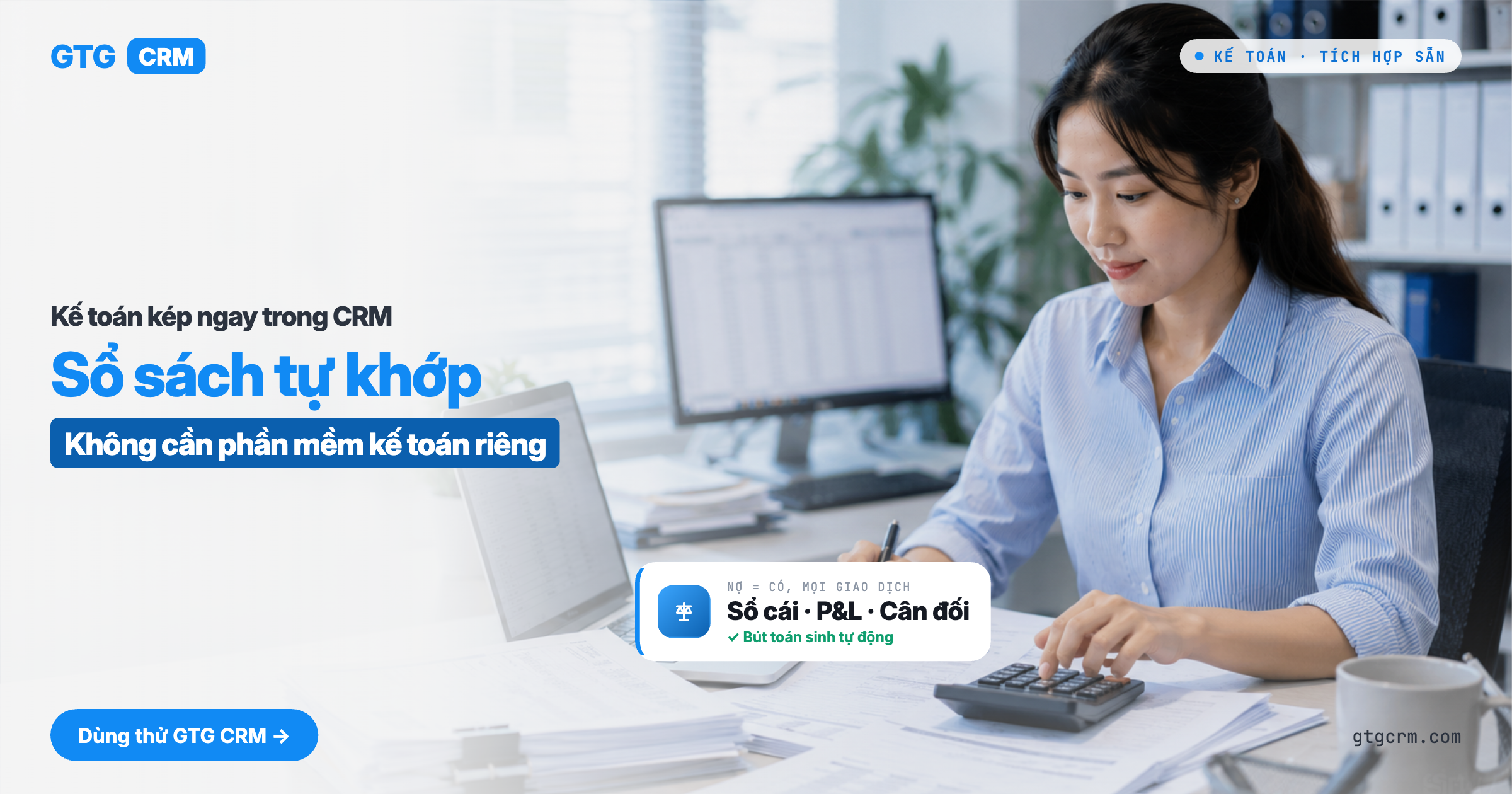
Starting from early 2026, Circular 99/2025/TT-BTC officially replaces Circular 200 as the accounting standard for Vietnamese enterprises. While many accounting software products are still being updated, GTG CRM has built in a complete double-entry accounting module that fully complies with TT99/2025 — located within the same sales, inventory, order, and CRM system you use every day. Every order, every invoice, and every refund automatically generates correctly structured journal entries, with no manual input and no mismatched figures.
 Latest Accounting Standards: TT99/2025 for Enterprises, TT133 for SMEs
On January 1, 2026, Circular 99/2025/TT-BTC officially took effect, replacing Circular 200/2014 along with its amendments TT75/2015 and TT53/2016. The new standard upgrades the chart of accounts to 71 Level 1 accounts and 113 Level 2 accounts, and renames the "Balance Sheet" to "Statement of Financial Position (B01-DN)" in line with international practice. The income statement now carries the form code B02-DN.
GTG CRM supports both accounting regimes in parallel:
Enterprises: TT99/2025 — the full chart of accounts under the new standard, with correct form names B01-DN and B02-DN.
Household businesses and SMEs: TT133/2016 — still in effect. Small businesses may keep it as is or voluntarily switch to TT99 at the start of a fiscal year.
Businesses closing their 2025 books under TT200 may still use the TT200 chart of accounts for finalizing prior-year accounts. GTG CRM retains all three sets — TT99, TT133, and TT200 (archive) — to meet the specific needs of each business at each stage.
Problems Businesses Are Facing
Traditional approachConsequencesSales on GTG CRM, accounting on MISA or separate softwareData entered twice, figures easily mismatched, paying for two softwareInvoices issued in one place, ledger kept in anotherPainful reconciliation of revenue against invoices at period endP&L and balance sheet built in ExcelOne wrong line breaks the whole table; no real-timeRefunds and returns recorded manuallyCost of goods sold (COGS) reversal forgotten → incorrect profit/lossVAT returns compiled from many filesHours spent every period, with a high risk of tax errors
GTG CRM consolidates everything into a single source of data: orders → invoices → journal entries → financial statements, automatically and seamlessly.
Complete Double-Entry Accounting — Fully Compliant with the Latest VAS
 The Chart of Accounts is fully aligned with VAS TT99/2025 for enterprises or TT133 for SMEs. Under the new TT99 rules, businesses may add detailed accounts tailored to their operations without needing special approval.
Journal Entries: every transaction records debits and credits in balance; the system rejects entries posted to accounts that do not exist or have been deactivated, keeping the general ledger clean at all times.
Manual entries, reversals or corrections, and opening balances: Besides the entries generated automatically from orders and invoices, you can create manual journal entries. By default, a manual entry is posted to the ledger only after someone else approves it. For a manual entry that has already been posted, GTG CRM lets you reverse it or correct it with a new entry, and the original stays intact. Opening balances can be imported from a CSV or Excel file at the start of the year or mid-year, together with the year-to-date income and expenses. The general ledger only shows a single total for "how much customers owe you," so to collect, you upload your customer and supplier files to break receivables and payables down by person and by document. The Aged Receivables and Aged Payables reports then show who owes you, whom you owe, and how many days overdue each balance is. Receivables are aged from the document date, and payables are aged from the payment due date. You don't need complete lists to start. Any amounts not yet broken down appear as a separate line and do not block posting. See Manual Entries, Reversals or Corrections, Opening Balances.
Posting Rules: define which transactions post to which accounts. Set them up once, and they apply automatically from then on.
Accounting Periods: create periods and close the books by month, quarter, or year. Control posting and prevent entries from being mistakenly recorded in closed periods.
Multi-Country Chart of Accounts (12 Countries)
 Not just Vietnam. GTG CRM comes with chart of accounts templates for Vietnam plus 11 international countries: the United States (US/GAAP), France (FR/PCG), Japan (JP/JGAAP), South Korea (KR/K-IFRS), Germany (DE/SKR04), the United Kingdom (GB/FRS102), China (CN/CAS), and Southeast Asia, including Singapore (SFRS), Malaysia (MFRS), Indonesia (PSAK), and Thailand (TFRS).
AI-assisted setup: AI suggests the right chart of accounts for your business type and country, so setup takes minutes instead of days.
CSV import/export: import an existing chart of accounts, or export it for review and internal record-keeping.
Switch from TT200 to TT99 without changing any entries: preview changes by group, answer the company-specific questions yourself, and switch with one click. Balances that the company must transfer manually are listed so you can complete them. Entries and all figures in reports for past periods remain unchanged (only the names of some accounts change under TT99). See the guide to switching chart of accounts.
Delete and rebuild the chart of accounts: possible when the books contain no data that must be retained. If the books contain posted entries, the chart of accounts cannot be deleted, because the law requires accounting records to be kept.
This is the ideal choice for businesses with international branches, subsidiaries, or cross-border sales. Each workspace can use the accounting standard of its own country.
Real-Time Financial Reports: P&L, Balance Sheet & VAT Filing
 View instantly in the portal:
Income Statement (B02-DN): revenue, cost of goods sold, and profit by period, in the format required by TT99/2025.
Statement of Financial Position (B01-DN): assets, liabilities, and owners' equity. This is the new official form name under TT99/2025, replacing the former name "Balance Sheet."
Trial Balance: check all account balances before closing a period, and immediately catch entries that are out of balance.
VAT Declaration: pre-compiled for the filing period, so you don't need to combine data from multiple sources.
Every report is built from actual posted entries. No need to merge Excel files or wait for an accountant to consolidate the figures.
Export Reports to PDF & Excel: For Banks, Auditors, and Management
Beyond viewing reports directly on screen, you can download financial statements as PDF or Excel files right within the portal, with no need to copy-paste or take screenshots.
PDF Export: create professionally formatted print-ready documents for signing, stamping, and submitting to banks (loan applications require stamped financial statements), auditors, management, or investors. PDFs preserve the table layout, column headers, and summary figures exactly as shown on screen.
Excel (XLSX) Export: accountants receive a clearly structured spreadsheet for further summarization, pivot tables, period-over-period comparisons, or cross-checking against internal systems without re-entering any figures.
All existing reports — Income Statement, Balance Sheet, Trial Balance, VAT Declaration — support export in both formats. Numbers, currency formats, and dates in exported files follow your workspace locale (Vietnam: period as thousands separator, comma as decimal separator, Vietnamese dong).
Flexible Revenue Recognition
 Choose the revenue recognition timing that fits your business model, configured directly in Accounting Settings:
OptionRecognize revenue when...Best forINVOICE (default)An invoice is issuedRetail, services, most businessesDELIVERYGoods are delivered / shipped from warehouse (transfer of control)Businesses that recognize revenue at actual delivery
The system automatically matches revenue with cost of goods sold (COGS) in the correct period, so profit and loss reports are always accurate, with no end-of-period adjustments needed.Refunds & Returns — Automatic, Accurate Accounting Down to the Last Dong
Refunds and returns are where bookkeeping most often goes wrong, especially when COGS must be calculated partially. GTG CRM automatically handles each case:
Payment refunds, deposit refunds, and purchase returns each generate journal entries with the correct account pairs, with no mix-ups.
Partial COGS reversal: if 3 of 10 products are returned, only the COGS for those 3 products is reversed, not the entire order.
Cancelling e-invoices through S-Invoice (Viettel) or MISA: the system automatically generates the corresponding reversing entries, so your books and invoices always match, with no manual adjustments.
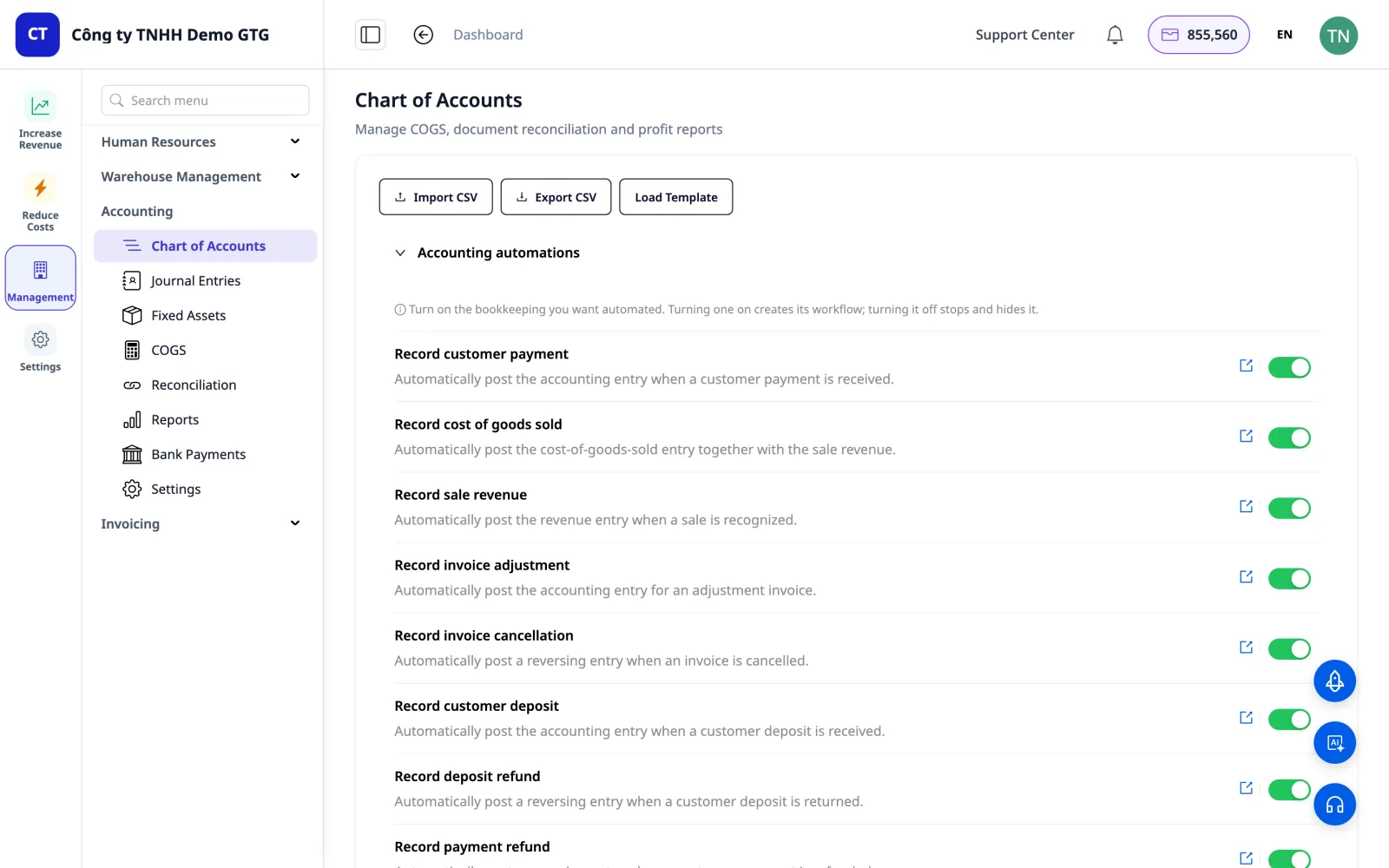
Accounting Automation Without Code
A library of accounting automations that you enable based on your needs (opt-in), not all at once:
Automatically create invoices from orders.
Automatically generate journal entries when transactions occur.
Recognize revenue over time.
Process refunds and returns.
Debit/credit entries can be edited directly on the "Create Journal Entry" node of the workflow. Configure everything in one place, with no programming and no need to contact technical support.
Integrated Across the Entire GTG CRM Ecosystem
The Accounting suite is not a standalone module. It is wired directly into your actual business flow:
Orders completed → generate invoices → generate revenue and COGS journal entries.
Warehouse stock issued → COGS recorded using the FIFO method.
E-invoices issued or cancelled → corresponding journal entries and reversals.
CRM: every transaction is linked to the customer, with clear receivables tracked for each partner.
BenefitDescriptionOne Unified PlatformSales → invoicing → accounting → reporting, no separate accounting software neededNo More Double Data EntryEvery transaction automatically generates journal entries, saving time and reducing errorsReal-Time Financial ReportsP&L, Balance Sheet, Trial Balance, and VAT always readyCompliant with the Latest VASCircular 99/2025 (enterprises) and Circular 133 (SMEs), so year-end closing and audits go smoothlyExport to PDF & ExcelProfessional documents for banks, auditors, and management, generated directly from CRMInternational ExpansionChart of Accounts for 12 countries, ready for branches, subsidiaries, and cross-border salesCost SavingsEliminate separate accounting software fees and end-of-period Excel reconciliation toolsSign up for free and get 36,888 credits to try instantly, no credit card required.
Part of GTG CRM, a comprehensive customer relationship management and business operations platform