Feature Introduction
You open a restaurant, cafe, or eatery — and every day you have to juggle a mess of disconnected tools: printed menus (reprinting every time you change a price), handwritten reservation books, order slips running back and forth between tables and the kitchen, a separate cash register that doesn't communicate with inventory, and at the end of the day, you sit and figure out how much you sold, how much raw material you used, and what your profit is. Items run out and the kitchen doesn't know, orders get lost, reservations overlap — common occurrences.
That ends today.
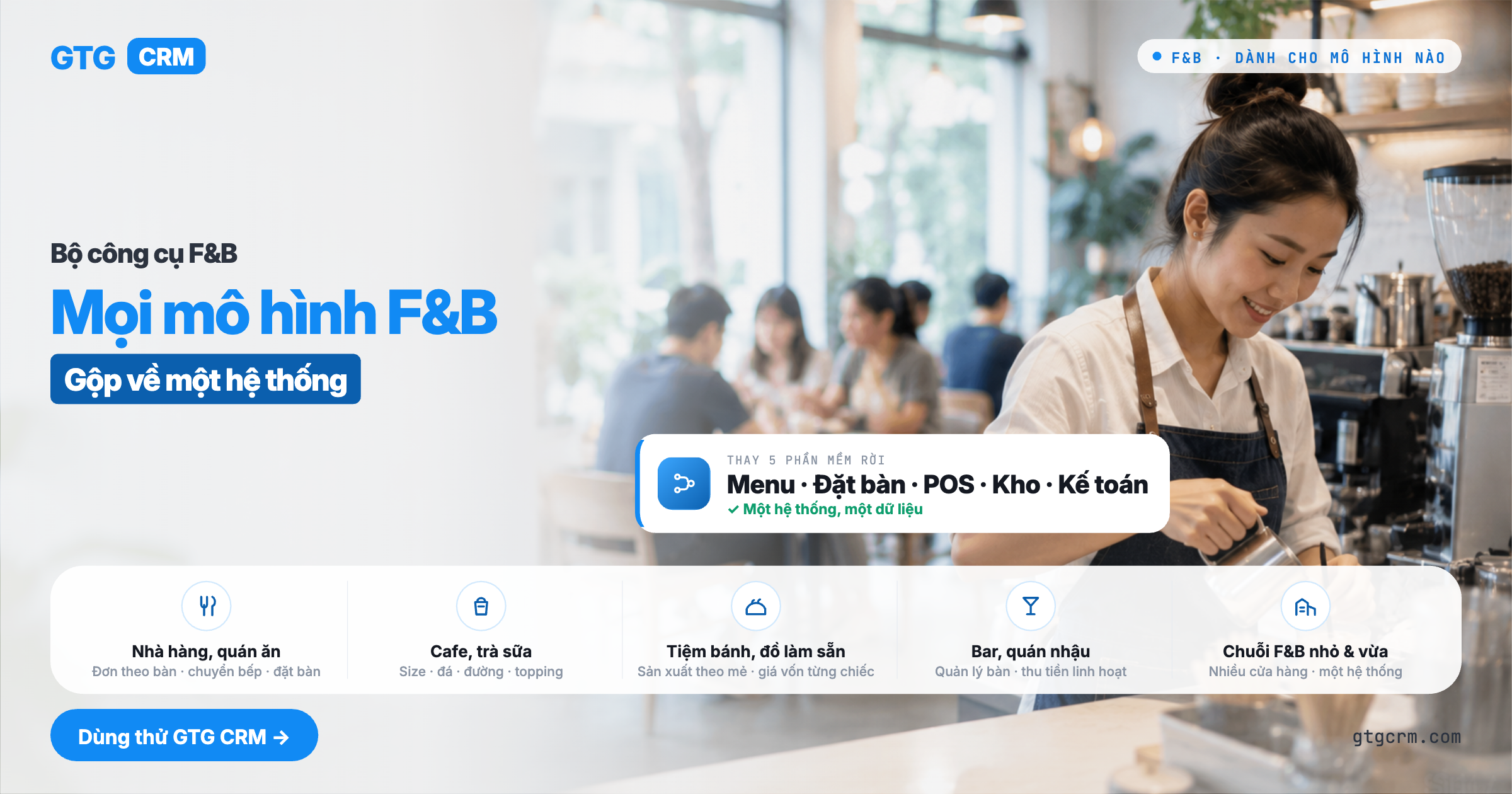
GTG CRM has a Restaurant & Cafe Management (F&B) Toolkit — consolidating all your operations into a single system: create a digital menu with item categories and options (size, ice/sugar level, toppings with surcharges); push orders directly to the kitchen display screen (KDS) for chefs to see immediately, eliminating lost paper slips; manage tables and take reservations without worry of overlap; sell at the counter and at tables using a Point of Sale (POS) system; and because each item is linked to its ingredient recipe, when sold, the system automatically deducts from inventory and calculates the cost of goods for each item, directly entering it into the accounting ledger. Everything is connected to your existing inventory, purchasing, and accounting software.
Problems Businesses Face
Printed menus, needing to reprint for price changes or item availability — Outdated menus, customers ordering unavailable items, lost customers and damaged reputation
Handwritten order slips running between tables and the kitchen — Lost slips, incorrect/missing items prepared by the kitchen, long customer wait times
Handwritten reservation books, unable to see available tables — Double bookings, customers arriving with no seats, arguments with customers
Separate cash registers, not connected to inventory and accounting — Manual reconciliation at the end of the day, not knowing how much raw material was used, whether there was a profit or loss
Not knowing the actual ingredient cost of a dish/drink — Setting prices based on guesswork, thinking there's a profit when there's actually a loss
GTG CRM streamlines everything into a seamless workflow: menu → table/counter sales → kitchen transfer → payment → automatic ingredient deduction → cost of goods calculation → accounting entry — all within the same system you use to manage customers, inventory, and finances.
Highlights
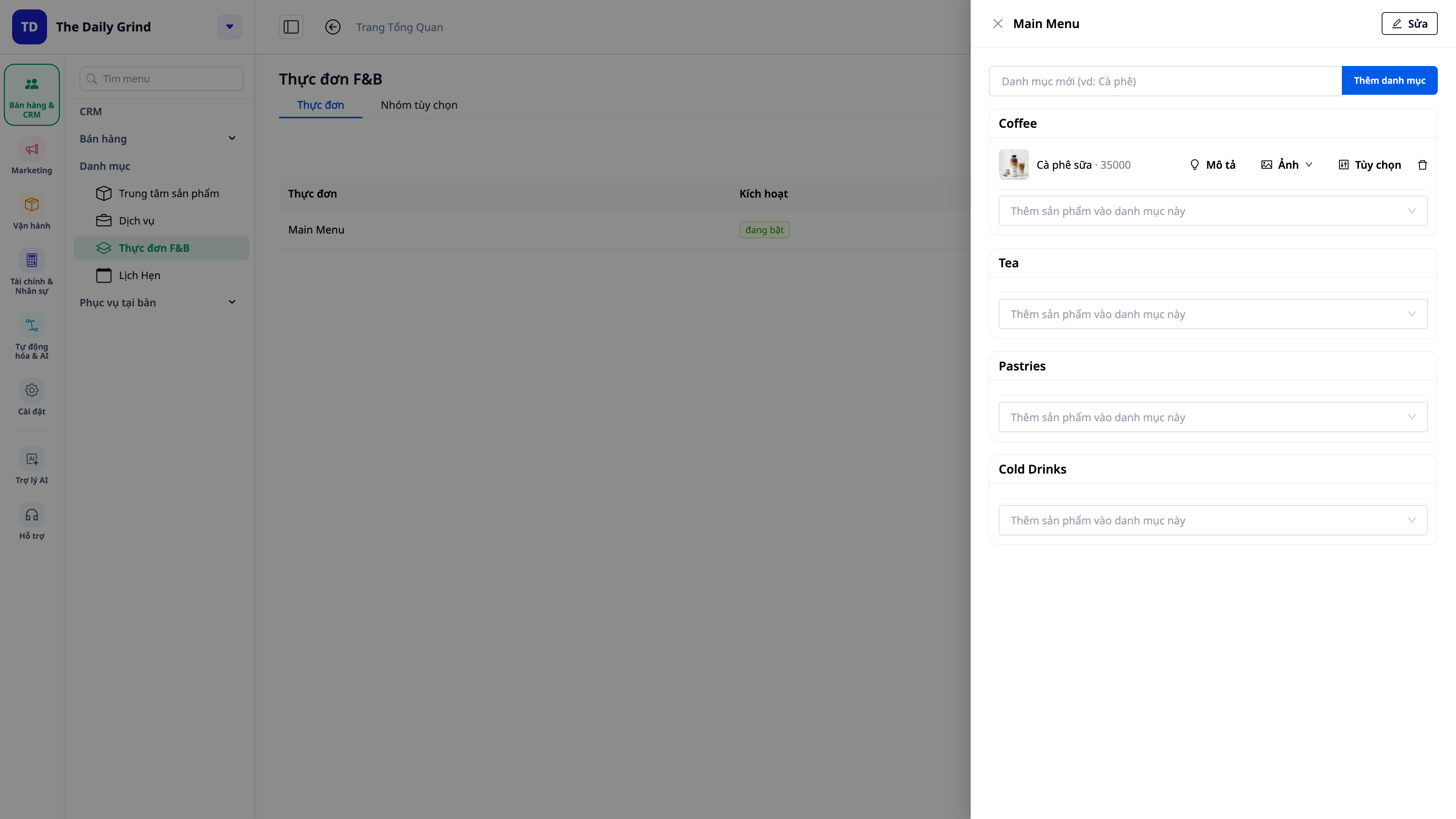
1. Digital Menu: Categories, Item Images, and Options (Size, Ice/Sugar, Toppings)
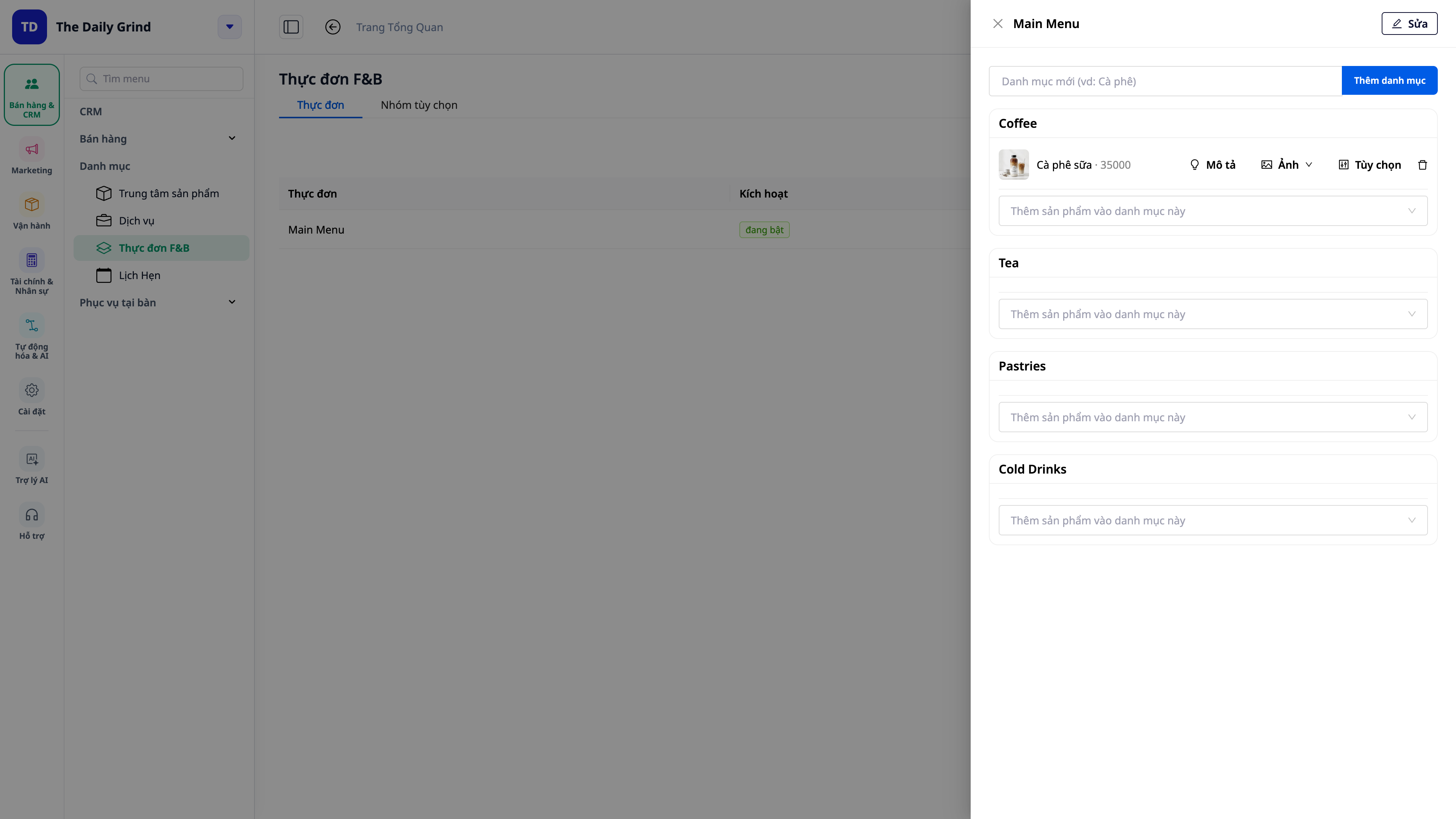
Create a realistic menu: divide the menu into categories (Appetizers / Main Courses / Drinks…), drag to reorder, and attach an image for each item — appealing at first glance.
Item Options (modifiers): each item can have option groups — size (small/medium/large), ice/sugar levels, toppings with surcharges (add boba +7.000₫…), additional charges are calculated correctly and automatically.
Turn "out of stock" on/off with one tap: when ingredients run out, turn off the item; customers and cashiers see it immediately; turn it back on when available — no need to reprint menus.
2. Kitchen Display Screen (KDS) — Orders appear instantly, no lost tickets
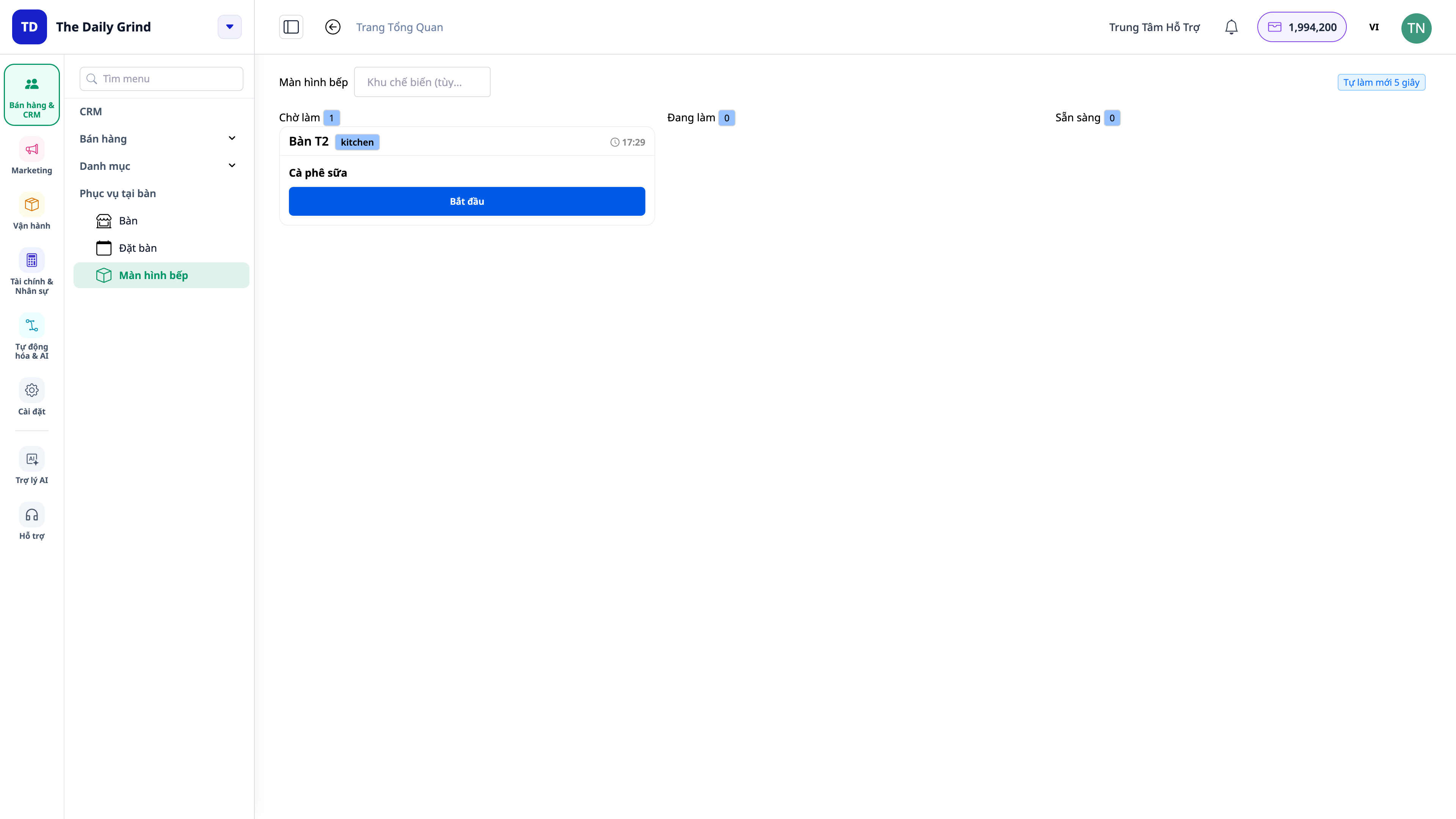
Orders to the kitchen in seconds: staff press "Send to Kitchen", and the order appears instantly on the kitchen display screen (usually within 2–3 seconds) — no more lost paper tickets.
Clear order queue in the kitchen: each ticket progresses through three columns: New/Waiting → Preparing → Ready; chefs press Start then Done — staff know which dishes are coming out next.
No forgotten tickets: tickets left for too long change color to alert (green → yellow → red based on wait time), outstanding orders are highlighted.
3. Table Management & Reservations — No worry of overlapping times or tables
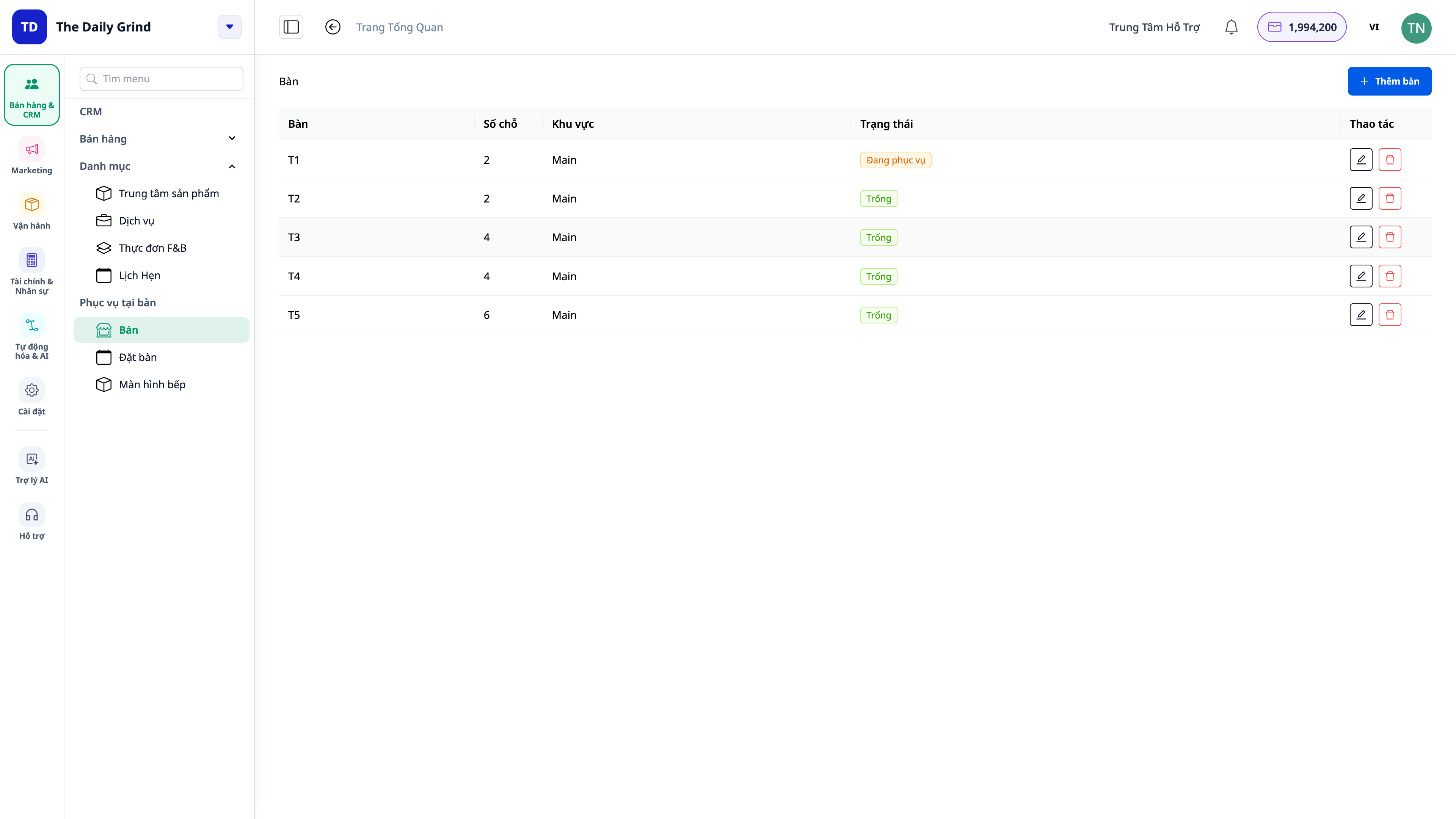
Digitalized Tables: Table layout creation (T1, T2… with seating capacity); indicating whether each table is currently available or occupied.
Smart Table Reservations: Create reservation requests with number of guests, date/time, and preferred table; the system **automatically excludes occupied tables** to prevent double bookings — but allows booking for later slots (when current guests have left).
Unified Calendar View: All reservations displayed on the Reservation screen and the booking calendar, synchronized to the restaurant's local time.
4. Counter & Table Service with Point of Sale (POS)
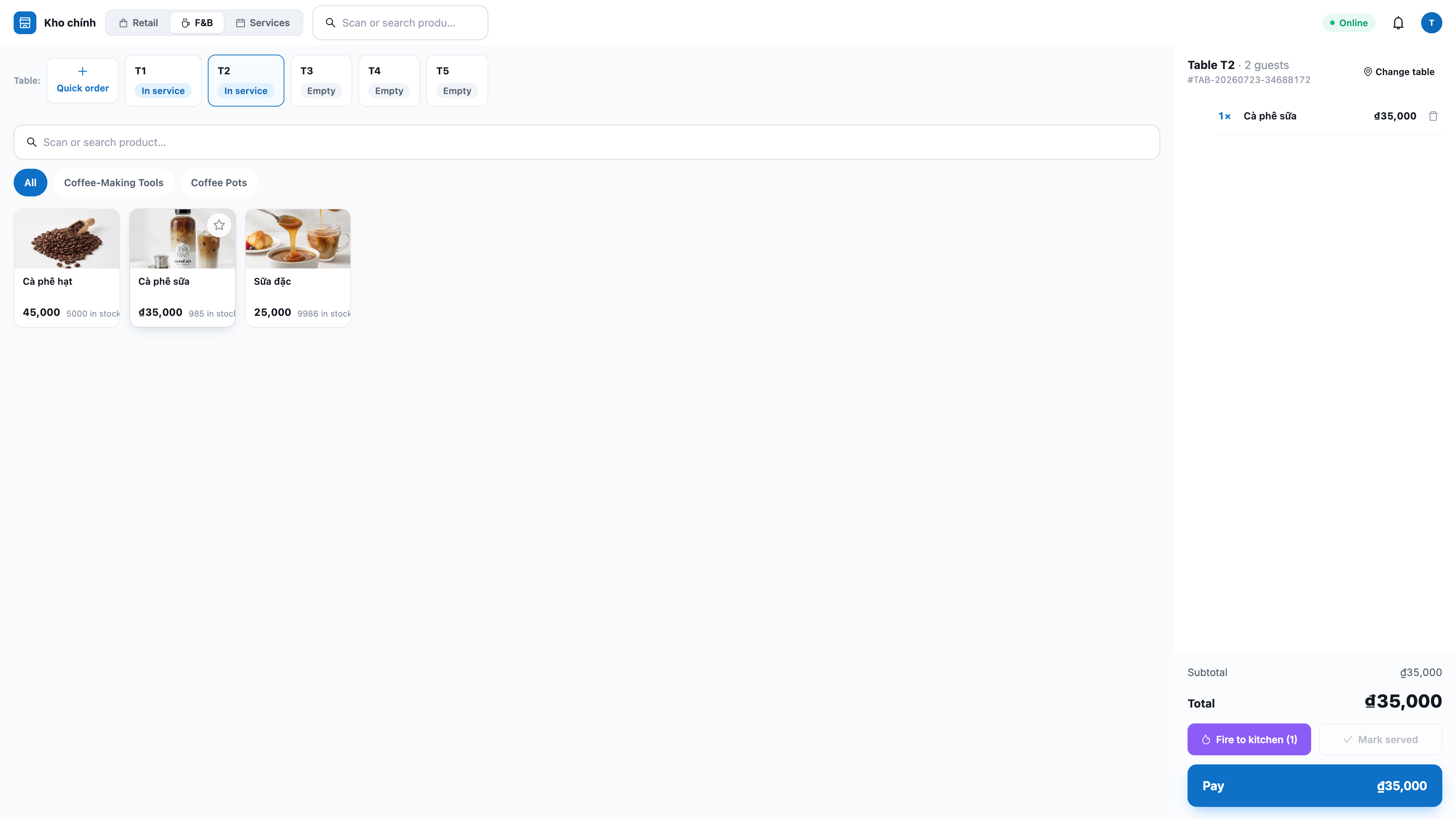
One POS for Both Service Styles: **Fast counter sales** (takeaway) and **open orders by table** for dine-in customers — select table, enter guest count, and add orders directly to that table.
Direct Kitchen Connection: From the order screen, tap **Send to Kitchen** to push items to the kitchen display screen; mark as **Served** when the dish is ready.
Flexible Payment Options: Finalize orders and accept payments via **cash, card, or bank transfer**; F&B orders are consolidated with other sales in the system for revenue tracking.
5. True Cost of Goods Sold (COGS) — Automatic Ingredient Deduction, Automated Bookkeeping
Assign Recipes to Dishes: Define recipes (ingredient quantities) for each dish — how much coffee and milk are used for a cup of iced coffee with milk.
Sales Automatically Deduct from Inventory (Backflush): Every time a prepared dish is sold, the system **automatically deducts the exact amount of ingredients** from inventory — eliminating manual counting.
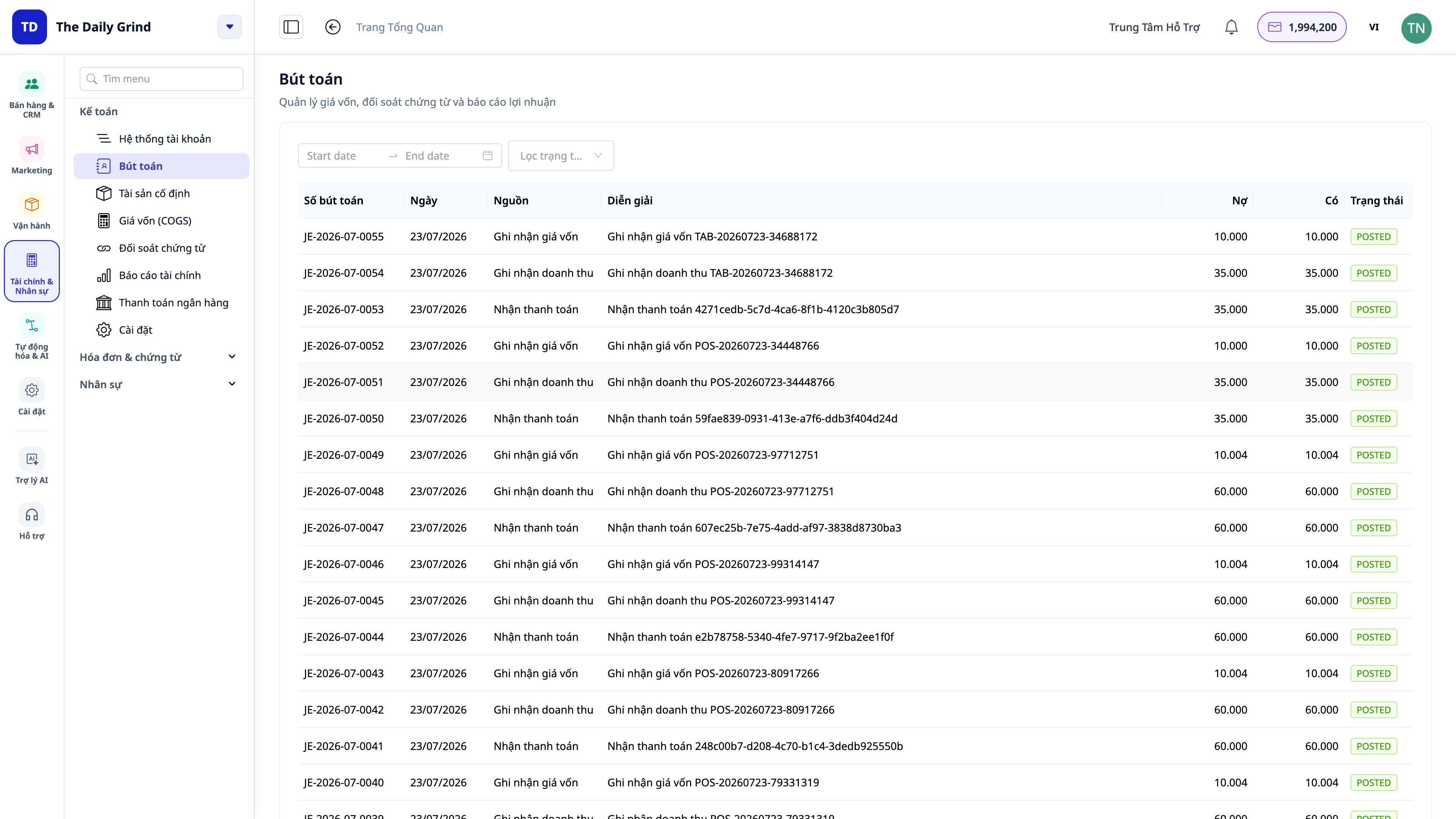
Accurate COGS & Profit/Loss: Each order is automatically recorded with **revenue and Cost of Goods Sold (COGS)** in the accounting ledger, matching your chart of accounts — know your true profit on every cup or bowl.
💡 For batch-produced items (e.g., bread from a bakery), produce a batch into inventory at its cost price and sell from that inventory — using the same system.
6. Online Menu, QR Codes, and Beautiful Printed Menus
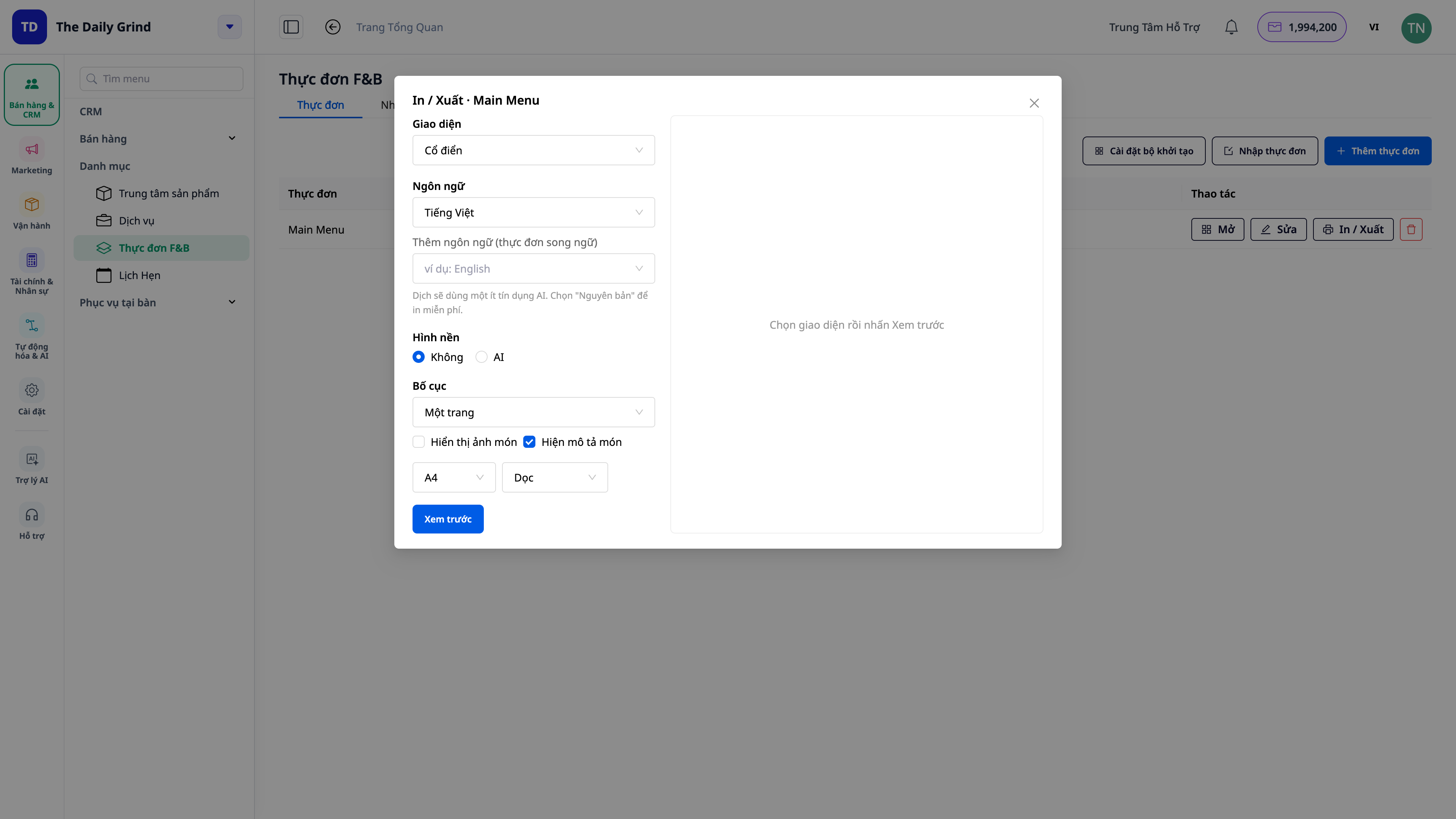
Online Menu Page: Your menu can be displayed on the restaurant's website for customers to view (and order from), always synchronized with your current menu edits.
Table QR Codes: Download QR codes that link to the menu page for printing and placing on tables — customers scan and view the menu instantly.
Beautiful, Multilingual Printed Menus: Export your menu into a neat print-ready format for use in the restaurant.
Business Benefits
Digital Menu + Customization Options — Change prices, add/disable items, add toppings — in seconds, no need to reprint menus.
Kitchen Display System (KDS) — Kitchen sees orders immediately, eliminating lost paper tickets and incorrect orders.
Table Management & Reservations — No double bookings, guests always have a table, maintaining your reputation.
POS for Counter & Table Service — One screen to handle both takeaway and dine-in, with fast payment processing.
Cost of Goods Sold Calculated by Recipe — Know exactly how much each cup/bowl costs — price your menu correctly.
Automatic Inventory Deduction + Accounting Entries — No manual reconciliation at the end of the day; inventory and books always match.
Online Menu + QR + Printed Menus — Customers can view the menu anytime, enhancing the restaurant's professional image.
Who Is It For?
Restaurants and Eateries serving dine-in customers: require table order management, kitchen transfers, and reservation handling.
Cafes, Bubble Tea Shops, Beverage Bars: need options for size/ice/sugar/toppings and fast counter service.
Bakeries, Ready-to-Eat Food Shops: need to produce in batches and sell from inventory, knowing the cost per item.
Bars, Pubs: require table management, dine-in order taking, and flexible payment options.
Small and medium F&B chains want to eliminate many separate software (menu, table booking, POS, inventory, accounting) and consolidate them into one system.
How to Get Started?
Go to Sales & CRM → Catalog → F&B Menu, select the store (warehouse) as the point of sale, add tables, then build the first menu with categories and items. Then, open the POS for sales and the kitchen screen for the kitchen. See the step-by-step guide to managing restaurants & cafes (F&B) to follow along in minutes.
Free Trial — no credit card required.