
Jak se tedy stát "vynikajícím inzerentem" v očích Googlu?
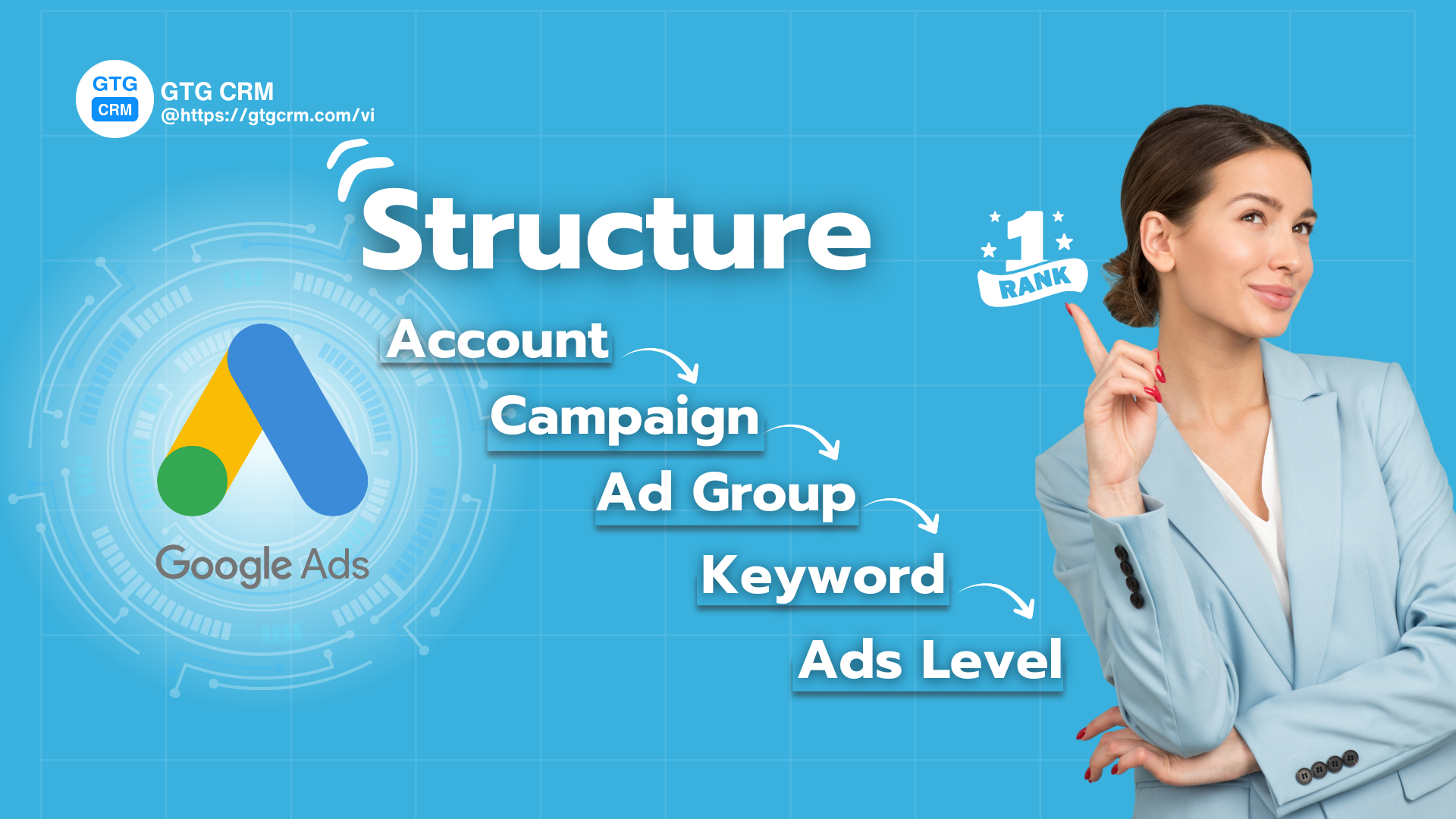
Standardní struktura kampaní Google Ads - GTG CRM
Jde o to, že musíte vytvořit plynulý zážitek od okamžiku, kdy uživatel hledá, až do chvíle, kdy vstoupí na váš web. Vše musí "dokonale sedět":
- Klíčová slova musí přesně odrážet záměr vyhledávání uživatele.
- Vaše reklamy musí obsahovat tato klíčová slova a nabízet atraktivní řešení.
- Cílová stránka musí být ideálním místem, kde uživatelé najdou přesně to, co potřebují, s bleskově rychlou rychlostí načítání.
Když se tyto tři prvky zkombinují, vaše Hodnocení kvality prudce stoupne a Google vás za to "odmění" tím, že upřednostní zobrazení vašich reklam s nejnižšími náklady. Stručně řečeno, nehoníte rozpočet, ale soustřeďte se na relevanci a uživatelský zážitek - to je cesta k udržitelnému zisku.
Objevte s GTG CRM, jak krok za krokem vybudovat pevný "dům Google Ads".
Úroveň 1: Účet (Account Level) - Základ úspěchu
Účet Google Ads je místem, kde se nacházejí všechny vaše reklamní kampaně. Hned na začátku si musíte jasně definovat:
- Obchodní cíle: Proč spouštíte reklamy? Zvýšení prodeje, sběr leadů, nebo zvýšení povědomí o značce?
- Logická organizace: Každý účet by měl patřit pouze jedné značce nebo jedné firmě. To vám usnadní sledování výkonu a analýzu dat bez zmatků.
- Propojení sledování: Toto je mimořádně důležitý krok. Ujistěte se, že máte propojený účet Google Analytics 4 (GA4), Google Tag Manager a nastavené sledování konverzí. Kompletně sledovaný účet vám umožní přesně měřit efektivitu každého vynaloženého halíře, a tím činit správná optimalizační rozhodnutí.
Úroveň 2: Kampaň (Campaign Level) - Rozdělení velkých cílů
Kampaně jsou jako velké oddělení v domě, každé má svůj specifický cíl.
Kampaně byste měli dělit na základě:
- Hlavní cíl: Např.: Kampaň "Sběr Leadů" pro kurz, Kampaň "Prodej" pro produkt A.
- Velká kategorie produktů/služeb: Kampaň "Marketing Automation" a Kampaň "Správa sociálních médií" pro produkty GTG CRM.
- Reklamní kanál: Oddělte kampaně Search, Display, Video nebo Performance Max , abyste zabránili překrývání rozpočtů a snadno kontrolovali výkon.
- Rozpočet a cílení: Každá kampaň bude mít svůj vlastní rozpočet a vlastní cíle (geografická poloha, zařízení, čas).
Nejlepší praxe: Nazvěte kampaň systematicky, například: [Země] - [Kanál] - [Produkt] jako "CZ – Vyhledávání – Marketingový kurz".
Úroveň 3: Skupiny reklam (Ad Group Level) – Specializace témat
Pokud jsou kampaně velké místnosti, pak jsou skupiny reklam malé kartotéky v každé místnosti. Každá skupina reklam musí být zaměřena na jedno úzké téma nebo specifický vyhledávací záměr .
Příklad: V kampani „Kurz digitálního marketingu“ můžete vytvořit skupiny reklam:
- Skupina reklam 1: "Kurz digitálního marketingu Praha" (zaměřeno na klíčová slova s lokalitou).
- Skupina reklam 2: "Online kurz digitálního marketingu" (zaměřeno na klíčová slova pro online kurzy).
Častá chyba: Dávat všechna klíčová slova do jedné skupiny. To způsobuje, že reklamy jsou nerelevantní, snižuje Skóre kvality a zvyšuje cenu za proklik.
Úroveň 4: Klíčová slova (Keyword Level) – Místo setkání s potenciálními zákazníky
Klíčová slova jsou spojením mezi uživateli a vašimi reklamami. Klíčovým faktorem je rozumné používání typů shod klíčových slov:
- Přesná shoda (Exact Match): Maximální kontrola, vhodná pro klíčová slova.
- Frázová shoda (Phrase Match): Přiměřené rozšíření, zachytí více variant.
- Záporná klíčová slova (Negative Keyword): Neustále aktualizujte, abyste eliminovali nerelevantní vyhledávací dotazy a udrželi návštěvnost čistou.
Tip pro optimalizaci: U důležitých klíčových slov použijte strukturu SKAG (Single Keyword Ad Group). To znamená, že každá skupina reklam obsahuje pouze jedno klíčové slovo. Tím je zajištěno, že reklama přesně odpovídá vyhledávacímu dotazu uživatele, což vede k zvýšení CTR a zvýšení Skóre kvality.
Funkce pro vytváření a správu reklam Google GTG CRM – Integrované s AI automaticky navrhuje potenciální klíčová slova a seskupuje klíčová slova podle vyhledávacího záměru uživatele ( nákup, zjišťování informací, porovnávání produktů... ), což vám pomůže od začátku vybudovat přesnou strukturu skupiny reklam. na základě chování zákazníků a konkurence, správa a vytváření reklam na Google Ads se stává snadnější, optimalizuje výzkum klíčových slov, pomáhá vám vybudovat standardní strukturu reklamního účtu.
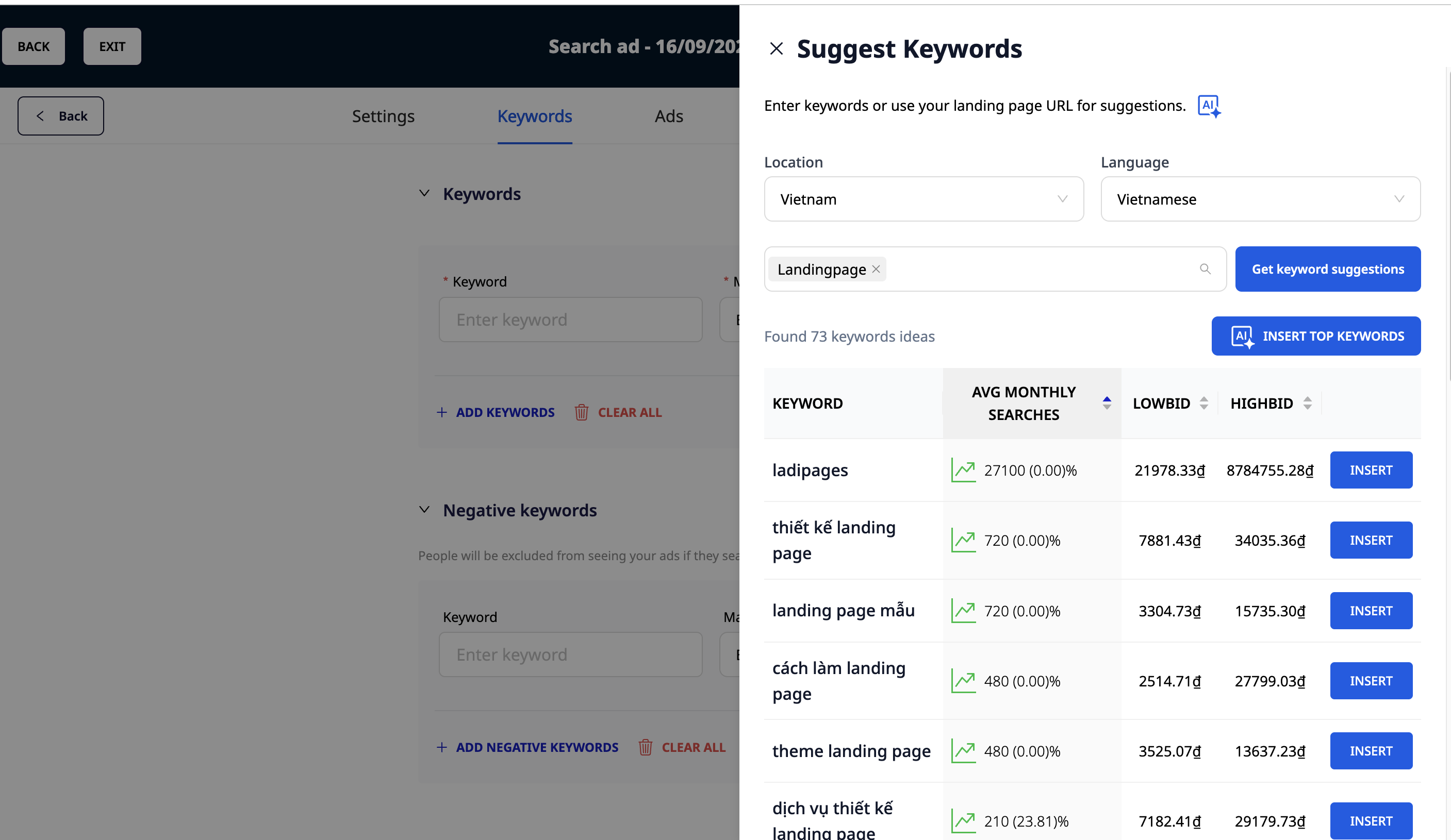
GTG CRM navrhuje klíčová slova pomocí AI
Úroveň 5: Reklamy (Ad Level)
Každá reklamní skupina potřebuje alespoň 2–3 varianty reklam, včetně responzivních vyhledávacích reklam (RSA), aby Google mohl automaticky testovat a najít nejefektivnější verzi.
Zásady psaní standardních reklam:
- Obsahujte klíčová slova: Objevují se v nadpisu a popisu.
- Zdůrazněte jedinečnou hodnotu (UVP): Proč by si vás měl uživatel vybrat?
- Jasná výzva k akci (CTA): „Zaregistrovat se nyní“, „Zjistit více“, „Zkusit zdarma“...
- Využijte rozšíření reklam: Sitelinky, popisky, strukturované popisky… pomáhají reklamám vyniknout a zvyšují CTR.
Vstupní stránka & Skóre kvality: Dva faktory rozhodující o úspěchu
Veškeré úsilí výše přijde vniveč, pokud vaše vstupní stránka nebude dobrá. Vstupní stránka musí být v souladu s klíčovými slovy a obsahem reklamy. Stránka s rychlou načítací rychlostí, relevantním obsahem a optimalizovaná pro konverze (CRO) bude velkým „plusem“ pro Skóre kvality.
Skóre kvality je kombinací:
- Očekávaná míra prokliku (CTR): Je vaše reklama atraktivní?
- Relevance reklamy: Odpovídá reklama klíčovým slovům?
- Zážitek ze vstupní stránky: Je vstupní stránka dobrá a relevantní?
Závěr
Standardní struktura Google Ads vám pomůže přilákat kvalitní návštěvnost, ale konečným cílem je přeměna potenciálních zákazníků na příjmy.
Zde přichází na řadu GTG CRM:
- Automatizace správy leadů: GTG CRM dokáže automaticky zaznamenávat a třídit leady z kampaní Google Ads, čímž umožňuje prodejnímu týmu okamžitou péči.
- Detailní měření: Zprávy GTG CRM vám umožní hlubší analýzu: Která kampaň přináší nejkvalitnější leady? Která klíčová slova uzavírají nejvíce objednávek?
- Vícekanálová integrace: GTG CRM vám pomůže sledovat zákaznickou cestu od okamžiku kliknutí na reklamu Google Ads až po interakci na Facebooku, Zalo nebo v e-mailu.
Proměňte to, co jste si právě přečetli, v reálné výsledky – aplikujte to hned s GTG CRM, zdarma.
Aplikovat hned

