AI Biz Email: Create and Send Professional Marketing Emails in Minutes
AI Biz Email is an intelligent assistant that helps businesses create and send professional marketing emails in just a few minutes. Instead of spending hours designing emails, writing content, and worrying about technical issues, you can simply chat with the AI in natural language – the AI will automatically generate visually appealing emails with images and content that align with your brand.
This feature is particularly useful when you need to send bulk emails to customers without affecting the reputation of your official email. GTG CRM helps you protect your primary email domain by using a separate, verified domain, ensuring your emails land in inboxes instead of spam folders.
Ideal for scenarios like sending welcome emails to new customers, announcing promotions, regular newsletters, or any marketing campaign that requires reaching hundreds of customers simultaneously.
Key Features
- AI Automated Email Generation: Simply input your request in Vietnamese, and the AI generates a complete email with a professional header, content, and images within seconds.
- Email Reputation Protection: Use a verified custom domain for sending marketing emails, preventing any impact on your business's official email.
- Brand Identity Integration: Automatically generated emails utilize your pre-configured logo, colors, and brand information.
- Easy Bulk Sending: Send to multiple email addresses at once with a single, simple command.
- Real-time Performance Tracking: Instantly see who opened your emails and the open rate to evaluate campaign effectiveness.
- Strategic Consultation: The AI can analyze data and recommend effective email marketing strategies based on actual performance.
How to Use
Step 1: Email Domain Verification
Before sending marketing emails, you need to verify your email domain to protect the reputation of your primary email. This ensures that if customers mark your marketing emails as spam, your official emails will still function correctly.
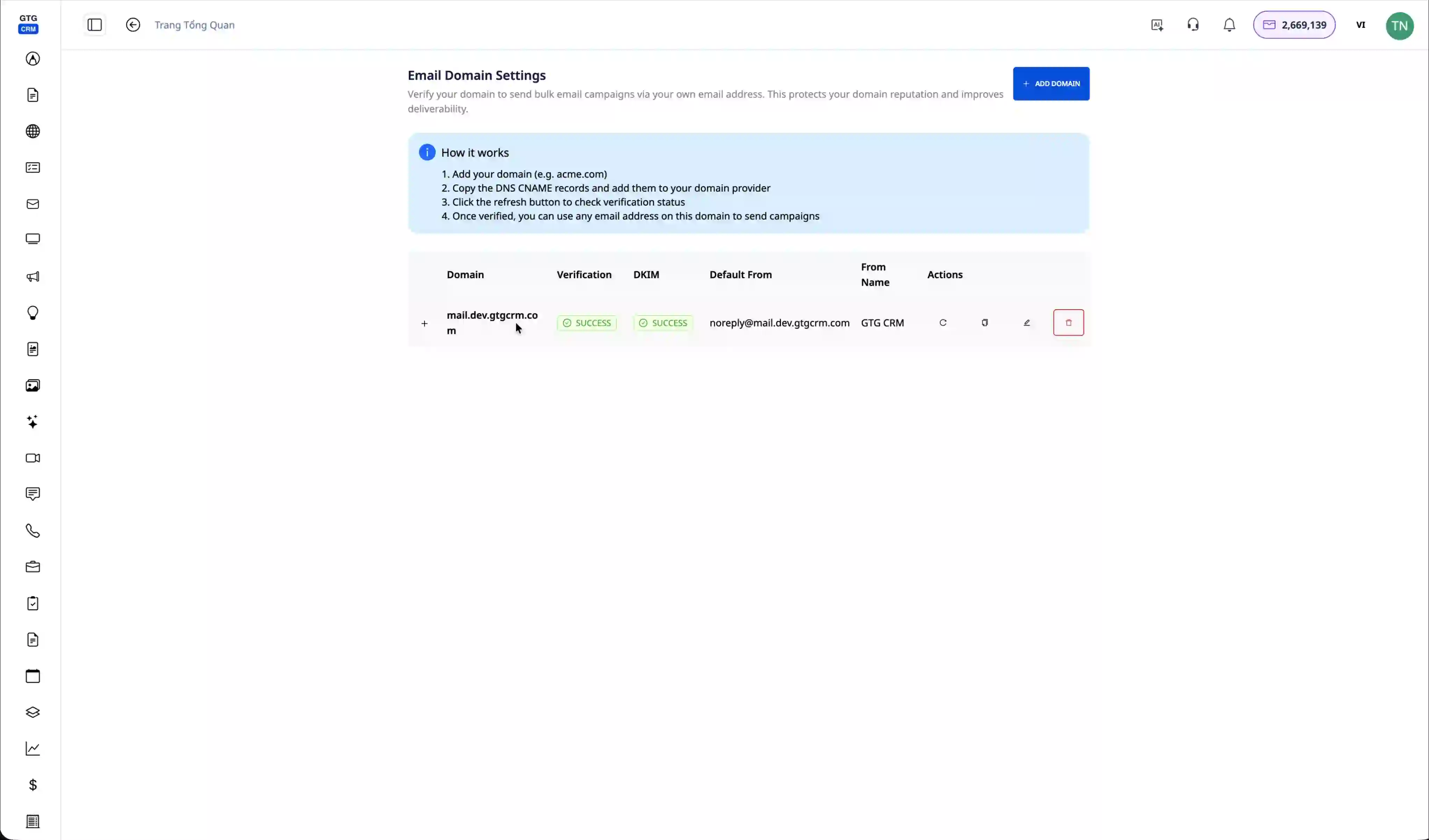
Navigate to the workspace management section, and you will see your verified email domain (e.g., mail.dev.gtgcrm.com). When sending emails, the system will automatically use this domain instead of your personal email.
Step 2: Configure DNS Records (If Not Verified)
If the domain is not yet verified, the system will display a list of DNS records that need to be configured.
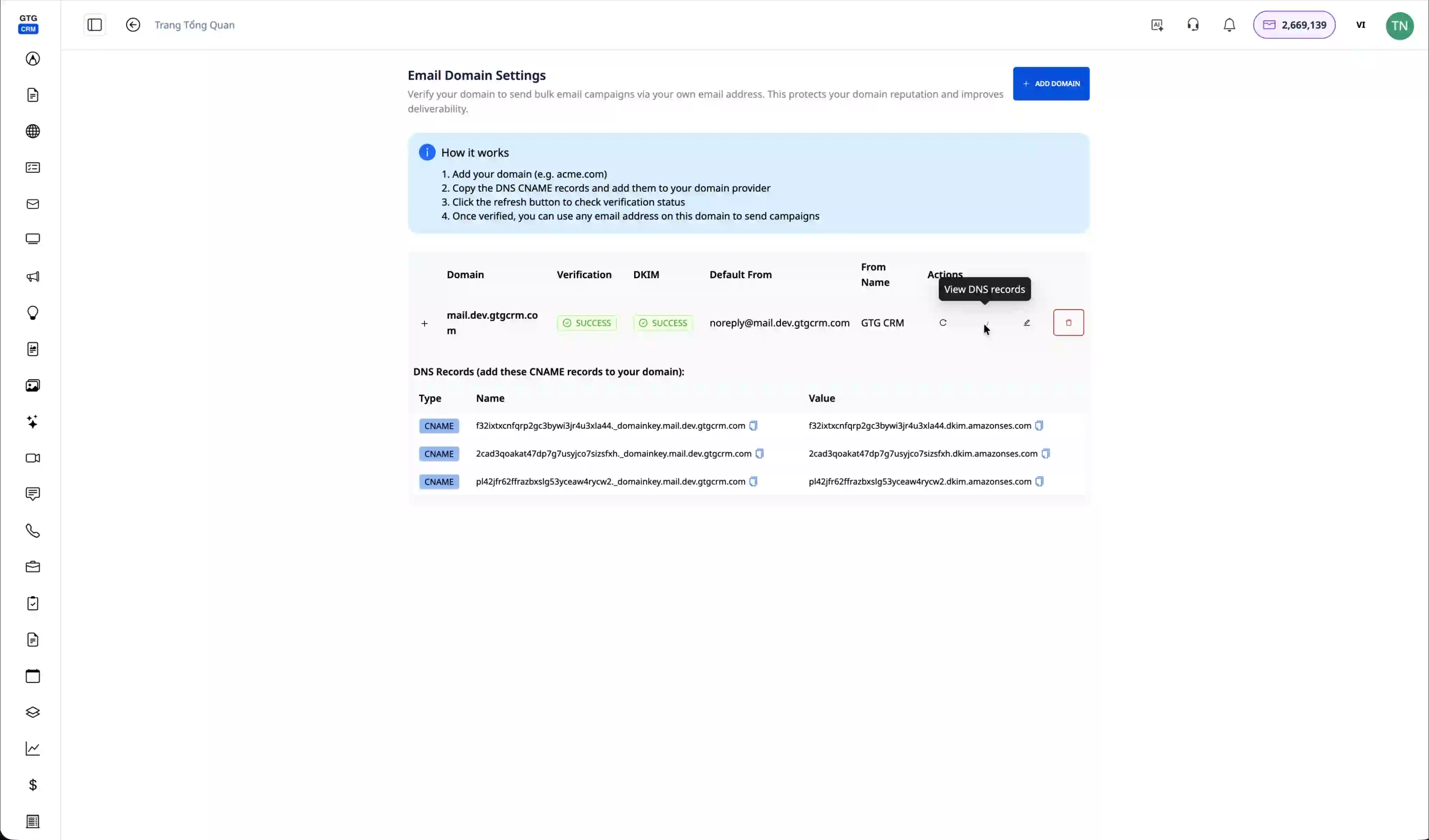
Click "View DNS Record" to see the detailed records required. You need to access your domain's DNS management page (usually provided by your domain registrar) and add these records to prove you are the domain owner.
Step 3: Set Up Brand Identity
Before creating emails, configure your brand information so the AI can generate emails that match your business's image.
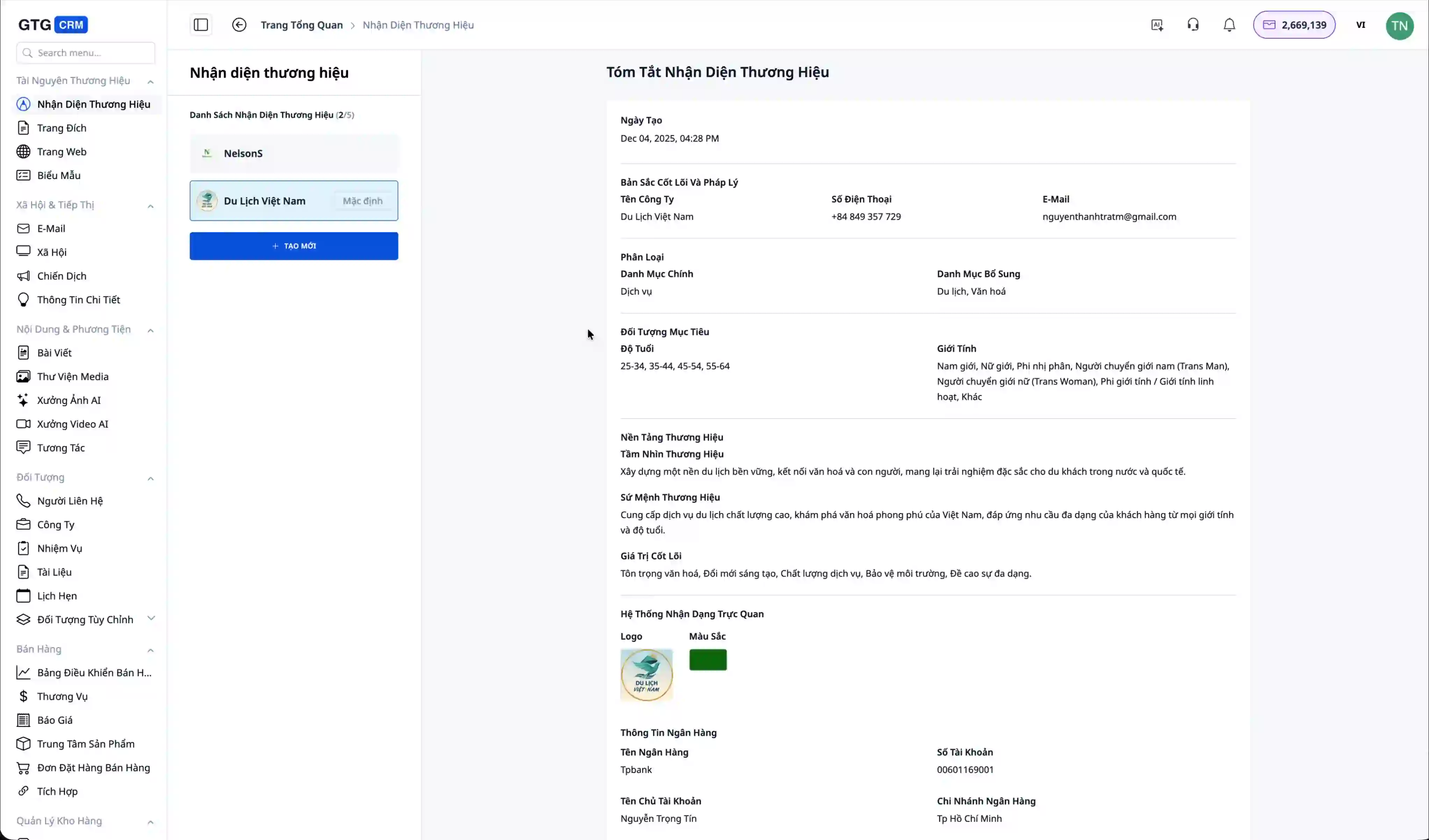
Go to the "Brand Identity" section and enter information such as your logo, primary colors, and company name. The example in the video uses "Vietnam Travel" – this information will automatically appear in all AI-generated emails.
Step 4: Open the AI Biz Email Assistant
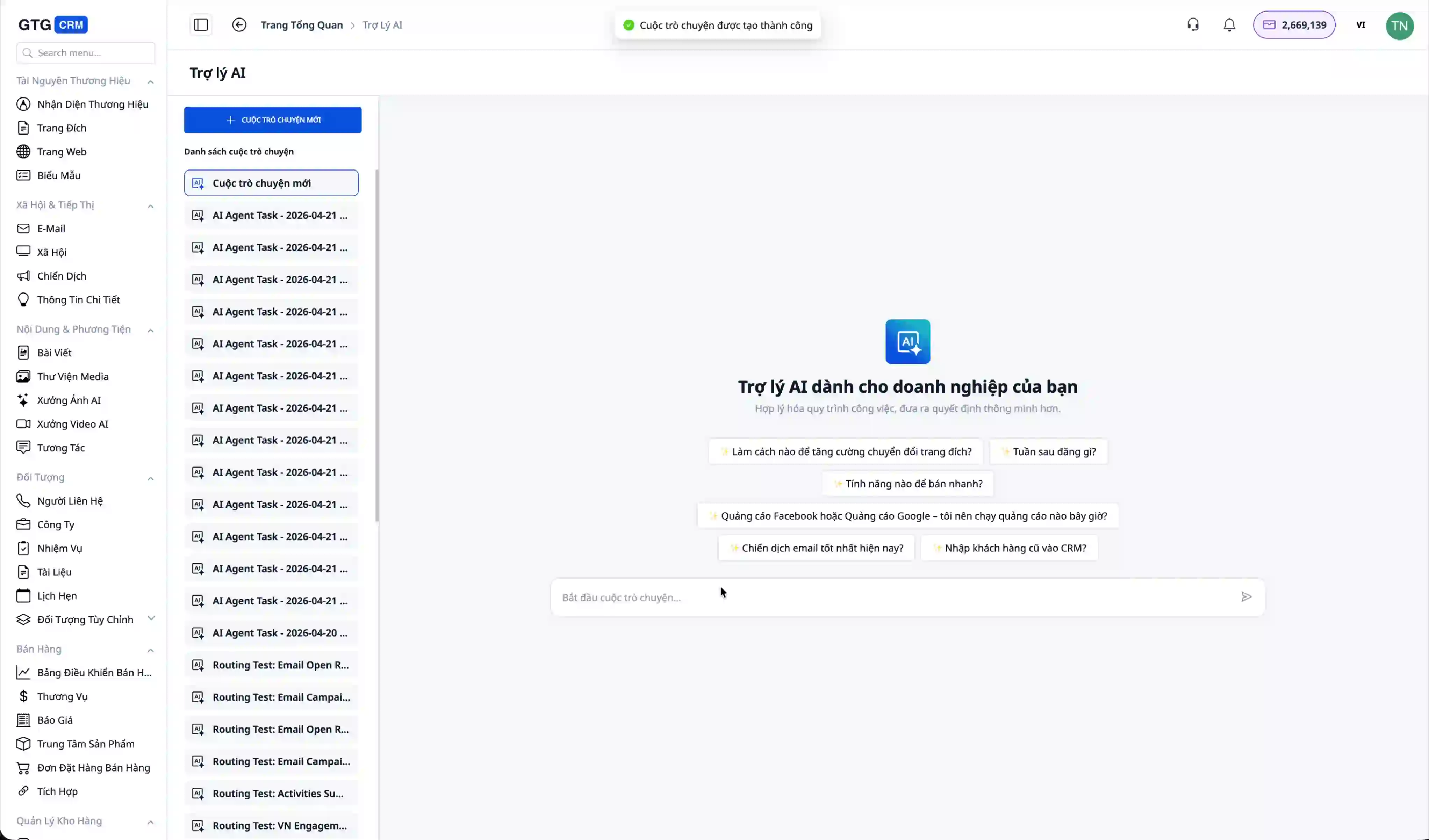
Access the "Email" section in the main menu. You will see a list of previously sent emails (if any). Click the "Create New Conversation" button to start working with the AI.
Step 5: Prompt the AI to Create an Email
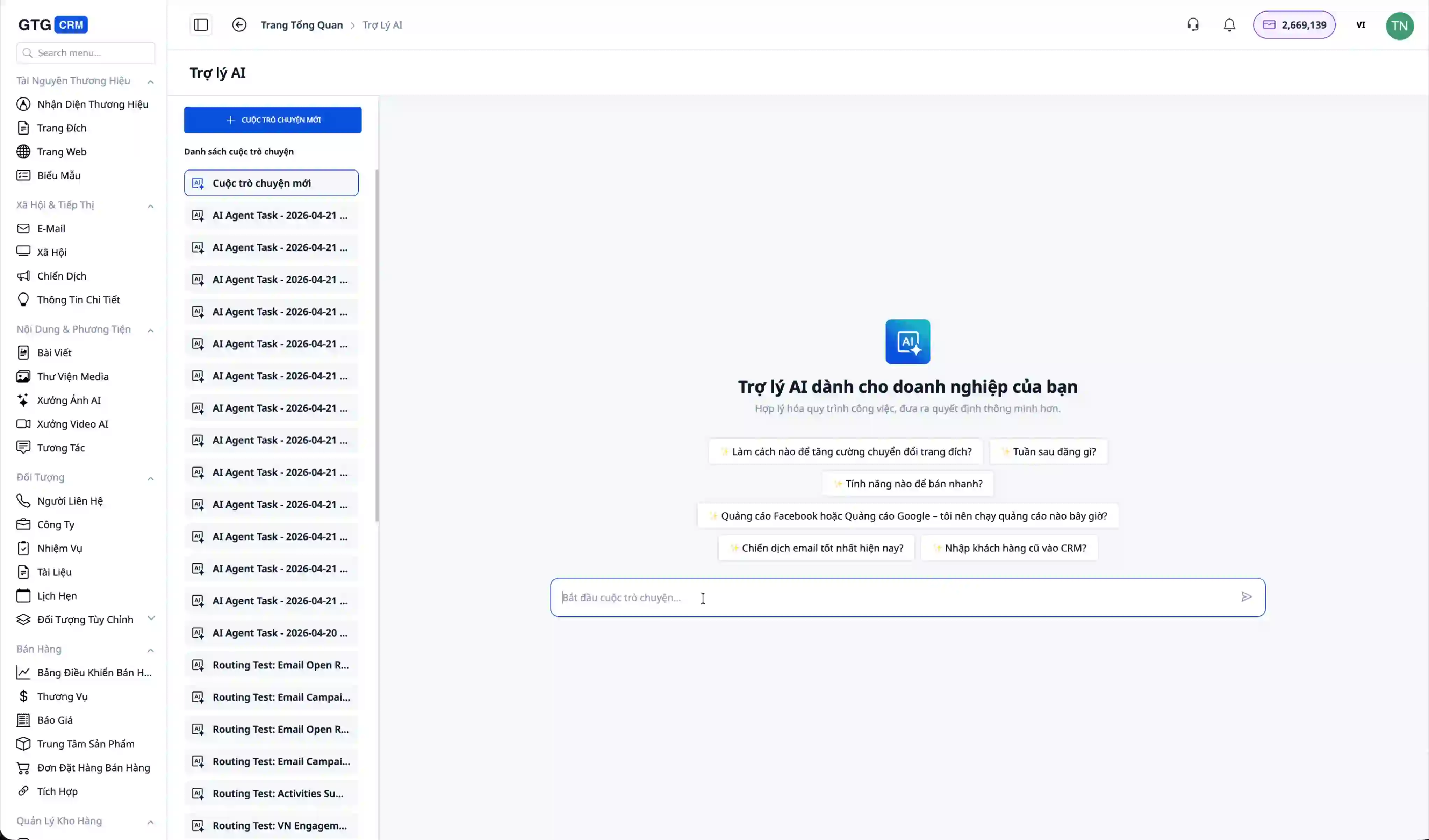
In the AI chat interface, simply type your request in natural Vietnamese, for example: "Create a welcome email for me." The AI will understand and begin processing the request.
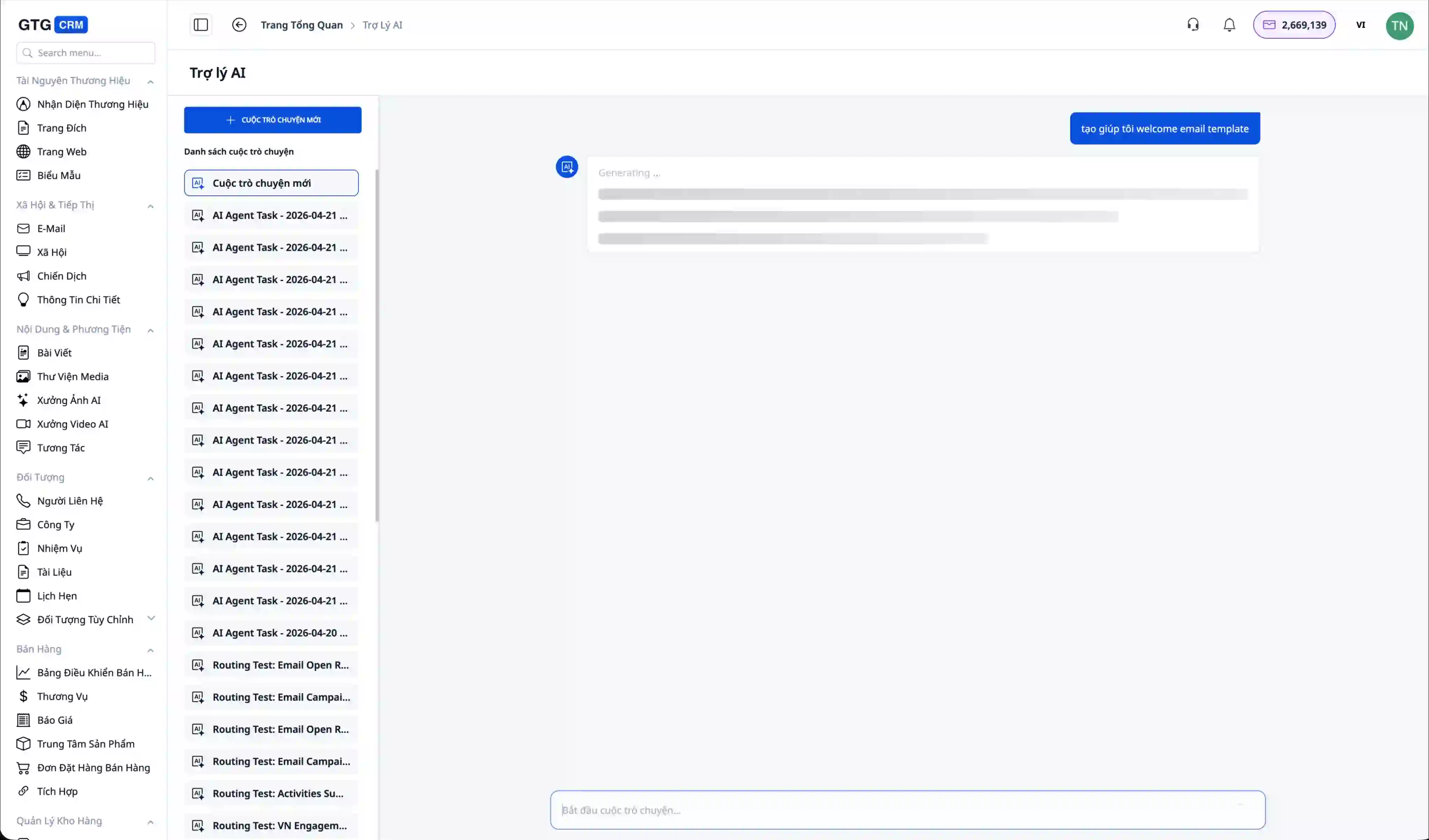
The email generation process typically takes 15-20 seconds. The AI not only writes the content but also designs a professional email with a header, footer, images, and an attractive layout.
Step 6: Preview the Generated Email
Once completed, the AI will display an email preview directly in the chat. You will see the email featuring your brand logo (e.g., Vietnam Travel), relevant images, and professionally written content.
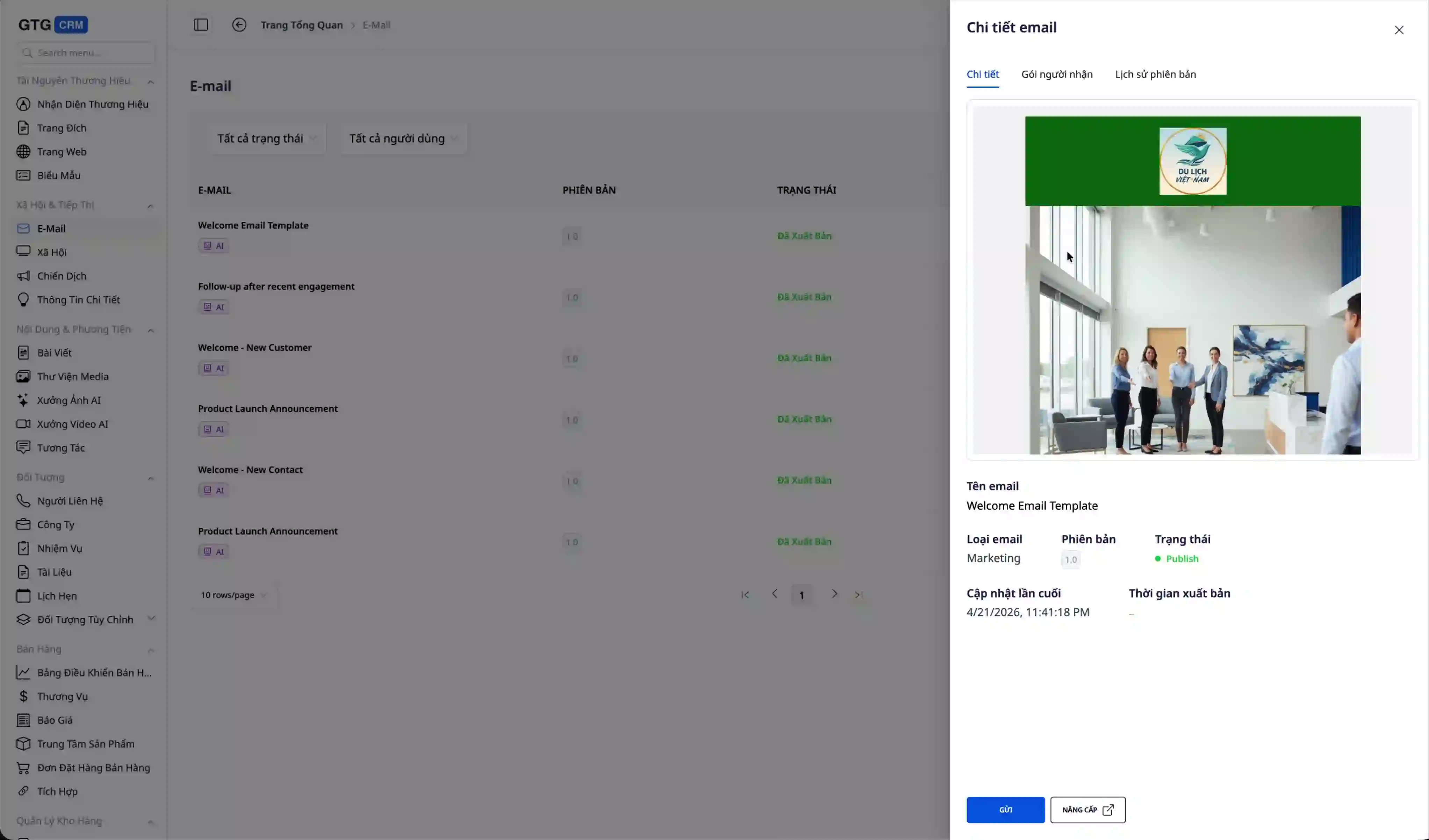
The email includes all components: a header with the logo, the main content with images, and a footer with contact information. Everything is automatically pulled from the Brand Identity you have configured.
Step 7: Send Emails to Customers
Once you are satisfied with the email, you can ask the AI to send it immediately.
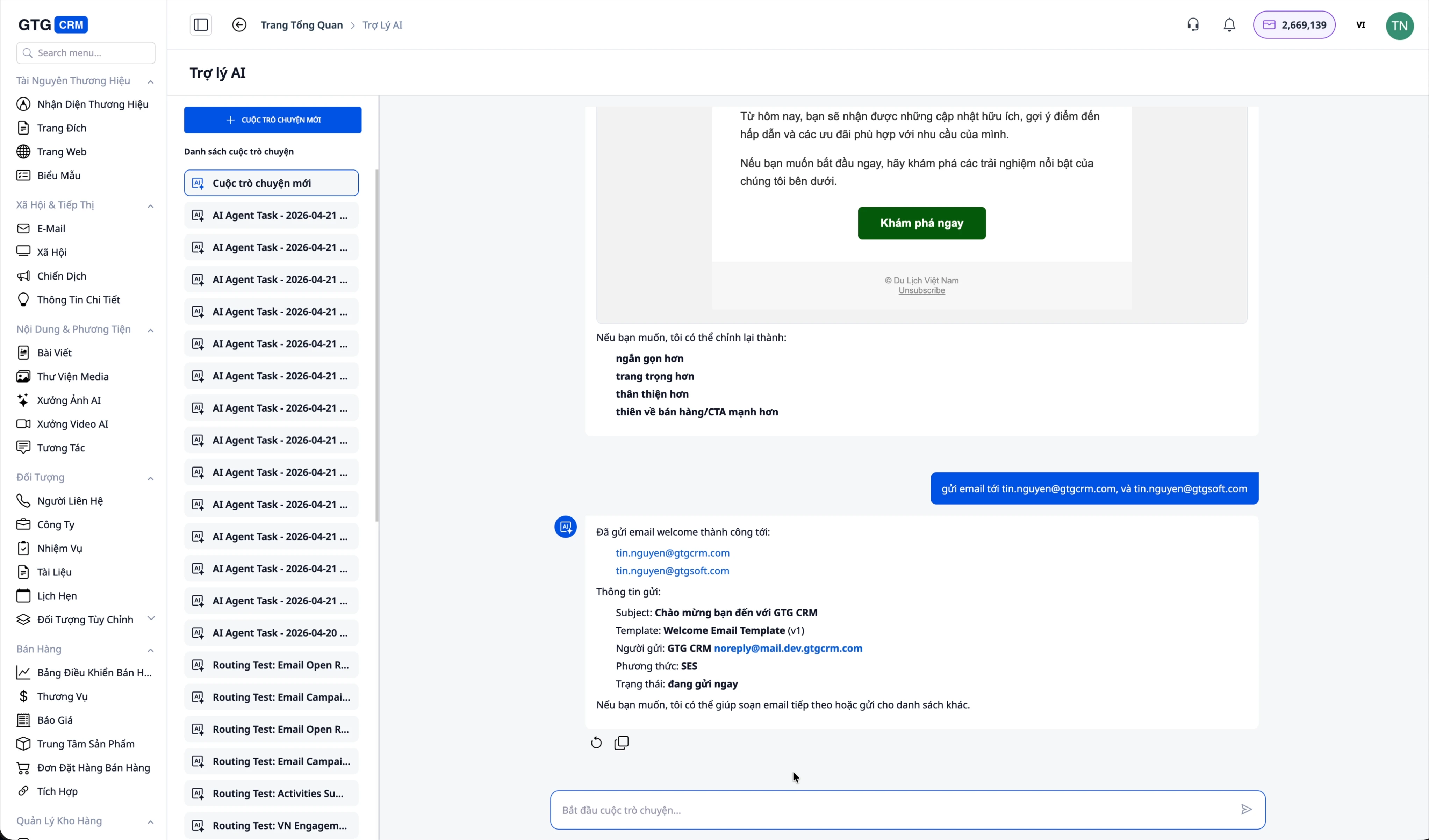
Enter a simple command like: "Send this email to tin.nguyen@gtgcrm.com and tin.nguyen@gtvsoft.com." The AI will automatically send the email to all specified addresses.
The system confirms that the email has been successfully sent to the addresses. You can rest assured that the emails have reached their recipients.
Step 8: Check Received Emails
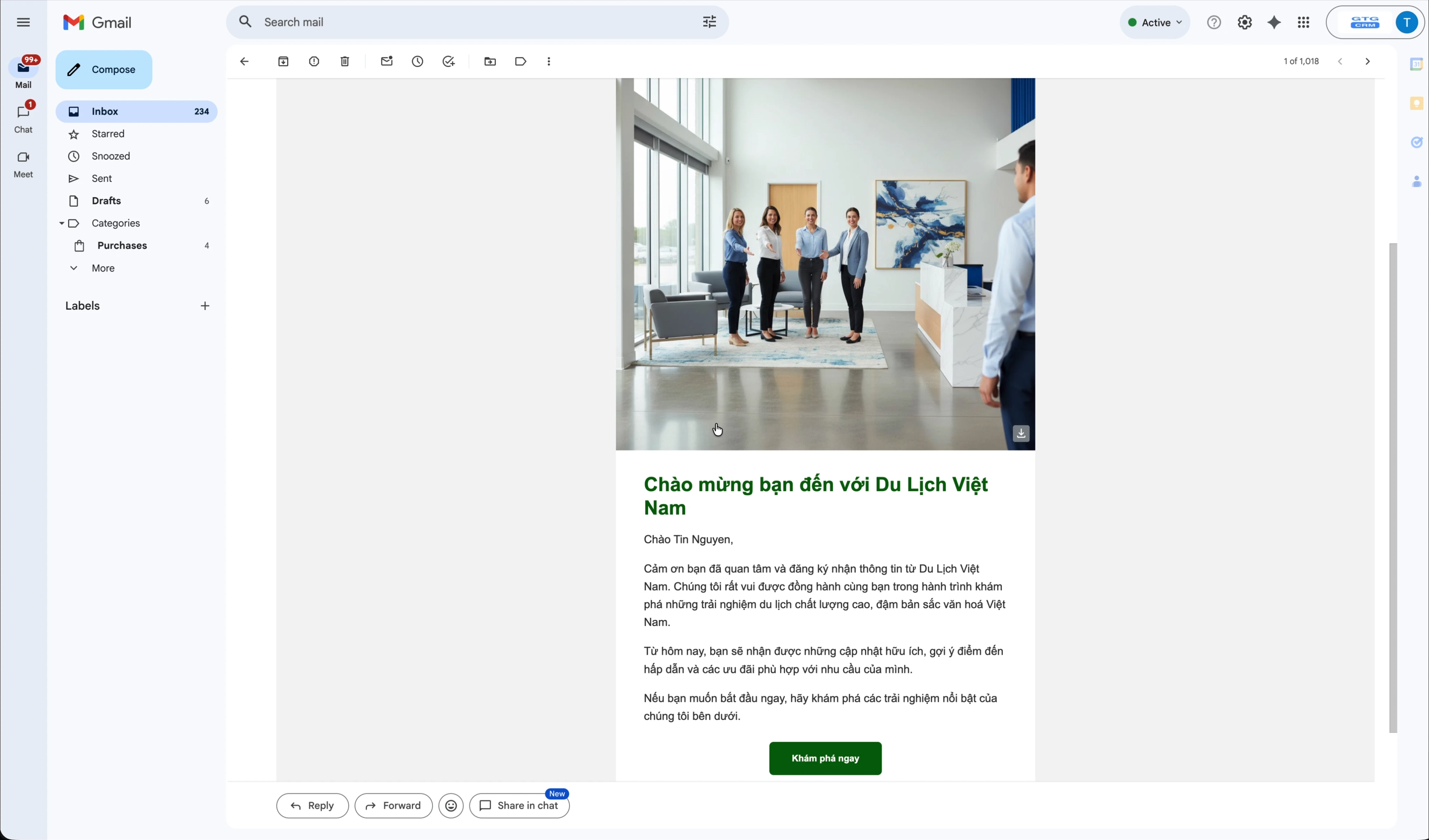
Open the recipient's inbox to check. The email will display with a beautiful interface, complete with images and the designed content.
Step 9: Track Campaign Performance
A key feature of AI Biz Email is its ability to track who has opened your emails.
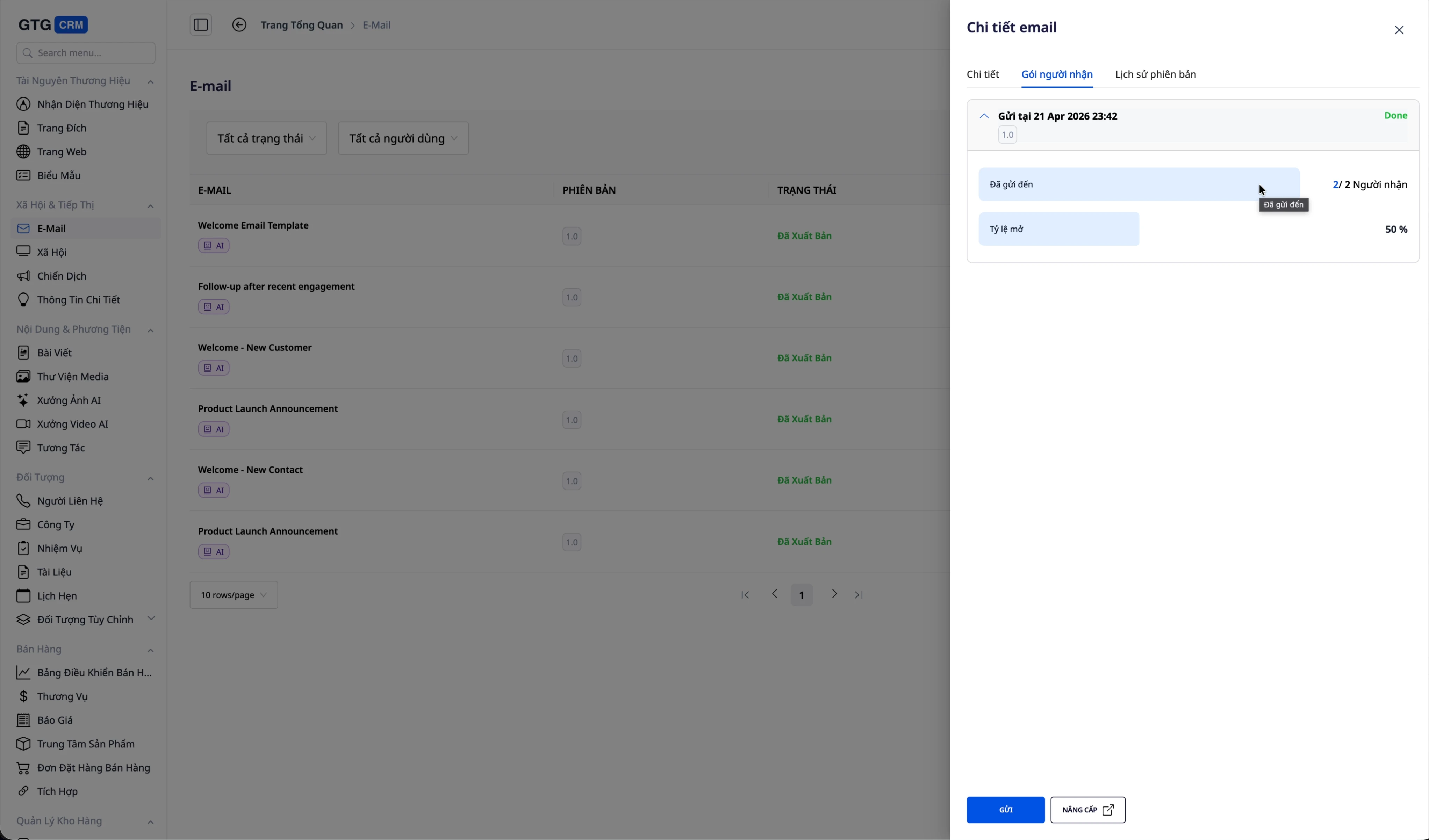
Go back to the GTG CRM interface, navigate to the details of the sent email. Click "Recipients" to view the list. You will see:
- Total recipients
- Number of emails successfully sent
- Open Rate
- Detailed list of who opened and who did not
In this example, the open rate is 50% (1 out of 2 people opened the email). This information helps you evaluate campaign effectiveness and adjust your strategy accordingly.
Step 10: Get Strategic Advice from AI
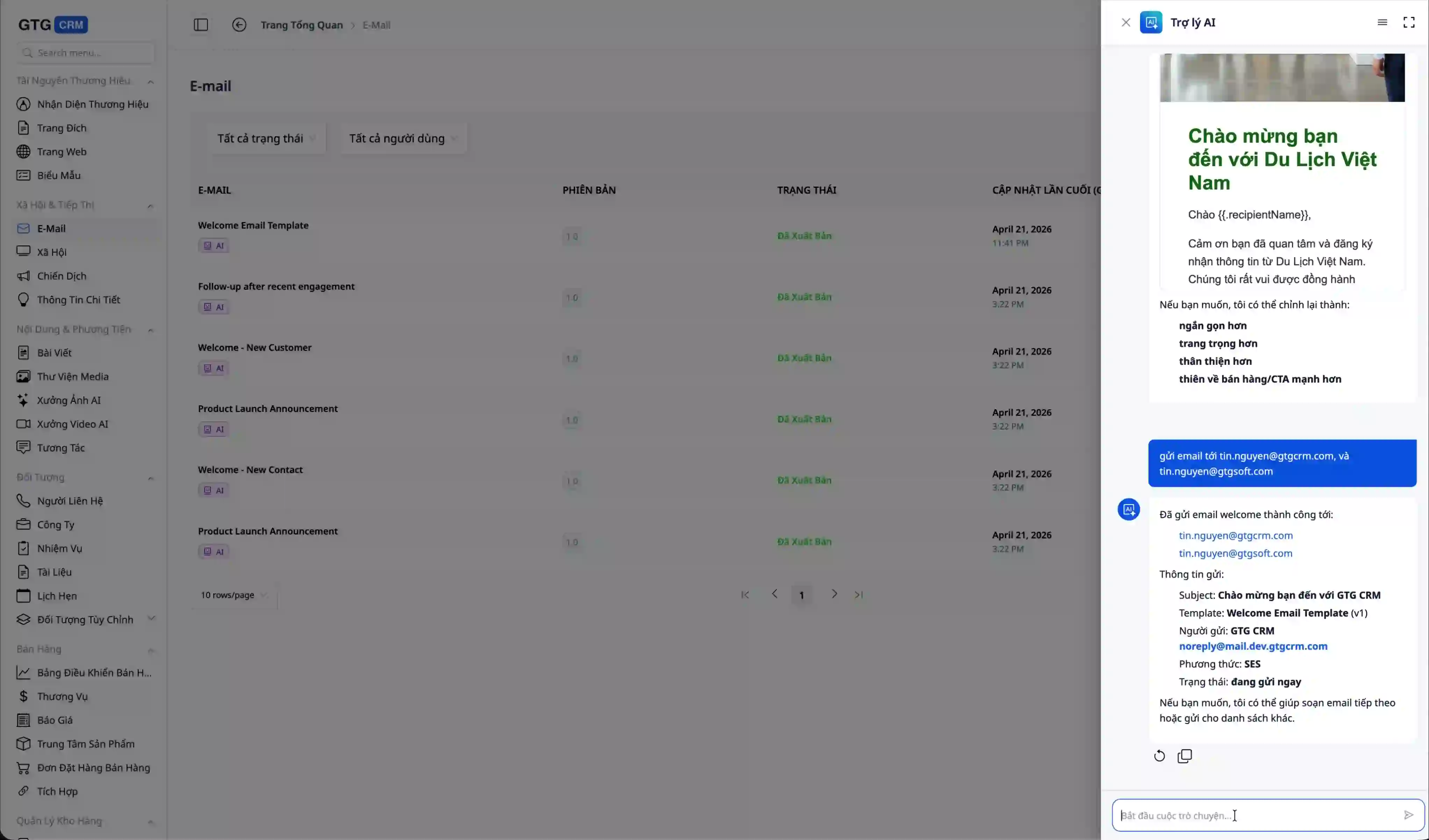
You can continue chatting with the AI for advice, for example:
- "What is the most effective email strategy?"
- "Who opens emails the most?"
- "How can I increase the email open rate?"
The AI will analyze real data from your campaigns and provide specific recommendations to optimize marketing effectiveness.
Conclusion
In an era where small and medium-sized businesses need to market faster while maintaining a professional image, AI Biz Email offers a more practical approach to email marketing. Instead of spending excessive time writing content, designing emails, and handling technical steps, businesses can use AI to create brand-aligned emails, send them in bulk via verified domains, and track performance all within the same workflow.
The value of this feature lies not just in speed. More importantly, it helps businesses protect their primary email reputation, maintain brand consistency in every campaign, and gain real data like open rates for performance evaluation. By combining email creation, sending, and strategic consultation within an AI assistant, AI Biz Email not only saves time but also enables businesses to implement more structured, measurable, and scalable email marketing strategies for customer relationship management.