
What You Can Do After This Guide
Describe in words who you are looking for → see the list of companies and AI-returned contacts → save and re-run search history → select the most suitable results and import directly into Contacts & Companies → attach a nurturing playbook to start outreach. From the idea of "need to find clients/partners" to a clean list in the CRM in just a few minutes.
Don't have the big picture yet? Preview the article Find Potential Partners & Clients Using AI.
Preparation
| # | Condition | Why It's Needed |
|---|---|---|
| 1 | Logged into GTG CRM, with permissions to create Contacts/Companies. | To import found results into Contacts & Companies. |
| 2 | Have credits remaining in your workspace. | Each search consumes a small amount of credit. |
Step 1 — Open the tool and describe who you're looking for
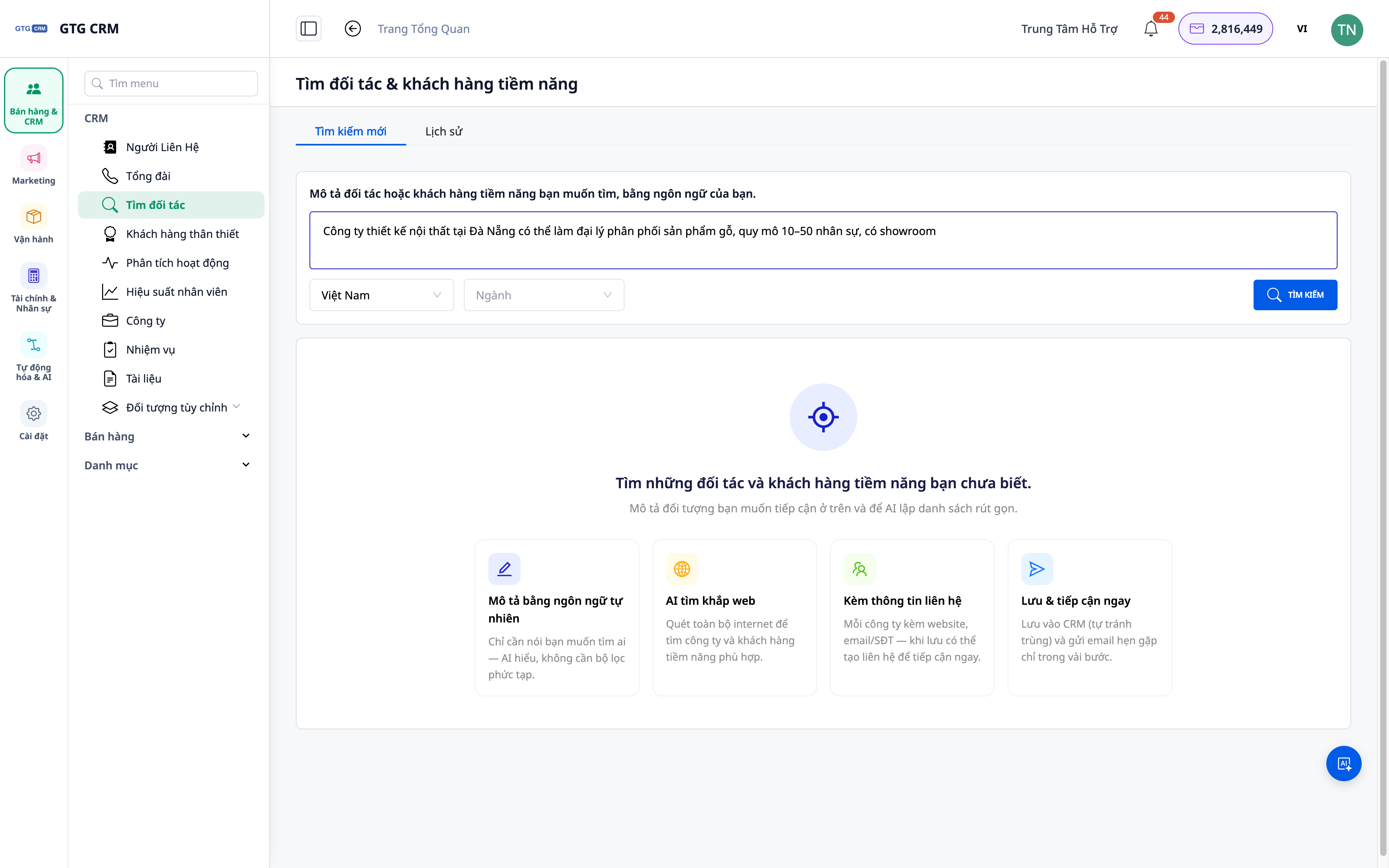
- Go to Contacts ▸ Find Potential Partners & Clients.
- Enter a description in natural language: industry, region, type of business (e.g., "a furniture company in Hanoi needing marketing services").
- Click Search.
✅ Expected Result: The system displays a searching status, then returns a list of results including companies (and related contacts).
Step 2 — View Company and Contact Results
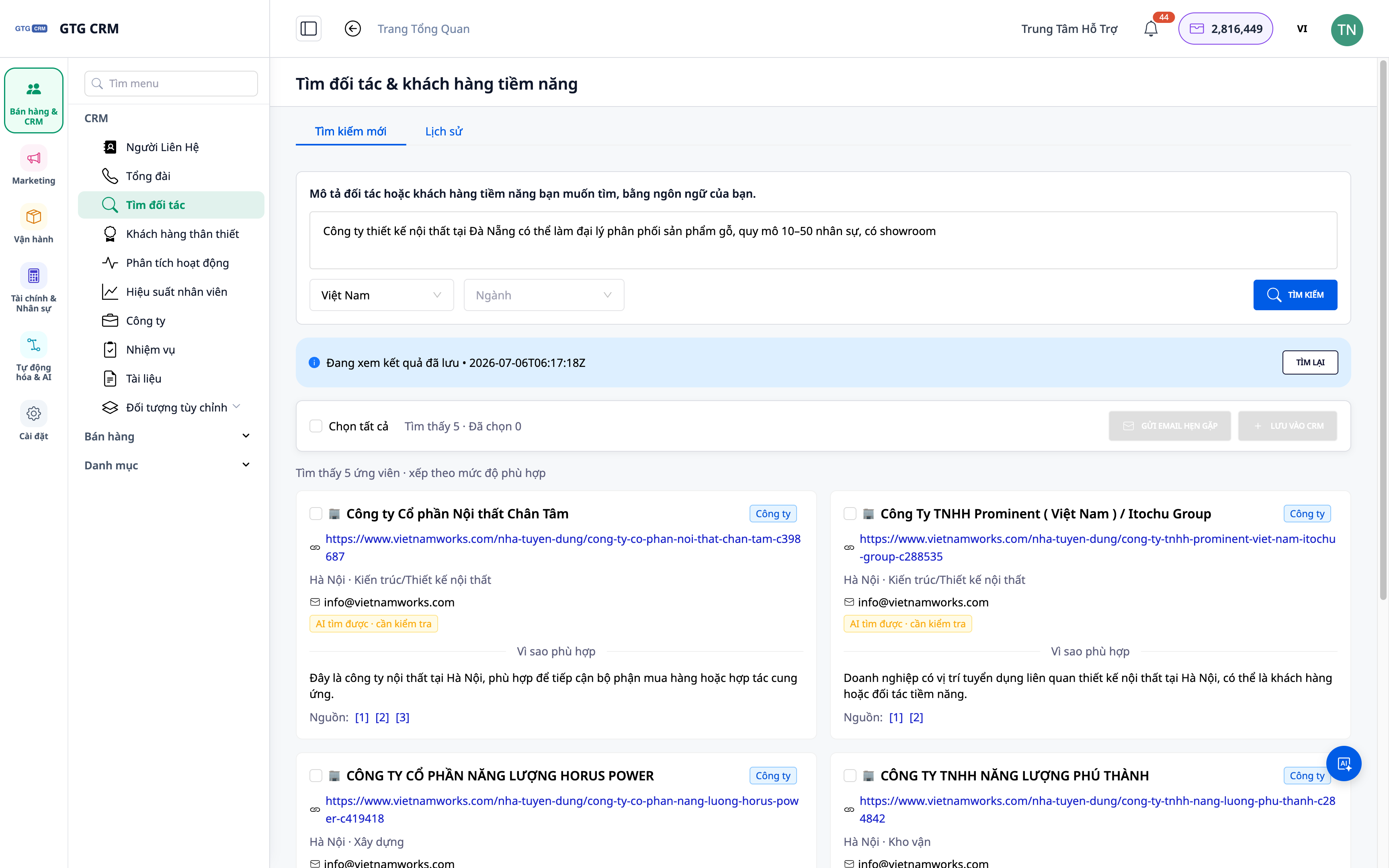
- Browse the list: each result includes the company name and relevant contact information.
- Open a result to view details before deciding to save it.
✅ Expected Result: You see a list of real companies + contacts; you can view details for each result.
Step 3 — Import Results into Contacts & Companies
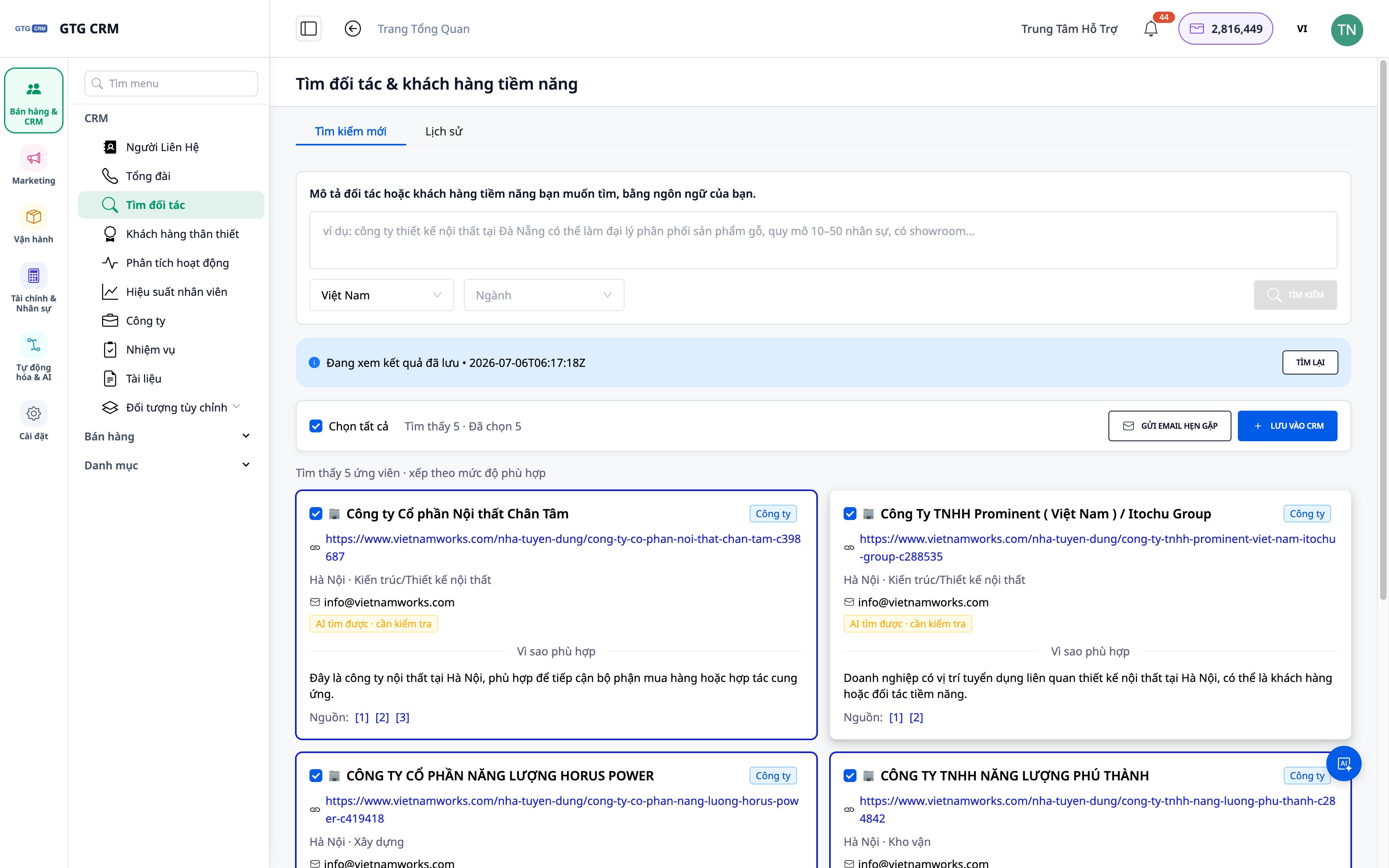
- Select suitable results (one or more), or use Save All from the top bar.
- Confirm importing into the CRM as Contacts/Companies.
✅ Expected Result: The selected results appear in your Contacts/Companies, with the source "found by AI".
Step 4 — Review and Re-run Search History
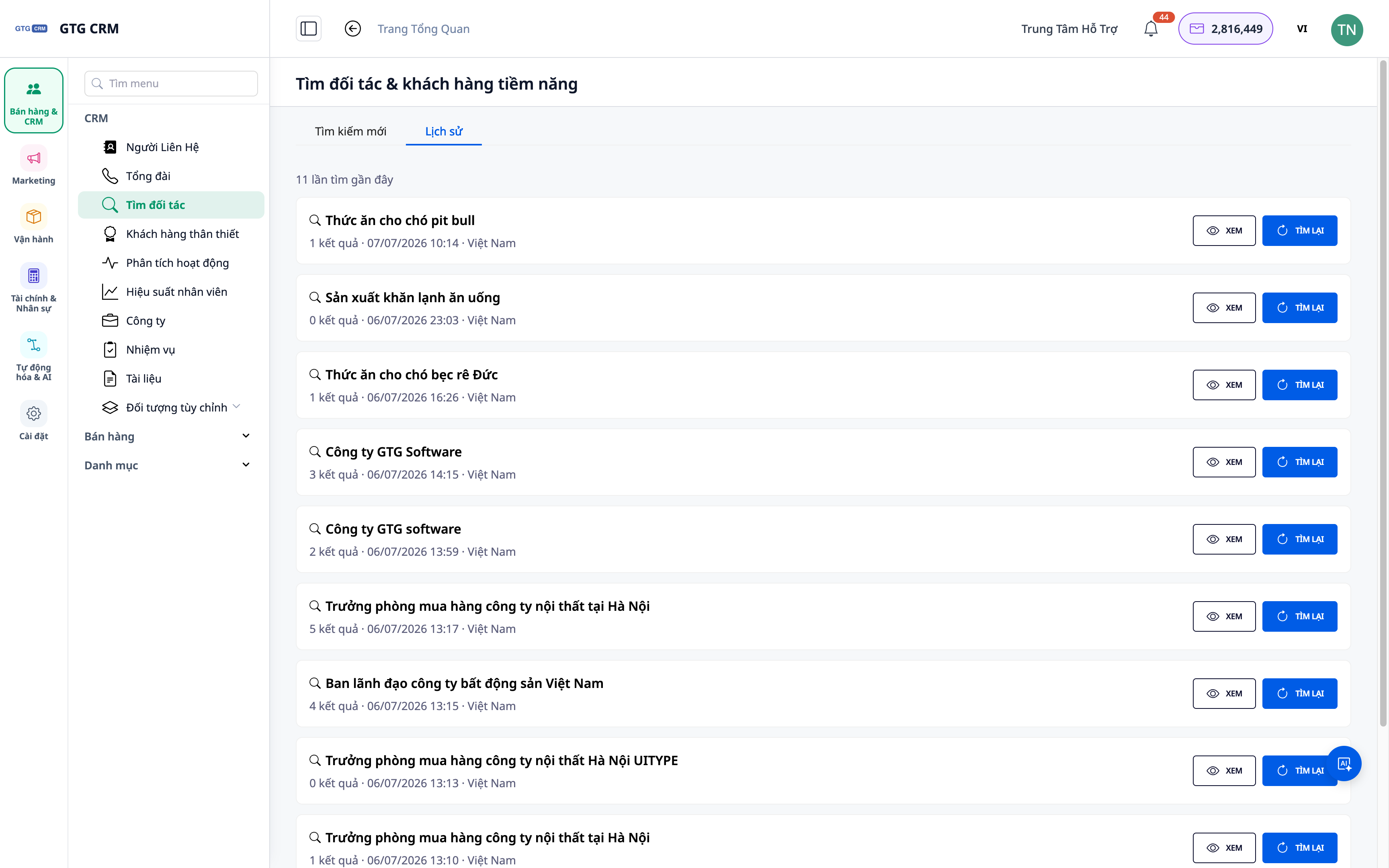
- Open the Search History section.
- Select a previous search to review its results, or re-run the query.
✅ Expected Result: A list of previous searches appears; you can reopen old results or re-run to update.
Step 5 — Attach a Nurturing Playbook to Start Outreach
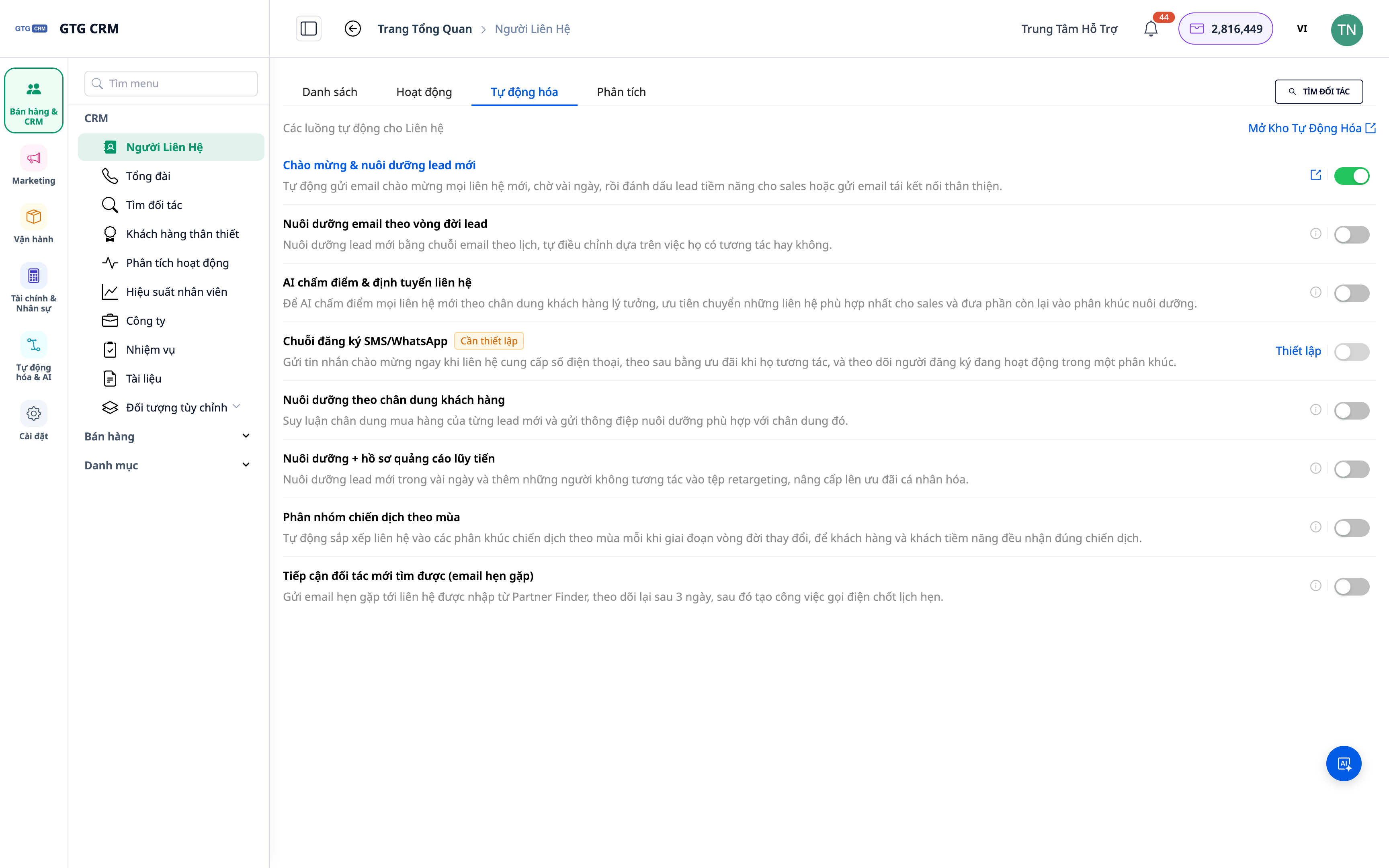
- For the newly imported contacts/companies, attach a nurturing playbook from the Automation Hub.
- Activate it to start the outreach sequence (emails/task reminders...).
✅ Expected Result: New Contacts/Companies are placed into an automated nurturing flow; you can monitor progress directly within the CRM.
Quick Reference Table of Expected Results
| Action | Result You Will See |
|---|---|
| Describe + Search | List of companies + contacts |
| View Results | Details of each company/person |
| Import to CRM | Contact/Company appears in Contacts |
| Open History | Review/re-run previous searches |
| Attach Playbook | Start automated nurturing flow |
Notes
- Each search consumes a small amount of credit; describe your needs specifically for more accurate results.
- Results are based on publicly available web data — please verify information before outreach.
- Need to find suppliers (purchasing side)? Use the Find Suppliers Using AI tool.


