What pages does a SEO-optimized e-commerce website need to both sell more and rank better in search results?
You have a sales website. Your products are good, the prices are competitive, and the images are great. But when you type your product name into Google, you don't see your website. Customers are looking for what you sell, but they buy from someone else because their website appears first.
The problem isn't that you lack products. The problem is that your website is missing the pages Google needs to understand what you sell, whether you're trustworthy, and whether you deserve to appear on the first page of search results.
A well-optimized e-commerce website needs more than just aesthetics; it needs a complete structure. Each page plays a specific role: some pages help Google understand the product category, some help customers make decisions, some build trust, and some continuously generate new content to keep Google crawling.
This article will go through 7 essential types of pages that any e-commerce website needs if it wants to both sell products and rank better in search results.
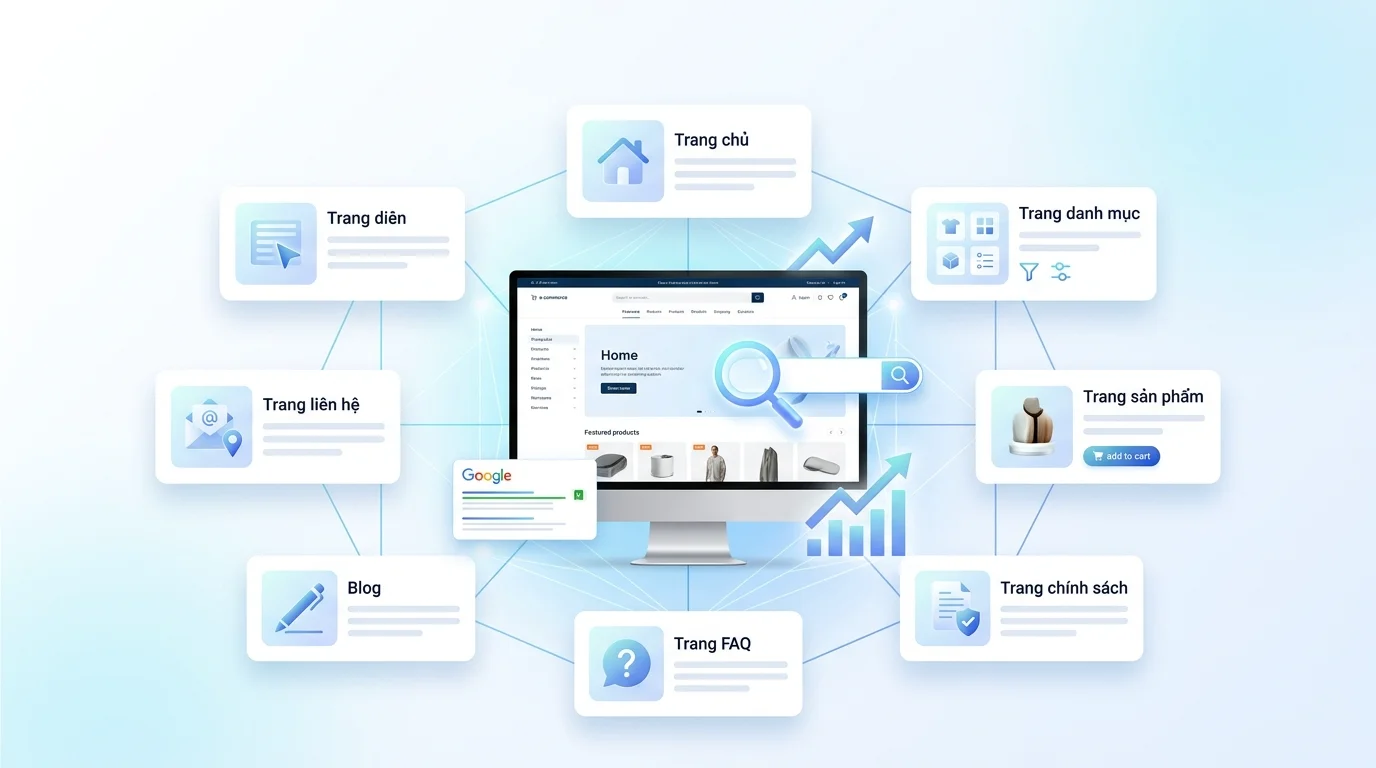
Overview: 7 Essential Pages and the SEO Role of Each Page
Before going into detail, here's the overall picture:
| Page type | Role with customers | Role in SEO |
|---|---|---|
| Homepage | First destination, customer orientation | The page with the highest authority distributes link juice. |
| Category page | Help customers browse by product group. | Use keywords for the product group (head term). |
| Product page | The place where customers make purchasing decisions. | Use specific keywords (long-tail), rich snippets. |
| Policy page | Building trust (returns, shipping, warranty) | EEAT signal, reduced bounce rate. |
| FAQ page | Answering frequently asked questions | Aim for featured snippet, FAQ schema |
| Blog | Provide useful content | Generate traffic from informational keywords and internal links. |
| Contact page | To allow customers to contact us when needed. | Local SEO signals, NAP consistency |
Each page doesn't exist in isolation – they're linked together to form a system. If one link is missing, the whole chain weakens.
1. Homepage - The face of the website and the SEO distribution center.
The homepage is the most important page on a website. It receives the most backlinks, is visited most frequently by Google, and is the starting point for Google to discover all subpages.
However, many sellers make the mistake of turning their homepage into a lengthy "company introduction" page, or simply a rotating image slideshow with no real content.
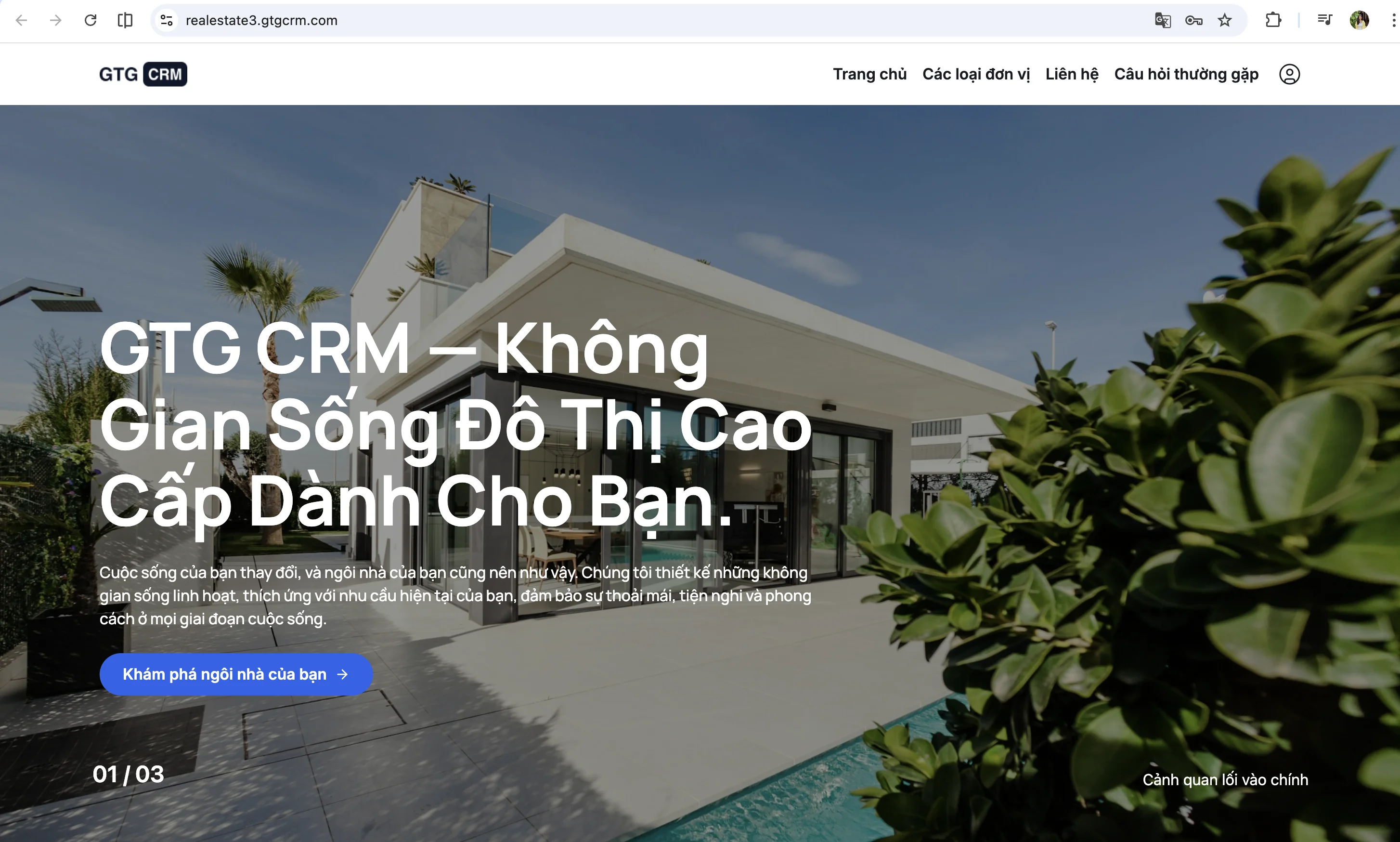
A standard SEO homepage is different. It needs to clearly state what you sell and who you serve – right from the first headline.
❌ "Welcome to ABC Store" ✅ "Genuine phone accessories - Fast nationwide delivery"
The second line is clearer, more specific, and contains keywords that customers actually type into Google.
Next, right on the homepage, you need to display 4-8 main categories with images. Each category should link to its corresponding category page. This is how you distribute the "weight" from the homepage down to the subpages – in SEO, this is called link juice.
Next, there's the section for best-selling or newest products – about 8-12 products. Google will crawl these links to find your product page, and customers will have something to see immediately.
One thing many people overlook: the homepage needs text content , at least 200-300 words. Don't let the homepage be just images and sliders. Google reads text, not images. A short introduction about the store, its products, and why customers should buy from there is sufficient.
Finally, the homepage should link to the latest blog posts, policy pages, and trending categories. Think of the homepage as a crossroads – it needs to lead people in the right direction.
Technically, ensure the title tag contains the main keyword along with the brand name (keep it within 50-60 characters), there is only one H1 tag, and the page loads quickly—under 3 seconds on mobile devices. It sounds simple, but many e-commerce websites fail at this stage.
2. Category Pages - Where you actually rank for product group keywords.
This is something many sellers overlook: the category page is the page that ranks product group keywords , not the homepage.
When someone types "men's sneakers" into Google, Google wants to return a page listing many options for men's sneakers—not a generic homepage, nor a single product page. A category page is the answer Google is looking for.
So what does a category page need to "eat" these keywords?
First, the H1 title must contain the correct category keyword - for example, "Men's Athletic Shoes - Authentic, Great Price". It sounds obvious, but many category pages just state "Men's Shoes" or even have no title at all.
Next, write a short 100-200 word introduction at the top of the page, before the product list. Google needs the text content to understand what this page is about. This section doesn't need to be long – just briefly explain what the category includes and who should be interested.
Filters and sorting are also important – helping customers quickly find results by price, color, or brand. But there's a catch: filters shouldn't generate a lot of duplicate URLs . Each filter combination that produces a unique URL will confuse Google. Use noindex or canonical tags for filter pages to avoid this problem.
Each product in the catalog needs to display complete information: name (link to the product details page), image, price, and star rating if available. Don't make customers click on each product just to see the price.
And here's the "secret weapon" that few sellers use: add 200-500 words of content at the bottom of your category page . This could be a buying guide, a quick comparison of products in the category, or a few frequently asked questions. This content makes your category page appear "thicker" in Google's eyes compared to competitors who only have a product list.
Regarding URLs, keep them clean and clearly structured:
/giay-the-thao-nam/ ← trang danh mục chính /giay-the-thao-nam/nike/ ← danh mục con theo thương hiệu /giay-the-thao-nam/chay-bo/ ← danh mục con theo công dụngIn short, use keywords, use hyphens, and no messy parameters./giay-the-thao-nam/ ← trang danh mục chính /giay-the-thao-nam/nike/ ← danh mục con theo thương hiệu /giay-the-thao-nam/chay-bo/ ← danh mục con theo công dụng
?category=123&sort=price .
3. Product page - Where customers decide whether to buy or leave.
The product page is where everything leads. Customers come here to decide whether to click "Buy Now" or leave. And for SEO, this is also the page with the greatest potential – because each product can target its own long-tail keyword.
Instead of simply targeting "Nike shoes," the product page could target "men's white Nike Air Max 90 size 42." This is more specific, less competitive, and those searching for something more specific are much more likely to make a purchase.
The product name is the H1 tag, and it must contain keywords - for example, "Men's Nike Air Max 90 Shoes - White, Authentic". Do not use internal code names like "SP-NK-090-W".
You need at least 3-5 images from multiple angles, and each image must have clear alt text describing it – not "image1.jpg" but "Men's white Nike Air Max 90 shoes - side view". Alt text helps Google understand the images and also helps you appear in Google Images.
But the most important thing on a product page is that the product description must be written specifically for it . This is the most common mistake – sellers copy the entire description from the supplier, making it exactly the same as 50 other websites selling the same product. Google considers this duplicate content and there's no reason to rank you higher.
A good description (at least 300 words) should include: key features, who this product is suitable for, instructions for use or care, and, if possible, a brief comparison with similar products. Write as if you are advising a friend, not copy-pasting the datasheet.
Technical specifications should be presented in a table format for easy reading – material, origin, dimensions, weight. A clear table helps both customers and Google quickly grasp the information.
If you have customer reviews, make the most of them. Genuine reviews are a strong signal to Google, and if you correctly mark up Product + AggregateRating schema, you'll get a gold star displayed right in the search results – significantly increasing your click-through rate compared to results without stars.
At the bottom of the product page, don't forget the "You might also like" or "Products in the same category" section. Besides helping customers discover more, it creates natural internal links between product pages – an important SEO signal.
This is an example of schema markup for a product page, so that Google can correctly understand the information and display rich snippets:
{ "@context": "https://schema.org", "@type": "Product", "name": "Giày Nike Air Max 90 Nam Trắng", "image": "https://example.com/images/nike-air-max-90.webp", "description": "Giày Nike Air Max 90 nam chính hãng...", "brand": { "@type": "Brand", "name": "Nike" }, "offers": { "@type": "Offer", "price": "2890000", "priceCurrency": "VND", "availability": "https://schema.org/InStock" }, "aggregateRating": { "@type": "AggregateRating", "ratingValue": "4.7", "reviewCount": "128" } }4. Policy Page - Seemingly small, but with a big impact.{ "@context": "https://schema.org", "@type": "Product", "name": "Giày Nike Air Max 90 Nam Trắng", "image": "https://example.com/images/nike-air-max-90.webp", "description": "Giày Nike Air Max 90 nam chính hãng...", "brand": { "@type": "Brand", "name": "Nike" }, "offers": { "@type": "Offer", "price": "2890000", "priceCurrency": "VND", "availability": "https://schema.org/InStock" }, "aggregateRating": { "@type": "AggregateRating", "ratingValue": "4.7", "reviewCount": "128" } }
Many sellers think the return policy page is just for show. They write a few lines about returns, copy a security code from another website, and that's it. But Google doesn't think that way.
Google evaluates websites based on the EEAT criteria – an acronym for Experience, Expertise, Authoritativeness, Trustworthiness. In simpler terms: are you trustworthy? A website selling products that doesn't clearly state its return policy or doesn't offer a privacy guarantee will be categorized by Google as "untrustworthy".
Furthermore, a clear policy helps customers feel confident in making a purchase – reducing bounce rates because they can find answers directly on the website instead of having to inbox and wait for a response.
You need a minimum of 4 policy pages:
Returns and refunds - clearly state the timeframe, which products can be exchanged, who will bear the shipping costs for returns and exchanges, and the step-by-step process. The more specific, the better.
Shipping - how long does delivery take within the city, how long does it take to other provinces, what are the shipping fees, and what is the minimum order amount for free shipping? Customers always want to know this before buying.
Data security - what data you collect, how you use it, and whether you share it with third parties. This page may sound boring, but it's a mandatory requirement if you run Google Ads or use Google Analytics.
Terms of Use - general rules for purchasing goods on the website, and the responsibilities of both parties.
Write a clear title for each page - "Return Policy - [Shop Name]" instead of just "Policies". Use H2/H3 headings to divide each section, write in easy-to-understand language, and avoid overly complex legal jargon. And most importantly: link all policy pages from the footer - so they appear on every page of the website.
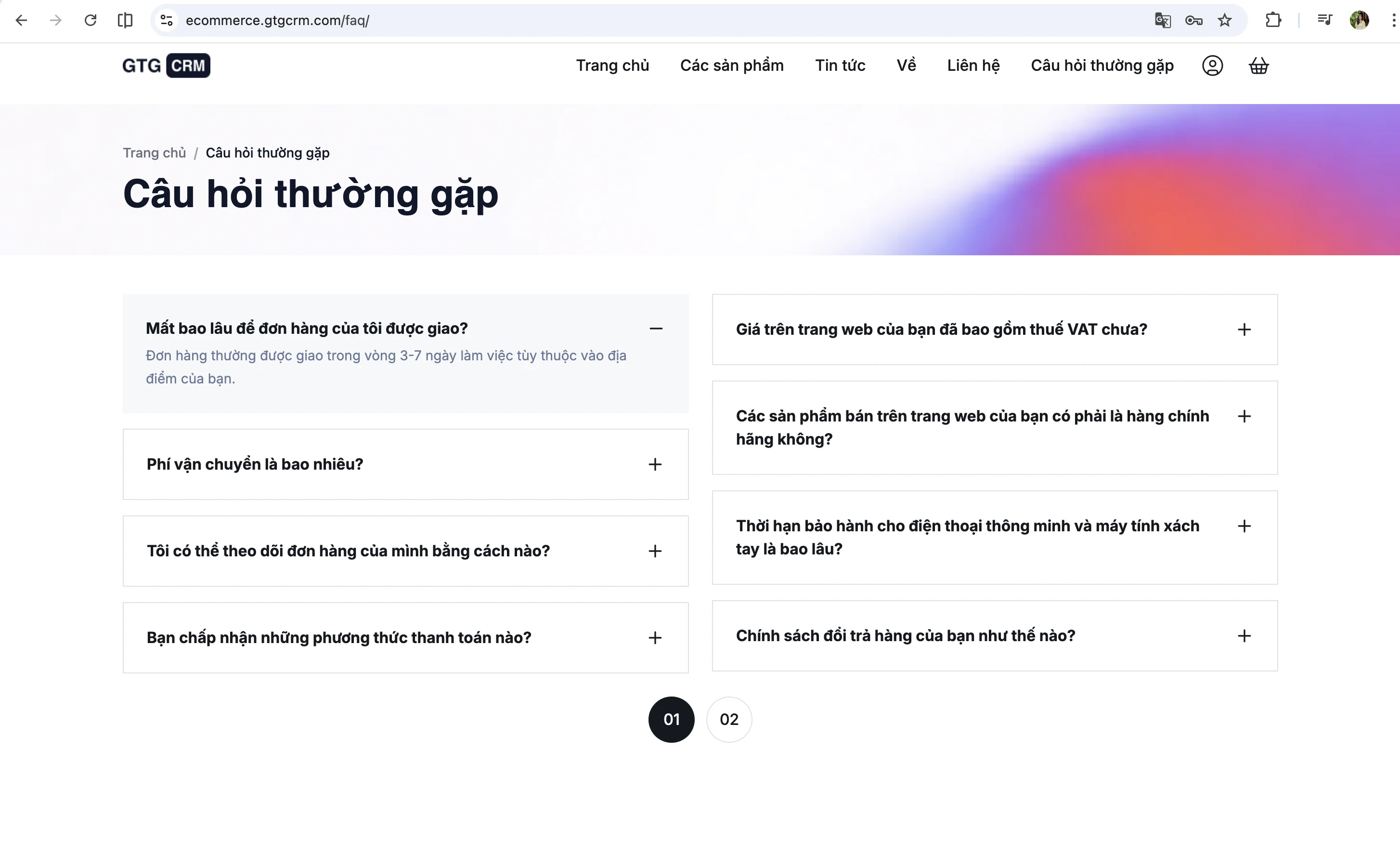
5. FAQ Page - An opportunity to claim the "number 0 spot" on Google
The FAQ page may seem simple – just a few questions and answers. But this is one of the most effective ways to appear at position 0 on Google, the featured snippet – the prominent answer that stands out above all search results.
When a customer types a question into Google, Google wants a direct answer. If your website has a clear, well-formatted answer, Google will "prioritize" that content at the top of the search results page. You don't need to be number one – you need to be better than number one.
So where do you get those questions? The simplest way is to open your Zalo, Messenger, or Facebook inbox messages – the questions customers ask repeatedly are the best FAQ content. "Do you offer cash on delivery?", "How long does delivery take?", "Which size is right for me?". Alternatively, type your product category keywords into Google and check the "People Also Ask" section – that's a free question bank that Google provides.
When writing your responses, keep them concise and direct—around 40-60 words per sentence. Short enough for Google to extract as a snippet, long enough to satisfy the customer.
FAQs should be clearly grouped into categories: product questions, ordering, shipping, returns, and payment. Each group should contain 3–5 questions. This arrangement helps customers find information quickly, and Google also understands the structure better.
If you want your FAQs to display nicely on Google (as a dropdown directly above the search results), add FAQ Schema markup – a JSON-LD snippet that distinguishes between questions and answers.
Regarding FAQ placement, you should use both methods : a single comprehensive FAQ page ( /faq ) containing all the questions, and adding 3–5 directly related questions at the end of each product or category page. The second method is particularly good because it adds unique content to each page—and Google loves that.
6. Blog - A traffic generator that sellers often overlook.
If your website only has product and category pages, you can only search for keywords like "buy Nike shoes," "cheap sneakers." However, the majority of Google searches are informational – people search for information, comparisons, and guidance before making a purchase.
"Which running shoes are good for beginners?", "How to choose the right Nike shoe size?", "Nike Air Max 90 vs Adidas Ultraboost: which one should I buy?" - these are all searches that product pages can't answer, but blogs can.
Blogging helps you with three important things. First, it attracts customers from the research stage – they're not ready to buy yet, but they know about you, and when they are, you're their first choice. Second, it builds topical authority – Google highly values websites with a lot of quality content on a topic; the more articles related to your industry, the more "expert" your website is perceived to be. Third, each blog post is an opportunity to create internal links to product and category pages – boosting SEO for your sales pages.
What kind of writing is suitable? Here are some of the most effective types of articles for e-commerce websites:
- A guide to choosing the right running shoes - "How to choose the right running shoes". This type of article targets informational keywords, has high volume, and directs customers straight to the product category.
- Product comparison - "Nike Air Max 90 vs Adidas Ultraboost - Which one should you buy?". Targeted commercial investigation, high conversion rate.
- Product review - "Review of Nike Air Max 90 shoes after 3 months of use". Create EEAT content and target long-tail keywords.
- Industry Trends - "Top 10 Most Popular Sneaker Styles of 2025". Attracting Seasonal Traffic.
- User guide - "How to clean white shoes without yellowing". High search volume, easy to write, easy to read.
Each article should target one main keyword, the title should contain the keyword and be under 60 characters, the content should be clearly divided using H2/H3 headings, and short paragraphs of 3-4 sentences. Tutorials should be 1,000 words or more, and comparison articles should be 1,500 words or more.
Most importantly: each blog post must have an internal link to the relevant product or category page. Writing about how to choose running shoes? Link to the running shoe category. Reviewing the Air Max 90? Link to the Air Max 90 product page. This is how the blog drives traffic to the sales page.
And don't forget to update your old posts every 3-6 months - Google prioritizes fresh content. A well-written blog post from last year, updated with a few details, can return to the top of search results faster than writing a new post.
The blog URL also needs to be clean: /blog/cach-chon-giay-chay-bo/ and not /blog/post-123 or /blog?id=456 .
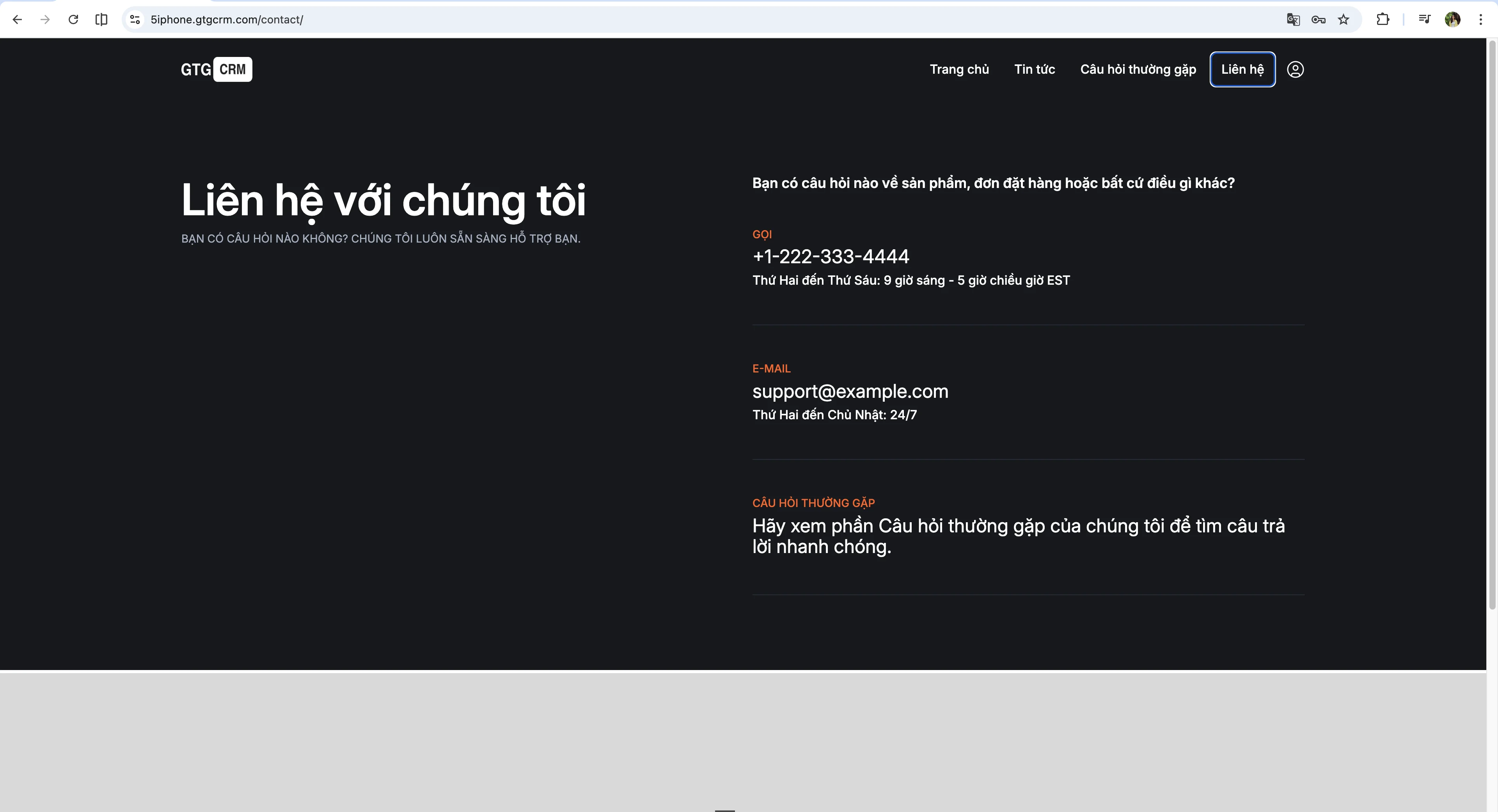
7. Contact page - Simple but essential.
The contact page is perhaps the least invested-in page on an e-commerce website. But for Google, a website without clear contact information is a sign of lack of credibility. Especially if you want to appear in local search results, a contact page is almost mandatory.
The most important information on this page is the NAP – Name (store name), Address, Phone number. It sounds simple, but there's a rule many people don't know: the NAP information must be absolutely consistent across your entire website, Google Business Profile, Facebook, and every other platform you register on. Writing "123 Nguyen Hue, District 1" here and "123 Nguyen Hue, District 1" elsewhere – even a single word difference can affect local SEO.
Contact forms should be as simple as possible – Name, Email or Phone Number, and Message. Three fields are enough. Don't make customers fill in 10 fields – they'll leave faster than you think.
If you have a physical store, embed Google Maps on your page. This is a strong local SEO signal. Add business hours and links to Facebook, Zalo, and Instagram – channels customers can use to contact you further.
And if you want Google to understand your business better, add LocalBusiness schema markup – a JSON-LD snippet containing your name, address, phone number, and opening hours. This information helps Google display your business more attractively in search results.
Link the pages together.
Having all seven types of pages isn't enough – you need to link them together into a system. Internal linking is your way of telling Google: "These pages are related, and this is the most important page."
The principle is simple: the homepage links to the main category, featured products, and latest blog posts – to distribute authority downwards. Category pages link to products within categories and subcategories – creating a clear structure. Product pages link to related products, parent categories, and relevant blog posts – this helps with cross-selling and is good for SEO.
Blogs are the most effective place to create internal links. Each post can naturally link to the product mentioned, related categories, or other blog posts. This is how you drive traffic from informational content to your sales page.
The FAQ should link to the detailed policy page and the product in question. The policy page should link from the footer – appearing on every page, serving as a foundation of trust for the entire website.
Don't think of internal linking as a complicated technique. Think simply: if you mention another page, link to it . Natural, logical, and helpful to the reader – that's good internal linking.
So where do we begin?
If you're building a new website or want to improve an existing one, don't try to do everything at once.
Start with three core pages: the homepage, category pages, and product pages . Without these three pages, there's nothing to sell, nothing for Google to index. This is the number one priority.
Next, spend 1-2 hours writing your policy page . Returns, shipping, privacy – write it once, use it forever, and build trust instantly.
The contact page takes about 30 minutes to complete, but without it, the website looks unprofessional—both to customers and to Google.
Then comes the FAQ page - starting with the 10-15 most frequently asked questions, gradually adding more over time.
Finally, there's the blog – start with one post a week, prioritizing guides and product comparisons. After 2-3 months, you'll start seeing organic traffic.
Don't try to make it perfect from the start. A website with 70% of its pages optimized is far better than a website with only 2 pages optimized at 100%. Get the structure in place first, then optimize gradually.
Turn what you've just read into tangible results — apply it now with GTG CRM, free.
Apply now