

Greinin hér að neðan mun útskýra hvað Zalo OA er, flokkun fyrirtækjareikninga, kosti staðfestra OA og ítarlega leiðbeiningar um hvernig á að skrá farsælan OA reikning.
Hvað er Zalo Official Account Fyrirtæki?
Zalo Official Account (OA) er opinber reikningur fyrir fyrirtæki á Zalo, sem gerir kleift að hafa bein samskipti við viðskiptavini í gegnum marga eiginleika eins og spjall, útvarpsútsendingar, spjallbotna, símtöl og birtingu.
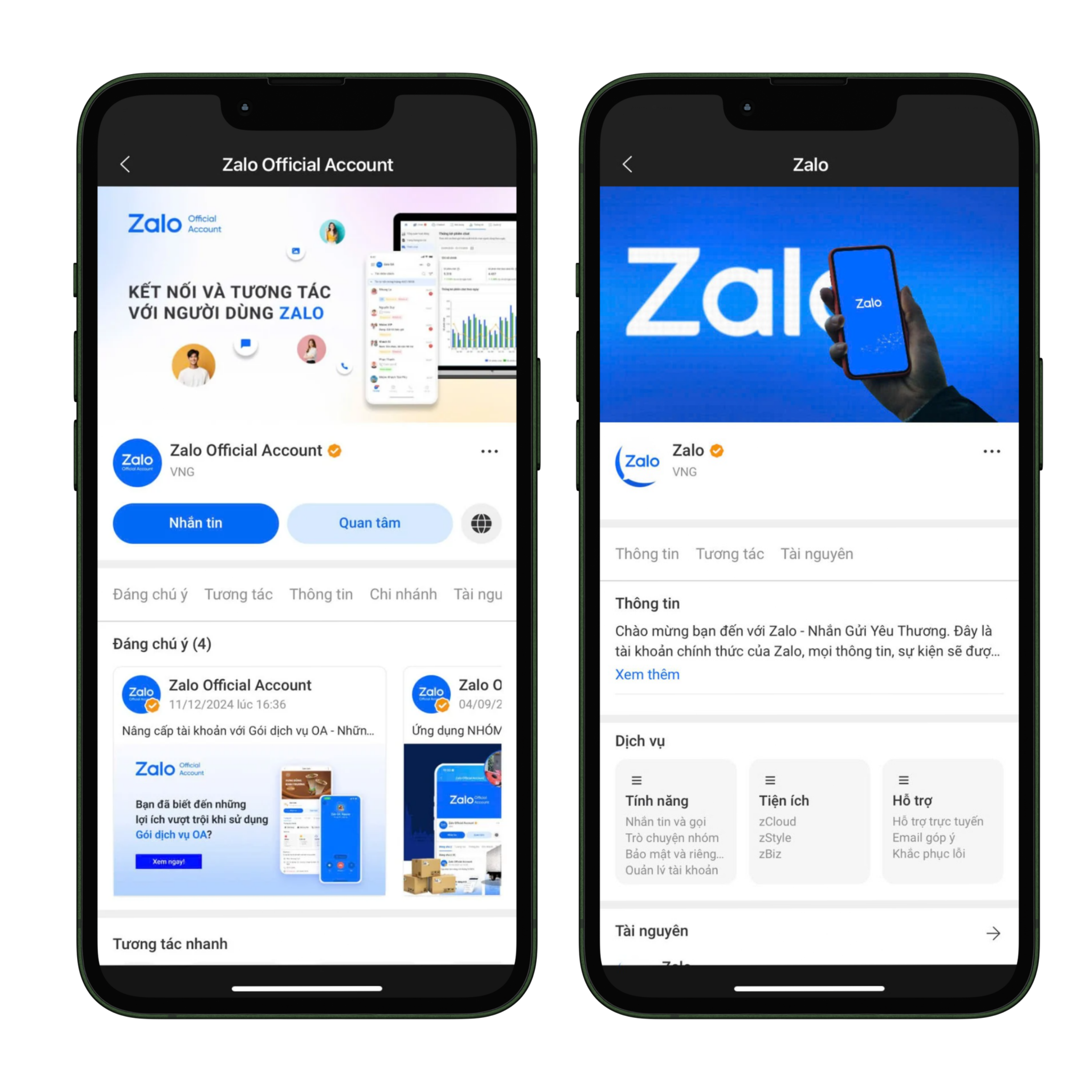
Viðmót Zalo OA
Sem stendur eru tvenns konar vinsælir OA fyrir fyrirtæki:
- Auglýsingasnið: er reikningstegund fyrir einstaklinga eða fyrirtæki sem ekki hafa viðskiptaskráningu, aðeins hægt að nota til að keyra auglýsingar á Zalo og styður ekki eiginleika eins og skilaboð, útvarpsútsendingar, færslur, spjallbotna eða símtöl, en hægt er að bæta við viðskiptaleyfi til að uppfæra í staðfestan OA og nota alla eiginleika.
- Staðfestur OA: er reikningstegund fyrir fyrirtæki eða fyrirtæki sem hafa viðskiptaskráningu, merktur með grænu haki til að auka trúverðugleika, gerir mörgum stjórnendum kleift að stjórna á mörgum tækjum og styður alla eiginleika til að þjóna viðskiptavinum sem og til að þróa netverslun.
Ávinningur af því að nota staðfestan OA
Uppfærsla og notkun staðfestrar OA mun ekki aðeins hjálpa fyrirtækjum að uppfylla lagalegar kröfur heldur einnig veita marga hagnýta kosti við vörumerkjauppbyggingu og viðskiptaþróun.
- Hærri trúverðugleiki: staðfesting með grænu haki hjálpar viðskiptavinum að vera öruggir þegar þeir hafa samskipti.
- Fullbúin verkfæri: senda skilaboð, birta færslur, spjallbotna, símtöl, útvarpsútsendingar.
- Sveigjanleg stjórnun: leyfir mörgum stjórnendum að stjórna saman.
- Stuðningur við netverslun: samhæfing við Zalo auglýsingar til að auka skilvirkni við að ná til viðskiptavina.
Ef fyrirtæki vilja nýta Zalo sem hluta af fjölrása stefnu sinni, vinsamlegast lestu greinina: 7 bestu fjölrása skilaboðastjórnunartækin í dag
Fyrirtækjaskráning Zalo OA ferli
Skref 1: Aðgangur og innskráning
- Fara á oa.zalo.me
- Skrá inn með persónulegum Zalo reikningi.
- Velja Búa til opinberan reikning.
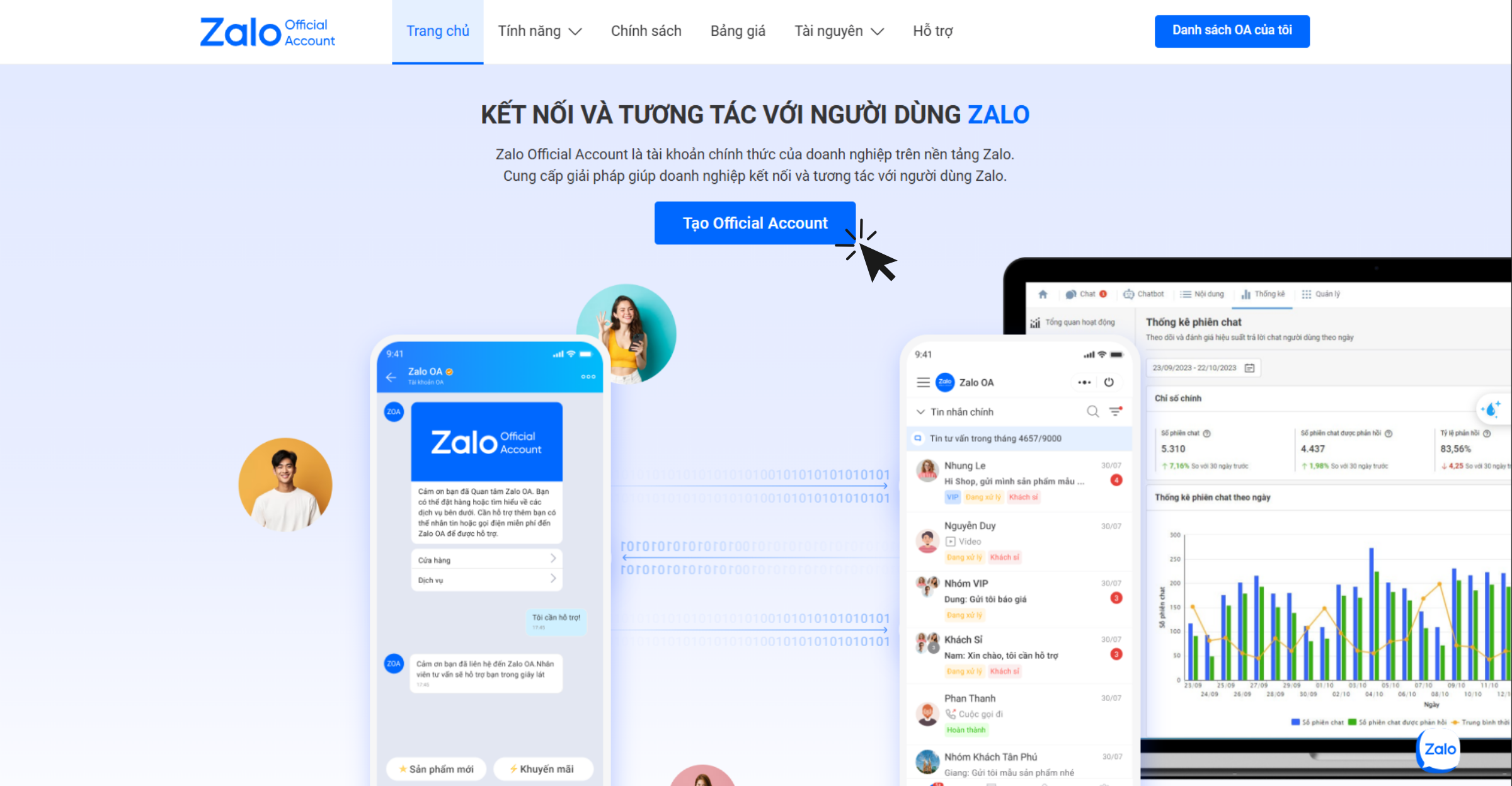
Aðgangur og innskráning til að búa til Zalo OA
Skref 2: Innskráning með QR kóða
- Notaðu Zalo forritið til að skanna QR kóðann til innskráningar.
- Kröfur: Vietnamskt símanúmer (+84) sem hefur verið staðfest á persónulegum Zalo.
Skref 3: Fylltu út reikningsupplýsingar
Þegar OA er stofnað þurfa fyrirtæki að slá inn allar upplýsingar samkvæmt kröfum Zalo til að tryggja nákvæmni og gagnsæi:
- Starfsgrein: veldu réttan atvinnuflokk sem samsvarar viðskiptaskráningu fyrirtækisins eða fyrirtækisins til að forðast að vera hafnað við staðfestingu.
- Nafn opinbera reikningsins: OA nafn verður að vera í samræmi við reglur Zalo, getur verið nafn fyrirtækisins/fyrirtækisins eins og það stendur á viðskiptaskráningunni, vörumerki sem hefur verið verndað af eignarréttastofnuninni, eða nafn vörunnar/þjónustunnar/verkefnisins sem er í viðskiptum ef það fellur ekki undir tvö fyrri tilvik.
- Kynningarupplýsingar: lýsingin þarf að vera stutt, auðskilin, greinilega sýna atvinnugreinina og má ekki valda ruglingi hjá áhorfendum.
- Avatar: ætla ætti að nota opinbert merki eða mynd af framúrskarandi vöru, þjónustu til að viðskiptavinir þekki vörumerkið auðveldlega.
- Omslag: ætti að vera mynd sem tengist beint starfssviði eða vörum fyrirtækisins til að auka fagmennsku.
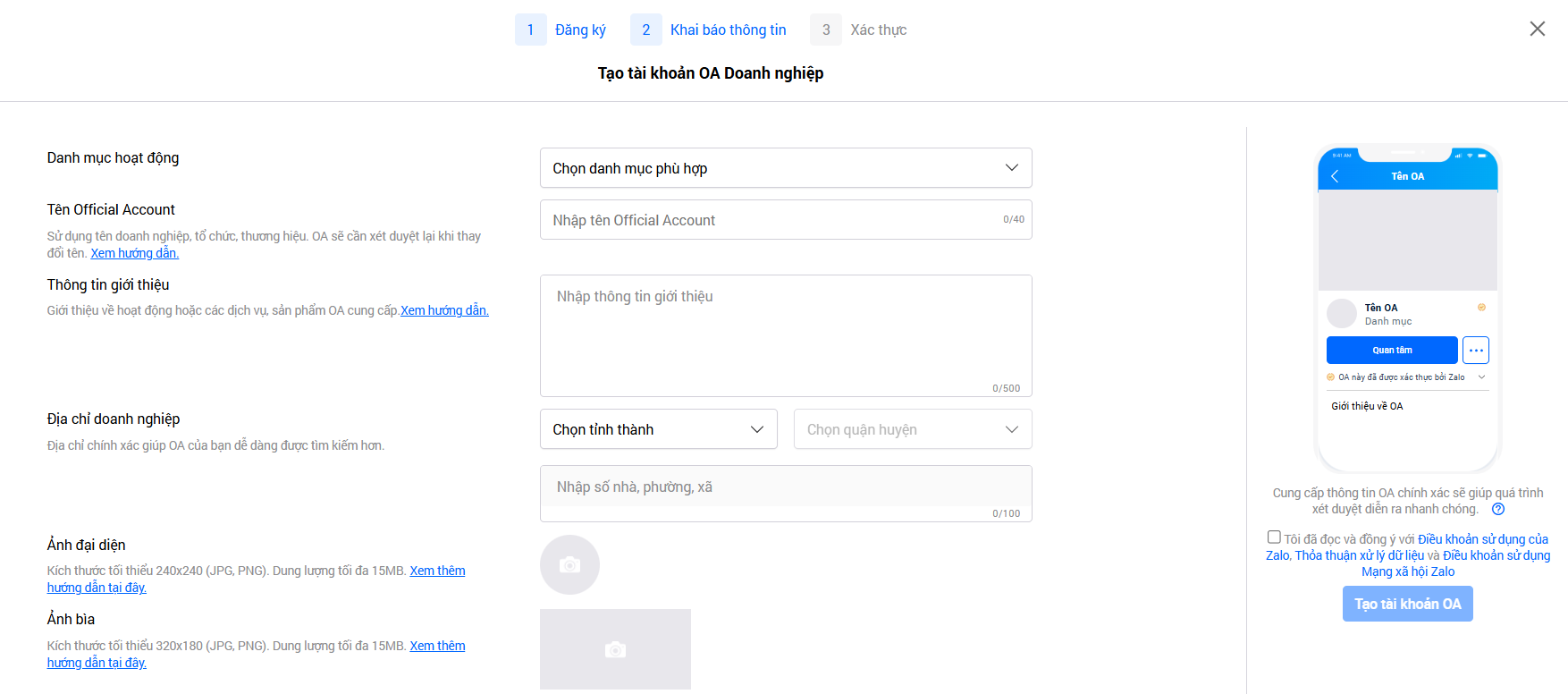
Gefðu upp upplýsingar í samræmi við stefnu Zalo
➞ Smelltu á Búa til OA reikning.
Skref 4: Staðfesting OA
Eftir farsæla stofnun OA þurfa fyrirtæki að staðfesta innan 14 daga til að ljúka skráningu. Þegar staðfest, verður reikningnum úthlutað grænu haki og allir eiginleikar til að styðja sölu, markaðssetningu og þjónustu við viðskiptavini á Zalo verða fullnýttir.
Það eru þrjár algengar staðfestingaraðferðir:
- Staðfesting samkvæmt nafni fyrirtækis eða verslunar: gildir fyrir fyrirtæki, fyrirtæki, verslanir eða rekstrarstaði sem hafa verið lögformlega skráðir.
- Staðfesting samkvæmt vernduðu vörumerki: gildir þegar fyrirtæki á vörumerki sem hefur fengið verndarvottorð frá eignarréttastofnuninni.
- Staðfesting samkvæmt sérstökum atvinnugreinum: fyrir fyrirtæki sem starfa á sviði rekstrar með skilyrðum eða nota annað nafn en tvær fyrri aðferðir.
Eftir að hafa lagt inn staðfestingarskjölin mun stjórnandi fá tilkynningu um athugunartíma og niðurstöðu frá OA Zalo Official Account kerfinu. Venjulega tekur svarferlið 2-3 virka daga, en í sumum tilfellum getur það tekið lengri tíma.
Mikilvægt athugasemd:
- Fyrirtækjum verður aðeins veitt OA ef þau starfa á löglegum atvinnugreinum samkvæmt lögum Víetnam.
- Svæði sem eru hafnað eru fjármálaviðskipti sem valda ruglingi eða eru sviksamleg eins og tvíundarval, útgáfa sýndargjaldeyris, viðskipti með dulritunargjaldmiðla, útboð eða svipuð fyrirmyndir.
- Fyrirtæki í fjármála-, banka- og tryggingageiranum verða að staðfesta reikning sinn áður en þau nota OA, þar á meðal, en ekki takmarkað við: lán, innlán, verðbréf, stafræn veski, greiðslumiðlun, tryggingar, tryggingafulltrúa og skattaþjónustu.
Til að nýta Traffic frá Zalo OA sem mest, getur þú skoðað meira: Fylgdu rétt eftir, tekjur aukast sjálfkrafa: Hvernig á að „hita upp“ kalda leiða með tölvupóstmarkaðssetningu
Niðurstaða
Á markaði Víetnam er Zalo Official Account ómissandi tæki fyrir fyrirtæki til að byggja upp vörumerki, viðhalda samböndum við viðskiptavini og efla netverslun. Sérstaklega styrkir staðfestur OA ekki aðeins traust heldur opnar fulla eiginleika til að styðja skilvirka sölu og markaðssetningu. Fyrirtæki ættu að skrá sig og staðfesta OA strax til að nýta kraft Zalo vettvangsins sem mest – skilaboðaforrit sem milljónir Víetnamverja nota daglega.
Breyttu því sem þú hefur lesið í raunverulegar niðurstöður — notaðu GTG CRM strax, ókeypis.
Notaðu strax

