

Artikeln nedan förklarar tydligt vad Zalo OA är, hur man kategoriserar företags-OA-konton, fördelarna med verifierade OA och en detaljerad guide om hur man framgångsrikt registrerar ett OA-konto.
Vad är ett Zalo Official Account för företag?
Zalo Official Account (OA) är ett officiellt konto för företag på Zalo, som möjliggör direkt kommunikation med kunder genom flera funktioner som chatt, broadcast, chatbot, röstsamtal och inlägg.
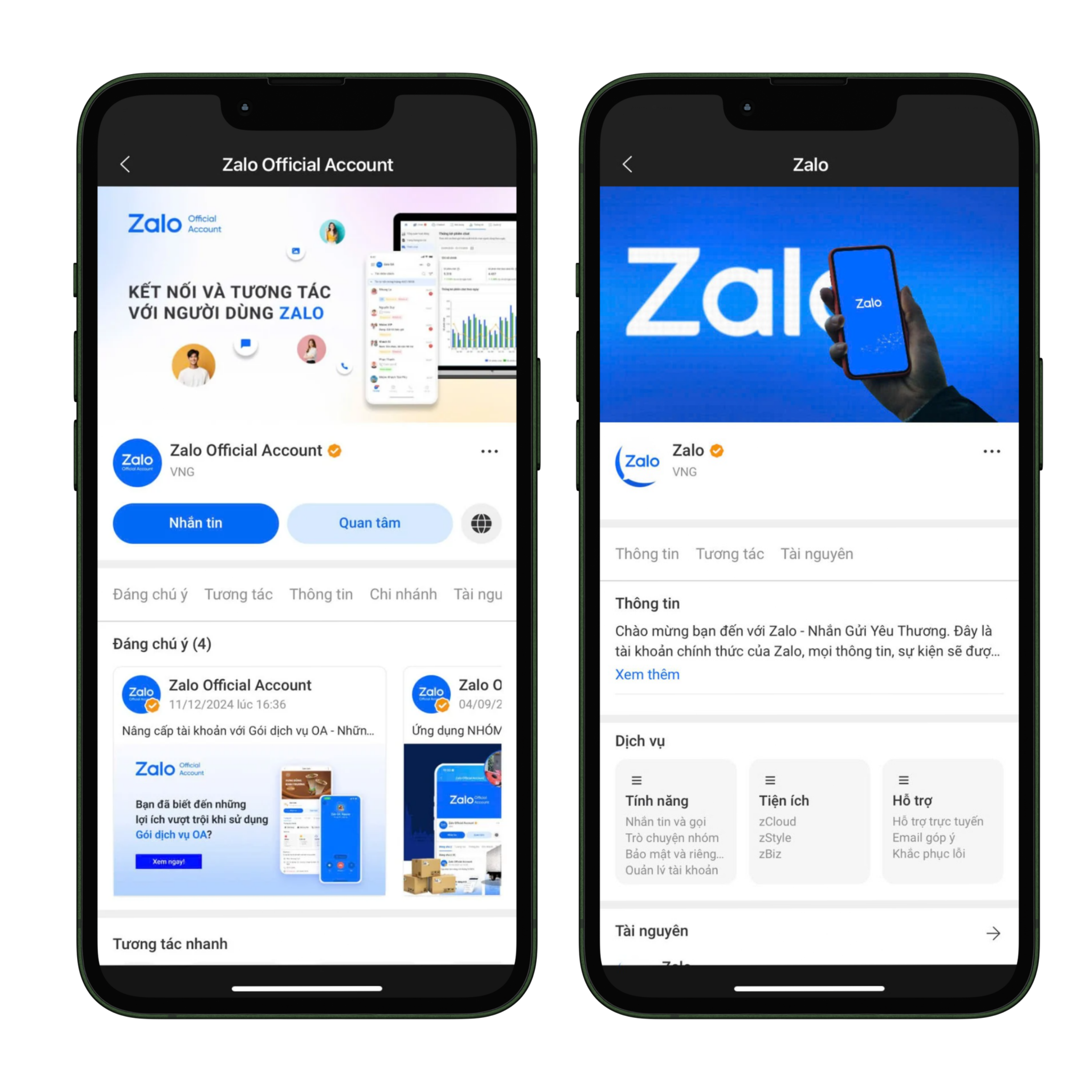
Gränssnittet för Zalo OA
För närvarande finns det två populära typer av OA för företag:
- Reklamprofil: detta är en kontotyp för privatpersoner eller företag som ännu inte har ett företagsregistreringsbevis, endast används för att köra reklam på Zalo och stöder inte funktioner som meddelanden, sändningar, inlägg, chatbots eller röstsamtal, men ett företagsregistreringsbevis kan läggas till för att uppgradera till ett verifierat OA och använda alla funktioner.
- Verifierat OA: detta är en kontotyp för företag eller hushåll som redan har ett företagsregistreringsbevis, märkt med en grön bock för att öka trovärdigheten, tillåter flera administratörer att hantera på flera enheter och stöder alla funktioner för kundvård och online-affärsutveckling.
Fördelar med att använda verifierat OA
Att uppgradera och använda ett verifierat OA hjälper inte bara företag att uppfylla juridiska krav utan ger också många praktiska fördelar för att bygga varumärke och utveckla kunder.
- Högre trovärdighet: verifieringsmärket med grön bock ger kunderna trygghet vid interaktion.
- Fullständiga verktyg: skicka meddelanden, publicera inlägg, chatbot, röstsamtal, sändningar.
- Flexibel hantering: tillåter flera administratörer att hantera.
- Stöd för online-affärer: kombineras med Zalo-reklam för att öka effektiviteten i att nå kunder.
Om ditt företag vill använda Zalo som en del av en flerkanalsstrategi, se artikeln: 7 bästa verktygen för effektiv hantering av flerkanaliga meddelanden
Registreringsprocess för Zalo OA för företag
Steg 1: Besök och logga in
- Gå till oa.zalo.me
- Logga in med ditt personliga Zalo-konto.
- Välj Skapa officiellt konto.
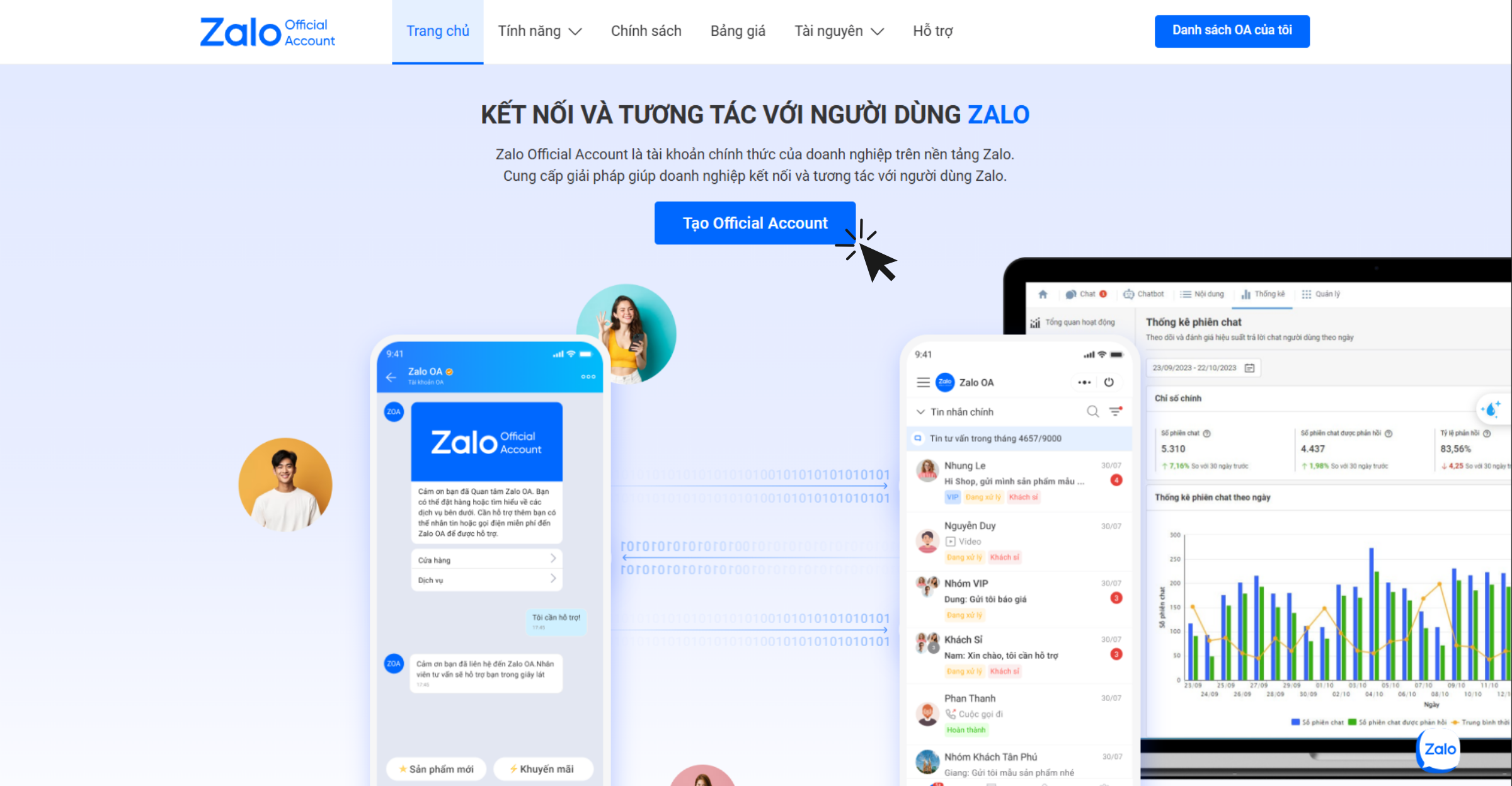
Besök och logga in för att skapa Zalo OA
Steg 2: Logga in via QR-kod
- Använd Zalo-appen för att skanna QR-koden för inloggning.
- Krav: ett vietnamesiskt telefonnummer (+84) som är verifierat med Zalo personligen.
Steg 3: Ange kontoinformation
När du skapar ett OA måste företag ange fullständig information enligt Zalos krav för att säkerställa noggrannhet och transparens:
- Verksamhetskategori: välj rätt branschgrupp som matchar företagets eller enskilda firmans registreringsbevis för att undvika att bli nekad verifiering.
- Namn på officiellt konto: namnet på OA måste överensstämma med Zalos regleringar och kan vara företagets/enskilda firmans namn som anges i registreringsbeviset, varumärkesnamn som skyddas av Patent- och registreringsverket, eller namn på en produkt/tjänst/projekt som bedrivs om det inte faller under de två ovanstående fallen.
- Introduktionsinformation: beskrivningen bör vara kortfattad, lätt att förstå, tydligt ange branschen och inte vilseleda betraktaren.
- Profilbild: använd officiella logotypen eller en typisk produkt-/tjänstbild så att kunder lätt kan identifiera varumärket.
- Omslagsbild: bör vara en bild som är direkt relaterad till företagets verksamhetsområde eller produkter för att öka professionalismen.
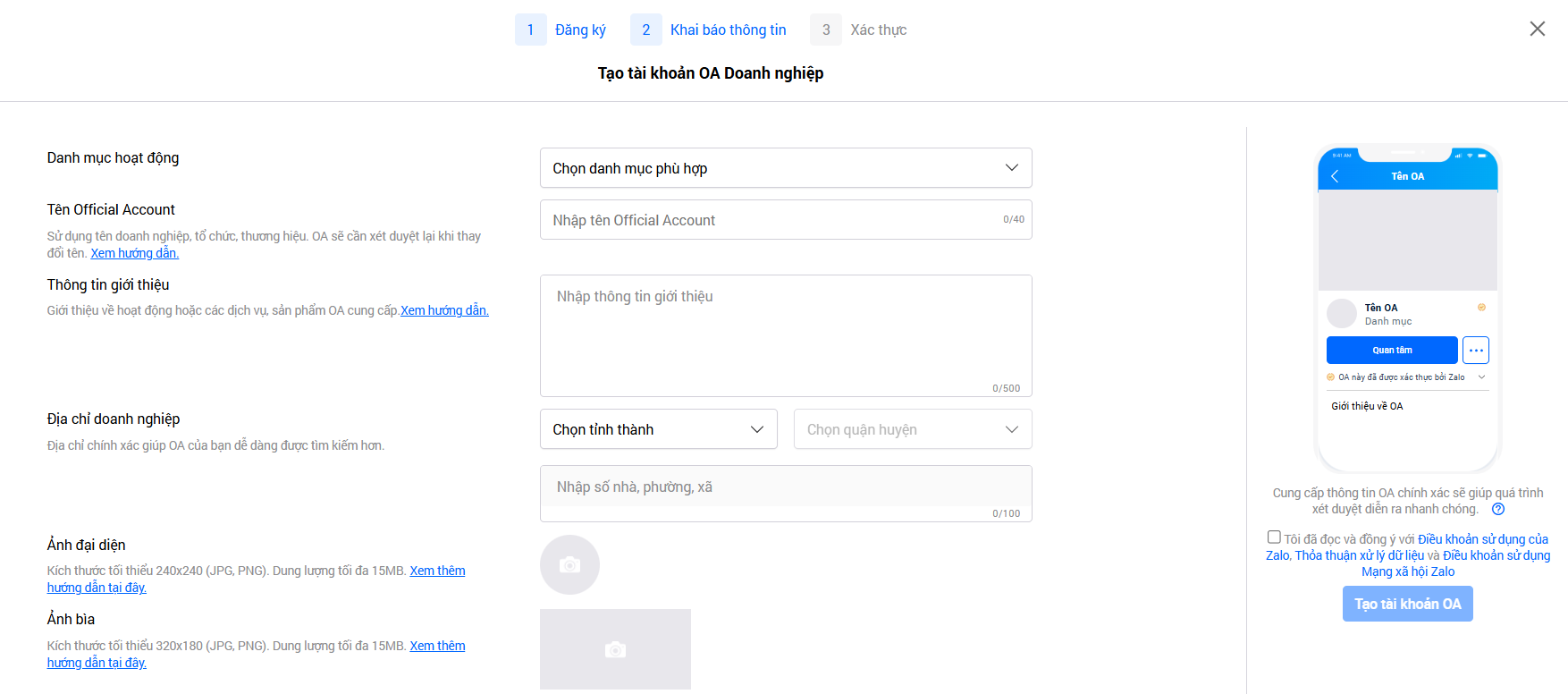
Deklarera giltig information i enlighet med Zalos policy
➞ Klicka på Skapa ett OA-konto.
Steg 4: Verifiera OA
Efter att ha skapat OA framgångsrikt måste företaget genomföra verifieringen inom 14 dagar för att slutföra registreringsprocessen. När kontot har verifierats kommer det att förses med en grön bock och kunna utnyttja alla funktioner för försäljning, marknadsföring och kundvård på Zalo fullt ut.
Det finns tre vanliga verifieringsmetoder:
- Verifiering enligt företags- eller butiksnamn: gäller för företag, enskilda firmor, butiker eller verksamhetsställen som är lagligt registrerade.
- Verifiering enligt skyddat varumärke: gäller när ett företag äger ett varumärke som har beviljats skydd av Patent- och registreringsverket.
- Verifiering enligt specifik bransch: för företag som verkar inom licensierade branscher eller som använder ett annat namn än de två ovanstående metoderna.
Efter att ha lämnat in verifieringsdokumentationen kommer administratören att få ett meddelande om granskningstid och resultat från OA Zalo Official Account-systemet. Vanligtvis tar det 2-3 arbetsdagar att få ett svar, men i vissa fall kan det ta längre tid.
Viktig anmärkning:
- Företag får endast ett OA-konto om de verkar inom en laglig bransch enligt vietnamesisk lagstiftning.
- Områden som nekas inkluderar finansiella aktiviteter som är vilseledande eller bedrägliga, såsom binära optioner, emission av virtuella valutor, kryptovalutahandel, budgivningsauktioner eller liknande modeller.
- Företag inom finans-, bank- och försäkringssektorn måste verifiera sitt konto innan de använder ett OA, vilket inkluderar, men inte är begränsat till, aktiviteter som: krediter, insättningar, värdepapper, e-plånböcker, betalningsförmedlingstjänster, försäkringar, försäkringsförmedling och skatterelaterade tjänster.
För att få ut det mesta av trafiken från Zalo OA, kan du läsa mer: Följ upp korrekt, försäljningen ökar av sig själv: Hur man "värmer upp" kalla leads med e-postmarknadsföring
Slutsats
På den vietnamesiska marknaden är Zalo Official Account (OA) ett oumbärligt verktyg för företag att bygga varumärken, upprätthålla kundrelationer och driva onlineförsäljning. Framför allt stärker verifierade OA inte bara förtroendet utan öppnar också upp för fullständiga funktioner som stöder effektiv försäljning och marknadsföring. Företag bör registrera och verifiera sitt OA omedelbart för att fullt ut utnyttja kraften i Zalo-plattformen – en meddelandeapp som används av tiotals miljoner vietnameser dagligen.
Gör det du just läst till verkliga resultat — använd GTG CRM, gratis.
Använd nu

