
Εισαγωγή χαρακτηριστικών
Θέλετε να επεκτείνετε την αγορά σας, αλλά δεν ξέρετε από πού να ξεκινήσετε; Ξοδεύετε ώρες πληκτρολογώντας στην Google, περιηγούμενοι σε σελίδες θαυμαστών, αντιγράφοντας ονόματα σε ένα αρχείο — ξοδεύετε ώρες απλώς γράφοντας μερικές γραμμές κειμένου και δεν είστε καν σίγουροι ότι στοχεύετε στο σωστό κοινό. Η εύρεση νέων πελατών και συνεργατών, η οποία θα έπρεπε να αποτελεί στρατηγική ανάπτυξης, γίνεται μια χρονοβόρα και χειροκίνητη εργασία.
Αυτό λήγει σήμερα. Το GTG CRM διαθέτει ένα εργαλείο Partner & Lead Finder : απλώς περιγράφετε προφορικά ποιον ψάχνετε (κλάδο, περιοχή, τύπο), ο βοηθός τεχνητής νοημοσύνης ανακαλύπτει πραγματικές εταιρείες και επαφές από τον ιστό, αποθηκεύει το ιστορικό αναζήτησής σας και σας επιτρέπει να εισάγετε τα πιο σχετικά αποτελέσματα απευθείας στις Επαφές & Εταιρείες στο CRM. Αποκτήστε μια καθαρή λίστα σε λίγα λεπτά, επισυνάψτε ένα σενάριο υποστήριξης και ξεκινήστε να επικοινωνείτε — όλα σε ένα μέρος.
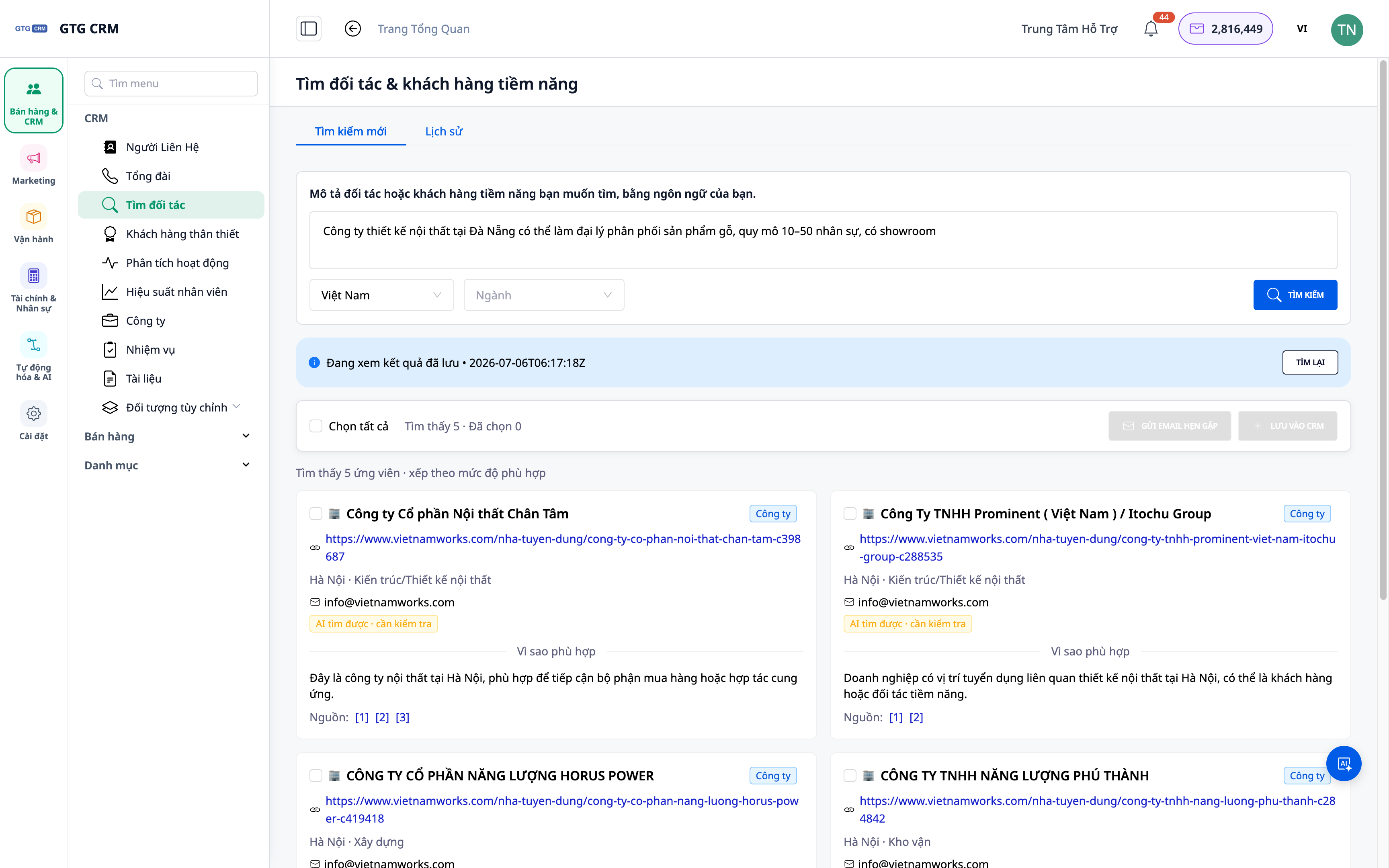
Τα προβλήματα που αντιμετωπίζουν οι επιχειρήσεις
| Ο παλιός τρόπος | Συνέπειες |
|---|---|
| Αναζήτηση στο Google/fanpage και αντιγραφή χειροκίνητα. | Πήρε όλη μέρα, τα δεδομένα ήταν κατακερματισμένα και εύκολα παραβλέπονταν. |
| Αγοράστε πλωτές καταχωρίσεις | Λανθασμένο κοινό-στόχος, παρωχημένα δεδομένα, αναποτελεσματικό |
| Μετά την αναζήτηση, δεν μπόρεσα να αποθηκεύσω τα αποτελέσματα. | Την επόμενη φορά, ξεκινήστε από την αρχή. |
| Η λίστα είναι εκτός του CRM. | Χωρίς την κατάλληλη φροντίδα και προσοχή, οι ευκαιρίες μπορούν εύκολα να χαθούν. |
Το GTG CRM ενοποιεί τις εργασίες αναζήτησης, αποθήκευσης, εισαγωγής και συντήρησης σε μία ενιαία ροή εργασίας μέσα στο υπάρχον CRM σας.
Ανταύγειες
1. Λεκτικές περιγραφές, η Τεχνητή Νοημοσύνη ανακαλύπτει πραγματικές εταιρείες και ανθρώπους.
Πληκτρολογήστε τις ανάγκες σας χρησιμοποιώντας φυσική γλώσσα (π.χ., «αλυσίδα καφέ στην πόλη Χο Τσι Μινχ χρειάζεται προμηθευτή συσκευασίας» ή «εταιρεία επίπλων στο Ανόι»). Η τεχνητή νοημοσύνη θα επιστρέψει μια λίστα με πραγματικές εταιρείες/επαφές από τον ιστό.
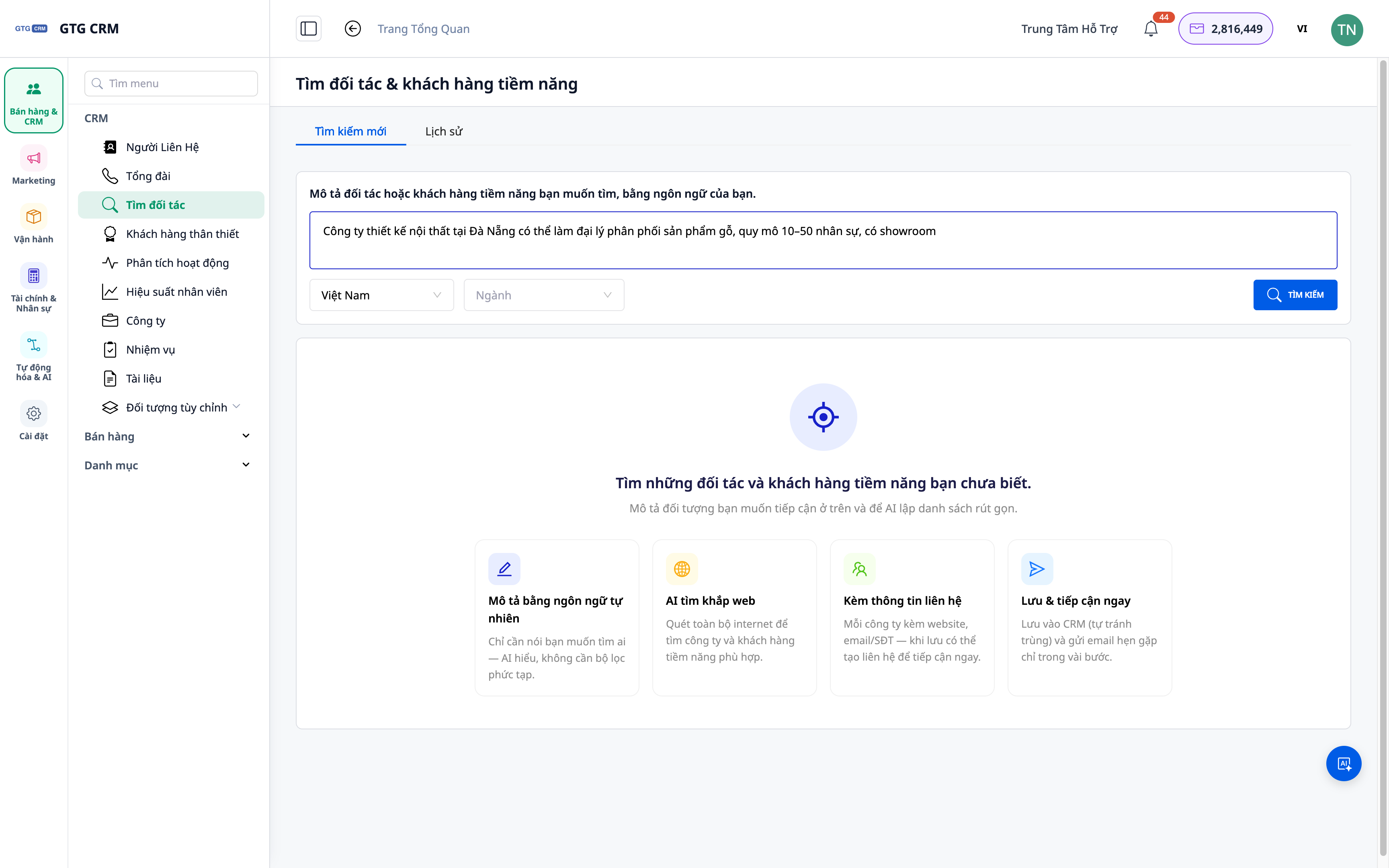
- Χαρακτηριστικό : Αναζήτηση με βάση τη φυσική περιγραφή.
- Πλεονέκτημα : Δεν χρειάζεται σύνθετη σύνταξη αναζήτησης — όπως ίσως νομίζετε.
2. Τα αποτελέσματα περιλαμβάνουν τόσο την εταιρεία όσο και το άτομο επικοινωνίας.
Η λίστα που επιστρέφεται περιλαμβάνει όχι μόνο ονόματα εταιρειών αλλά και σχετικά στοιχεία επικοινωνίας, βοηθώντας σας να προσεγγίσετε τα κατάλληλα άτομα.
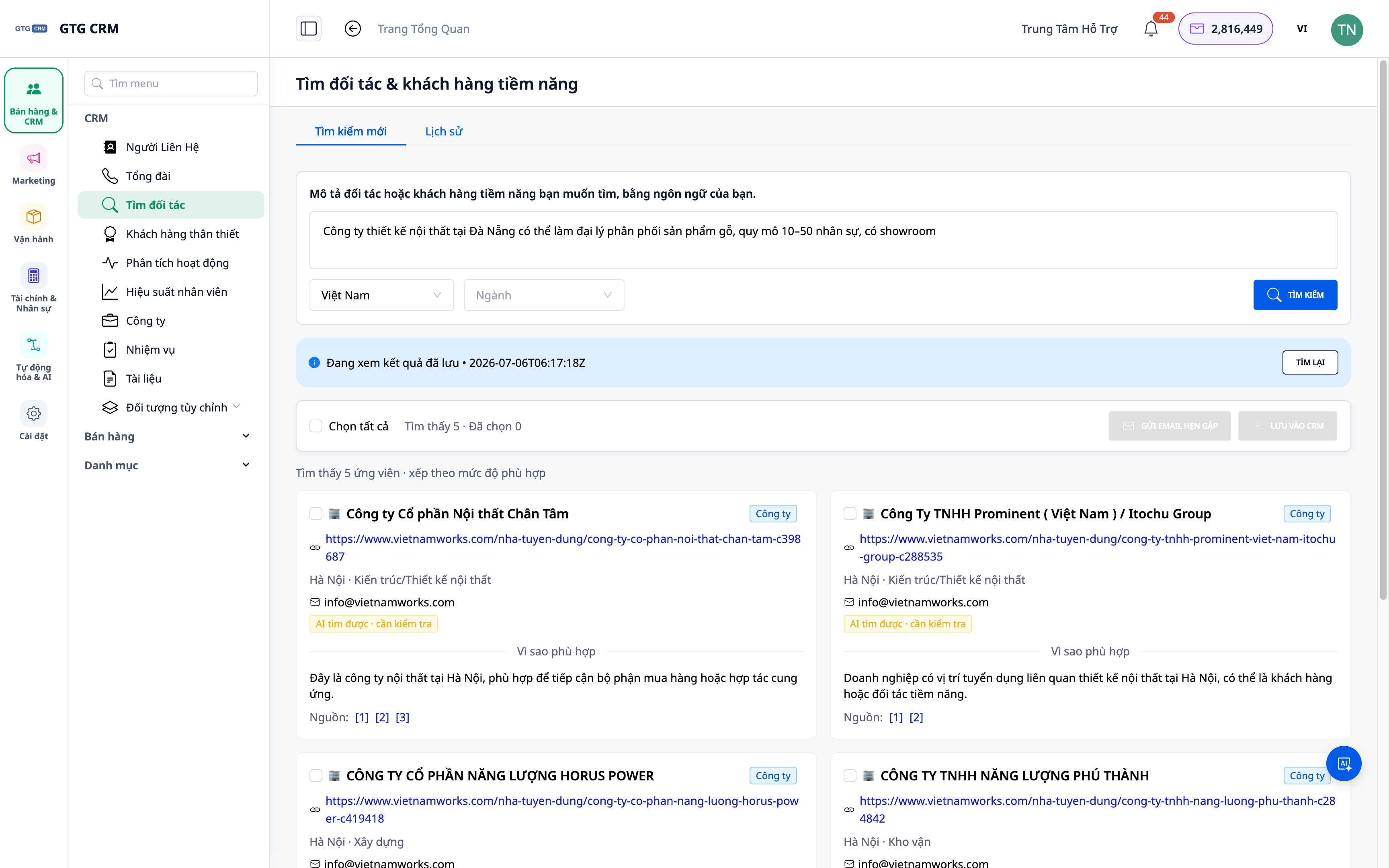
- Χαρακτηριστικά : Αποτελέσματα σε επίπεδο εταιρείας και σε ατομικό επίπεδο.
- Όφελος : Συντομεύει την πορεία προς τον υπεύθυνο λήψης αποφάσεων.
3. Αποθήκευση ιστορικού αναζήτησης — έλεγχος, επανάληψη
Κάθε φορά που εντοπίζεται ένα αποτέλεσμα, αποθηκεύεται: μπορείτε να ανοίξετε ξανά το παλιό αποτέλεσμα ή να εκτελέσετε ξανά το ερώτημα ανά πάσα στιγμή.
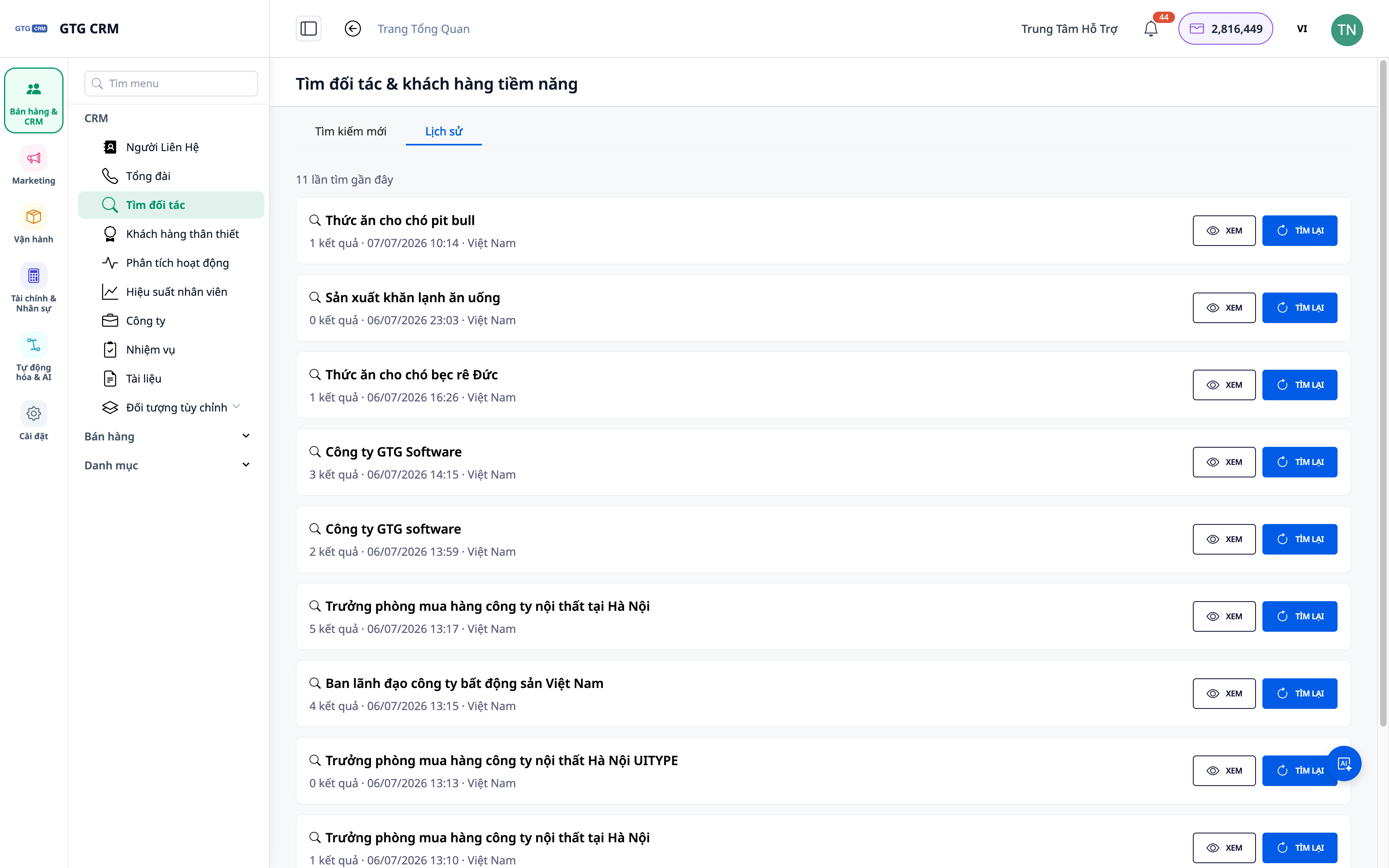
- Χαρακτηριστικό : Το ιστορικό αναζήτησης αποθηκεύεται.
- Πλεονεκτήματα : Δεν χρειάζεται να ξεκινήσετε από το μηδέν. Σταδιακή ανάπτυξη δυναμικού.
4. Εισαγάγετε απευθείας στις Επαφές και τις Εταιρείες και αναθέστε ένα σχέδιο φροντίδας.
Επιλέξτε τα σχετικά αποτελέσματα και εισαγάγετέ τα στο CRM ως Επαφή/Εταιρεία. Στη συνέχεια, επισυνάψτε ένα αυτοματοποιημένο σενάριο παρακολούθησης για να ξεκινήσετε την επικοινωνία.
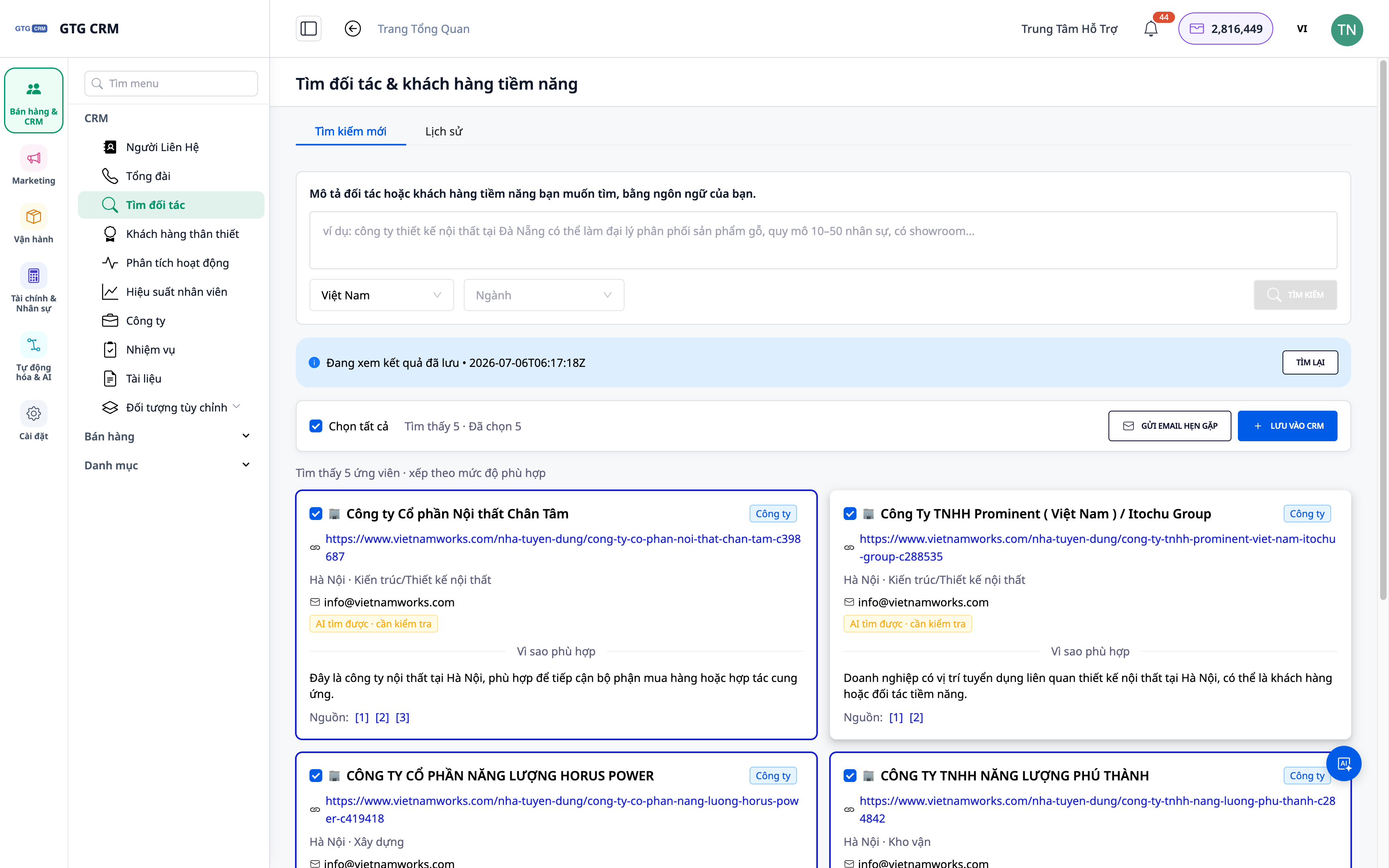
- Χαρακτηριστικά : Εισαγωγή αποτελεσμάτων σε Επαφές/Εταιρείες + επισύναψη στο εγχειρίδιο.
- Οφέλη : Από τη λίστα στην πράξη, φροντίδα με λίγα μόνο κλικ.
ℹ️ Κάθε αναζήτηση κοστίζει ένα μικρό ποσό μονάδων. Τα αποτελέσματα εξαρτώνται από δημόσια διαθέσιμα δεδομένα στο διαδίκτυο.
Οφέλη για τις επιχειρήσεις
| Χαρακτηριστικά | Πρακτικά οφέλη για εσάς |
|---|---|
| Αναζήτηση με βάση τη φυσική περιγραφή | Λάβετε μια λίστα με πιθανούς υποψηφίους σε λίγα λεπτά. |
| Αποτελέσματα Εταιρείας + Ανθρώπινου Δυναμικού | Προσέγγιση των κατάλληλων ανθρώπων, του κατάλληλου κοινού-στόχου. |
| Ιστορικό αναζήτησης | Δημιουργήστε το πιθανό σας απόθεμα σταδιακά, μην ξεκινήσετε από την αρχή. |
| Εισαγωγή απευθείας στο CRM | Μην χάσετε την ευκαιρία. Λάβετε φροντίδα απευθείας από το σύστημα. |
Για ποιον είναι κατάλληλο;
- Η ομάδα πωλήσεων/ανάπτυξης επιχειρήσεων (BD) χρειάζεται μια σταθερή ροή νέων πελατών/συνεργατών.
- Το πρακτορείο εντοπίζει πιθανούς πελάτες ανά κλάδο/περιοχή για την καμπάνια.
- Οι ιδιοκτήτες επιχειρήσεων επεκτείνουν την αγορά τους και θέλουν να αναζητήσουν προληπτικά συνεργάτες.
💡 Χρειάζεστε να βρείτε προμηθευτές (αγοραστές) αντί για πελάτες; Δείτε τη λειτουργία Εύρεσης Προμηθευτών με τεχνητή νοημοσύνη .
Πώς μπορώ να ξεκινήσω;
Μεταβείτε στην ενότητα Επαφές ▸ Βρείτε πιθανούς συνεργάτες και πελάτες , περιγράψτε ποιον αναζητάτε και ξεκινήστε. Χρειάζεστε λεπτομερή βήματα; Δείτε τον οδηγό για την εύρεση πιθανών συνεργατών και πελατών χρησιμοποιώντας την Τεχνητή Νοημοσύνη .
Δοκιμάστε το δωρεάν — δεν απαιτείται πιστωτική κάρτα.


