In the era of booming e-commerce, selling on multiple e-commerce platforms (Shopee, Lazada, TikTok Shop) has become an inevitable trend for sellers. However, managing orders from various channels often causes many difficulties: easily missing orders, difficulty controlling inventory, and significant time spent switching between platforms.
GTG CRM was born to thoroughly solve this problem by aggregating all orders from e-commerce platforms into a single platform. No need to log into each platform individually, you can track, process, and ship all orders directly on GTG CRM, helping to optimize the sales process and not miss any orders.
This article will guide you step-by-step on how to synchronize and manage multi-channel orders on GTG CRM most effectively.
Key Features
Automatic order synchronization from Shopee, Lazada, TikTok Shop to a single platform
Centralized order management — View and process all orders from multiple channels in one place
Unified inventory management — Synchronized inventory updates across all sales channels
Automatic generation of pick lists as soon as an order is "Confirmed" - no need to wait until 'In Transit'
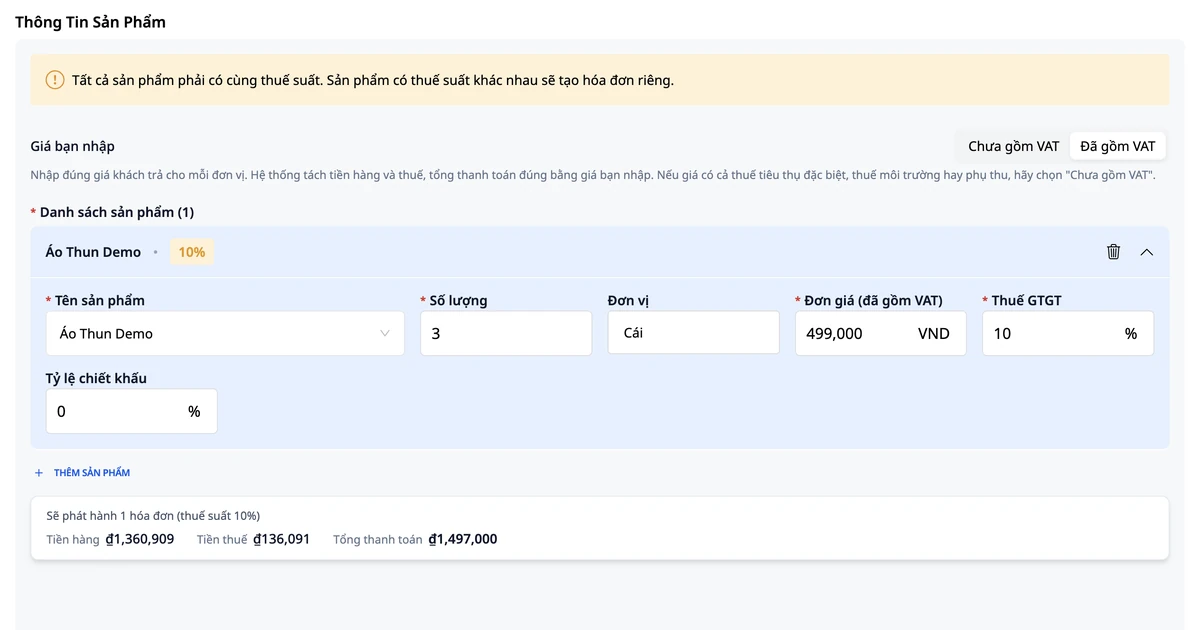
Automatic issuance of electronic invoices in accordance with Government regulations
Consolidated revenue reporting from all sales channels
Fast processing — No need to switch between multiple platforms
Multi-channel Order Synchronization Guide
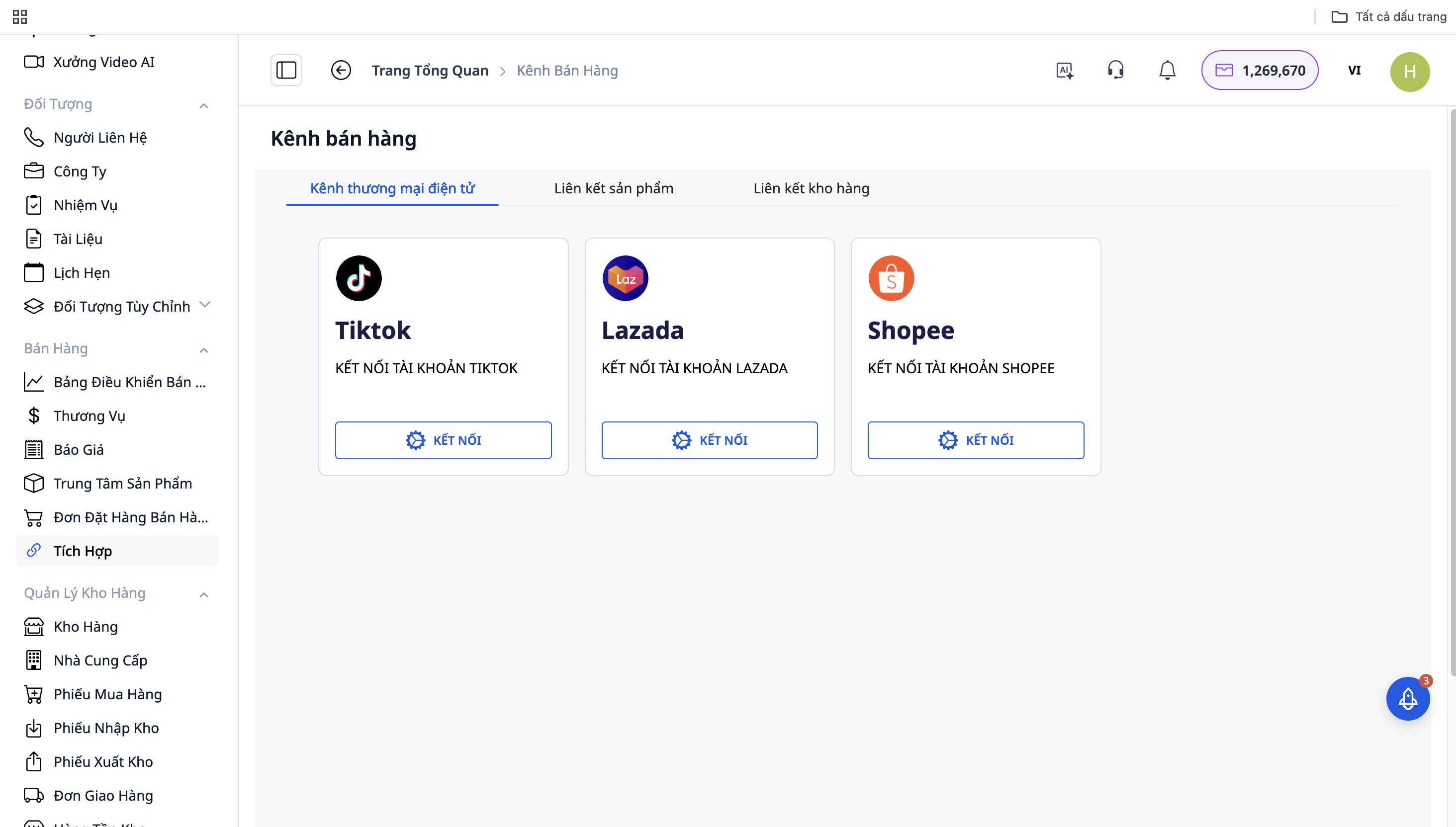
Step 1: Connect with E-commerce Platforms
Go to "Settings" → "Sales Channel Integrations"
Select the platform to connect: Shopee / Lazada / TikTok Shop
Click "Connect" and log in with your shop account
Allow GTG CRM to access order and product data
Repeat for other platforms
Step 2: Automatic Order Synchronization
After successful connection, GTG CRM will automatically synchronize orders from the platforms to the system:
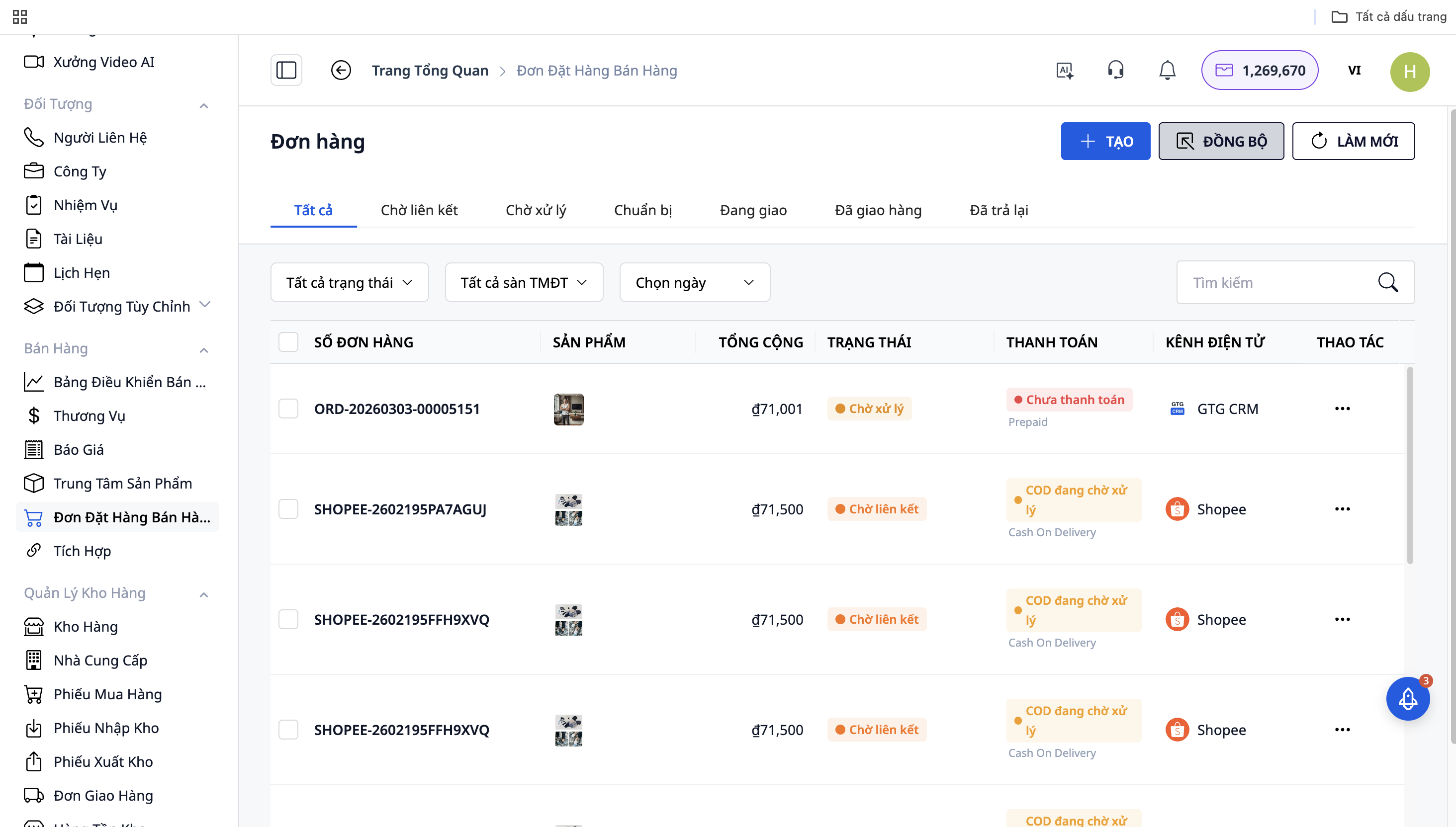
All orders from Shopee, Lazada, TikTok Shop will be displayed in the "Sales Dashboard"
Each order will have a source icon (platform logo) for easy identification
Orders are updated in real-time
Step 3: Order Processing
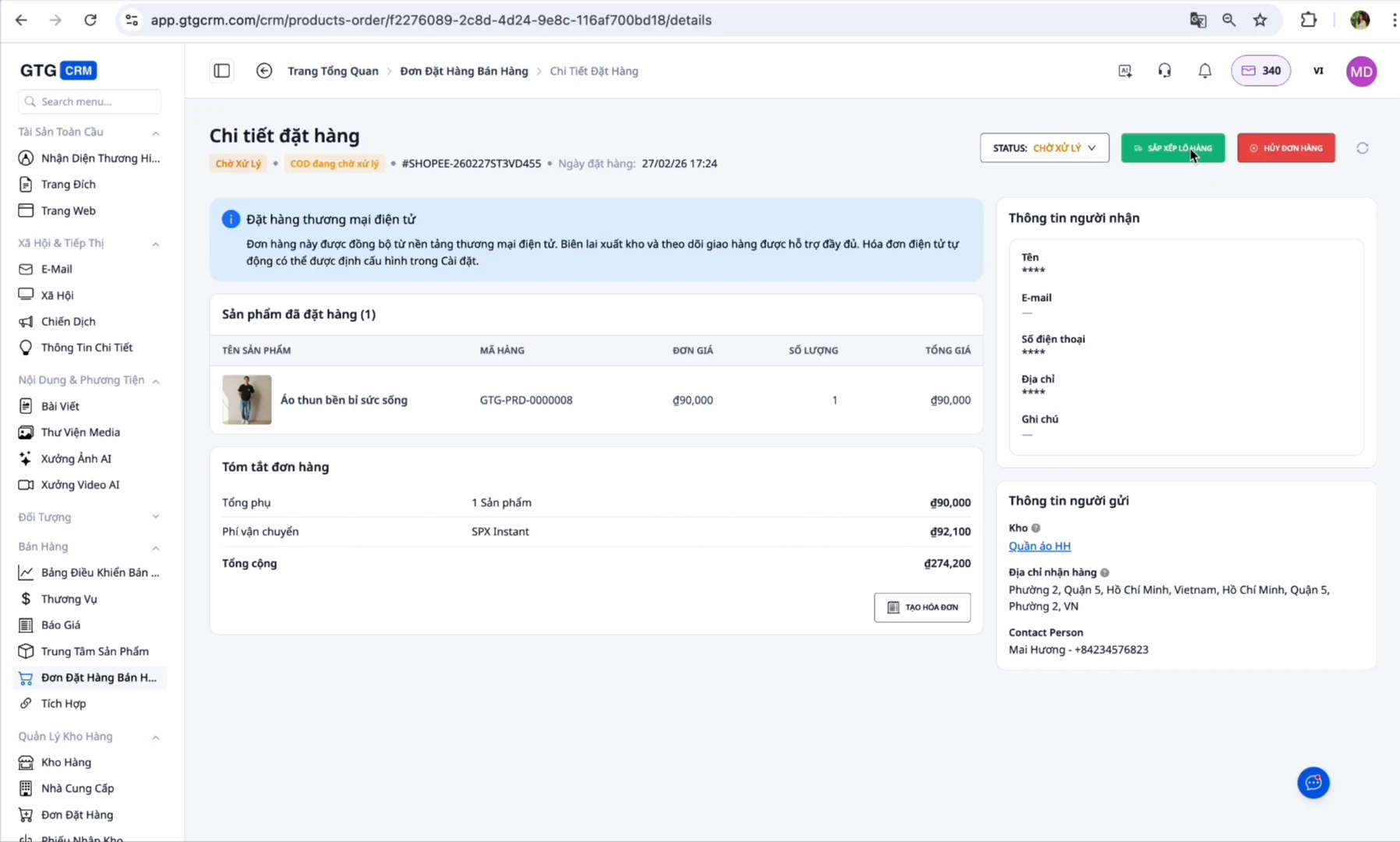
When a new order arrives: The order will be in the "On Hold" or "Pending" status
Confirm order: Change the status to "In Transit"
Prepare shipment: Go to the shipping orders section, click "Print Label" to generate a shipping label
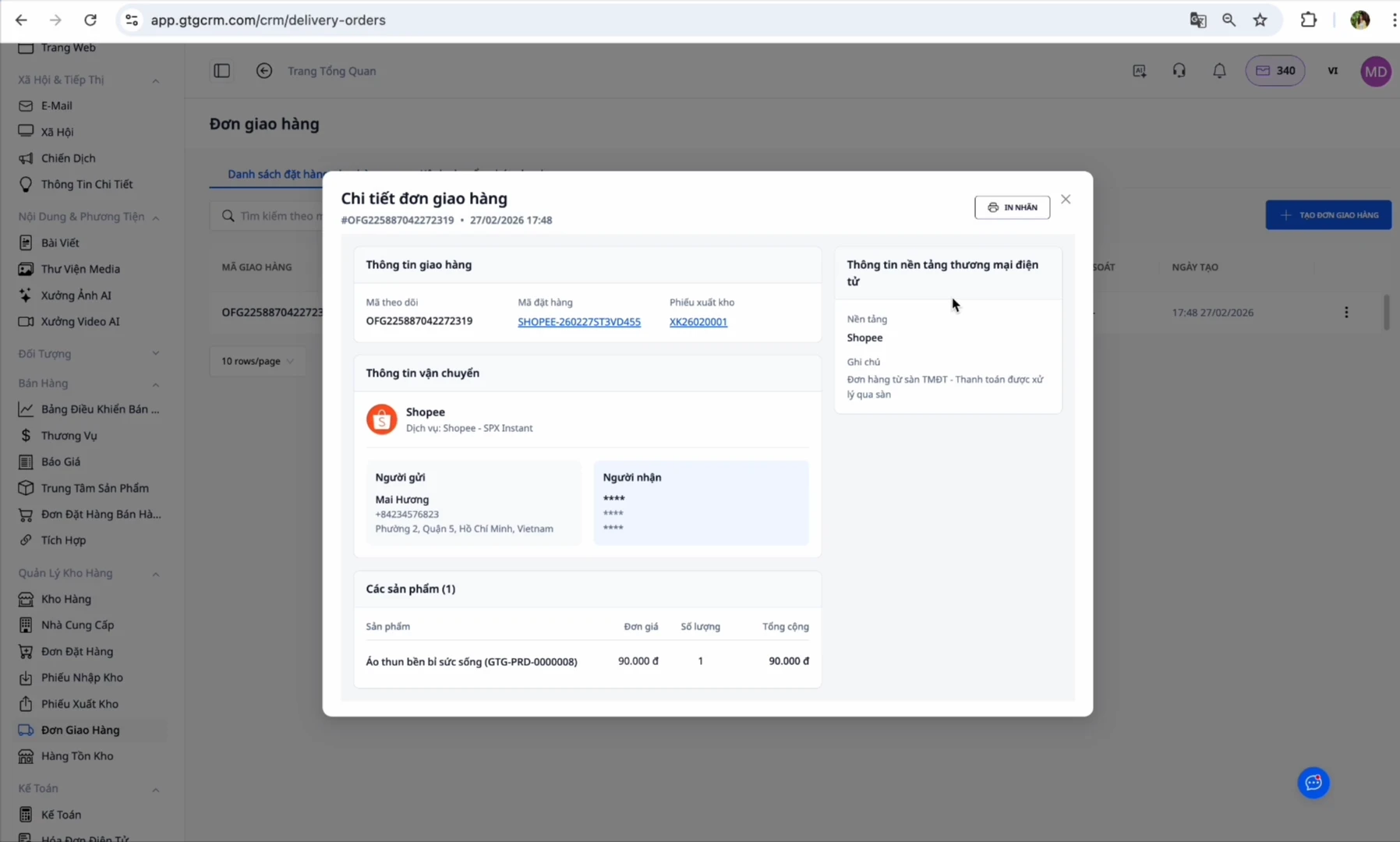
At this point, GTG CRM automatically creates a pick list:
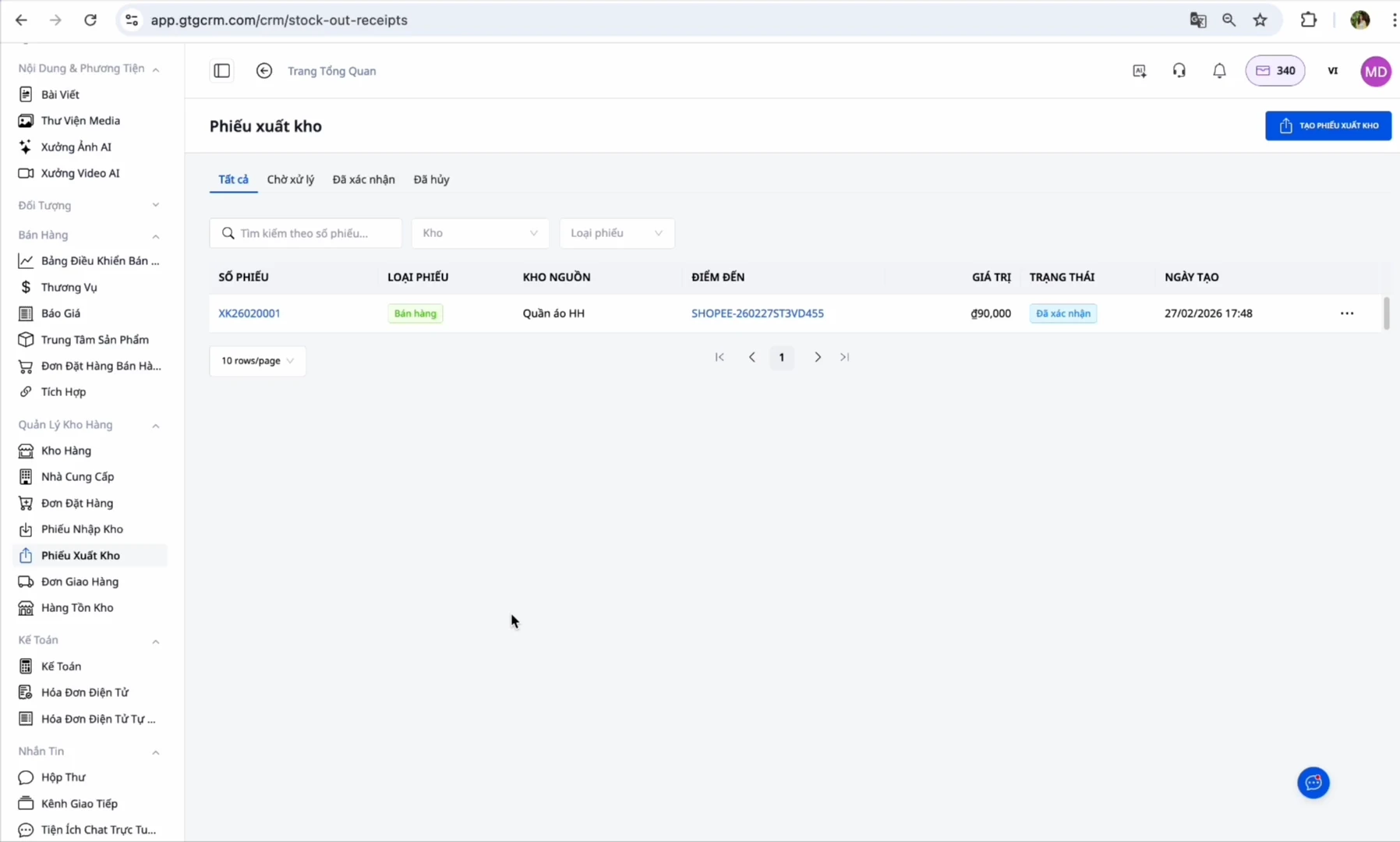
Export goods: Go to the created export order → Click "Confirm Export" (This step is performed by you, it deducts inventory and records the cost of goods sold. After you confirm, the system automatically issues the e-invoice), then the system automatically issues the e-invoice (if configured)
Complete: When the customer successfully receives the goods, the order will be changed to "Completed"
Benefits of using GTG CRM
Save time: No need to log into each marketplace individually, manage all orders in one place
Never miss an order: Automatic synchronization ensures you never miss an order
Accurate inventory control: Inventory quantities are synchronized and updated across all channels
Automate processes: The export order is pre-created for you, you just need to click to confirm, and the e-invoice will be automatically issued afterwards
Easy tax declaration: The system automatically collects input invoices and issues output invoices according to Government regulations
Consolidated reports: View revenue and profit from all channels in a single dashboard
Important notes
Regarding SKUs:
Ensure the SKU on GTG CRM matches 100% with the SKU on e-commerce marketplaces
If SKUs are different → The system cannot synchronize inventory
One product = One unique SKU across all channels
Regarding automatic invoice issuance:
If you have authorized marketplaces (Shopee/Lazada/TikTok) to issue invoices automatically → DO NOT enable automatic invoice issuance on GTG CRM to avoid double invoicing
Only enable this feature if you have not authorized the marketplace (note that this only applies to orders from e-commerce marketplaces)
Regarding warehouse address:
Enter the warehouse address accurately as this is where the shipper will pick up the goods
Ensure there is always a person in charge at the warehouse during working hours
Regarding order status:
You must confirm the export of goods before the automatic invoice can be issued
Adjustment invoices can only be created when the original invoice has been issued
Conclusion
GTG CRM is a comprehensive solution that helps multi-channel sellers manage orders from Shopee, Lazada, and TikTok Shop most effectively. Instead of logging into each marketplace individually, wasting time switching between them, and easily missing orders, you can simply open GTG CRM and handle all orders immediately.
Especially with the automation features from creating export orders to issuing e-invoices, GTG CRM helps you comply with legal regulations regarding invoices without extra effort. The smart inventory synchronization system ensures you always have accurate control over your stock, avoiding overselling.
With GTG CRM, you can focus on selling and growing your business, instead of spending time on manual operational tasks. This is an indispensable tool for every multi-channel seller in the e-commerce 4.0 era.