
Introductie van de Functies
Eén ding weet je zeker: een bestaande klant behouden is veel goedkoper dan een nieuwe vinden. Maar in je CRM zien alle klanten er hetzelfde uit — geen manier om te weten wie de frequente grote koper is, wie ooit een VIP was maar al drie maanden niet meer is teruggekeerd, of wie slechts één keer kocht en verdween. Je wilt degenen die het verdienen eren en degenen die op het punt staan te vertrekken terugwinnen, maar je hebt geen gegevens om dit systematisch te doen.
GTG CRM doet dit nu automatisch voor je.
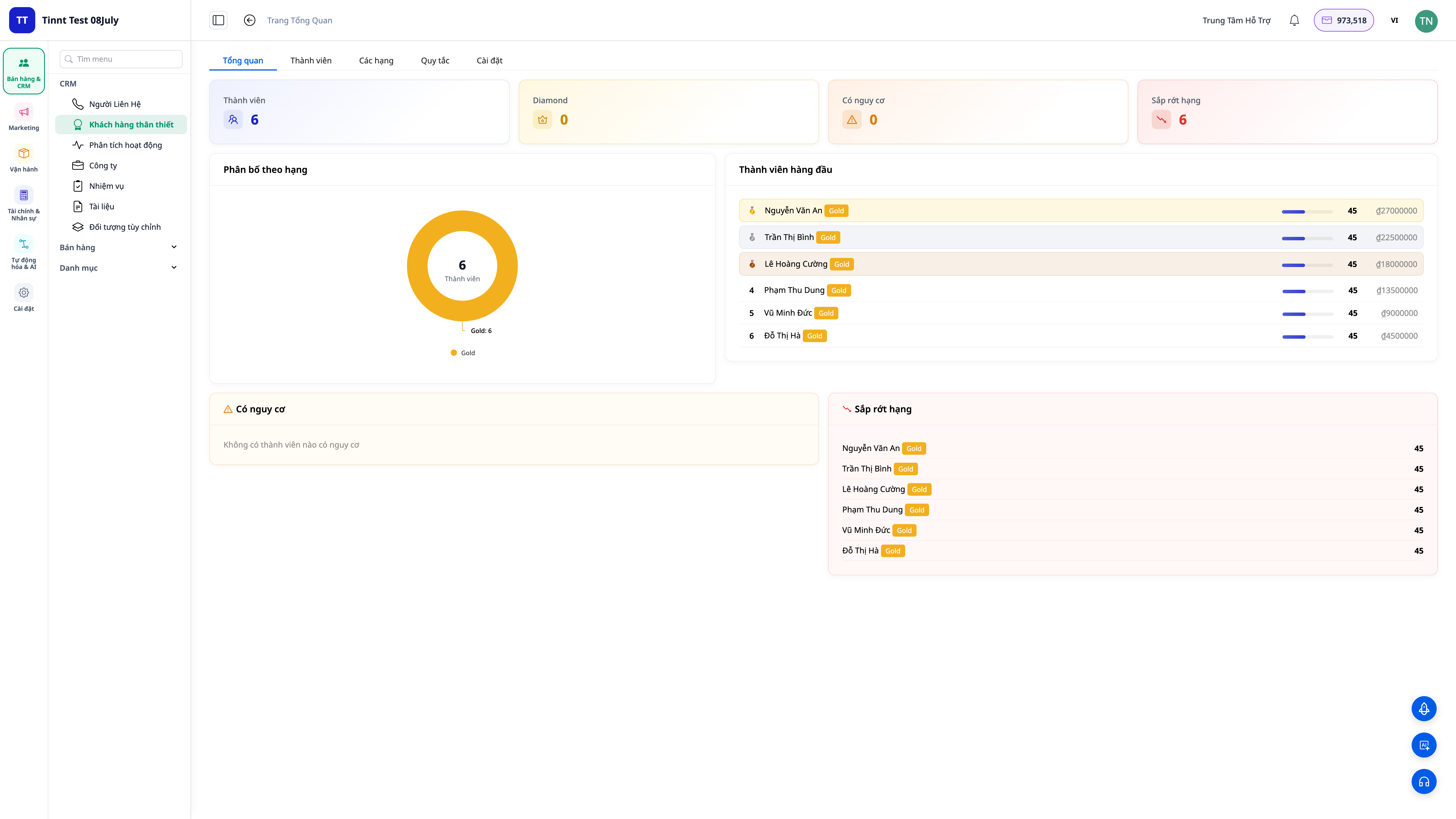
De functie Loyalty scoret automatisch elke contactpersoon op basis van aankoopgedrag (recentheid, frequentie, waarde), rangschikt ze in niveaus die je zelf kunt benoemen en kleuren, en voert automatisch nurture-scripts uit wanneer iemand stijgt of daalt. Scores worden elke nacht opnieuw berekend met een mechanisme dat met de tijd afneemt — zodat klanten die al lang niet meer hebben gekocht automatisch punten verliezen, waardoor je vroegtijdig klanten kunt identificeren die op het punt staan te vertrekken.
Problemen Waarmee Bedrijven Geconfronteerd Worden
| Oude manier | Gevolg |
|---|---|
| Alle klanten in CRM zijn hetzelfde, geen classificatie | Weet niet wie prioriteit verdient, verkeerde mensen eren |
| VIP-klanten onthouden op geheugen of aparte Excel-bestanden | Mensen over het hoofd zien, verouderde gegevens, niemand werkt bij |
| Pas beseffen dat klanten vertrekken als de omzet al is gedaald | Klanten verloren voordat je het wist, te laat om ze terug te winnen |
| Handmatige, willekeurige klantenservice | Niet consistent, sommigen worden verzorgd, sommigen worden vergeten |
GTG CRM transformeert aankoopgedrag in dagelijks bijgewerkte klantpunten en -niveaus, direct op het contactprofiel en de lijsten — en activeert automatisch de juiste nurture-scripts op het juiste moment.
Hoogtepunten
1. Automatische scoring op basis van aankoopgedrag
- Drie kernfactoren: scores gebaseerd op recentheid (recency), frequentie (frequency) en aankoopwaarde (monetary) — een bewezen model in de detailhandel.
- Kant-en-klare configuraties voor bedrijfsmodellen: kies een geschikte preset (retail, service, abonnement…) en pas de gewichten naar wens aan.
- Elke nacht opnieuw berekend, met afnemende waarde in de tijd: klanten die al een tijdje niet hebben gekocht, verliezen automatisch punten — je ziet wie er afkoelt voordat ze helemaal verdwijnen.
2. Door jou gedefinieerde rangschikking — eigen namen en kleuren
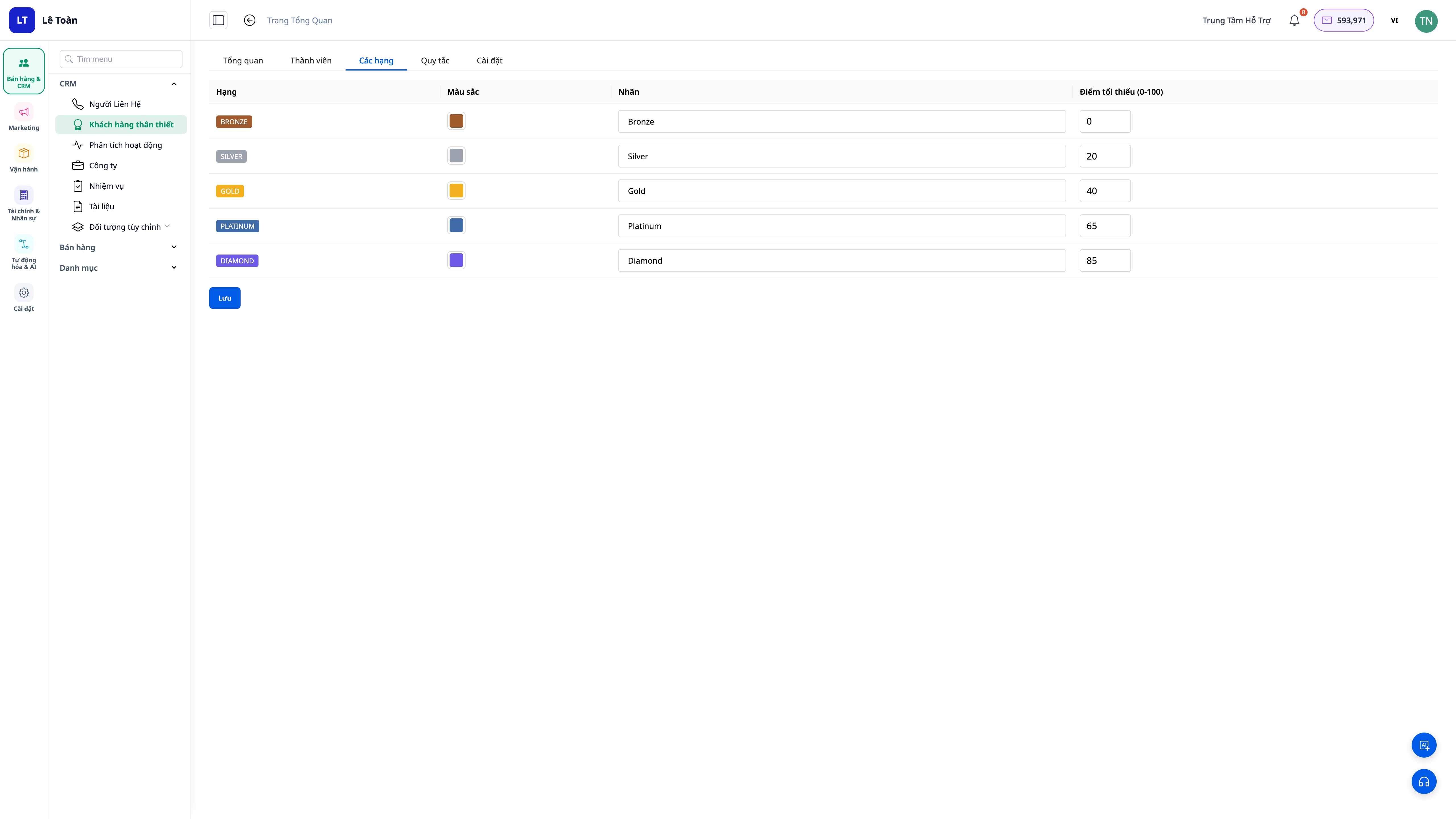
- Volledig aanpasbaar: geef niveaus een naam (bijv. Brons / Zilver / Goud / Diamant) en een eigen kleur voor elk niveau.
- Degraderen toestaan of blokkeren: schakel de optie voor degraderen in/uit om bij je beleid te passen.
- Direct zichtbaar waar je werkt: niveau-badges verschijnen in de contactlijsten en er is een aparte Loyalty-tab op het klantprofiel.
3. Automatisch uitgevoerde nurture-scripts bij niveauverandering
- Niveau stijgen: stuur automatisch bedankjes, loyaliteitsprikkels, of wijs taken toe aan de verantwoordelijke medewerker.
- Niveau dalen / afkoelen: activeer automatisch een win-back script op het juiste moment, in plaats van klanten stilletjes te laten vertrekken.
- Niet nodig om helemaal opnieuw te beginnen: voorbeeldscripts (playbooks) worden geïnstalleerd wanneer je Loyalty inschakelt, je kunt ze direct gebruiken of aanpassen.
4. Loyalty Dashboard — een blik en je begrijpt het
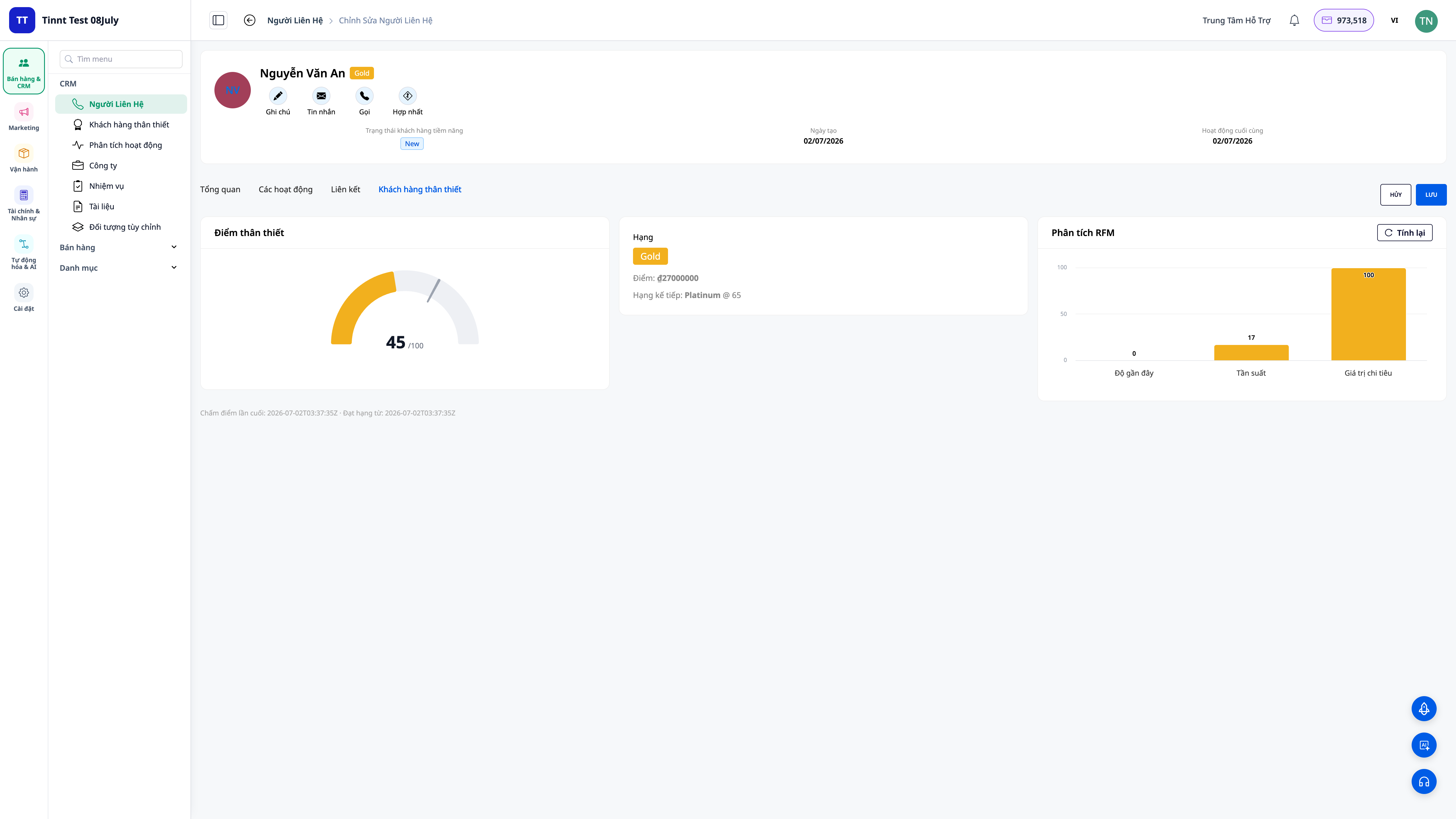
- Overzichtelijke scorekaarten: aantal klanten per niveau, distributie, trends.
- Rangschikkingspodium: snel een overzicht van de topklanten die prioriteit verdienen.
- Op elk profiel: huidige score, niveau en geschiedenis van niveauveranderingen van elke klant.
Voordelen voor het Bedrijf
| Functie | Werkelijk voordeel voor jou |
|---|---|
| Automatische scoring op basis van recentheid/frequentie/monetary | Weet precies wie de meest waardevolle klanten zijn — geen gokwerk |
| Aanpasbare niveaus met namen + kleuren | Klanten duidelijk classificeren, de juiste mensen eren |
| Score neemt af in de tijd, elke nacht opnieuw berekend | Vroegtijdig klanten identificeren die op het punt staan te vertrekken om ze tijdig terug te winnen |
| Automatisch uitgevoerde nurture-scripts bij niveauverandering | Consistente verzorging, geen gemiste kansen, geen willekeur |
| Dashboard + niveau-badges in de lijst | Direct prioriteitsbeslissingen nemen op het werkscherm |
Voor Wie Is Het Geschikt?
- Detailhandel, F&B, cosmetica, modezaken met terugkerende klanten, die hun klanten willen behouden en de levenscycluswaarde willen verhogen.
- Dienstverlenende bedrijven / abonnementsdiensten die klanten die dreigen te stoppen vroegtijdig moeten identificeren.
- Sales/klantenservice teams die de juiste klantengroepen willen prioriteren en het eren en terugwinnen van klanten willen automatiseren.
Hoe Te Beginnen?
Ga naar CRM → Loyalty, schakel het programma in, kies een scoring preset op basis van je bedrijfsmodel, en geef de niveaus namen en kleuren. Het systeem zal je klanten de nacht erna automatisch scoren en rangschikken. Bekijk de stapsgewijze handleiding voor het instellen van het Loyalty Programma, lees het real-life verhaal Klanten die eenmalig kopen omzetten in trouwe klanten, en leer hoe je klantgegevens in CRM kunt optimaliseren voor nauwkeurigere scoring.
Gratis proberen — geen creditcard vereist.


