
Challenges in Managing Omnichannel Customer Communication
Customers don't pick just one channel to interact with you. They message on Facebook today, send an email tomorrow, and then comment on a post a few days later. Without a centralized management system, the customer experience declines and sales opportunities are lost:
- Missed Important Conversations: Messages, comments, and requests scattered across multiple channels are easily overlooked.
- Delayed Responses: Constantly switching between platforms makes customers wait and might lead them to competitors.
- Unsure Who's Waiting: A customer messages, but no one replies — and no one knows.
- Inconsistent Information: Each employee on a different platform can easily give conflicting answers, reducing professionalism.
- Lost Emails: Replying outside the system can easily send messages to the wrong inbox and not be saved to the customer's profile.
- Disorganized and Time-Consuming Operations: Each conversation in a separate tab reduces productivity and increases the chance of errors.
Omnichannel Messaging GTG CRM: Consolidate All Channels, Never Miss Anyone
To master the customer journey, you need a tool that unifies all communication in one place. GTG CRM does just that — and its latest update adds "safety nets" to ensure **no customer is forgotten**.
Unify All Communication Channels in a Single Place
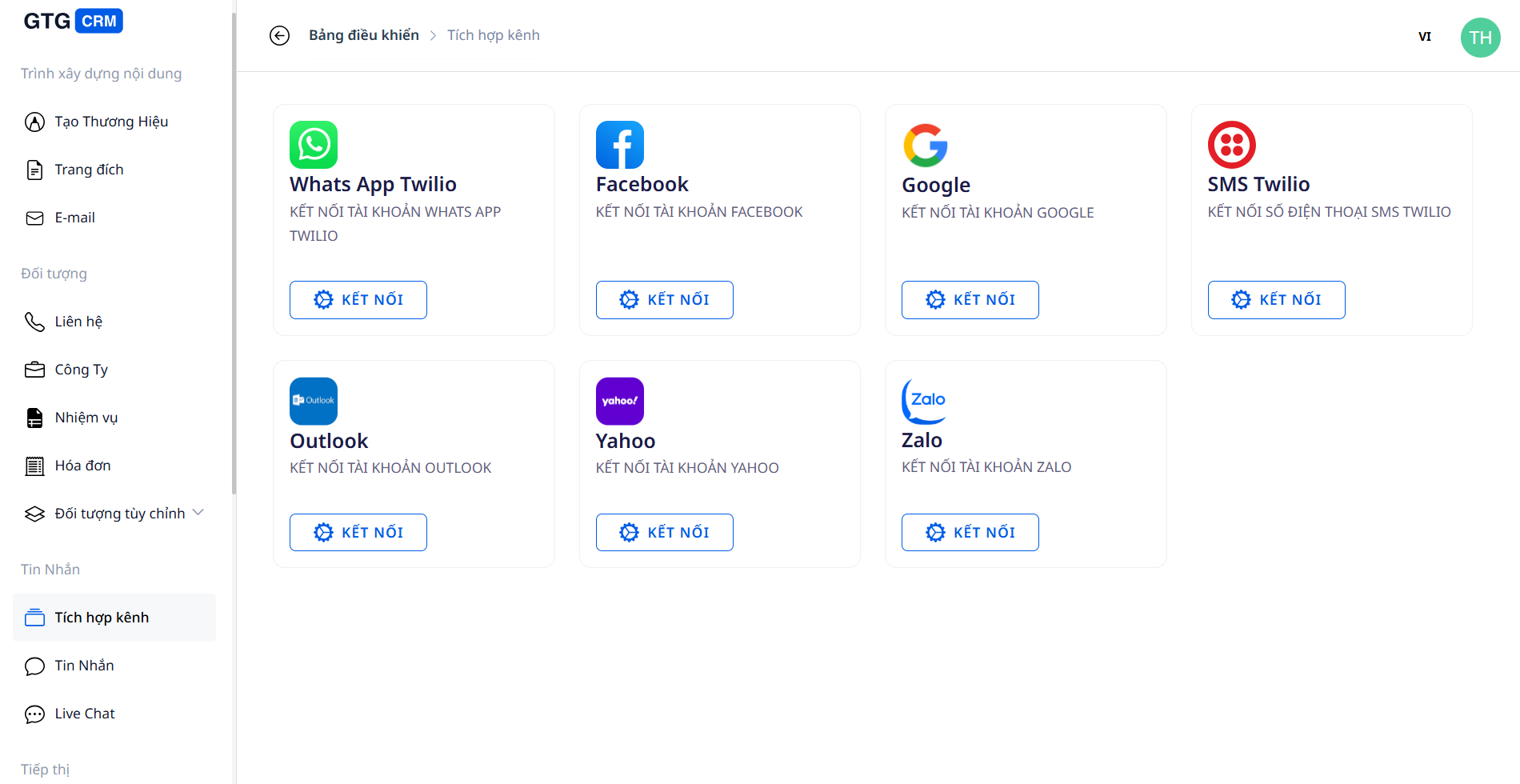
- Seamless Omnichannel Connection: Facebook Messenger, Zalo OA, Gmail, Outlook, WhatsApp, and Live Chat on your website — all integrated into one system.
- Centralized Management on One Screen: View and respond to all conversations without opening 5 applications.
- Correct Customer Display Names: Facebook/Messenger conversations show the correct sender's name, making identification and care easier.
Never Miss a Potential Customer — Even When Everyone's Busy
Consolidating messages in one place is just the first step. The real challenge is **ensuring no customer is left waiting indefinitely**:
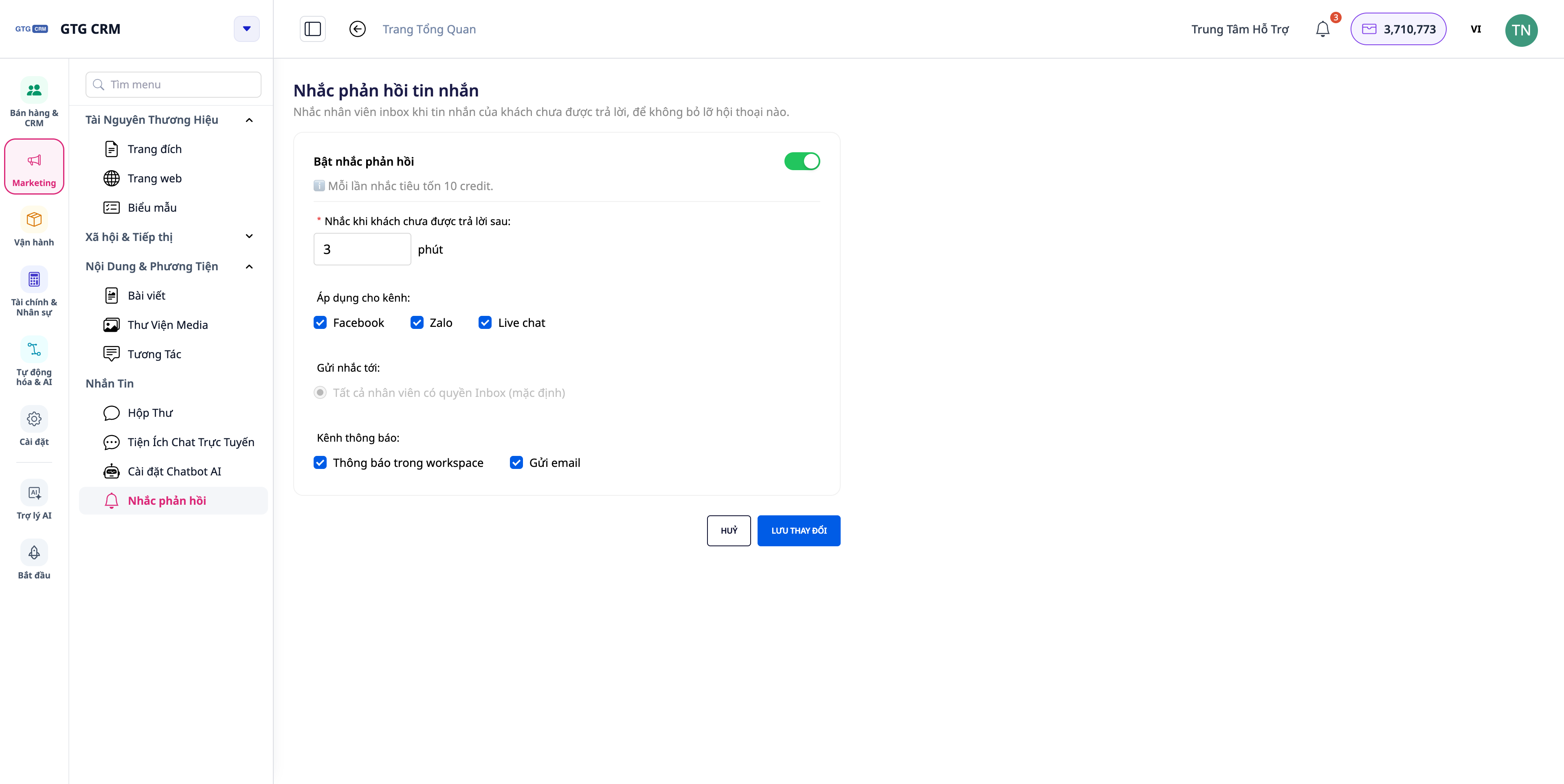
- Reply SLA Reminder: When a customer's message isn't replied to (by a human or AI) beyond your set time limit (default 30 minutes), the system **immediately reminds** the assigned employee with an in-app notification and a push notification — **click to open the exact conversation** that's waiting. Once a reply is sent, the reminder stops. This is how you turn a "shared inbox" into a process with no drop-offs.
- Categorize with Status Tags: Use tags to categorize and personalize care for each customer group.
- Automated Facebook Comment Replies: When a customer comments on a post, they immediately receive a private message **you've personally drafted for each page** (including the customer's name) — capturing them at the moment of interest, perfect for service businesses.
Respond Professionally on All Channels — Including Email
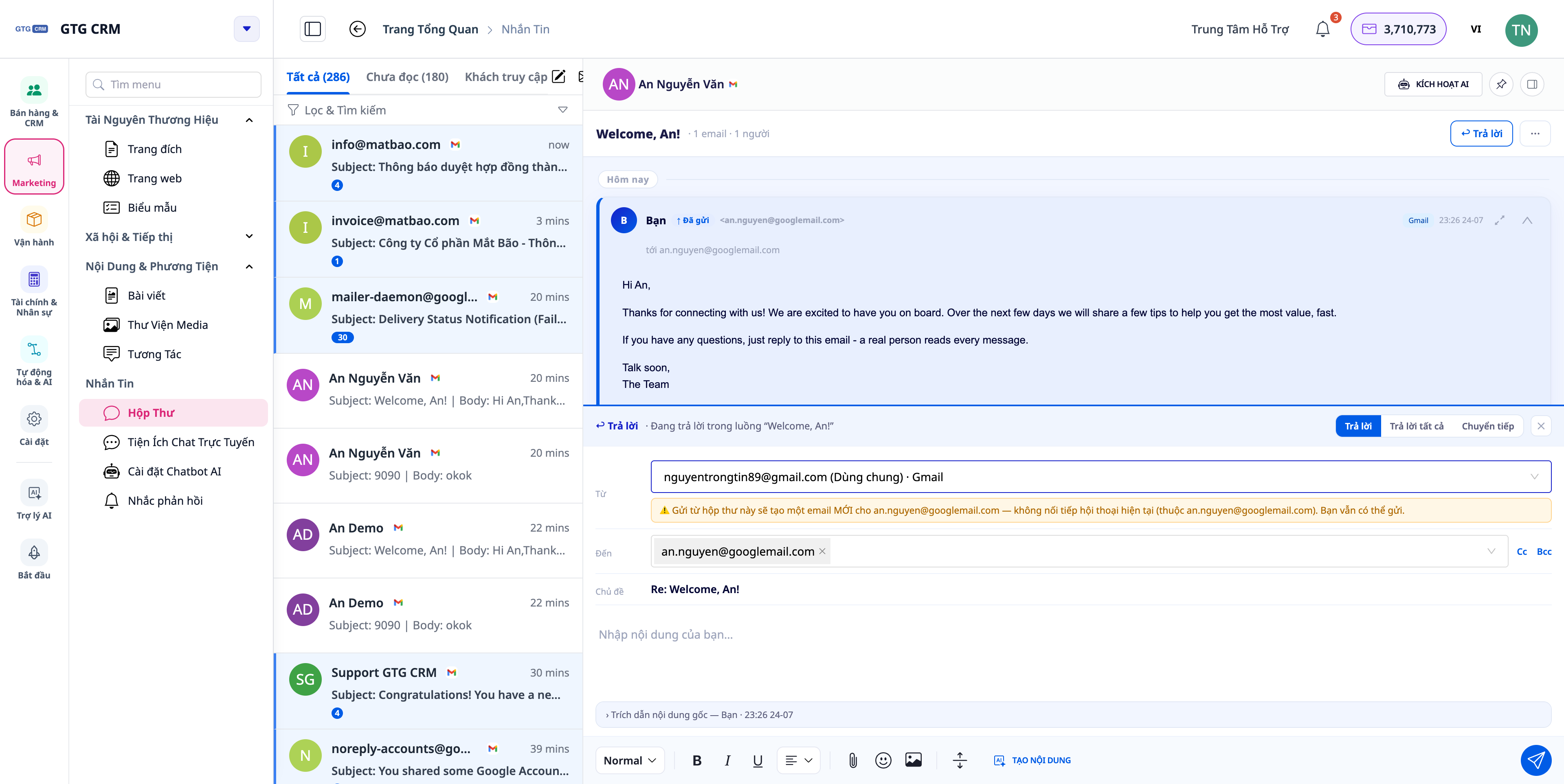
- Email in the correct thread, from the correct sending mailbox: reply to emails right within the inbox as a true conversation thread; choose to send from the company's shared mailbox or your personal mailbox — replying to a Gmail thread will stay within Gmail, not accidentally go to another inbox. Add Cc/Bcc when needed.
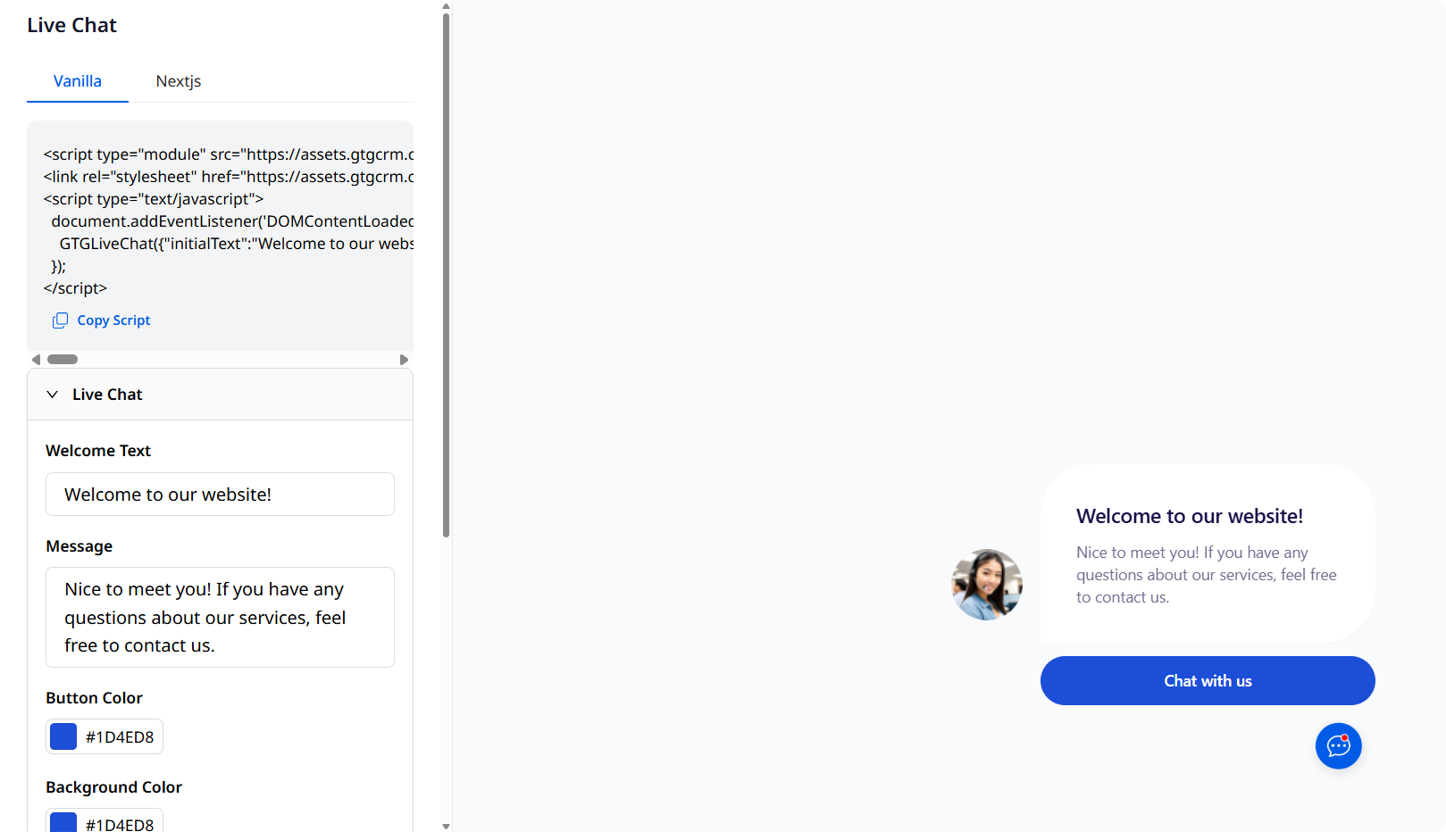
- Live Chat specific to each website: each website you publish can have its own dedicated Live Chat assistant (personality, language, knowledge base, handover threshold to humans) — respond in the correct context for each page/brand, support customers at the "golden moment" on the website.
- Full history & customer journey saved: all conversations are saved and linked to customer profiles in the CRM, allowing you to scroll back and view old messages.
Conclusion
GTG CRM's Omnichannel Messaging unifies customer communication across all channels — and with response reminders, replying to emails in the correct thread, auto-replying to Facebook comments, and website-specific Live Chat, you gain additional safety nets to never miss a customer. Less manual work, faster responses, a more consistent experience.
See the full features in the Messaging & Live Chat article, or follow the step-by-step guide to using Messaging & Live Chat.


