
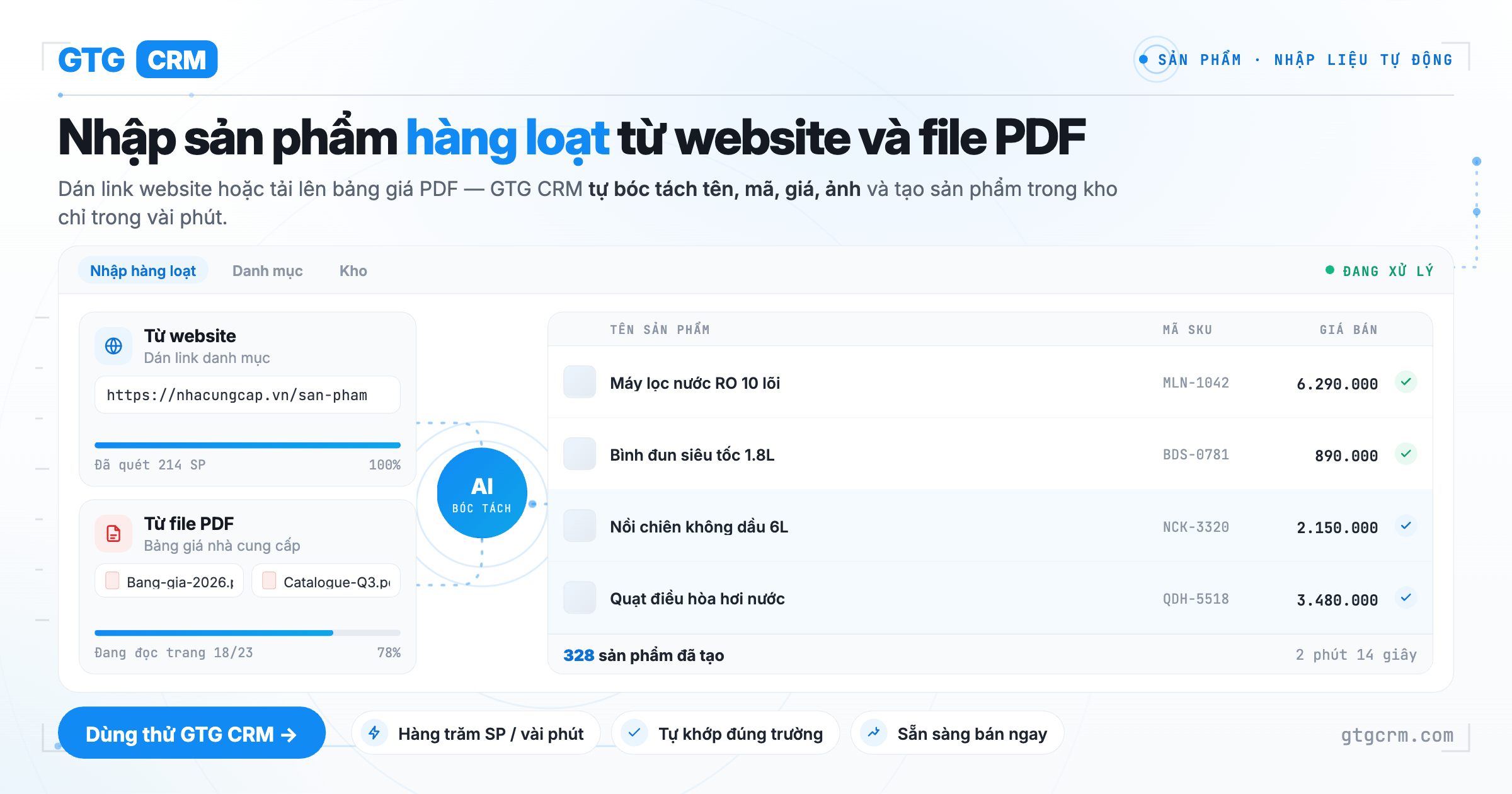
Are you facing this problem?
Ms. Lan opened a home decor store, sourcing products from several suppliers and selling them on her own website as well as Shopee and TikTok Shop. When transitioning to a new management system, she faced a "mountain": over 300 products to re-enter manually — name, price, description, specifications, and most importantly, images. Her suppliers sent her a thick PDF catalog; products already on sale were already on her website and the marketplace. But to get them all into the system, she had to open each page, copy each line, download each image, and then re-crop them — taking a whole week, and still missing some.
This is the pain point that causes many shop owners to delay switching to a better system: not because the system is difficult to use, but because the process of data entry is too discouraging. And when they finally finish entering data, the categories are forced into the rigid classification tree of the marketplace, not reflecting how she actually organizes her store.
What you really want to achieve
Ms. Lan doesn't want to retype information that already exists elsewhere. She wants: to simply tell the system where the products are — a link, a catalog file — and then let it automatically create the products for her to review. She wants complete images (not just one), including brand, barcode, specifications, and variants (color, size). And she wants to organize categories herself according to how her store operates, not learn the classification tree of a marketplace.
In short: she wants the "data entry" process to reduce from a whole week to just an afternoon.
How GTG CRM helps you do that
The Product Hub in GTG CRM transforms catalog creation from "manual typing" to "review and click to create":
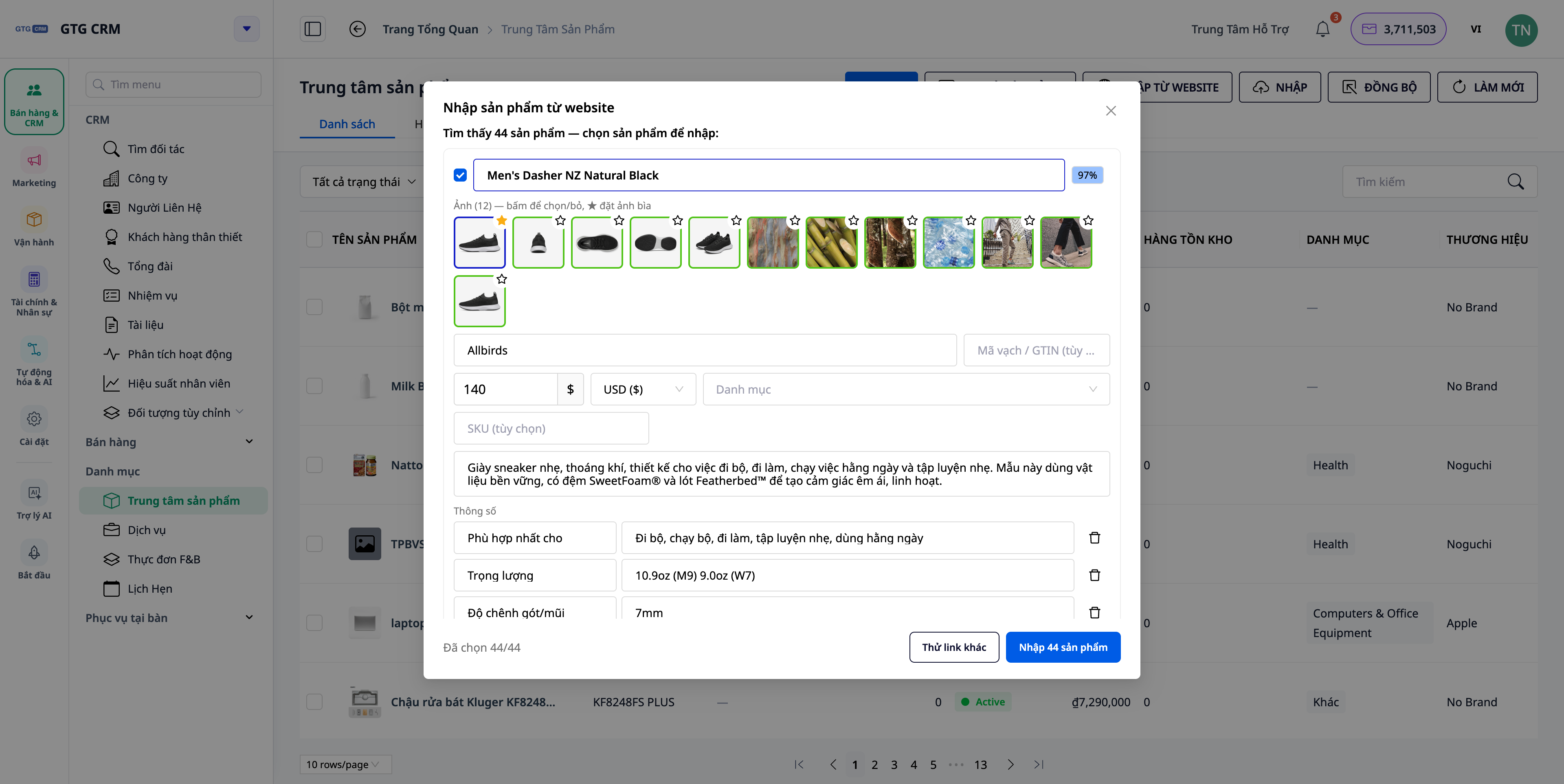
Paste a store link — AI reads the page and creates draft products. Ms. Lan pasted the link to her website's "all products" page; the system read the page and returned a list of draft products — including name, SKU, description, brand, barcode (GTIN), specifications, price, variants, and even a full set of images. Turning on the "get full details" option allows it to open each product page to retrieve all images and information.
Review before creating — you are still in control. On the review screen, she can edit any field, remove products she doesn't want, and choose which images to keep and which to set as the cover image. Nothing is saved until she clicks Create.
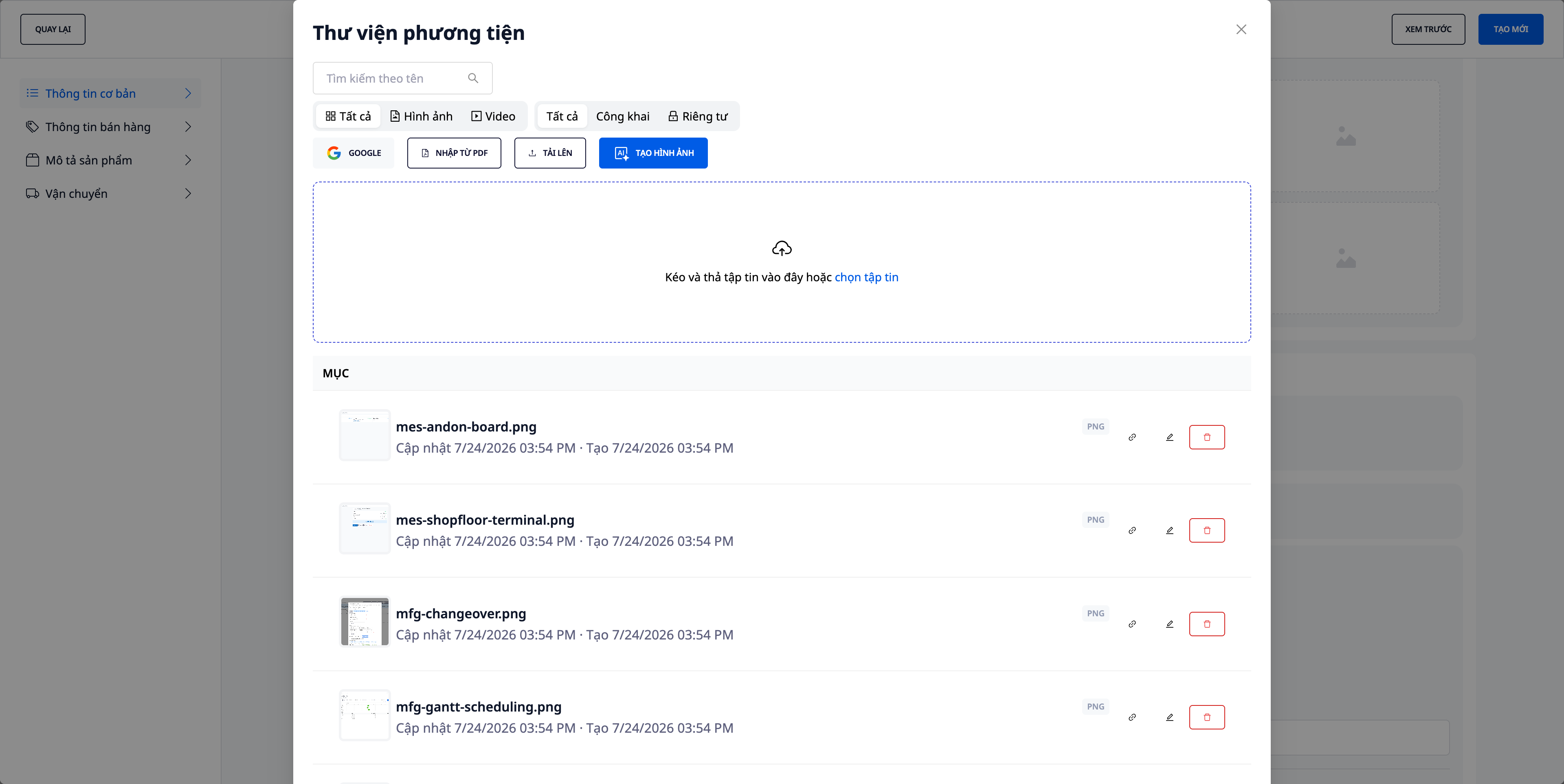
Get images from the supplier's PDF catalog. For items only available in the PDF catalog, she drags the file into the Media Library and pulls images directly from it — then crops/adjusts the frames right there, without needing to open another tool. Images retain their original filenames, making them easy to identify.
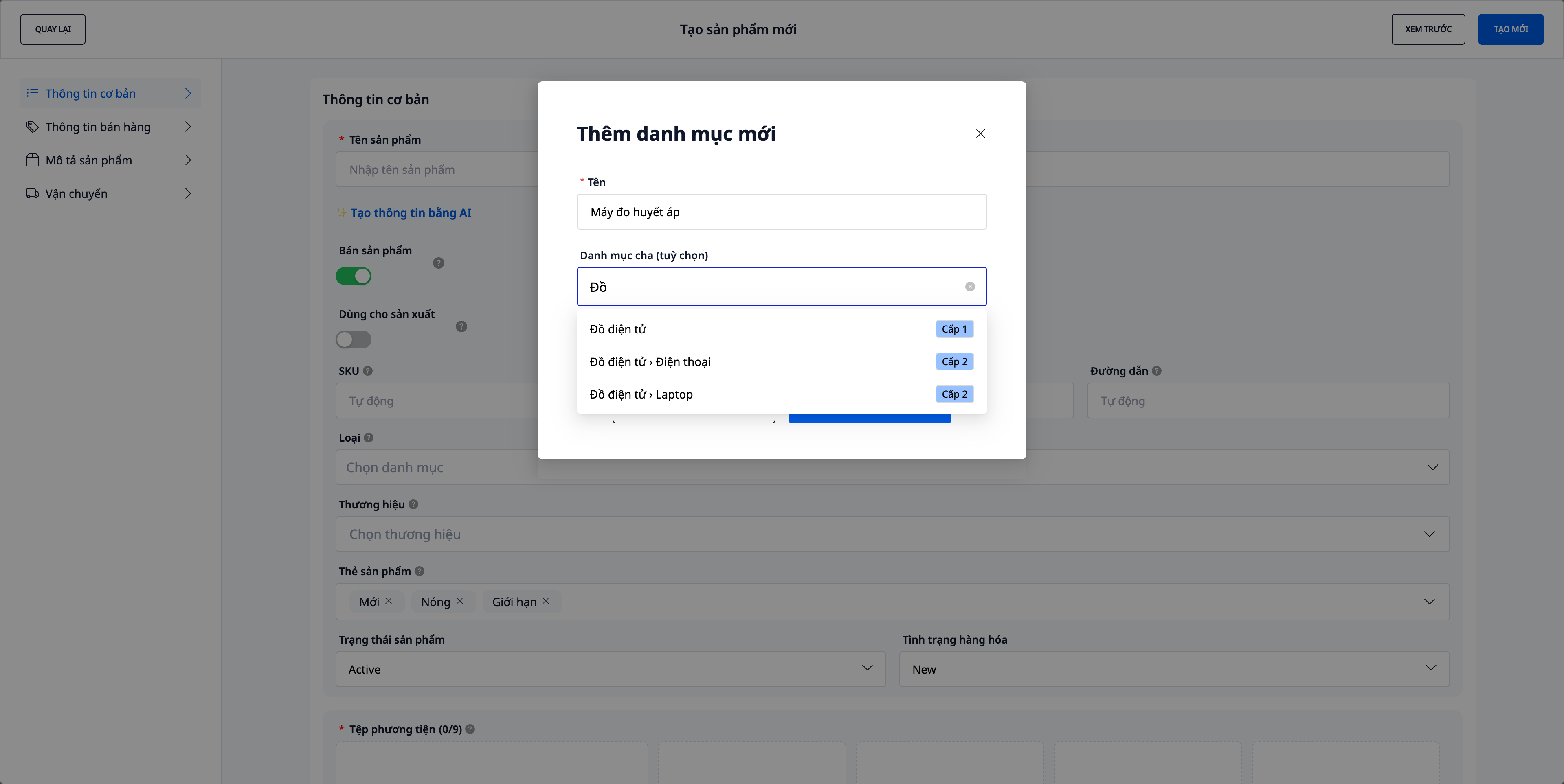
Your own categories, up to 3 levels. She can create "Living Room › Decorative Lights, Kitchen › Ceramics..." according to how her store is organized. The marketplace's classification tree is only used when pushing products to the marketplace, at which point the system suggests the corresponding marketplace category for her to confirm and remember for next time.
 The result is a closed-loop process right within the system she uses for sales, inventory, and accounting: data source (link/PDF) → review → create products with custom categories → inventory → marketplace synchronization → orders. No double entry, no switching between tools.
 The results you get
Catalog creation is many times faster: hundreds of products are entered into the system in an afternoon instead of a week of manual typing.
More complete and accurate: each product has full images, brand, barcode, specifications, and variants — because they are extracted directly from the source.
Organize your way: up to 3-level custom categories, not bound by marketplace; when listing on marketplaces, use suggested category mappings and remember them.
End system migration delays: the biggest hurdle — data entry — is removed, so you start selling on a clean platform sooner.
See all features in the Product Hub article, or follow the step-by-step Product Hub guide to create categories, import products, and sync with marketplaces.


