

Introducing Features
You scan business cards, enter leads from landing page forms, or import entire lists of potential customers into GTG CRM. So what happens next? If the answer is "just leave them there, whoever has time will look at them" – you're missing out precisely when leads are hottest.
GTG CRM has a set of 13 automation scenarios that cover the entire journey of a new lead: from entering the system, being analyzed by AI to identify your ideal customer profile for a fit score, being researched and personalized outreach if the score is high, to automated Facebook/Google ads targeting the right people — at the right time, for the right audience, without wasting budget on unsuitable individuals. All of this is within GTG CRM's ready-to-use Automation Hub, which can be turned on/off/customized to fit exactly how your business operates — no programming knowledge required.
Problems Businesses Are Facing
| Old Method | Consequences |
|---|---|
| New leads enter the system without distinguishing their source | Customers who scan business cards, leave forms, or import from Excel files are all treated the same — losing track of who is at what stage |
| Uncertainty about which leads to prioritize | Sales reps have to manually read each profile to guess who is "seemingly a good fit" — slow and inconsistent across employees |
| High-fit leads still have to wait for a sales rep to be free to contact them | The longer the wait, the lower the conversion opportunity — leads go cold while waiting |
| Ad audiences are disconnected from the CRM | Customers who have already purchased or been disqualified continue to receive ads — wasting budget on people who are no longer targets |
| Changing the ideal customer profile only applies to new leads | The entire existing contact list retains its old scores, not reflecting the new criteria |
Highlights
1. Automatically Determine Starting Point Based on Contact Source
As soon as a new contact is created — scanned business card, form submission, imported from file, or manually entered — the system automatically assigns the correct starting status based on your defined source. No more situations where all new leads look identical regardless of where they come from.
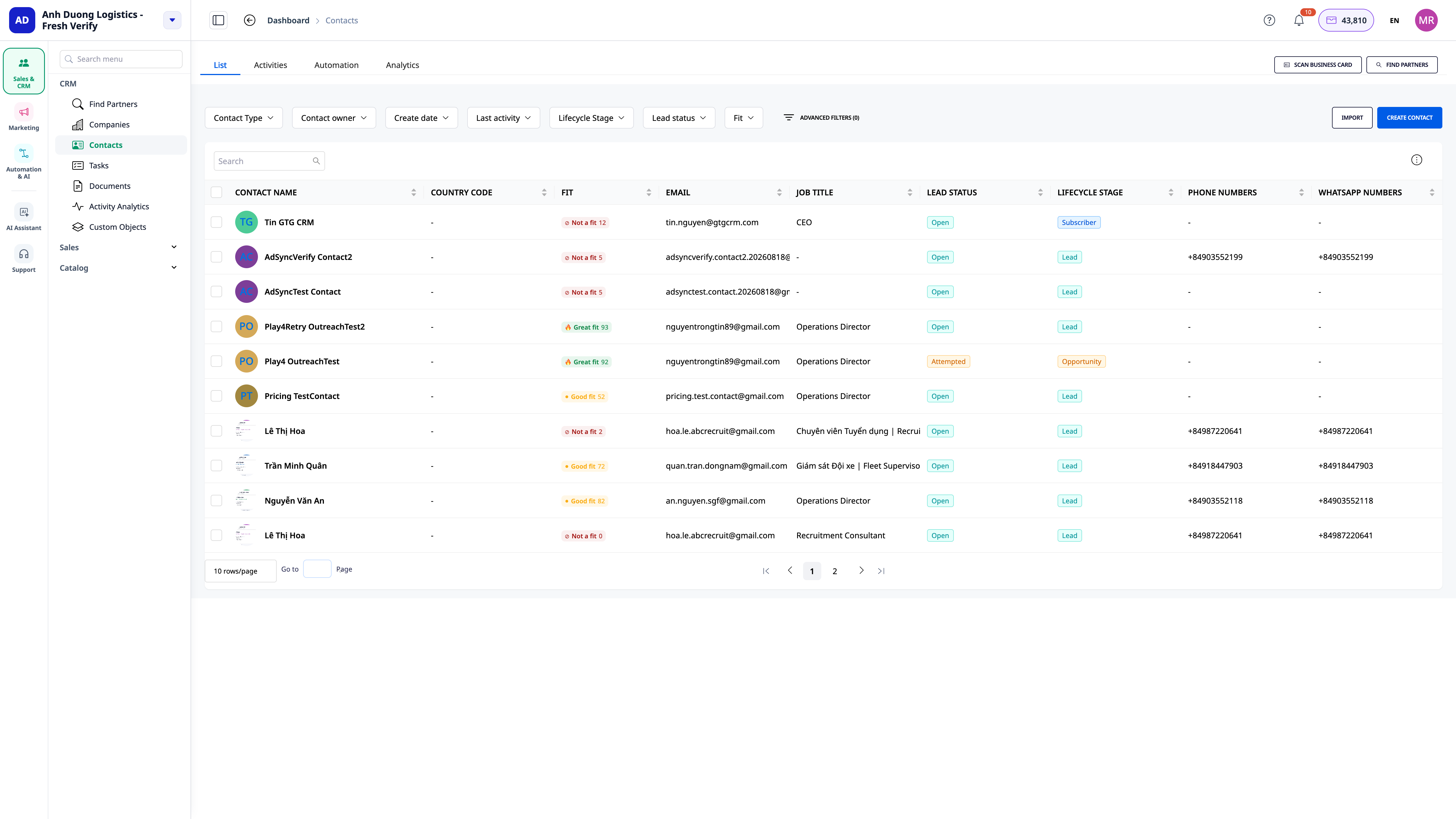
2. AI Learns Ideal Customer Profile & Automatically Scores Fit Level
From the brand information you've declared (industry, target customer group, core values…), the AI independently deduces the ideal customer profile — you don't need to manually fill out a complex criteria form. Each new contact is automatically scored for their fit level based on that profile, and this score is instantly updated on the contact's profile so sales reps can immediately see who to prioritize contacting first.
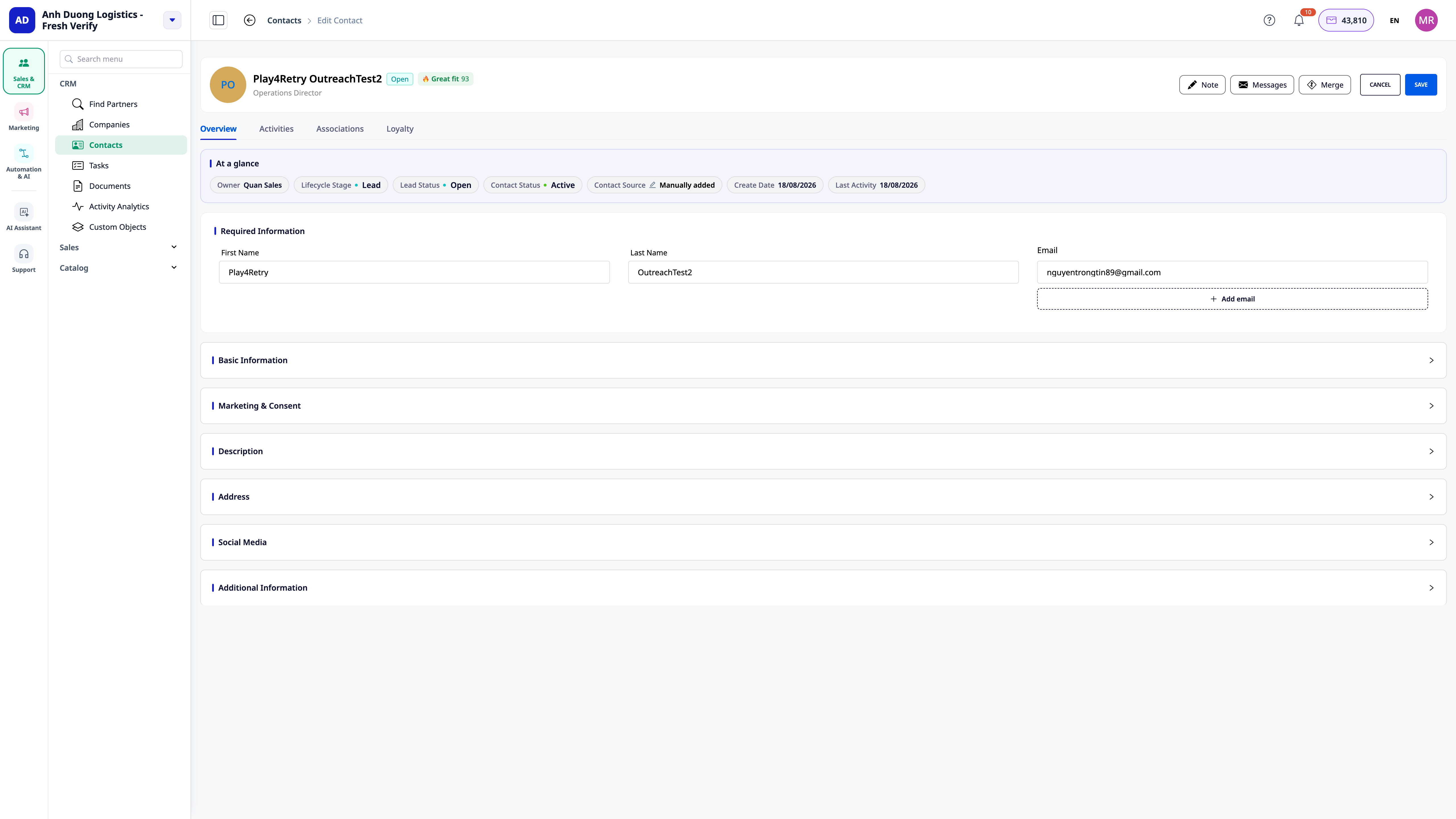
3. High-Scoring Contacts Are Researched by AI & Receive Personalized Outreach
For contacts with a high fit score, the system automatically researches to identify potential related issues/needs, then drafts a personalized opening — sent via email first, followed by Zalo if appropriate — instead of a generic mass email for everyone.
4. Ad Audiences Automatically Sync with CRM Data
This is the part that closes the sales loop — advertising is no longer disconnected from CRM data:
- Synchronize segments to automated ad audiences — a contact in the right CRM segment, the corresponding Facebook/Google audience is updated immediately, no manual clicking or waiting for scheduled tasks required.
- Automatically exclude disqualified contacts from ad budgets — contacts marked as unsuitable will no longer be included in the targeted ad audiences.
- Automatically create "lookalike" audiences of good customers — train on your high-scoring customers, not on everyone who has ever filled out a form, to find new customers with similar characteristics to your VIP customers.
- Automatically retarget high-scoring contacts who haven't responded to emails — a good contact missed via email can still be reached through ads.
- Automatically stop advertising to purchased customers — save budget by not re-engaging people who are already customers.
- Automatically check and resynchronize periodically — ad audiences are reviewed and updated cyclically to prevent gradual divergence from CRM data over time.
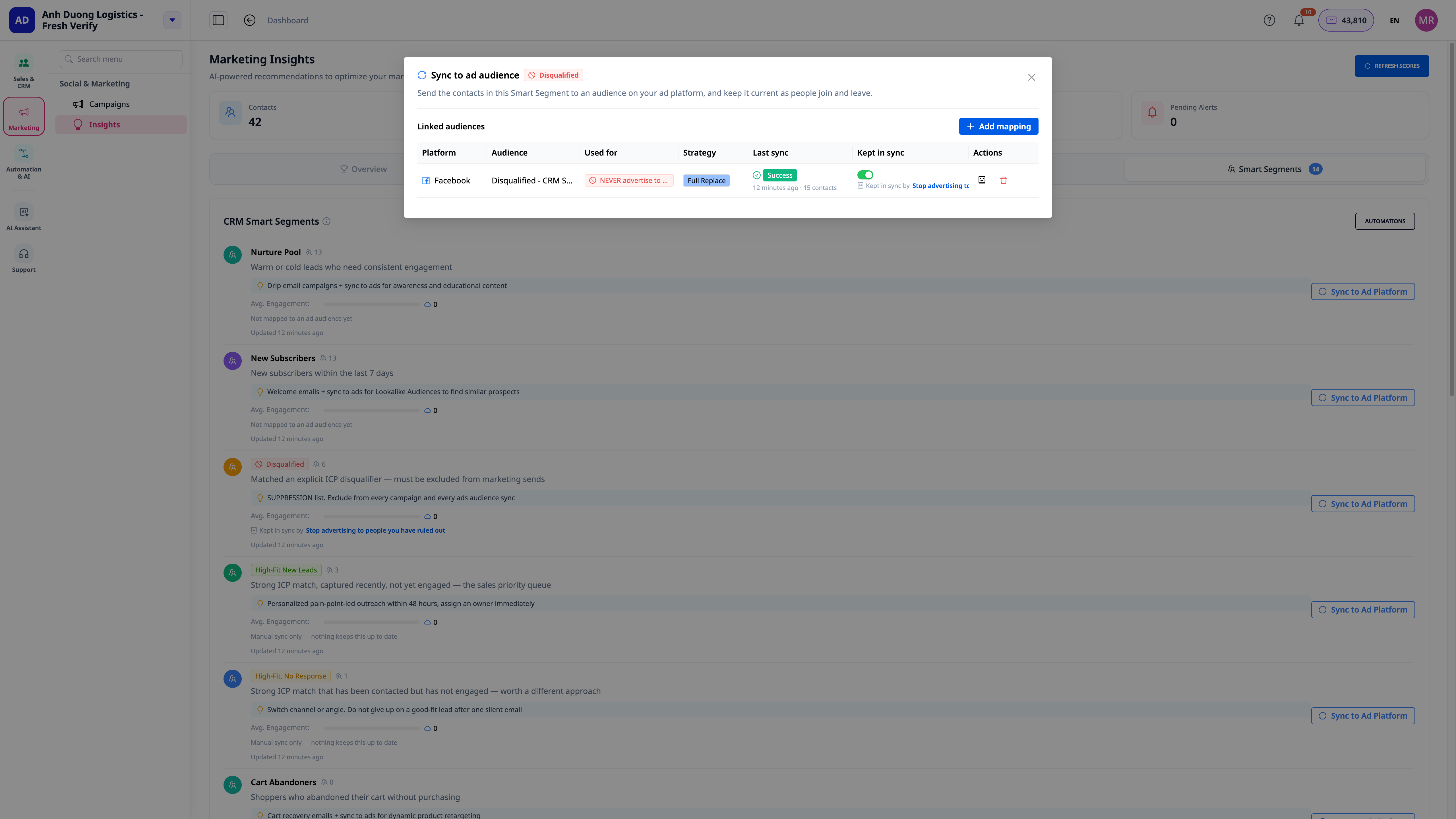
5. Redefine Ideal Customer Profile — All Old Contacts Are Re-scored
When you update your ideal customer criteria, the system applies it not only to new contacts but also automatically re-scores all existing contacts based on the new criteria, so that a new exclusion rule also applies to previously added contacts.
Benefits for Businesses
| Feature | Actual Benefits for You |
|---|---|
| Automated lead source classification | Know immediately where leads come from and treat them appropriately from the start |
| AI learns customer profile & scores suitability | Sales immediately knows who to prioritize calling, no guesswork needed |
| Automated personalized opening for high-scoring leads | First contact at the right time when the lead is "hot", no waiting for sales to be free |
| Ad audiences auto-synchronized with CRM | No wasted ad budget on people who have already purchased or been disqualified |
| Automatically create lookalike audiences from good customers | Find new customers with the same characteristics as VIP customers, not just anyone who filled out a form |
| Re-score all contacts when changing criteria | No need to manually review old contacts every time you change your ideal customer profile |
| All 13 scenarios are in the Automation Library | Enable/disable/customize each scenario individually according to your sales process — no programming knowledge required |
Who is it For?
- Businesses with a high volume of leads from multiple sources (forms, business cards, imports, ads) that require a consistent processing workflow instead of manual handling per source.
- Sales teams who want to know immediately who to prioritize contacting, rather than manually reviewing each profile to guess.
- Marketing teams running Facebook/Google ads who want audiences to always match the latest CRM data, avoiding wasted budgets on customers who have already purchased or been disqualified.
- Businesses that frequently adjust their target customer profiles and need to apply those changes to their entire existing database, not just new leads.
How to Get Started?
All 13 scenarios are already available in the GTG CRM Automation Library, turned off by default so you can proactively enable the specific parts you need:
- CRM → Contacts → Automation tab: enable scripts for source classification, lead scoring, and personalized outreach.
- Marketing → Smart Segmentation → ⚡ Automation button: enable scripts for ad audience syncing, exclusions, lookalikes, and retargeting.
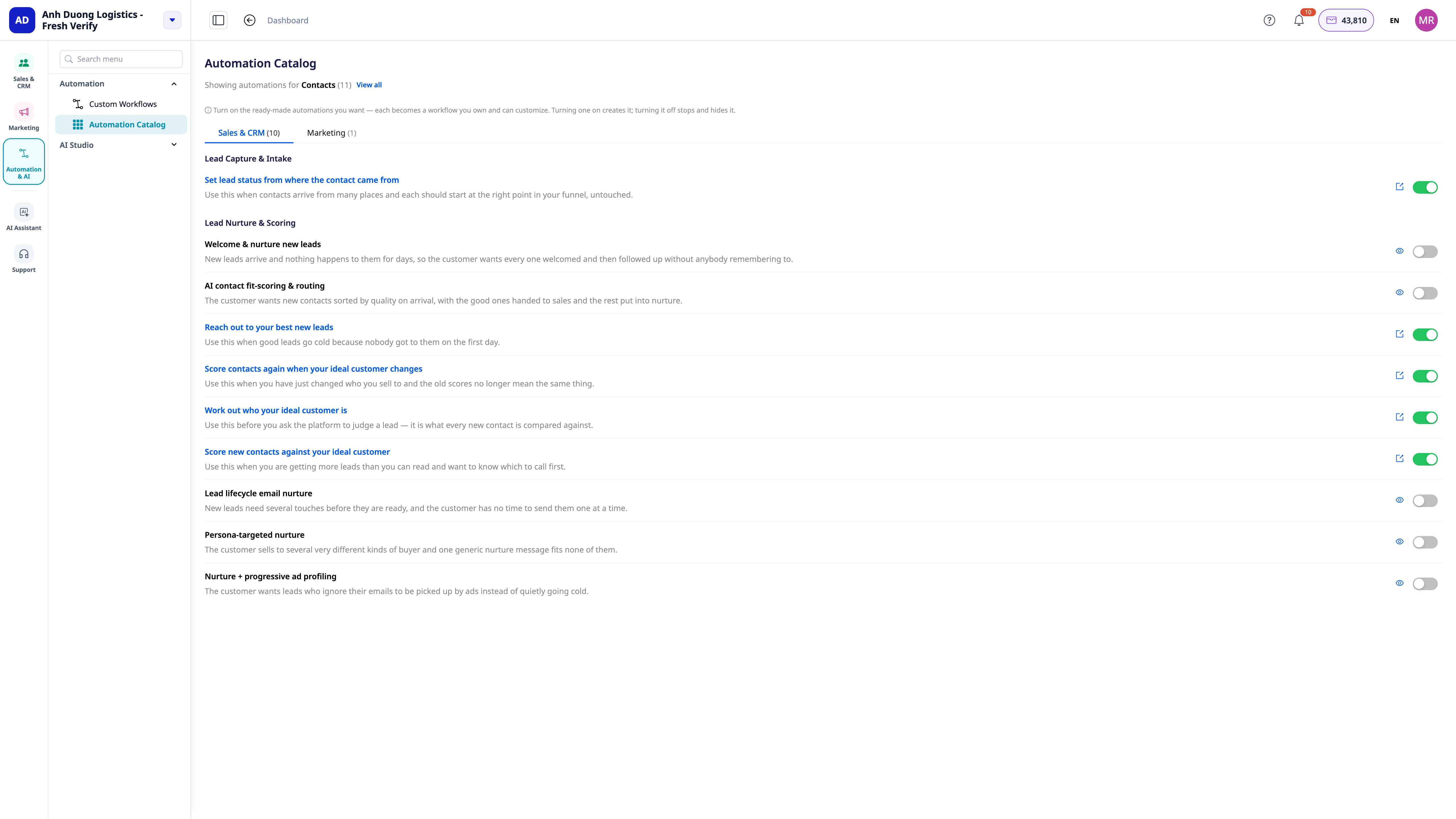
See each detailed step in the guide for Automated Lead Scoring & Remarketing.
ℹ️ Note: steps involving AI (customer persona learning, scoring, research & opening line drafting) incur credit charges based on actual usage. Ad audience syncing requires a workspace connected to the corresponding Facebook/Google ad account.
Try for free — no credit card needed.

