

Átvinna við að stjórna margra rásar samskiptum við viðskiptavini
Viðskiptavinir velja ekki eina rás til að hafa samskipti við þig. Þeir senda skilaboð á Facebook í dag, tölvupóst á morgun, og síðan athugasemd við færslu nokkrum dögum síðar. Þegar enginn miðlægur staður er til að stjórna því, versnar upplifun viðskiptavina og sölutækifæri glatast:
- Misheppnaðar mikilvægar samræður: skilaboð, athugasemdir og beiðnir dreifðir á mörgum rásum auðvelt að missa af.
- Seinkuð svör: stöðugt skipt milli vettvanga veldur því að viðskiptavinir bíða og gætu leitað til keppinauta.
- Vita ekki hver er að bíða: einn viðskiptavinur sendir skilaboð og enginn svarar – og enginn veit af því.
- Ósamræmdar upplýsingar: hver starfsmaður á sínum vettvangi, auðvelt að svara ósamhljóða, dregur úr fagmennsku.
- Email tapast: svör utan kerfis auðvelt að senda á rangan pósthólf, ekki vistað í viðskiptavinaskrá.
- Rugluð og tímafrek rekstur: hver samræða sitt eigið flipann, minni framleiðni, auðvelt að gera mistök.
Omnichannel Messaging GTG CRM: Safnaðu öllum rásum saman, missa ekki af neinum
Til að ná stjórn á ferðalagi viðskiptavina þarftu tæki sem sameinar öll samskipti á einum stað. GTG CRM gerir einmitt það — og nýja uppfærslan bætir við „öryggisnetum“ til að engum viðskiptavinum verði gleymt.
Sameinaðu allar samskiptarásir á einum stað
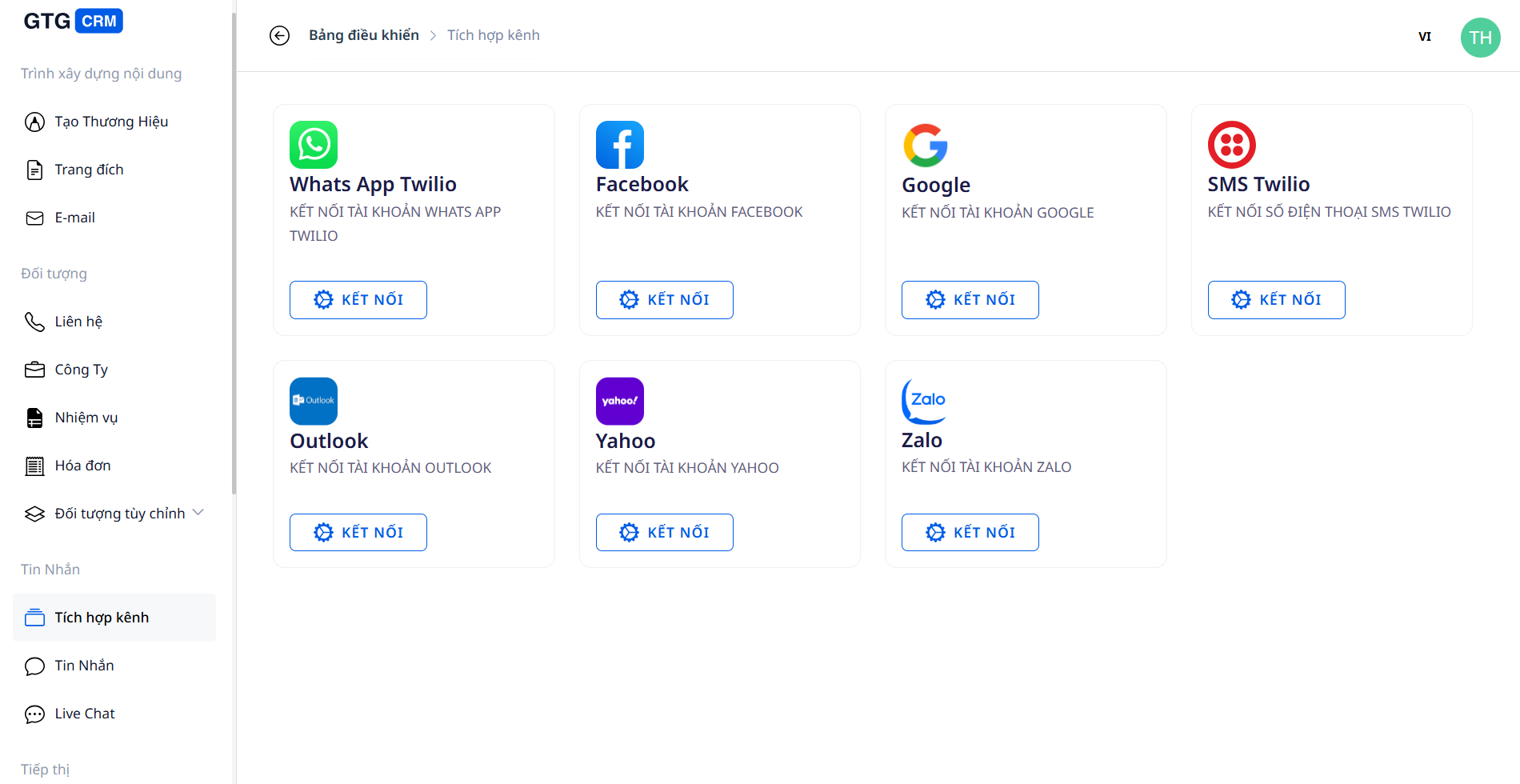
- Samfelld tenging margra rása: Facebook Messenger, Zalo OA, Gmail, Outlook, WhatsApp og Live Chat á vefsíðu – allt í eitt kerfi.
- Miðstýrt meðhöndlun á einum skjá: skoðaðu og svaraðu öllum samræðum án þess að opna 5 forrit.
- Réttir nafnir viðskiptavina birtast: Facebook/Messenger samræður birtast með réttu nafni sendanda, auðvelt að bera kennsl á og þjónusta.
Ekki missa af mögulegum viðskiptavinum — jafnvel þegar allir eru uppteknir
Að safna skilaboðum á einn stað er aðeins fyrsta skrefið. Hin raunverulega áskorun er að láta engan viðskiptavin bíða að óþörfu:
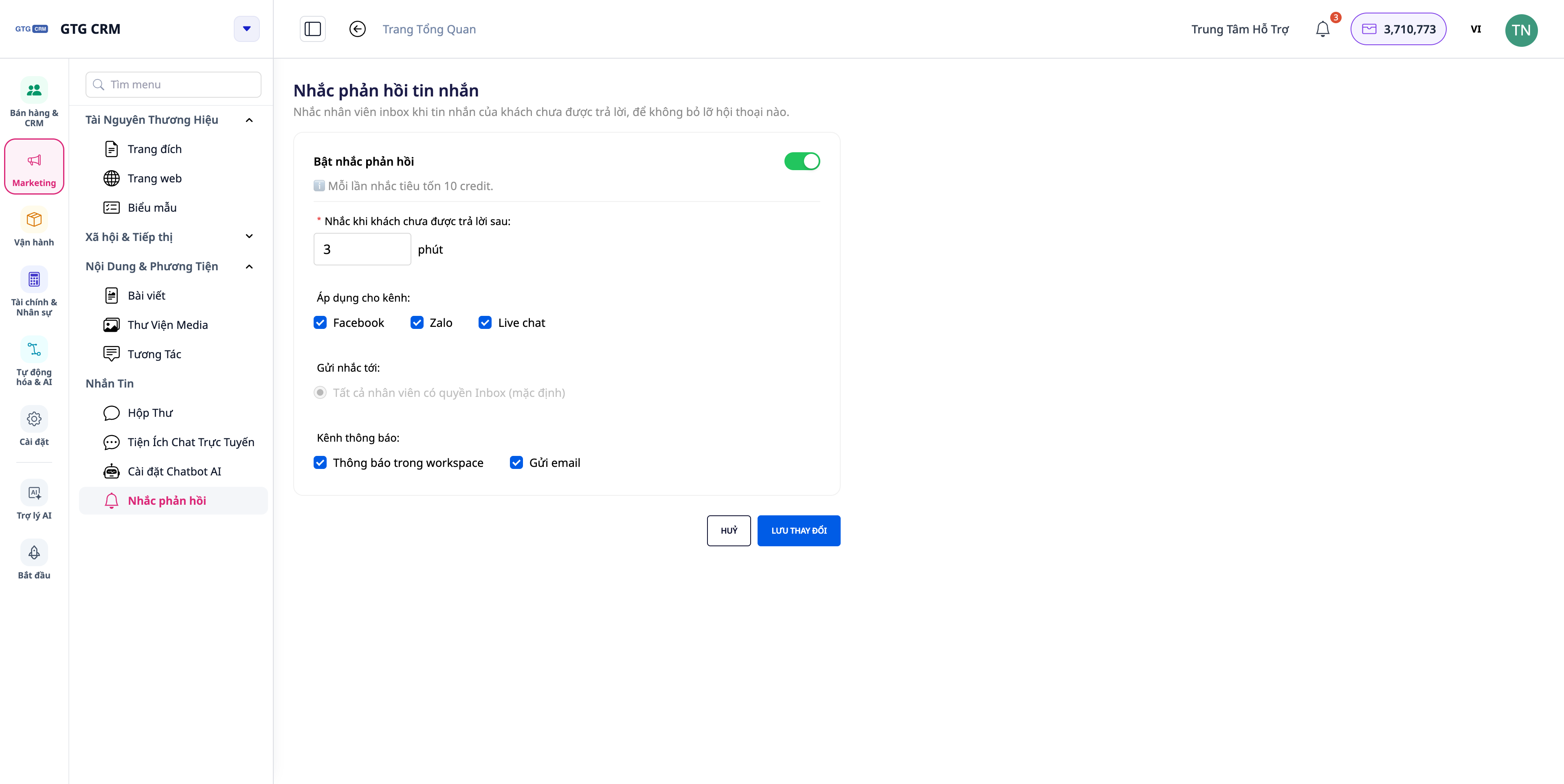
- Áminning um svar (Reply-SLA): þegar enginn svarar skilaboðum frá viðskiptavini (manneskja eða gervigreind) innan þess tíma sem þú setur (sjálfgefið 30 mínútur), minnir kerfið strax starfsmanninn sem ber ábyrgð með tilkynningu innan forritsins og „push“ tilkynningu — smelltu á hana og þú opnar réttu samræðuna sem bíður. Þegar einhver svarar hættir áminningin. Þetta er leiðin til að breyta „sameiginlegu pósthólfi“ í ferli sem ekki missir neitt.
- Flokkun með merkjum: merktu til að flokka og veita persónulega þjónustu fyrir hvern viðskiptavinahóp.
- Sjálfvirk svör við Facebook athugasemdum: þegar viðskiptavinir tjá sig við færslu, fá þeir strax sérstök skilaboð sem þú hefur sjálfur samið fyrir hverja síðu (getur sett inn nafn viðskiptavinar) — náðu þeim á þeirri stundu sem viðskiptavinir eru áhugasamir, hentar líka fyrir þjónustufyrirtæki.
Fagleg svör á öllum rásum — jafnvel tölvupósti
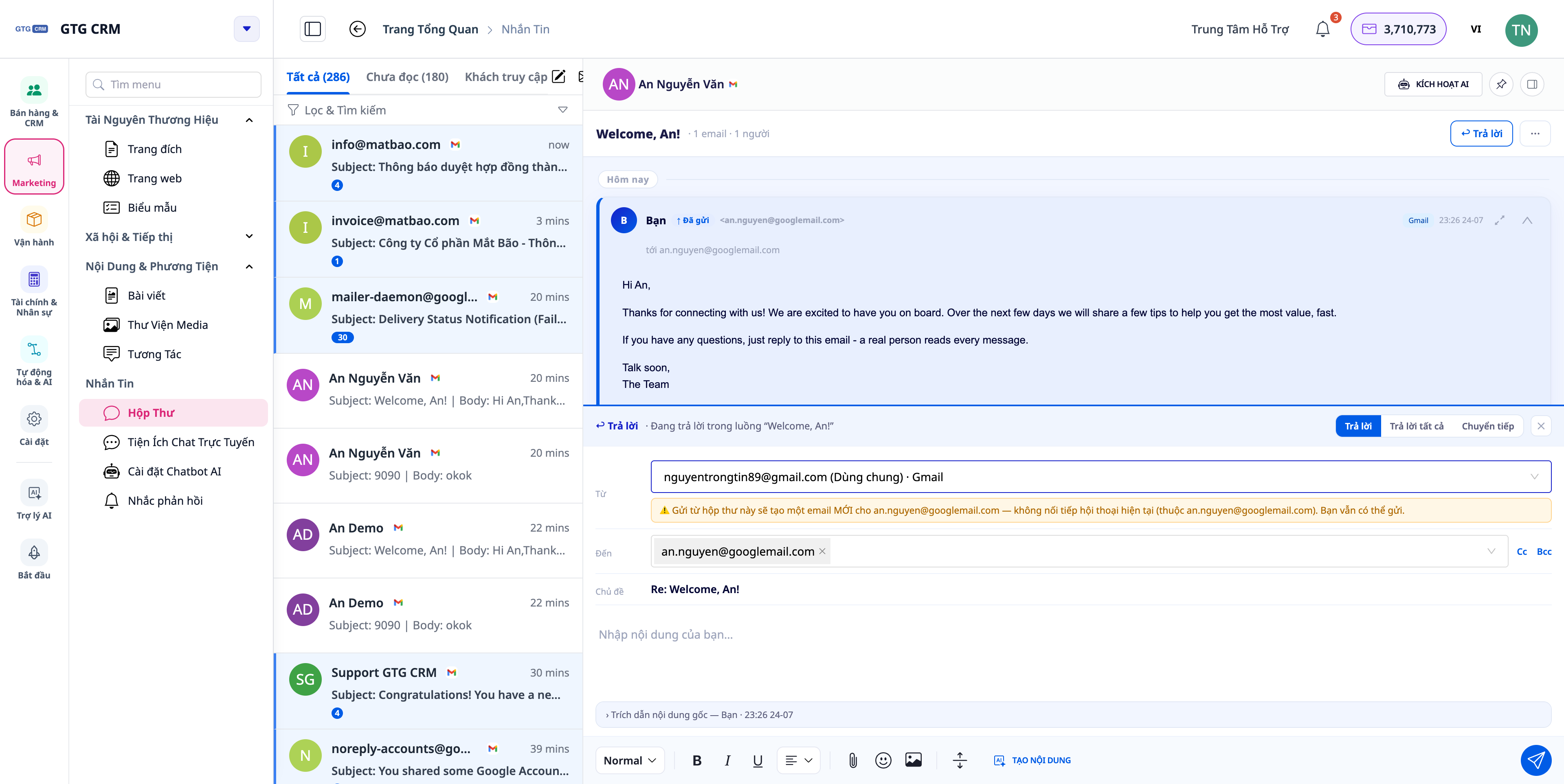
- Réttir tölvupóstar, í réttan pósthólf: Svaraðu tölvupósti strax innan pósthólfsins sem hluta af samræðulotu; veldu að senda frá sameiginlegu pósthólfi fyrirtækisins eða þínu eigin — að svara í Gmail-samtali fer í gegnum Gmail, ekki í annað pósthólf. Bættu við Cc/Bcc eftir þörfum.
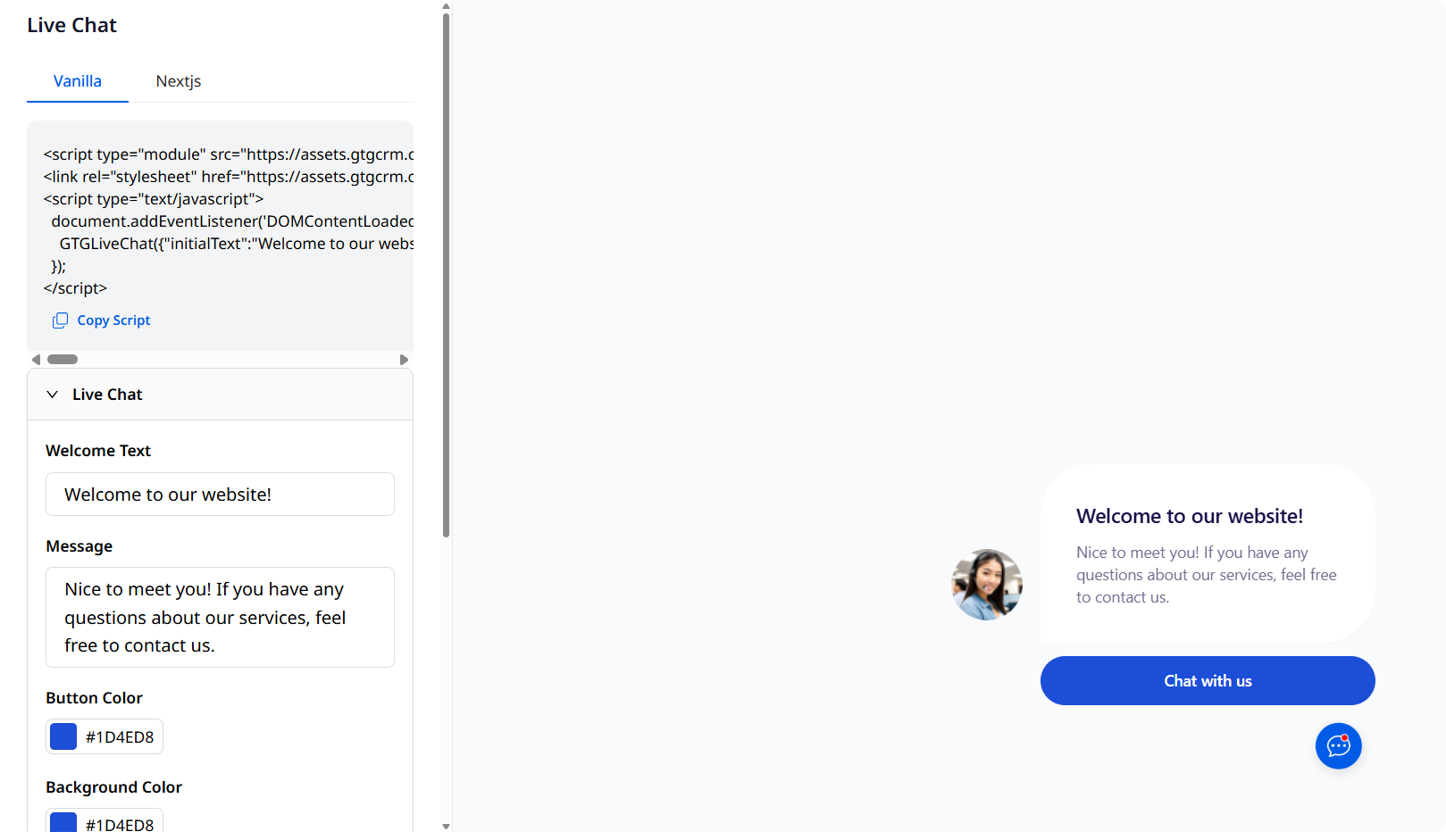
- Sérsniðin spjallþjónusta fyrir hverja vefsíðu: Hver vefsíða sem þú birtir getur haft sérsniðna spjallþjónustuaðstoðarmann (persónuleiki, tungumál, þekkingargrunnur, þröskuldur fyrir millifærslu til manneskju) — svaraðu í réttu samhengi fyrir hverja síðu/vörumerki, aðstoðaðu viðskiptavini á „gullnu augnablikinu“ á vefsíðunni.
- Vistaðu sögu & ferðalag viðskiptavina: Öll samtöl eru vistuð og tengd við viðskiptavinaskrá í CRM, þú getur flett upp í gömul skilaboð.
Niðurstaða
GMO skilaboðavinnsla GTG CRM samræmir samskipti við viðskiptavini á öllum rásum — og með áminningum um svör, réttum tölvupóstsvörum í lotum, sjálfvirkum svörum við Facebook-athugasemdum og sérsniðinni spjallþjónustu fyrir vefsíðu, hefurðu fleiri öryggisnet til að missa ekki af neinum viðskiptavini. Minni handvirk vinnsla, hraðari svör, samræmdari upplifun.
Sjáðu allar eiginleika í greininni Skilaboð & spjallþjónusta, eða fylgdu leiðbeiningunum um skilaboð og spjallþjónustu skref fyrir skref.


