
So how do you become an "outstanding advertiser" in Google's eyes?
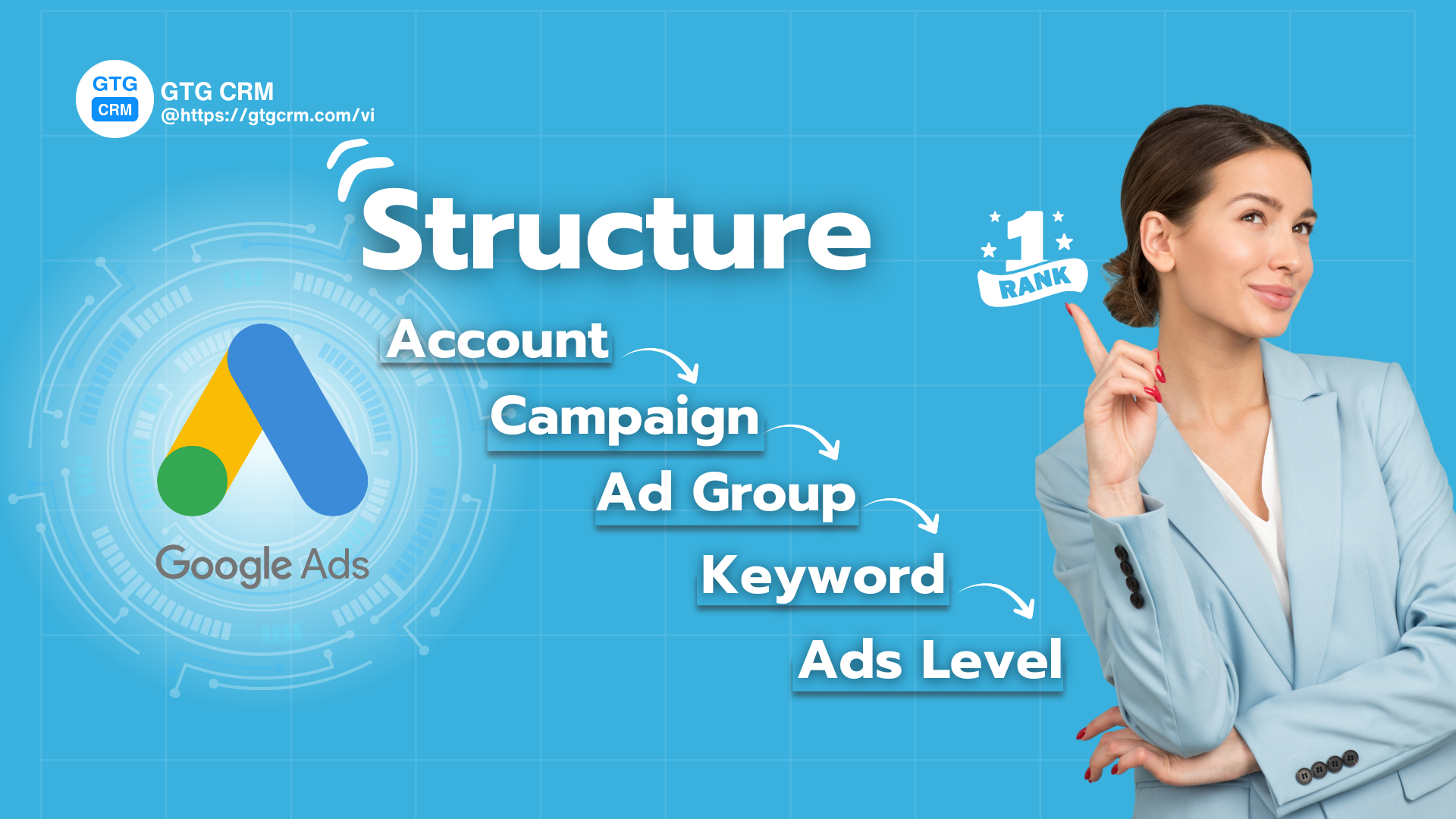
Standard Google Ads Campaign Structure - GTG CRM
This means creating a seamless experience from when a user searches to when they land on your website. Everything must "fit" together perfectly:
- Keywords must accurately reflect the user's search intent.
- Your ads must include those keywords and offer a compelling solution.
- The landing page must be the ideal destination, where users find exactly what they need, at lightning-fast speeds.
When these three elements come together, your Quality Score will skyrocket, and Google will "reward" you by prioritizing your ads at the lowest cost. In summary, don't chase the budget; focus on relevance and user experience – that's the path to sustainable profitability.
Let's explore with GTG CRM how to build a solid "Google Ads house," floor by floor.
Floor 1: Account Level - The Foundation for Success
The Google Ads account is where all your ad campaigns are housed. From the very beginning, you need to clearly define:
- Business Objectives: Why are you running ads? To increase sales, collect leads, or boost brand awareness?
- Logical Organization: Each account should be dedicated to a single brand or business. This makes it easy to track performance and analyze data without confusion.
- Tracking Integration: This is an extremely crucial step. Ensure you have linked your Google Analytics 4 (GA4) account, Google Tag Manager, and set up Conversion Tracking. A fully tracked account will allow you to accurately measure the effectiveness of every dollar spent, enabling you to make the right optimization decisions.
Floor 2: Campaign Level - Segmenting Major Goals
Campaigns are like the major departments in a house, each with a distinct objective.
You should segment campaigns based on:
- Primary Goal: For example: "Lead Generation" campaign for courses, "Sales" campaign for product A.
- Major Product/Service Categories: "Marketing Automation" campaign and "Social Media Management" campaign for GTG CRM products.
- Advertising Channels: Separate campaigns for Search, Display, Video or Performance Max to avoid budget overlap and easily control performance.
- Budget & Targeting: Each campaign will have its own budget and specific targeting objectives (geographic location, devices, time).
Best Practice: Name campaigns systematically, for example: [Country] - [Channel] - [Product] such as "VN – Search – Marketing Courses".
Floor 3: Ad Group Level - Specializing Topics
If campaigns are large rooms, then ad groups are the small filing cabinets within each room. Each ad group must revolve around a narrow topic or a specific search intent.
Example: Within the "Digital Marketing Courses" campaign, you can create ad groups:
- Ad Group 1: "Digital Marketing Courses HCMC" (focusing on location-based keywords).
- Ad Group 2: "Online Digital Marketing Courses" (focusing on online course keywords).
Common Mistake: Lumping all keywords into one ad group. This makes ads irrelevant, reduces Quality Score, and increases bids.
Floor 4: Keyword Level - Where Potential Customers Meet
Keywords are the link between users and your ads. Using keyword match types appropriately is a key factor:
- Exact Match: Maximum control, suitable for core keywords.
- Phrase Match: Moderate expansion, capturing more variations.
- Negative Keywords: Continuously update to remove irrelevant queries, ensuring traffic remains streamlined.
Optimization Tip: For important keywords, apply the SKAG (Single Keyword Ad Group) structure. This means each ad group has only one keyword. This ensures the ad perfectly matches user queries, leading to increased CTR and higher Quality Score.
The Google Ads creation and management tool GTG CRM - AI Integrated automatically suggests potential keywords and groups them based on user search intent (purchase, information seeking, product comparison...), helping you build an accurate ad group structure from the start. Based on customer and competitor behavior, managing and creating Google Ads becomes easier, optimizing keyword research and helping you build a standard ad account structure.
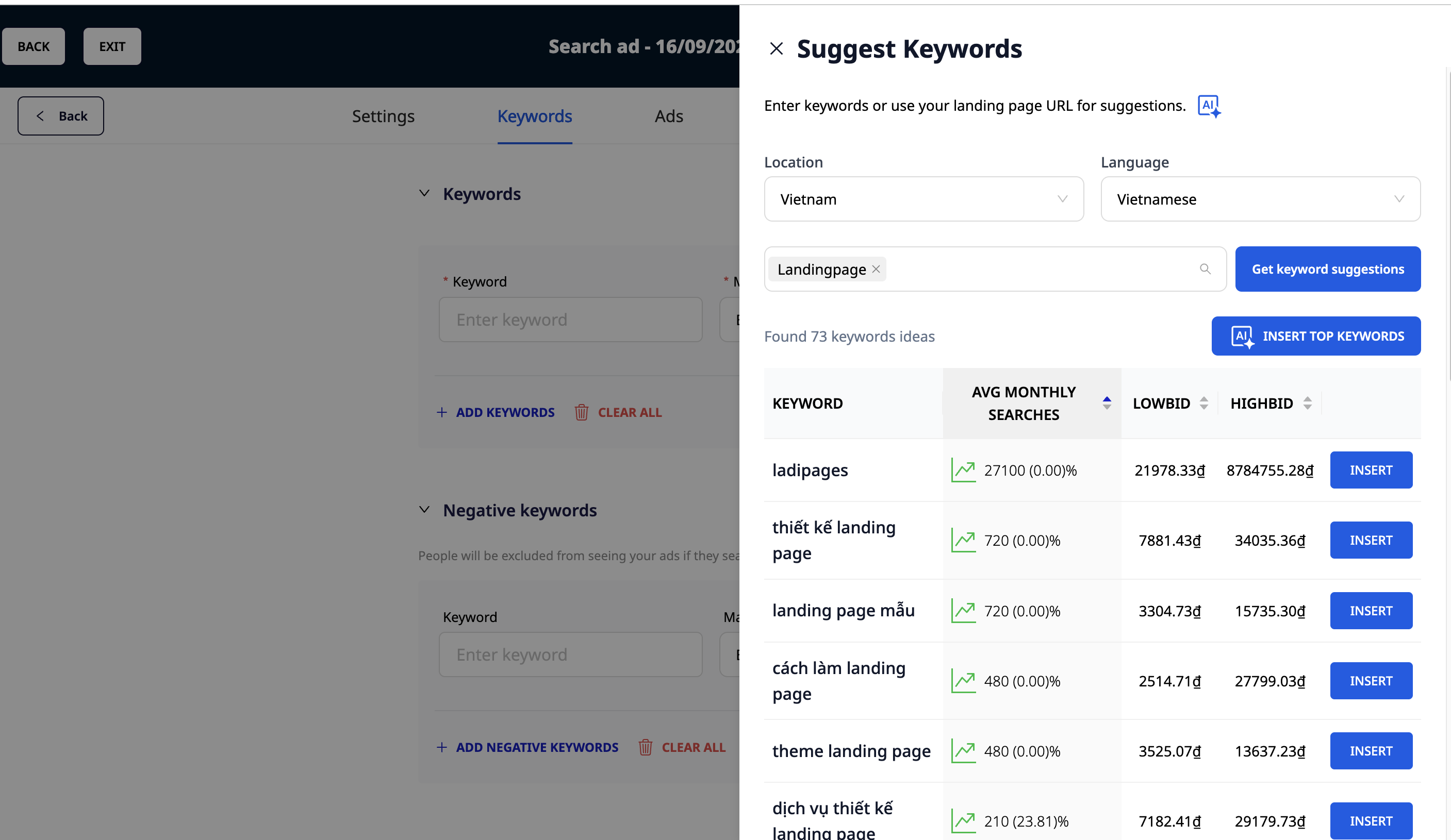
GTG CRM AI-powered keyword suggestions
Floor 5: Ad Level
Each ad group needs at least 2-3 ad creatives, including Responsive Search Ads (RSA) so Google can automatically test and find the most effective version.
Standard Ad Writing Principles:
- Include Primary Keywords: Appearing in headlines and descriptions.
- Highlight Unique Value Proposition (UVP): Why should users choose you?
- Clear Call to Action (CTA): "Sign Up Now", "Learn More", "Try Free"...
- Utilize Ad Extensions: Sitelinks, Callouts, Structured Snippets... help ads stand out and increase CTR.
Landing Page & Quality Score: Two Decisive Factors for Success
All the efforts above will be in vain if your landing page isn't good. The Landing Page must be synchronized with the keywords and ad content. A landing page with fast loading speed, relevant content, and optimized for conversion (CRO) will be a big "plus" for your Quality Score.
Quality Score is a combination of:
- Expected Click-Through Rate (CTR): Is your ad compelling?
- Ad Relevance: Does the ad match the keyword?
- Landing Page Experience: Is the landing page good and relevant?
Conclusion
A standard Google Ads structure helps you attract quality traffic, but converting potential customers into revenue is the ultimate goal.
This is where GTG CRM plays its role:
- Automate Lead Management: GTG CRM can automatically capture and categorize leads from Google Ads campaigns, allowing sales teams to follow up immediately.
- Detailed Measurement: GTG CRM's reports allow you to analyze deeper: Which campaign brings the highest quality leads? Which keywords close the most orders?
- Multi-Channel Integration: GTG CRM helps you track the customer journey from the moment they click on a Google Ads ad until they interact on Facebook, Zalo, or Email.
Turn what you've just read into real results — apply it now with GTG CRM, for free.
Apply Now

