Accurate inventory management is a critical factor determining the success of any business selling products. A recent study shows that 43% of small businesses in Vietnam do not track inventory or use manual methods, leading to severe overstocking or stockouts, directly impacting revenue and profits.
For e-commerce sellers using Excel or Google Sheets for inventory management, you've likely experienced these dreaded situations: discovering a data entry error that throws off your entire inventory report, or conducting a month-end stock count and finding discrepancies of dozens of products without knowing the cause. Each such mistake not only wastes time investigating but can also lead to financial losses of millions of dong.
The challenge becomes many times more complex when a business expands to multiple warehouses: a main warehouse, branch warehouses, warehouses managed by partners. Each warehouse has its own Excel file, lacking real-time synchronization, making it nearly impossible to grasp the overall inventory situation.
So, how can you manage inventory across multiple warehouses accurately, in real-time, and without relying on error-prone manual tools like Excel?
Serious Issues When Managing Inventory with Excel
Although Excel is a popular and accessible tool, using it for inventory management in a dynamic business environment carries significant risks and limitations.
Data Not Updated in Real-Time
This is the biggest problem with Excel-based inventory management. When employee A picks an item to pack an order but forgets to update the Excel file, or the computer crashes while they are updating it, employee B, looking at the Excel file, thinks there are enough items to accept a new order. The result is overselling, causing losses to both customers and the shop's reputation.
In omnichannel sales, this problem is even more severe. A product sold on Shopee may not have its inventory on Lazada and TikTok Shop updated immediately, leading to multiple orders for the same product being placed simultaneously on different platforms when only one unit is left in stock.
Unavoidable Errors from Manual Data Entry
Humans are not machines; errors are inevitable. Mistyping a quantity from 150 to 1500, a faulty calculation formula in a cell that corrupts an entire column of data, or accidentally deleting an important row are common mistakes when working with Excel. The worst part is that these errors are often not detected immediately but only surface during periodic stock counts, when it's too late to fix them.
Multi-Warehouse Management Becomes a Nightmare
As businesses expand to multiple locations, managing inventory with Excel becomes extremely complex. Each warehouse has its own Excel file, managed by different people with different recording methods. Consolidating data from all warehouses to get an overall inventory picture requires manual collection, copy-pasting, and calculations, consuming a lot of time and being prone to errors.
Transferring goods between warehouses is also a major challenge. When moving 50 items from warehouse A to warehouse B, you must remember to update both Excel files: reduce inventory in A and increase inventory in B. Forgetting either step will make the data completely inaccurate.
Inaccurate Cost of Goods Sold Tracking
Many sellers purchase inventory in multiple batches at different prices. When they ship items, they don't know exactly which batch they are shipping from and its cost. This leads to inaccurate profit calculations and incorrect financial reports. The FIFO (First In, First Out) costing method, while standard, is extremely complex to implement manually in Excel.
No Automatic Low Stock Alerts
With Excel, you have to proactively remember to check inventory daily to know which products are running low. Forgetting to check for a day can lead to sudden stockouts, inability to fulfill received orders, causing losses in revenue and reputation. Setting up automatic alerts in Excel is possible but requires knowledge of macros and VBA, which most sellers lack.
GTG CRM - Professional Inventory Management System for All Scales
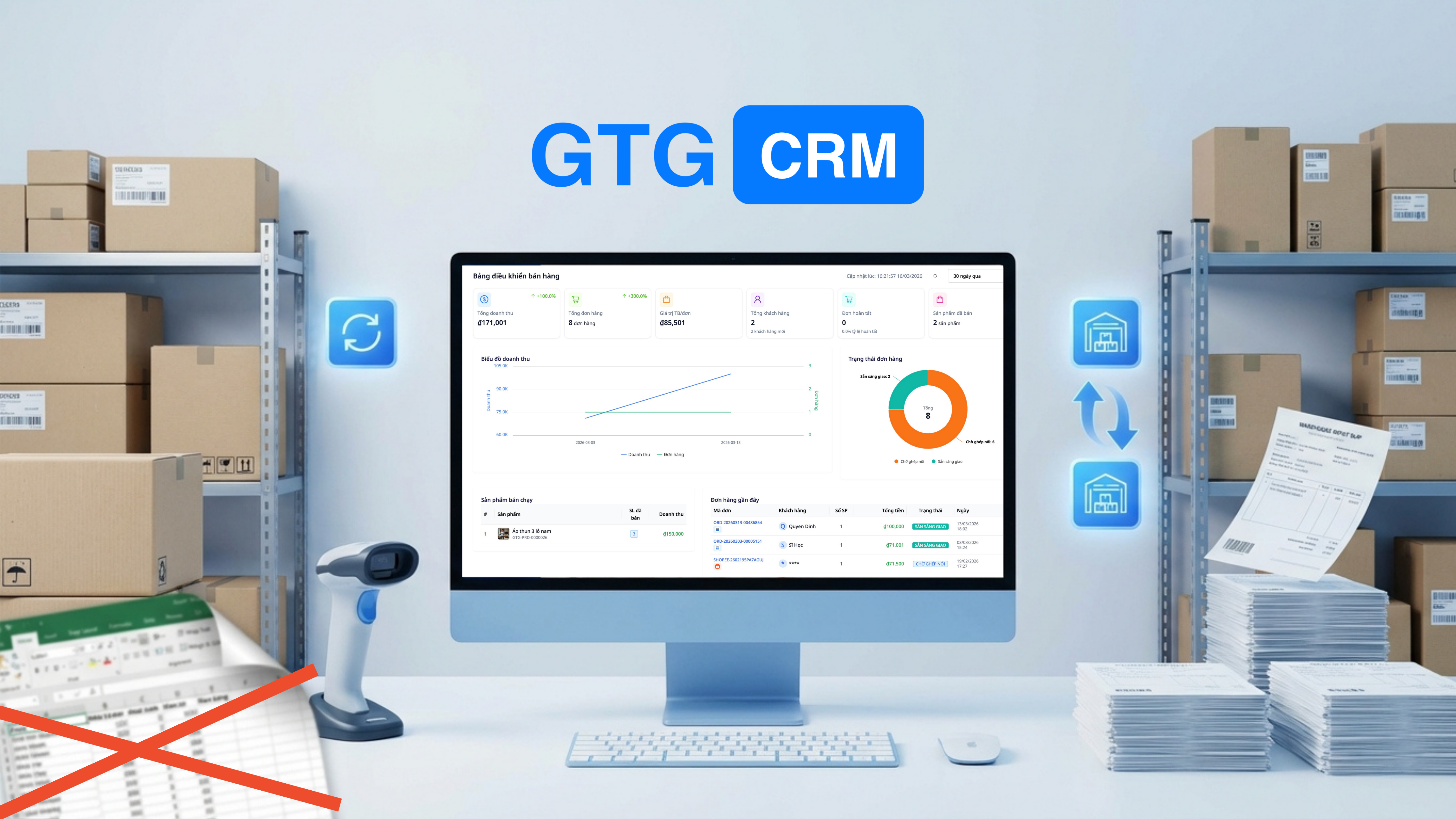
Fully aware of the challenges businesses face with manual inventory management methods, GTG CRM has developed an integrated, automated, and extremely user-friendly inventory management system, suitable for all scales from individual sellers to large distribution businesses.
The system is not just a place to record inventory data, but a comprehensive solution that automates the entire process from receiving, shipping, transferring goods, to reporting and alerts. All operations are recorded with full audit trails, ensuring transparency and traceability when needed.
Inventory Management Features
1. Multi-Warehouse — Managed From 1 Dashboard
Create and manage multiple warehouses simultaneously:
- Main warehouse (central warehouse)
- Branch warehouses (by location)
- Warehouses for partners (consignment)
Each warehouse has its own inventory, but all are displayed on one dashboard. You immediately know which warehouse has stock and which needs replenishment.
2. Stock In/Out with Documentation
All warehouse transactions have clear documentation:
- Goods Receipt Note: Received from suppliers, clearly stating quantity and unit price
- Delivery Order: Shipped according to orders or manual shipments
- Transfer Order: Transferring goods between warehouses — with full tracking
3. Automatic Cost of Goods Sold Calculation (FIFO)
The system automatically calculates the cost of goods sold using the FIFO (First In, First Out) method:
- Batch 1 received: 100 units × 50,000đ
- Batch 2 received: 200 units × 55,000đ
- Shipped 150 units → system automatically calculates: 100 × 50K + 50 × 55K = accurate cost of goods sold
No need to calculate manually in Excel — financial reports are always accurate.
4. Synchronized with Orders
When an order is confirmed → inventory is automatically reduced:
- Order from Shopee → deduct from stock
- Order from website → deduct from stock
- Order from Lazada → deduct from stock
- All synchronized in real-time — never oversell
5. Low Stock Alerts
Set safety stock thresholds for each product:
- Product A: minimum stock = 50
- When stock drops below 50 → system alerts immediately
- Never unexpectedly run out of stock
6. Real-time Inventory Reports
- Inventory by warehouse, by product, by date
- Detailed stock in/out history
- Cost of goods sold, profit/loss reports by product
Comparison: Excel vs GTG CRM
| Criteria | Excel | GTG CRM |
|---|---|---|
| Real-time | ❌ Manual updates | ✅ Automatic upon transaction |
| Multi-warehouse | ❌ Multiple files, difficult to manage | ✅ 1 dashboard, all warehouses |
| FIFO Costing | ❌ Manual formula calculation | ✅ Automatic calculation |
| Low Stock Alerts | ❌ Must remember to check manually | ✅ Automatic alerts |
| Order Synchronization | ❌ Copy-paste | ✅ Automatic stock deduction |
| Goods In/Out Documentation | ❌ None | ✅ Full documents |
| Errors | High | Almost 0 |
Who Should Use It?
- E-commerce Sellers selling on multiple platforms, needing inventory synchronization
- Retail Stores with multiple branches
- Distributors managing a central warehouse + agent warehouses
- Manufacturing Businesses tracking raw materials + finished goods
Conclusion — Transition from Excel to a Professional Inventory Management System
In the era of rapid digital technological development, clinging to Excel for inventory management not only wastes time but also poses significant risks to businesses. Companies that have transitioned to professional inventory management systems report up to a 95% reduction in errors, save 60% of the time processing inventory-related tasks, and most importantly, never have to face overselling or sudden stockouts.
GTG CRM offers you an easy and painless transition. You can start by importing your existing Excel data into the system in minutes. Immediately after, all stock in/out operations will be automated and synchronized in real-time with orders from e-commerce platforms, completely eliminating manual data entry work.
Most importantly, GTG CRM's inventory management system is not standalone but deeply integrated with other modules such as order management, e-invoicing, and financial reporting. When an order is confirmed, inventory is automatically reduced. When an invoice is issued, the cost of goods is automatically calculated. All data flows seamlessly between modules, ensuring absolute consistency and accuracy.
With 36,888 free credits upon registration, you have enough resources to manage thousands of inventory transactions, enough to fully experience and evaluate the system's effectiveness. Take 10 minutes to set it up, and you'll never have to go back to Excel again.
Register for GTG CRM for free and start professional inventory management at gtgcrm.com