

Overview
AI Biz Assistant is an intelligent assistant within GTG CRM, helping businesses query, aggregate, and understand data directly within the system. Instead of searching for individual reports, businesses can ask the AI questions directly and receive answers based on their real-world data.
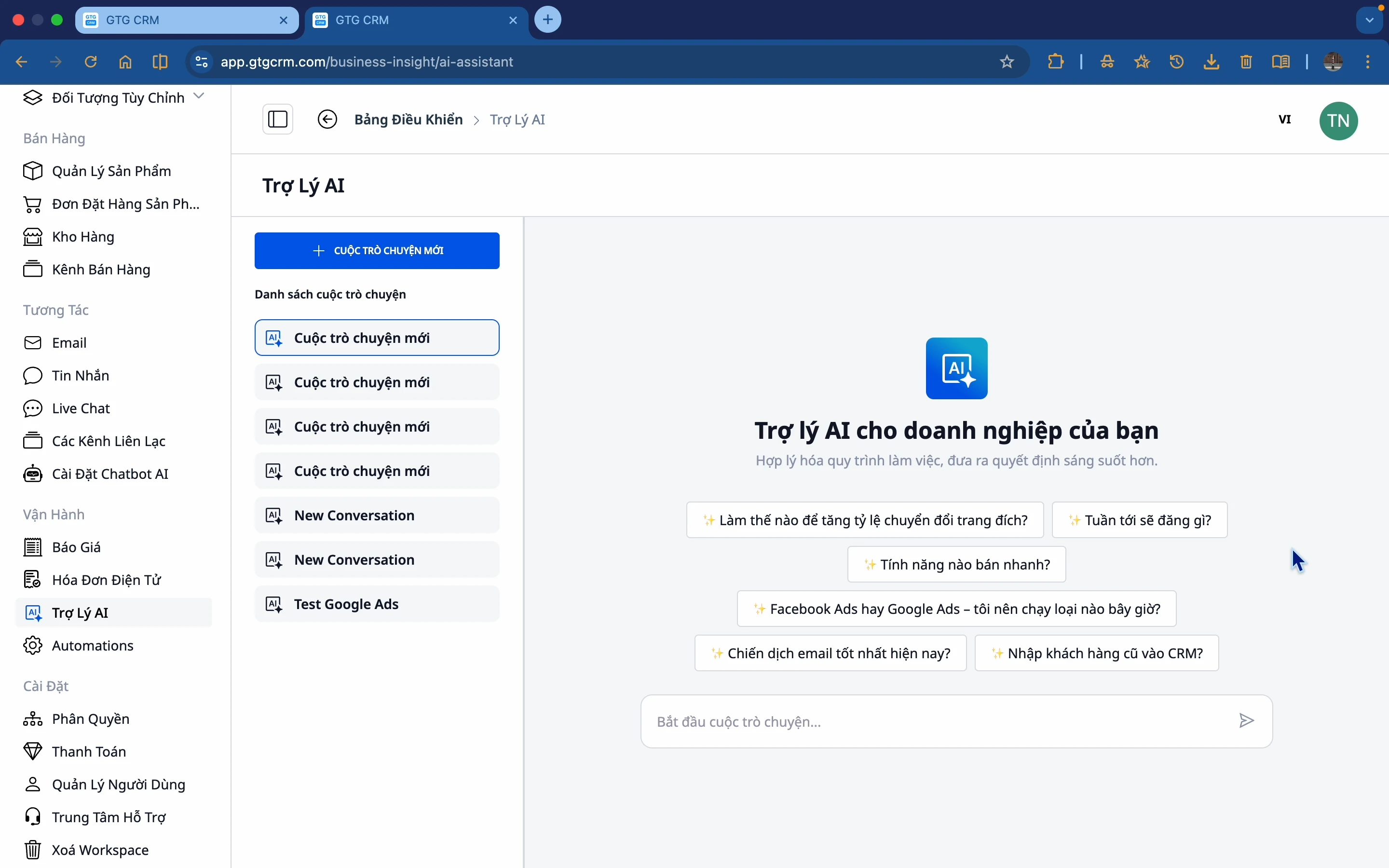
Why do businesses need AI Biz Assistants?
Current situation
Many businesses face the following problems:
- There's no shortage of data, but I don't know where to begin the analysis.
- Information is scattered in many places, making it time-consuming to compile.
- Decisions based on emotion rather than factual data.
- No time to review each report in detail.
- Creating Excel and PowerPoint reports takes many hours each week.
- Drafting contracts, articles of incorporation, and power of attorney documents that meet legal standards requires outsourcing , or using outdated templates may not be reliable.
AI Biz Assistant Solution
AI Biz Assistant is built to address these issues:
Access data faster - Ask and get answers instantly.
Understanding the operational situation - Compiled from multiple data sources.
Make timely decisions - Based on insights from AI.
Save time - No need to review each report individually.
Create professional reports - Excel, PowerPoint automatically from real data.
Standard legal documents - Standard Vietnamese documents conforming to state regulations, no need for outdated templates.
AI data sources used
AI Biz Assistant collects and analyzes data from modules within GTG CRM and external sources:
1. Customer Management
- List of leads and customers
- Interaction history
- Customer segmentation
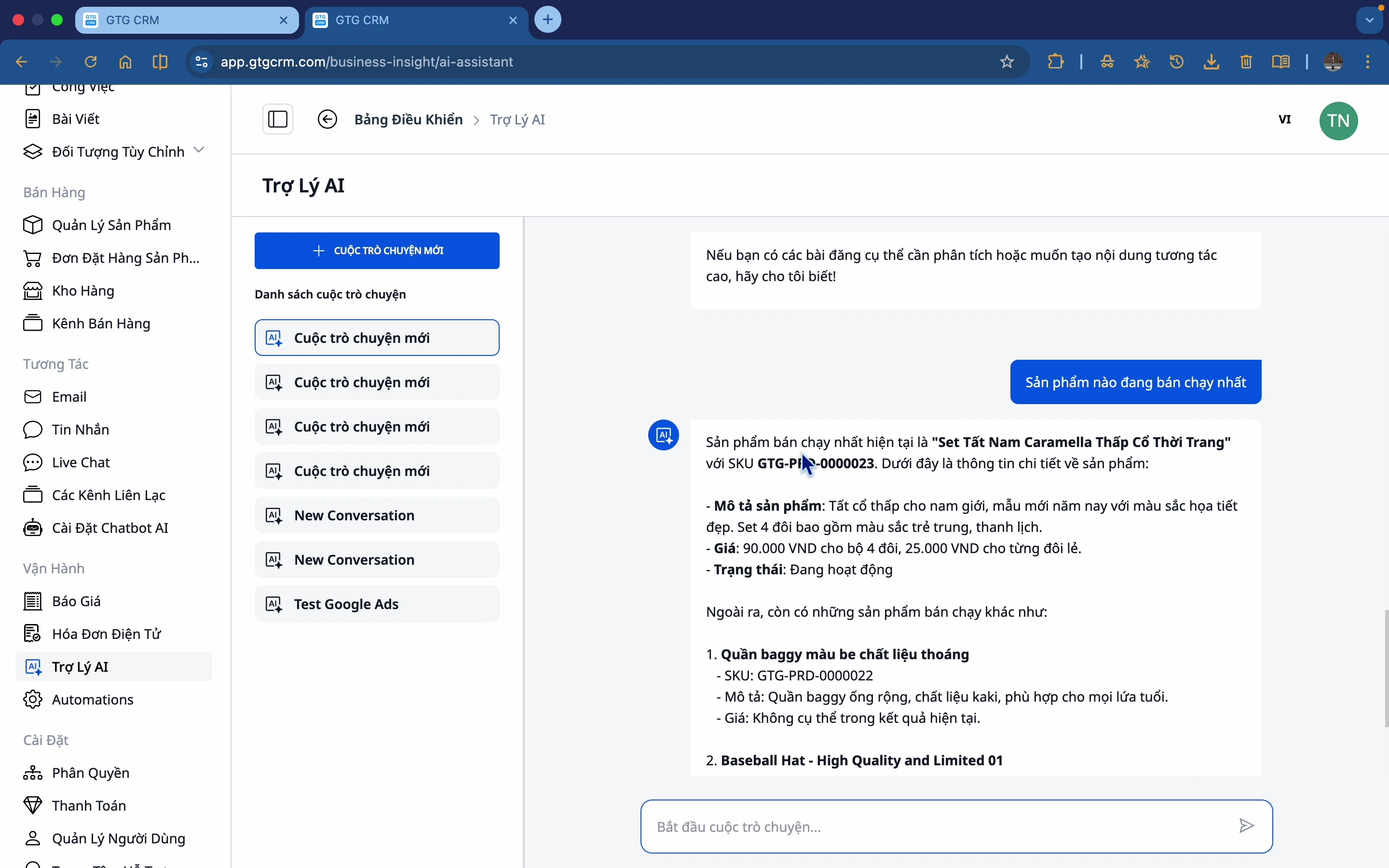
2. Product Management
- Product list
- Sales
- Inventory
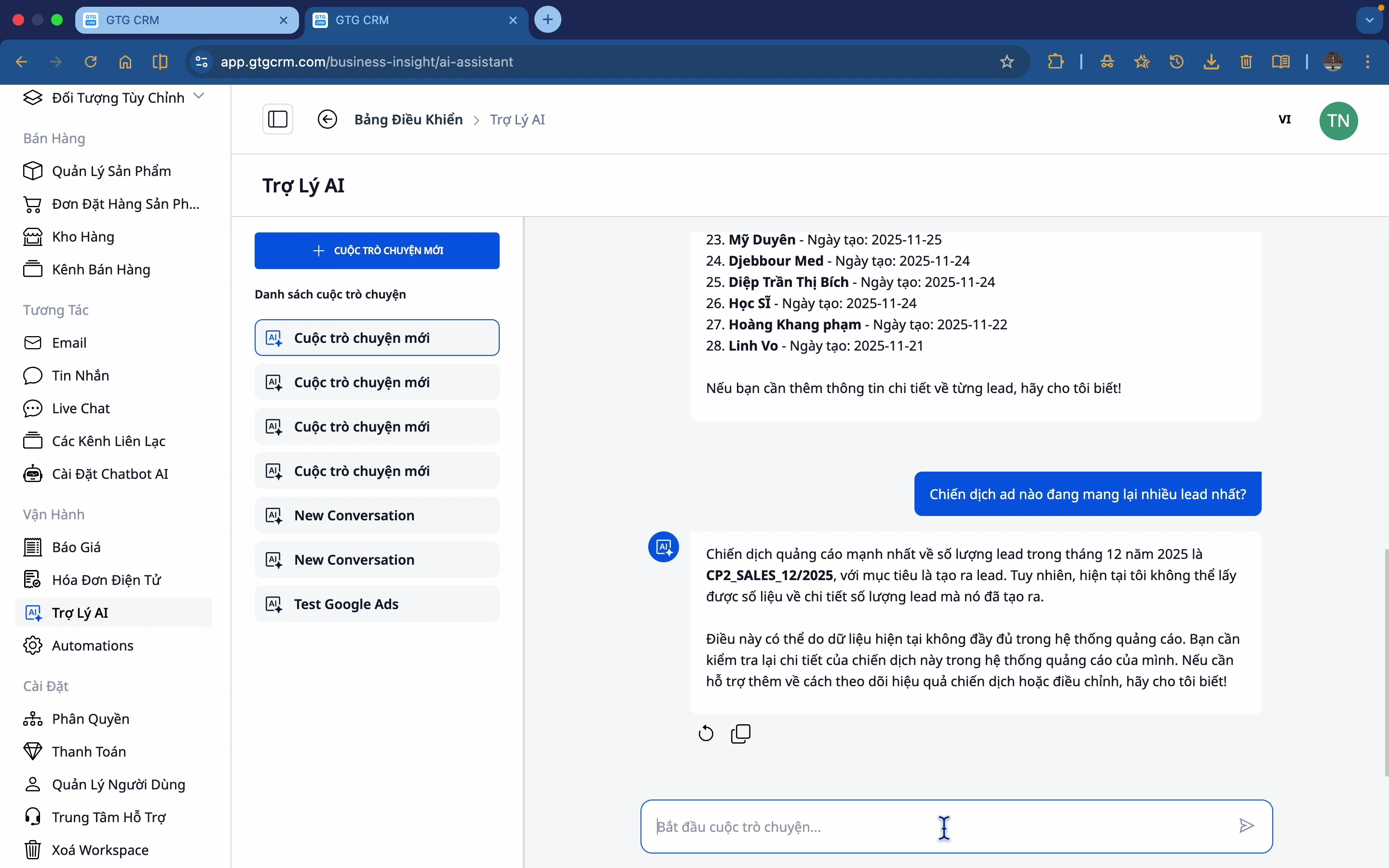
3. Marketing & Ads
- Facebook and Google advertising campaigns
- Effectiveness of each campaign
- Costs and conversions
4. Social media
- The article has been published.
- Level of interaction
- Effective content
5. Revenue & Orders
- Revenue over time
- Number of orders
- Business trends
6. Google Drive
- List of files and folders in Google Drive
- Read and extract document content.
- Search for files by name or content.
- Get video metadata from Drive
AI can access your Google Drive (after connecting your Google account) and analyze, summarize, or integrate file content into responses—without leaving GTG CRM.
Generate Reports & Documents Automatically
This is a completely new set of features in AI Biz Assistant, which helps convert data into physical files with just a voice command.
Automatically Create Excel Files (XLSX)
AI Biz Assistant can create Excel files (.xlsx) directly from data in GTG CRM - no manual copying or formatting required.
What AI can generate: - Monthly/quarterly/annual revenue summaries - Customer lists with complete information - Advertising campaign effectiveness reports (Facebook, Google) - Product inventory reports - Order reports by sales channel - Any data tables a business needs
Instructions: Simply make your request in Vietnamese.
"Create an Excel file summarizing May's revenue by product."
"Export the list of the 50 most promising potential customers to an Excel file"
"Create a table-based report of your Facebook advertising expenses for the past month"
The AI will retrieve real data from the system, organize it into a clearly structured table, and export an .xlsx file for you to download immediately.
Create PowerPoint Slides Automatically (PPTX)
AI Biz Assistant can create professional PowerPoint presentations (.pptx) from your data and content requirements – suitable for board meetings, partner reports, and investor pitches.
What AI can create: - Slides summarizing business results by period - Effective marketing presentations - Sales reports for management - Competitor analysis slides - Any presentation with described content. How to use:
"Create a summary slideshow of May's business results, consisting of 5 main slides."
"Create a presentation reporting the effectiveness of your Q2 advertising campaign"
"Create a monthly summary PowerPoint to present to the sales team."
The downloaded .pptx file is ready to open in Microsoft PowerPoint or Google Slides.
Drafting Standard Vietnamese Legal Documents
AI Biz Assistant can draft Vietnamese legal documents according to official government standards: Times New Roman 13pt font, official letterhead format, standard margins, and official legal symbols and language.
24 sample documents, including 10 categories:
| Group | Document |
|---|---|
| Establishing a business | Articles of Association of the Limited Liability Company, Decision on Establishment, Application for Investment Registration Certificate |
| Human Resources & Labor | Employment contract, Appointment decision, Dismissal decision |
| Authorization & Representation | Power of attorney (individual, organization) |
| Meetings & Resolutions | Minutes of the Board of Members Meeting, Minutes of the General Meeting of Shareholders |
| Contract | Business cooperation agreement, Service contract |
| Dissolution & Termination | Decision to dissolve the company |
| Rules and Regulations | Company regulations, operating procedures |
Instructions - The AI will ask for each piece of necessary information:
"Create articles of incorporation for ABC Limited Liability Company"
The AI will ask for information step by step: company name, address, registered capital, list of members, capital contribution ratio, legal representative, etc. After you provide all the information, the AI will export a .docx file in the correct Vietnamese government document format, ready for printing and signing.
Standard formatting features: - Font: Times New Roman 13pt - Margins: Standard Vietnamese administrative document margins - Letterhead: SOCIALIST REPUBLIC OF VIETNAM - Independence - Freedom - Happiness - Signature and seal: Correctly positioned according to the template - Legal language: Use official terminology, avoid slang or informal language
Connect to Google Drive
AI Biz Assistant can now access your Google Drive (after connecting your Google account in Settings) and work with documents directly.
What AI can do with Google Drive:
- List files : "List all files in the Q2 Report folder"
- Search : "Find contract file with customer Minh Hung"
- Read the document : "Summary of contract file ABC in my Drive"
- Video analysis : "Get the latest video information from Drive"
- Data integration : "Compare figures in the Excel Drive file with actual revenue in GTG CRM"
Connect to Google Drive once, use it forever. After linking your Google account in Settings → Integrations, AI can access and work with your Drive files whenever you request it.
Types of Questions AI Can Answer
Business Situation
- "How was the revenue today?"
- "How many new orders have there been in the last 7 days?"
- "What percentage of revenue do new customers account for?"
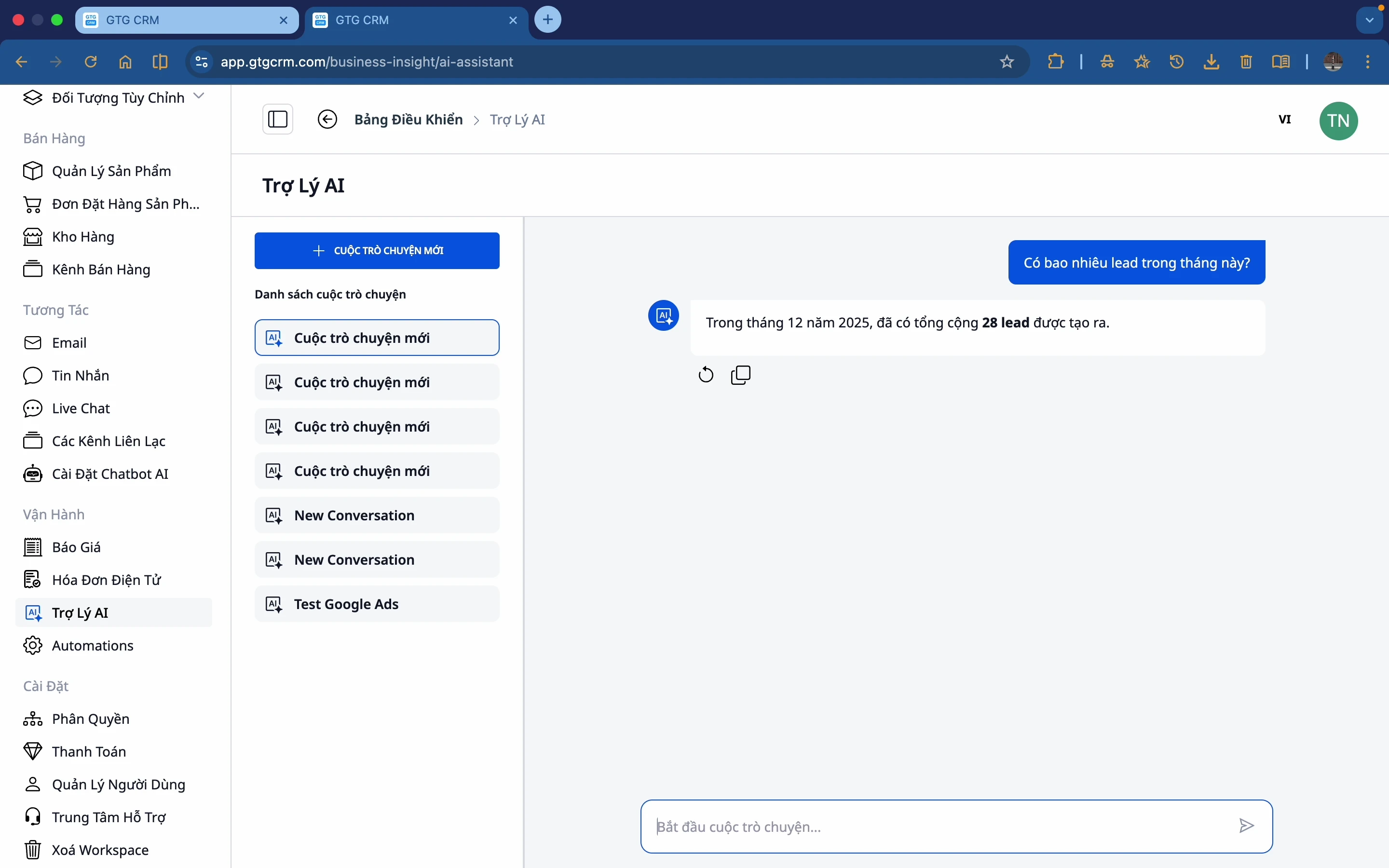
Customers & Leads
- "How many leads did we get this month?"
- "List the most recent leads"
- "Which customer group buys the most?"
Marketing & Advertising
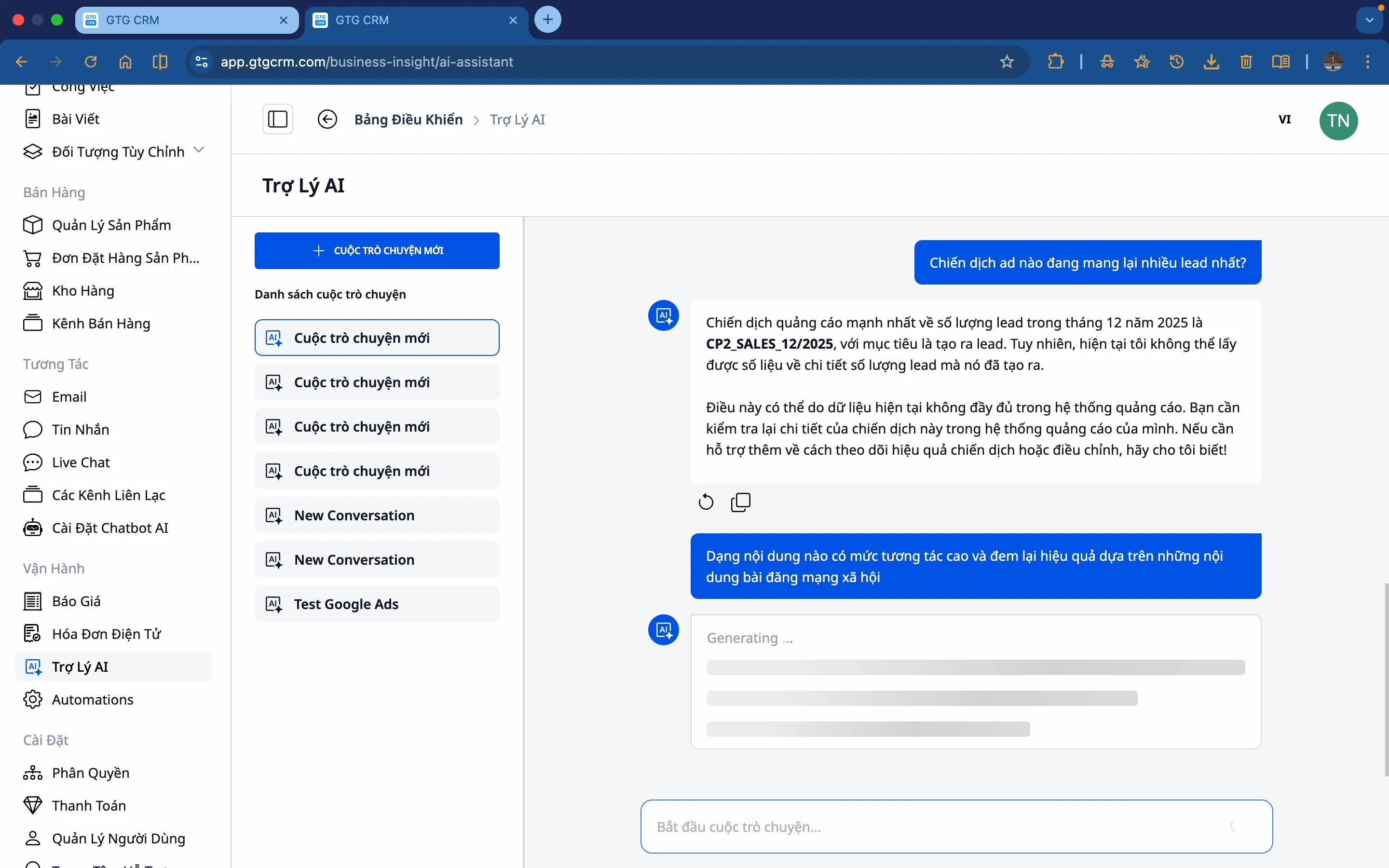
- "Which ad campaign is generating the most leads?"
- "Which marketing channel works best?"
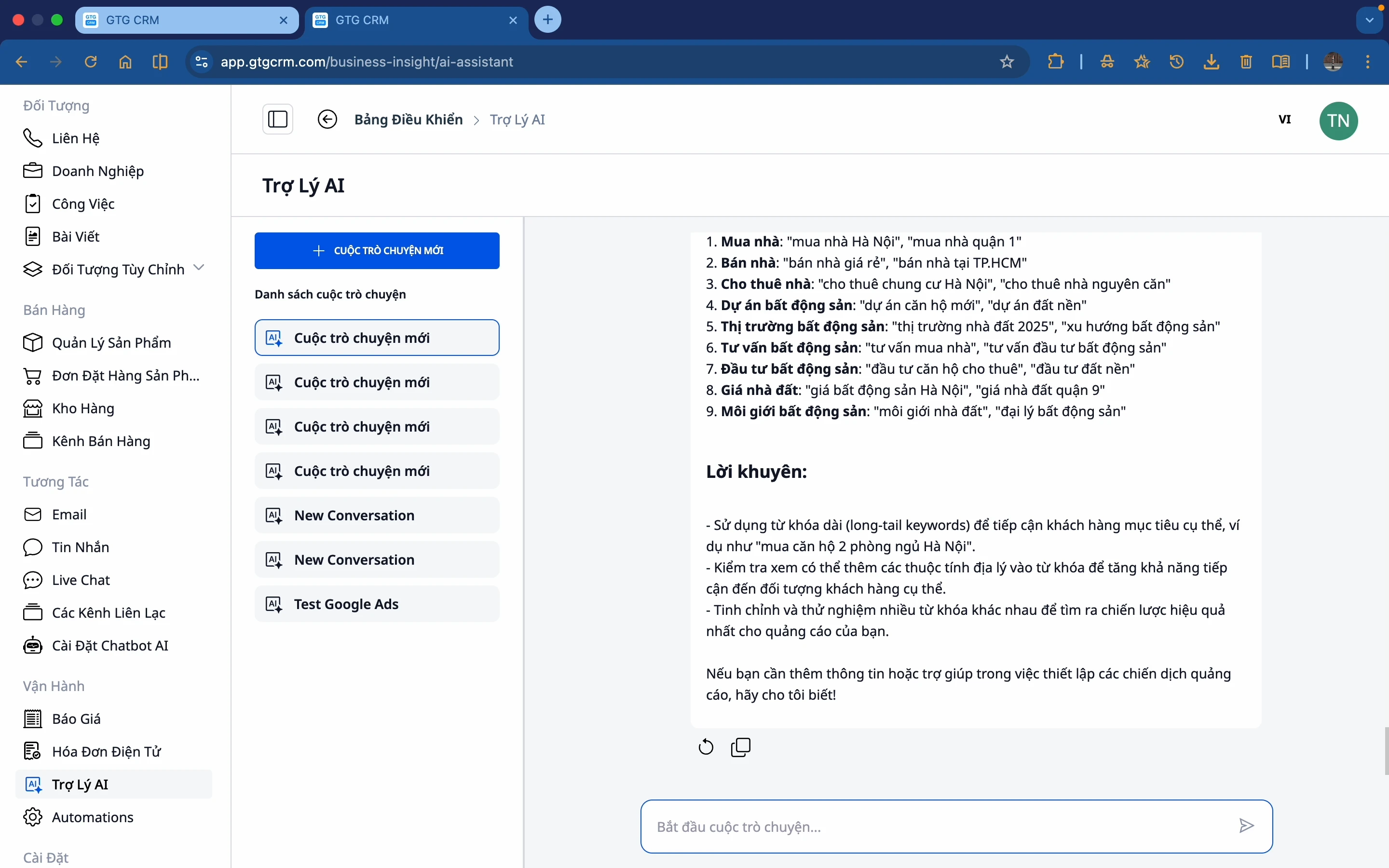
- "Suggest keywords for running Google ads"
Content & Social Media
- "What types of content have high engagement?"
- "Which post received the most likes?"
Product
- "Which product is selling best?"
- "Which products need more stock?"
Create Excel & PowerPoint Reports (New)
- "Create an Excel file summarizing May's revenue by product"
- "Export the list of the top 50 customers to an Excel spreadsheet"
- "Create a 6-page Q2 earnings report slide."
- "Create a PowerPoint summary of the effectiveness of your Facebook campaign over the past month"
Drafting Legal Documents (New)
- "Create employment contracts for new employees"
- "Prepare a letter of authorization for the branch manager."
- "Create articles of incorporation for my limited liability company"
- "Write the minutes of the June board meeting"
- "Draft the decision to appoint the head of the sales department"
Google Drive (New)
- "List the files in the Contracts folder on Drive"
- "Find the quotation file to send to customer Binh Minh"
- "Summary of document ABC's contents in Google Drive"
Predictions & Suggestions
- "Which channel should I focus on?"
- "If things continue as they are, where will the risks lie?"
- "Suggest keywords for running Google Ads for my industry"
Main Benefits
| Benefit | Describe |
|---|---|
| Save time | No need to review every report; just ask the AI for the answer. |
| Make quick decisions | Based on real data, not emotions. |
| Easy to use | Just ask your question using natural Vietnamese language. |
| Multi-source compilation | AI combines data from multiple modules and also from Google Drive. |
| In-depth Insight | AI analyzes and suggests actions. |
| Generate automated reports | Export Excel and PowerPoint files from real data with just one sentence. |
| Standard legal documents | 24 Vietnamese document templates in the correct government format, download and sign immediately. |
| Connecting the ecosystem | Read and analyze documents from Google Drive within the same interface. |
Suitable for
- Business owners - Get a quick overview and view reports without opening Excel.
- Marketing Management - Evaluate campaign effectiveness, create instant report slides.
- Sales Management - Track leads and sales, export customer lists.
- Accounting & Administration - Drafting contracts, articles of incorporation, and authorization documents to the correct standards.
- Operations staff - Retrieving information, generating periodic reports without requiring IT expertise.
Conclude
With AI Biz Assistant in GTG CRM, businesses can not only view data but also understand it to act faster – and now they can even instantly create Excel reports, presentation slides, or legal documents in standard Vietnamese, all within a single conversation.
AI Biz Assistant transforms complex data into easily understandable insights, professional documentation, and legally compliant texts, helping businesses make informed, timely decisions and operate more efficiently every day.
Ready to try this feature for free for your business?
Try it for free.

