AI Video Studio
Create Professional Marketing Videos Without Filming

GTG CRM Team · GTG CRM
March 05, 2026
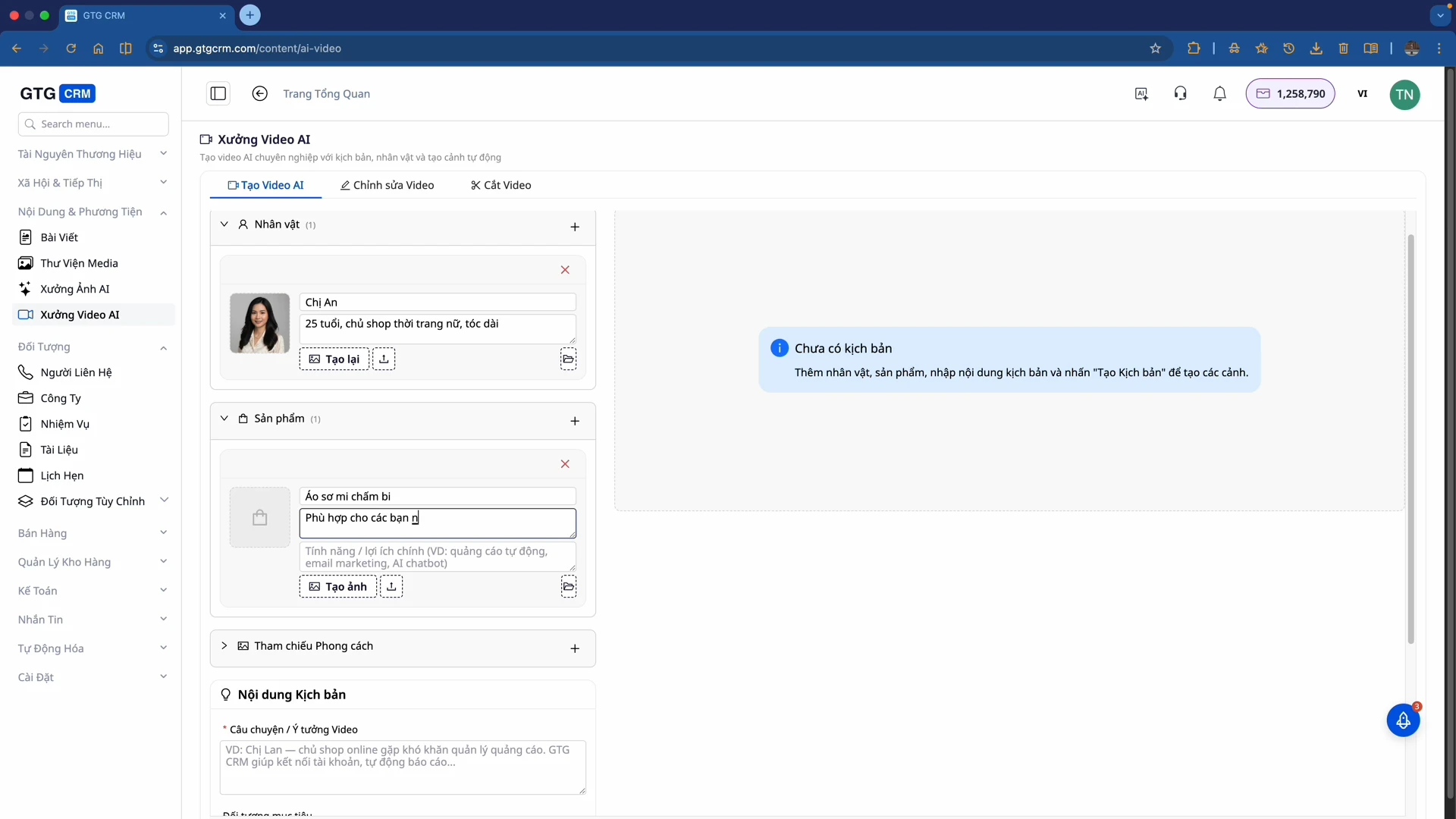
Table of Contents
AI Video Studio within GTG CRM empowers businesses to create professional marketing content using AI – no filming, actors, or complex editing software required. Simply provide product information, and the AI will automatically generate scripts, create characters, build scenes, and compile them into a complete video.
Key Features
Create AI Characters for Videos
AI Video Studio allows you to create AI characters to appear in your videos and introduce products.
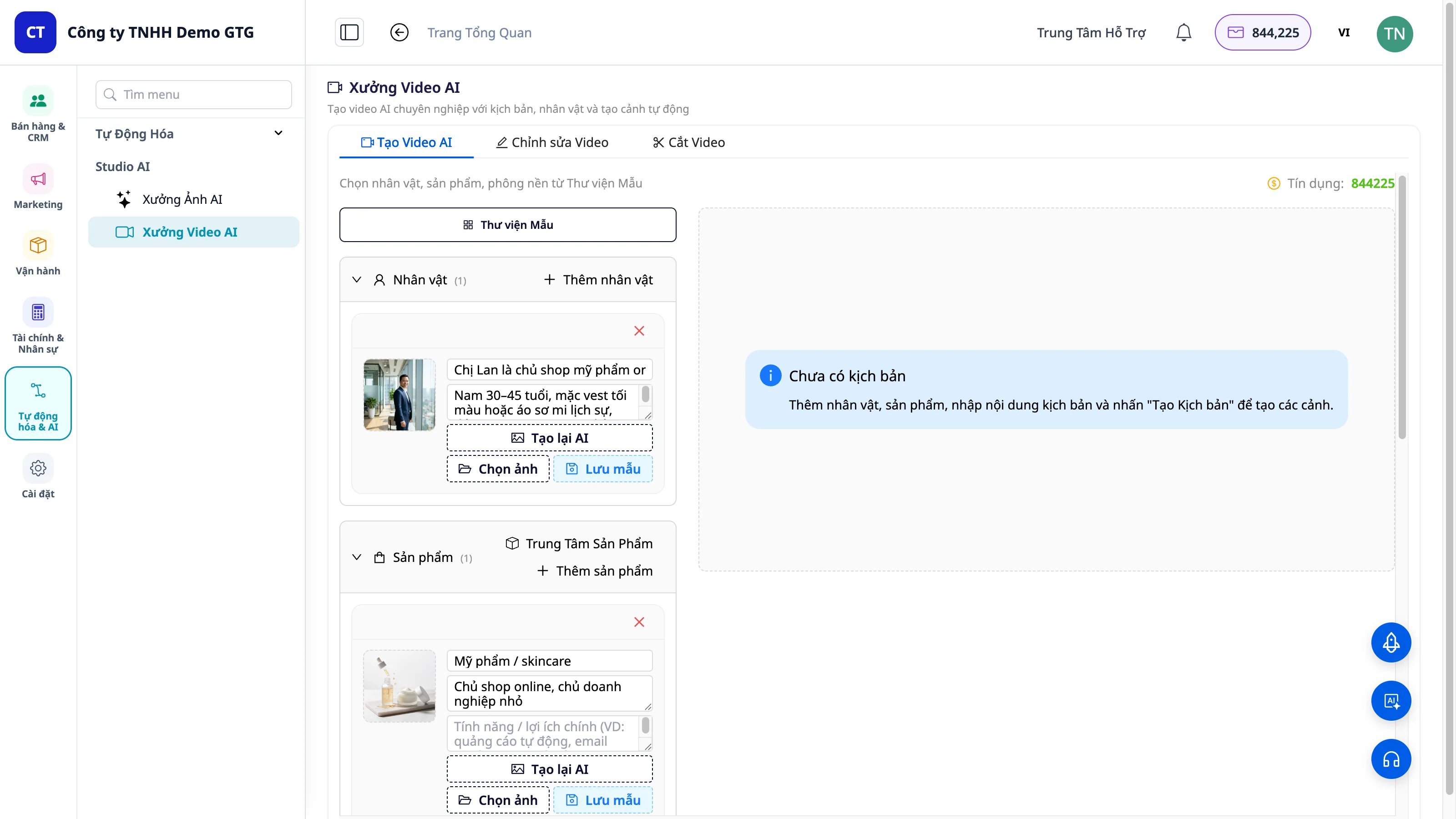
Characters can be generated from detailed descriptions: - Name, age - Profession or role - Style and appearance
Alternatively, upload an existing character image. The character will appear consistently throughout the video scenes, ensuring brand visual consistency.
Generate Scripts from Product Information
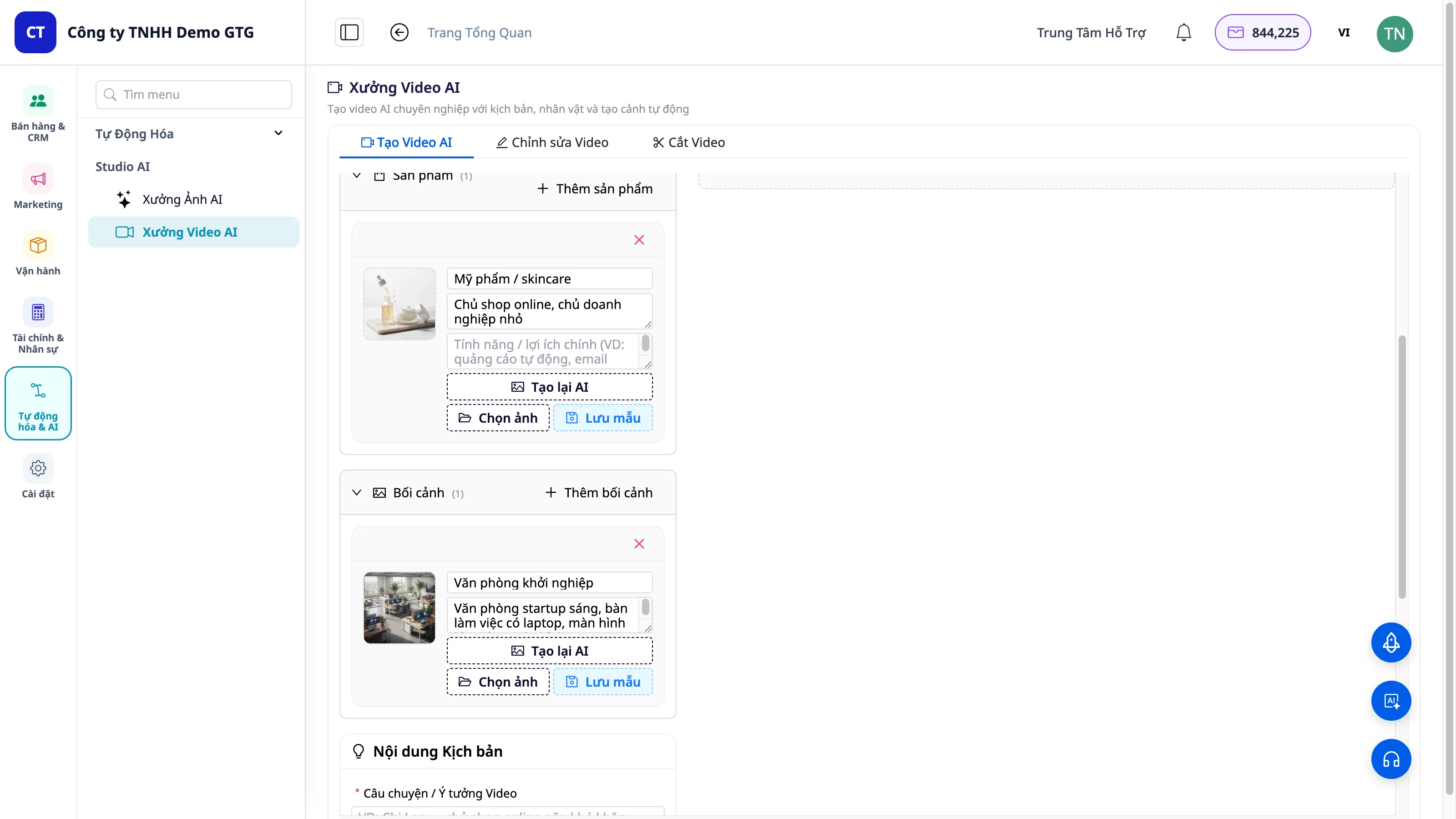
Provide the product name, description, and content idea → the AI automatically generates a script and divides it into multiple scenes. Each scene includes clear dialogue and context descriptions.
Videos can be created in various lengths suitable for different platforms: - TikTok (9-15 seconds, 30-60 seconds) - Facebook Reels (15-90 seconds) - Short promotional videos (6-15 seconds)
Create Scenes and Compile Complete Videos
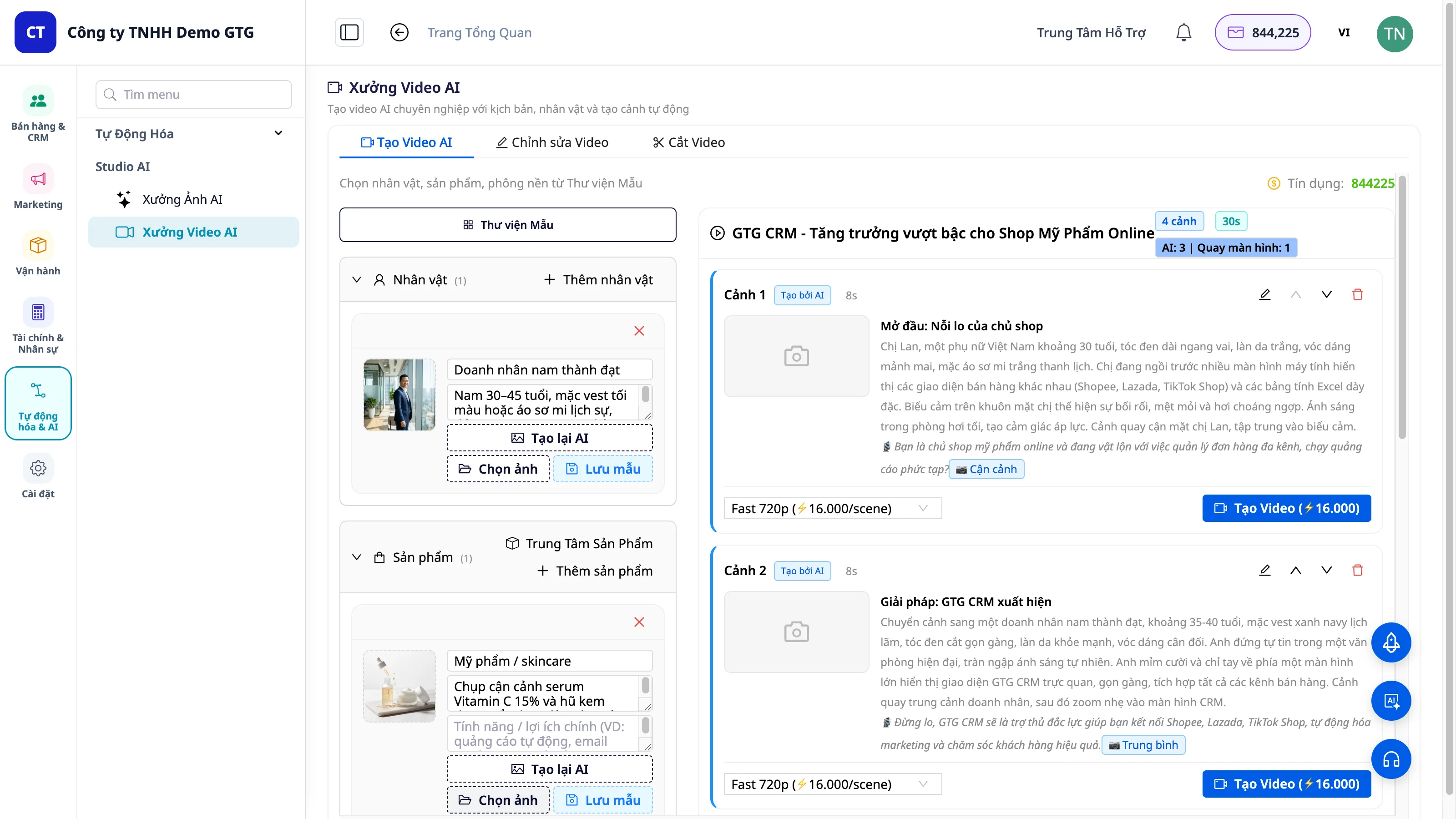
Once the script is complete, the system builds each scene: - AI Character - Product - Background relevant to the content
Select the desired scenes → the AI compiles them into a complete video.
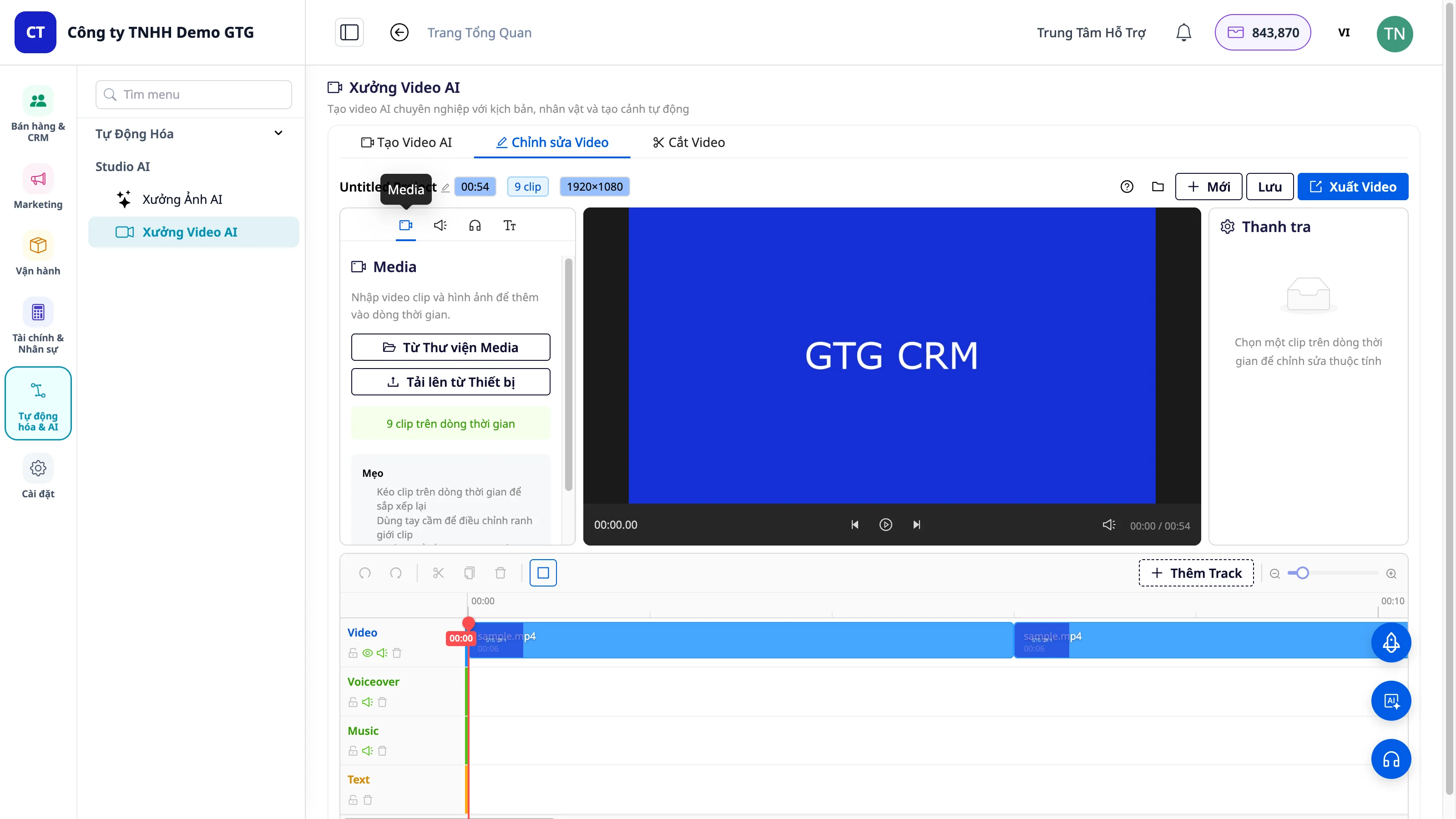
The compiled video can be saved to the Media Library or downloaded for use on various platforms.
Timeline Editor - Detailed Editing
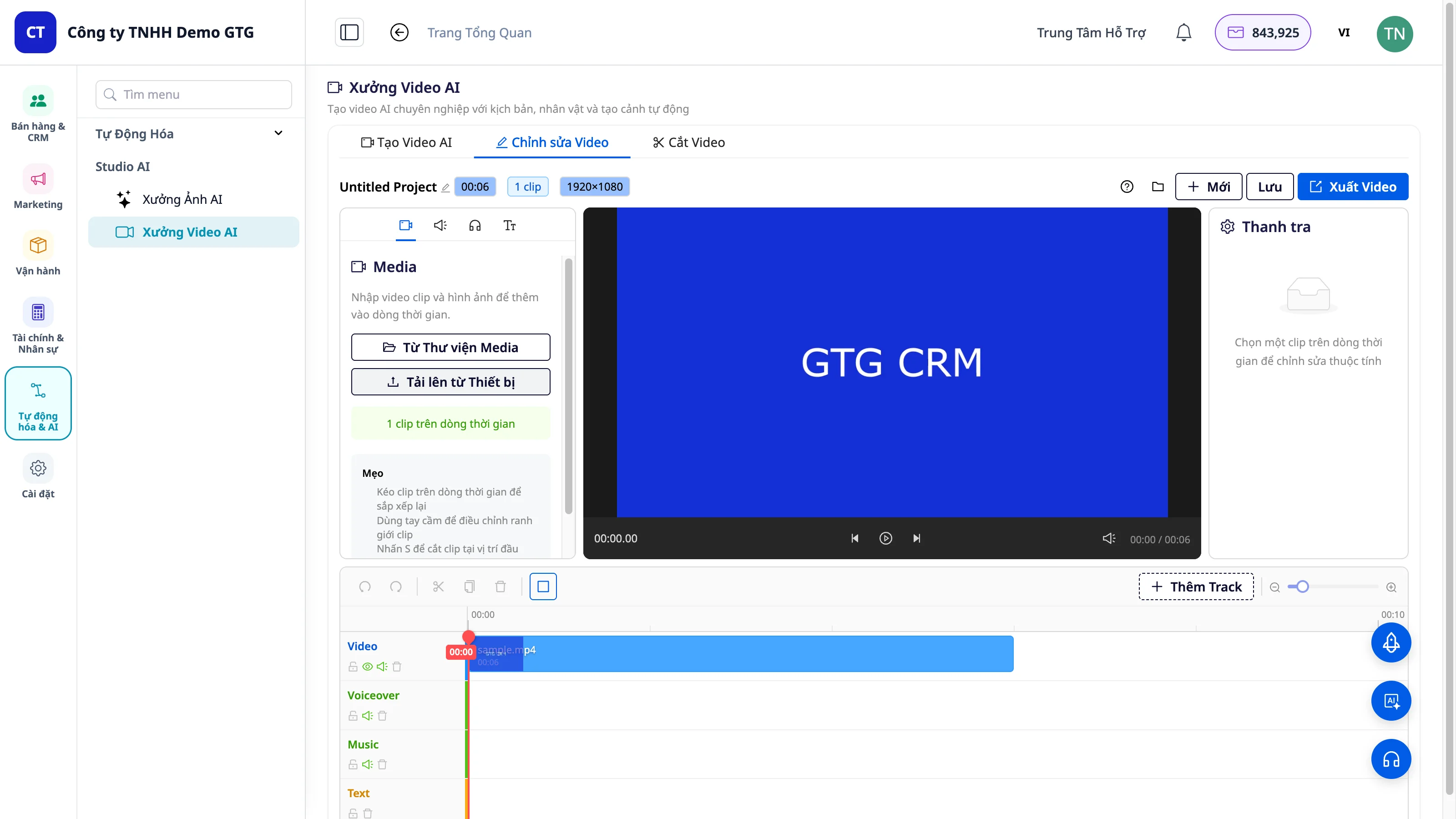
The timeline editor interface allows for fine-tuning videos after AI generation:
| Track | Content |
|---|---|
| Video | Main video layer |
| Voiceover | Voiceover layer |
| Music | Background music |
| Text | Text and subtitles |
Add more tracks, adjust display order, or remove unneeded sections.
Text-to-Speech - Automatic Voiceover
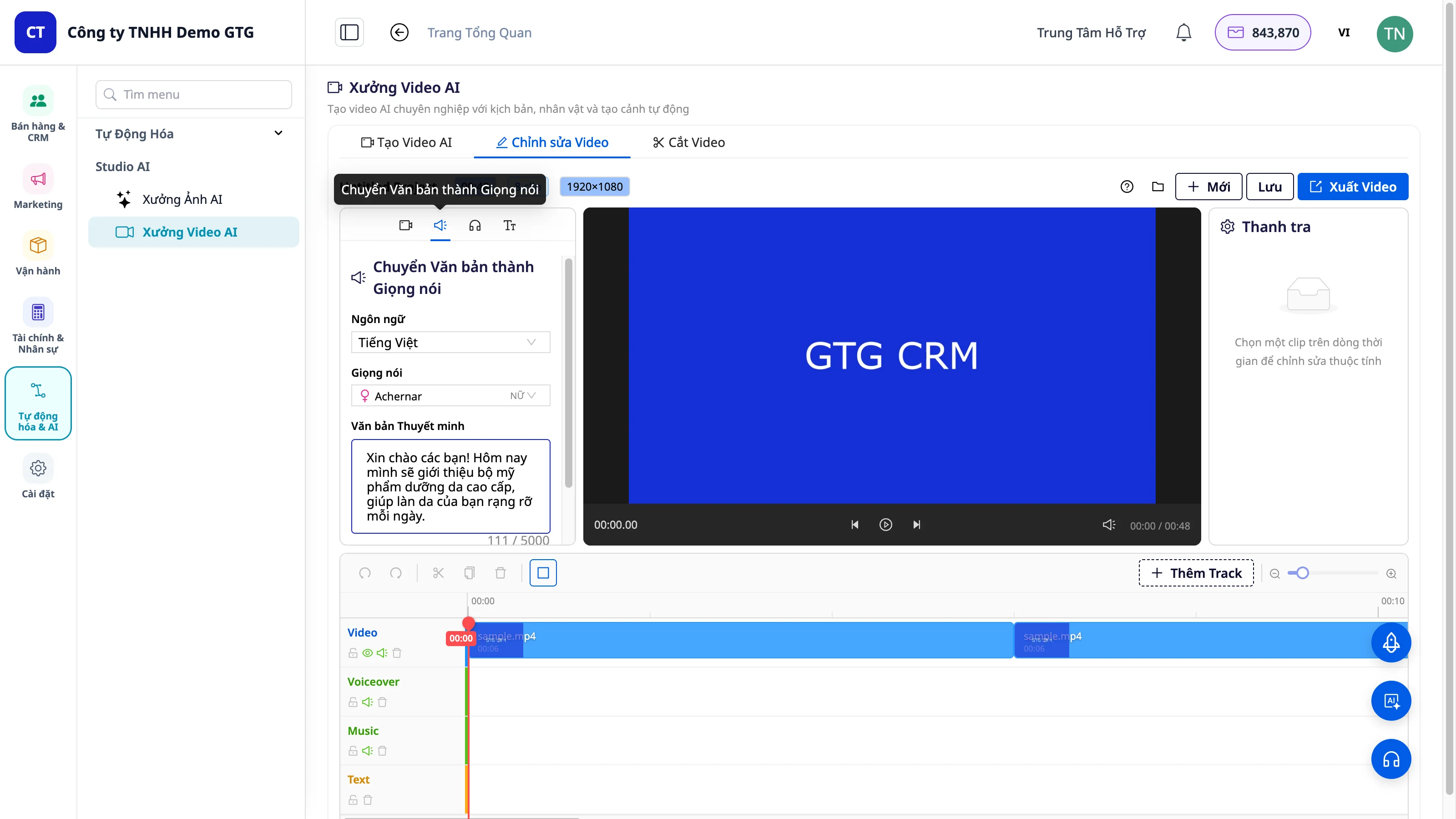
Convert text to AI speech in 3 steps: 1. Enter dialogue content 2. Select language 3. Choose AI voice
The system automatically generates voiceovers and integrates them into the timeline – no manual recording needed.
Credit Costs
| Feature | Credits |
|---|---|
| Short video creation (1 scene) | Calculated per second of video |
| Text-to-Speech (voiceover) | 1 credit/100 characters |
Check your available credits in Settings → Credits & Billing before creating large content pieces.
Conclusion
AI Video Studio helps businesses create diverse marketing content, from TikTok ads to PowerPoint presentations for partners, faster, cheaper, and consistently with their brand identity. All within the GTG CRM platform.